
Leadflow Connector
| 开发者 | mbarbieri |
|---|---|
| 更新时间 | 2026年10月26日 22:17 |
| PHP版本: | 7.4 及以上 |
| WordPress版本: | 7.1 |
| 版权: | GPLv2 or later |
| 版权网址: | 版权信息 |
详情介绍:
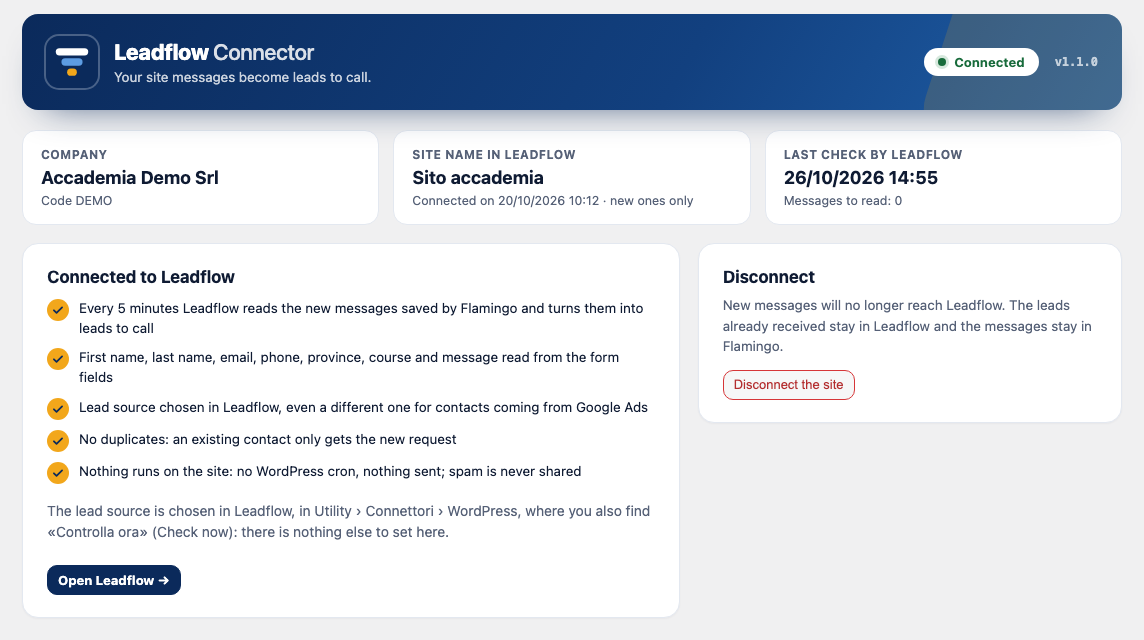
- first name, last name, email, phone, province, course and message are read from the form fields;
- the lead source is chosen in Leadflow, even a different one for contacts coming from Google Ads;
- no duplicates: a contact already in Leadflow only gets the new request in its history;
- spam marked by Flamingo is never shared;
- nothing runs on your site: no WordPress cron and nothing sent by the site on its own. Leadflow asks for the new messages with signed requests.
安装:
- Install and activate Flamingo (and Contact Form 7, if it is not already on the site).
- Install Leadflow Connector from Plugins › Add New, searching for "Leadflow Connector", and activate it.
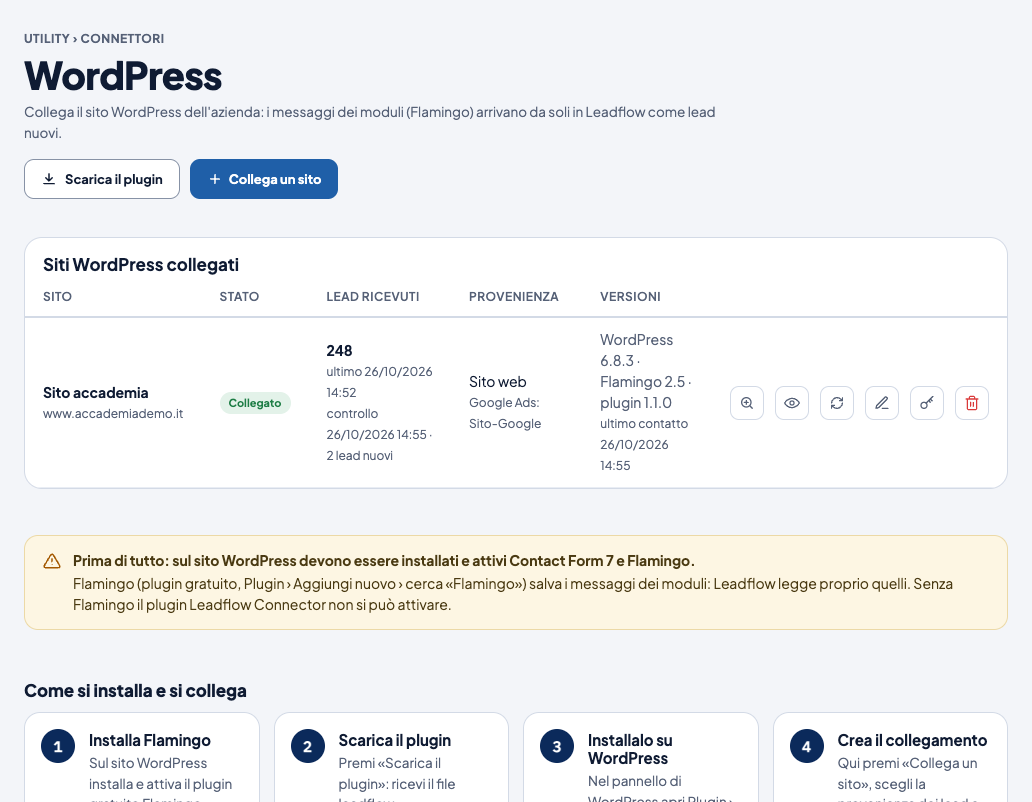
- In Leadflow open Utility › Connettori › WordPress, click "Collega un sito" (Connect a site), choose the lead source and copy the connection key. The key is shown only once.
- In WordPress open Settings › Leadflow, paste the key, choose "New ones only" or "All" and click "Connect".
屏幕截图:
常见问题:
Do I need a Leadflow account?
Yes. The connection key is created by the administrator of your company in Leadflow, under Utility › Connettori › WordPress.
Does it work without Flamingo?
No. Contact Form 7 does not save the messages: Flamingo does, and Leadflow reads them from Flamingo.
Are the old messages imported too?
Only if you choose "All" when you connect the site. With "New ones only" Leadflow reads the messages arriving from that moment on.
Will the same person become two leads?
No. A contact already in Leadflow (same phone or email) only gets the new request in its history.
Does the plugin slow down my site?
No. The plugin does not schedule anything and does not send anything by itself: Leadflow asks for the new messages every 5 minutes through a signed REST request.
What happens when I disconnect or uninstall the plugin?
New messages no longer reach Leadflow. Leads already received stay in Leadflow and the messages stay in Flamingo. Uninstalling the plugin removes its settings.
更新日志:
- English base language with the Italian translation included.
- Links to the Leadflow privacy policy and terms of use on the settings page.
- Requires WordPress 6.5 (dependency on Flamingo declared with Requires Plugins).
- First version: every 5 minutes Leadflow reads the Flamingo messages and turns them into leads.