
LeadFlow Lite
| 开发者 | brandcoremedia |
|---|---|
| 更新时间 | 2026年6月6日 18:18 |
| PHP版本: | 7.4 及以上 |
| WordPress版本: | 7.0 |
| 版权: | GPLv2 or later |
| 版权网址: | 版权信息 |
详情介绍:
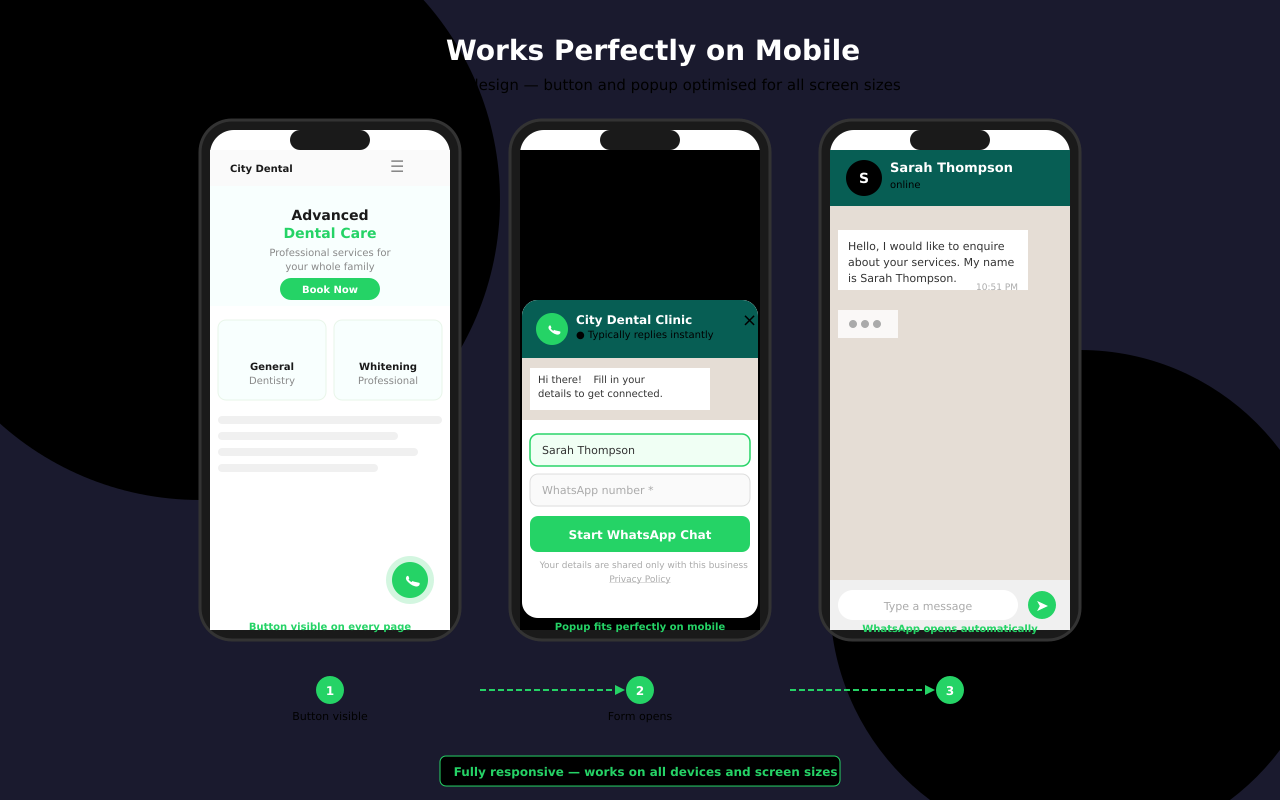
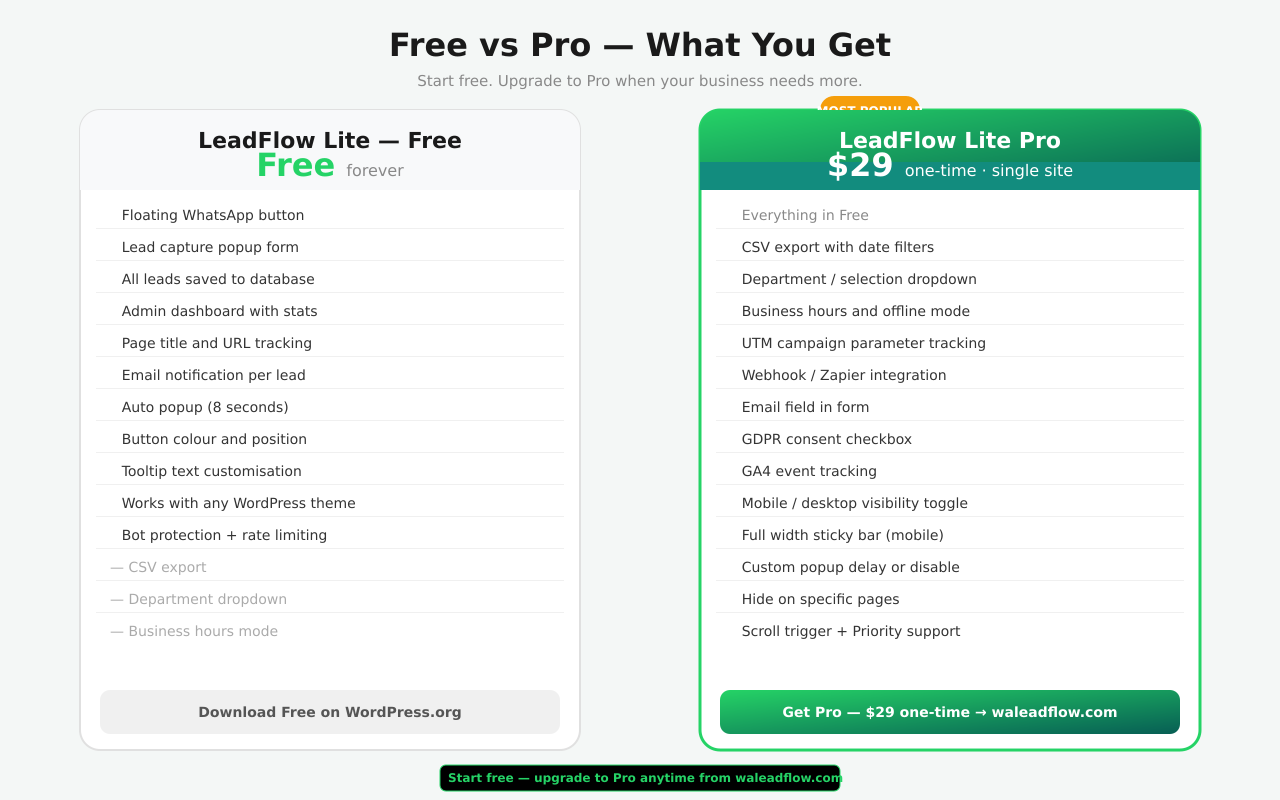
- ✅ Floating chat button — fixed position, always visible
- ✅ Left or right placement with custom margin control
- ✅ Custom margin from edge and bottom
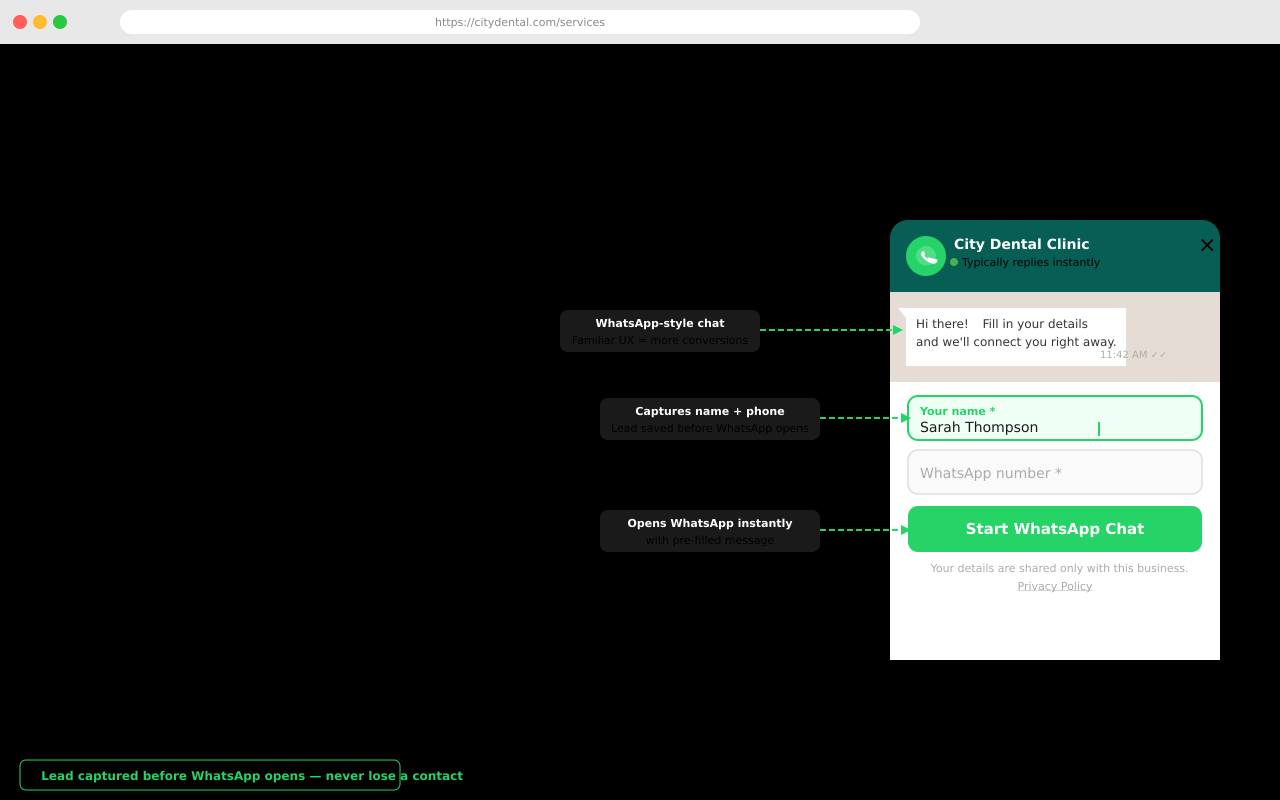
- ✅ Lead capture popup form — name + phone
- ✅ Leads saved to your WordPress database
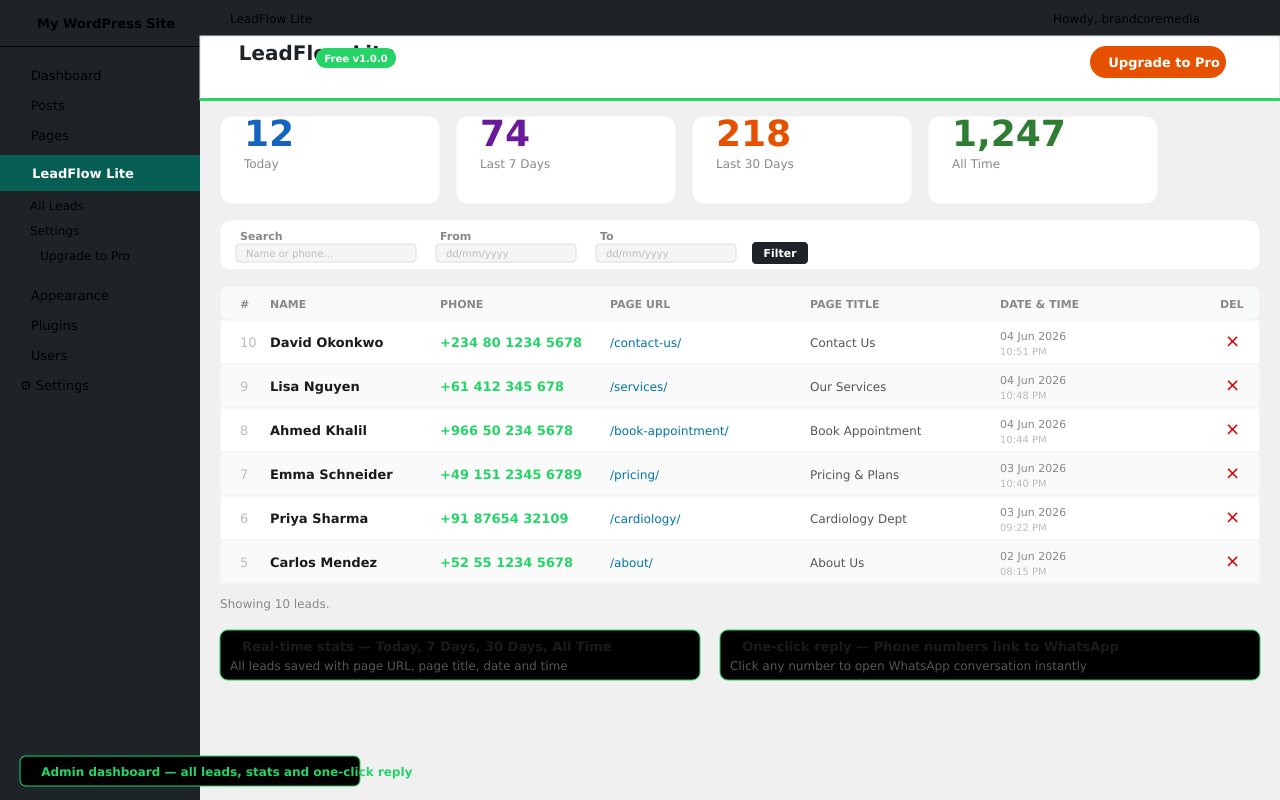
- ✅ Admin dashboard with lead stats (today, week, month, all time)
- ✅ Latest 50 leads visible in dashboard
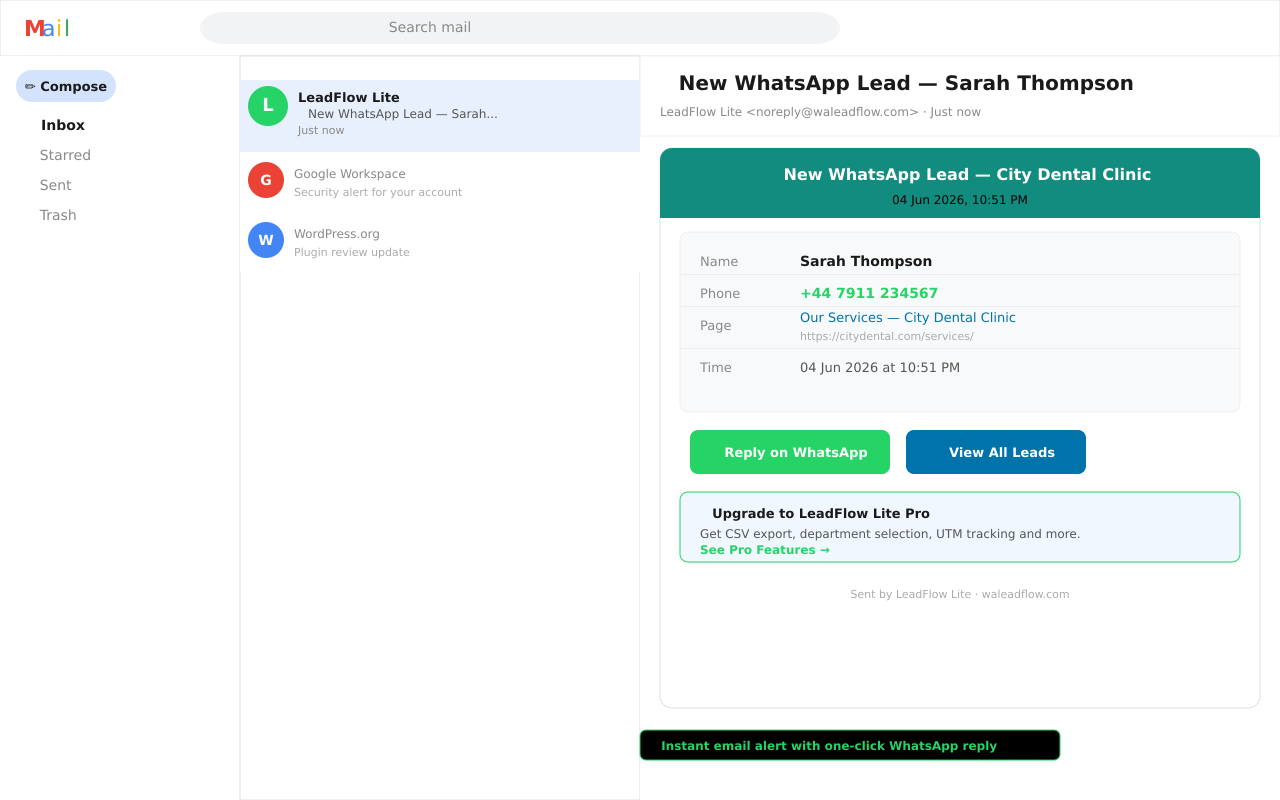
- ✅ Email notification on every new lead
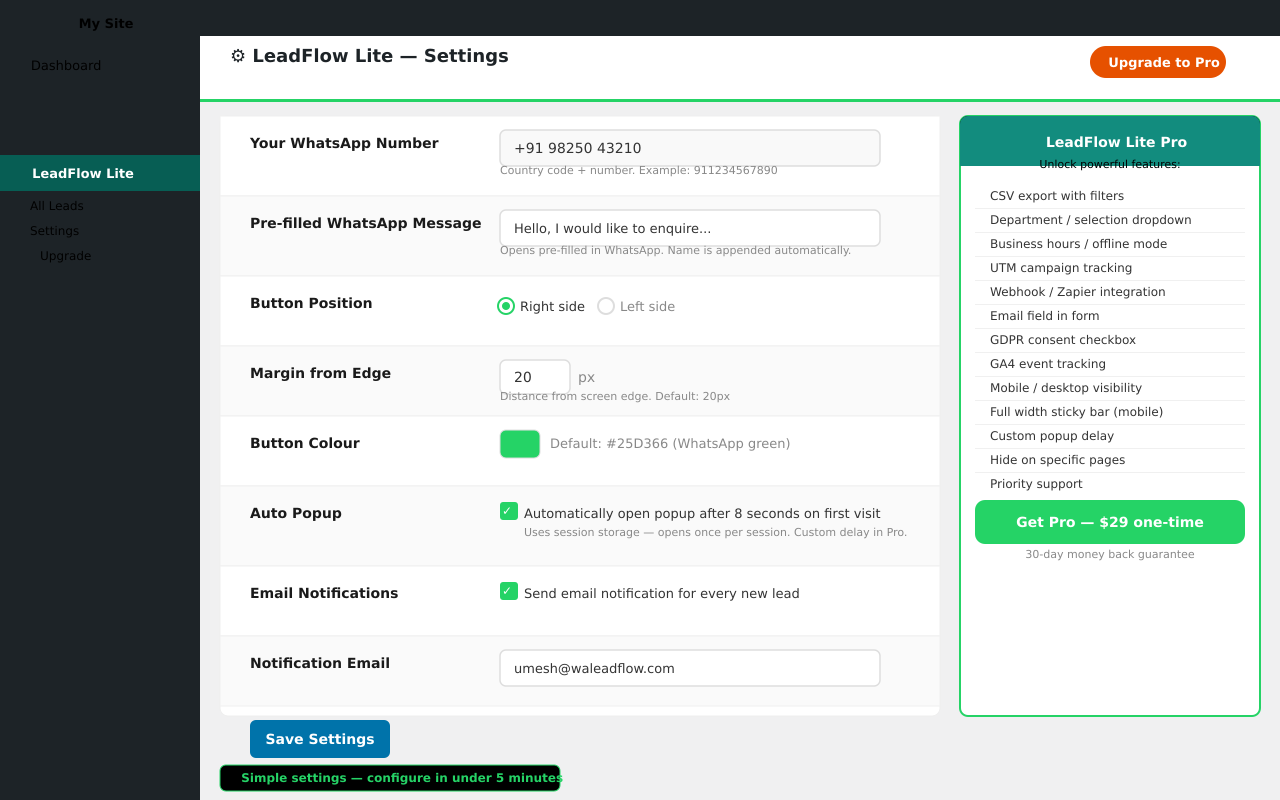
- ✅ Auto-popup after 8 seconds (on/off)
- ✅ Button colour picker
- ✅ Pre-filled message
- ✅ Button tooltip text
- ✅ Works with any WordPress theme
- ✅ Honeypot bot protection
- ✅ Rate limiting (10 submissions per IP per hour)
- ✅ GDPR-friendly — all data stored on your own server
- ✅ Optional shortcode [walc_button]
- 📊 Unlimited lead history
- 📥 CSV export with date and search filters
- 🏷️ Department / selection dropdown in form
- 📄 Page title in lead dashboard
- 💬 Editable chat bubble message (HTML supported)
- ⏱️ Custom popup delay or disable entirely
- 📱 Mobile only / desktop only / both visibility
- 📌 Full width sticky bar for mobile
- 🕐 Business hours and offline mode
- 🎯 UTM campaign parameter tracking
- 🔗 Webhook / Zapier integration
- 📧 Email field in form
- ✅ GDPR consent checkbox
- 📈 GA4 event tracking
- 🚫 Hide on specific pages
- 📜 Scroll trigger
- ⚡ Priority support
安装:
- Upload the
wa-leadflowfolder to/wp-content/plugins/ - Activate the plugin through the Plugins menu in WordPress
- Go to LeadFlow Lite → Settings
- Enter your WhatsApp number (country code + number, no spaces or +)
- The floating button will appear on your site immediately
- Enter your WhatsApp number in Settings (e.g. 911234567890 for India)
- Customise the pre-filled message, button colour and position
- Enable email notifications to receive an alert for every new lead
- View captured leads under LeadFlow Lite → All Leads
屏幕截图:
常见问题:
Do I need WhatsApp Business?
No. LeadFlow Lite works with both personal WhatsApp and WhatsApp Business accounts. Just enter your number in Settings.
Where are leads stored?
All leads are stored in your own WordPress database. No data is sent to external servers.
What happens after the free lead limit?
The dashboard shows the latest 50 leads. All leads are still captured and stored in your database — the dashboard simply shows the most recent 50. Upgrade to Pro to view your complete lead history.
Does it work on mobile?
Yes, the floating button and popup are fully responsive and work on all screen sizes and devices.
Which browsers are supported?
LeadFlow Lite is tested and works on Chrome, Firefox, Safari, Edge, and Brave on both desktop and mobile — including Safari on iPhone/iPad and Chrome on Android.
Can I place the button on the left side?
Yes. Go to Settings and choose Left or Right placement, along with the exact pixel margin from the edge.
Can I use a shortcode?
Yes. Use [walc_button] to embed a WhatsApp chat button inside any page or post content.
Is it GDPR compliant?
The free version stores name, phone number, page URL, and IP address in your own WordPress database. You are responsible for including this data collection in your site's privacy policy. Pro adds a GDPR consent checkbox to the form.
How do I get support?
Post in the support forum. For priority support, upgrade to Pro.
更新日志:
- Initial release