
LeadOnForm – Salesforce Integration
| 开发者 | sanplugin |
|---|---|
| 更新时间 | 2026年11月7日 01:53 |
| PHP版本: | 7.4 及以上 |
| WordPress版本: | 7.1 |
| 版权: | GPLv2 or later |
| 版权网址: | 版权信息 |
详情介绍:
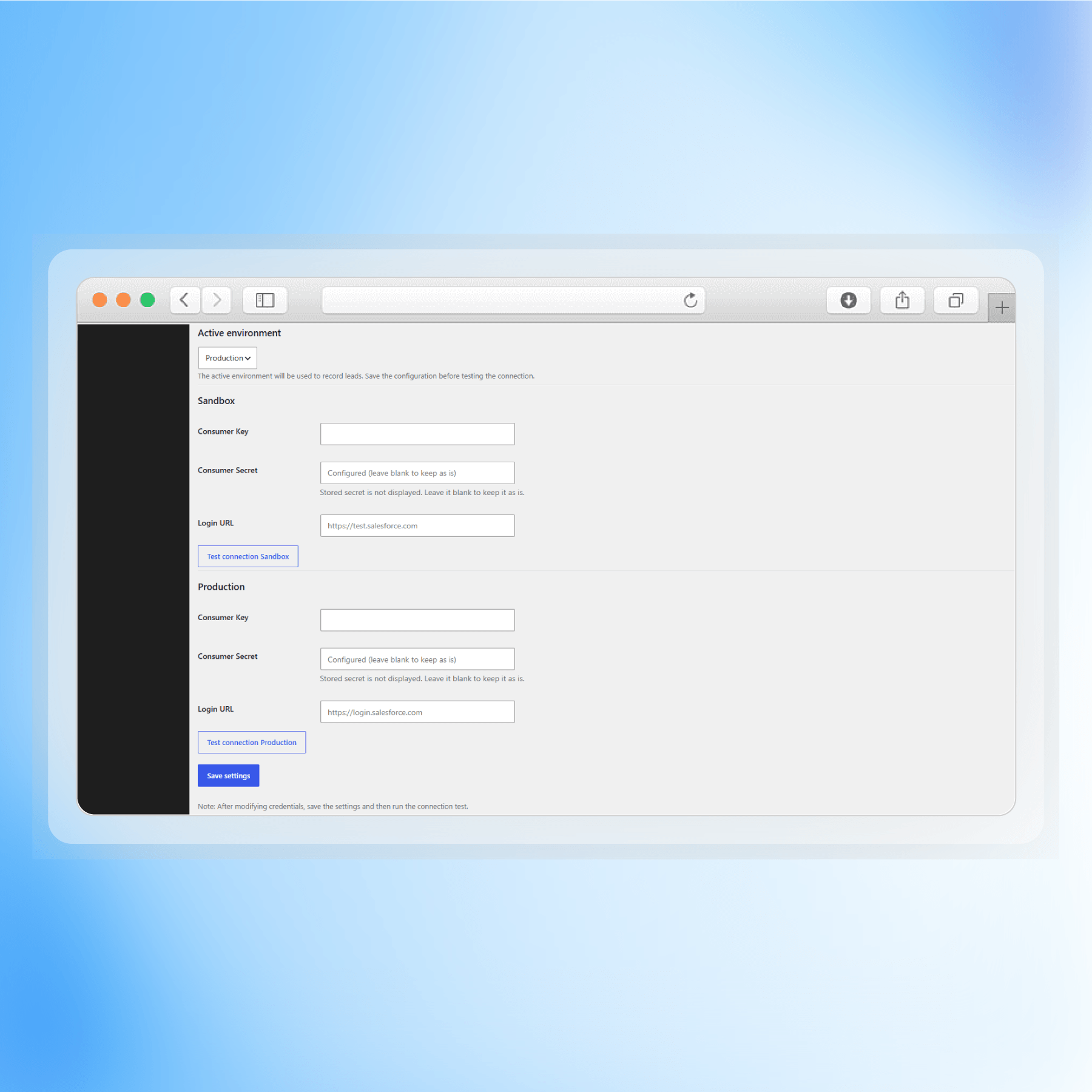
LeadOnForm connects selected WordPress form submissions to Salesforce Leads through a server-side API integration. Configure Salesforce credentials in the WordPress admin, choose Sandbox or Production, test the connection, and map form fields using their Salesforce API names.
The plugin supports:
- Native HTML forms: detects a form submission and sends the mapped fields to Salesforce without cancelling or replacing the form's normal submission.
- Contact Form 7: sends data after Contact Form 7 confirms a successful submission (
wpcf7mailsent). - Ninja Forms: sends data after Ninja Forms returns its successful AJAX response (
nfFormSubmitResponse). - Other custom integrations: exposes a JavaScript method and a custom success event for integrations that can confirm successful submission.
- Separate Sandbox and Production credentials and environment selection.
- Connection test for each configured environment.
- Field mapping with
sf-CSS classes; HTML field names can remain unchanged. - Create a new Lead or update an existing unconverted Lead when a matching email is found.
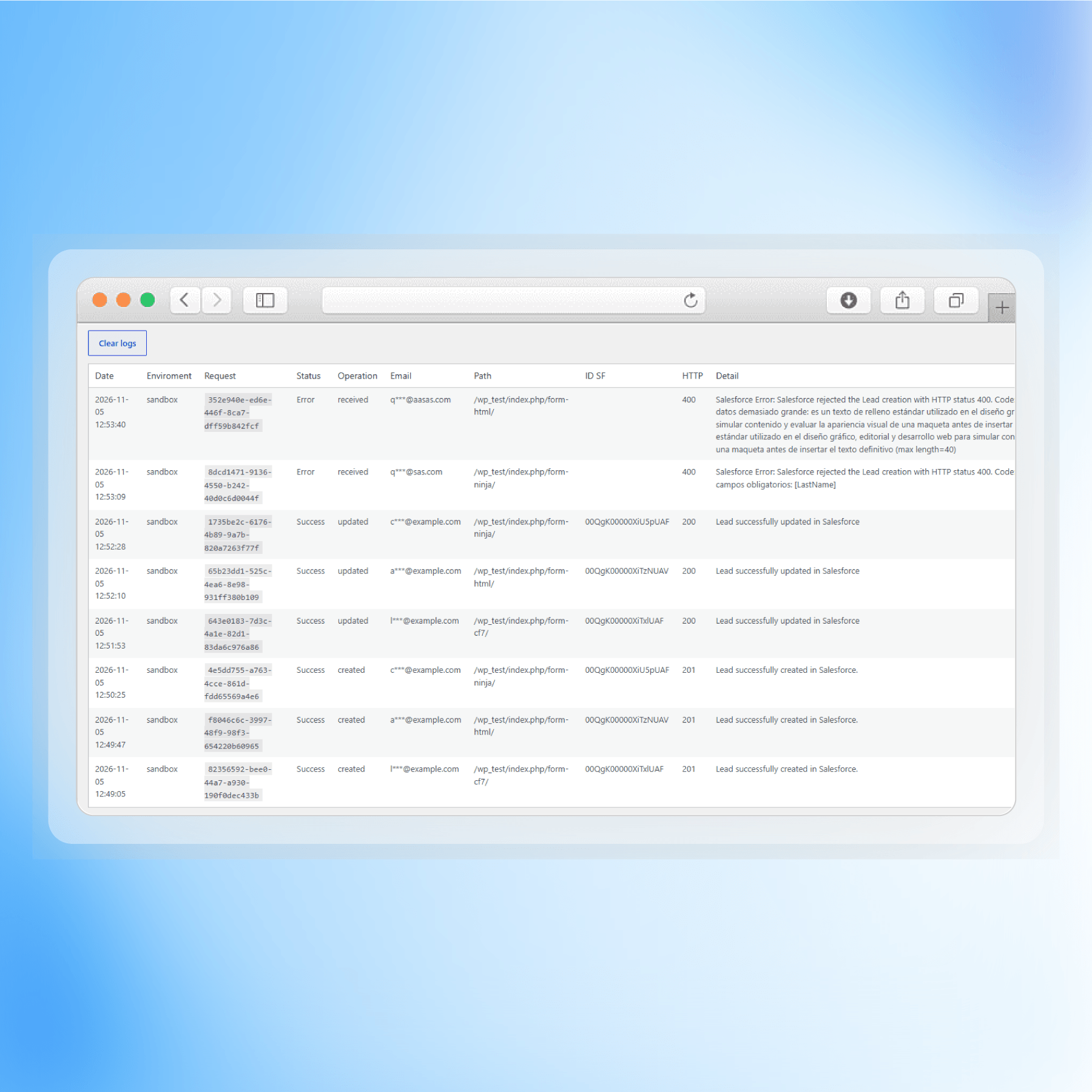
- Salesforce response codes and messages are recorded in the event log, including validation errors returned by Salesforce.
- Honeypot and IP-based rate limiting for the public endpoint.
- Bounded event log with masked email addresses and no full form payload or Salesforce credentials.
- Extension hooks for successful and failed submissions.
安装:
- In WordPress, go to Plugins > Add New Plugin > Upload Plugin.
- Upload the LeadOnForm ZIP file and select Install Now.
- Activate LeadOnForm.
- Open LeadOnForm in the WordPress administration menu.
- Select the active environment: Sandbox or Production.
- Enter the Salesforce Connected App Consumer Key, Consumer Secret, and Login URL for that environment. Save the settings.
- Use the corresponding Test connection button and confirm that the connection succeeds.
- Add the opt-in field and Salesforce field classes to the forms that should send Leads.
- Test submissions in Sandbox before switching to Production.
屏幕截图:
更新日志:
1.3.4
- Added automatic integration for Ninja Forms after its successful AJAX response.
- Kept native HTML form submission independent from the Salesforce request; LeadOnForm does not cancel the original form submission.
- Let Salesforce validate required Lead fields and record the Salesforce REST error code and message in the event log.
- Standardized opt-in detection on
salesforce_lead=1and field mapping onsf-classes. - Added automatic Contact Form 7 integration after its successful-submission event.
- Added the
LeadOnForm.send(formElement)API and a generic success event for custom integrations. - Improved checkbox and radio field handling.
- Expanded documentation for native HTML, Contact Form 7, Ninja Forms, field mapping, and troubleshooting.
- Format the authentication HTTP status in the exception message for static-analysis compatibility.
- Clarified that sanitized redirect status/message query parameters are display-only and do not change state.
- Normalized HTTP response status codes before use in error handling.
- Added explicit static-analysis annotations for admin request values that are nonce-verified or display-only.
- Updated the Tested up to header to 7.1; validate compatibility on that WordPress version before release.
- Removed raw Salesforce response bodies from exception messages.
- Improved IP address sanitization for rate limiting.
- Removed development error logging from normal plugin execution.
- Added the required Tested up to readme header.
- Documented nonce handling for the WordPress Settings API sanitizer.
- Renamed the public-facing plugin to LeadOnForm.
- Added documented success and failure hooks for future extensions.
- Added readme documentation and GPL license metadata.
- Added honeypot and IP-based request limiting.