Lessclicks Analytics for Matomo - Dashboard Widget
| 开发者 |
matt-interfaces
choooomedia |
|---|---|
| 更新时间 | 2026年11月22日 17:32 |
| 捐献地址: | 去捐款 |
| PHP版本: | 7.4 及以上 |
| WordPress版本: | 7.1 |
| 版权: | GPLv2 or later |
| 版权网址: | 版权信息 |
详情介绍:
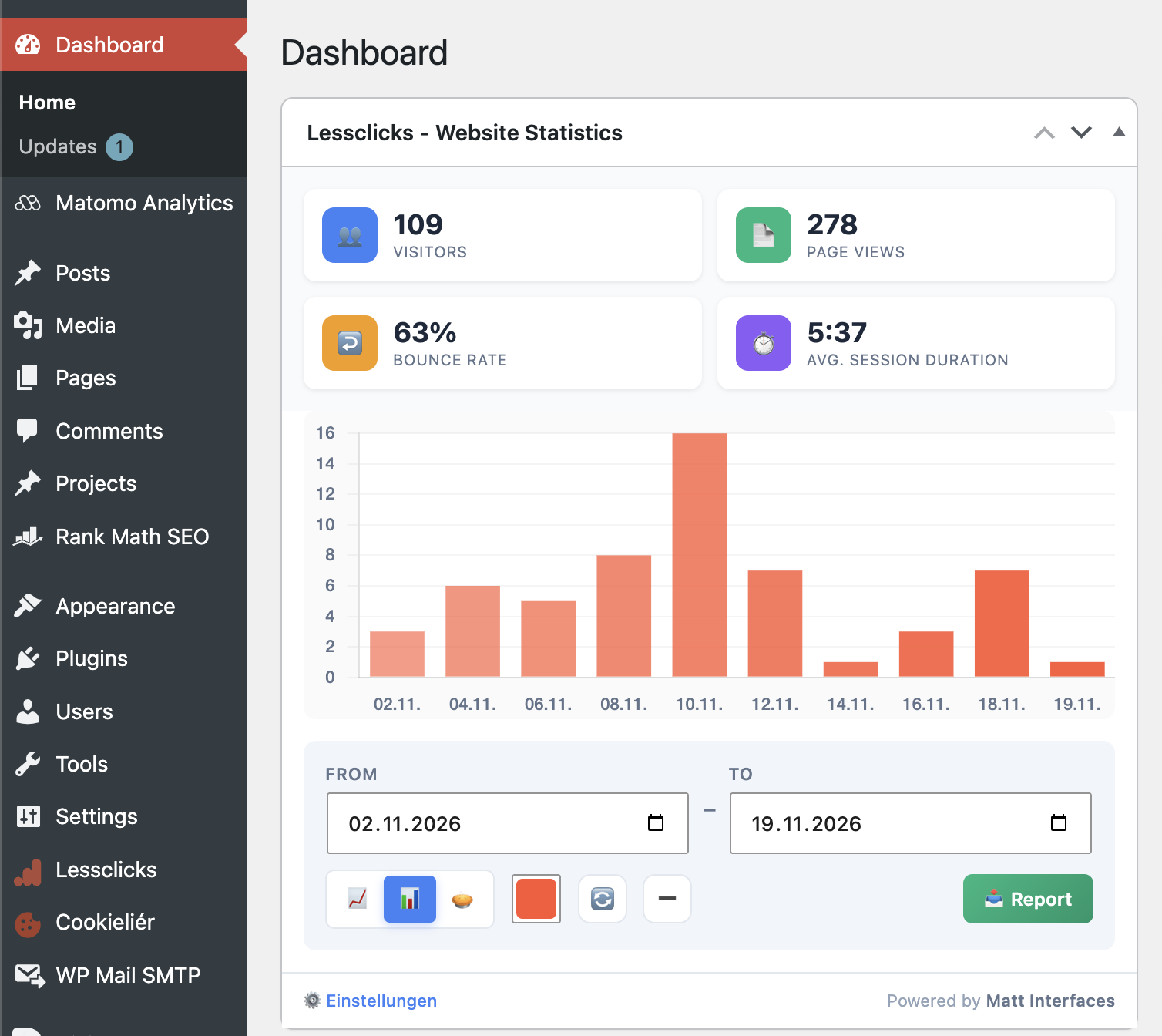
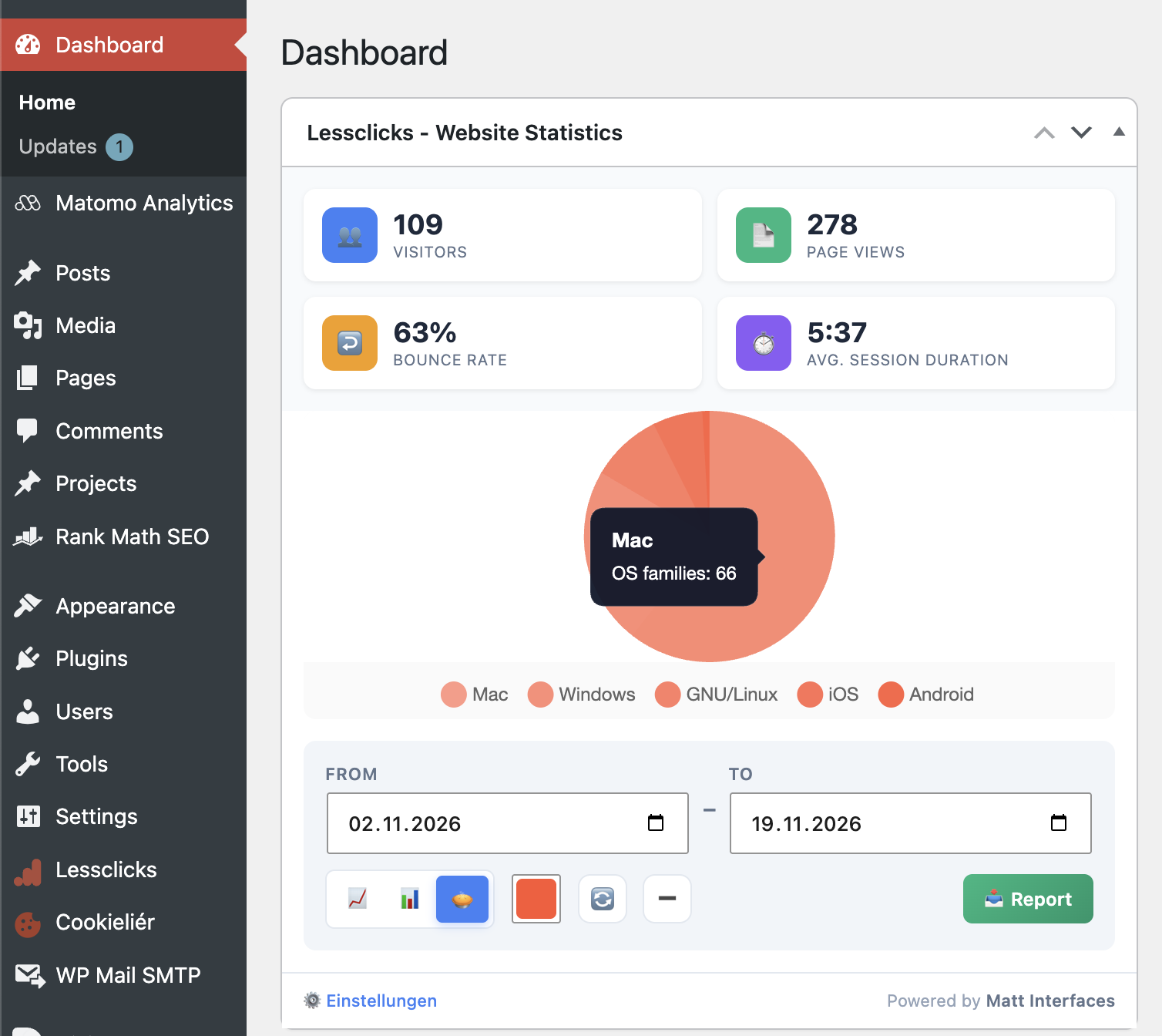
- Unique visitors
- Page views
- Bounce rate
- Average session duration
- Visitor trends over time
- Operating system families as a pie chart
- Line, bar and pie charts
- Any date range, chosen with a date picker
- An accent color that matches your brand
- PDF and PNG export of the current view
- Matomo for WordPress: Matomo runs inside your WordPress site as a plugin. Lessclicks detects it and connects when you click "Connect automatically".
- Self-hosted Matomo: You run Matomo on your own server. Enter the Matomo URL, the Site ID and an API token.
- Matomo Cloud: Matomo hosts the installation for you. Enter your cloud URL, for example https://your-company.matomo.cloud, and an API token.
manage_options capability.
Requirements
- WordPress 5.8 or later
- PHP 7.4 or later
- A Matomo installation (Matomo for WordPress, self-hosted or Matomo Cloud) and an API token
- One website per WordPress installation
安装:
- In WordPress, go to Plugins > Add New, search for "Lessclicks Analytics for Matomo", then click Install Now and Activate. To install manually, use Plugins > Add New > Upload Plugin with the plugin ZIP.
- Open Lessclicks in the admin menu.
- If Matomo for WordPress is installed, click "Connect automatically". Otherwise enter your Matomo URL, Site ID and API token.
- Click "Test connection", then save the settings.
- Open the WordPress Dashboard to see the widget.
屏幕截图:


常见问题:
Does Lessclicks work without a Matomo account?
No. Lessclicks displays data from an existing Matomo installation, so you need Matomo for WordPress, a self-hosted Matomo or Matomo Cloud. Lessclicks itself needs no separate account.
Where do I find my Matomo API token?
Open your Matomo dashboard and go to Settings > Personal > Security. Under "Auth Token" you can copy your token or create a new one.
Does the plugin work with Matomo Cloud?
Yes. Enter your Matomo Cloud URL, for example https://your-company.matomo.cloud, together with your API token and Site ID.
Can I show more than one website?
Not yet. Lessclicks supports one website per WordPress installation. You can change the Site ID in the settings at any time.
Does Lessclicks add tracking code to my site?
No. Lessclicks only reads reports from your Matomo installation and displays them in the admin. It adds no frontend tracking code and stores no visitor data.
Who can see the widget?
Administrators only. The widget is registered for administrators, and the REST endpoints require the manage_options capability.
更新日志:
- Fixed the invalid locale format in the live preview date labels that caused a JavaScript error on the settings page.
- Restored the English dashboard widget texts; the widget now uses English source strings with a complete German translation.
- Settings page translated into English and German; English is the source language.
- Removed the duplicate connection status below the header. It now appears only in the header badge, at the auth token field and in the Chart Settings card.
- Settings labels aligned with the admin design: Chart Settings, Site ID, Auth token, Chart-Type, Main color, Initial Date filter, Live preview, Reset, Save.
- Added a "Use Matomo for WordPress" checkbox so manual Matomo configuration stays available when the Matomo plugin is installed.
- Fixed the help tab, which referenced a non-existent connection tab and test button.
- Added screenshots to the plugin directory listing.
- Excluded directory icon files from the plugin package.
- Updated the readme title, short description, tags, description, installation steps and FAQ.
- Added the Lessclicks plugin icon to the WordPress.org directory assets.
- Removed the developer README, the Open Graph marketing image and the unused share icon from the plugin ZIP.
- Removed the Plugin Update Checker from the distribution package.
- Renamed the plugin to Lessclicks Analytics for Matomo.
- Analytics and device REST endpoints now require the
manage_optionscapability; the dashboard widget is only registered for administrators. - Removed WordPress.org directory assets from the plugin ZIP.
- Removed the remote CDN reference from the bundled PDF export script.
- Added the missing changelog entries for 0.8.4 to 0.8.8.
- Asset cache busting now uses the plugin version instead of file modification times.
- Maintenance release for the update flow.
- Aligned the plugin version constant with the plugin header.
- Added WordPress.org plugin screenshots.
- Bundled the missing Parsedown and PucReadmeParser files.
- Added an automated GitHub release workflow.
- Migrated repository references to Matt-Interfaces organization.
- All documentation translated to English.
- Added project rules under
.clinerules/lessclicks.md.
- Integrated WordPress-native updates via GitHub Releases until the WordPress.org directory is active.
- Corrected donate link to https://matt-interfaces.ch/zahlen.
- PDF/PNG export now respects the user-defined accent color instead of fixed colors
- Report badge in export is now twice as wide for better readability
- Version number in settings header is now pulled dynamically from plugin metadata
- Translation template (.pot) included in distribution package
- Readme updated for WordPress 6.7
- Preparation for WordPress.org submission (PHPCS, CI, i18n)
- Complete redesign of the user interface
- New modern settings page with WordPress admin UI
- Automatic detection of Matomo for WordPress
- Improved security with nonce verification
- REST API with proper permission checks
- 4 different chart types
- Responsive dashboard widget
- Statistic cards with key metrics
- Internationalization prepared
- WordPress Coding Standards compliant