
LetterPress - Email Marketing, SMTP, Newsletter & Multi-Brand Subscriber Manager
| 开发者 |
themeqx
mhshohel |
|---|---|
| 更新时间 | 2026年10月24日 14:36 |
| 捐献地址: | 去捐款 |
| PHP版本: | 7.0 及以上 |
| WordPress版本: | 7.1 |
| 版权: | GPLv2 or later |
| 版权网址: | 版权信息 |
详情介绍:
{{name}} merge tag, and let subscribers view the email in their browser when needed.
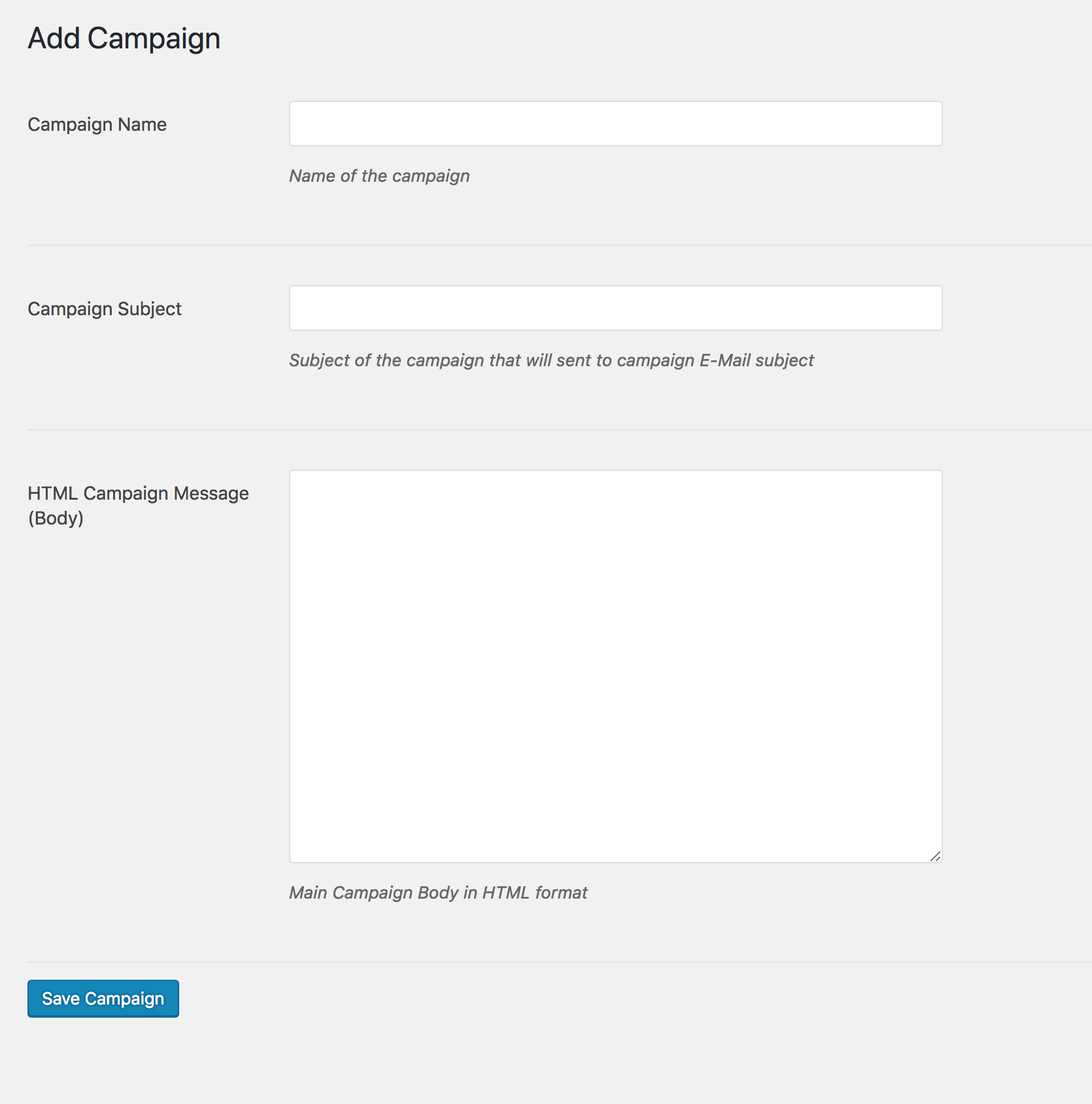
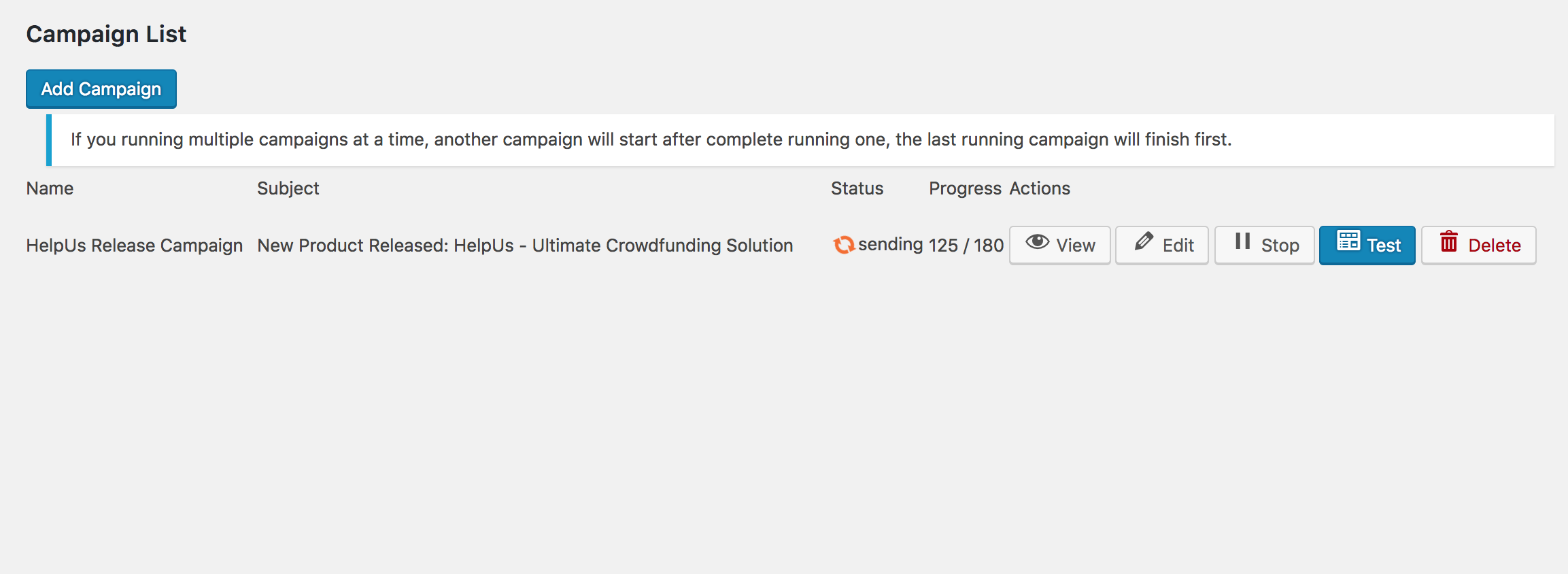
- Create, edit, duplicate, schedule, pause, and resume campaigns.
- Target all subscribers, a group, or a specific source.
- Set a sender name and email address for each campaign when needed.
- Preview campaign emails and send a test before sending to your audience.
- See campaign progress and review per-campaign sending reports.
- Replay a sent campaign's preview any time.
- Use sanitized, email-friendly rich text instead of arbitrary HTML or scripts.
- Add a signup form to any page with the
[letterpress_signup]shortcode. - Add a configurable subscription box with
[letterpress_subscribe_box]. - Enable double opt-in with signed confirmation links.
- Import subscribers from CSV or export your subscriber list.
- Import existing WordPress users as subscribers with a count preview.
- Organize subscribers into groups and filter by source or status.
- Search, paginate, block, unsubscribe, or delete subscribers in bulk.
- Protect signup forms with a built-in math challenge and IP-based rate limiting.
- Amazon SES: Connect with AWS IAM credentials, choose a region, test the connection, and view the available sending quota.
- SMTP: Configure your mail host, port, encryption, and credentials, then test the connection and authentication.
- WordPress mail: Send through the standard
wp_mail()mail path. - Site-wide email delivery: Optionally route WordPress emails through Amazon SES or SMTP.
- Protected credentials: Provider credentials are encrypted before storage.
- Configure the maximum number of recipients allowed within a rolling time window.
- Set worker batch size independently from the sending rate.
- Set a daily sending limit to help manage provider quotas.
- Retry eligible failures automatically with backoff.
- Protect against duplicate sends when a worker stops during delivery.
- Schedule queue processing with WordPress cron or configure a server scheduler.
- Follow the Cron Setup instructions for cPanel, Plesk, VPS/SSH, Cloudways, RunCloud, Windows Server, and managed hosting.
- Create as many sources as you need and view audience counts for each.
- Set a default From name, From email, and Reply-To address per source.
- Customize the confirmation email subject and body for each source.
- Use stable source keys for forms and API integrations.
- Safely reassign subscribers before deleting a source.
- Include a personalized unsubscribe link in each campaign footer.
- Add List-Unsubscribe headers for supported email clients.
- Maintain a suppression list for manually blocked addresses, hard bounces, and complaints.
- Automatically suppress addresses reported as bounced or complained about through Amazon SES/SNS events.
- Optionally track opens with a signed tracking pixel.
- Add your organization's postal address to campaign footers.
- Create labeled API keys and revoke them when needed.
- Add subscribers through the REST API with Bearer authentication.
- Retrieve a paginated list of subscribed addresses and filter by source.
- Endpoints: POST
/wp-json/letterpress/v1/add-subscriberand GET/wp-json/letterpress/v1/subscribers. - Validate source keys and reject requests for inactive sources.
- Store API keys as hashes rather than plain-text secrets.
- Dashboard totals for subscribers, WordPress users, campaigns, and emails sent.
- Campaign, subscriber, group, and source management.
- Provider, sender identity, sending limit, deliverability, frontend, and event tracking settings.
- API key management, subscription box settings, and cron setup instructions.
- Responsive admin screens with a custom, app-style interface.
- Capability checks on admin pages and actions.
- Versioned, non-destructive database upgrades.
- Replace Your SMTP Plugin: Configure SMTP directly in LetterPress instead of installing a separate plugin just for email delivery.
- Deliver WordPress Emails: Send password reset emails, user registration notifications, admin alerts, and other default WordPress emails through your configured mail server.
- Connect Your Preferred Provider: Use a supported SMTP server or email delivery service to send your site's outgoing emails.
- Keep Everything in One Place: Manage SMTP settings alongside your newsletters, email campaigns, and subscriber lists from a single plugin.
- Email Template Builder: Create beautiful, professional emails with an easier visual editing experience, without needing to write code.
- Marketing Automation: Set up automated email sequences, welcome emails, and follow-ups to engage your subscribers at the right time.
安装:
- Install LetterPress through the WordPress Plugins screen or upload the plugin to
/wp-content/plugins/letterpress. - Activate LetterPress. The plugin runs its versioned database upgrade automatically.
- Go to LetterPress > Settings and select your delivery provider.
- Configure your sender identity and sending limits.
- Test your provider connection and send a test email before launching a campaign.
- Add
[letterpress_signup]to a page to display the signup form. Configure double opt-in in settings if you want subscribers to confirm their addresses. - Open LetterPress > Cron Setup and follow the instructions for your hosting environment. For reliable queue processing, configure a server scheduler to request the displayed WordPress cron URL every minute.
- Create AWS IAM credentials with the required SES sending permissions and
ses:GetAccountfor quota reporting. - Verify the sender email address or domain in the same AWS region you select in LetterPress.
- Configure Easy DKIM and the appropriate SPF and DMARC records in DNS. You may also configure a custom MAIL FROM domain.
- To process delivery feedback, configure an SES configuration set with an SNS event destination for delivery, bounce, complaint, and rejection events.
- Set the matching SNS topic ARN in LetterPress and subscribe the plugin's displayed HTTPS event endpoint to the topic.
屏幕截图:


常见问题:
Which email delivery methods does LetterPress support?
LetterPress supports Amazon SES through its API, generic SMTP, and standard WordPress mail. Only the selected provider sends emails. Settings for other providers are retained so you can switch later.
Can I schedule a campaign?
Yes. You can schedule a campaign for a future date and time. LetterPress starts it when the scheduled time arrives, provided WordPress cron or your server scheduler is running.
Can I test an email before sending it to subscribers?
Yes. Configure the test recipient in LetterPress settings and send a test campaign before starting the full send.
Can I personalize emails?
Yes. Use {{name}} in the subject or message body. If a subscriber does not have a name, LetterPress uses “there” as the fallback.
How does LetterPress handle sending limits?
You can configure a maximum number of recipients per rolling time window and a separate worker batch size. You can also set a daily limit. Provider quotas, scheduling, network conditions, and retries can affect the actual sending speed.
What happens if sending stops partway through a campaign?
LetterPress keeps the queue so eligible work can resume when the worker runs again. If a worker stops while an email is in flight and delivery is uncertain, that item is marked as failed rather than automatically resent, helping avoid duplicate emails.
Can subscribers unsubscribe?
Yes. Campaigns include a personalized unsubscribe link and List-Unsubscribe headers. Unsubscribed, blocked, and suppressed addresses are excluded from future campaigns.
Can I manage multiple brands or signup forms?
Yes. Create sources for different websites, forms, or brands. Each source can have its own sender identity and double opt-in message, and you can target a campaign to a particular source.
Can I import existing contacts?
You can import subscribers from a CSV file or import existing WordPress users as subscribers. You can also export subscriber data to CSV.
Can I connect LetterPress to another application?
Yes. The REST API lets authenticated applications add subscribers and retrieve a paginated list of subscribed addresses. Create API keys under LetterPress > API Keys. Keep keys private and send requests over HTTPS.
Does LetterPress guarantee legal compliance or email delivery?
No plugin can guarantee legal compliance or inbox placement on its own. You are responsible for collecting appropriate consent, following the laws that apply to your audience, configuring your sending provider and DNS records, and maintaining your subscriber list.
Found a bug or need help?
If you find a bug, have a question, or need help with LetterPress, please contact our team. You can also visit the Themeqx website to learn more about our products.
更新日志:
- Added subscriber source management with safe deletion and subscriber reassignment.
- Added per-source sender identity settings for From name, From email, and Reply-To.
- Added source filtering on the Subscribers page and an index on the subscriber source column.
- Added REST API endpoints to add subscribers and list subscribed addresses using Bearer API key authentication.
- Updated sending limits to use a shared, concurrency-safe rolling recipient rate limiter and an independently configured worker batch size.
- Added interval-in-seconds settings with a backward-compatible migration from interval minutes.
- Improved primary action button text contrast and refined admin typography.
- Refreshed the admin dashboard, settings, forms, and tables with a responsive app-style interface.
- Added structured campaign templates, provider settings, subscriber signup and import/export, campaign scheduling, SES quota-aware limits, and SNS event tracking.
- Added versioned, non-destructive database migrations and improved credential protection.
- Fixed a class loading issue on Windows.
- Added
lp_strip_tags()to clean campaign HTML body content.
- Improved HTML sanitization and campaign message cleaning.
- Fixed several issues with stored and displayed HTML content.
- Initial release.