
Libration Accessibility Widget, Checker and Real Code Fixes – WCAG and EAA
| 开发者 | hhgk |
|---|---|
| 更新时间 | 2026年9月14日 00:04 |
| PHP版本: | 7.4 及以上 |
| WordPress版本: | 7.1 |
| 版权: | GPLv2 or later |
| 版权网址: | 版权信息 |
详情介绍:
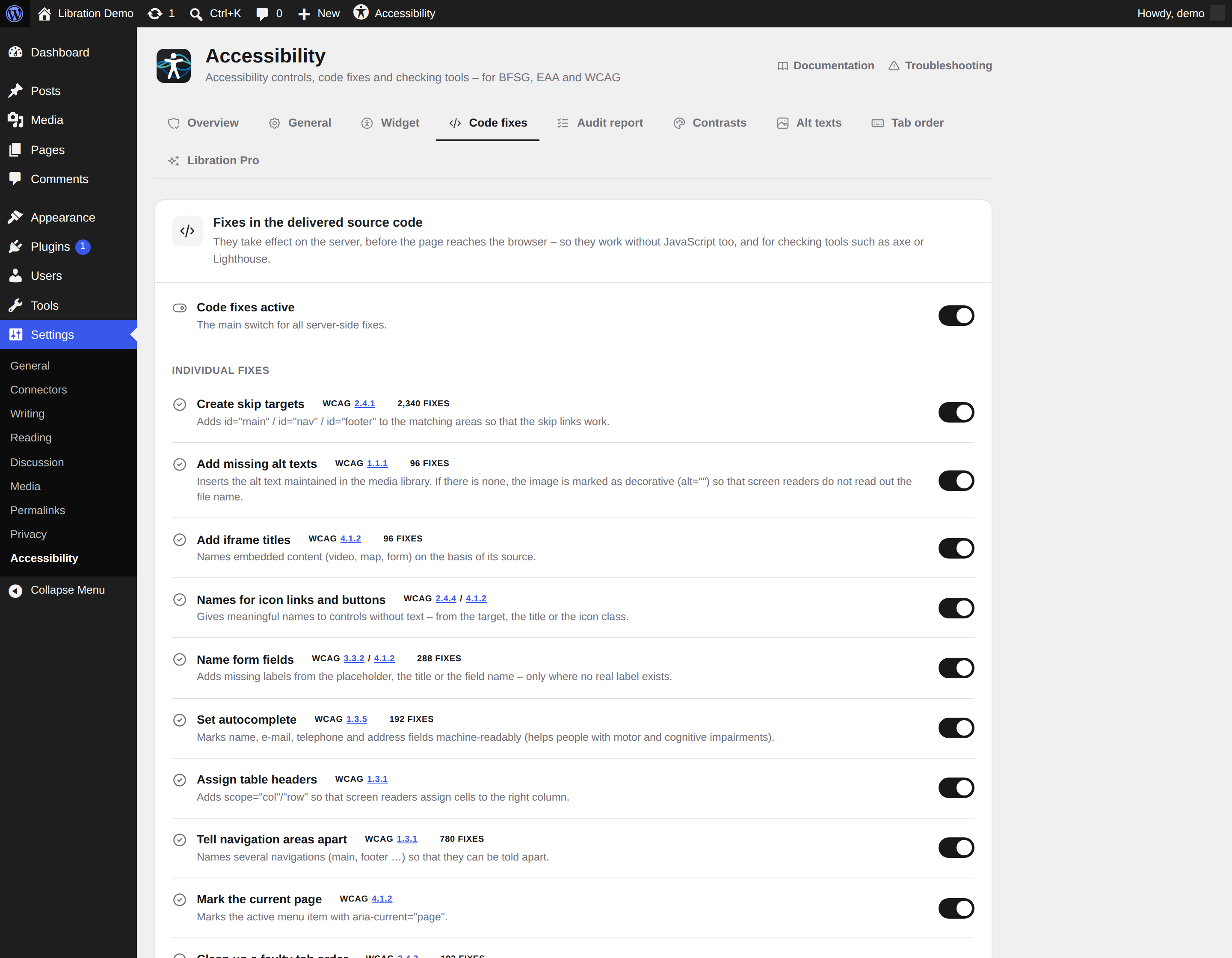
- One main switch and twelve individual fixes: skip-link targets, image alt attributes, iframe titles, link names, form labels, autocomplete, table headers, navigation labels, current-page marking, positive tabindex, new-window links, decorative SVGs
- Every intervention is counted per page view and can be inspected in the admin area
- The plugin only adds what is missing and never replaces what you wrote — with one deliberate exception: a positive
tabindexis reset to0, because a broken focus order cannot be repaired by adding anything
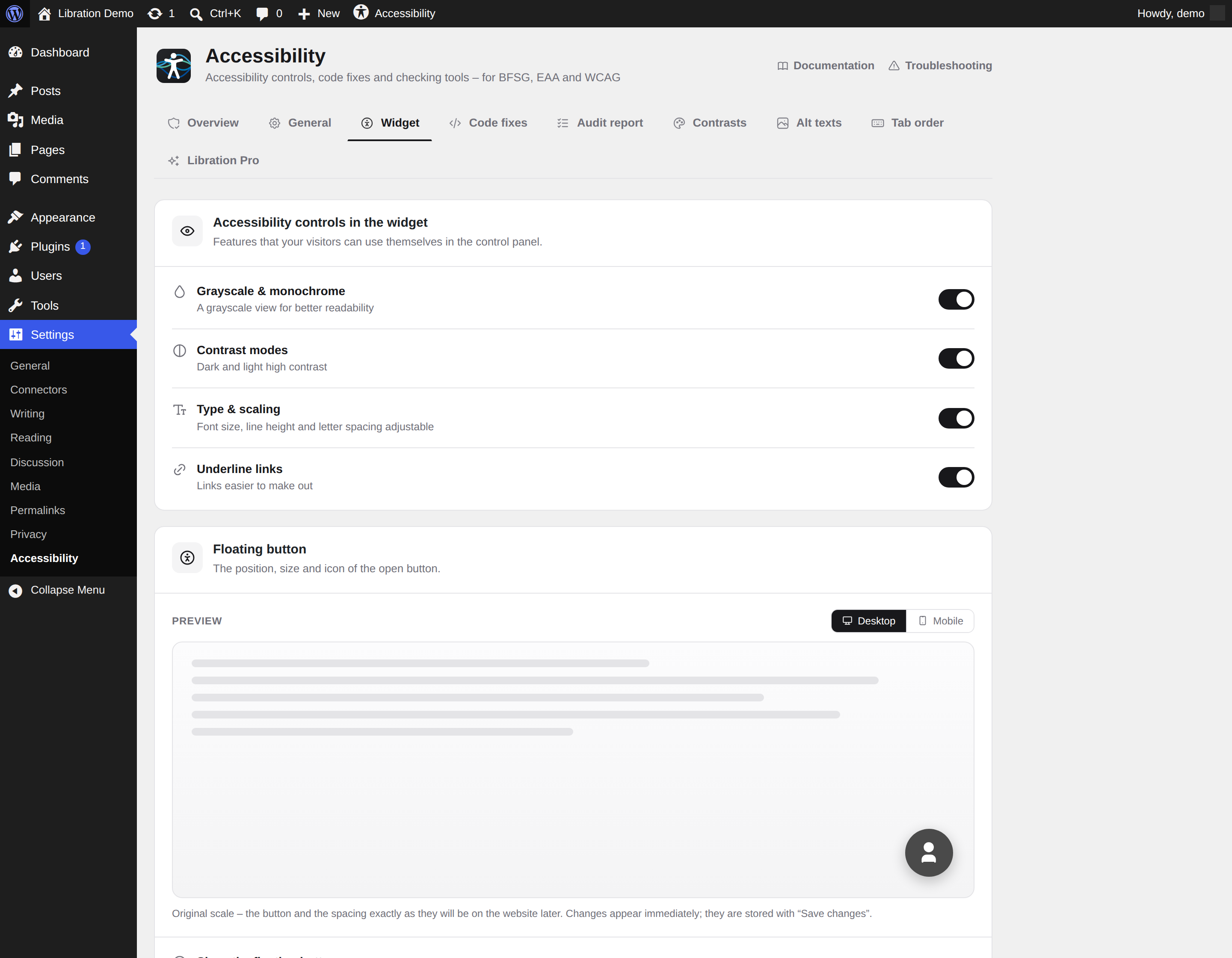
- Contrast modes: invert colors, monochrome, dark and light contrast, saturation
- Highlight links and headings
- Content scaling, font size, line height and letter spacing
- Screen reader mode: click any paragraph and it is read aloud by your browser
- Reading mode for distraction-free text
- Fully brandable: 4 positions, three sizes, separate offsets for desktop and mobile, custom icon (including your own upload), accent color, panel radius — hooks into your theme via CSS variables, dark mode included
- Floating button, Gutenberg block, shortcode, and ready-made modules for Elementor, WPBakery and Divi
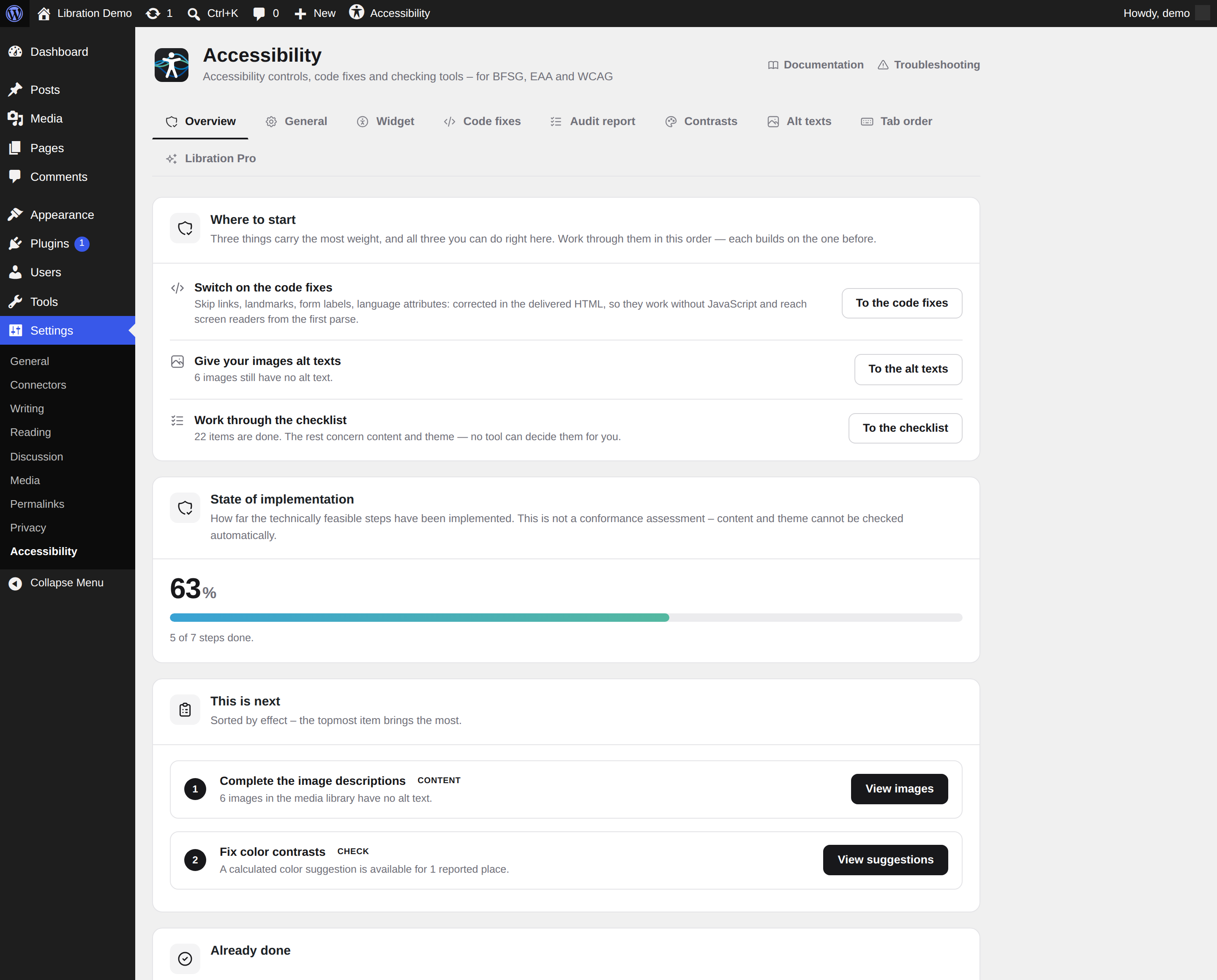
- Overview with a traffic light per area: what is done, what comes next, and what no tool can decide for you
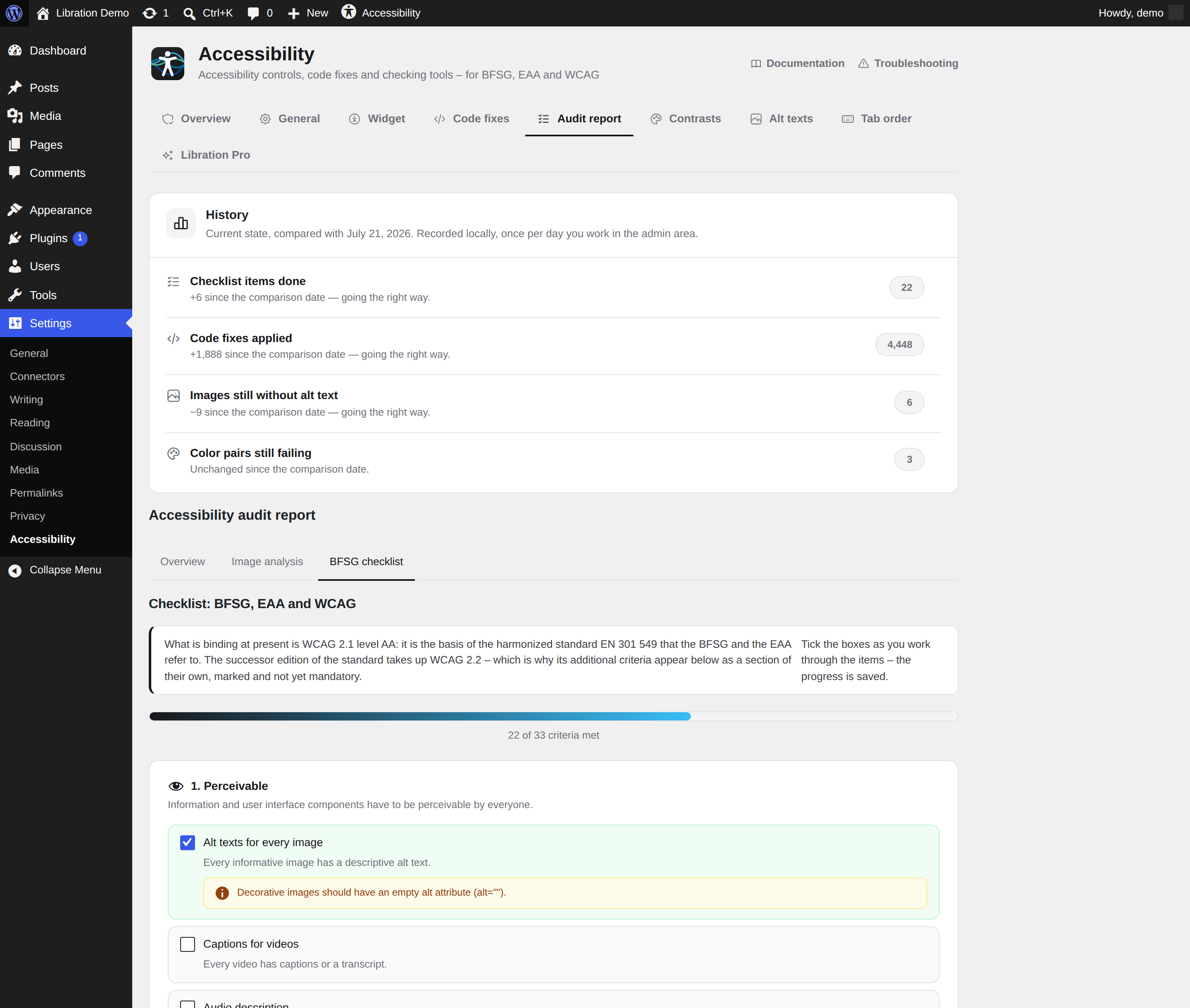
- WCAG/EAA checklist with progress tracking, including the six additions of WCAG 2.2
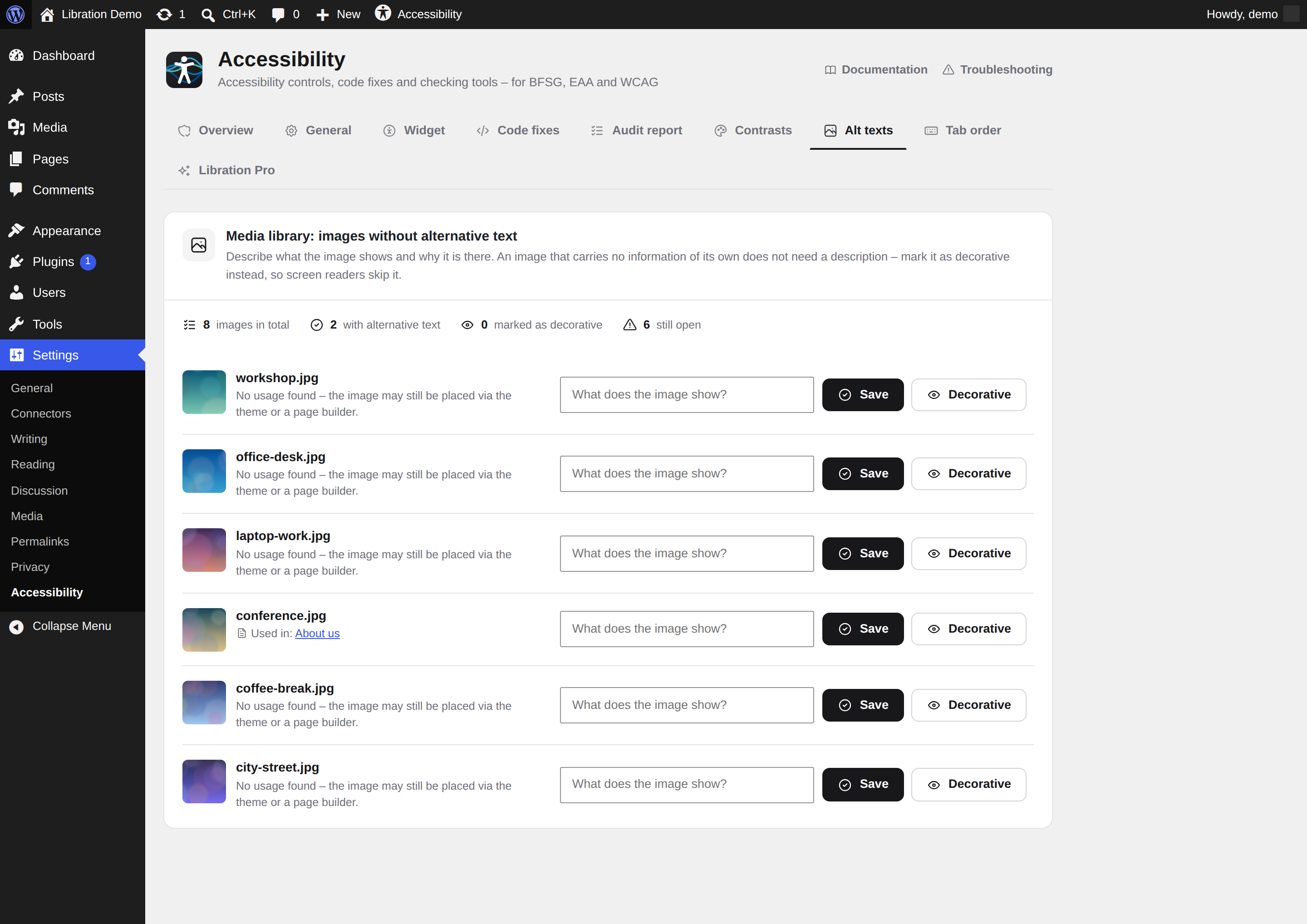
- Alt-text audit for the media library: every image without alternative text, with the posts it appears in, editable right there — plus a "decorative" shortcut for images that should carry an empty alt attribute, and a CSV export of the full list
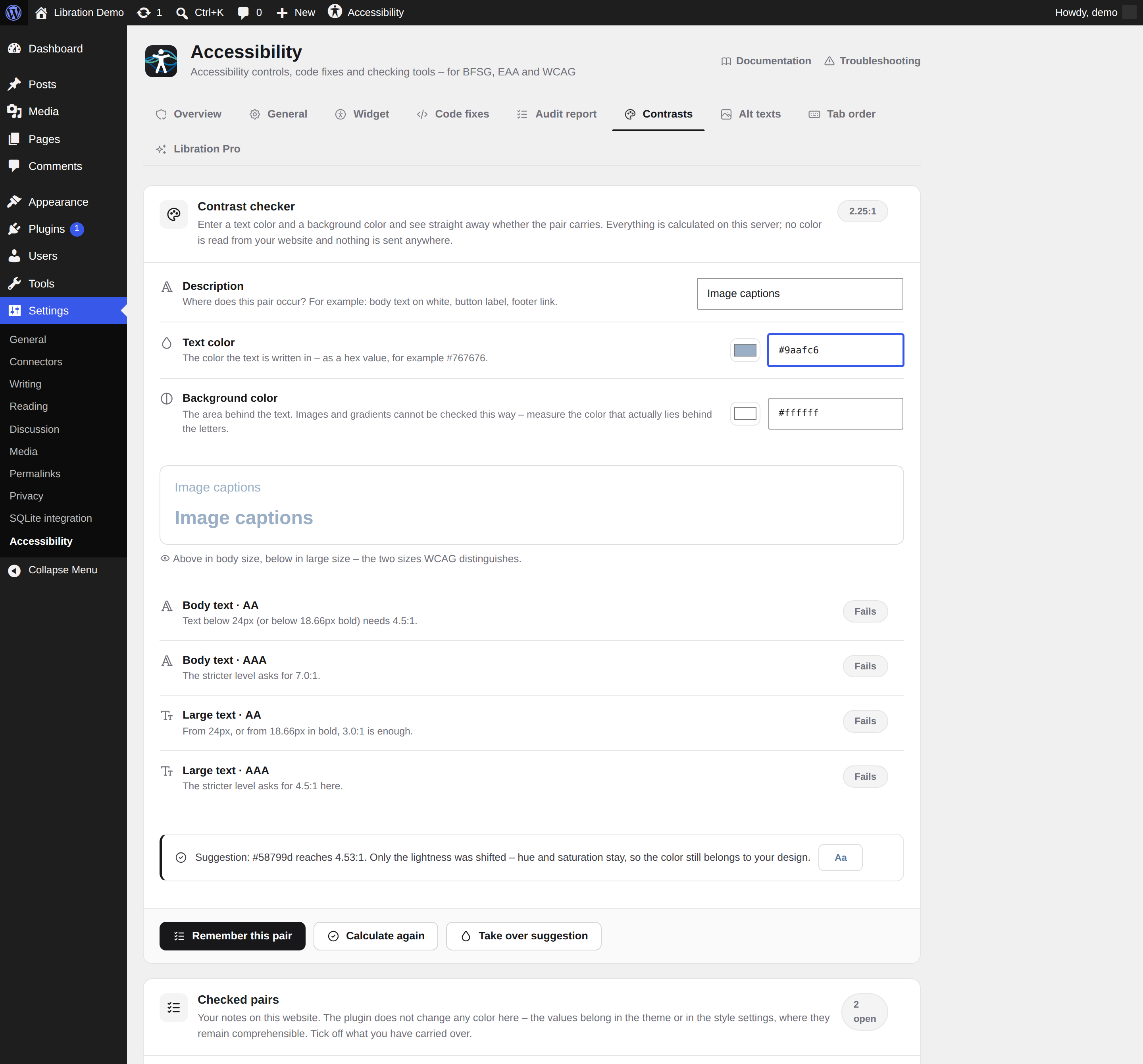
- Contrast calculator: enter a foreground and a background color and get the ratio, the WCAG verdict for normal and large text, a live preview, and a corrected color that only shifts lightness, so your hue and saturation survive. Checked pairs can be kept as a working list
- Tab order: visualize the focus order of your pages and find the places where it jumps
- History: what you have fixed and checked off over time, recorded locally, so you can see whether things are getting better
- A status widget on your WordPress dashboard, and an entry in the admin bar — both can be switched off
- an automated accessibility scan of your public pages (axe-core in a real browser), also on a schedule
- AI-generated alt texts, simplified language versions and read-aloud with natural voices
- the accessibility statement generator and the audit report as PDF
- captions and transcripts for video and audio, and the accessibility check for PDF documents
安装:
- Install and activate the plugin.
- The widget appears in the corner of your website — it works out of the box.
- Fine-tune under Settings → Accessibility: position, icon, colors, code fixes, checklist.
屏幕截图:
常见问题:
Can I try the widget without installing anything?
Yes. libration.io/en/accessibility runs the same widget this plugin ships — open it with the button in the bottom right corner and try every control.
Does Libration Accessibility make my site automatically compliant?
No — and be wary of anyone promising that. Libration Accessibility fixes many barriers automatically, documents your status and guides you through the remaining steps. Full compliance also depends on your content and design.
Is this just another overlay?
No. The widget is one of several components. The core is code-level fixes (skip links, ARIA, focus, tab order) and audit tools with real documentation.
Where is data processed?
Entirely on your own server. This plugin contacts no external service, sets no cookies and tracks nobody. The links in the admin area that point to libration.io are ordinary links — nothing is loaded from there unless you click one.
Is there a paid version?
Yes, Libration Pro. It adds the automated scan of your public pages, AI alt texts, simplified language, read-aloud with natural voices, the accessibility statement generator and the PDF audit report. Pro is 14.90 € per month and site, Pro AI 29.90 €, both cancellable monthly — features and pricing. It is downloaded and updated from libration.io, not through this directory. The plugin you are looking at works on its own and stays free.
Is anything limited or locked?
No. Everything this plugin contains is fully usable, without a key and without a time limit. Two lists have a technical size limit so they stay readable — 100 saved color pairs and 52 history entries — but nothing you can do with the plugin is capped to sell you an upgrade.
Which languages does the widget speak?
The plugin ships with 27 translations plus English, covering the languages of the EU and the EEA — widget and admin area alike. It follows your site language automatically. German and English are written and reviewed by the author; the other 26 were produced with machine translation and have not been checked by native speakers. Corrections are very welcome — write to the support forum and they go into the next release.
Does it work with my page builder?
Yes. The floating widget works with any theme. There are also a Gutenberg block, a shortcode and native modules for Elementor, WPBakery and Divi — each one appears by itself as soon as that builder is active.
Why does it require WordPress 6.9?
The code fixes rewrite the finished HTML of a page before it is sent. WordPress 6.9 introduced a standard way to do that — the template enhancement output buffer. The plugin uses only that mechanism and opens no output buffer of its own, which is safer in an environment where core, theme and other plugins all run in the same request.
更新日志:
- The documentation links in the plugin and in the plugin list pointed to an address that does not exist. Reported by Michael Jung of the French translation team, along with everything else in this release.
- The contrast calculator printed part of its own source code onto the page and did not recalculate: one PHP tag too many meant its script was never loaded. Entering a hex value now updates the ratio again.
- "Dark" as the panel theme had no effect. The setting did produce the right colours, but an older rule in the stylesheet overrode them — including for the slider track, which became invisible instead. The widget panel now follows the setting in light and dark.
- The bundled Swedish and Croatian catalogues have been removed. Both locale teams reviewed them and rejected them, and they were right to: they were machine-translated and had not been checked by a native speaker.
- The plugin now runs on WordPress 6.5 and newer instead of requiring 6.9. That covers about a quarter of all WordPress installations that could not install it before.
- "Easy Language" is now called "simplified language" throughout. The feature produces an AI-generated draft for editorial review — it does not follow the Inclusion Europe easy-to-read method, and the old name claimed otherwise.
- The French, Italian and Dutch translations now use typographic apostrophes instead of straight ones, as the style guides of those languages require.
- Fixed: the colour filters — invert, monochrome, low and high saturation — left the page background in its original colour. On light pages that was the most visible leftover and made the switch look half-finished.
- Fixed: dark and light contrast left gradients and background images untouched. A light gradient over black takes away the very contrast the mode is there to create.
- Fixed: in reading mode, block themes overflowed sideways because the negative margins of full-width blocks no longer matched the narrower text column.
- The widget button now carries the accessibility figure instead of a generic person symbol — the same mark the plugin uses everywhere else.
- The opened widget uses the full height of the window. It only scrolls when the browser window is genuinely too short for it.
- Easy Language versions and read-aloud recordings are now prepared in the editorial screen instead of being generated when a visitor clicks. Nothing is produced while somebody is reading the page.
- Editorial screen under Settings → Accessibility → Editorial, and the same box as a metabox in the post editor: generate, proofread, correct, save. A version edited by hand is never overwritten without asking.
- The front end only looks things up. It generates nothing, needs no key and contacts nothing.
- Fixed: for logged-in visitors, read-aloud and Easy Language had been broken all along — the REST requests were rejected with 403 because the nonce was checked against the wrong action.
- The package no longer ships .po files, only the compiled .mo — the download is less than half the size.
- The Gutenberg block now speaks your language: its name, description and settings were still hard-coded in German and could not be translated at all, because the editor script had no translations registered.
- The admin area is translated into all 28 languages, not just German and English.
- Fixed the plural rules in twelve catalogues. They all claimed two forms; Czech, Croatian, Lithuanian, Latvian, Polish, Romanian, Russian, Slovak and Ukrainian have three, Maltese and Slovenian four, Irish five. Counted messages picked the wrong form in those languages.
- Screen reader announcements, widget labels and error messages had German fallbacks in the code. They are English now and translated like everything else.
- Tested with WordPress 7.1.
- First release in the WordPress Plugin Directory.
- Assistive widget in 28 European languages, twelve code fixes in the delivered HTML, WCAG/EAA checklist, alt-text audit, contrast calculator, tab-order visualizer, local history.
- No external requests, no cookies, no access key, no updater of its own — everything runs on your own server.
- Page builder modules for Elementor, WPBakery and Divi, plus a Gutenberg block and a shortcode.