Licenzo – License and Subscription Management Solution
| 开发者 |
arcith
solvix |
|---|---|
| 更新时间 | 2026年9月24日 05:27 |
| PHP版本: | 8.0 及以上 |
| WordPress版本: | 7.1 |
| 版权: | GPLv2 or later |
| 版权网址: | 版权信息 |
详情介绍:
- Self-hosted solution: Keep all license data and processes on your own WordPress site (no third-party licensing servers needed).
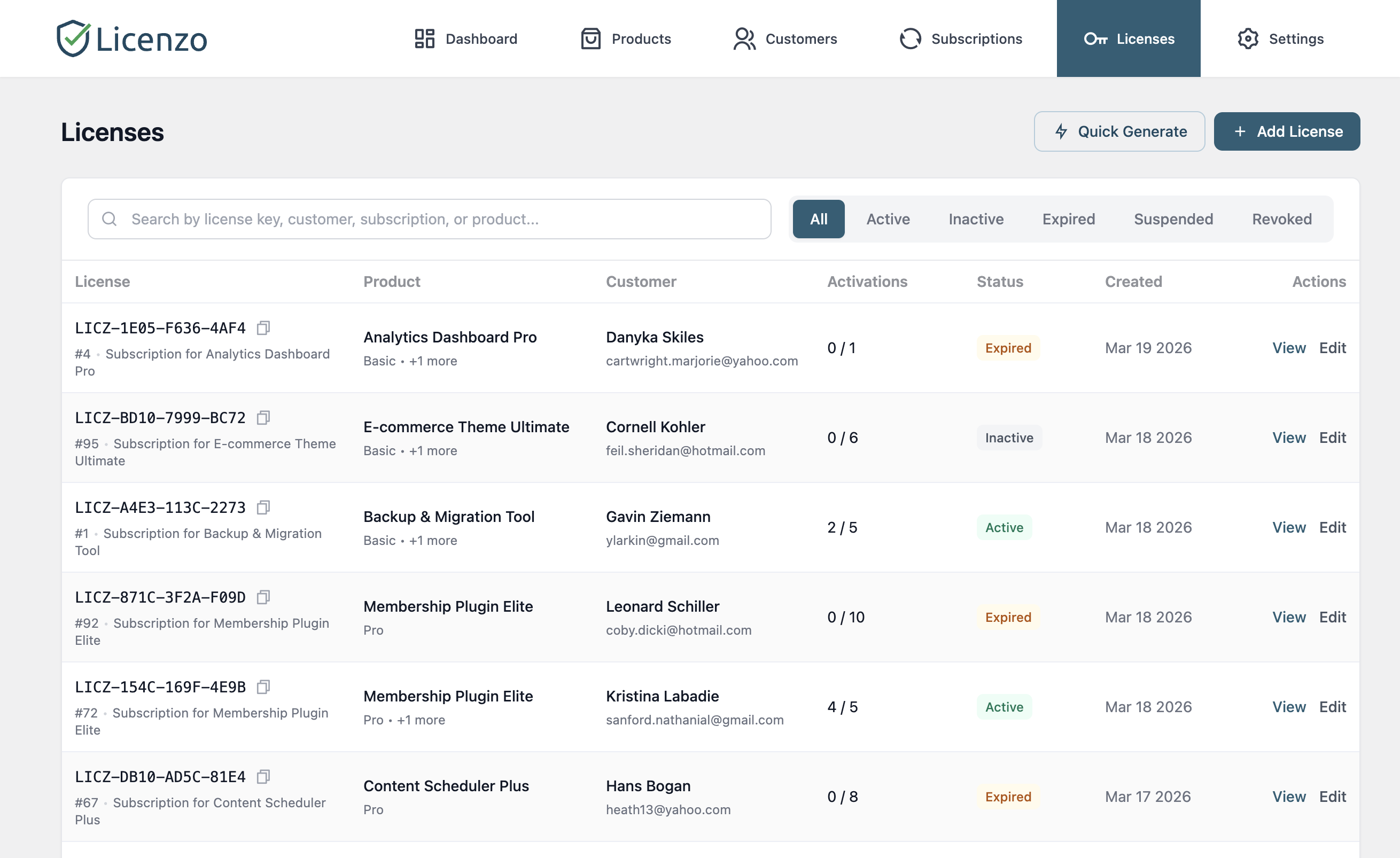
- Automated licensing: Generate unique license keys automatically when customers purchase your product. Licenses can have activation limits and expiration dates that Licenzo tracks and enforces.
- WooCommerce integration: Easily tie licenses to your WooCommerce products. When a customer buys a licensed product, Licenzo creates and assigns the license key automatically. Works with simple and variable products.
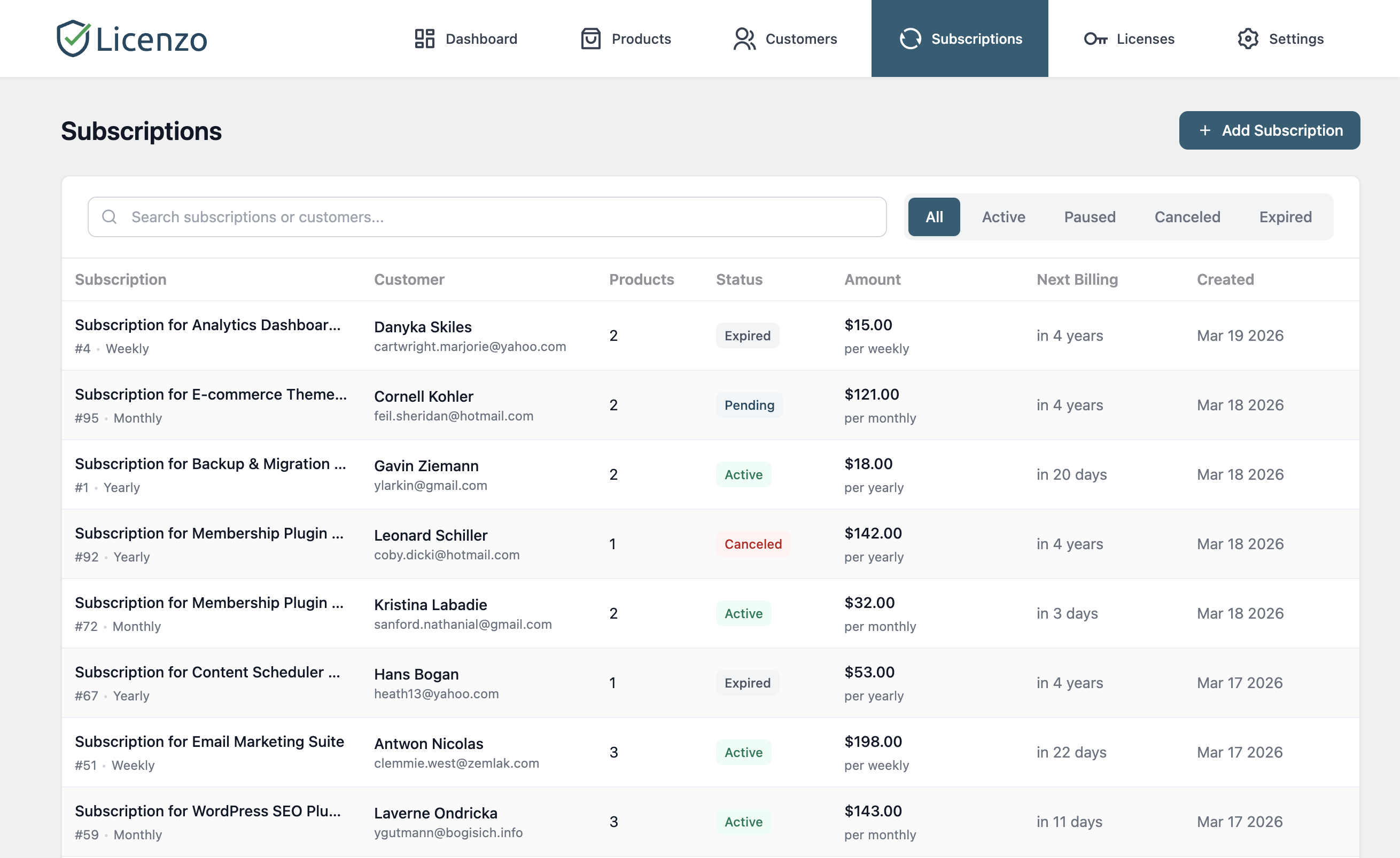
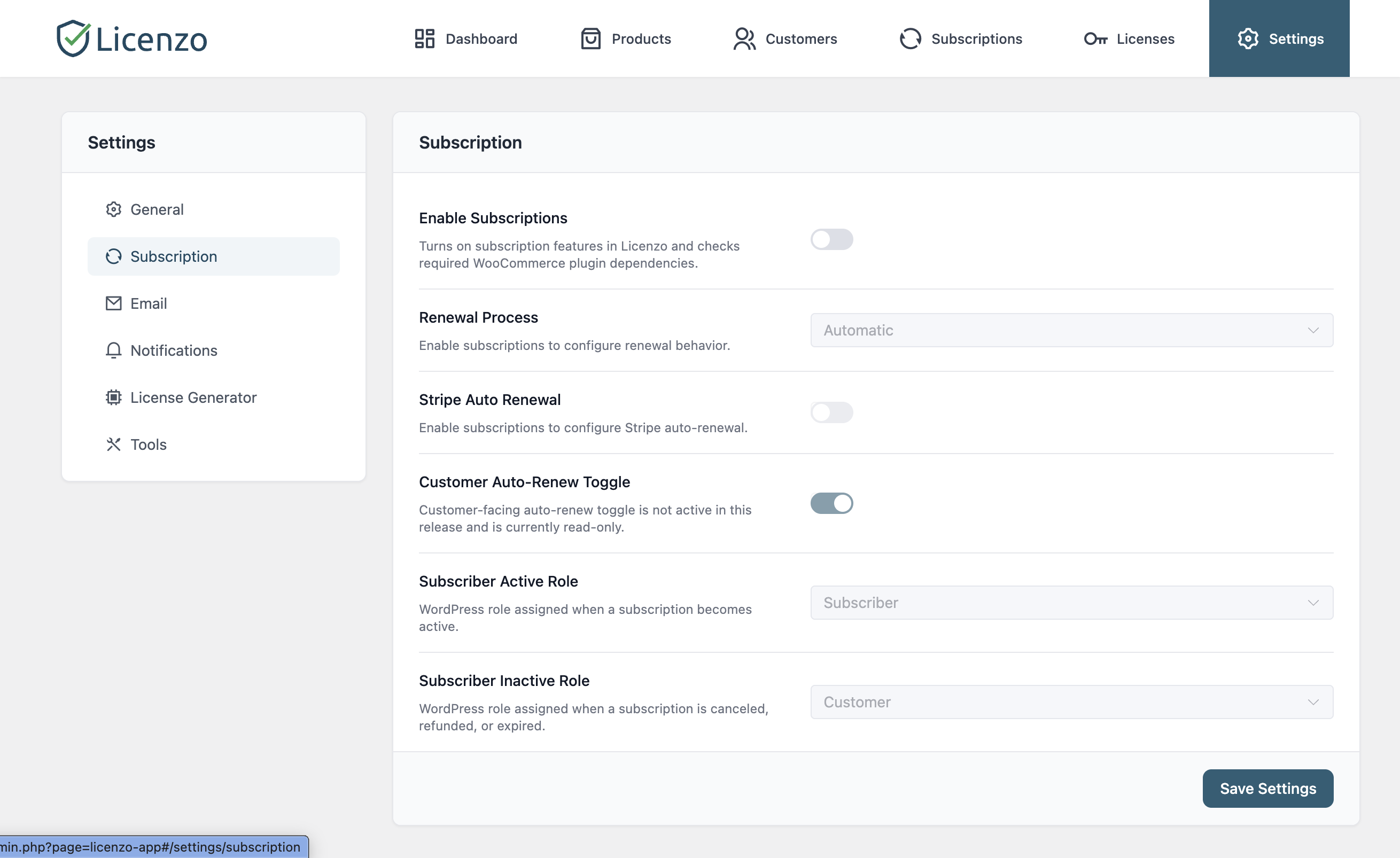
- Subscription support: Licenzo has its own subscription engine — you do not need WooCommerce Subscriptions or any other paid subscriptions plugin. Licenzo stores the subscription, schedules the renewal, charges it, records the transaction, and renews or expires the licence to match. Automatic renewal billing runs through the free WooCommerce Stripe Payment Gateway for WooCommerce stores, and through EDD's Stripe gateway for Easy Digital Downloads. You can also manually renew or extend licenses at any time from the admin.
- Expiration management: Licenses can be set to expire after a defined period. Expired licenses are automatically revoked, ensuring expired customers lose access. Licenzo can also send reminders before expiration to prompt renewals.
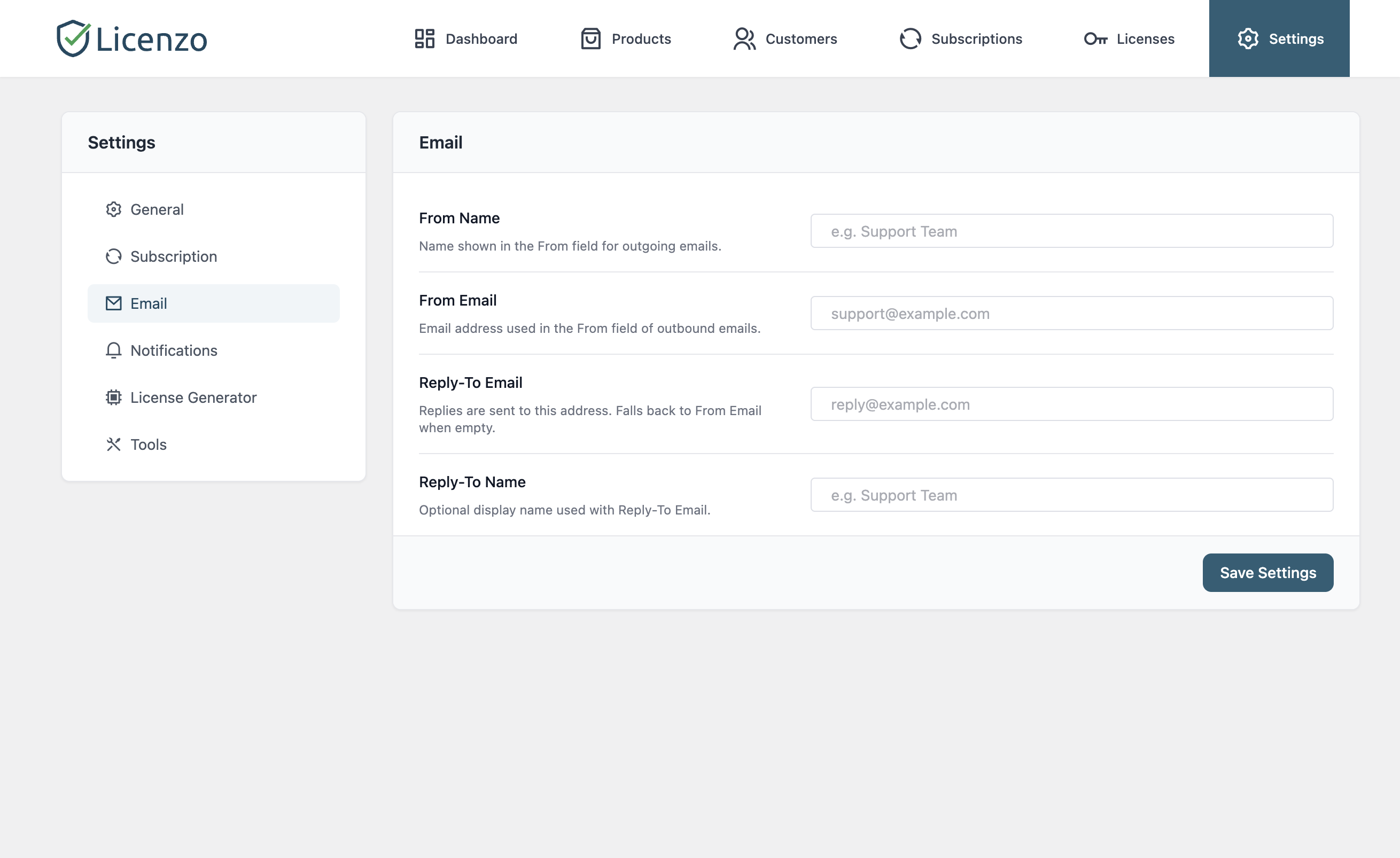
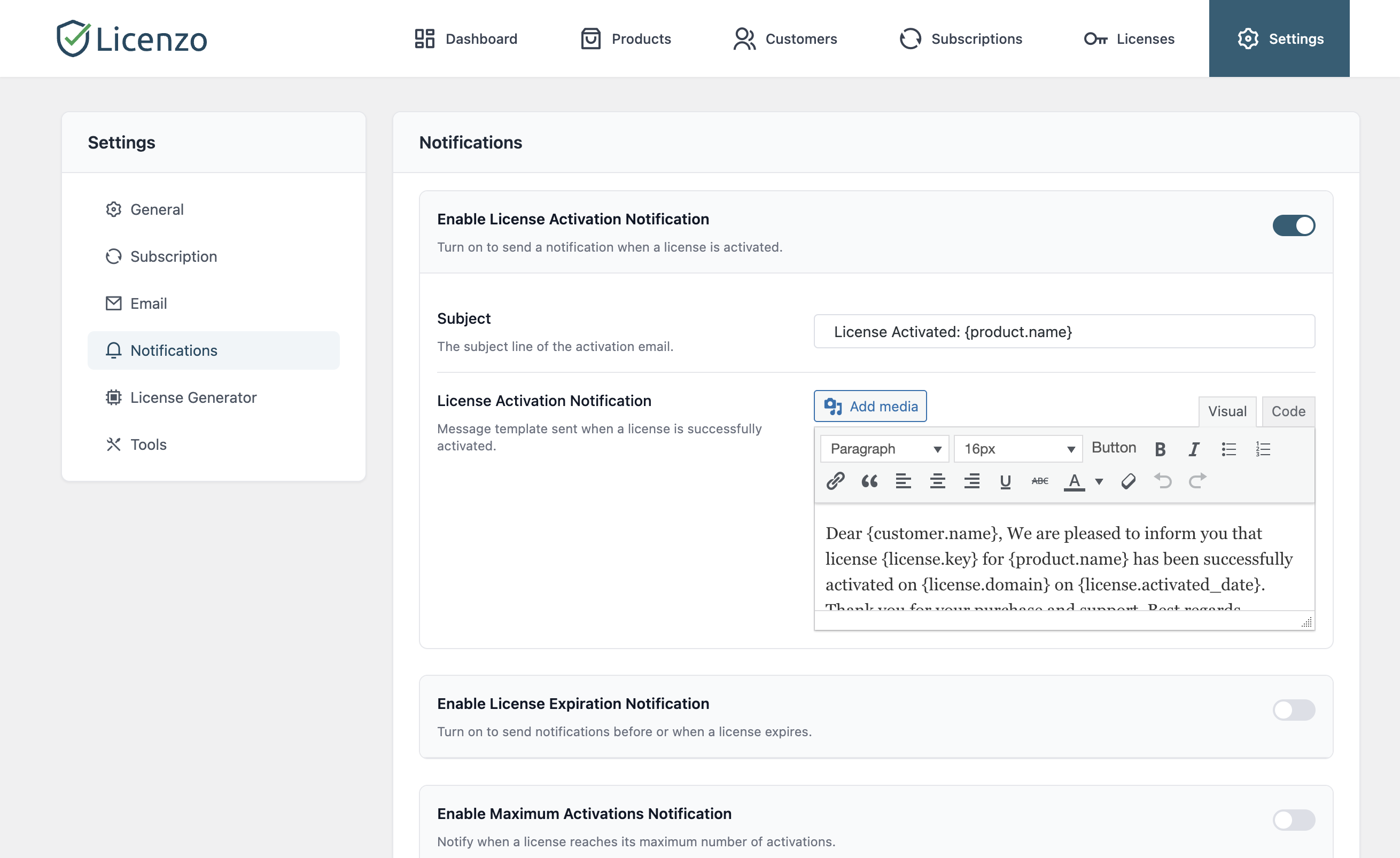
- Email notifications: Send automated email alerts to customers and admins for important events (license activation, upcoming expiration, renewal confirmations, etc.). All notification templates are customizable.
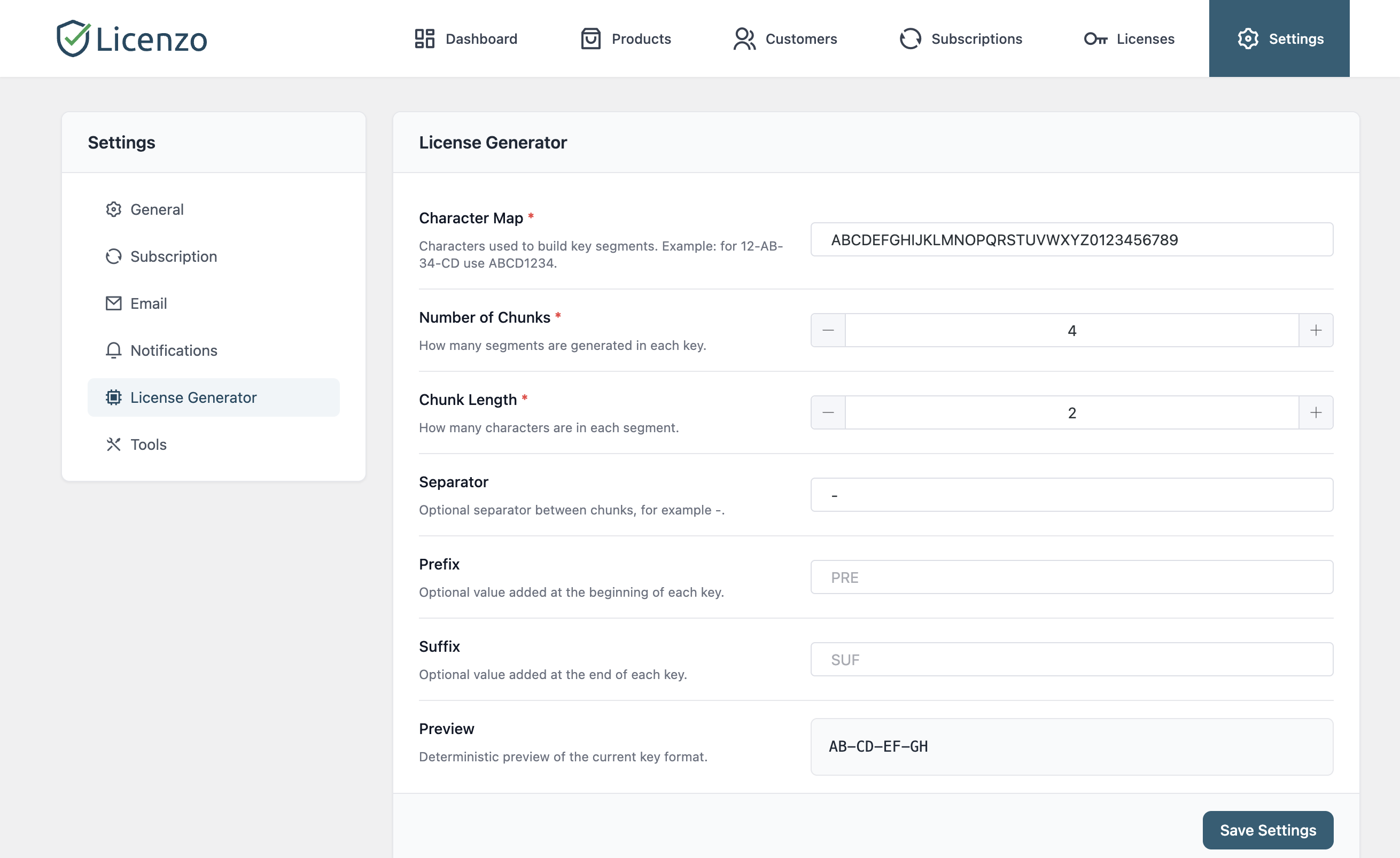
- Custom license keys: Define your own key format, length, or prefix to match your branding or security needs. Licenzo's key generator can create pretty or complex keys as desired.
- Dashboard & analytics: View a clear overview of your business inside WordPress. The Licenzo dashboard shows total customers, active licenses, activations, and revenue from subscriptions. Charts and metrics help you spot trends at a glance.
- Customer portal: Use the built-in shortcode (
[licenzo_customer_portal]) to give customers a frontend dashboard. Customers can log in to view their licenses, activation counts, and download links, all in one place. - Developer-friendly: For advanced users, Licenzo includes REST API endpoints and action/filter hooks. You can integrate license checks into your code or connect with other tools programmatically (optional).
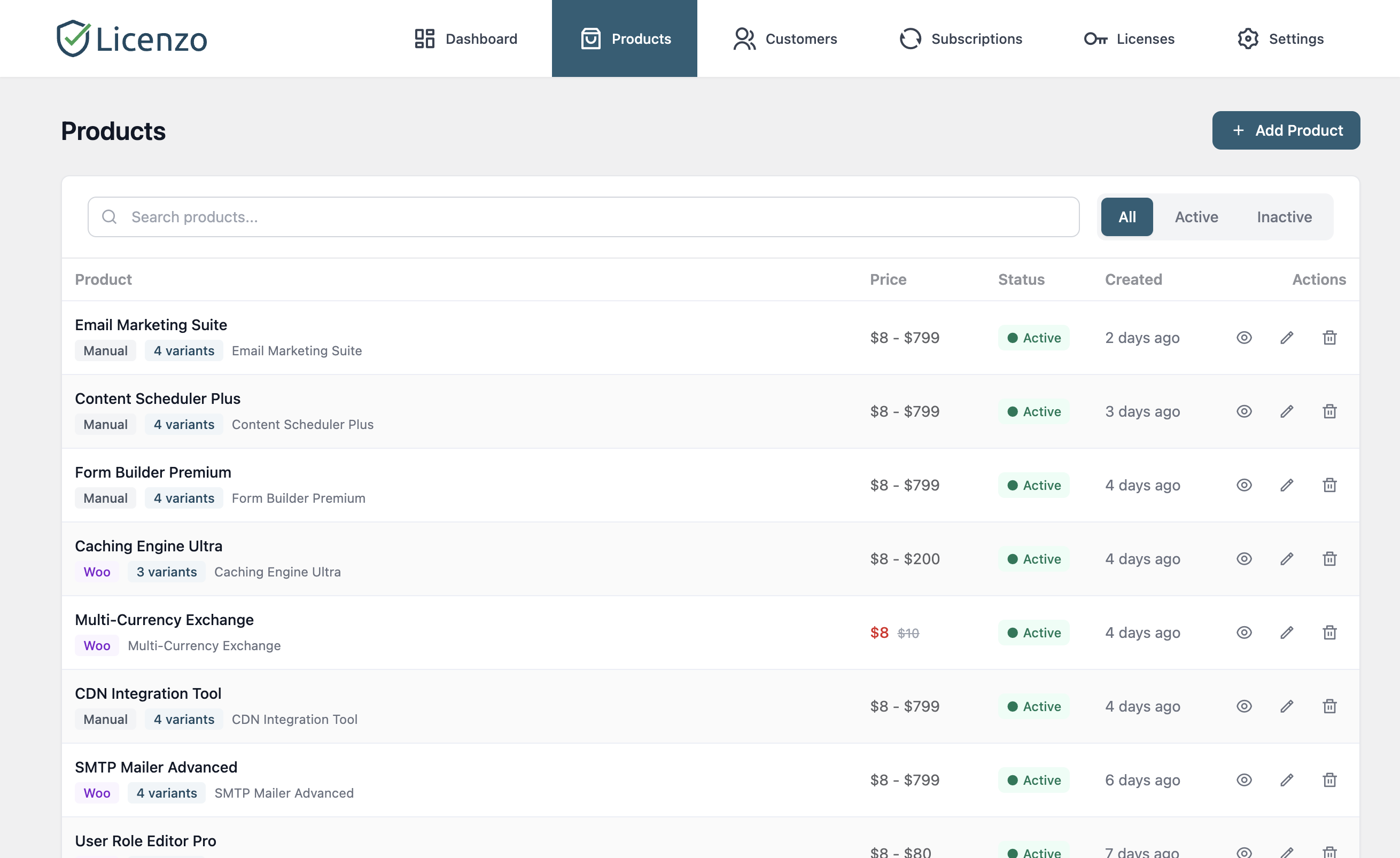
- Easy product setup: Quickly add licensing to existing products. Licenzo adds a Licenzo tab to your WooCommerce products so you can enable licenses and set activation limits with a click while adding a new product.
- Easy Digital Downloads integration: Selling through EDD instead of WooCommerce? Licenzo handles EDD purchases, subscriptions, renewals, cancellations and the customer portal too. See the note in the changelog for the two ways EDD differs from WooCommerce.
- Export and import license keys: Move licenses in and out of Licenzo as data — useful for migrating from another licensing plugin, for backups, or for bulk edits. Licenses, their product links, and their activation records all travel together.
- Upcoming features and integrations: We're planning even more features! Future updates will include FluentCRM, Mailchimp, marketplace imports (e.g. ThemeForest/CodeCanyon), split payment, and a lot more.
安装:
- Download and install Licenzo: In your WordPress admin, go to Plugins > Add New, search for "Licenzo – License and Subscription Management Plugin," then click Install and Activate. Alternatively, download the plugin zip from WordPress.org and upload it via Plugins > Add New > Upload Plugin.
- System requirements: Ensure you're running WordPress 6.8 or higher and PHP 8.0 or higher. Licenzo sells through either WooCommerce or Easy Digital Downloads — install and activate whichever one your store uses. For automatic subscription renewals you will also want that platform's free Stripe gateway.
- Initial setup: After activation, you'll find all relevant components under Licenzo section in the WordPress menu (or under WooCommerce > Products > Add a new product > Licenzo). You can also go directly to Licenses or Settings from Licenzo for more convenience.
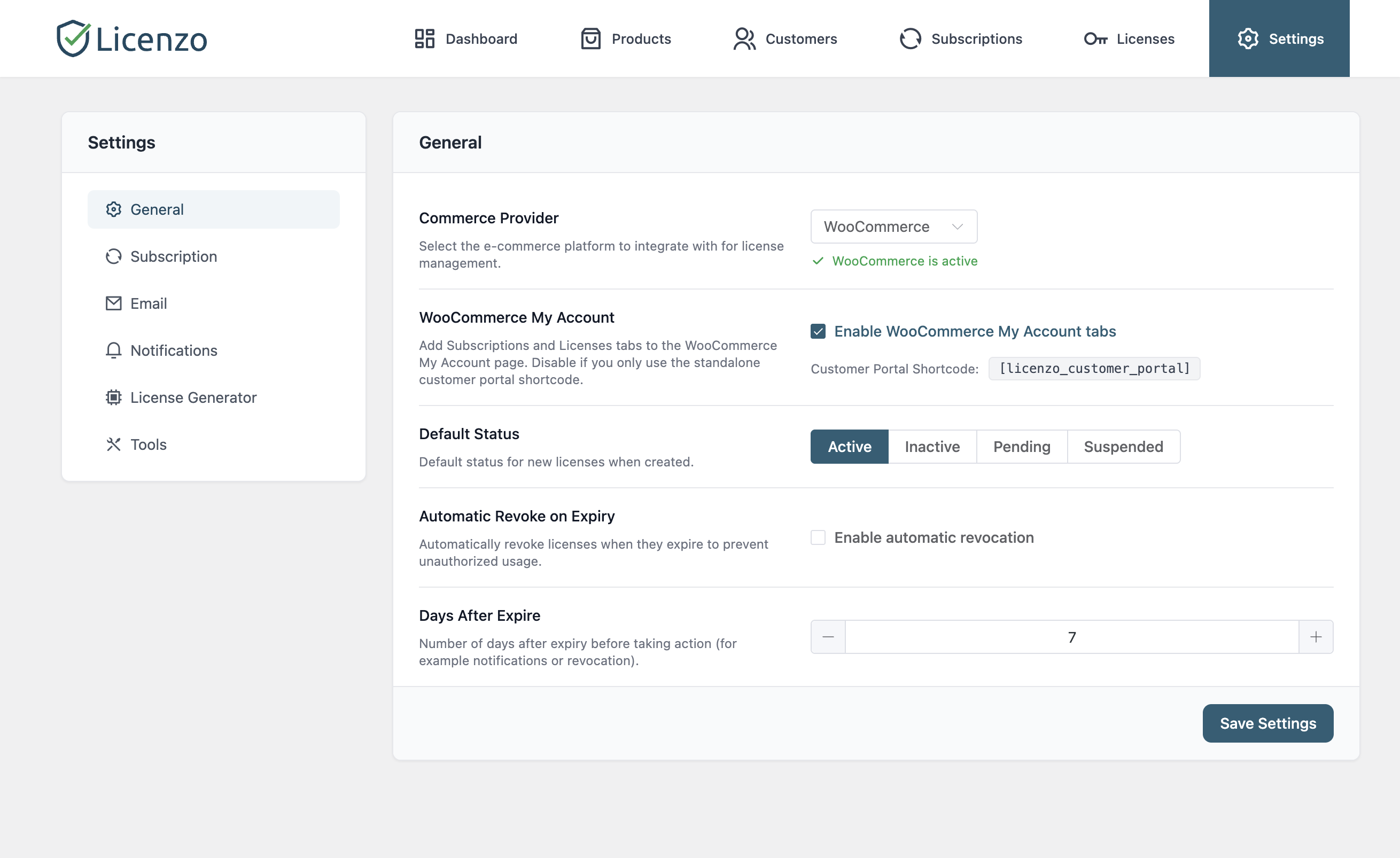
- Configure Licenzo: Go to Licenzo > Settings to set up your license key format, email notifications, and subscription rules. You can customize how keys are generated and what emails are sent when licenses are created, activated, or expired.
- Ready to go: Licenzo is now installed and ready to use. Next, see the Usage section below to learn how to add licenses to products and manage them.
屏幕截图:
常见问题:
Who is Licenzo for?
Licenzo is designed for creators of digital products – plugin authors, theme developers, SaaS providers, or anyone selling software online. It's perfect for small businesses and solo developers who want an easy way to automate license keys and recurring billing without relying on a third-party service. If you're tired of managing licenses and renewals manually in spreadsheets, Licenzo is for you.
Do I need coding or technical skills to use Licenzo?
Not at all. Licenzo has a clean, user-friendly interface in WordPress. If you can use WordPress and WooCommerce, you can use Licenzo. All features (key generation, email notifications, dashboard) are managed through simple settings and menus. Developers will appreciate additional options like APIs and hooks, but those are optional.
Is Licenzo free?
Yes, the core version of Licenzo is 100% free. You can start issuing licenses and subscriptions at no cost. We plan to release premium add-ons and integrations in the future, but you can do most license management tasks right away without spending anything.
Do I need WooCommerce?
For now, yes. We're working on providing a standalone environment where you don't need any third-party commerce providers. Licenzo is built to work seamlessly with WooCommerce, so having WooCommerce activated gives you the easiest setup (you can attach licenses to products and use payment gateways). However, using WooCommerce also allows you to use subscription plugins and payment methods directly.
What happens when a license expires?
Licenzo automatically handles expired licenses for you. When a license reaches its expiration date (or a subscription ends), Licenzo will revoke or deactivate that license key. You can also send warning emails before expiration to remind customers to renew. This automated process means you won't have to track expirations manually.
Can I customize the license key format?
Absolutely. In the Licenzo settings, you can define the format of your license keys (for example, you might want keys like PROD-XXXX-XXXX). This way, your license keys can match your brand or technical requirements.
How are customer notifications handled?
Licenzo sends configurable email notifications at key moments: when a license is created, when it is activated, and before or after it expires. You can edit the email templates and decide which notifications to send, ensuring your customers are always up-to-date about their licenses.
Will Licenzo slow down my site?
No. Licenzo is built to be lightweight and efficient. It only loads its features when needed, and all data is stored in the WordPress database. In normal use, it adds minimal overhead, so your site performance won't be affected.
更新日志:
- Automatic subscription renewals — WooCommerce subscriptions can now renew automatically through WooCommerce Stripe.
- Subscription Health — A new Subscriptions → Health screen helps you quickly find payments, renewals, and subscriptions that need attention.
- Safer staging and backup restores — Prevents staging sites and restored backups from accidentally charging real customers.
- Automatic handling of unpaid subscriptions — Unpaid WooCommerce subscriptions now expire automatically after the configured grace period.
- Customer payment updates — Customers can update their saved payment card from My Account → Payment methods.
- Customer downloads — Customers can now access their Licenzo downloads from My Account → Downloads.
- Reliable monthly billing dates — Monthly subscriptions can stay aligned to the end of the month, including shorter months.
- Recurring plan sign-up fees — Add a sign-up fee to recurring plans across your store.
- Protected downloads — Downloadable packages can now be stored privately for better protection.
- Flexible licences — Customers can add or remove products from an existing licence.
- Better licence history — See which website or host was used to activate a licence.
- Personal data tools — Licenzo now works with WordPress's Export Personal Data and Erase Personal Data tools.
- Privacy Policy guidance — Licenzo can suggest a Privacy Policy section based on the payment gateways enabled on your store.
- WooCommerce subscriptions now activate automatically when an order is completed.
- Cancelled, refunded, and failed orders now update licences correctly.
- Licenzo products in WooCommerce are now treated as virtual products, so customers no longer need to enter a shipping address.
- Moving your store from WooCommerce, EDD, FluentCart, or WPSubscription is now easier to start, resume, and complete.
- Subscription renewals are more reliable.
- Settings are now easier to navigate with Store, Payments, Delivery, and Advanced sections.
- Licence history now provides clearer information about what happened to each licence.
- Subscriptions created by store administrators now issue licences consistently.
- Fixed issues with subscription renewals, billing dates, cancellations, and payments.
- Fixed licences incorrectly expiring or becoming active again after being revoked.
- Fixed licence activation and seat-limit issues.
- Fixed licence delivery and product linking issues with WooCommerce and EDD.
- Fixed licence and customer data becoming incorrectly connected after changes or store migrations.
- Fixed checkout and payment processing issues.
- Fixed settings navigation and extension-related issues.
- Fixed plugin update, store migration, and uninstall issues.
- Improved protection for plugin files, customer downloads, backups, temporary files, and checkout payments.
- Compatibility: tested up to WordPress 7.1.
- Fixed: product dashboard and global revenue widgets no longer count downgrade-proration credit rows as positive revenue (defense in depth; surfaced when running alongside Licenzo Pro plan-change).
- Added: notification hooks
notification_refund_issued,notification_subscription_upgraded,notification_subscription_downgradedwith default email templates (consumed by Licenzo Pro).
- WordPress coding standards compliance hotfix.
- Added: Easy Digital Downloads (EDD) integration covering purchase, renewal, cancellation, and customer-portal flows. Two differences from the WooCommerce module: EDD renewals require EDD's Stripe gateway (on other gateways a purchase issues a single-cycle licence with no renewal schedule), and if the EDD Recurring Payments add-on is active Licenzo stands its EDD integration down entirely to avoid double-billing — an admin notice explains this when it happens.
- Added: Native Stripe Subscription support for automated recurring billing with proper customer consent and webhook handling.
- Added: Stripe webhook endpoint with configurable secret for secure subscription lifecycle event handling.
- Added: EDD renewal orders — renewal transactions are recorded in both Licenzo and EDD for accurate revenue tracking and customer management.
- Added: Customer portal downloads now serve EDD native download files when no Licenzo release exists, ensuring a seamless experience for EDD customers.
- Initial release.