
LightPIX Stealth Image Compression
| 开发者 | uxbyissa |
|---|---|
| 更新时间 | 2026年4月22日 16:58 |
| 捐献地址: | 去捐款 |
| PHP版本: | 7.4 及以上 |
| WordPress版本: | 6.9 |
| 版权: | GPLv2 or later |
| 版权网址: | 版权信息 |
详情介绍:
- Service URL: https://uxbyissa.com/lightpix/
- Privacy Policy: https://uxbyissa.com/lightpix/
- What is sent: Image file data and compression quality setting
- What is returned: Compressed image data
- Data storage: Images are processed in memory and are never stored on the API server
- Automatic — compresses images on upload, no extra clicks
- Smart — tries multiple compression methods and picks the smallest result
- Safe — never saves a compressed image if it's larger than the original
- Complete — compresses the original image AND all generated thumbnail sizes
- Fast — powered by Sharp engine with mozjpeg and WebP support
- Automatic compression on upload (JPEG, PNG, WebP)
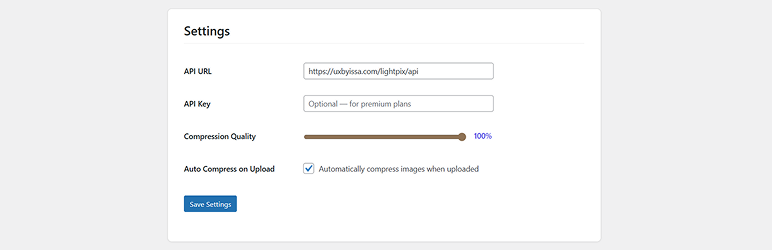
- Adjustable compression quality from 10% to 100%
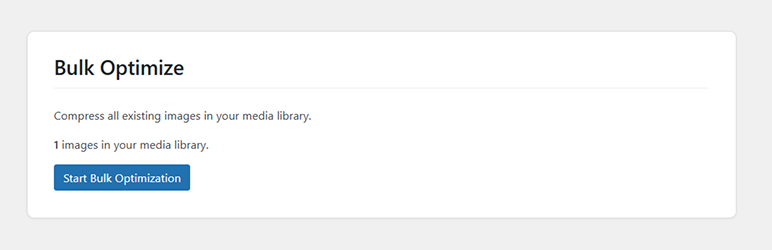
- Bulk optimize all existing images in your media library
- Compresses all WordPress-generated thumbnail sizes
- Real-time compression statistics dashboard
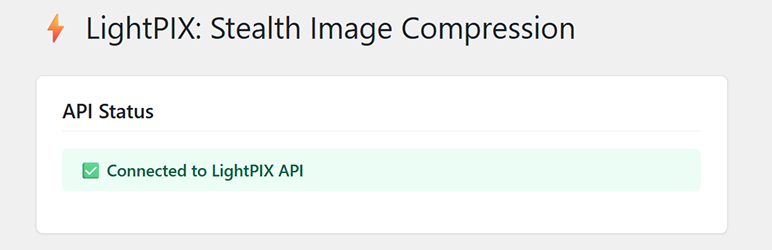
- API connection status indicator
- Smart detection of already-optimized images
- Auto-resize for images larger than 4096px
- Batch processing to prevent server timeouts
- Secure — all requests use nonce verification and capability checks
- You upload an image to WordPress
- WordPress generates all thumbnail sizes
- LightPIX sends each image to the compression API
- The API tries JPEG (mozjpeg), lower quality JPEG, and WebP compression
- The smallest result is saved back — only if it's smaller than the original
- Statistics are updated automatically
- JPEG / JPG
- PNG
- WebP
- WordPress 5.0 or higher
- PHP 7.4 or higher
- Active internet connection (for API communication)
安装:
- Go to Plugins > Add New in your WordPress admin
- Search for LightPIX
- Click Install Now and then Activate
- Go to Settings > LightPIX to configure
- Download the plugin ZIP file
- Go to Plugins > Add New > Upload Plugin
- Choose the ZIP file and click Install Now
- Activate the plugin
- Go to Settings > LightPIX to configure
- Navigate to Settings > LightPIX
- Verify the API Status shows Connected
- Adjust the compression quality slider (default: 80%)
- Enable or disable automatic compression on upload
- Optionally enter your API key for premium features
屏幕截图:
常见问题:
Do I need an API key?
No. The free plan works without an API key. An API key is only needed for premium plans with higher usage limits.
What image formats are supported?
LightPIX supports JPEG, PNG, and WebP images. Other file types are ignored and uploaded normally.
Will it make my images larger?
Never. LightPIX compares the compressed result with the original. If the compressed version is larger, the original is kept unchanged and marked as "already optimized."
Does it compress thumbnails too?
Yes. LightPIX compresses the original uploaded image and all thumbnail sizes that WordPress generates (e.g., 150x150, 300x300, 768px, 1024px).
Can I compress images that were uploaded before installing the plugin?
Yes. Use the Bulk Optimize feature in Settings > LightPIX to compress all existing images in your media library.
How much space will I save?
Results vary depending on the image, but typical savings range from 30% to 80%. Already-optimized images may see little to no reduction.
Is my data safe?
Yes. Images are sent to the LightPIX API over HTTPS, processed in memory (never stored on the API server), and the compressed result is sent back immediately. No images are retained on the API server.
Will it slow down my uploads?
Compression adds a few seconds per image depending on file size and internet speed. The process happens in the background after WordPress finishes generating thumbnails.
Can I disable automatic compression?
Yes. Go to Settings > LightPIX and uncheck "Automatically compress images when uploaded." You can still use Bulk Optimize or compress individual images manually.
What happens if the API is down?
If the API is unreachable, images are uploaded normally without compression. No errors are shown to the user — the plugin fails silently and logs the error.
更新日志:
- Initial release
- Automatic image compression on upload
- Support for JPEG, PNG, and WebP formats
- Adjustable compression quality (10-100%)
- Bulk optimize existing media library images
- Thumbnail compression for all WordPress-generated sizes
- Compression statistics dashboard
- API health check indicator
- Smart detection of already-optimized images
- Secure AJAX handlers with nonce verification
- Batch processing for bulk optimization