
Post Engagement – Like Dislike, Share, Views, Star Rating, Favorites & Copy Posts
| 开发者 |
solankisoftware
kirtikumar solanki |
|---|---|
| 更新时间 | 2026年5月23日 20:40 |
| 捐献地址: | 去捐款 |
| PHP版本: | 7.0 及以上 |
| WordPress版本: | 7.0 |
| 版权: | GPLv2 or later |
| 版权网址: | 版权信息 |
详情介绍:
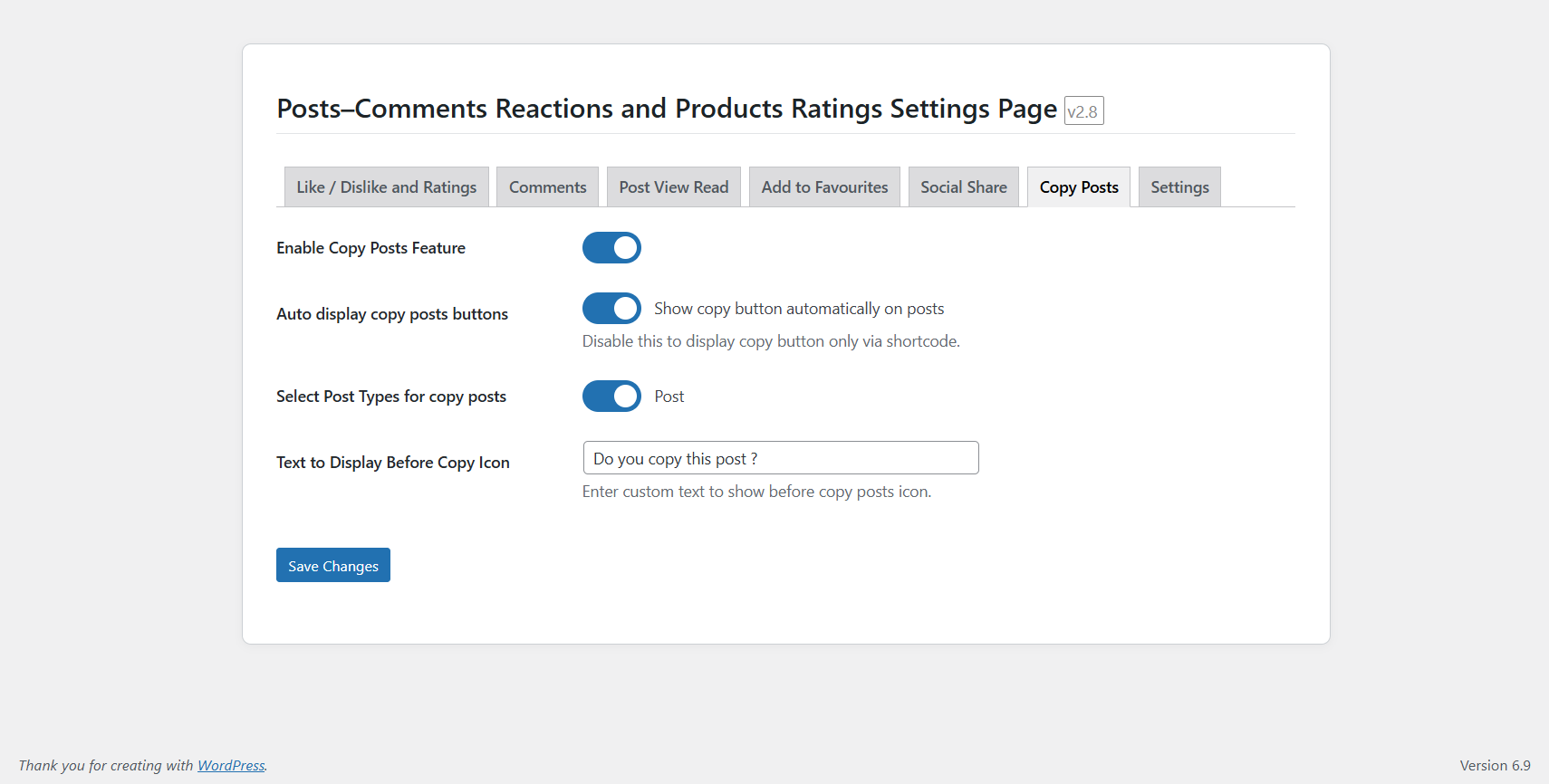
⚠️ Note: The product star rating system in this plugin is a custom-built functionality using its own database table, not the default WooCommerce or WordPress rating/comments meta. This ensures better performance and independent control over ratings.🎯 Key Features New in version 2.9: - Fixed comments ajax ratiobar intant changed comment changed like dislike - Fixed issue in ratiobar ajax when post like dislike instant - Fixed copy posts button design - Fixed some bugs in shortcodes 📋 Copy Posts Content (New in 2.8) New in version 2.8: - Added Copy Posts Content feature - Admin option to enable/disable Copy Posts functionality - Displays a Copy button on supported post types - Copies full post content including images and formatting - AJAX-based clipboard copy with no page reload -
[ldppp_copy_posts] → Copy post title and content as well images shortcode
New in version 2.7:
- Admin can now enable auto-display options for multiple features:
- Like/Dislike buttons
- Like/Dislike ratio/progress bar
- Star ratings
- Ratings progress bar
- Comments section
- Comments progress bar
- Post views / read count
- Add to Favorites
- Social share buttons
- New shortcodes added for manual placement of elements:
[ldppp_social_share]→ Displays social share icons.[ldppp_favorite_heart]→ Displays Add to Favorites heart icon.[ldppp_post_view_count]→ Displays post view / read count.[ldppp_comment_like_dislike]→ Like/Dislike UI for comments.[ldppp_ratings_progress_bar]→ Ratings ratio wrapper (5→1 rows).[ldppp_posts_ratings]→ Centered star-rating control.[ldppp_like_dislike_ratio_bar]→ Only the Like/Dislike ratio bar.[ldppp_like_button]→ Only the Like button.[ldppp_dislike_button]→ Only the Dislike button.[ldppp_like_dislike]→ Full Like/Dislike UI (buttons + ratio). These features can be displayed automatically using admin checkboxes, or manually via shortcodes for precise placement anywhere on your site.
- I have optimize code
- Introduced a new “Set Default Options” panel to automatically pre-configure recommended plugin settings.
- Allows users to quickly apply optimal defaults with a single click.
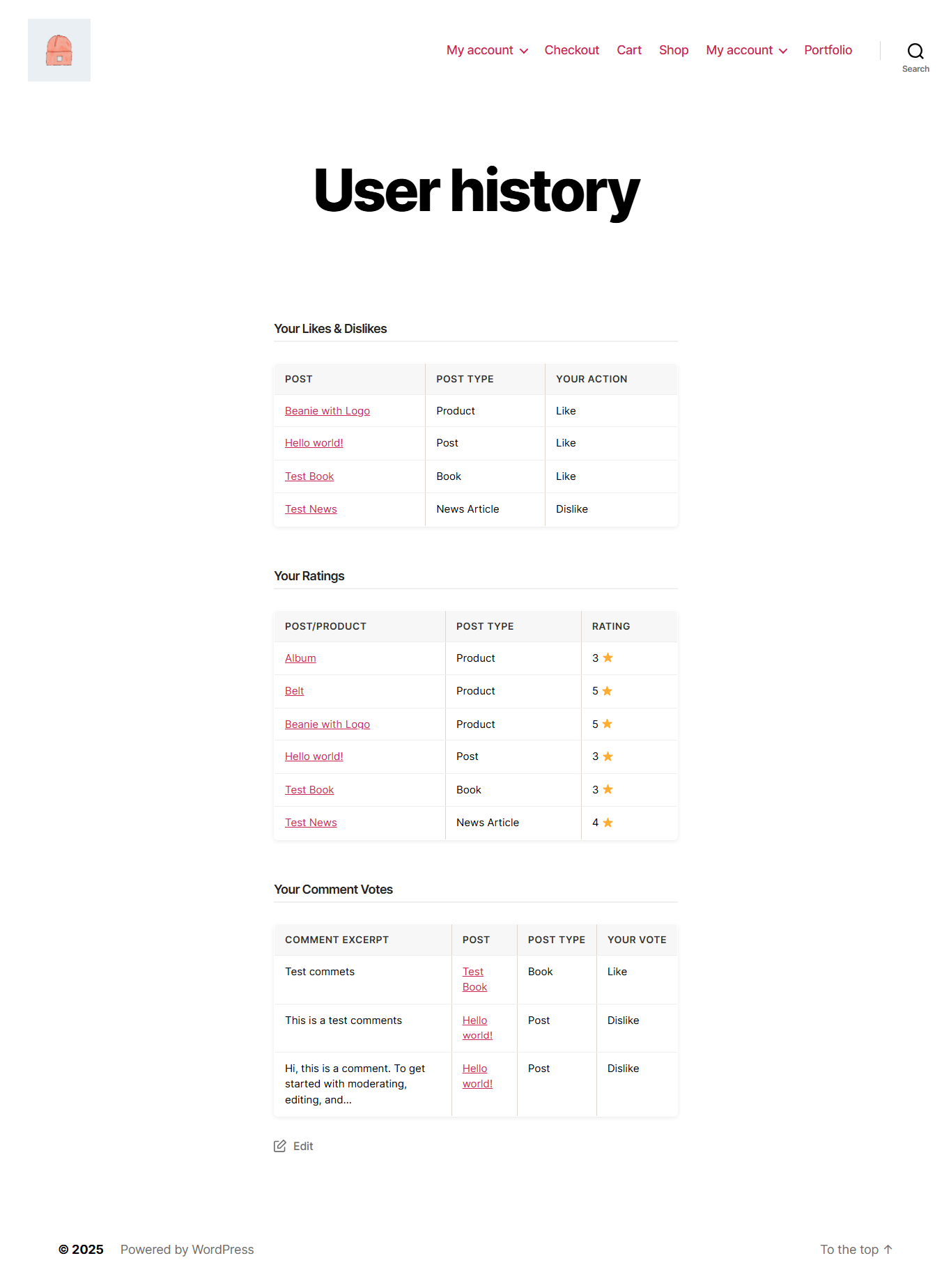
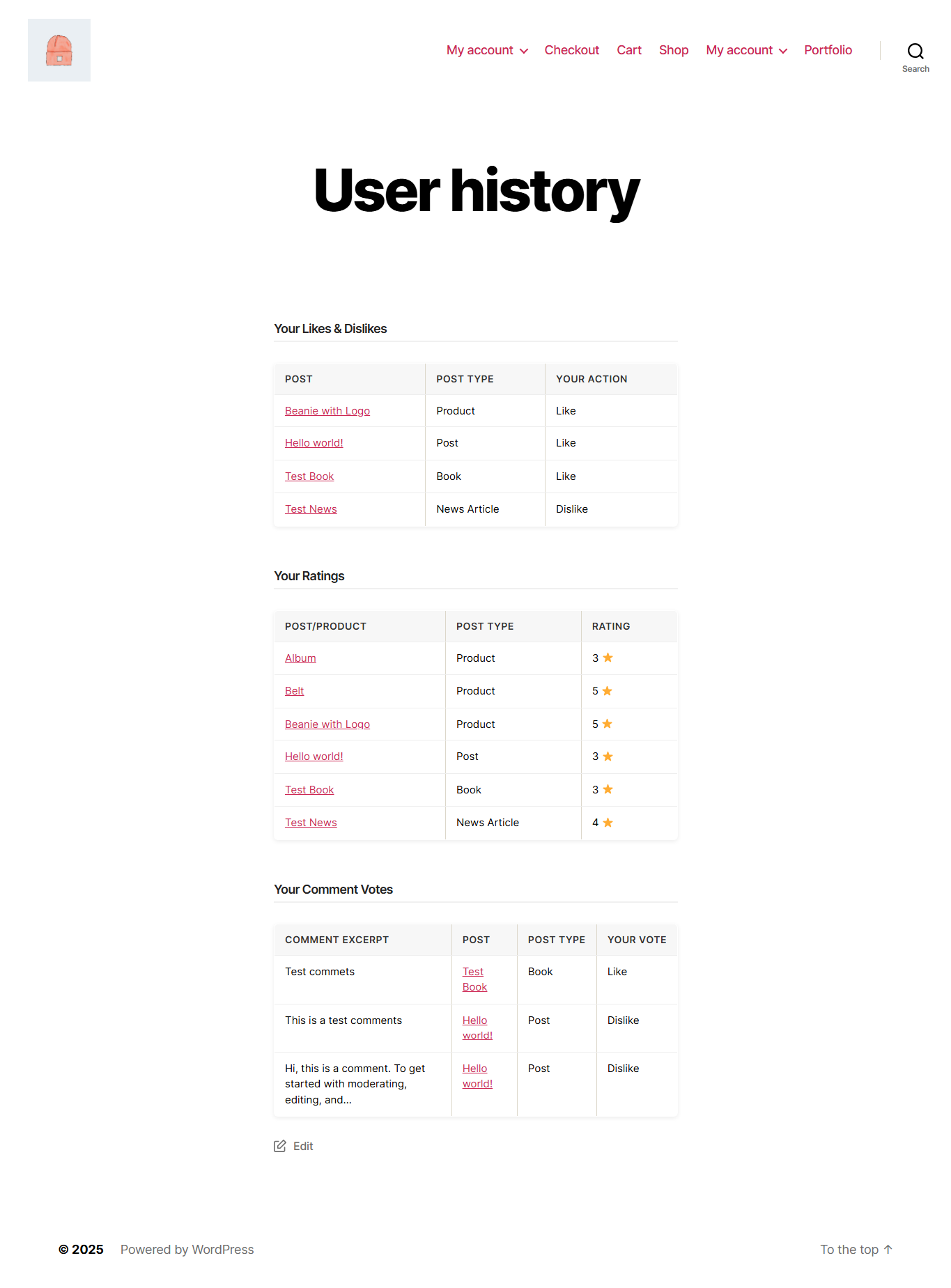
[ldppp_user_history]– Shows all user activity (likes, dislikes, ratings, and comment votes).[ldppp_user_likes]– Displays all liked or disliked posts/products by the user.[ldppp_user_ratings]– Lists all user-given ratings with average rating details.[ldppp_user_comment_votes]– Shows comment like/dislike history.- Added simple, responsive layout for displaying user activity lists.
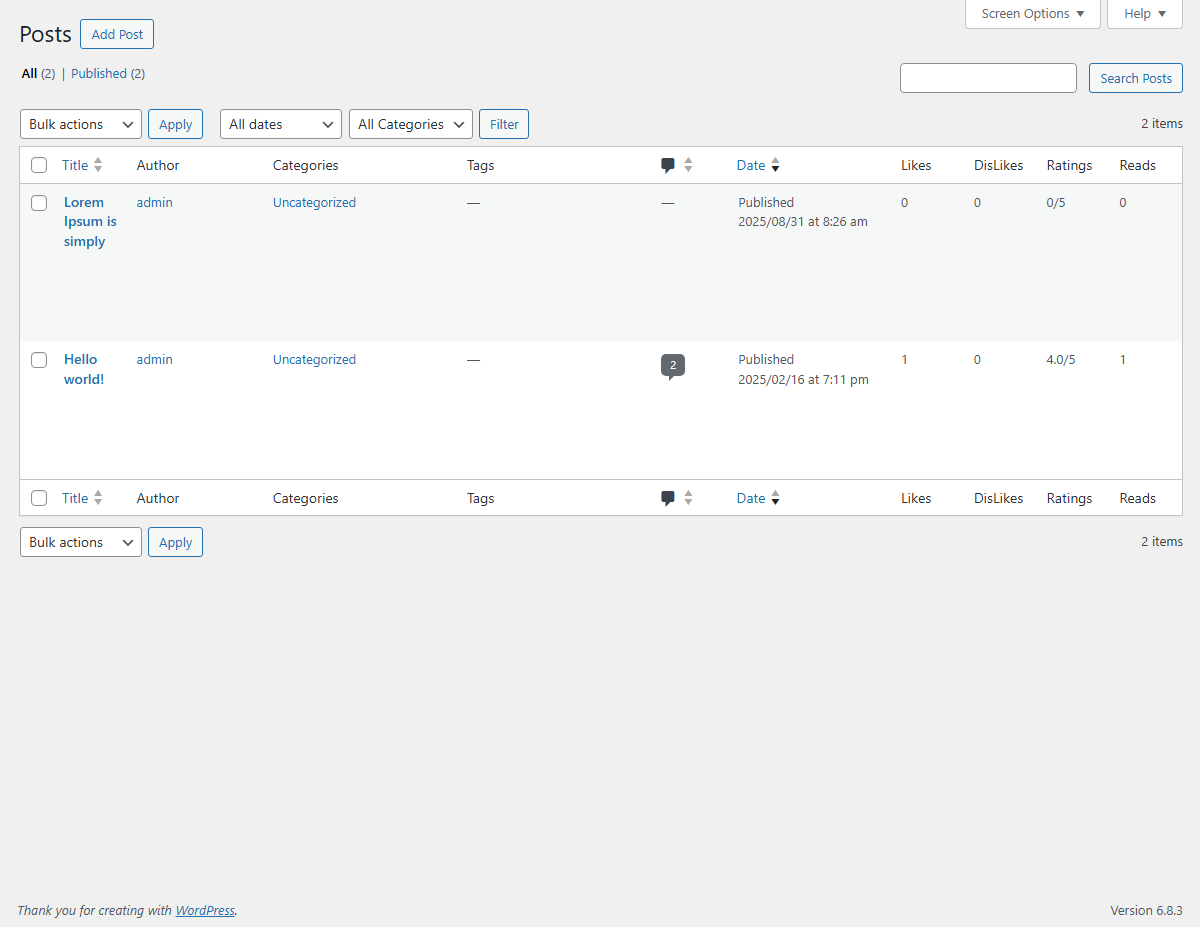
- Admin columns (Likes, Dislikes, Ratings, Reads) now display only for selected post types.
- Ratings column shows average rating instead of sum (e.g., 3.5/5).
- Comment Likes/Dislikes columns can be enabled via backend option.
- Fully supports WooCommerce products with proper column alignment.
- Read count tracking added per post/product.
- Default values displayed when no data exists; ratings rounded to 1 decimal.
- Update uninstall file code and remove tables and options data when uninstall
- Fixed ratings structure
- Added Like/Dislike ratio bars for posts and comments.
- Added Rating ratio bar for star ratings.
- Ratio bars visually show the percentage difference between likes/dislikes and rating scores.
- Smoothly updates instantly when user interacts (AJAX powered).
- Fully responsive and inherits theme styles for smooth integration.
- Added admin settings for ratio bar options
- Admin settings now include a dedicated Social Share tab in the plugin settings page.
- Added custom text field to display a label before the share icon (e.g., “Share this post:”).
- Improved admin UI for better usability and tab navigation.
- Bug fixes and minor improvements for like/dislike and ratings system.
- Add share icon automatically after post/product content.
- Modern popup showing popular share platforms (Facebook, X/Twitter, LinkedIn, WhatsApp, Telegram, Pinterest, Reddit, Tumblr, Email, Copy Link).
- Admin setting to select which post types display the share button.
- Uses Font Awesome/Dashicons for platform icons.
- Works responsively on all devices.
- New: Added Shortcode:
[ldppp_user_history]to display logged-in user’s interaction history. - New: Display user’s Likes and Dislikes with post type labels (Post, Product, Page, or CPT).
- New: Show Ratings history with post/product title, rating value, and post type.
- New: Show Comment Votes history including comment excerpt, related post link, post type, and user’s action (Like/Dislike).
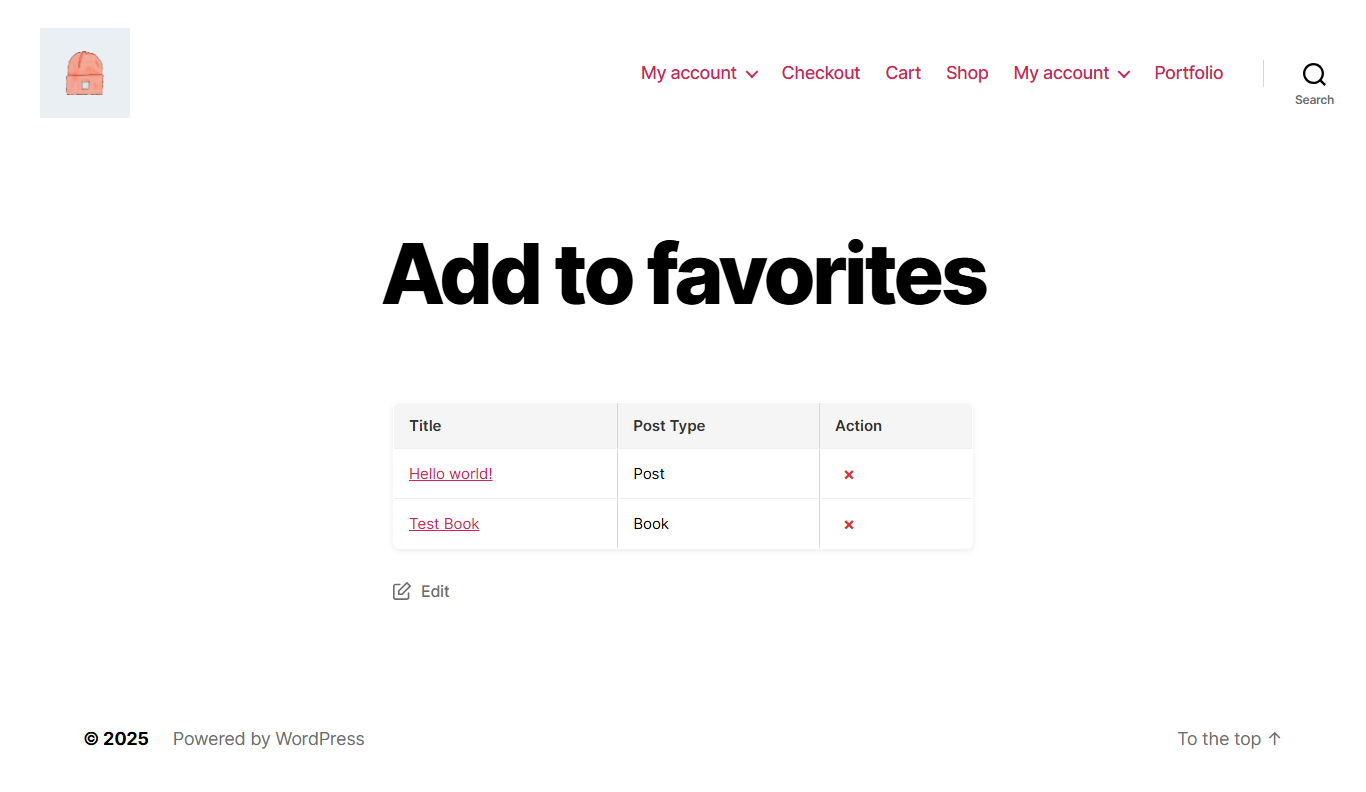
- Display a heart icon at the end of post content.
- Users can add/remove posts to/from favorites with one click.
- Supports all custom post types (CPTs).
- Admin settings to:
- Enable/Disable Favorites feature.
- Select which post types display Favorites.
- Customize label text for Favorites.
- Set active and inactive heart icon colors.
- Shortcode:
[ldppp_user_favorites] - Display a logged-in user’s favorites list on any page or section.
- Tooltip support for Favorites icon.
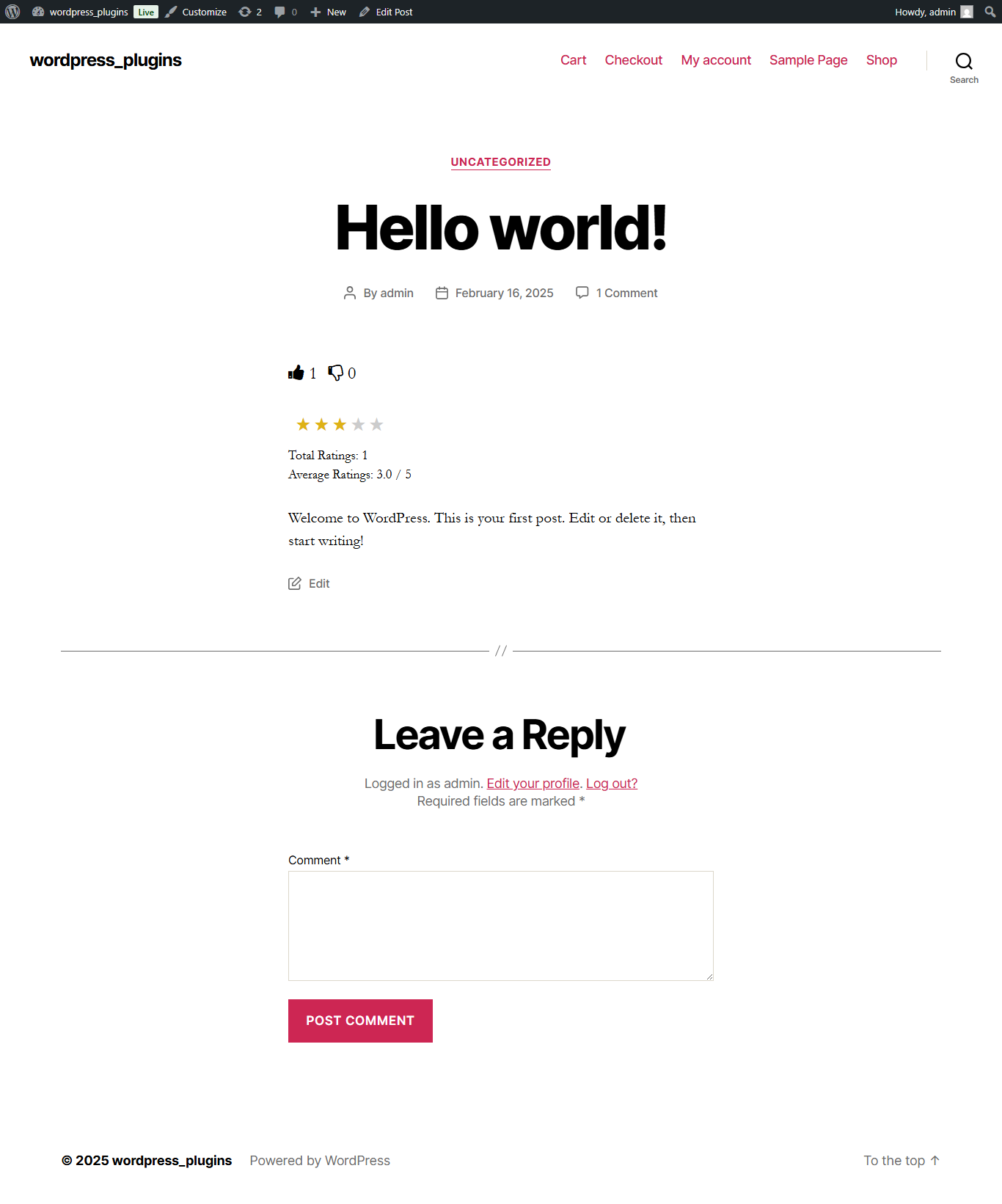
- Interactive Like and Dislike buttons for posts, comments, and products.
- Choose how counts are displayed – Numbers or Percentages.
- Customize labels and icon colors.
- Optionally hide counts for Likes and Dislikes.
- Dynamic option to select which post types display Like/Dislike.
- Restrict voting to logged-in users only (optional).
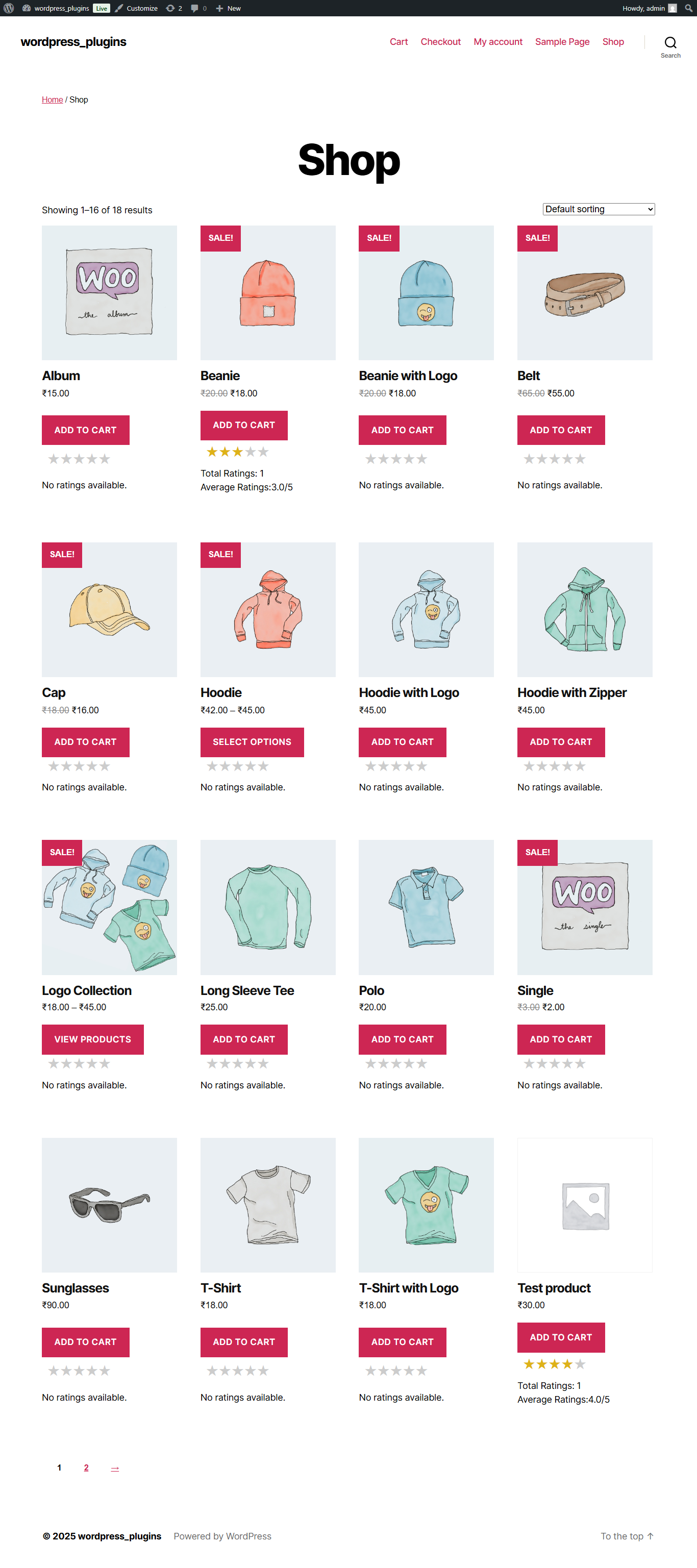
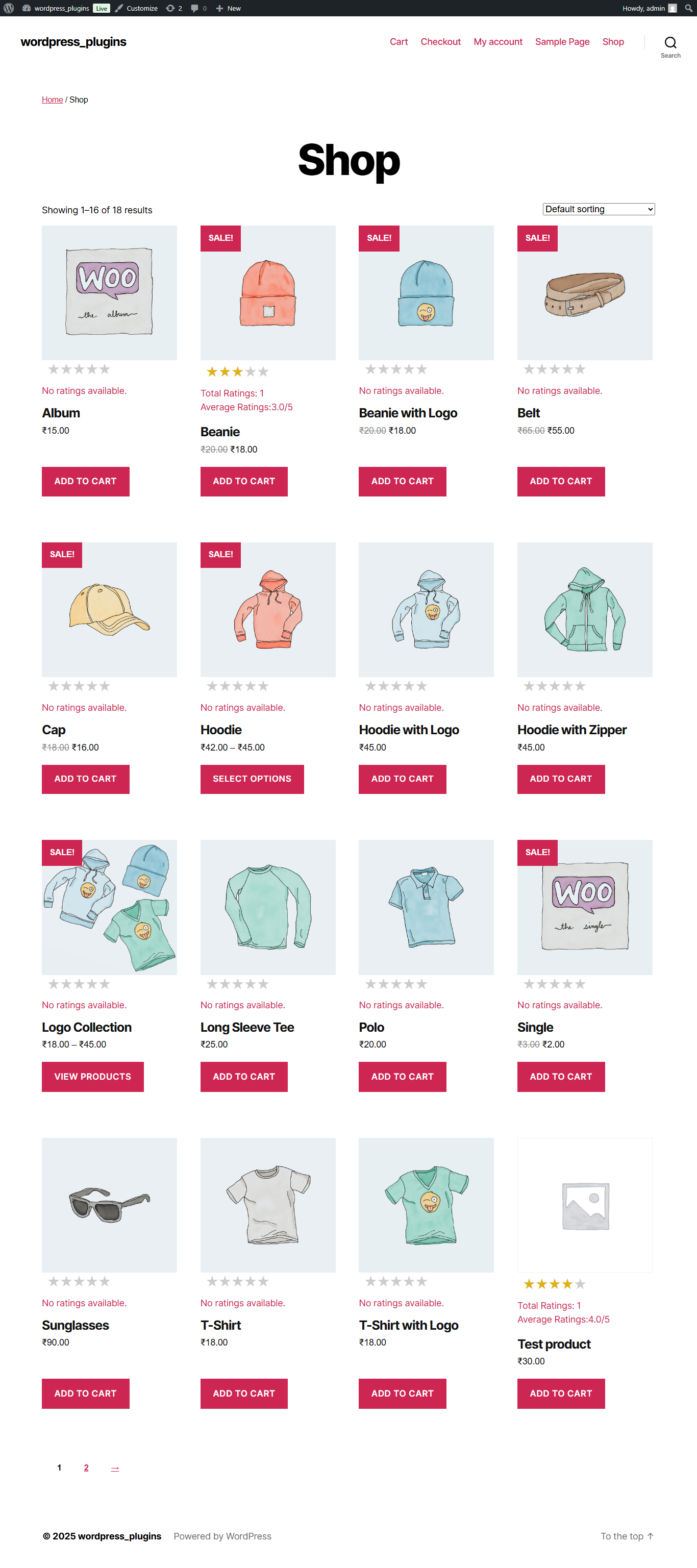
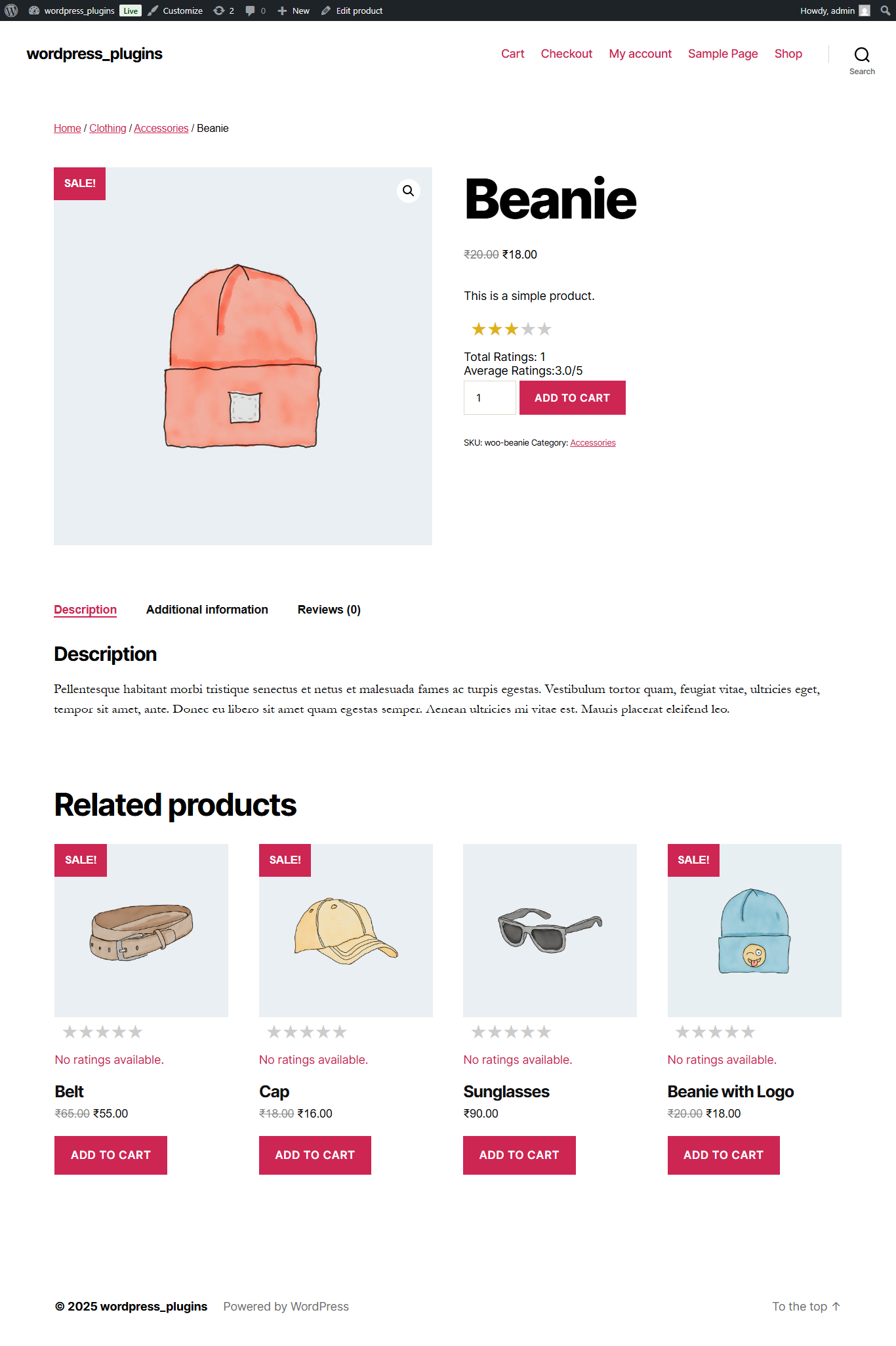
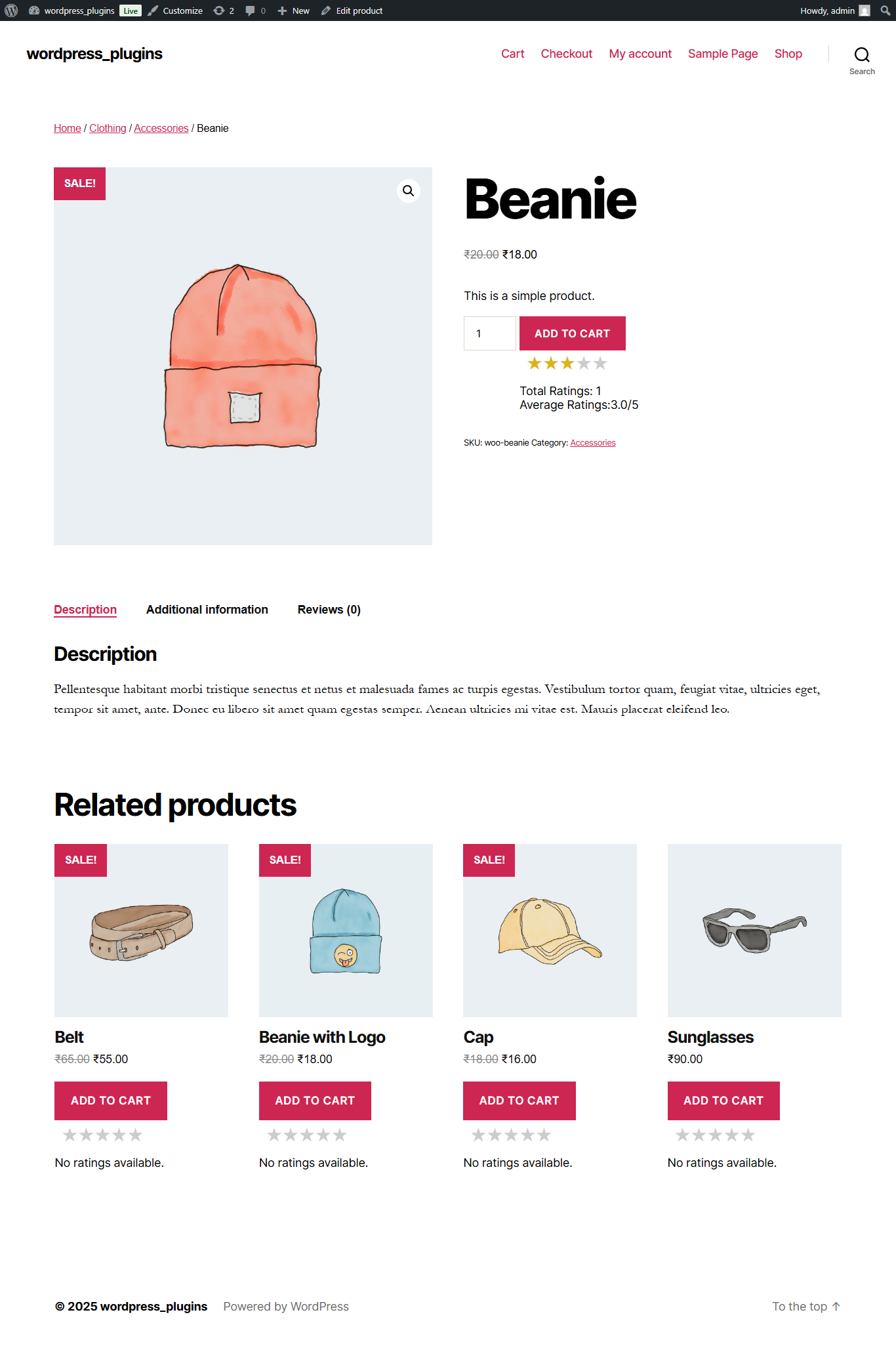
- Display 1–5 star rating on posts and WooCommerce products.
- Custom product rating system using its own database table.
- Option to hide star ratings on post detail pages.
- Show average rating instantly with AJAX.
- Restrict ratings to logged-in users (optional).
- Enable post view/read counter with anti-spam options.
- Prevent multiple counts from the same IP.
- Configure how much content (%) must be read before counting.
- Configure how much time (seconds) must be spent before counting.
- Choose how to display views – as icons or text.
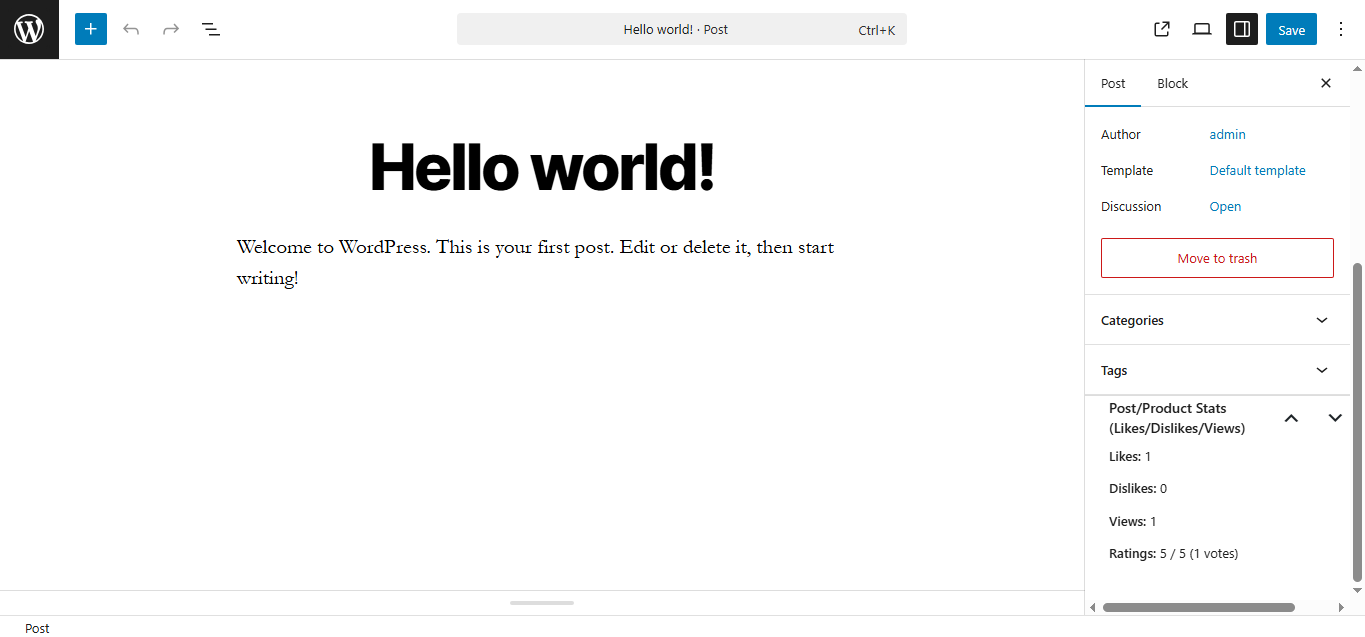
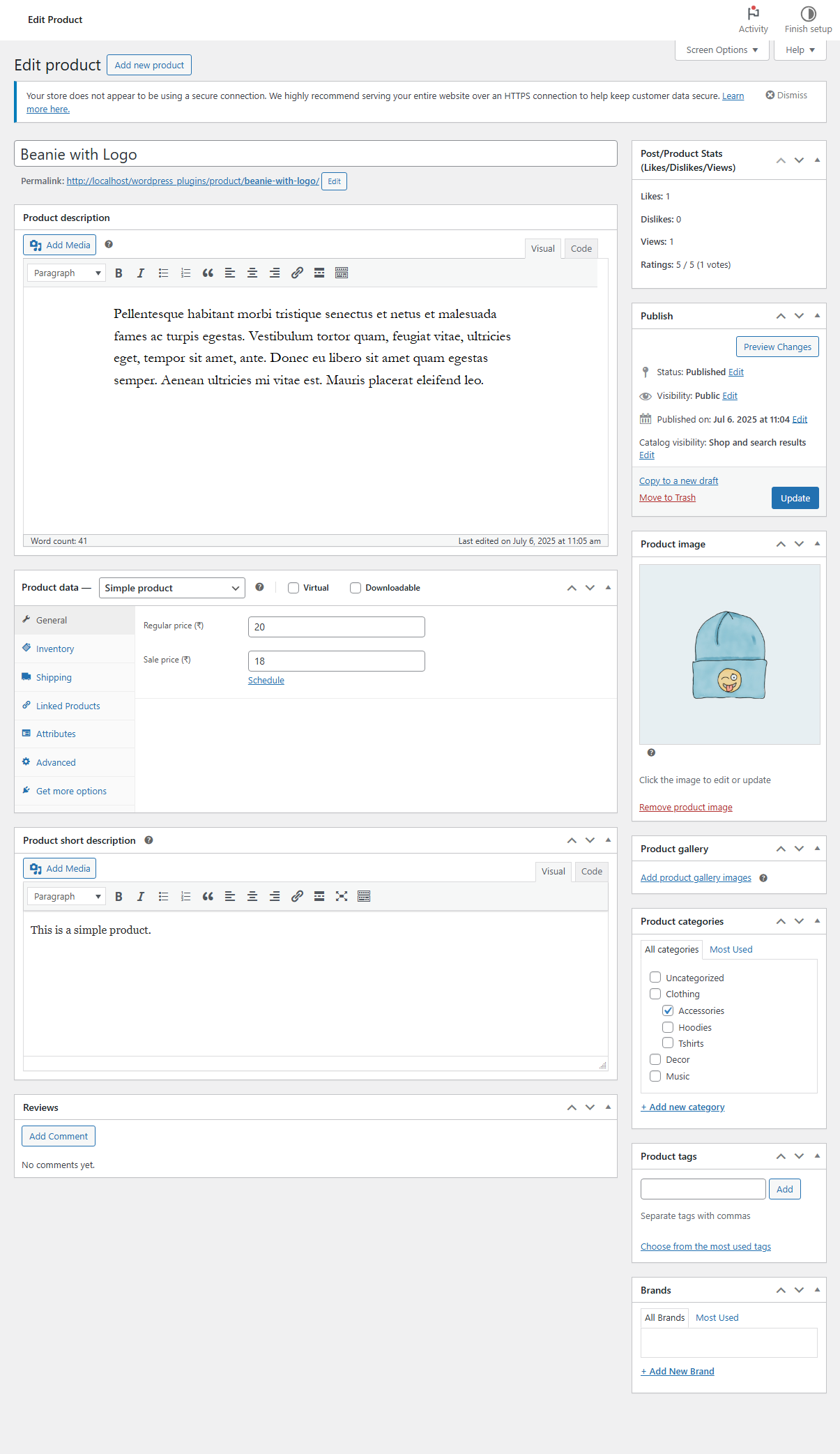
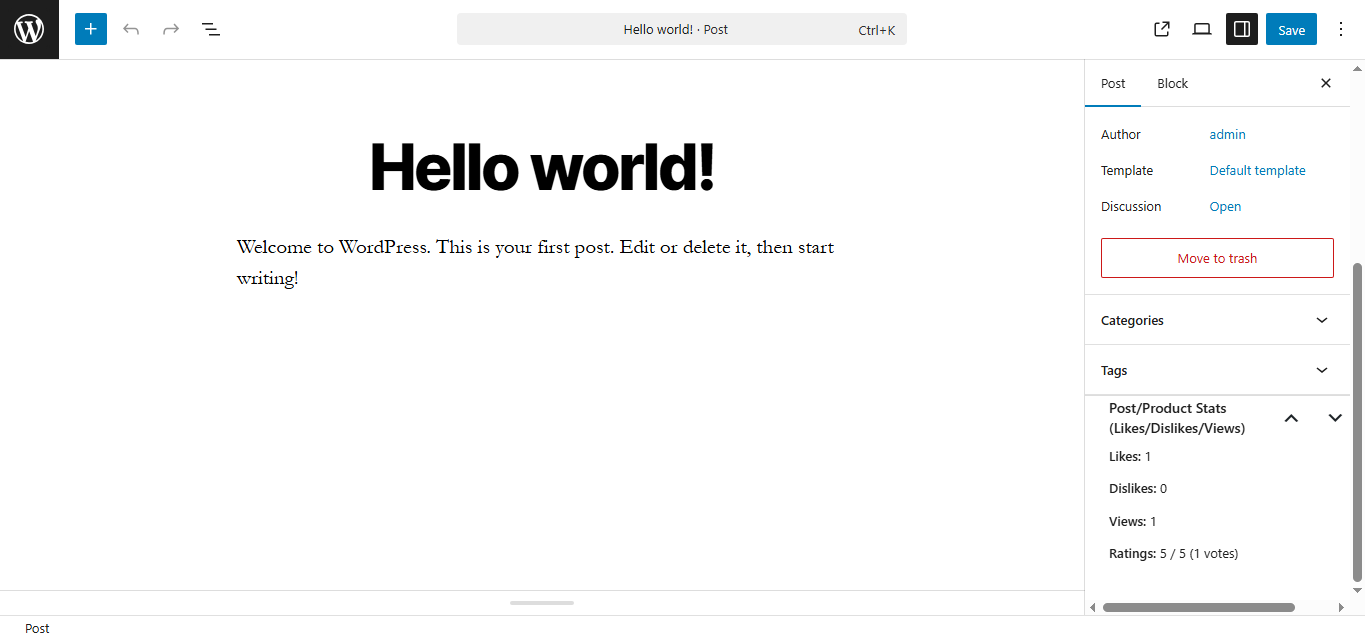
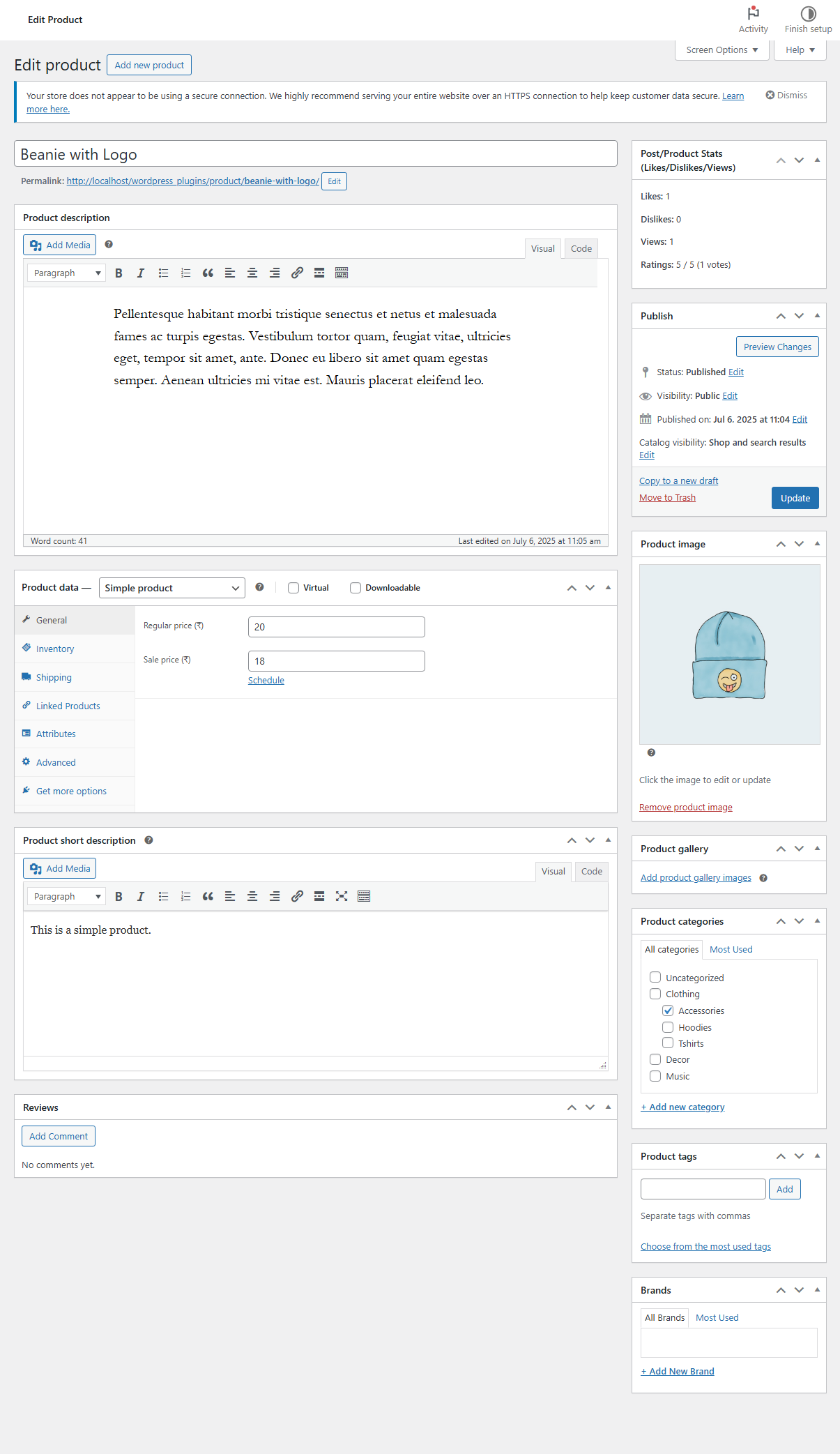
- Meta box inside post/product edit screen shows:
- Likes
- Dislikes
- Views
- Ratings
- Favorites
- All actions (like/dislike/star/view/favorites) run without page reload.
- Real-time updates for user feedback.
- Restrict multiple votes/views/favorites via IP, cookies, or user login.
- Allow/disallow guest voting or favorites.
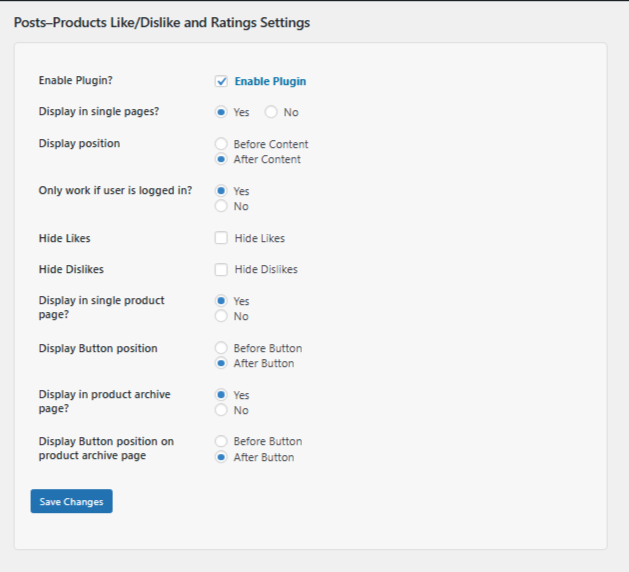
- Restrict features to logged-in users (optional).
- Custom label text for Like/Dislike buttons (posts, products, comments).
- Custom label text for Favorites.
- Icon color controls for Like, Dislike, and Favorites (active/inactive).
- Counter display type (Number or Percentage).
- Position controls: before/after content or buttons.
- View counter display as Icon or Text.
- Fully responsive and theme-compatible.
- Enable comment Like/Dislike voting.
- Custom label for comment buttons (e.g., "Was this comment helpful?").
- Restrict to logged-in users or allow guests.
- Clean, lightweight code.
- Includes hooks and filters for developers.
安装:
- Go to your WordPress dashboard.
- Navigate to Plugins > Add New.
- Search for Post Engagement – Like Dislike, Share, Views Counter, Star Rating, Favorites & Copy Posts.
- Click Install Now, then click Activate.
- Configure settings Posts Products Reactions & Ratings.
屏幕截图:

常见问题:
❓ Is the product rating feature using default WooCommerce ratings?
No. The product star rating system in this plugin is a custom-built functionality with its own dedicated database table. It does not use WooCommerce default review/comments meta.
❓ Can guests vote or add favorites?
No, Only login users can add favorites and guest or login users can vote.
❓ Is this plugin compatible with WooCommerce?
Yes! Works seamlessly on product pages and shop archives.
❓ Can I choose where the buttons and icons appear?
Yes, you can choose to show buttons before or after content or product buttons. Comment voting and Favorites can also be toggled.
❓ Can I customize icon styles and colors?
Yes. You can select individual colors for Like/Dislike/Favorites icons, change label text, and even switch counters to percentages.
❓ Can I track post views?
Yes! You can enable view/read tracking with customizable conditions (minimum time, minimum content read). You can also prevent multiple counts from the same IP.
❓ How do I display user’s favorites list?
Use the shortcode:\
[ldppp_user_favorites]\
This will show the logged-in user’s favorites list on any page or section.
❓ Is it mobile responsive?
Yes, the plugin is 100% responsive and works well on all devices.
更新日志:
- Added List View and Grid View settings for Add to favourites, Social share, copy posts features
- Improved frontend side design
- Fixed comments ajax ratiobar intant changed comment changed like dislike
- Fixed issue in ratiobar ajax when post like dislike instant
- Fixed copy posts button design
- Fixed some bugs in shortcodes
- New: Added Copy Posts Content feature.
- New: Admin option to enable/disable Copy Posts functionality.
- New: Copy button to copy full post content including images.
- Uses AJAX and browser clipboard API for seamless copying.
- Improved UX with instant feedback messages.
- Minor code cleanup and compatibility checks for WordPress 6.9.
- Added new shortcodes for manual placement:
[ldppp_copy_posts]
- Added admin checkboxes for auto-display of:
- Like/Dislike buttons
- Like/Dislike ratio/progress bar
- Star ratings and ratings progress bar
- Comments section and comments progress bar
- Post views / read count
- Add to Favorites
- Social share buttons
- Added new shortcodes for manual placement:
[ldppp_social_share][ldppp_favorite_heart][ldppp_post_view_count][ldppp_comment_like_dislike][ldppp_ratings_progress_bar][ldppp_posts_ratings][ldppp_like_dislike_ratio_bar][ldppp_like_button][ldppp_dislike_button][ldppp_like_dislike]- Improved shortcode handling for
post_idandcomment_id. - Enhanced compatibility with themes and WordPress 6.x.
- Optimize code
- Introduced a new “Set Default Options” feature to automatically apply recommended plugin settings.
- Added a dedicated panel to quickly configure optimal defaults with a single click.
- Added
[ldppp_user_history]– Shows all user activity (likes, dislikes, ratings, and comment votes). - Added
[ldppp_user_likes]– Displays all liked or disliked posts/products by the user. - Added
[ldppp_user_ratings]– Lists all user-given ratings with average rating details. - Added
[ldppp_user_comment_votes]– Shows comment like/dislike history. - Added simple, responsive layout for displaying user activity lists.
- Admin columns (Likes, Dislikes, Ratings, Reads) now display only for selected post types.
- Ratings column shows average rating instead of sum (e.g., 3.5/5).
- Comment Likes/Dislikes columns can be enabled via backend option.
- Read count tracking added per post/product.
- Update uninstall file code and remove tables and options data when uninstall
- Fixed ratings structure
- New: Added progress/ratio bar for post Like/Dislike.
- New: Added progress/ratio bar for comment Like/Dislike.
- New: Added rating ratio bar for post/product ratings.
- Improved: Real-time bar updates via AJAX when users interact.
- Improved: Frontend UI consistency for all interactive elements.
- Minor performance improvements and styling refinements.
- Improved admin UI and tab navigation.
- Minor bug fixes and performance improvements.
- New: Added Social Share functionality for posts and products.
- New: Share icon after content opens popup with multiple platforms (Facebook, X/Twitter, LinkedIn, WhatsApp, Telegram, Pinterest, Reddit, Tumblr, Email, Copy Link).
- New: Admin option to select which post types display Social Share.
- Tweak: Responsive CSS for share popup on small screens.
- Improved: JS and CSS integration for Font Awesome social icons.
- New: Added
[ldppp_user_history]shortcode to display logged-in user’s interaction history. - New: Display user’s Likes and Dislikes with post type labels (Post, Product, Page, or CPT).
- New: Show Ratings history with post/product title, rating value, and post type.
- New: Show Comment Votes history including comment excerpt, related post link, post type, and user’s action (Like/Dislike).
- Tweak: Improved code structure and escaping to follow WordPress coding standards.
- Tweak: Added fallback labels for custom post types.
- Fix: Minor security improvements with data sanitization and escaping.
- Added: Favorites feature with heart icon for all post types.
- Added: Admin option to enable/disable Favorites.
- Added: Admin option to select post types for Favorites display.
- Added: Custom label option for Favorites.
- Added: Active/Inactive icon color settings for Favorites.
- Added: Tooltip for Favorites icon.
- Added:
[ldppp_user_favorites]shortcode to display user’s favorites list. - Improved: Post/Product meta box now shows Likes, Dislikes, Views, Ratings, and Favorites.
- Improved: Frontend UI with interactive tooltip support.
- Added: Option to display Like/Dislike counts as Number or Percentage.
- Added: Post View/Read Counter with AJAX.
- Added: Setting for required % of content read before counting a view.
- Added: Setting for required time (seconds) spent before counting a view.
- Added: Option to prevent multiple counts from the same IP.
- Added: View Counter Display type (Icon or Text).
- Added: Meta box on Post/Product edit screen showing Likes, Dislikes, Views, Ratings.
- Improved: Overall admin UI with new controls.
- Fixed: Data type casting for Like/Dislike counters to prevent errors.
- Added: Icon Color (Like) and Icon Color (Dislike) controls.
- Added: Dynamic Select Post Type to Display option.
- Added: Option to hide Ratings on Post details page.
- Added: Option to hide Post Like/Dislike on Post details page.
- Added: Allow Only Logged-in Users to Vote option.
- Added: Allow Only Logged-in Users to Rate option.
- Added: Enable Comments Vote Feature.
- Added: Custom Label Like/Dislike Buttons for Comments.
- Added: Custom product rating system using a separate database table.
- Improved: Admin UI with modern toggle switches.
- Fixed: Minor AJAX response and validation bugs.
- Redesigned frontend UI.
- Added: Custom label fields for Like/Dislike buttons.
- Added: Icon color selection for Like and Dislike buttons.
- Improved: Admin settings layout and label text.
- Improved admin design.
- Enhanced default field values.
- Improved design and responsive layout.
- Fixed minor bugs.
- Improved functionality.
- General bug fixes.
- Initial plugin release and submission to WordPress.org.