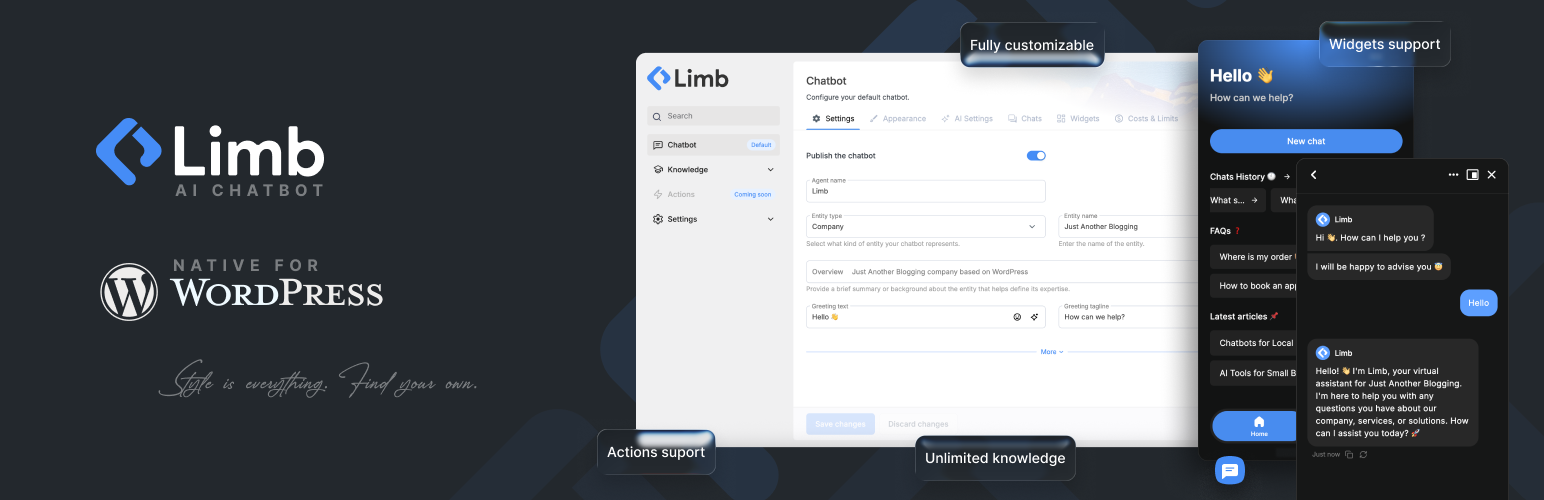
Limb AI Chatbot
| 开发者 |
limbdev
raffiyeghiazaryan vahangrigoryan gorgaranyan vahan889 |
|---|---|
| 更新时间 | 2026年10月23日 03:51 |
| PHP版本: | 7.4 及以上 |
| WordPress版本: | 7.1 |
| 版权: | GPLv2 or later |
| 版权网址: | 版权信息 |
详情介绍:
- Gemini 3.8 Flash, Gemini 3.6 Flash, Gemini 3.5 Flash
- Gemini 3.1 Pro Preview, Gemini 3.1 Flash Lite
- Gemini Embedding 2 (for knowledge base) OpenAI GPT
- GPT-5.5, GPT-5.4, GPT-5.4 Mini, GPT-5.4 Nano
- GPT-5.6 Terra, GPT-5.6 Luna
- GPT-5.2, GPT-5.1, GPT-5 Mini, GPT-5 Nano
- GPT-4.1, GPT-4.1 Mini
- GPT-4o, GPT-4o Mini, GPT-4
- Text Embedding 3 Small, Text Embedding 3 Large, Text Embedding ada 002 (for knowledge base) Claude (Anthropic)
- Claude Opus 4.8, Claude Sonnet 5, Claude Sonnet 5.5, Claude Haiku 5.5
- Claude Opus 4.7, Claude Opus 4.6, Claude Sonnet 4.6, Claude Haiku 4.5, Claude Opus 4.5 DeepSeek
- DeepSeek Flash, DeepSeek V4 Flash (legacy alias), DeepSeek V4 Pro Grok (X.AI)
- Grok 4.7, Grok 4.3
- Grok 4.20 (Reasoning), Grok 4.20 (Non Reasoning)
- Grok 3 Mini, Grok 3 Mini Fast Open Router (200+ models via single API)
- OpenAI: GPT-5.5, GPT-5.4, GPT-5.4 Mini, GPT-5.6 Terra, GPT-5.6 Luna, GPT-5.1, GPT-5 Mini, GPT-4.1, GPT-4o
- Google: Gemini 3.8 Flash, Gemini 3.6 Flash, Gemini 3.1 Pro Preview
- Anthropic: Claude Opus 4.8, Claude Sonnet 5.5, Claude Haiku 5.5, Claude Opus 4.6
- DeepSeek: DeepSeek Flash, DeepSeek V4 Pro
- xAI: Grok 4.7, Grok 4.3, Grok 4.20 (Non Reasoning)
- Mistral: Mistral Large 3, Mistral Medium 3, Ministral 3, Devstral 2
- Amazon: Nova Premier 1.0, Nova Pro 1.0, Nova Lite 1.0
- Qwen: Qwen3 Max, Qwen3 235B, Qwen3 Next 80B
- Meta: Llama 4 Maverick, Llama 4 Scout, Llama 3.3 70B Instruct
- Plus Pony Alpha, MiniMax M2, Moonshot Kimi K2, Z.AI GLM 4.6, Cohere Command R, and 150+ more chat and embedding models
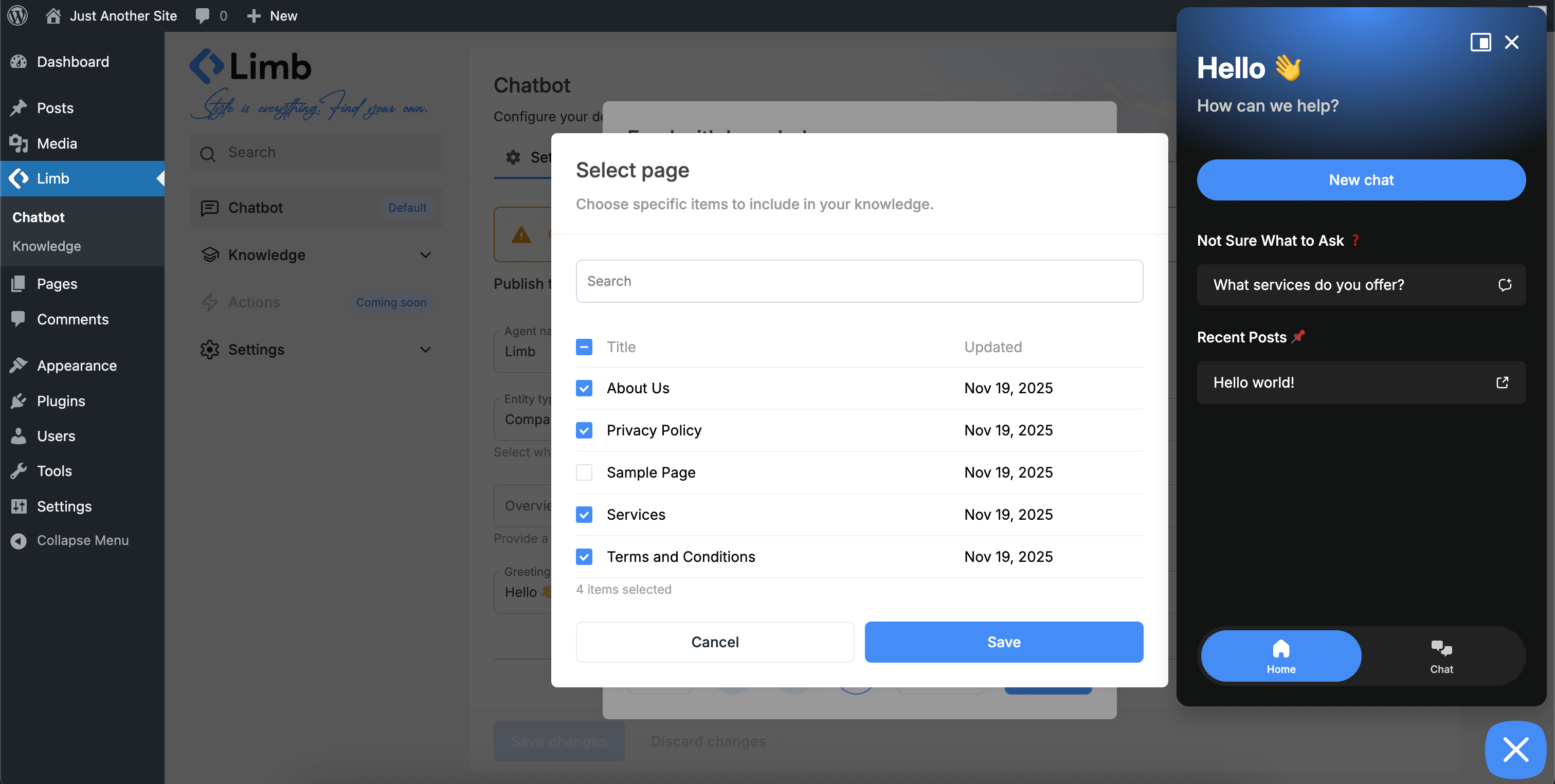
- WordPress Pages & Posts
- Custom Post Types
- PDF Documents
- Text Files (.txt)
- Rich Text Editor (unlimited input)
- Simple Q&A Entries
- Webpage URLs
- Sitemap
安装:
- Go to your WordPress dashboard
- Navigate to Plugins > Add New
- Search for "AI Chatbot" or "Limb Chatbot"
- Click Install Now, then Activate
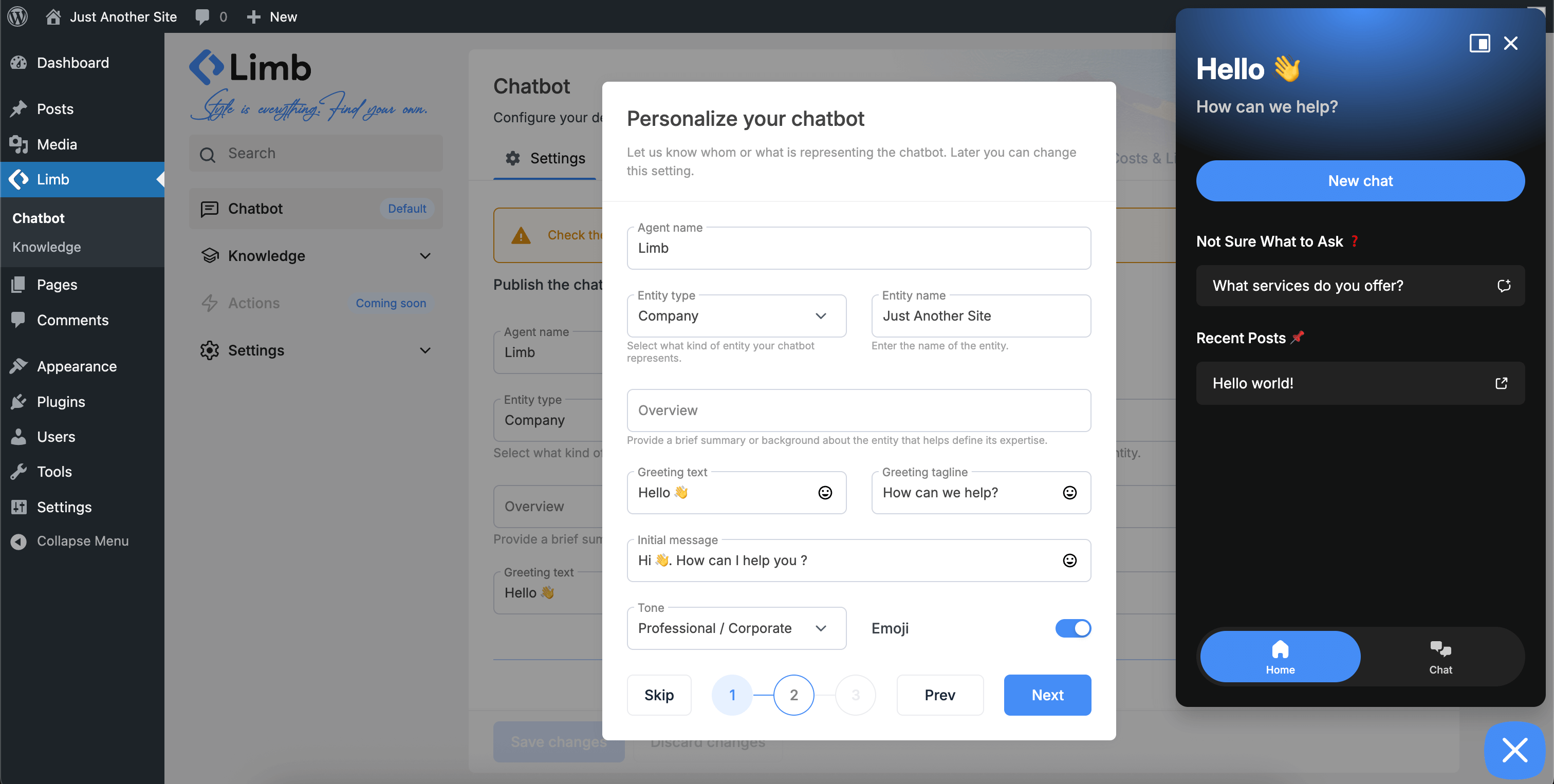
- Follow the setup wizard to configure your chatbot
- Download the plugin ZIP file
- Upload to
/wp-content/plugins/directory - Extract the files
- Activate through the Plugins menu in WordPress
- Follow the setup wizard to configure your chatbot
屏幕截图:
常见问题:
Can I use the AI chatbot for customer support?
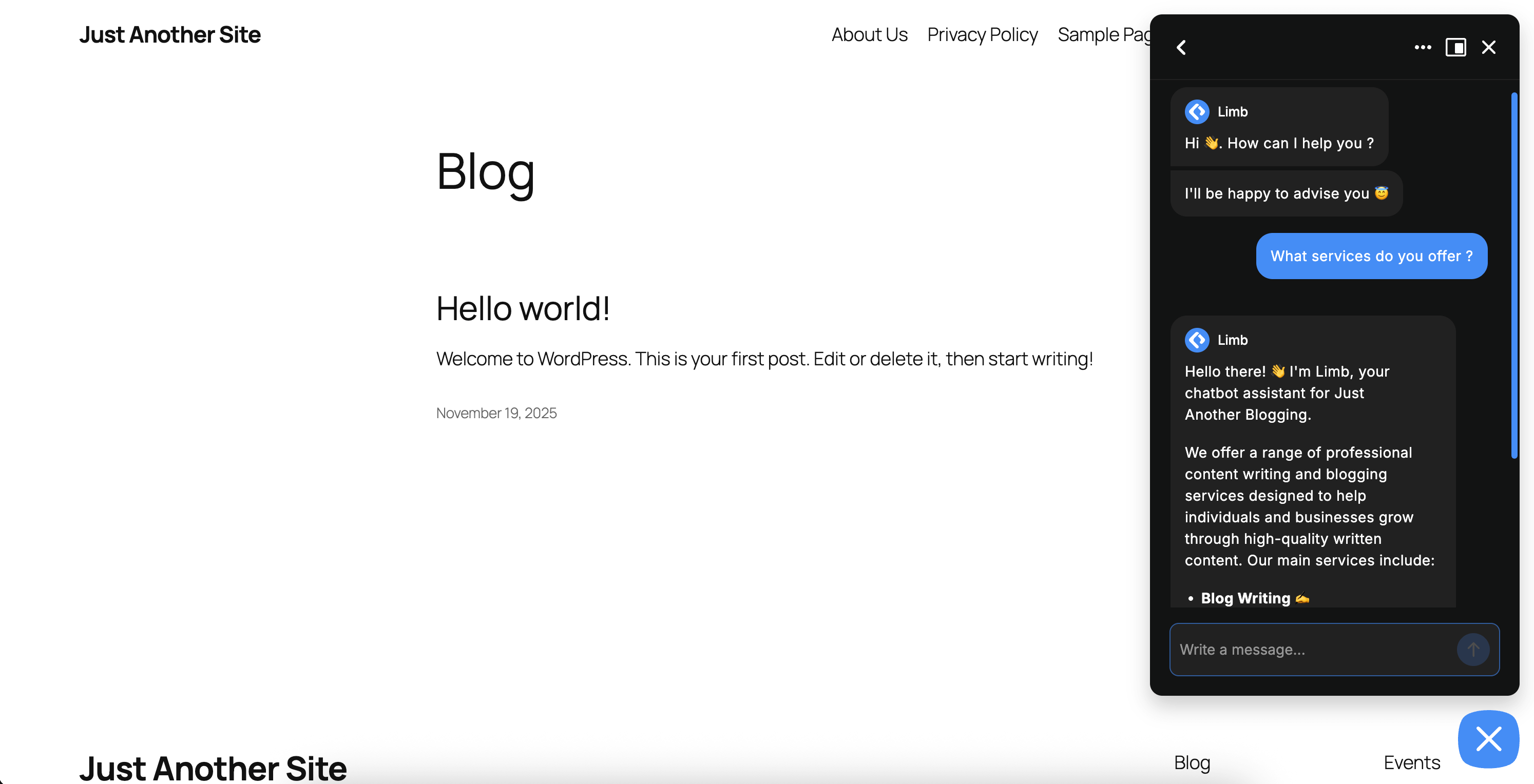
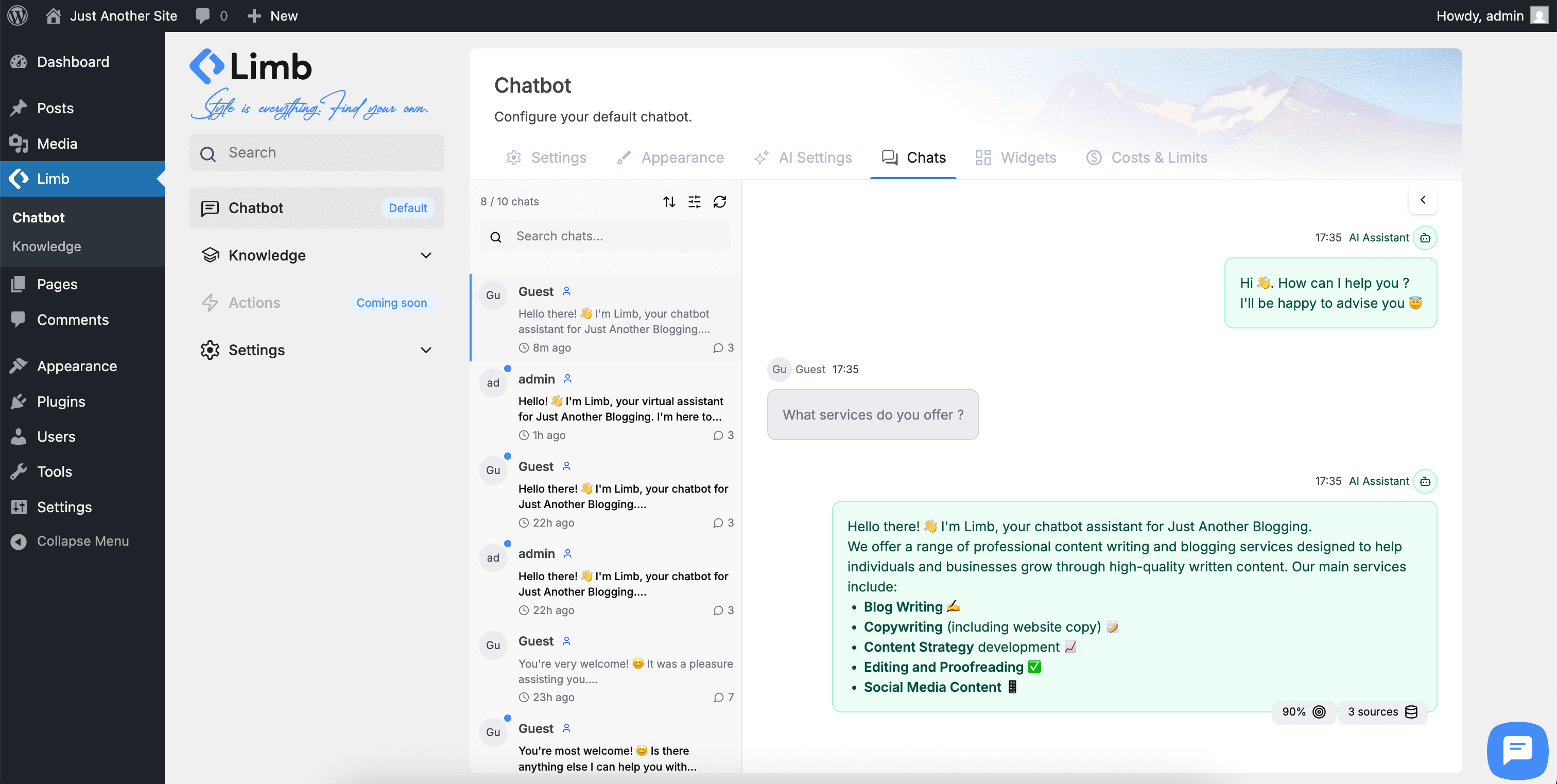
Yes. Train the chatbot on your help pages, FAQs, documentation, and site content so it answers visitor questions from your real material—not generic guesses. On Transcripts, review full conversation logs and which knowledge sources were used for each reply, so your team can keep answers accurate.
What AI models does the AI chatbot support?
The AI chatbot supports 200+ models. Native APIs for OpenAI, Google Gemini, Claude (Anthropic), DeepSeek, and Grok (X.AI) include curated chat models such as GPT-5.4 Mini, Gemini 3.8 Flash, Claude Sonnet 5.5, DeepSeek Flash, and Grok 4.3 (see Supported AI Models above). Open Router adds 200+ more chat models with tool support, plus curated embedding models for the knowledge base.
How do I get API keys?
For OpenAI, visit platform.openai.com and create an account. For Google Gemini, visit ai.google.dev and follow the setup process. For DeepSeek, visit platform.deepseek.com and create an account. For Claude (Anthropic), visit platform.claude.com and create an account.
Can I train the chatbot on my website content?
Yes. The AI chatbot supports unlimited knowledge training using RAG technology from WordPress pages, posts, custom post types, PDFs, text files, manual Q&A entries, and webpage URLs.
What is RAG technology?
RAG (Retrieval-Augmented Generation) retrieves relevant information from your knowledge base before generating responses, ensuring accurate, contextually appropriate answers based on your actual content.
Is there a setup wizard?
Yes. A guided 3-step setup wizard appears automatically after activation, walking you through AI provider connection, personality configuration, knowledge sources, and customization.
How long does setup take?
Most users complete setup in under 5 minutes. The wizard guides you through each step with clear instructions.
How does cost optimization work?
The AI chatbot uses intelligent token management to minimize API charges through optimized requests and efficient caching. Configure rate limits for guests and logged-in users to control costs.
Where can I view chat transcripts and conversation history?
In the WordPress admin, open Chatbot → Transcripts. There you get full transcripts, conversation views, which knowledge sources were used, the option to add missing Q&A entries, and user context (guest/logged-in, IP addresses where applicable).
Can I see which content the AI used?
Yes. Transcripts shows knowledge source transparency—you can see exactly which pages, posts, or Q&A entries the AI chatbot used to generate each response.
Is Pinecone required?
No. The AI chatbot includes free, unlimited local vector storage in your WordPress database. Pinecone is optional for enterprise-scale knowledge bases with 10,000+ entries.
Is the plugin GDPR compliant?
Yes. The AI chatbot stores conversation data locally on your WordPress site, giving you complete control. Configure data retention policies and export or delete conversations as needed.
Can I customize the AI chatbot appearance?
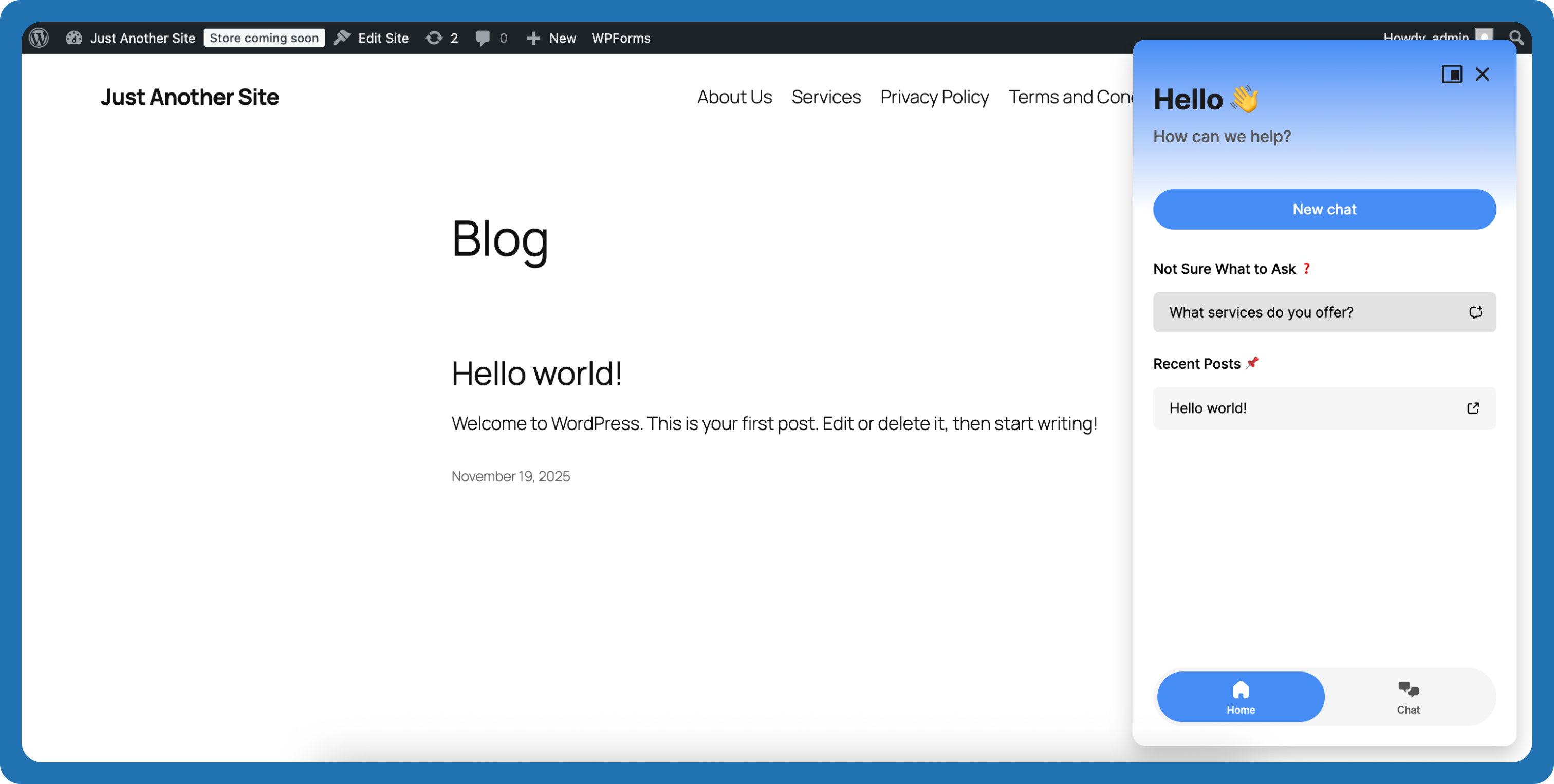
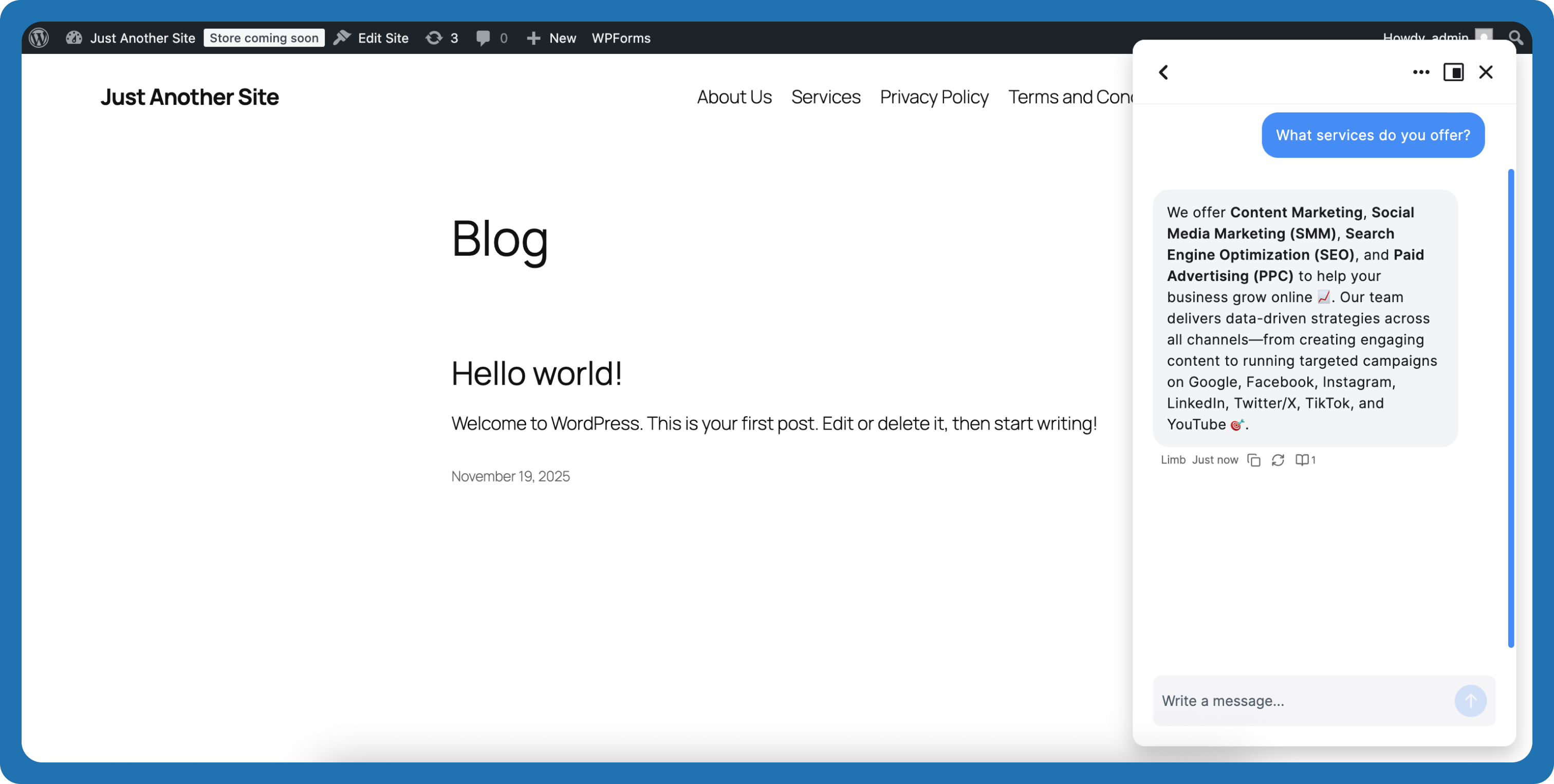
Yes. Customize colors, chatbot icon, AI agent avatar, chat box size, themes (light/dark/system), positioning, emojis, greeting messages, and widget layouts without coding.
Does it support multiple languages?
Yes. The AI chatbot supports multi-language conversations and right-to-left (RTL) languages, responding in the language your visitors use.
How much do API calls cost?
API usage depends on your chosen provider and models. OpenAI, Google Gemini, DeepSeek, Claude (Anthropic), Grok (X.AI), and Open Router charge based on token usage with rates varying by model. Gemini and DeepSeek offer generous free tiers. The AI chatbot's intelligent cost optimization minimizes charges by reducing unnecessary calls and optimizing token usage. Check current pricing: platform.openai.com, ai.google.dev, platform.deepseek.com, platform.claude.com, console.x.ai, and openrouter.ai
Can I control costs?
Yes. Configure rate limits for guests and logged-in users. The AI chatbot's intelligent token management minimizes costs automatically.
Can I see conversation history?
Yes. Transcripts lists full chat logs: conversation history, user context, which knowledge sources were used, and related details.
更新日志:
- Fixed: Public chatbot could fail to load on some cached or JS-optimized hosts (JavaScript initialization error that hid the launcher and chat UI).
- Improved: Preloaded chatbot payload applies on first render so the widget can appear immediately after embed load.
- Improved: SiteGround Speed Optimizer excludes the public chatbot script and WordPress React dependencies (
react,react-dom,wp-element,wp-hooks,wp-i18n) from JS combine/minify so script order and cache busting stay correct. - Updated: AI model catalog aligned with provider deprecations (DeepSeek Flash, Claude Sonnet 5.5, Claude Haiku 5.5, GPT-5.6 Terra/Luna, Grok 4.7, Gemini 3.8/3.6 Flash).
- Removed: Retired or discontinued models from the catalog (including
deepseek-chat,claude-sonnet-4-5,gpt-4.1-nano).
- Fixed: Form destination To field accepts comma-separated email addresses and template variables.
- Fixed: Pinecone knowledge delete used the wrong host and could finish as a warning instead of a real delete.
- Added: Privacy Policy widget can require visitor acceptance before chatting.
- Fixed: Admin playground could show a stale widget copy before the preview chatbot loaded.
- Fixed: Multi-chunk knowledge retrieval — nearby sections from the same source are included when answering compound questions.
- Fixed: Lazy-loaded images are indexed correctly (real URLs promoted from data-src / placeholders).
- Fixed: URL knowledge fetch no longer strips main content on themes with sidebar layout classes (including Pixwell none-sidebar wrappers).
- Fixed: Form email Reply-To uses a dedicated field instead of misusing From with the visitor's address.
- Fixed: Public chatbot REST translated strings follow the page language, not the logged-in user's WordPress profile language.
- Improved: Form notification {chat_summary} now includes up to 99 recent messages.
- Improved: German, Spanish, and Brazilian Portuguese chatbox UI wording for clearer visitor-facing strings.
- Added: Chatbox edge distance settings for desktop and mobile (launcher offsets).
- Added: lbaic.chatbot.open hook to open the chatbot programmatically.
- Added: Admin and frontend UI translations for Arabic, German, Spanish, French, Armenian, Italian, Portuguese (Brazil), Dutch, Japanese, Turkish, Polish, and Chinese (Simplified).
- Updated: Default AI instructions — shorter replies by default; prefer paragraphs over long lists (new installs).
- Updated: Leaner verified-knowledge prompt wrapper.
- Added: {chat_summary} variable for form destinations (email templates, etc.).
- Added: Limb AI — free starter credits on live sites, enough to start and resolve real tickets. No third-party API key required.
- Fixed: show_in/hide_in page visibility for the floating chatbot (queried object context, not global post).
- Fixed: omit temperature for Claude models that reject sampling params.
- Updated: Gemini catalog — Gemini 3.5 Flash, Gemini 3.1 Flash Lite, and Gemini Embedding 2; removed shut-down preview/embedding IDs.
- Updated: Claude catalog — added Claude Opus 4.8 and Claude Sonnet 5; removed retired Opus/Sonnet 4.0 and Opus 4.1.
- Note: Sites using Gemini Embedding 001 should re-index knowledge after migrating to Embedding 2. Run the database migration from Limb settings if prompted.
- Added: WPML support for translating saved strings
- Added: GPT-5.5, Claude Opus 4.7, DeepSeek V4 Flash/Pro, and Grok 4.3 to the model catalog.
- Fixed: LiteSpeed Cache plugin conflicting with our REST API and preventing settings from saving
- Fixed: Invalid chat UUID error related to WordPress REST API nonce handling
- Removed: Deprecated models (DALL·E 2/3, GPT-5.4 Pro, GPT-4 Turbo, retired Grok 4 fast variants). Migration 2.0.1 deletes rows and repairs orphaned model settings.
- Updated: New admin dashboard
- Updated: New chatbot UI/UX
- Updated: Knowledge Base refactored - now is more user-friendly
- Updated: Widgets refactored - more user-friendly management
- Updated: Terminated custom Actions support. Now only support Conversational Forms
- Updated: Terminated Knowledge -> Recommendations, due instability and poor customer experience.
- Updated: Terminated support of Live agent integrations through Telegram and Slack, due instability and poor customer experience.
- Added: Doc, Docx file types support in the Knowledge Base
- Fixed: Translation issues
- Added: JetEngine custom fields support
- Added: Support to upload files from the WordPress media library
- Added: Loco Translate support - the plugin can now be fully translated via Loco Translate
- Fixed: Bug on migration process from old versions to new
- Added: Open Router support - access 200+ AI models through a single API
- Added: Feedback collector popup on plugin deactivation
- Added: Display tab - all settings for showing the chatbot on the public side in one place
- Fixed: Error on user metas update
- Fixed: Issue causing the website to slow down because of notification system
- Fixed: Error on widgets saving
- Added: Lead Capture widget new location - near chatbot icon
- Changed: Sound notification audio
- Improved: CSS usage in the front side
- Added: AI instructions area. Users can fully control AI behavior, set custom rules, and define their own boundaries
- Added: Starter Message widget near the Chatbot icon
- Added: Prompt buttons widget near the Chatbot icon
- Added: Visitors log tab in the Leads page
- Added: Notification system for WordPress admin role. Supported notifications are: new Chat and new Lead
- Added: Sitemap support as a new source type for the knowledge collecting
- Fixed: Dashboard stats
- Added: Leads management - simple table (Beta version). More powerful updates coming soon
- Added: Possibility to collect Leads through Actions -> Conversational forms
- Improved: Telegram Live Agent Integration simplified
- Improved: Admin UI
- Fixed: Onboarding initial message bug
- Fixed: Knowledge settings missing models issue
- Added: Dashboard page with fast reporting about conversations, leads, visitors. Including charts showing daily, weekly, monthly graphics
- Added: Grok AI (X.AI) support
- Added: Actions entries support - now you can see the submissions. The actions reporting is also included in the dashboard
- Fixed: Removed autocomplete from admin input fields
- Fixed: Prompt triggering and active Action conflict
- Fixed: Some fields were missing from Chatbot Preview state - added them back
- Added: New widget type "Lead Capture" which collects user name and email before allowing conversation to start
- Added: New Telegram Live Agent integration - setup telegram group, attach custom bot, users can connect through chatbot, reply from phone telegram app
- Added: Auto-sync for WordPress Knowledge sources - WordPress related knowledge sources are now kept up to date automatically
- Added: AI Agent can now render images from learned sources (Beta mode)
- Added: Knowledge Filtering functionality - accurately filter sources to see their availability in the knowledge base
- Changed: Removed required flag from Entity Overview field
- Improved: Onboarding experience
- Improved: Simplified widgets publishing - now single step add widget without parent layer
- Fixed: Various bug fixes and stability improvements
- Added: Streaming support - Real-time word-by-word AI replies. Especially useful when short answers setting is disabled
- Added: Claude (Anthropic) AI provider support with 7 models (Claude Sonnet 4.5, Claude Haiku 4.5, Claude Opus 4.5, Claude Opus 4.1, Claude Sonnet 4.0, Claude Opus 4.0, Claude 3 Haiku)
- Added: URL source type for knowledge collection - paste a webpage URL and click Learn to fetch and process content for training
- Added: Unseen messages badge near chatbot icon - displays unread message count, can be enabled/disabled in Appearance settings
- Added: Show/hide AI Agent Avatar toggle in Appearance settings
- Added: Scroll down arrow support inside chat interface
- Improved: Chatting experience (UX) - new user message scrolls to top, gaining space for AI reply
- Improved: Admin UI enhancements
- Fixed: Compatibility issue with WP Rocket when JavaScript minification is enabled
- Fixed: UX issues related to API key removal process
- Added: DeepSeek Chat v3.2 support - new AI provider option for chat completions
- Added: Similarity threshold setting to control relevance matching between user questions and chatbot knowledge
- Added: Sound notification settings to alert users when they switch tabs or close the chatbot while new messages arrive
- Added: Knowledge Settings page (Knowledge → Settings) for managing knowledge-related configurations
- Added: Short answer toggle to control whether AI responds with brief or detailed answers
- Added: Ability to customize Action success messages in Action callback handlers
- Added: Actions sub-menu under the Limb menu in WordPress dashboard sidebar
- Added: Contextual user guides throughout the knowledge management interface with links to detailed documentation
- Changed: Knowledge generation flow from Q/A generation per source to source segmentation algorithm
- Improved: Chatbot knowledge learning process, increasing speed by 10x
- Improved: Chatbot dashboard UI with more recognizable and intuitive input labels
- Improved: AI response speed for faster reply generation
- Fixed: Knowledge base sources pagination issue
- Fixed: Chatbot temporary permission issue for guest users
- Improved: CPT recommendations interface inside the chatbot
- Improved: Admin interface
- Fixed: Admin interface display issue when using en_GB locale
- Fixed: Storage provider visibility issue during recommendation collection
- Improved: Locale compatibility across all language settings
- Fixed: Permission errors inside chatbot
- Fixed: WordPress search issue upon onboarding or knowledge collecting
- Added: Slack notification Action handler
- Added: Live agent support through Slack channel
- Added: Collecting WordPress custom post types as Recommendations and using them inside Actions as parameter
- Improved: Actions admin UI
- Fixed: Critical error fixed
- Fixed: AI Agent replies with users language
- Added: Actions support. Do actions based on user intent. Collect parameters and pass them to handlers
- Added: AI reply's knowledge sources now are visible under the message
- Changed: UI changes related to ai-providers
- Improved: Knowledge collecting
- Fixed: PDF knowledge collecting timeout issue
- Fixed: Assets caching issue
- Fixed: Chatbot buttons hover bg-color issue
- Added: AI reply reload button
- Added: OpenAI GPT-5 support
- Changed: Chatbot admin menu ordering
- Improved: Knowledge collecting
- Fixed: UI/UX issues on iOS Safari with latest update
- Added: "Text" knowledge source type for flexible content input (old "Manual" is now "Q&A")
- Added: Uninstall page for clean plugin removal
- Changed: Removed "Storage" page from menu (consolidated into settings)
- Changed: "Informational" page renamed to "Sources" for clarity
- Changed: Training page temporarily marked as "Coming Soon" while we refine features
- Improved: Overall admin interface clarity and navigation
- Improved: Cost optimization for API token usage
- Fixed: Hub theme custom post type fetching issue resolved
- Changed: Redesigned message layout for better readability
- Added: Feature preview with upcoming launches
- Added: Knowledge source transparency in chat logs
- Initial release of AI Chatbot
- Feature: Multi-provider AI support (OpenAI GPT, Google Gemini)
- Feature: Unlimited knowledge base with RAG technology
- Feature: Customizable widgets (Message Starters, Prompts, Links, Chat History)
- Feature: Chat Discussions Dashboard with knowledge source visibility
- Feature: Full appearance customization with theme support
- Feature: Cost-optimized API usage
- Feature: Conversation logging and chat transcripts
- Feature: GDPR-compliant data handling
- Feature: Multi-language and RTL support
- Feature: Responsive mobile-first design
- Feature: Rate limiting and cost control