LinkCortex – AI Internal Link Suggester
| 开发者 |
selvasudar
krismaya |
|---|---|
| 更新时间 | 2026年10月23日 23:41 |
| PHP版本: | 7.4 及以上 |
| WordPress版本: | 7.1 |
| 版权: | GPLv2 or later |
| 版权网址: | 版权信息 |
详情介绍:
- Scan. The plugin finds the primary keyword of every page, using the keyword you typed, your SEO plugin's focus keyword, or AI. It then suggests the best links between your pages, with the exact link text and a short reason.
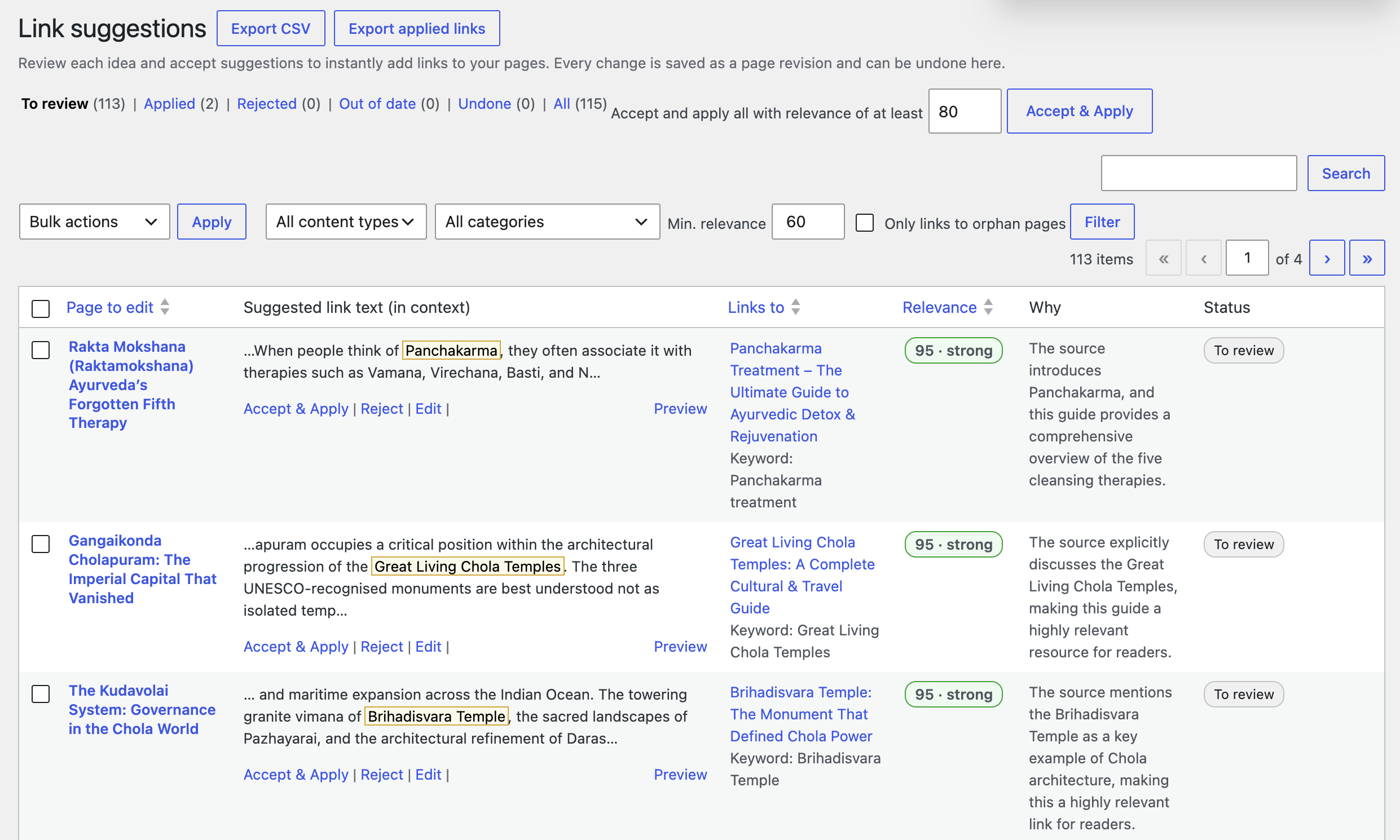
- Review. You accept or reject ideas one by one or in bulk, edit the link text or the target, and preview the paragraph.
- Apply. Accepted links are added to your pages. Every change is saved as a revision and can be undone with one click, either per link or per batch.
- AI never reads your whole site. The plugin compares your pages locally first and sends only page titles, headings, opening words and the few paragraphs that could hold a link.
- Pages that have not changed since the last scan are skipped. If no paragraph mentions a related page, no AI request is made at all.
- Before every AI run you see the estimated cost and the budget left this month, and you can cancel.
- Set an estimated monthly budget cap. When the estimated spend reaches it, no new AI work starts until you raise the cap or the next month begins.
- The AI & Cost settings tab has a cost calculator for your own site, an editable price table, and a usage log that compares estimated and actual cost for each run.
- Only the link is added. Everything else in your page stays exactly as it was, byte for byte.
- Every suggestion is checked against the current page right before it is applied.
- Undo removes only the link the plugin added. If someone has since edited the text around it, the plugin stops instead of overwriting their work and points you to the saved revision.
- Pages built with page builders (Elementor, Divi and others) are never changed. Their suggestions are view only, so you can copy the link and add it in the builder.
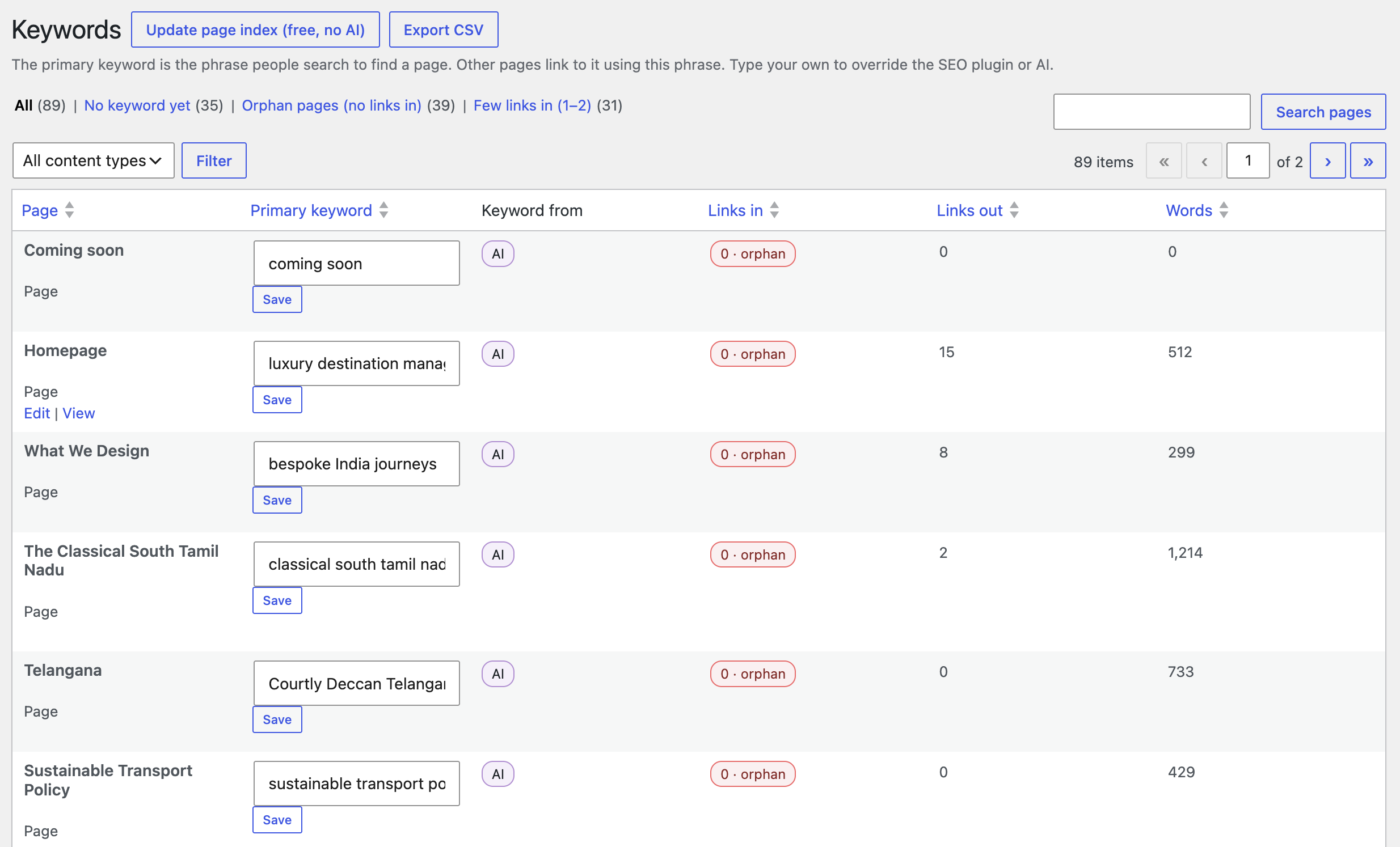
- Focus keywords are read (never changed) from Yoast SEO, Rank Math, All in One SEO and SEOPress, and noindex pages are skipped.
- Works with any public post type, including custom post types and WooCommerce products.
- Keeps languages apart on sites using Polylang or WPML.
- An "LinkCortex" panel in the block editor, and a box in the classic editor.
- CSV export of keywords, suggestions, applied links and AI usage.
- A Site Health check for the AI connection.
- No ads, upsells, locked features or telemetry.
- Official website and guides at linkcortex.in.
安装:
- Install and activate the plugin. It needs WordPress 7.0 or newer.
- Open LinkCortex in the admin menu. The setup checklist walks you through the rest.
- Optional, for AI features: connect an AI provider in Settings → Connectors.
- Click Update page index (free) or Scan for link suggestions (uses AI and shows the estimated cost first).
屏幕截图:
常见问题:
How much does it cost?
It depends on your AI provider, the model and how many pages you have. On the recommended Economy quality setting a typical page costs a fraction of a cent. The calculator in LinkCortex → Settings → AI & Cost works out an estimate for your own site, and every run shows its estimate first.
What is the "estimated budget cap"?
A monthly limit on estimated AI spend. Before each AI request the plugin sets aside the worst-case cost, and no new request starts once the cap is reached. Estimates are based on the usage your provider reports, so the cap limits overspending but cannot guarantee your provider's invoice. Your provider's invoice is the source of truth.
What if the price of a model is unknown?
With strict budget mode (on by default when a cap is set), paid AI runs pause and ask you to enter the model's price. You can enter or correct any price in the price table.
Which AI model is used?
You choose a quality level (Economy, Balanced or Best). That is a preference: WordPress may use another model you have connected. Costs are always worked out from the model that actually answered. If you need fully predictable costs, choose Use only this model.
Do I need to enter an API key in this plugin?
No. Keys are managed by WordPress in Settings → Connectors. This plugin never asks for or stores them.
Can I undo links?
Yes, per link or per batch, from LinkCortex → Suggestions → Applied. Each change is also saved as a normal WordPress revision.
Does it change anything without asking?
No. Applying links is always your explicit action, with a confirmation that shows how many pages will change. Automatic updates and scheduled scans are off by default; if you turn them on, they only create suggestions and still respect your budget.
Does it work with my SEO plugin?
Yes. If Yoast SEO, Rank Math, All in One SEO or SEOPress already has a focus keyword for a page, it is used and that page skips the AI keyword step. The plugin only reads this data and never changes it.
Does it work without an AI provider?
Yes, partly. The page index, link map, orphan report and keyword editing work without AI. Link suggestions need AI.
更新日志:
- Added official website URL (https://linkcortex.in) and Plugin URI.
- First public release.