
Liteweight Podcast – run your podcast site without the bloat
| 开发者 |
abuhayat
shehabulislam bplugins shehab24 |
|---|---|
| 更新时间 | 2026年7月26日 19:29 |
| 捐献地址: | 去捐款 |
| PHP版本: | 5.2 及以上 |
| WordPress版本: | 6.8 |
| 版权: | GPLv2 or later |
| 版权网址: | 版权信息 |
详情介绍:
Run your podcasting website with a fast, lightweight player – publish unlimited episodes anywhere on your site with a simple shortcode.
Live Demo
Why Liteweight Podcast?
Liteweight Podcast is a user-friendly podcasting plugin for WordPress with the options and functionality you need to run a podcasting website – without weighing your site down.
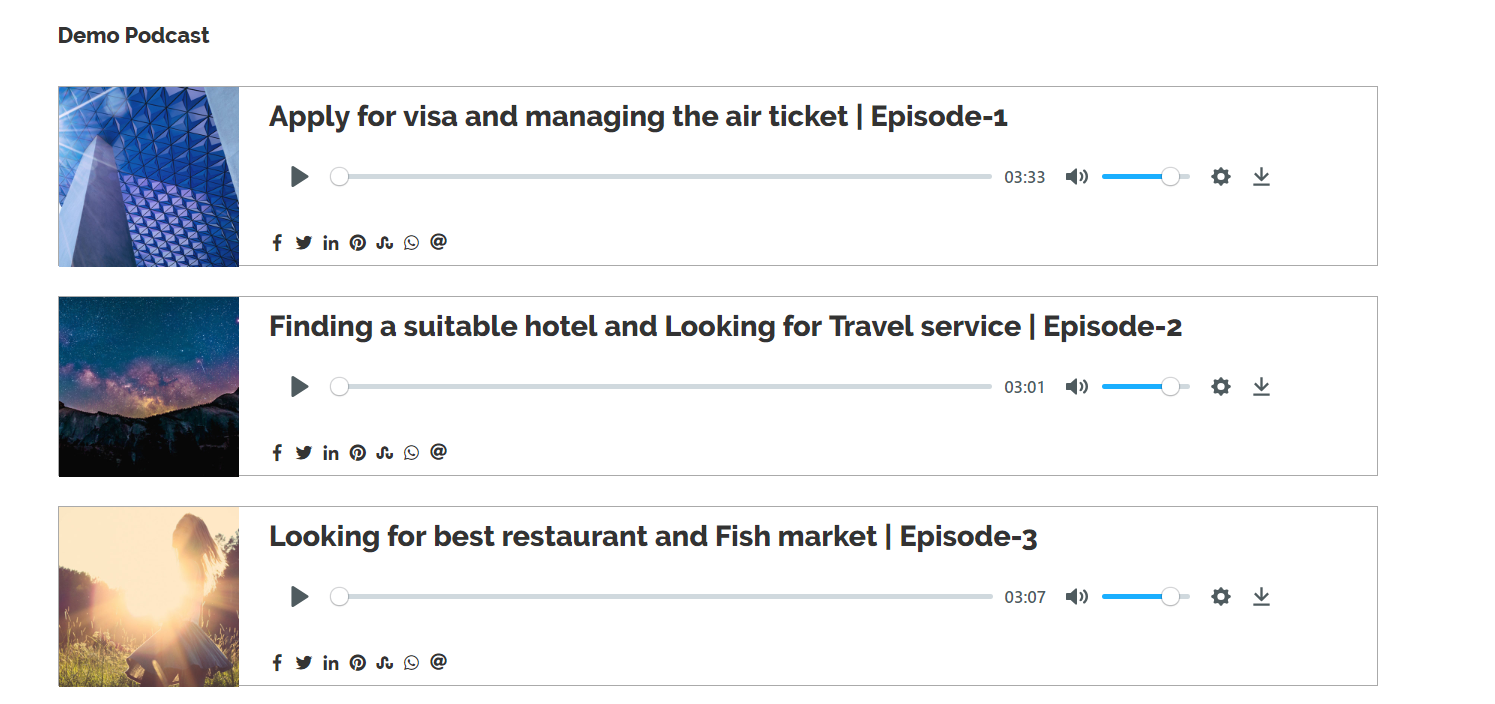
Powered by HTML5, the responsive player works across all major browsers and on most mobile devices. Publish your episodes in posts, pages, or widget areas with a shortcode, let listeners download episodes or adjust playback speed, and pick from the included themes to match your site.
Free Features
- Multiple Audio Formats: Podcast MP3, WAV, and OGG audio files.
- HTML5 Player: Plays audio on most mobile devices and all major browsers (IE7, IE8, IE9, Safari, Firefox, Chrome).
- Responsive Design: The player adapts to any screen size.
- Social Share Icons: Integrated sharing built into the player.
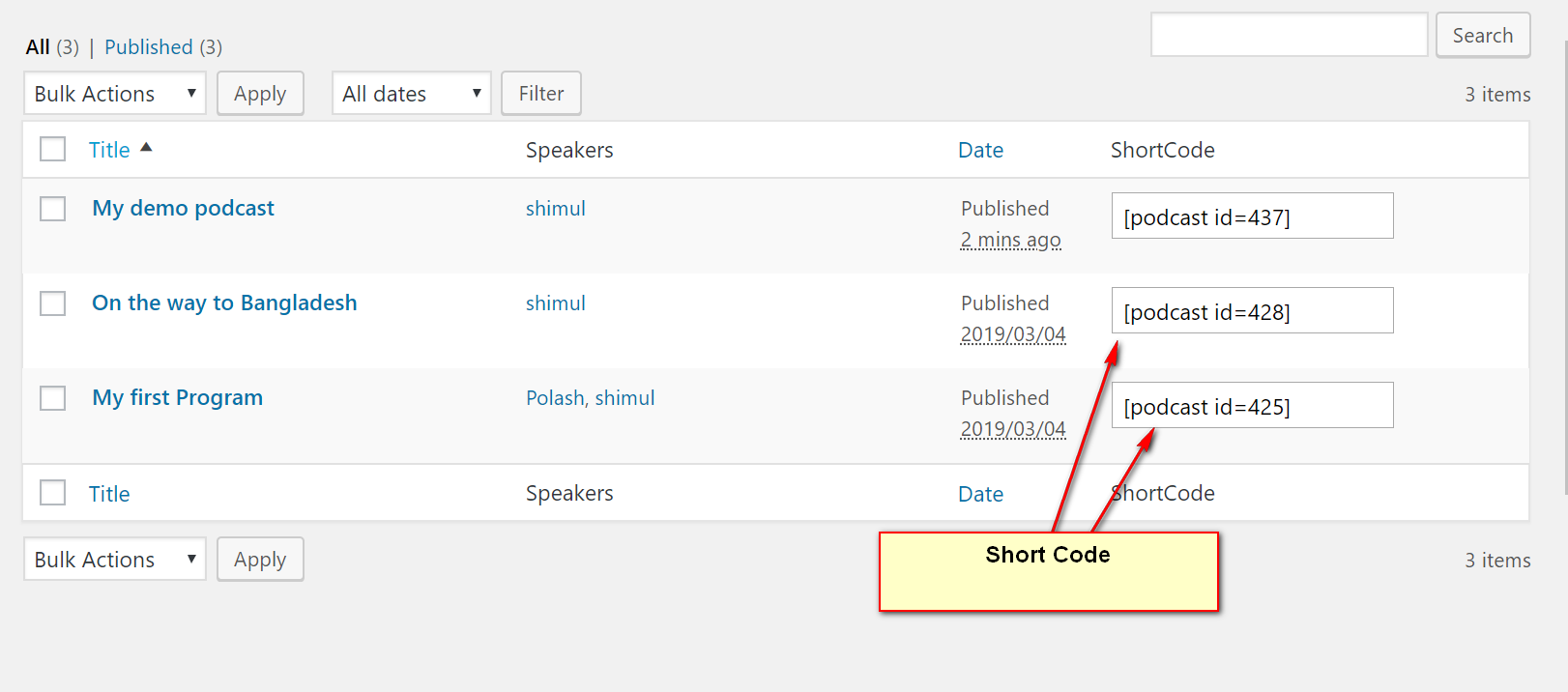
- Shortcode Driven: Publish any podcast anywhere in WordPress – pages, posts, and widget areas.
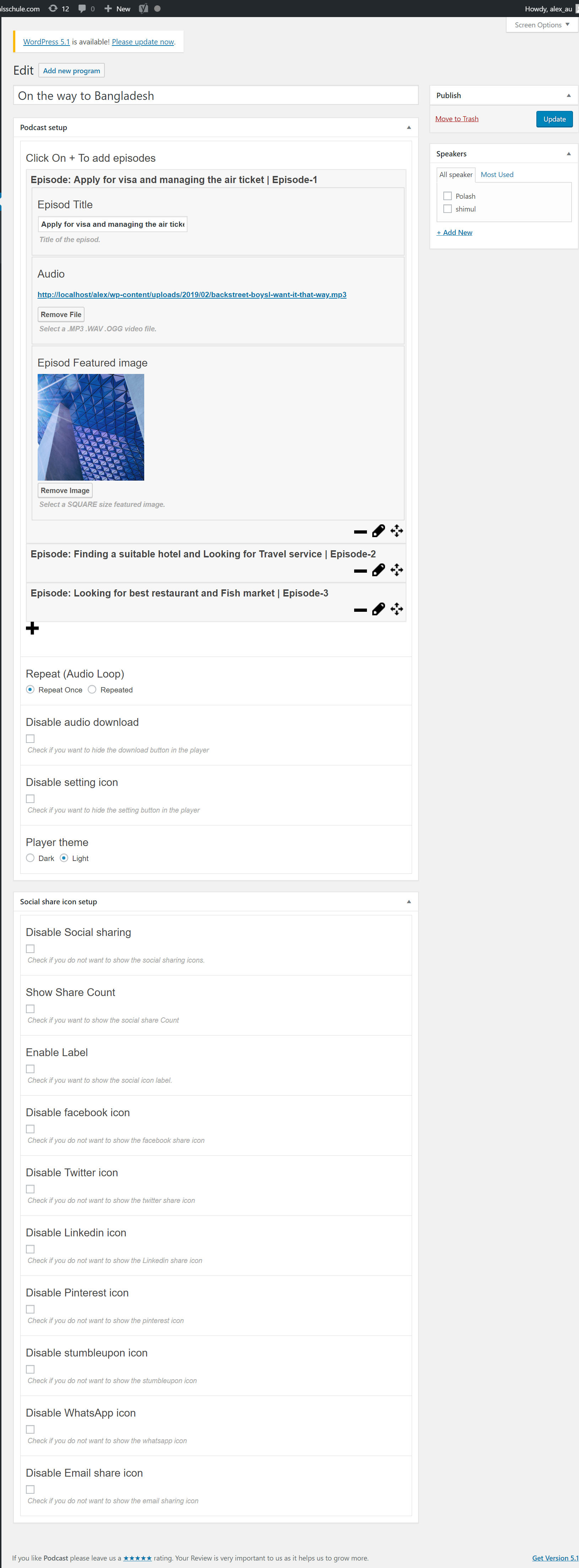
- Download Button: Let listeners download episodes, with full control over the button.
- Playback Speed Control: Listeners can change audio speed from the settings icon on the front end.
- 2 Themes Included: Choose the look that fits your site.
- Unlimited Podcasts: Create and publish as many episodes as you want.
- Fully Customizable & Compact: A user-friendly interface with no complex configuration.
- Install and activate the Liteweight Podcast plugin.
- Create a new podcast from the plugin's sidebar menu and upload your audio file.
- Copy the generated shortcode.
- Paste the shortcode into any page, post, or widget – your episode is live!
- Podcast Shows: Host and publish your episodes right on your own WordPress site.
- Blogs & News Sites: Add audio versions of articles or interviews to any post.
- Widget Areas: Feature your latest episode in a sidebar or footer.
安装:
From your WordPress dashboard (recommended):
- Go to Plugins → Add New.
- Search for "Liteweight Podcast".
- Click Install Now, then Activate.
- Create your first podcast and place its shortcode in any page, post, or widget.
- Upload the plugin folder to the
/wp-content/plugins/directory. - Activate the plugin through the Plugins menu in WordPress.
- Use the shortcode in a page, post, or widget.
- To use the shortcode in a theme template file, place
<?php echo do_shortcode('YOUR_SHORTCODE'); ?>in the template.
屏幕截图:
常见问题:
How do I install this plugin?
You can install it like any regular WordPress plugin – there is no special procedure. Please see the Installation tab for step-by-step instructions.
I am not a web developer. Can I configure the podcast?
Absolutely. The plugin is very easy to use and there is no complex configuration wizard.
What types of audio can I play?
You can play .MP3, .WAV, and .OGG files.
How many podcasts can I create and publish?
The sky is the limit – you can create and publish unlimited podcasts.
Can listeners download my episodes?
Yes. The player includes an audio download button, and you have full control over whether it is shown.
Can listeners change the playback speed?
Yes. Listeners can change the audio speed using the settings icon on the front-end player.
Will the player work on mobile devices?
Yes. The player is HTML5-based and responsive, so it plays audio on most mobile devices and all major browsers.
Can I show a podcast in my sidebar or widget area?
Yes. The shortcode works in widget areas too, so you can add a podcast to any sidebar or footer.
更新日志:
2.2.7 - 14 May, 2025
- Improved: Improved Security
- Fixed: jQuery not found in editor
- Tested: WordPress 6.5.5
- Fixed CSS Issue
- Added new podcast skin
- Added Gutenberg Shortcode Generator
- improved code quality
- Remove jQuery issue for wordpress 5.5 version
- Fix other php warning
- Shortcode Viewer in The program editor
- Support Responsive Layout.
- Added Ability to disable featured Image
- Added default featured image for podcast.
- fix review admin notice.
- improved performance.
- Initial Release