
Llamly MCP - AI Agent with ChatGPT & Claude
| 开发者 | dotrex |
|---|---|
| 更新时间 | 2026年11月13日 21:19 |
| PHP版本: | 8.0 及以上 |
| WordPress版本: | 7.1 |
| 版权: | GPLv2 or later |
| 版权网址: | 版权信息 |
详情介绍:
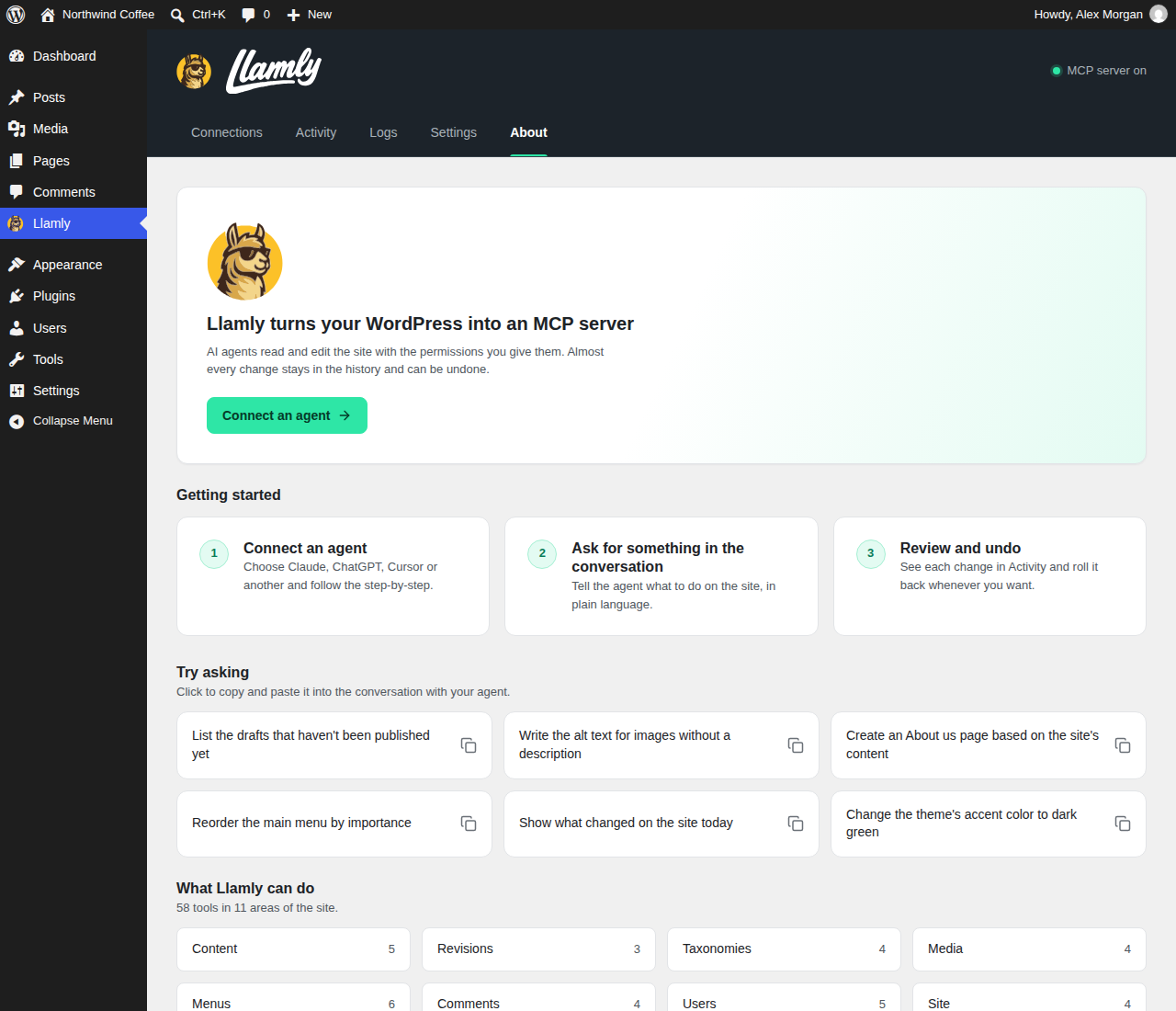
- Manage your site by chat: create, edit and publish posts and pages, edit Gutenberg blocks, upload media, organize categories, tags and menus, moderate comments and look up users.
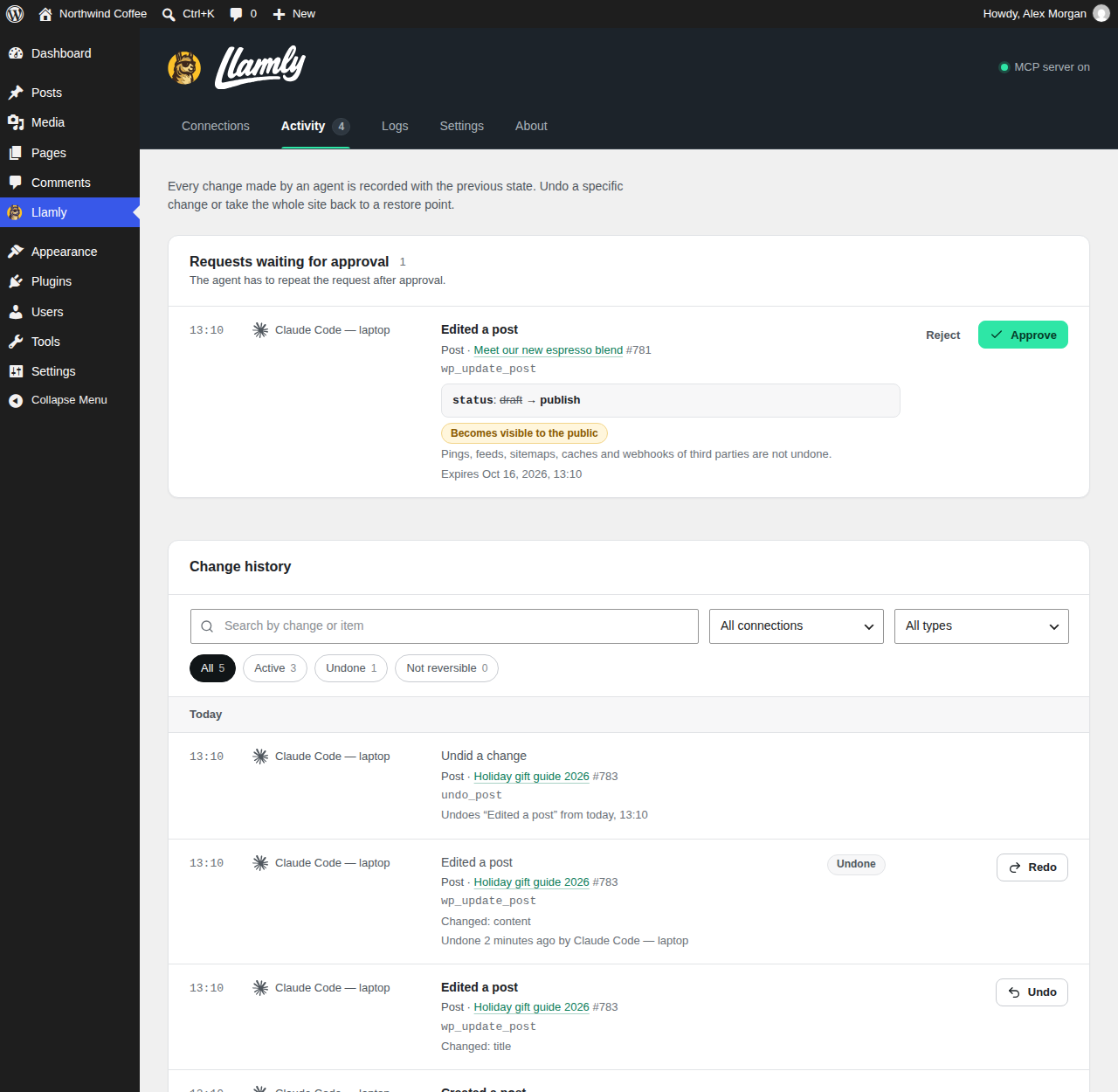
- Undo and redo: every change made by an agent is written to a journal first, so almost everything can be undone from the Activity screen or by asking your agent.
- You stay in charge: safe mode makes the agent confirm before it deletes or undoes something. Turn on the approval queue and publishing waits for you in wp-admin, with a before and after of each change.
- Content, never administration: the agent works with your content permissions only. Whatever your role, it never changes site settings, users, plugins, themes or code, and never writes unfiltered HTML.
- Bring your own AI: works with ChatGPT, claude.ai, Claude Desktop, Claude Code, Codex, Cursor, OpenCode and Antigravity CLI. Llamly has no AI of its own and no usage meter: the agent you already pay for does the work.
- Your data stays on your site: self-hosted, no account, no relay. Your AI app connects to your site, and Llamly sends nothing out unless you opt in to the optional usage statistics (see External services).
- Ready in a few minutes: a step-by-step recipe for each app with your site address already filled in, an "Add to Claude" button, and a Doctor that checks your server and tells you what to ask your host.
- Content: posts, pages and public custom post types: list, read, create, update, trash, revisions and restore of a revision.
- Gutenberg: read any page as a block tree and edit blocks in one atomic batch; patterns, templates and template parts, and global styles on block themes (custom CSS stays in the Site Editor and is never changed by Llamly).
- Media: upload files, edit titles, captions and alt text, delete media.
- Site structure: categories, tags and other taxonomies, menus and navigation, comments, and users (read only, within your role).
- Site information: name, addresses, WordPress and PHP versions, theme, locale and limits.
- Elementor: when Elementor is installed, read pages, templates, widgets and global styles (read only).
- WordPress Abilities API: on WordPress versions with the Abilities API, Llamly tools can also be exposed as abilities (off by default), with the same permissions and approval rules.
- Change journal with undo and redo: before-state snapshots of every change, undo from Activity or by the agent (
wp_undo_change/wp_redo_change), newest first in batches, and conflicts with later human edits are reported instead of overwritten. - Safe mode (on by default): the agent must show you what it will do and repeat the call with
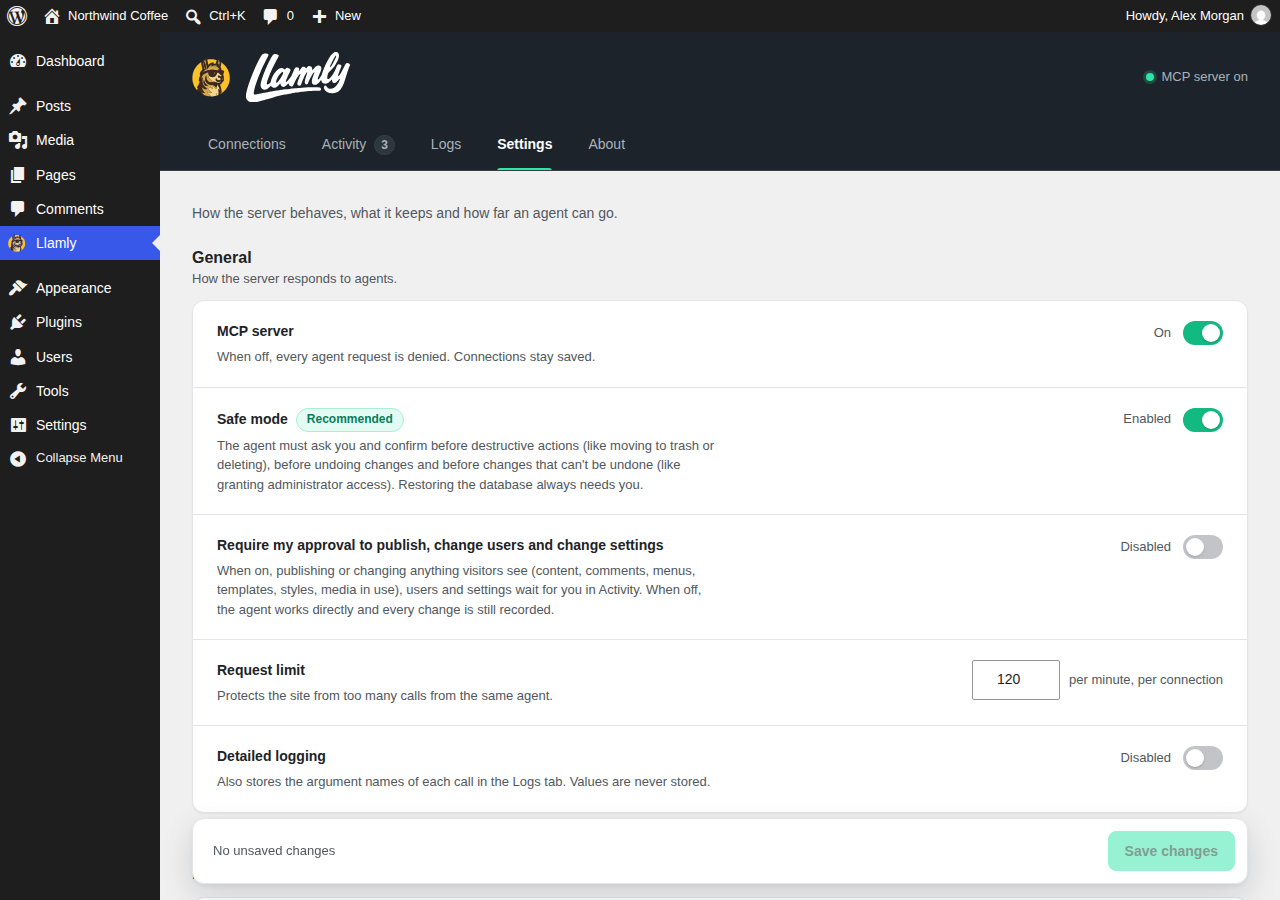
confirm: truebefore it deletes or trashes something, undoes a change, makes a destructive redo or takes an irreversible action. The agent controls that flag, so it is a brake and not a security boundary. - Content permissions only: every agent request runs under a capability ceiling. The key or OAuth grant acts as its WordPress user for content, but never with administrator capabilities (site settings, users, plugins, themes, code files, import and export, unfiltered HTML), whatever that user's role. All markup the agent writes goes through the WordPress content filter: scripts, styles, iframes, inline event handlers,
javascript:links and Custom HTML blocks are refused or removed. - Approval queue (optional): holds publishing or changing anything visitors see until a human approves it in wp-admin. Requests expire after 7 days, and the agent cannot approve its own request.
- Access control: each key can have full access, read only access or chosen tool categories; OAuth connections are read only or read and write. Keys and tokens are stored hashed and can be revoked at any time.
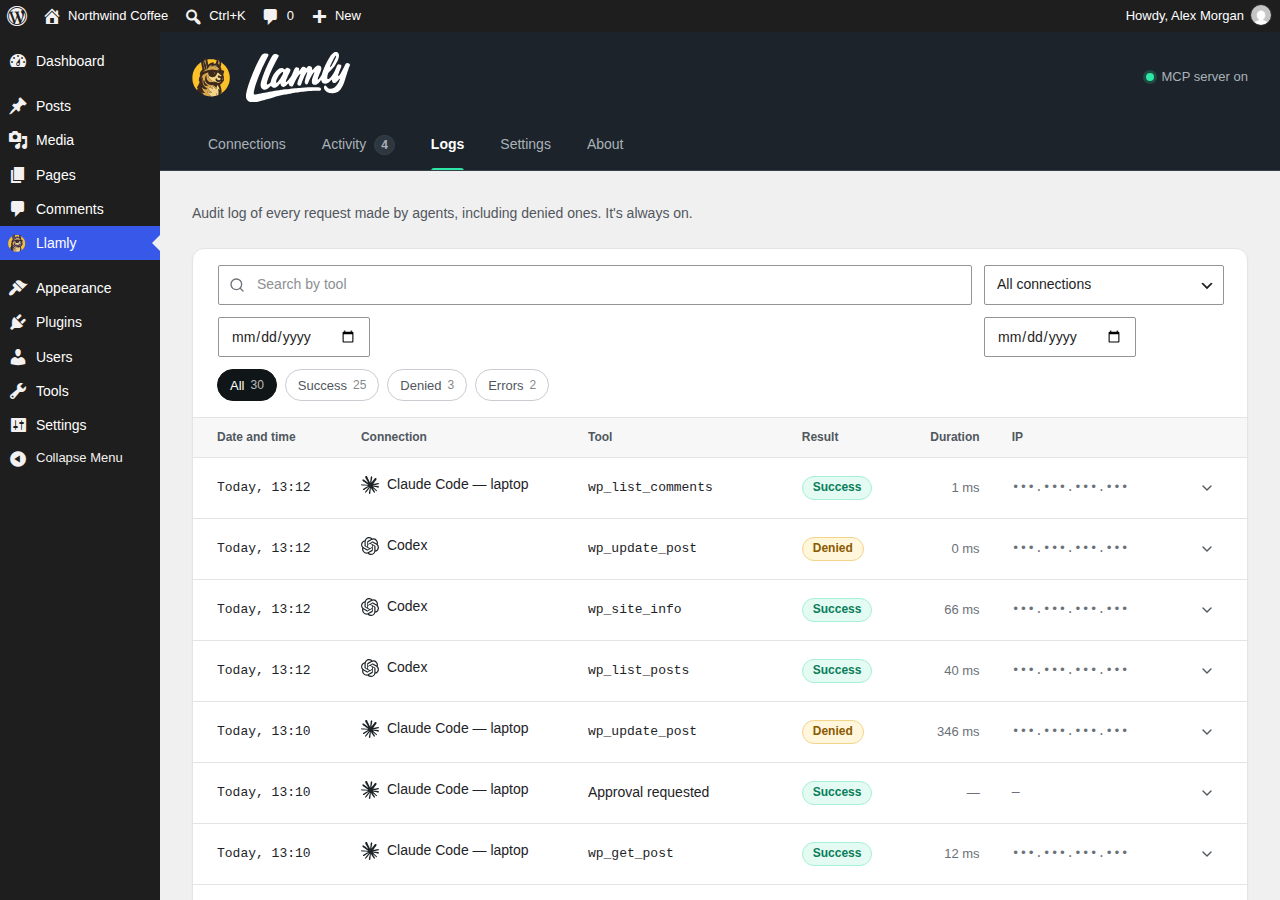
- Audit log and limits: every MCP request is logged, with rate limiting per connection (120 requests per minute by default) and an origin allowlist.
- One gate for every write: input schema, your WordPress capabilities, the scope of the connection, the policy above, a durable snapshot and a revision check before anything changes.
- WordPress 6.2 or newer and PHP 8.0 or newer (tested up to WordPress 7.1).
- MySQL 5.7.8 or newer, or MariaDB 10.3 or newer, with InnoDB tables. Not supported for writes: Galera clusters (
wsrep_on=ON) and a customwp-content/db.phpdrop-in. - The database user must be allowed to use
GET_LOCK()and to runSET SESSION TRANSACTION ISOLATION LEVEL. Llamly sets REPEATABLE READ for each write and restores the previous level, so the host default does not need to change. innodb_flush_log_at_trx_commitmust be 1 or 2. Value 1 is fully durable; with 2 an operating system crash or power loss can lose about one second of committed changes, including journal entries. Value 0 is refused.max_allowed_packetof 16 MB or more is recommended; large changes can be refused below that.- A persistent object cache such as Redis is supported.
- OAuth apps (claude.ai, ChatGPT, Claude Desktop remote) need your site on a public HTTPS address.
安装:
- Install Llamly MCP from Plugins > Add New, or upload the ZIP in Plugins > Add New > Upload Plugin.
- Activate it. Llamly creates its own database tables on activation.
- Open Llamly in the admin menu. The Connections tab lists the supported apps and shows the recipe for each one with your site address already filled in.
https://your-site.example/wp-json/llamly/v1/endpoint. OAuth discovery is published at /.well-known/oauth-protected-resource and /.well-known/oauth-authorization-server on your site root.
Apps that sign in with OAuth (claude.ai, Claude Desktop, ChatGPT, Cursor)
OAuth needs your site on a public HTTPS address. New OAuth clients can only register while the registration window is open: the recipe opens it for 30 minutes when you start. Closing the window never disconnects existing apps, and an app that is already registered can reconnect at any time when an administrator approves the sign-in on your site. Other users can approve a sign-in only while the window is open.
- claude.ai: click "Add to Claude" in the recipe (or, in claude.ai, go to Customize > Connectors > + Add > Add custom connector and paste the endpoint). Claude opens a login page on your site; review the request, choose the access level and click Approve access. On Team and Enterprise plans an organization owner adds the connector first.
- Claude Desktop (remote): same connector as claude.ai; it shows up in the Desktop app on the same account.
- ChatGPT: on chatgpt.com, enable Developer mode in Settings > Security and login, then add a custom MCP server with the endpoint as server URL and OAuth authentication, and approve access on your site. Requires a ChatGPT plan with developer mode (Plus, Pro, Business, Enterprise or Edu); on Business and Enterprise an administrator enables it first.
- Cursor (OAuth): add
{ "mcpServers": { "my-site": { "url": "<endpoint>" } } }to~/.cursor/mcp.jsonand approve access on your site when Cursor asks.
- Claude Code:
claude mcp add --transport http my-site <endpoint> --header "Authorization: Bearer <key>", then run/mcpin a new session. - Codex:
export LLAMLY_API_KEY="<key>"(also in your shell profile), thencodex mcp add my-site --url <endpoint> --bearer-token-env-var LLAMLY_API_KEY, then/mcp. - Antigravity CLI:
agy mcp add --header "Authorization: Bearer <key>" my-site <endpoint>. To remove it:agy mcp remove my-site. - OpenCode: add a remote server with
"type": "remote","url": "<endpoint>","oauth": falseand anAuthorization: Bearer <key>header to~/.config/opencode/opencode.json(oropencode.jsonin a project), thenopencode mcp list. - Cursor (key): add the server with
"url"and anAuthorization: Bearer <key>header to~/.cursor/mcp.jsonand restart Cursor. - Claude Desktop with a local site: cloud connectors cannot reach a site that runs on your computer. The recipe gives a
claude_desktop_config.jsonentry that starts the open sourcemcp-remotebridge throughnpx(Node.js required) with your key. The key is stored in plain text in that file, so prefer a read-only key if you do not need edits.
屏幕截图:
常见问题:
What is a WordPress MCP server?
A plugin that lets AI apps act on your site through the Model Context Protocol (MCP), the open standard that ChatGPT, Claude, Cursor and other agents use to call external tools. Llamly MCP turns your WordPress site into one of those tools, so your agent can publish, edit and organize things directly instead of telling you what to click.
How do I connect ChatGPT to my WordPress site?
Install Llamly MCP, open Llamly > Connections and pick ChatGPT. On chatgpt.com, turn on Developer mode in Settings > Security and login, add a custom MCP server with your Llamly endpoint and OAuth authentication, and approve access on your site. It needs a Plus, Pro, Business, Enterprise or Edu plan and a public HTTPS site.
How do I connect Claude to my WordPress site?
For claude.ai and Claude Desktop, click "Add to Claude" in the Llamly recipe and approve the sign-in on your site, with no terminal and no key. For Claude Code, create a key in the recipe and run the one-line command shown there.
Do I need an API key from OpenAI or Anthropic?
No. Llamly does not call any AI model. You use the AI app you already have, on its own plan, and that app connects to your site. Llamly only needs its own access key or an OAuth approval, both created inside your site.
Is it free?
Yes. This plugin is free and licensed GPLv2 or later. Llamly does not meter requests; the only limit is the rate limit per connection you set in Settings.
Do I need a Llamly account?
No. There is no account and no sign-up. Everything runs inside your WordPress site.
Do I need to be a developer?
No. Apps like ChatGPT and claude.ai connect with a click and an approval on your site, and from then on you just ask in plain language. Terminal apps such as Claude Code and Codex get a ready-to-paste command.
Which AI apps work with it?
Any MCP client over Streamable HTTP. Recipes are included for ChatGPT, claude.ai, Claude Desktop, Claude Code, Codex, Cursor, OpenCode and Antigravity CLI.
Is it safe? Can the AI break my site?
Almost every change is journaled and can be undone, safe mode makes the agent confirm before deleting or undoing, and the optional approval queue holds publishing for you. The agent works with content permissions only, never administrator ones. Keys can be read only, and every request is logged. See "Safe by design" above.
Does it work with Elementor?
Yes, read only: the agent can read Elementor pages, templates, widgets and global styles, but Llamly never writes Elementor data.
Does an outside service administer my site?
No. There is no Llamly server or relay. The AI app you connect (ChatGPT, Claude, Codex, Cursor and others) sends requests straight to your site with an access key or an OAuth grant that a user of your site created, and you can revoke it at any time in Connections. Each request runs as that user with content permissions only: an administrator's key cannot change site settings, users, plugins, themes or code, and cannot write unfiltered HTML.
Does Llamly send my content anywhere?
No. Your posts, pages, media, connections, keys, logs and change journal are never sent anywhere. Llamly makes no outbound calls at runtime, except the optional usage statistics described in External services, which send nothing unless an administrator opts in. The AI app you connect sends requests to your site and receives the answers; what that app does with them is governed by its own terms. The connection diagnostics in Connections (Run checks) only call your own site (loopback) to check that the REST API, the MCP endpoint and the OAuth discovery URLs answer.
Can the agent publish or delete things without me?
By default the agent can create, edit and publish without waiting for you, and every change is journaled, so almost everything can be undone in Activity. With safe mode on (the default) the agent must first show you what it will do and send confirm: true before it deletes or trashes something, before it undoes a change, before a redo that is destructive or irreversible, and before changes that cannot be undone. Llamly cannot create, change or delete users. Llamly cannot change site settings either. If you want to approve things yourself, turn on "Require my approval to publish" in Settings: those requests then wait for you in wp-admin.
Why doesn't the history show "changed outside Llamly"?
The Activity tab does not read the current state of every item, so it stays fast with a large history. If you edited an item in WordPress after the agent changed it, Llamly checks the real state when you click Undo and, if the item changed, warns you instead of overwriting your edit.
How long do approval requests last?
Approval requests expire after 7 days. The agent must send a new request after that.
How do I disconnect an app?
In Connections, open the app's menu under Connected apps and click Revoke access. The next request with that token or key is rejected. Deactivating the plugin also stops every connection: the endpoint no longer exists while Llamly is inactive.
The Doctor says the server can't reach its own address.
If the browser checks pass, this is shown as a warning, not a failure: AI apps connect from outside. Security and cache plugins (Wordfence, Solid Security, All In One WP Security, Sucuri, WP Rocket, W3 Total Cache, LiteSpeed Cache and others) are listed as a heads-up, since they sometimes restrict or cache REST requests.
Which upload size can the agent send?
Media uploads go through MCP as base64 in a single request that is limited to 1 MiB, so one wp_upload_media call carries a file of up to about 693 KB (or less if your PHP upload limit is lower). Text fields such as the caption travel in the same request; for long texts upload the file first and then call wp_update_media. Larger files are refused with a clear message.
Does it work with a local WordPress site?
Yes for apps that run on your computer and use a key (Claude Code, Codex, Cursor, Antigravity CLI, OpenCode) and for Claude Desktop through the local bridge. claude.ai, ChatGPT and the Claude cloud connector need a public HTTPS address.
Does it work on multisite?
Connections, history and settings are kept per site.
What happens to my data when I delete the plugin?
By default nothing is removed, so you can reinstall without losing connections, history and settings. If you turn on "Delete data when deleting the plugin" in Settings (it asks for confirmation), deleting the plugin removes Llamly's own tables, options, transients, user meta and the uploads/llamly-mcp folder. Posts, pages, media, users and any other WordPress content are never removed by uninstall.
Before an update that rewrites or removes existing data or columns in Llamly's tables, the previous tables are first copied to backup tables named <table>_bak_v<N>. Purely additive updates (new columns or tables) make no copy. The latest backups stay in the database as a safety net, and older ones are removed after a later verified update; deleting the plugin with "Delete data when deleting the plugin" turned on also removes them.
更新日志:
- Optional, opt-in usage and diagnostic statistics through Freemius. Nothing is sent without an administrator's consent ("Allow & Continue" on the Llamly screen). "Skip" keeps every feature working exactly the same. See External services.
- About: a Llamly Pro card. Llamly Pro will be a separate add-on and is coming soon; nothing in Llamly is locked.
- Uninstall keeps the same rules, tells the Freemius SDK about the uninstall (sent only if you opted in or sent deactivation feedback), and also removes what the Freemius SDK stored about Llamly.
- Readme: tutorial videos.
- The MCP endpoint checks the request origin and the caller's credential (Llamly API key or OAuth access token) in its REST permission callback, before the request reaches the MCP handler. Responses to clients are unchanged.
- Translations are no longer bundled: they come from translate.wordpress.org language packs.
- Agent requests run under a capability ceiling: whatever the role of the connected user, MCP and Abilities requests never use administrator capabilities (site settings, users, plugins, themes, code files, import and export, network administration, unfiltered HTML).
- The content policy applies to every user, administrators included: scripts, styles, iframes, inline event handlers,
javascript:links and Custom HTML blocks are refused or removed in posts, patterns, block edits and templates. - Removed the tools that changed site options, read the PHP error log and ran Site Health. Option changes made with 1.0.1 can still be undone in Activity.
- The key creation step and the OAuth sign-in page say what the agent can and cannot do.
- The admin JavaScript, CSS and icons are formatted as readable source; new "Source code" section in this readme.
- Users are read only: the tools that created, changed or deleted users were removed.
- Global styles: custom CSS is no longer accepted. Edit it in the Site Editor; Llamly keeps the CSS saved there as it is.
- Database restore points were removed. Existing restore points and their tables are deleted on update; use your host's backups to take the whole site back to an earlier moment.
- Plugin paths, request input and database queries follow the WordPress.org guidelines (plugin directory functions, sanitized input, prepared queries).
- New approval policy. By default nothing waits for approval and every change is journaled, almost all of it with undo. With safe mode on, the agent needs
confirm: trueto delete, trash, delete a restore point, undo, redo destructive or irreversible changes and for irreversible actions. An optional approval queue in Settings holds publishing or changing anything visitors see (content, comments, menus, templates, styles, media in use), users and settings for a human. A restore requested by an agent always needs a human. - Hosting checks. Llamly verifies InnoDB, transaction isolation, durable commits, Galera and
db.phpdrop-ins,GET_LOCKand PHP time limits before it writes, and the Doctor reports each one with what to ask your host. - Restore points. Size limit of about 200 MB, a clearer confirmation (size, time estimate, what is kept), options and tables with secrets of other plugins are kept as they are now, and an automatic "Before restoring" point.
- Activity. The history is paginated in the database and approval requests show a before and after diff.
- Safer editing. The block editor and REST clients are protected from overwriting a change made by an agent.
- MCP. The server now sends usage instructions to the agent, tool annotations (a hint that only pure creations are non-destructive), English-only responses and a documented upload size limit.
- Admin. English tab URLs (old Portuguese links still redirect), a Doctor with security and cache plugin hints, and a Brazilian Portuguese translation.
- Keys can have full access, read only access or chosen tool categories; OAuth grants are read only or read and write.