
Loadwright
| 开发者 | muhammadnan |
|---|---|
| 更新时间 | 2026年7月23日 23:22 |
| PHP版本: | 7.2 及以上 |
| WordPress版本: | 7.0 |
| 版权: | GPLv2 or later |
| 版权网址: | 版权信息 |
详情介绍:
- Server response time (TTFB) — less PHP executes and fewer database queries run, so the page is built faster.
- Page weight (CSS/JS) — plugins that would have enqueued scripts and styles no longer do, shrinking the HTML, CSS, and JavaScript the browser has to download and process.
- Main-thread work — less JavaScript means faster interactivity.
- Specific pages, posts, or products (by ID)
- Whole post types (posts, pages, products, or any custom type)
- Categories and product categories
- The site front page
- Disable on matches — turn the plugin off where the conditions match.
- Enable only on matches — keep the plugin on there, off everywhere else.
- Speeding up blog posts by unloading WooCommerce/shop plugins they never use.
- Keeping form, slider, popup, gallery, and social plugins scoped to the few pages that need them.
- Lowering queries and payload on landing pages to lift PageSpeed and GTmetrix scores.
- Resolving plugin conflicts by limiting a plugin to where it belongs.
- The controller plugin never disables itself.
- If a request can't be resolved to a single published object, no rules are applied (it fails open — nothing is disabled when in doubt).
- It does not minify, combine, or lazy-load assets; it is plugin-level load control that complements those tools rather than replacing them.
- The must-use loader is only added when you click to install it, and is removed on Remove loader, deactivation, or uninstall — restoring normal loading immediately.
安装:
- Upload the
loadwrightfolder to/wp-content/plugins/, or install through Plugins → Add New. - Activate the plugin.
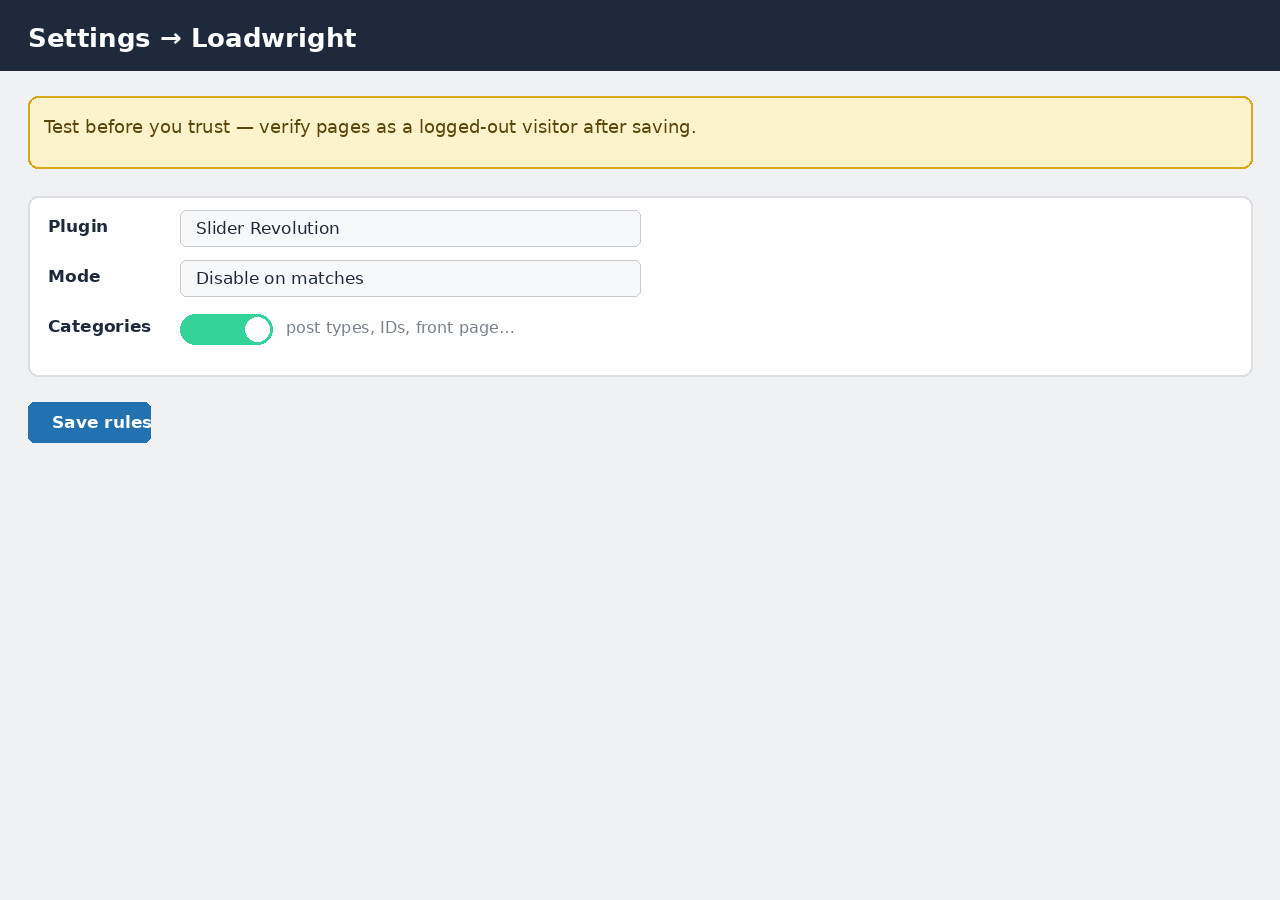
- Go to Settings → Loadwright. Under Must-use loader, read the explanation and click Install must-use loader — this copies a small file (
loadwright-loader.php) intowp-content/mu-plugins/so Loadwright can run early enough to control plugin loading. Nothing is copied without this click. - Add one or more rules and save. Rules only take effect while the loader is installed.
- Purge any page/edge cache so the rules apply to already-cached pages.
屏幕截图:
常见问题:
How is this different from "asset" optimizers?
Asset optimizers (and dequeue tricks) remove specific CSS/JS files but the plugin's PHP still runs. This plugin removes the plugin from the request entirely, so its PHP, queries and hooks never execute.
Why does it use a must-use loader, and is it optional?
WordPress decides which plugins to load very early in each request, and only a must-use plugin runs early enough to influence that list. Loadwright therefore copies a small loader file into wp-content/mu-plugins/ — but only after you explicitly click Install must-use loader on the settings screen. The file is copied as-is from the plugin, does nothing but load Loadwright's core, and is removed when you click Remove loader or when you deactivate or delete the plugin. Until it is installed, your rules are saved but inactive.
Is it safe to disable WooCommerce-dependent plugins on cart/checkout?
Be careful. Those pages do a lot server-side. Only disable plugins that are purely decorative on the page in question, and always test as a logged-out visitor with items in the cart.
A rule doesn't seem to fire on a page. Why?
A rule only applies when the request resolves to exactly one published post/page/product. Ambiguous URLs (e.g. two items sharing a slug) are left untouched by design. Archive, search and 404 requests are not targeted in this version.
Does it work on multisite / network-activated plugins?
Rules apply to normally activated (per-site) plugins. Network-activated plugins are not affected in this version.
Will deactivating it undo everything?
Yes. Deactivation removes the loader, so every plugin loads normally again immediately.
更新日志:
- Initial public release.