
Logicrays Portfolio & Gallery
| 开发者 |
logicrays
priteshm |
|---|---|
| 更新时间 | 2026年8月21日 21:29 |
| PHP版本: | 4.4 及以上 |
| WordPress版本: | 7.1 |
| 版权: | GPLv2 or later |
| 版权网址: | 版权信息 |
详情介绍:
安装:
- Upload the plugin folder to the
/wp-content/plugins/directory - Activate the plugin through the 'Plugins' menu in WordPress
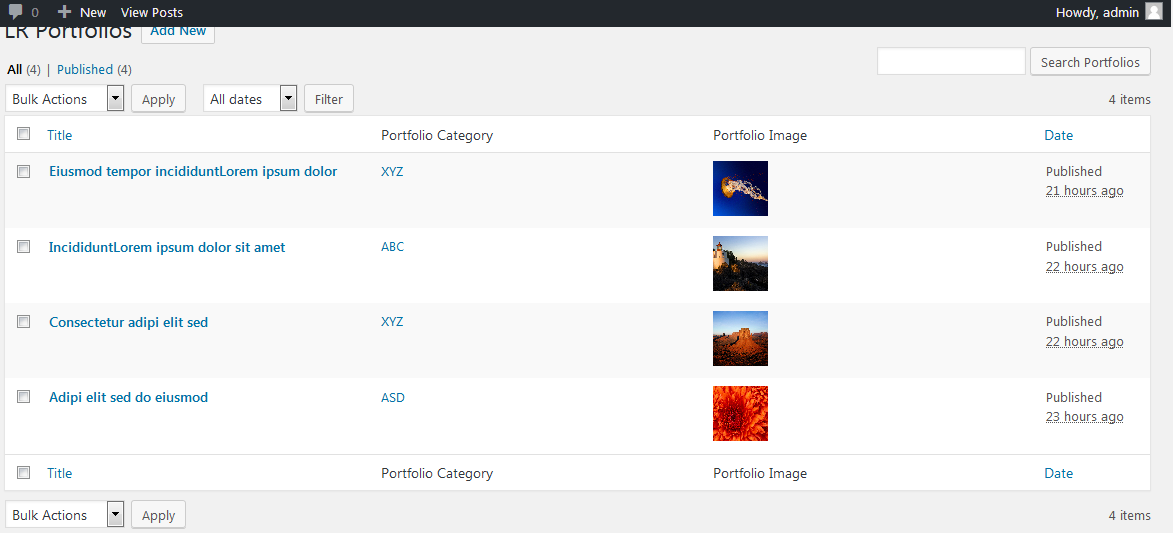
- Navigate to "LR Portfolios" in the admin dashboard and start adding your projects
屏幕截图:
常见问题:
How do I display the portfolio gallery on my website?
Simply insert the [LRPORTFOLIOS] shortcode into any page, post, or widget text area.
How do I assign categories to my portfolio items for filtering?
When editing a portfolio item, use the "Portfolio category" taxonomy box on the right side of the screen to assign categories. These will automatically generate filter buttons on the frontend.
What extra information can I add to each portfolio project?
Below the post editor for each portfolio project, there is a "Portfolio Details" section. You can enter the "Company Name" and the "Project URL" there, which will display in the detailed view popup modal.
Is the portfolio gallery responsive?
Yes! The gallery is fully responsive and adjusts automatically to look great on mobile devices, tablets, and desktop displays.
How do I add images to my portfolio projects?
Ensure you set a "Featured Image" for each portfolio item. This image will act as the grid thumbnail and will also display at the top of the detail modal.
更新日志:
- Added "Get shortcode" admin submenu page with easy copy shortcode feature.
- Tested and confirmed compatibility up to WordPress version 7.1.
- Code formatting, text domain i18n fixes, and Plugin Check / WPCS improvements.
- Updated readme, features list, installation instructions, and added a detailed FAQ section.
- Code improvements and formatting.
- First stable release.