
Logicrays Team Members
| 开发者 |
logicrays
priteshm |
|---|---|
| 更新时间 | 2026年7月14日 21:48 |
| PHP版本: | 6.9 及以上 |
| WordPress版本: | 7.0 |
| 版权: | GPLv2 or later |
| 版权网址: | 版权信息 |
详情介绍:
安装:
- Upload Zip file lrtm-team-membres to the
/wp-content/plugins/directory - Activate the plugin through the 'Plugins' menu in WordPress
屏幕截图:






常见问题:
How do I display my team members on a page?
You can display your team members by adding the shortcode [LRTM-TEAM] to any post, page, or widget block.
Can I change the number of columns in the team grid?
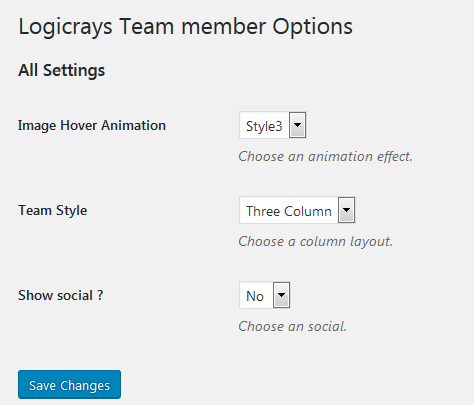
Yes. You can select a 2-column, 3-column, or 4-column layout on the plugin settings page. You can also customize it using the shortcode parameter, for example: [LRTM-TEAM grid_layout="3"] (for 4 columns) or [LRTM-TEAM grid_layout="4"] (for 3 columns).
How do I change the design or layout style?
Go to LR Teams > Settings in your WordPress dashboard, choose a style to preview it, and save the settings. You can also use style-specific shortcodes like [LRTM-STYLE1], [LRTM-STYLE2], up to [LRTM-STYLE6].
How do I show or hide social media links?
You can turn social media links on or off from the plugin settings page, or you can use the show_social shortcode parameter: [LRTM-TEAM show_social="no"].
How can I change the sorting order of team members?
You can sort members by Name or Date in either Ascending or Descending order from the settings page, or by using shortcode parameters, for example: [LRTM-TEAM order="desc" order_by="date"].