
LogicWeft Studio – Class Booking, Front Desk & Day Close for WooCommerce
| 开发者 | logicweft |
|---|---|
| 更新时间 | 2026年11月22日 21:50 |
| PHP版本: | 8.1 及以上 |
| WordPress版本: | 7.1 |
| 版权: | GPLv2 or later |
| 版权网址: | 版权信息 |
详情介绍:
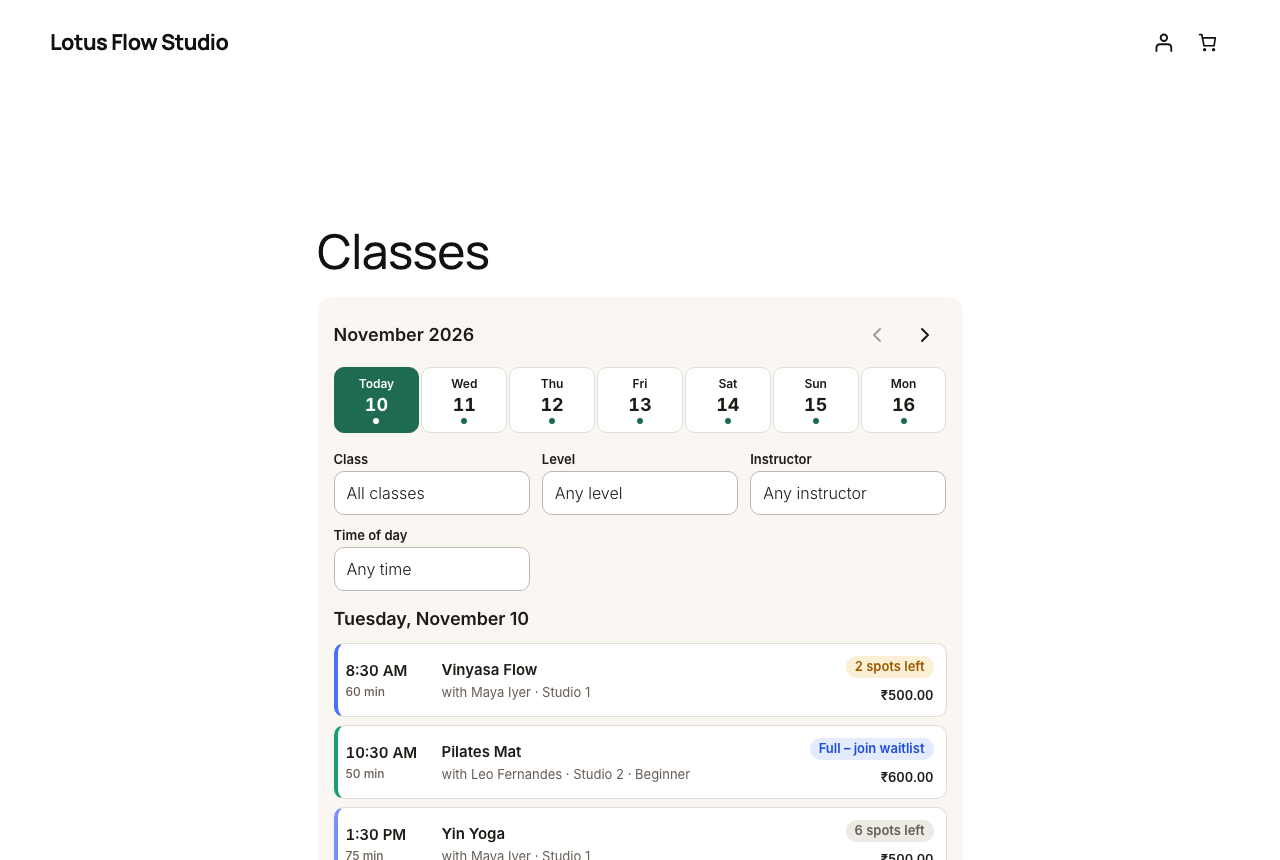
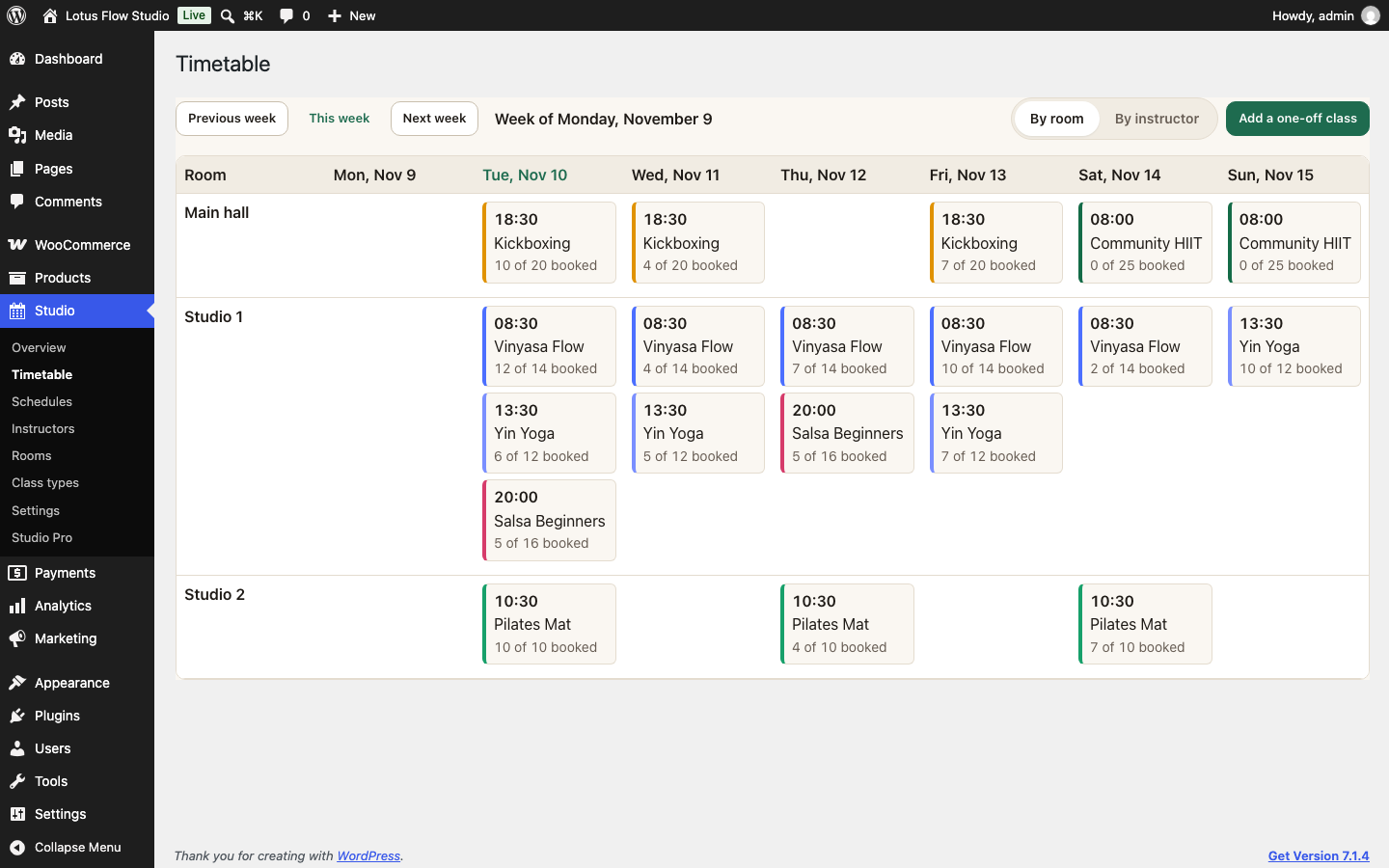
- Timetable: class types, instructors, rooms, recurring schedules, one-off classes, substitutes and cancellations, generated ahead in your studio's timezone (a 7:00 class stays at 7:00 when the clocks change)
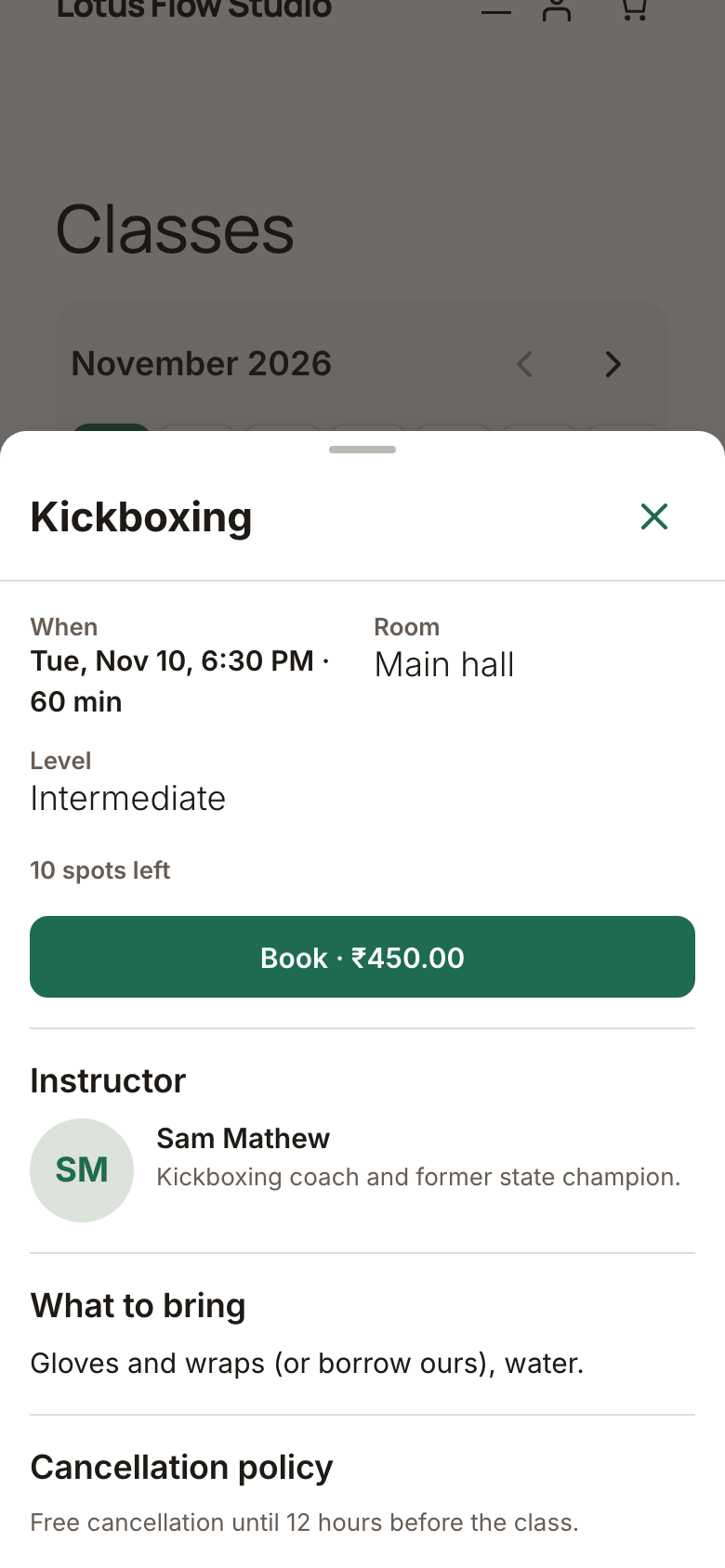
- Online booking of drop-in, free and pay-at-studio classes, with guest booking, booking windows and per-member limits
- A cancellation policy: members who cancel in time are refunded (through the payment gateway, or marked for you to refund), and later cancellations are recorded as late
- A safe capacity check: two people can never take the last spot, and a spot in the cart is held for a few minutes
- Waitlists with automatic promotion and a payment link, or manual promotion at the front desk
- Member QR codes, QR and name-search check-in, walk-ins and a self check-in kiosk on a tablet
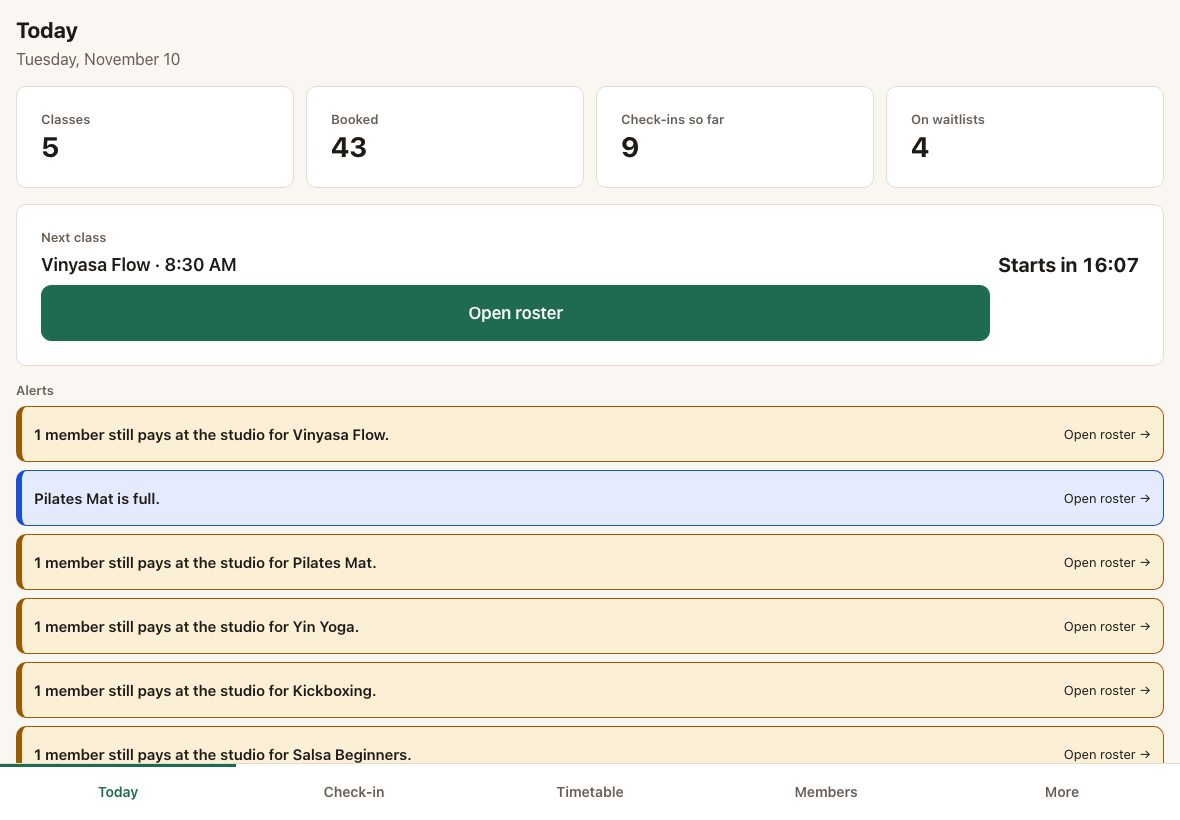
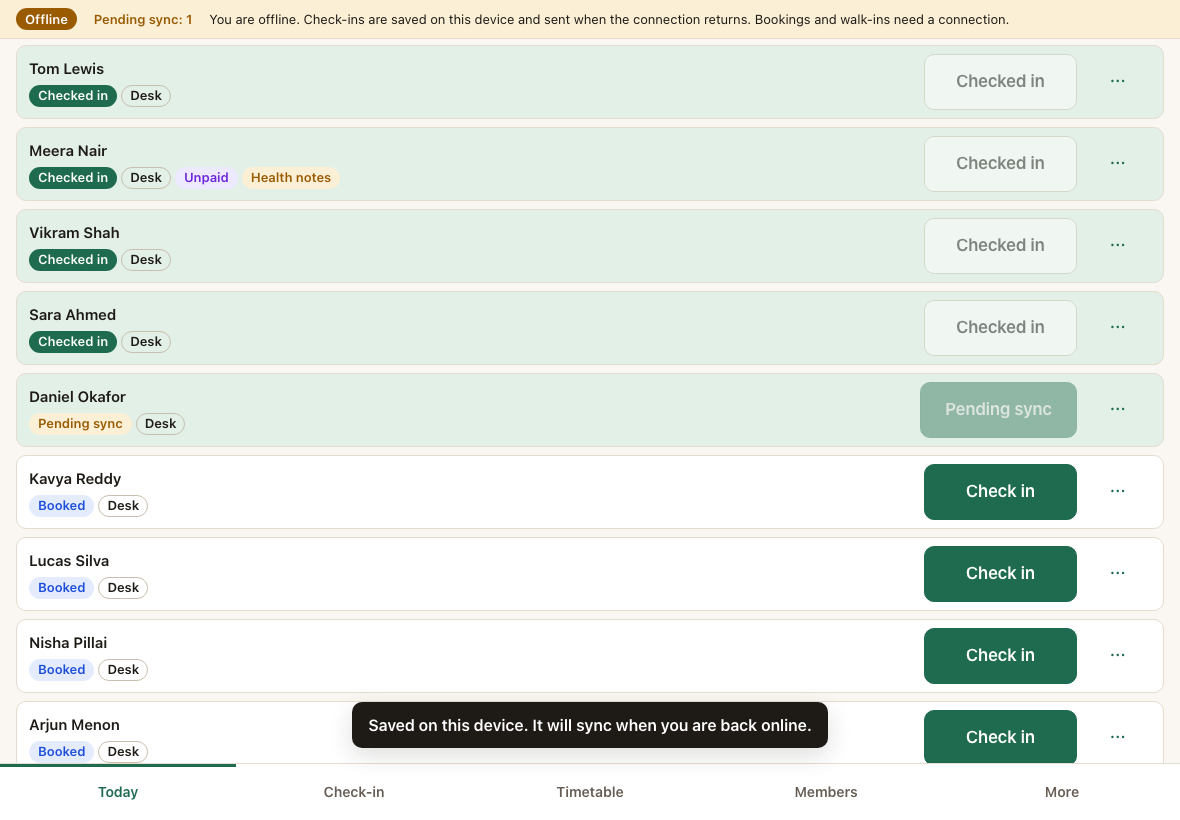
- The Operator App for the front desk and instructors: Today, class rosters, check-in, timetable, members, waitlists and day close. The desk can take payment or mark a booking as complimentary. It keeps checking people in when the Wi-Fi drops and syncs when it is back
- Member cards with visit history, notes, health and injury notes, emergency contact and tags
- WooCommerce emails for confirmations, cancellations, waitlist offers, cancelled classes and reminders, with calendar files
- Attendance reports by class and instructor, with CSV export
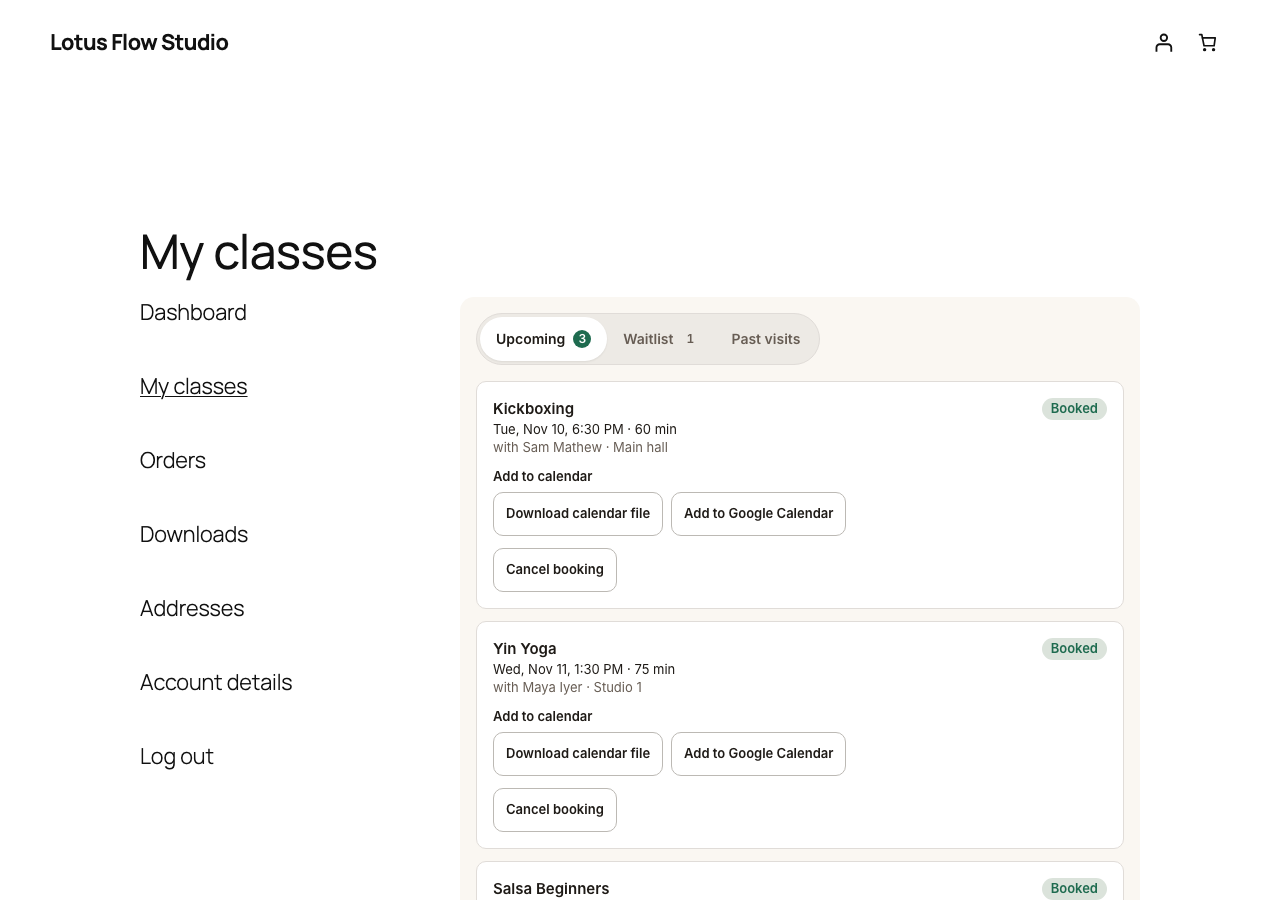
- Timetable, booking, class list and instructor list blocks, shortcodes and Elementor widgets, and "My classes" in My Account
- Appearance settings: palette presets, your brand colour, light and dark, bundled fonts
- A setup wizard and an optional demo studio
- Privacy tools: personal data export and erasure, suggested privacy policy text, an optional retention rule
- Translation-ready, with right-to-left support
安装:
- Install and activate WooCommerce 9.5 or later.
- Install LogicWeft Studio from Plugins → Add New, or upload the zip under Plugins → Add New → Upload Plugin, and activate it.
- Open Studio in the admin menu and follow the setup steps: studio details, classes, instructors and the weekly timetable. You can add a demo studio to try everything first.
- Add the Timetable block (or the
[lwstudio_timetable]shortcode) to a page. The front desk opens the Operator App at yoursite.com/studio-app/ on a tablet.
屏幕截图:



常见问题:
Can I try it before installing?
Yes. Lotus & Lift is a live demo studio running this plugin. Book any class (no payment is taken and no email is sent), then log in at /studio-app/ as demo-owner, demo-desk or demo-instructor (the password is the same as the username) to see the Operator App. The demo also runs LogicWeft Studio Pro, so it shows class packs and memberships too; everything else is in this free plugin. It resets every night.
Does it need WooCommerce?
Yes. Classes are WooCommerce products and paid bookings are WooCommerce orders, so WooCommerce 9.5 or later must be active.
Can members book without an account?
Yes. Guests book with a name and email; members with an account also see their classes, waitlist places and QR code under My Account → My classes.
What happens when two people book the last spot at the same moment?
Only one of them gets it. Every booking, online or at the desk, takes its spot in a single database transaction, and the other person is offered the waitlist.
Does it work with the Cart and Checkout blocks and HPOS?
Yes, both, as well as the classic cart and checkout.
Does the Operator App work offline?
Check-ins made while the connection is down are kept on the device and sent when it is back, marked "pending sync" until then. Bookings are never taken offline, so a class cannot be overbooked.
Does it work with my theme?
Yes. The timetable and booking widget inherit your theme's fonts by default and size themselves to their container. The Operator App and the kiosk have their own full-screen pages.
Where is member data stored?
In your own WordPress database. Nothing about your members, bookings or visitors is ever sent to LogicWeft or anyone else. Health questions are off by default, and members' data can be exported and erased with the WordPress privacy tools.
Does the plugin contact LogicWeft?
Only if you tick "Register this site with LogicWeft" on the last setup step or under Studio → Settings → Privacy. It is off by default. Then the site's address and name, store country, language and the plugin, WordPress, WooCommerce and PHP versions are sent, and, only if you also tick "Email me about LogicWeft Studio", the email address you give. See "External services" below. Untick the box, or delete the plugin, and the record is deleted.
更新日志:
- New: optional site registration with LogicWeft. Two unticked boxes on the last setup step and under Studio → Settings → Privacy: "Register this site with LogicWeft" and "Email me about LogicWeft Studio (updates and setup help)". Nothing is sent unless you tick them; see "External services" for exactly what is sent and when. Existing sites are not asked: the setting is there when you want it.
- First public release.
- Timetable: class products, instructors, rooms, recurring schedules generated in the studio's timezone, one-off classes, substitutes and cancellations, with a week grid in the admin.
- Booking: drop-in, free and pay-at-studio classes, guest booking, held spots in the cart, booking and cancellation windows, per-member limits, and a capacity check that never overbooks.
- Waitlists with automatic promotion and a payment link, and manual promotion at the desk.
- WooCommerce integration: Cart and Checkout blocks, classic checkout, HPOS, order status sync, refunds when the studio cancels a class, and five booking emails with calendar files.
- Customer front end: timetable, class sheet, booking flow and My classes with the member QR code, as blocks, shortcodes and Elementor widgets; appearance settings with palette presets and bundled fonts.
- Operator App for the front desk and instructors: Today, rosters, check-in by QR or name, walk-ins, timetable, members, My classes, day close, and offline check-in.
- Self check-in kiosk with device pairing and a staff PIN to exit.
- Setup wizard, optional demo studio and WP-CLI demo commands.
- Attendance reports by class and instructor, with CSV export.
- Privacy: personal data exporters and erasers, suggested policy text and an optional retention rule.
- Translation template and right-to-left support.