Login and Logout Redirect
| 开发者 |
patilswapnilv
happypressdotco |
|---|---|
| 更新时间 | 2023年10月8日 17:07 |
| 捐献地址: | 去捐款 |
| PHP版本: | 5.6 及以上 |
| WordPress版本: | 6.3.1 |
| 版权: | GPLv3+ |
| 版权网址: | 版权信息 |
详情介绍:
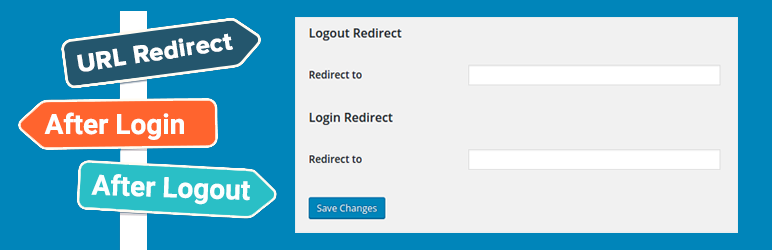
This plugin adds extra option in Settings page (Setting>General), for specifying redirect URL for login and logout.
产品特点
- Redirect users instantly on logout.
- Redirect users instantly on login.
- Not extra menu option, in the WordPress site. Just head over to Settings>General
安装:
FOR STANDARD INSTALLATION:
The simplest way to install is to click on ‘Plugins’ then ‘Add’ and type ‘Login and Logout Redirect’ in the search field. Click install then Activate.
To add redirect URL's visit Settings -> General.
FOR MANUAL INSTALLATION:
- Download the plugin zip file. Login to your website and go to the Plugins section of your admin panel. Click the Add New button. Under Install Plugins, click the Upload link. Select the plugin zip file from your computer then click the Install Now button. You should see a message stating that the plugin was installed successfully.
- Click the Activate Plugin link.
- Once activated you should check with Settings > General
- Insert URL for redirect on login.
- Insert URL for redirect on logout.
- Save!
- Download the plugin zip file. Copy the plugin zip file up to your server and unzip it somewhere on the file system. Copy the “login-and-logout-redirect” folder into the /wp-content/plugins directory of your WordPress installation. Login to your website and go to the Plugins section of your admin panel. Look for “Login and Logout Redirect” and click Activate.
常见问题:
Where are the options to redirect? I could find any menu option.
The plugin actually adds options in the settings panel. You can access them at Settings>General.
How do I report a bug?
Though I have tested the plugin as much as I could, but in-case you come across a bug, there are two ways to report it. First you can submit a issue via github. OR You can let me know about it via the support forum.
更新日志:
2.0.3
- Tested upto WordPress 6.3.1
- Tested upto WordPress 6.2
- Tested upto WordPress 6.0
- Tested upto WordPress 5.4.1
- Tested upto WordPress 5.0.3
- Tested upto WordPress 5.0.0
- Archived version:
- Tested upto WordPress 4.9.8
- Archived version:
- Tested upto WordPress 4.7
- Archived version:
- Made changes to support PHP 7
- Tested upto version 4.6 Beta 1
- Archived version:
- Minor Changes, added screenshots etc to explain working better.
- Tested up to WordPress version 4.4
- Archived version:
- Initial release
- First stable release.
- Archived version: