Login as User or Customer — User Switching
| 开发者 |
wp-buy
mohmmedalagha osamaesh |
|---|---|
| 更新时间 | 2026年5月9日 12:08 |
| PHP版本: | 7.4 及以上 |
| WordPress版本: | 6.9.4 |
| 版权: | GPLv2 or later |
| 版权网址: | 版权信息 |
详情介绍:
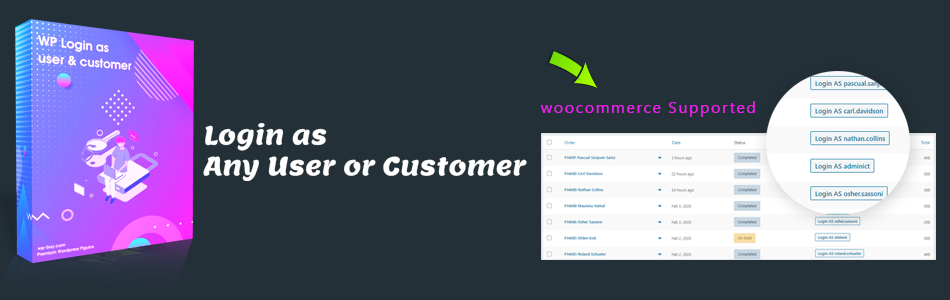
WooCommerce store owners: This plugin is purpose-built for you. Switch to a customer from the Orders screen, manage their cart, and create orders on their behalf — ideal for phone orders and assisted sales. WooCommerce features require the Pro version.[vimeo https://vimeo.com/584505898] Who is this for?
- WooCommerce stores — assist customers with orders, cart issues, and account problems without asking for their password
- Membership sites — verify what members see after logging in
- Agencies & developers — test roles and permissions across any user account instantly
- Support teams — reproduce customer-reported bugs in one click
- One-click user switching — switch to any non-admin account from the Users screen
- Switch from user profile — Login As button on the Edit User screen
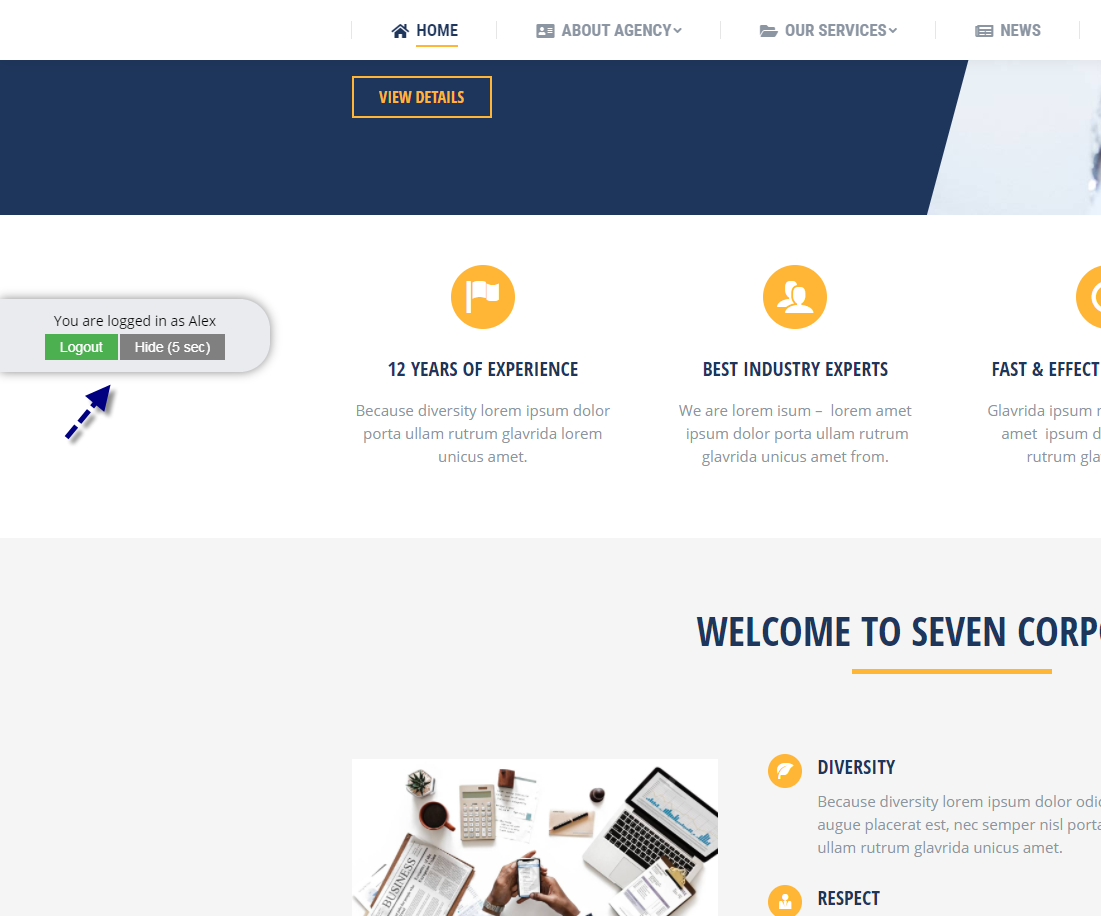
- Go Back in one click — a persistent bar on the front end returns you to your original account instantly
- No password needed — access any account without exposing credentials
- Role-based access control — choose which roles are allowed to use the switch feature
- 2FA compatible — works alongside most two-factor authentication plugins
- Multisite compatible — works on WordPress network installations
- Nonce-protected — every switch action is verified with a WordPress nonce
- Secure session storage — switch state stored server-side using WordPress transients, not exposed cookies
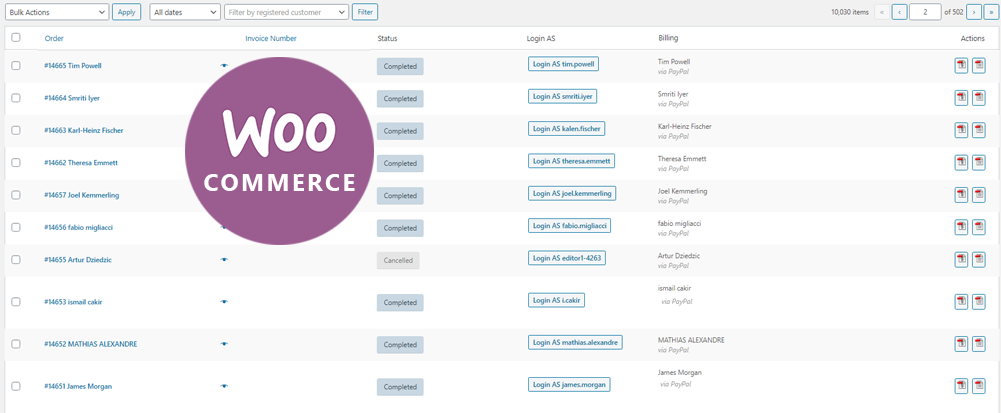
- ⭐ WooCommerce Orders page — Login As button next to every order
- ⭐ WooCommerce Order detail — switch to the customer from the single order screen
- ⭐ Cart management — add, remove, and edit products in the customer's cart
- ⭐ Create orders on behalf of customers — perfect for phone and assisted sales
- ⭐ Advanced role management — granular control over who can switch to whom
- ⭐ Custom redirect URL — choose where you land after switching
- ⭐ Activity log — track every switch action for auditing purposes
- ⭐ Shortcode support — place Login As buttons anywhere on your site
- Go to Users in your WordPress admin
- Click Login as this user next to any non-admin account
- You are instantly switched into that account — no password required
- Browse the site as that user
- Click Go back in the bar at the bottom of the screen to return to your admin account
- Nonce verification on every switch and return action
- Capability checks — only users with
edit_users,manage_options, ormanage_woocommercecan switch - Admin account protection — switching into administrator accounts is blocked
- Server-side session storage — switch state stored in WordPress transients with a 1-hour TTL that refreshes on every page load
- HttpOnly + SameSite=Lax cookies — session tokens protected against XSS and CSRF
- No data sharing — no data is sent to any external service
loginas_session_token) to identify the current switch session. The cookie stores only a random 64-character token — no user data. The actual session data (user IDs) is stored server-side in WordPress transients.
Compatibility
- WordPress 5.0+
- WordPress Multisite
- WooCommerce (Pro)
- PHP 7.4, 8.0, 8.1, 8.2, 8.3
- Compatible with most 2FA and security plugins
安装:
- Go to Plugins → Add New
- Search for Login as User or Customer
- Click Install Now then Activate
- Visit Login AS in the admin menu to configure settings
- Download
login-as-customer-or-user.zip - Go to Plugins → Add New → Upload Plugin
- Upload the zip and click Activate Plugin
屏幕截图:
常见问题:
Who can switch user accounts?
Only users with the edit_users, manage_options, or manage_woocommerce capability. You can further restrict this to specific roles in the plugin settings under Login AS → Settings.
Can I switch into an administrator account?
No. Switching into any account with administrator-level capabilities (edit_users or manage_options) is blocked for security reasons.
How do I switch back to my original account?
A bar appears at the bottom of the page while you are switched in. Click Go back to return to your original admin account instantly.
Does this work with WooCommerce?
Yes — WooCommerce features are available in the Pro version. This includes a Login As button on the orders list, a meta box on the single order screen, cart management, and the ability to create orders on behalf of customers.
Does this work with two-factor authentication (2FA)?
Yes. The plugin is compatible with most 2FA solutions. The 2FA prompt is bypassed when switching because you authenticate as the admin, not the target user.
Does this work on WordPress Multisite?
Yes. The plugin works on Multisite installations.
What happens if I close my browser while switched in?
The switch session is stored as a WordPress transient with a 1-hour TTL that refreshes on every page load. If the transient expires or is evicted from the cache, the session ends and you will be returned to a normal logged-out state. Simply log back into your admin account.
Does the plugin send any data externally?
No. The plugin does not send data to any third party, does not include any third-party resources, and does not use external APIs.
How can I report security bugs?
You can report security bugs through the Patchstack Vulnerability Disclosure Program. The Patchstack team help validate, triage and handle any security vulnerabilities. Report a security vulnerability.
更新日志:
- New: Redesigned settings page with modern UI
- New: "Enable Plugin In" section — control where the Login As button appears (Users Page / User Profile Page)
- New: User Profile Page now shows a Login As button directly on the Edit User screen
- Fixed: "Go back" button failed for editors and non-admin roles — the capability check was incorrectly applied to the switched-in user instead of the original admin
- Improved: Session TTL refreshes on every page load — session stays alive while user is active
- Improved: Cookie domain now respects WordPress COOKIE_DOMAIN constant
- Improved: Pro upgrade notice in WooCommerce uses a clear badge instead of a broken link
- Improved: Review notice waits 7 days after activation before appearing
- Security hardening for the user switching workflow
- Removed insecure cookie/session-based account switching
- Added nonce and capability checks for all switch and return actions
- Restricted switching to non-privileged target accounts only
- Implemented secure server-side session storage using WordPress transients
- Added proper session cleanup on logout and switch-back
- Removing unwanted images
- Fixed return to admin function - hot fix 3
- Fixed return to admin issue - hot fix 2
- Fixed return to admin issue - hot fix
- New responsive interface
- Security bug fixes
- Bug fixes and styling improvements
- Updated tested up to
- Bug fixing in users and orders page
- Bug fixing in user switching with 2FA
- Bug fixing in users page and WooCommerce orders page
- Bug fixing in users page (remove limitation)
- Adding new option — Go Back button position
- Bug fixing in button position
- Adding Spanish (Argentina) translation by Mr. gnukleo
- Bug fixing in the WooCommerce cart
- Enable plugin for Admin by default
- Code fixes
- Bug fixing in permissions — editor can no longer switch to admin
- Bug fixing in plugin options Roles section
- Bug fixing in the AJAX request
- Change logout box location from top to left
- Redirect admin to the correct page after logout
- Adding wp-buy control panel page
- Bug fixing in the orders page and users page
- Bug fixing in CSS z-index issue
- Adding Vote message
- Bug fixes in the Login as user message
- First beta release