Linux 软件免费装
Banner图

Login As Users

开发者 rajkakadiya
rvadhel
更新时间 2024年8月7日 18:23
捐献地址: 去捐款
PHP版本: 6.3 及以上
WordPress版本: 6.6
版权: GPLv2 or later
版权网址: 版权信息

标签

login users user login as user user switching fast user switching switch user

下载

1.0 1.1 1.3 1.2 1.4 1.4.1 1.4.2 1.4.3 1.4.4

详情介绍:

This plugin allows you to quickly change between user accounts at the click of a button. This plugin gives ability to access any user account without having the user password by just clicking one button and thus solve problems or provide better and faster customer support.With one click admin will be logged in as the specific user and then he can handle any situation without wasting much time.

安装:

Extract the zip file and just drop the contents in the wp-content/plugins/ directory of your WordPress installation and then activate the Plugin from Plugins page. After Plugin Active go to Settings-> Login As User.

屏幕截图:
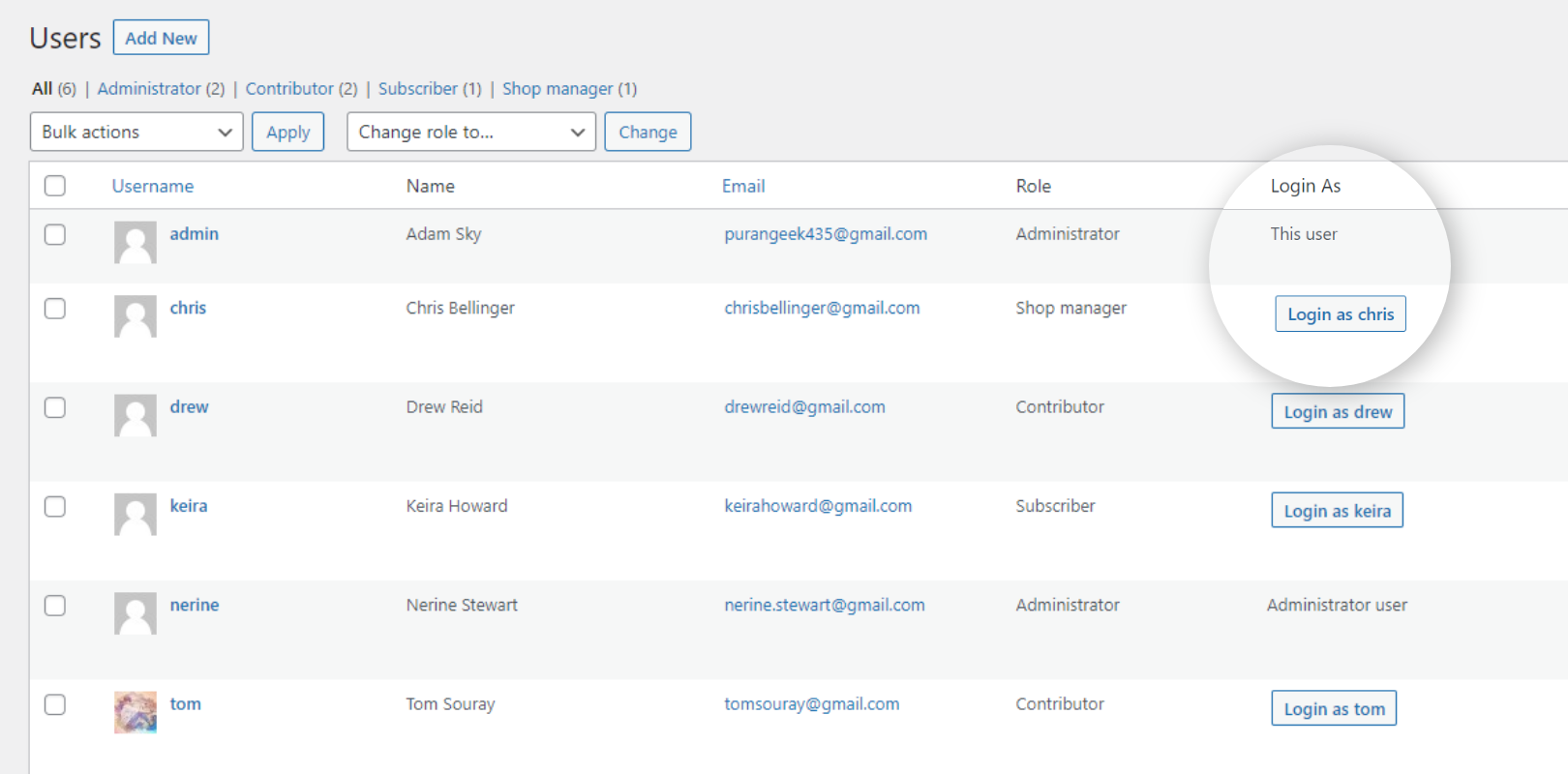
  • <b>Users Page:</b> On the Users List page, users will have a button "Login as User". You can click on this button to login to that specified account.
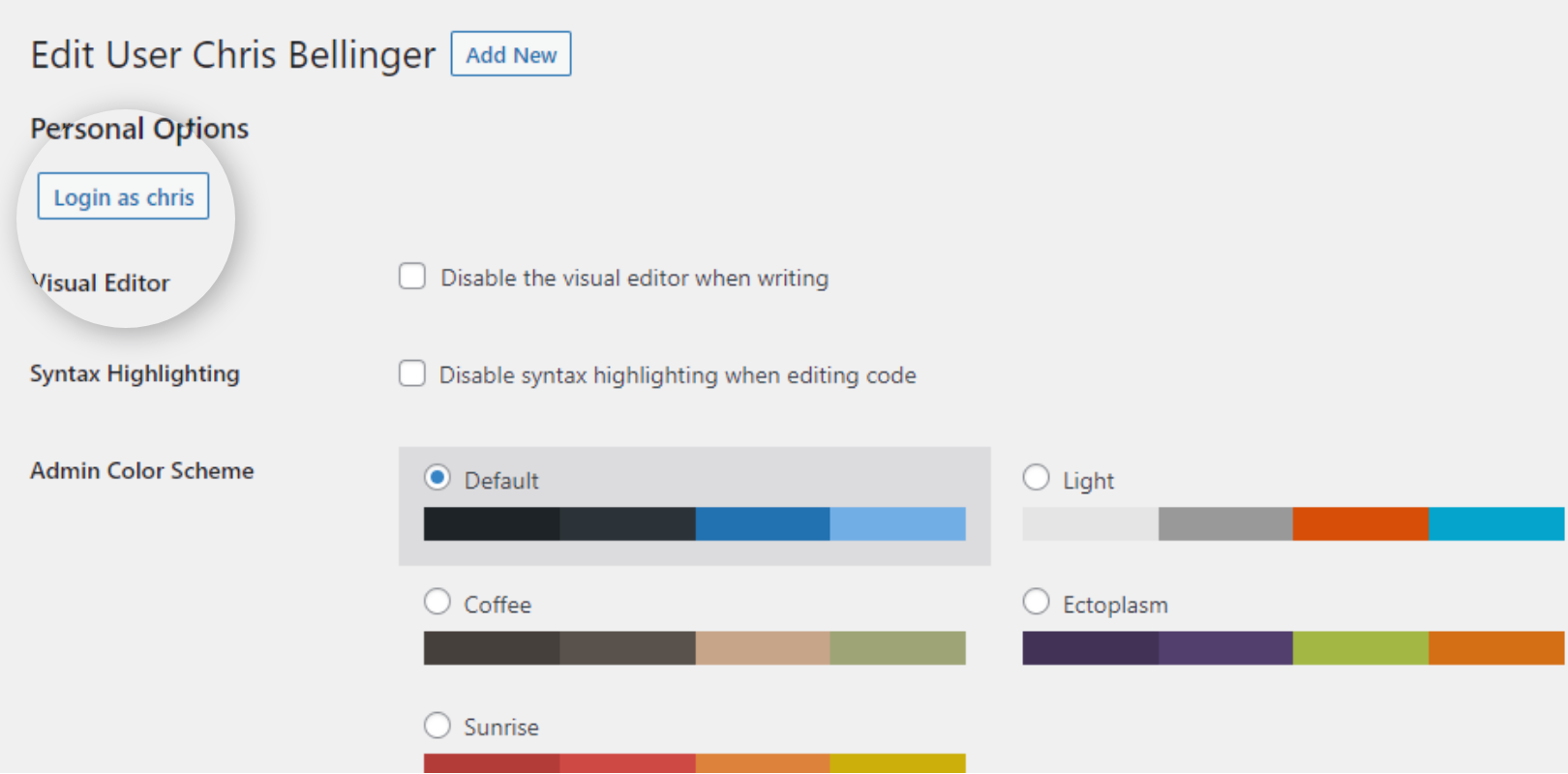
  • <b>User’s Edit Profile Page: </b>If you open any user profile page and want to login as this user, Just click the button "Login as User" at the top of the page.
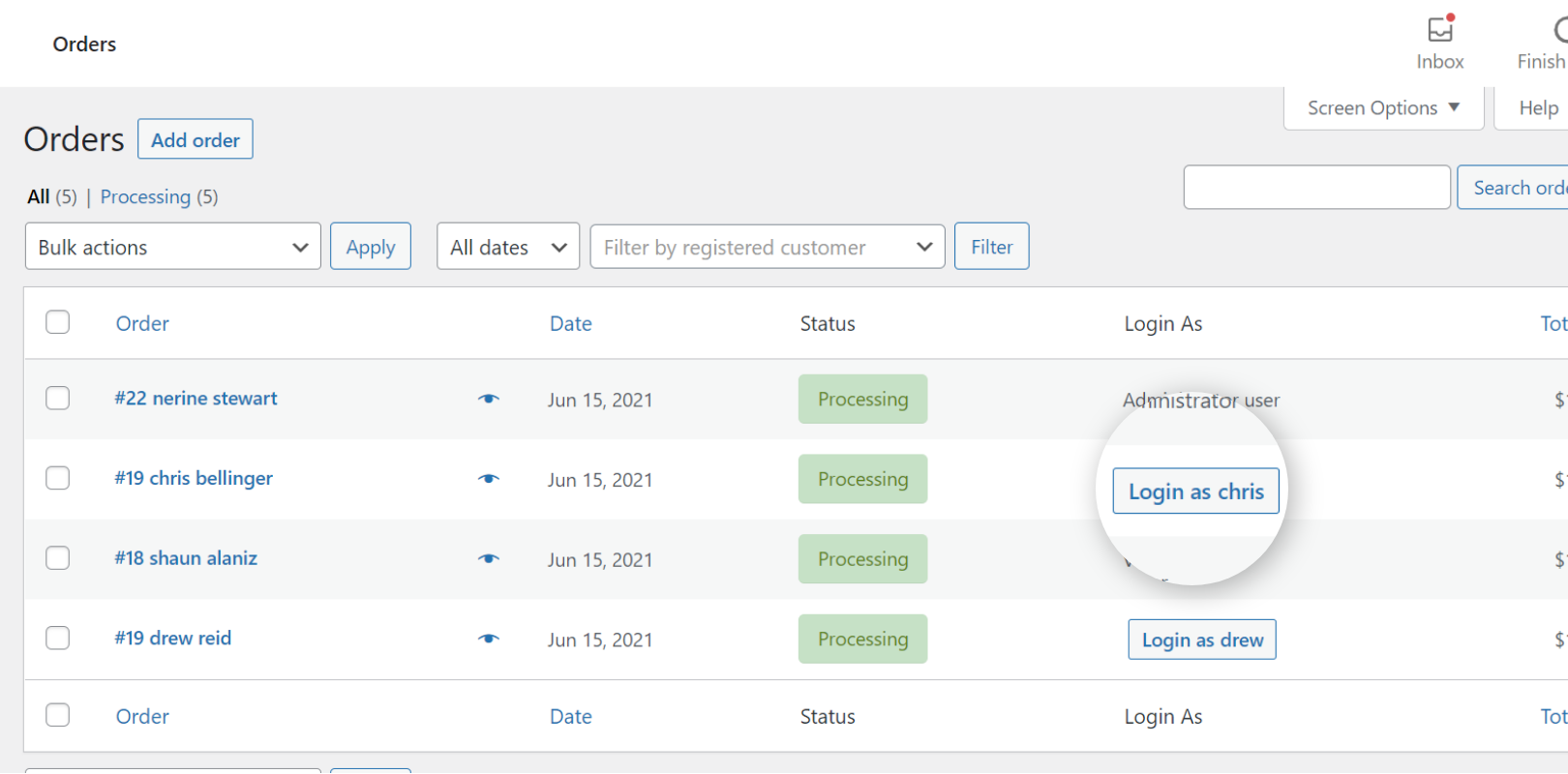
  • <b>WooCommerce Orders Page: </b>If you have the WooCommerce plugin, In the WooCommerce orders page, the Login as user button appears beside each customer to login as that user.
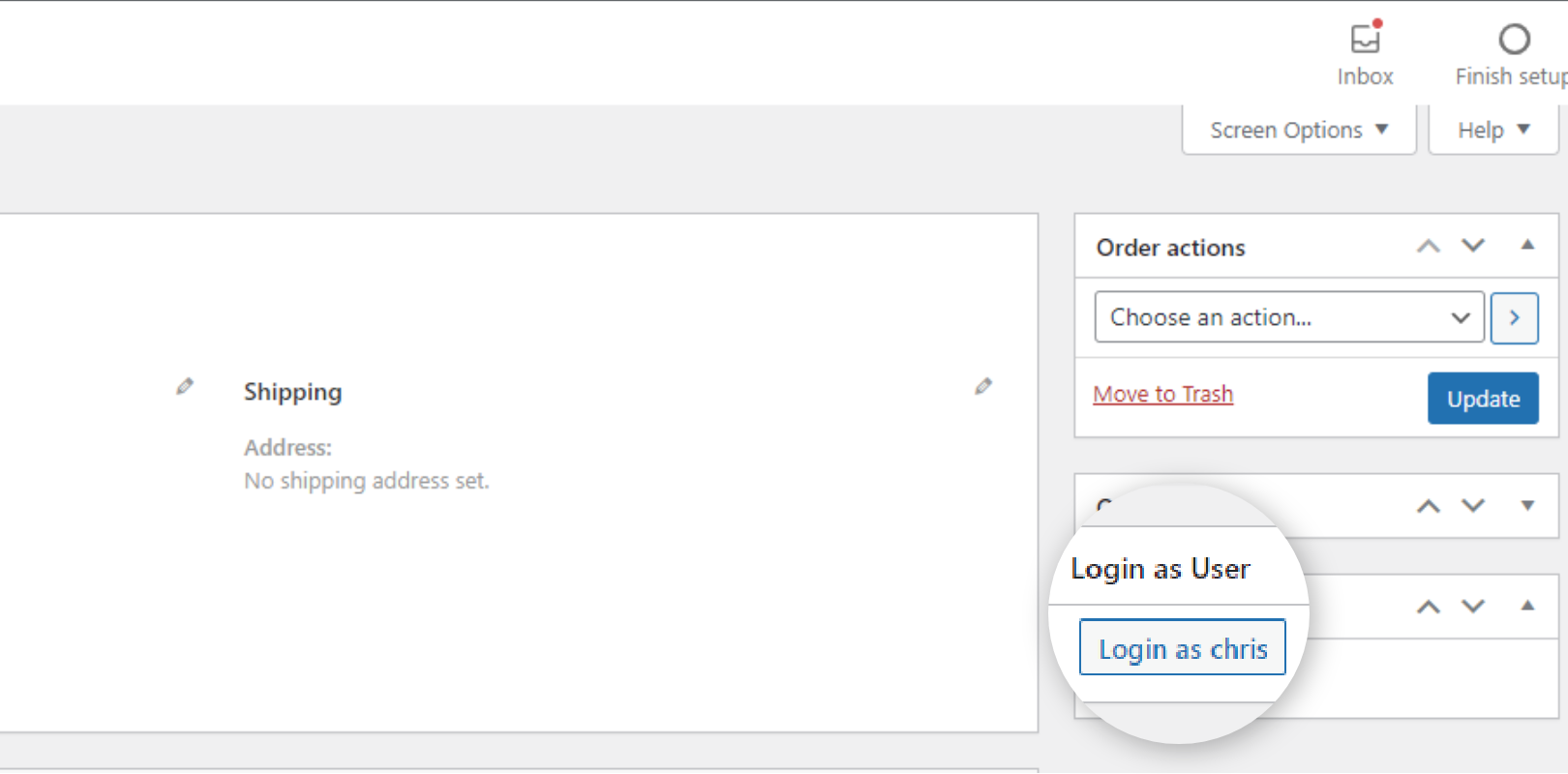
  • <b>WooCommerce Order Details Page: </b>If you want to check the details of a customer’s order? You can easily check the customer’s problem from his/her perspective by switching with the Login as User button on the WooCommerce order details page.
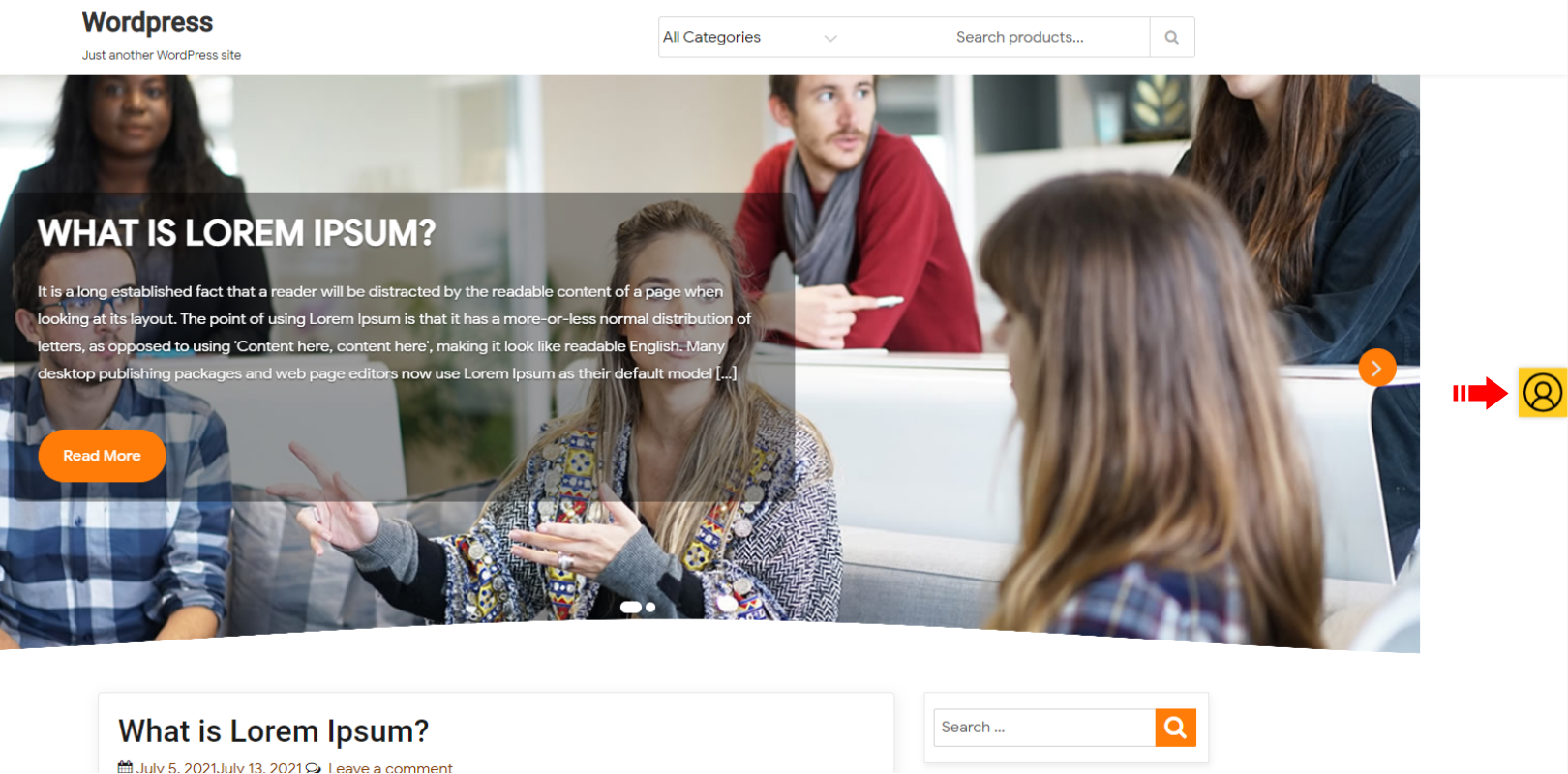
  • You will see this Sticky CTA after login as user, you can minimize this CTA. To get logout from the user's account and get back to your own account, you will have to click on the "Back To Your Account" Button.
  • You will see this CTA after minimizing the main CTA, you can click on this to open the main CTA which have "Back To Your Account" Button.

更新日志:

1.4.4 1.4.3 1.4.2 1.4.1 *Tested up to wp version 6.5 1.4 *Tested up to wp version 6.2.2 1.3 *Tested up to wp version 6.0.1 1.2 *Tested up to wp version 5.9 1.1 *Tested up to wp version 5.8.3 1.0 *Initial release