Authentication and SSO by LoginRadius
| 开发者 | LoginRadius |
|---|---|
| 更新时间 | 2021年1月28日 20:39 |
| PHP版本: | 3.5 及以上 |
| WordPress版本: | 5.5 |
| 版权: | GPLv2 or later |
详情介绍:
The Authentication and SSO by LoginRadius WordPress plugin allow you to replace the default WordPress Authentication feature with diverse authentication methods, including standard login (email login), social login, phone login, and passwordless login. This plugin also provides the forgot password and reset password features.
The other benefits you get from using this plugin are enhanced security via multi-factor authentication, frictionless user experience via single sign-on, and effective user management features. Let’s have a more in-depth look into the plugin features:
= Diverse Authentication Methods: = You get to choose a user authentication method based on your target audience and use cases.
- Standard login (email login): You can customize the registration fields based on your business nature, where email id and password remain the default fields. Once registered, the consumers can log in to their account using the email id and password.
- Social login: You can choose the desired social providers from 20+ social providers like Facebook, Google, Twitter, as a quick and convenient registration and login approach for consumers. It is easy to configure the social login options using this plugin.
- Phone login: You can allow consumers to register and log in using their phone number and password. Once registered, the consumers are required to verify their phone number via an OTP. Upon verification, they can log in to your application.
- Passwordless login: You can allow consumers to login without a password. A link or OTP is sent to the registered email id or phone number of the consumer, and upon clicking the link or entering the OTP, consumers get logged into their account.
- Easy to integrate via API secret and API key (available in your LoginRadius Account).
- Reduces user abandonment rates.
- LoginRadius manages consumer provisioning, de-provisioning, authentication, and authorization. Hence no extra efforts are needed to handle registration, login, reset passwords flows.
- Existing data migration to LoginRadius Admin Console and those migrated users can authenticate themself on your WordPress application.
- Data is encrypted end to end at transmission as well as at rest.
- Enable interface customizations to meet your brand requirements.
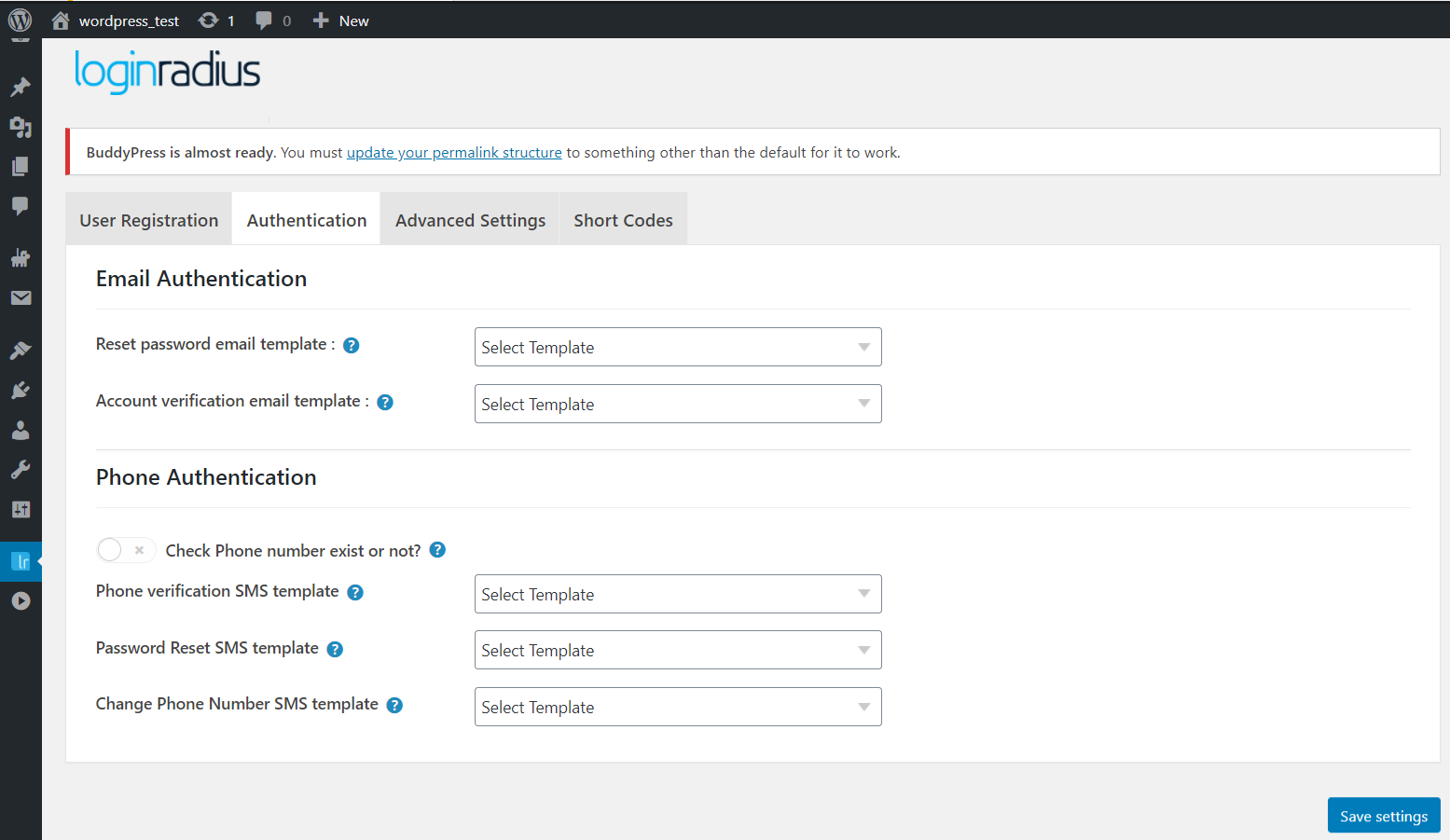
- Customizable email and SMS templates that you can personalize according to consumers and their demographics.
- Configurable email and SMS providers to send out the standard emails and SMS to the consumers.
- Option to set registration methods and fields as per the target audience.
- Compliant with GDPR and CCPA data protection laws.
- Fully compatible with Buddypress and bbPress.
- Fully compatible with the Multisite feature.
- Top-notch support (24x7) and integration help.
- Login - [ciam_login_form]
- Registration - [ciam_registration_form]
- Forgot password - [ciam_forgot_form]
- Reset Password - [ciam_password_form]
屏幕截图:
更新日志:
4.2.0
- Updated Tags
- Enhancements
- Compatible with our latest PHP SDK 11.0.0
- Optimized the code of Plugin to follow industry programming styles and best practices.
- Enhancements
- Compatible with our latest PHP SDK 10.0.0.
- Added custom domain option for the IEF page.
- Added registration form schema option.
- Standardize the naming convention of labels and text of the plugin.
- Separate file for all notification messages for easy maintenance.
- Standardize the debug log logging method.
- Enhancements. 1)Added API Request Signing Features 2)Implemented SSO features on passwordless login & email verification
- Bug Fixes. 3)Fixed wordpress CMS compatibility issue 4)Fixed add Email issue in Edit Profile 5)Fixed short code visible when hosted page is enabled 6)Fixed UI issue on Login Page 7)Fixed Profile Image url issue on Social Login 8)Fixed OTP screen reload on registration and forgot password while otpEmailVerification is enabled
- Capitalized calling method names
- Added Change phone no and reset password SMS template.
- Auto Email Id generation on Phone registration.
- Unregistered user on LR allow login with default wordpress Login Form.
- Ability to set password for Social login Users
- Implemented Cloud API Functionality
- Removed Advance options directly handled by Cloud API
- Added Fallback JS
- Added Email template api
- Removed Google captcha option from plugin settings, need to change from LoginRadius User Dashboard
- Minor Bug Fix.
- Update User Profile on LoginRadius Server
- Removed redirection to LoginRadius dashboard on user add and edit time from admin.
- Enhanced User Add and Edit functionality.On add and edit user from admin data will get saved to LoginRadius.
- Implemented New Functionality.
- Hosted Page
- 2 Factor Authentication
- Email Login with required,optional and disable flow.
- Phone Login
- Customize Email Templates
- Customize Phone Templates
- Enable Debug Mode
- Single Sign-On (SSO)
- Minor Bug Fix.
- Registration page bug fix
- This is the upgraded version of the application, in this we have added some new features which are mentioned below.
- Add additional email functionality.
- Redirect To and Referral url functionality.
- Provide the feature for enable log generation.