Authentication by LoginRadius
| 开发者 | LoginRadius |
|---|---|
| 更新时间 | 2020年10月1日 18:23 |
| PHP版本: | 3.5 及以上 |
| WordPress版本: | 5.5 |
| 版权: | GPLv2 or later |
标签
下载
详情介绍:
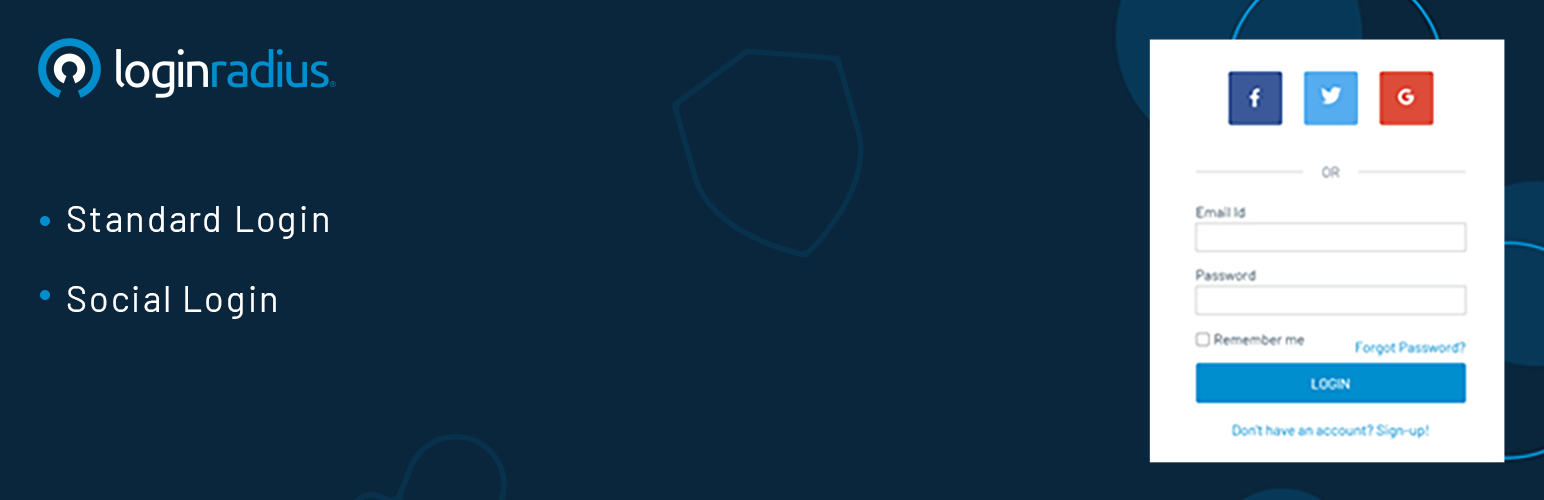
The Authentication by LoginRadius WordPress plugin allow you to replace the default WordPress Authentication feature with diverse authentication methods, including standard login (email login) and social login. This plugin also provides the forgot password and reset password features.
The other benefits you get from using this plugin are enhanced security via multi-factor authentication, and effective user management features. Let’s have a more in-depth look into the plugin features:
= Authentication Methods: = You get to choose a user authentication method based on your target audience and use cases.
- Standard login (email login): You can customize the registration fields based on your business nature, where email id and password remain the default fields. Once registered, the consumers can log in to their account using the email id and password.
- Social login: You can choose the desired social providers from 20+ social providers like Facebook, Google, Twitter, as a quick and convenient registration and login approach for consumers. It is easy to configure the social login options using this plugin.
- Easy to integrate via API secret and API key (available in your LoginRadius Account).
- Reduces user abandonment rates.
- LoginRadius manages consumer provisioning, de-provisioning, authentication, and authorization. Hence no extra efforts are needed to handle registration, login, reset passwords flows.
- Existing data migration to LoginRadius Admin Console and those migrated users can authenticate themself on your WordPress application.
- Data is encrypted end to end at transmission as well as at rest.
- Enable interface customizations to meet your brand requirements.
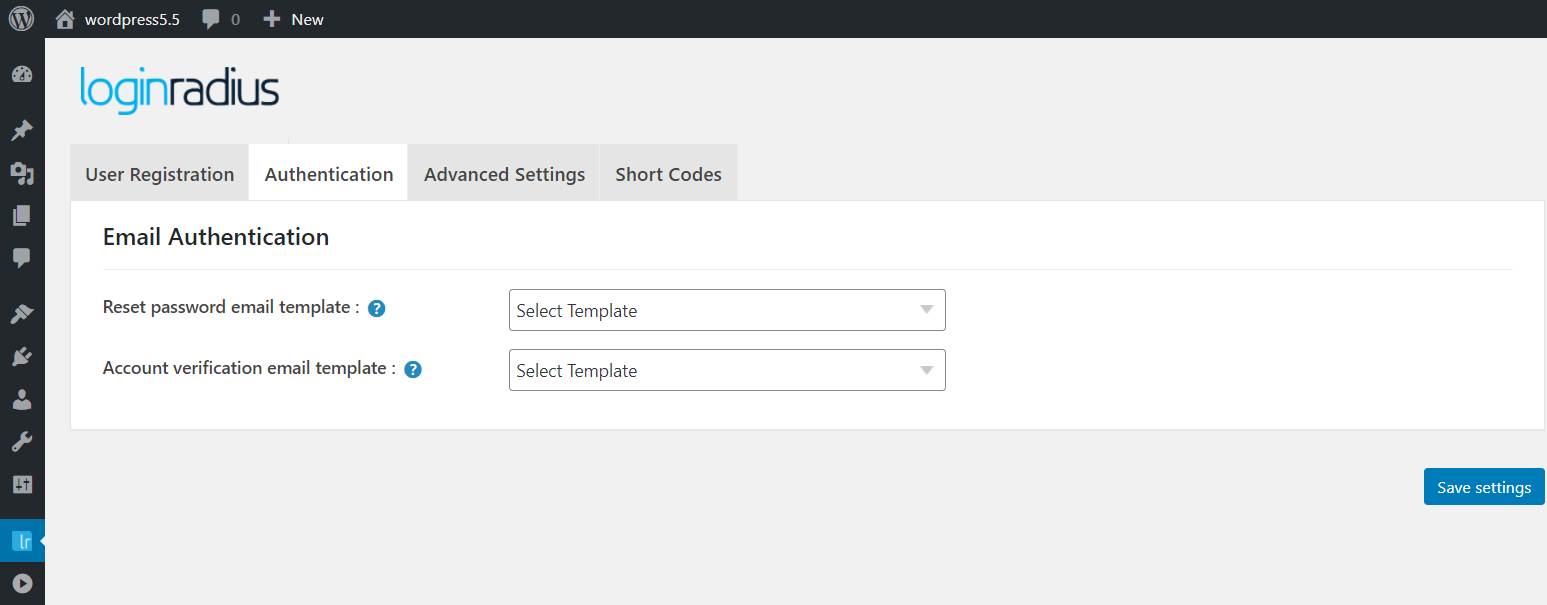
- Customizable email templates that you can personalize according to consumers and their demographics.
- Configurable email providers to send out the standard emails to the consumers.
- Compliant with GDPR and CCPA data protection laws.
- Fully compatible with Buddypress and bbPress.
- Fully compatible with the Multisite feature.
- Top-notch support (24x7) and integration help.
- Login - [ciam_login_form]
- Registration - [ciam_registration_form]
- Forgot password - [ciam_forgot_form]
- Reset Password - [ciam_password_form]
屏幕截图:
更新日志:
7.3.0
- Enhancements
- Compatible with our latest PHP SDK 11.0.0
- Optimized the code of Plugin to follow industry programming styles and best practices.
- Removed Social Sharing.
- Updated Social Sharing url
- Updated Activation
- Removed Social Sharing ajax request
- Support added for WordPress 4.3.0
- Custom post type sharing added
- Improved multisite performance
- Redirection bug fix
- Improved functionality and optimization
- Improved theme compatibility
- API updates Facebook, LinkedIn, Google
- Performance upgrades
- Social Sharing Improvements
- Interface & Theme compatibility improvements
- Added Buddypress Login/Register Options
- iOS login fix
- Buddypress Avatar Fix
- Added new options for social login and social sharing
- Released responsive interfaces for Social Login and Social Sharing
- Revamp User interface and User Experience of Admin interface
- Simple and easy to use admin options
- Fixed some bugs related to social sharing
- Fixed issues in last version
- Compatiblilty with Wordpress 4.0
- Tweak: Removed hard-coded plugin version and stored it in database
- Restructured plugin for better performance.
- UI improvement in notification popups
- Simplified plugin settings text.
- Improved PHP SDK, Started using wp_remote_get and wp_remote_post instead of CURL
- Added plugin requirements checking on activation.
- Added debugging option.
- Separated settings as basic and advanced settings.
- Improvement in widgets.
- Fixed issues with multisite installation.
- Updated the demo website link in details
- Added 3 more Social ID providers (Disqus, SinaWeibo, Instagram)
- Improved performance of plugin
- UI improvement in notification popups displayed at website front end
- Improved PHP SDK
- Added support for woocommerce plugin for social login and social sharing
- Added performance improvements
- Added new features and widget for Social Account linking
- Added shortcode for Social Account linking widget
- Enhanced Social Sharing to support responsive themes and mobile devices
- Added an option to use large social profile picture as WordPress avatar
- Added an option to include plugin JavaScript code in website footer
- Added an option to handle redirection for registration and login using Social Login
- Added an option to enable improved user experience for Social Login
- UI improvements in options page
- Added option to specify target url for multiple sharing interfaces at Homepage
- Added option to specify username separator in Social Login widget area.
- Added option to delete plugin settings on plugin deletion
- "Enable plugin now" button will be displayed at plugin options page, only if user has not saved API Key and Secret.
- Added new login ID providers - Amazon, Github, kaixin, Paypal, renren, Salesforce, odnoklassniki and QQ
- Sharing UI change.
- Added option to update user profile data on login.
- Added feature to specify CSS in Social Login and Sharing shortcode.
- CSS issues fixed with Input fields on the wordpress login form
- Added WP login hook in Social Login "Login" function. Functions called on Wordpress login hook will work on Social Login.
- Performance improvement in login redirection.
- Added options to manage user activation/deactivation from wordpress admin
- Added social Login interface customization options
- Added Pinterest in Social Sharing
- Added Pinterest and Hybridshare in Social Counter
- Bug fixed with social login interface generation on https site
- Added JS framework [Important: If you are upgrading to Version 4.5, the icons in your login interface will default to the new login theme. Please log into your www.loginradius.com account if you wish to change it.]
- Added performance improvement during login interface load
- Added Social Sharing and Counter with in WordPress admin with customization options
- Add social login provider - Github, QQ, Renren, Kaixin
- Multisite - Auto create settings of main blog to all sub-blogs
- Multisite - Added control for Admin to replicate main website options to other pre-existing blogs in the network
- Added an option to redirect to buddypress profile page after login
- Added feature for social account mapping, so users can now link multiple social accounts
- Enhanced the Social Login admin interface to quick navigation
- Added the help and support section with direct link to support documents
- Added a feature to auto-detect API Connection Method
- Added a feature to verify LoginRadius API settings
- Added a feature for admin to allow/dis-allow new user registration form social network
- Added an option to place social login interface at various positions in commenting layout
- Custom hook to display Social login interface at any place of the website/blog
- Option for admin to see the social provider name in the user list
- Shortcodes for inserting social login, social sharing and social counter in the post/page contents
- Option to disable sharing/counter by navigating to the individual post/page 'Edit' section
- Added user nicename sanitized.
- Added social avatars for Buddypress.
- New layout for Social Commenting
- Added Social Counter
- Enhanced Social Sharing with updates
- Wordpress admin UI improvement
- Added a separate menu item - LoginRadius in admin panel
- Username/password is not sent to user before email verification
- Wordpress admin bar appearing at first login, page refresh issue fixed
- Correct password is sent to user after registration
- Validation of api/secret key entered through admin
- Bug fixes with social sharing
- Support for brazillian language
- Multisite and S2member support added
- Social login interface can be enabled on Buddyprss login and register form
- Replicate main site plugin settings to each subsite in multisite network
- Buddypress refresh at login solved
- Buddypress user registration issue solved
- Issue fixed with Social login beside position.
- Issue fixed with Social sharing JQuery conflict with some plugins.
- Issue fix with Social sharing JQuery conflict
- Social sharing released.
- WordPress Admin UI improved with tab structure.
- Logout Redirection option added.
- Auto Approve Social User's Comments- feature added.
- Hidden field removed using tmp db.
- Wordpress admin settings improved - now compatible v 2.8 and higher.
- social share widget added.
- Title and avatar added in widget.
- Anyone can register bug fixed.
- Social Login interface position (embed in wp form or/and beside wp form ) option added.
- Link existing wordpress user accounts to social login option added.
- Email verification enabled for end user.
- API key and secret validation enabled.
- Performance improvement enhancements.
- Interface customization for language, social icon set and theme
- Social Avatar added.
- Wordpress Admin interface enhanced
- More user profile data added like about,avatar and website name etc.
- Curl and fskopen option added in wordpress admin
- Option to choose social icon login, register,comment page in admin interface.
- Bug Fixed - filename conflict fixed.
- Bug fixed - redirection issue from admin login page fixed.
- Popup issue Fixed
- Redirection issue fixed(same page)
- Callback Https redirection issue fixed
- German language added
- Redirection issue fixed(wordpress installed in sub-root)
- Enhance feature for First Name and Last Name
- Enhancement to send email to new user
- Bug fixed - CURLOPT_FOLLOWLOCATION
- Bug fixed - redirection issue
- Bug fixed - popup in IE
- Bug fixed for First Name and Last Name
- Enhancement to set default user role for social login
- Auto detection for Http and Https websites to remove IE and chrome warning message
- User profile data fetch for international languages support
- Stable release
- Added 6 more languages - Italian, Russian, Spanish, Chinese, Japanese, French
- Stable release
- Added foursquare social login in provider list
- Redirect selection option in admin.
- Existence of email validation.
- Popup design enhancements.
- New interface on comment box for login.
- Admin interface design enhancements.
- Stable release
- Bug fixes and Admin enhancements
- Bug fixed - Registered user email notification issue
- Bug fixed - Email pop-up issue
- Added js directory
- This is the first version of the application.