
Logspot
| 开发者 | logspot |
|---|---|
| 更新时间 | 2026年10月8日 23:19 |
| PHP版本: | 7.4 及以上 |
| WordPress版本: | 7.1 |
| 版权: | GPLv2 or later |
| 版权网址: | 版权信息 |
详情介绍:
- One-field install: paste your public key and Logspot starts measuring pageviews in real time.
- Snippet loading:
async(recommended) ordefer. - Role exclusion: administrators are excluded by default, with optional measurement inside wp-admin.
- Autocapture controls: outbound links, file downloads, form submissions, element clicks, and input changes, each deferring to your Logspot dashboard by default. Autocapture never records typed values or sensitive inputs.
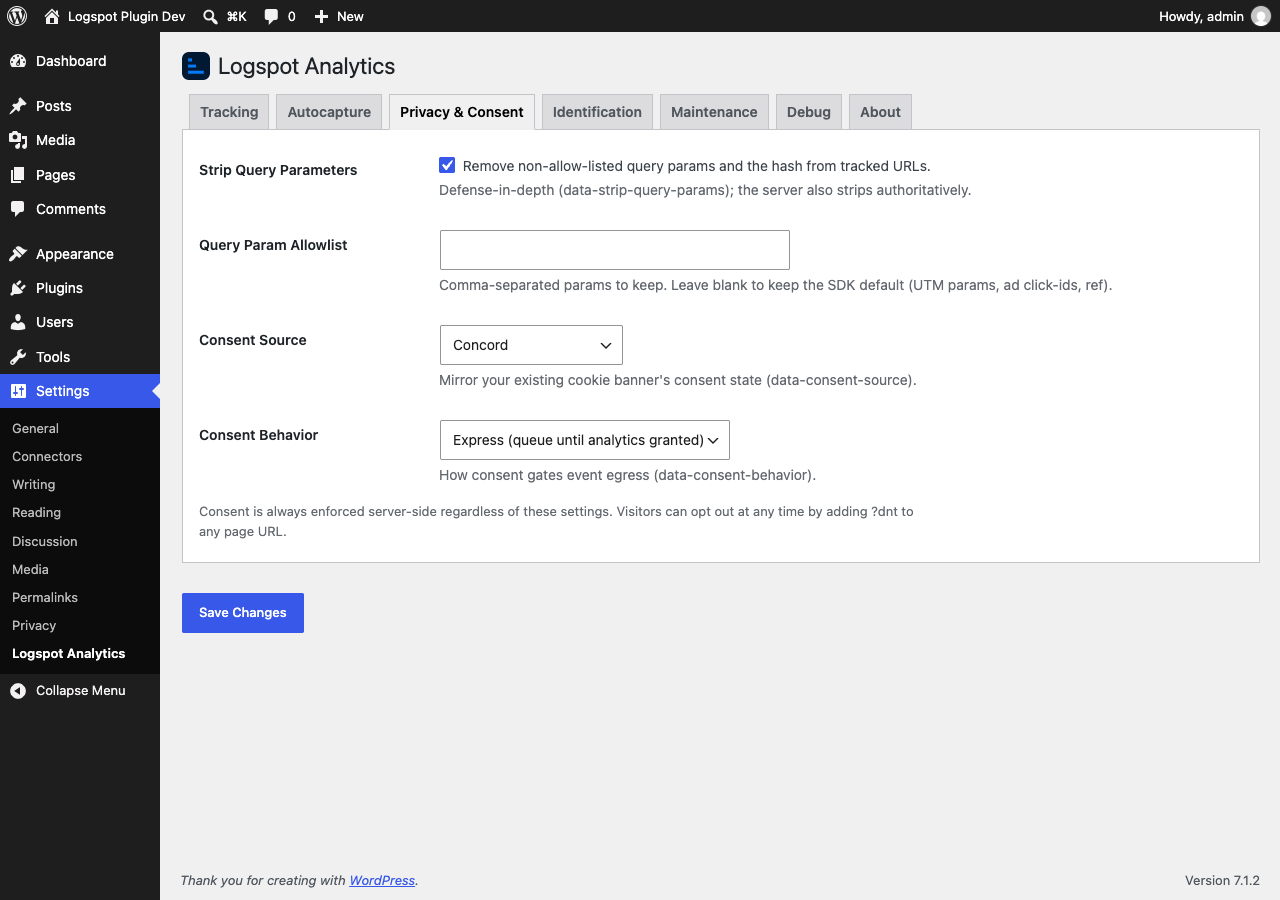
- URL privacy: strip query parameters from tracked URLs, with a configurable allow-list.
- Consent: mirror your existing cookie banner by choosing a consent source (Concord, OneTrust, Usercentrics, Cookiebot, or Google Consent Mode) and a consent behavior. Consent is enforced server-side and recorded on every event, and visitors can opt out with
?dnton any URL. - Logged-in user identification (optional, off by default): Pseudonymized mode sends a salted hash; Full mode sends a raw identifier plus the traits you select. The plugin calls Logspot's
identify()for logged-in users andreset()on logout, so a visitor's anonymous and signed-in sessions join one identity. - WooCommerce revenue (optional): send a revenue event for each paid order from the order-received page (order total and currency, no personal data), so purchases attribute back to the visits that produced them.
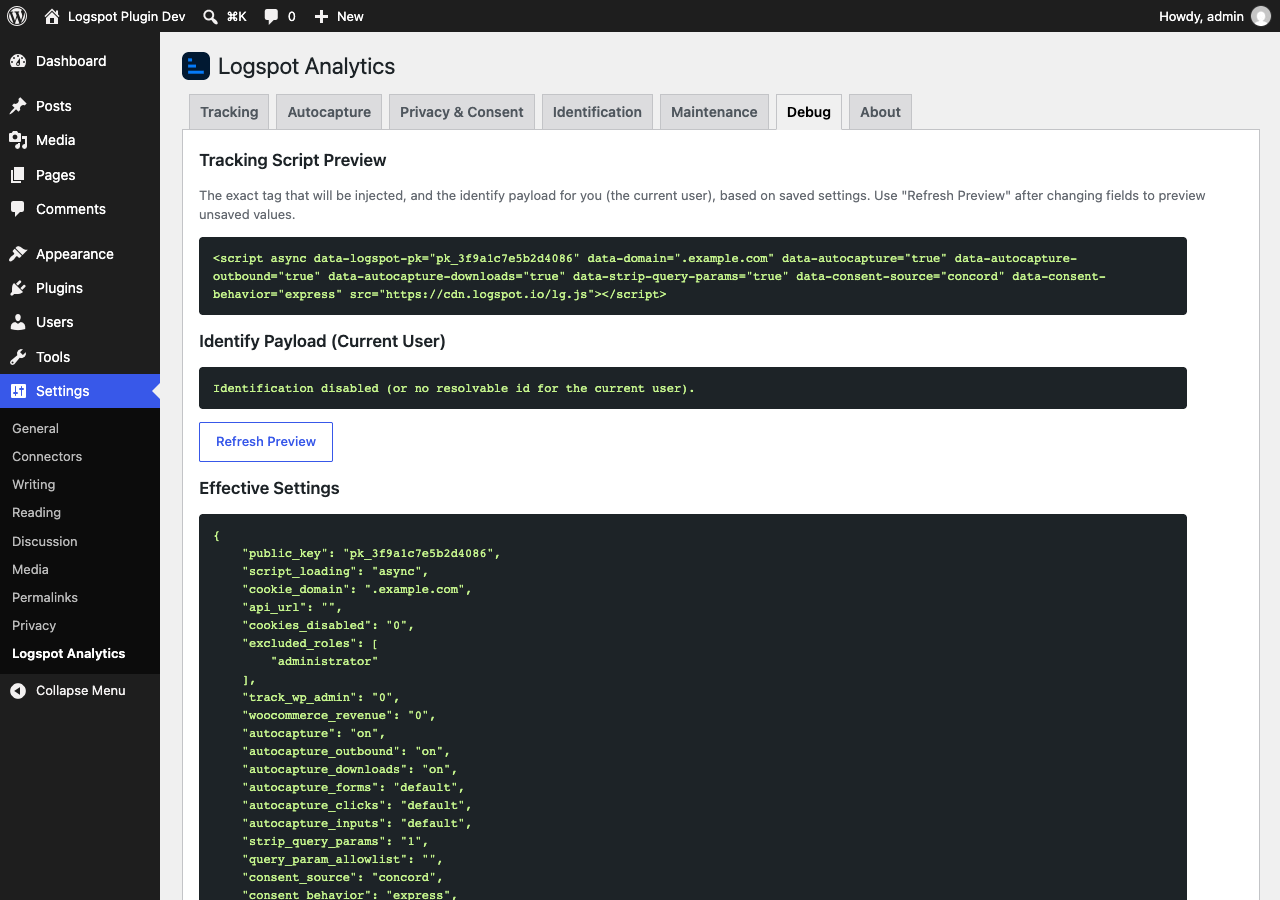
- Debug tab: preview the exact snippet and identify payload before going live.
- Clean uninstall, multisite-aware.
安装:
- In WordPress, go to Plugins > Add New, search for "Logspot", and click Install Now. Or upload the plugin to
/wp-content/plugins/logspot. - Activate the plugin.
- Go to Settings > Logspot Analytics.
- Paste your Logspot public key (it starts with
pk_) and click Save Changes. - Visit your site, then open Logspot: pageviews appear in the real-time feed within seconds.
屏幕截图:
常见问题:
Do I need a Logspot account?
Yes. The plugin is free, and Logspot has a free plan with no credit card required. Start free at https://www.logspot.io and see plans at https://www.logspot.io/pricing.
Where do I find my public key?
In your Logspot dashboard, on the project install/tracking screen. Copy the value that starts with pk_. You can also paste the whole <script> snippet and the plugin will extract the key.
Does it track logged-in administrators?
No. Administrators are excluded by default. You can change which roles are excluded on the Tracking tab.
Does it work with WooCommerce?
Yes. Turn on WooCommerce Revenue on the Tracking tab. Each paid order sends one revenue event from the order-received page, and refreshing that page does not send it again.
Is identification GDPR compliant?
Identification is off by default. Enable it only with a lawful basis and appropriate disclosure. Pseudonymized mode avoids sending raw personal data.
Does the plugin respect consent?
Yes. Logspot records consent on every event and enforces it server-side, regardless of plugin settings. You can mirror your cookie banner with the Privacy & Consent settings, and visitors can opt out at any time by adding ?dnt to a URL.
更新日志:
- Initial release.