
LookerSolution Conversion Tracking for Google Tag Manager
| 开发者 | lookersolution |
|---|---|
| 更新时间 | 2026年7月8日 03:15 |
| PHP版本: | 8.2 及以上 |
| WordPress版本: | 7.0 |
| 版权: | GPL-2.0-or-later |
| 版权网址: | 版权信息 |
详情介绍:
- Records what matters on your site. Every product view, add to cart, checkout, and purchase on WooCommerce shops - and clicks, calls, and sign-ups on lead-generation sites.
- Hands it all to Google Tag Manager, Google's free tool that passes your data on to Google Analytics, Google Ads, Meta, and any platform you use. Paste in your container ID and it loads on every page.
- Keeps you on the right side of cookie law automatically. Nothing fires until your visitor consents, using Google Consent Mode v2 exactly as Google prescribes. Works with the cookie banner you already have - WP Consent API, CookieYes, Complianz, or Cookiebot, auto-detected.
- Doing consent right has a bonus. Google can statistically recover conversions from visitors who decline cookies - sales that are simply invisible to you today.
- A Setup and Status screen tells you in plain language whether everything is wired correctly.
安装:
- Install and activate the plugin.
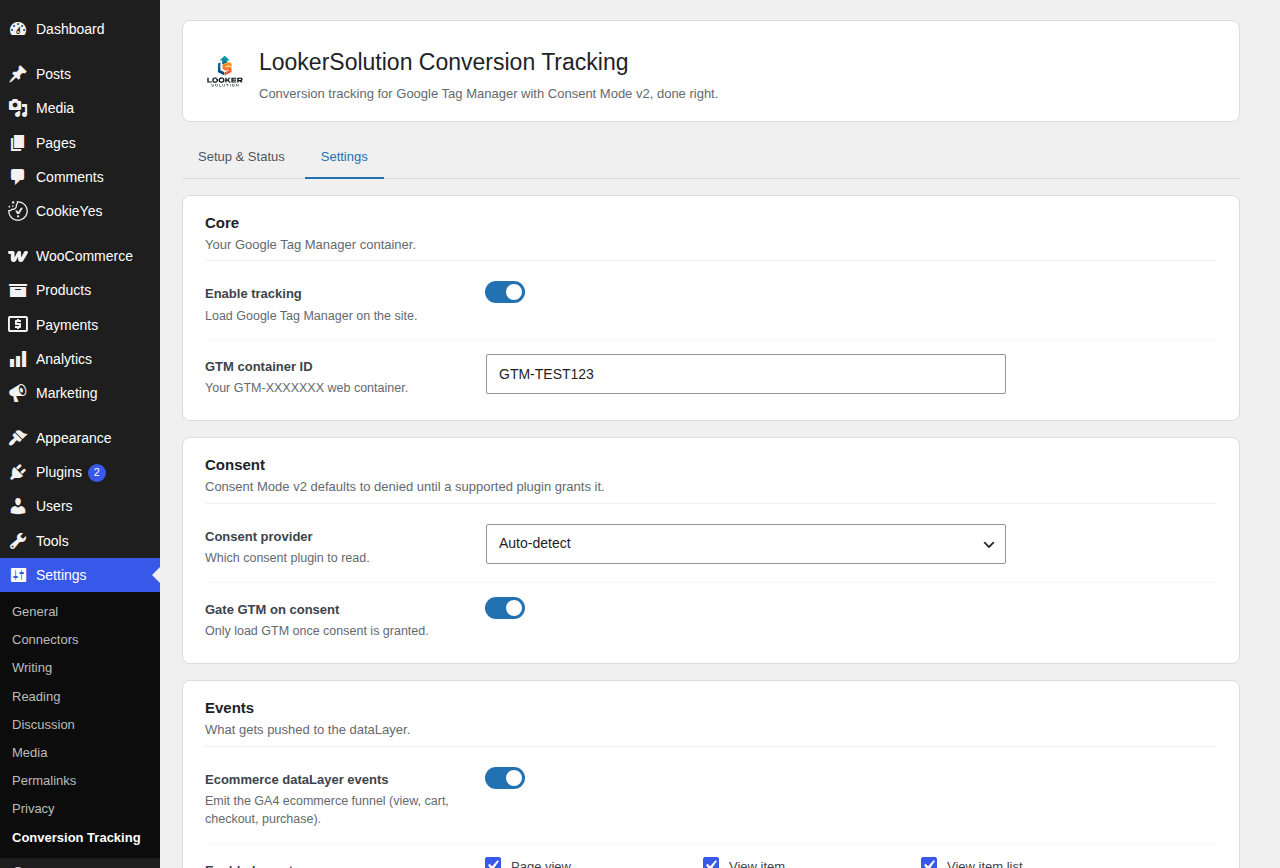
- Go to Settings and paste your GTM container ID (it looks like GTM-XXXXXXX).
- Pick your cookie banner plugin, or let the plugin detect it for you.
- Save. The plugin now loads your container and feeds it events - open GTM Preview (the Preview button inside Tag Manager) and watch them arrive.
屏幕截图:
常见问题:
Do I need a Google Tag Manager account?
Yes. This plugin loads your existing GTM web container. Creating one takes a few minutes and is free at tagmanager.google.com.
Do I need coding skills?
No. Install the plugin, paste your container ID, pick your cookie banner, save. If you also want the tags inside your container handled for you, that is what the Pro managed service is for.
Will my sales show up in Google Analytics and my ad platforms?
If your GTM container already has GA4 or ad platform tags, yes - they start picking up these events right away. If your container is empty, or you are not sure what a tag is, the free plugin alone will not get data into your ad platforms: that wiring is exactly what the Pro managed service delivers, as a ready-made container you import in one click.
Is server-side tracking included in the free plugin?
No. The free plugin gives you complete client-side (in-browser) tracking with correct consent handling. Server-side tracking, Enhanced Conversions, Meta CAPI, and lead and form tracking are part of the Pro managed service.
Does it support Google Consent Mode v2?
Yes. Every consent signal defaults to denied and is updated to granted when your consent banner allows it. This is the denied-by-default model Google requires for EEA traffic.
Which consent plugins are supported?
WP Consent API, CookieYes, Complianz, and Cookiebot. Set the provider explicitly or let the plugin auto-detect the active one.
Does it work without WooCommerce?
Yes. The GTM loader, Consent Mode, page_view, and the custom-event API work on any site - including lead-generation sites. The ecommerce dataLayer events activate when WooCommerce is present.
Does the plugin send any data to your servers?
Not by default. Only if you explicitly opt in to anonymous usage diagnostics does the plugin send a small weekly payload. See External services below. You can turn it off at any time from the Setup tab.
更新日志:
- Initial release: GTM web container loader, Google Consent Mode v2 (denied by default), consent-plugin integration, page_view, WooCommerce client-side ecommerce dataLayer, custom-event API, and opt-in anonymous diagnostics.