
Lucky Orange: Heatmaps, Session Recordings & Conversion Analytics
| 开发者 | crickeys |
|---|---|
| 更新时间 | 2026年11月13日 23:52 |
| PHP版本: | 2.0.3 及以上 |
| WordPress版本: | 7.1 |
| 版权: | GPLv2 or later |
| 版权网址: | 版权信息 |
标签
下载
详情介绍:
- WooCommerce and online stores: find checkout friction and see why shoppers abandon their carts.
- Lead generation and B2B sites: see why visitors skip your forms and demo requests.
- Agencies: manage many client sites and show clients the proof behind your recommendations.
- Marketers, UX designers, and product teams: test ideas against real visitor behavior.
- 7-day free trial with full access to every feature, including Discovery AI.
- Paid plans start at $32/mo, billed annually.
- Every feature is included on every plan, with unlimited team members. Discovery AI is available as an add-on.
- Data is stored for 60 days, with 90, 180, or 365 day upgrades.
- A free plan with 100 sessions per month is also available. See current pricing.
安装:
- In your WordPress admin, go to Plugins > Add New and search for "Lucky Orange."
- Click Install Now, then Activate.
- Open the Lucky Orange plugin settings and sign in, or start your free trial.
- The plugin adds the tracking code to every page automatically. No code editing needed.
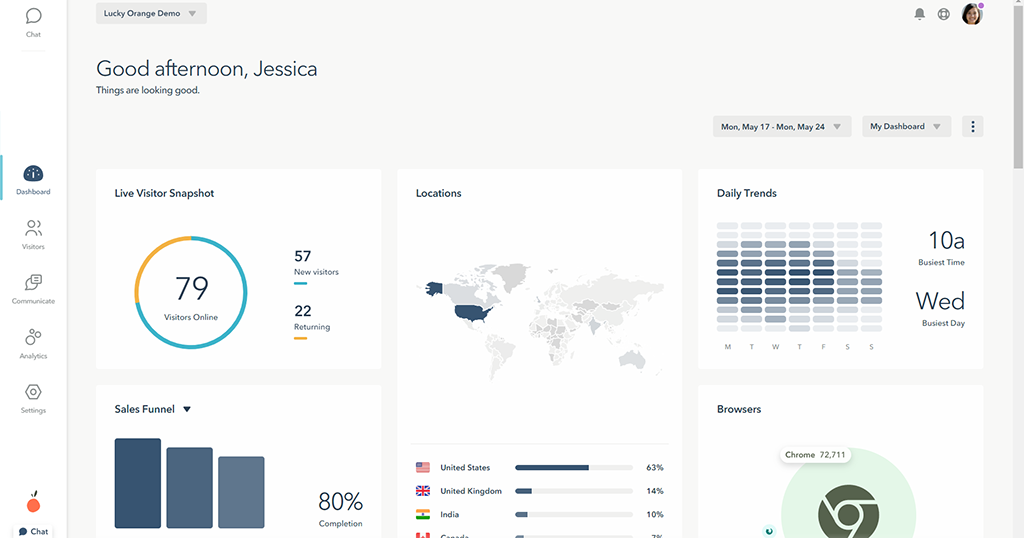
- Visit your site, then open Live View in your Lucky Orange dashboard to see your visit come in.
屏幕截图:


常见问题:
What does the Lucky Orange WordPress plugin do?
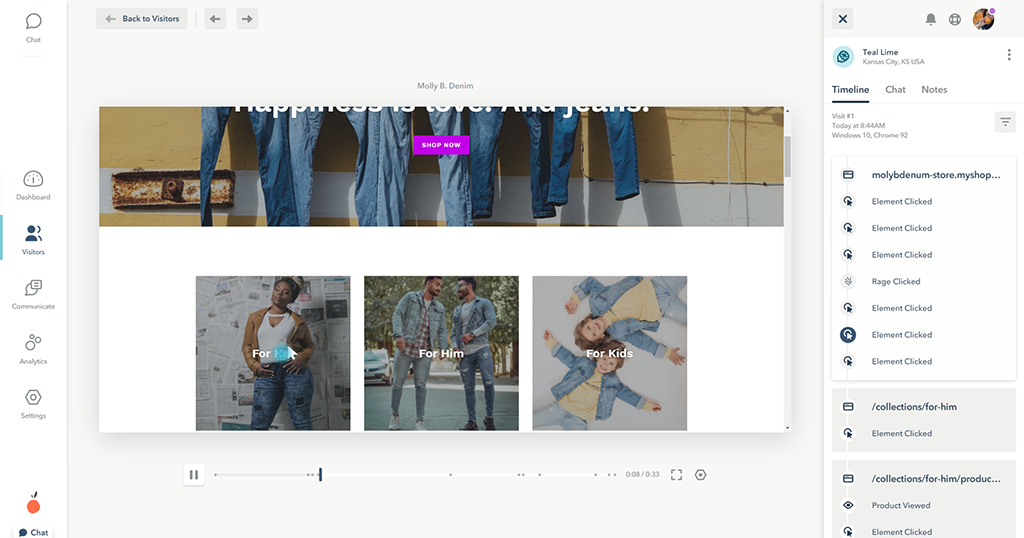
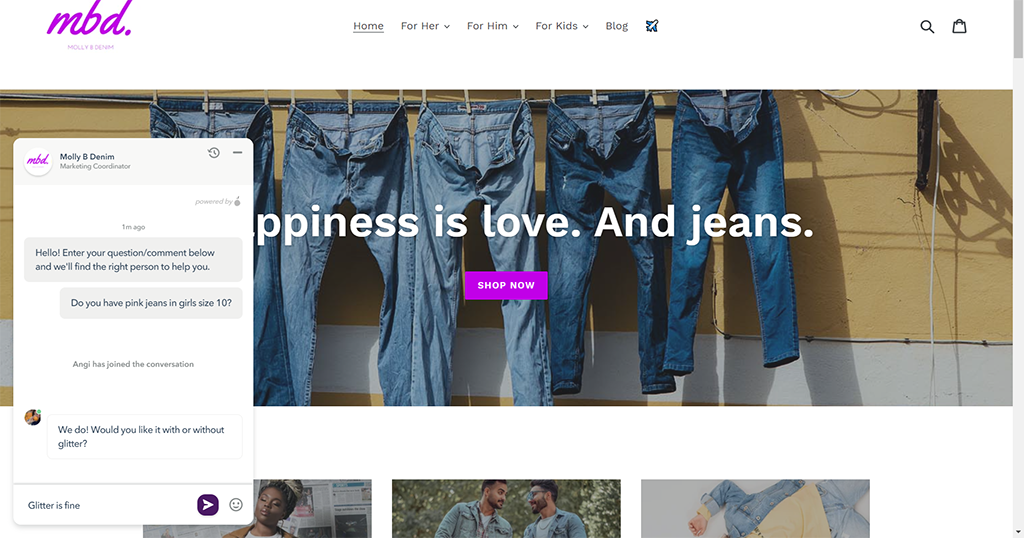
It adds the Lucky Orange tracking code to every page of your WordPress site. That turns on heatmaps, session recordings, conversion funnels, form analytics, live chat, surveys, and Discovery AI. You view your data in the Lucky Orange dashboard.
Is Lucky Orange free?
Lucky Orange offers a 7-day free trial with full access to every feature, including Discovery AI. After the trial, paid plans start at $32/mo, billed annually. A free plan with 100 sessions per month is also available.
Will Lucky Orange slow down my WordPress site?
No. The Lucky Orange script loads asynchronously, so your pages load and render without waiting for it.
Does Lucky Orange work with WooCommerce?
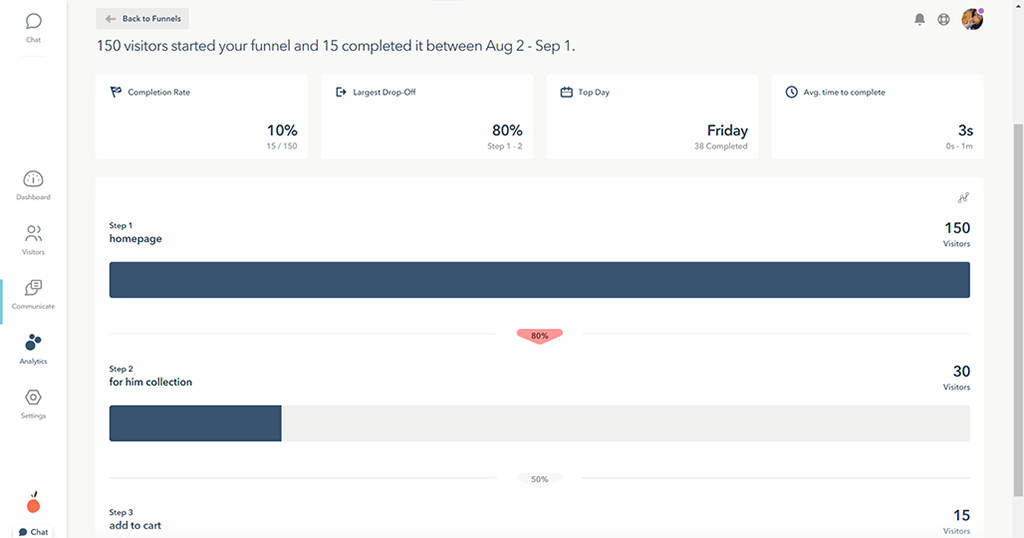
Yes. Lucky Orange works on WooCommerce stores and any other WordPress site. Use funnels and session recordings to see where shoppers drop off between product page, cart, and checkout. The plugin does not import WooCommerce order data.
Does Lucky Orange work with Elementor, Divi, or other page builders?
Yes. The plugin adds the tracking code site-wide, so it works with any theme or page builder. Dynamic Heatmaps also capture clicks inside popups, dropdowns, and other dynamic elements.
Does Lucky Orange work with caching plugins?
Yes. The plugin is built to work with caching plugins. After activating it, clear your cache so the tracking code appears on cached pages.
Can Lucky Orange adhere to GDPR regulations?
Yes. Lucky Orange can adhere to GDPR regulations using its built-in privacy tools. These include a consent API that waits for visitor opt-in, default keystroke masking, IP address settings, Do Not Track support, and a Data Processing Addendum. See the Privacy and Security help center for details.
Does Lucky Orange record passwords or credit card numbers?
No. Passwords, credit card numbers, and Social Security numbers are never recorded. All other keystrokes are masked as asterisks by default, and you can hide any page element with a CSS class.
What is Discovery AI?
Discovery AI is Lucky Orange's built-in AI analyst. Ask a question about your site in plain language, and it answers using your live visitor behavior, with links to the heatmaps, recordings, or funnels behind the answer. It's included in the free trial and available as an add-on on paid plans.
What is Discovery Visualize?
Discovery Visualize is a workspace inside Discovery AI that pairs written analysis with charts built from your live visitor data, such as session trends and device or traffic source breakdowns. You can ask follow-up questions about any chart with Focus Mode and download charts as PNGs to share.
How is Lucky Orange different from Google Analytics?
Google Analytics shows what happened on your site, such as traffic and bounce rate. Lucky Orange shows why, with heatmaps, session recordings, and form analytics that reveal what visitors actually did. Many teams use both, and Lucky Orange integrates with GA4.
Is Lucky Orange a good Hotjar alternative?
Yes. Lucky Orange offers heatmaps, session recordings, surveys, and feedback tools like Hotjar. Unlike Hotjar, every Lucky Orange plan includes every tool, including live chat and surveys, at no extra cost. Lucky Orange also adds Discovery AI, conversion funnels, and form analytics.
Can agencies use Lucky Orange on client sites?
Yes. Every plan includes unlimited team members, and you can add more websites for $5 per site.
Where do I see my data?
In the Lucky Orange dashboard at app.luckyorange.com. The plugin handles setup on your WordPress site, and all analysis happens in the dashboard.
How long does Lucky Orange keep my data?
Data is stored for 60 days on every plan. You can upgrade storage to 90, 180, or 365 days.
更新日志:
- Updated plugin name, description, FAQ, and screenshots.
- Added license information to the plugin headers.
- Version header now matches the release tag.
- Use page variable for site IDs instead of query parameters. This should improve support with caching plugins.
- Supports loading the correct tracking code for classic customers.
- Completely rewritten plugin to support the all new Lucky Orange.
- Fixes all existing, long-standing issues with previous versions.