
Luzid Content Scheduler
| 开发者 | luzidmedia |
|---|---|
| 更新时间 | 2026年3月6日 22:35 |
| PHP版本: | 7.4 及以上 |
| WordPress版本: | 6.9 |
| 版权: | GPLv2 or later |
| 版权网址: | 版权信息 |
详情介绍:
- Show / hide a block (banner, alert, section, popup wrapper, …)\
Add the generated CSS class
luzid-cs-<slug>to the element. The plugin adds body classes and a tiny frontend helper so the block is only displayed while the schedule is active. - Display dates in the frontend\ Use the shortcode to print the next event (or a list of upcoming events) anywhere in your content.
- Maintenance banners: Show a "We're updating our systems" notice only during scheduled maintenance windows.
- Seasonal content: Display holiday greetings, special offers, or seasonal menus during specific date ranges.
- Event announcements: Print "Next event: Saturday, March 15th at 7 PM" dynamically on any page.
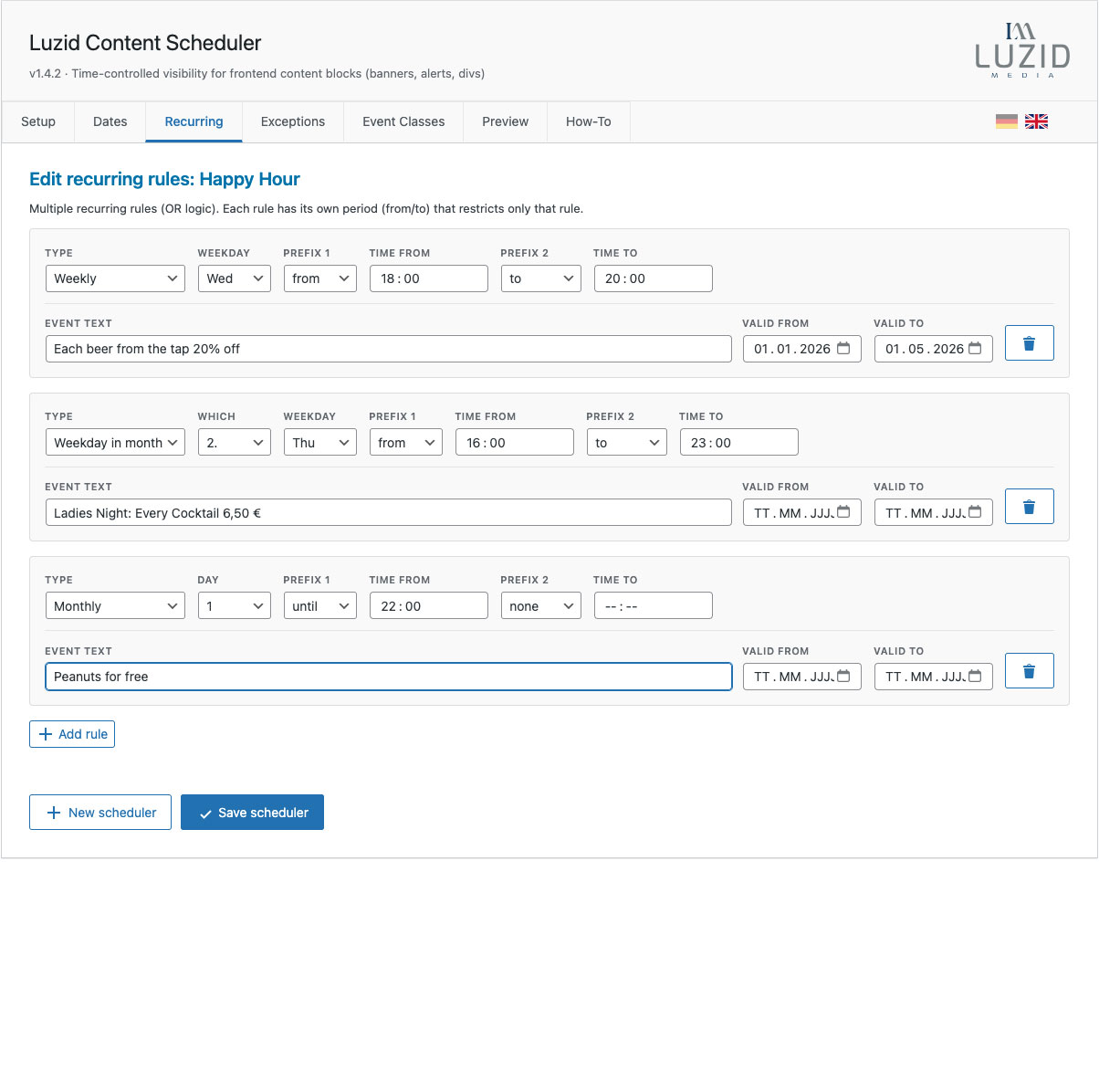
- Recurring schedules: Show "Happy Hour specials" every Friday from 5 PM to 8 PM.
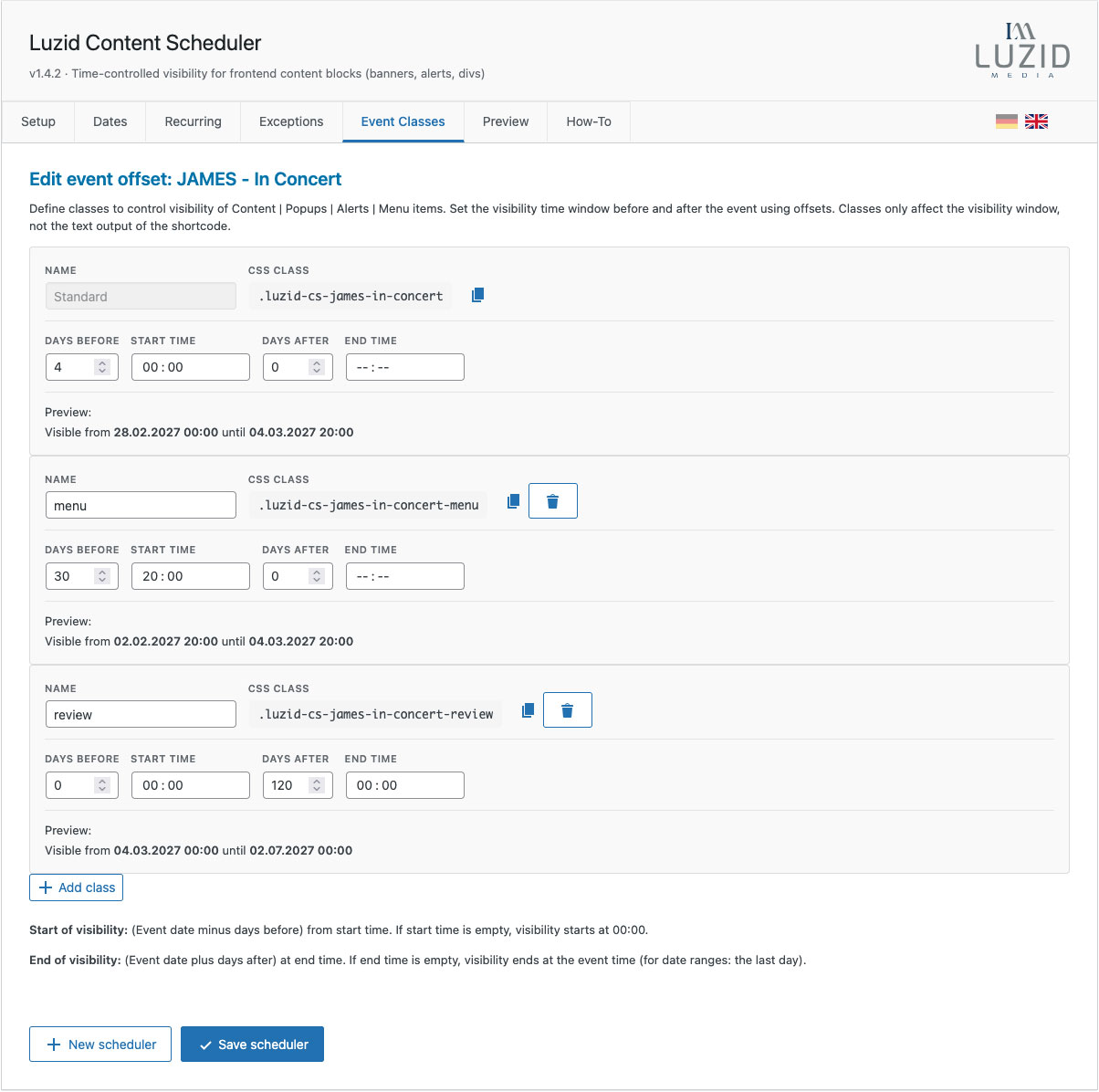
- Multi-stage visibility: Use Event Classes to show a popup 4 days before an event, the full content 2 weeks before, and a menu item 11 days before — all independently controlled.
- Event calendars: Generate a table of all upcoming events across multiple schedulers.
- A scheduler becomes active when at least one rule matches (single dates/ranges or recurring rules).
- Exceptions override everything: if "now" is inside an exception range, the block is hidden even if other rules match.
- Event Classes (new in 1.4) allow multiple independent visibility windows with different offsets — each generating its own CSS class.
- The shortcode reads the same event logic and outputs formatted dates with full control over separators and formatting.
安装:
- Upload the plugin folder to
/wp-content/plugins/or install via the WordPress Plugins screen. - Activate Luzid Content Scheduler.
- Go to WP Admin → Luzid Content Scheduler.
- Create a scheduler, define rules, and save.
- Add the generated CSS class
luzid-cs-<slug>to your frontend block.
屏幕截图:
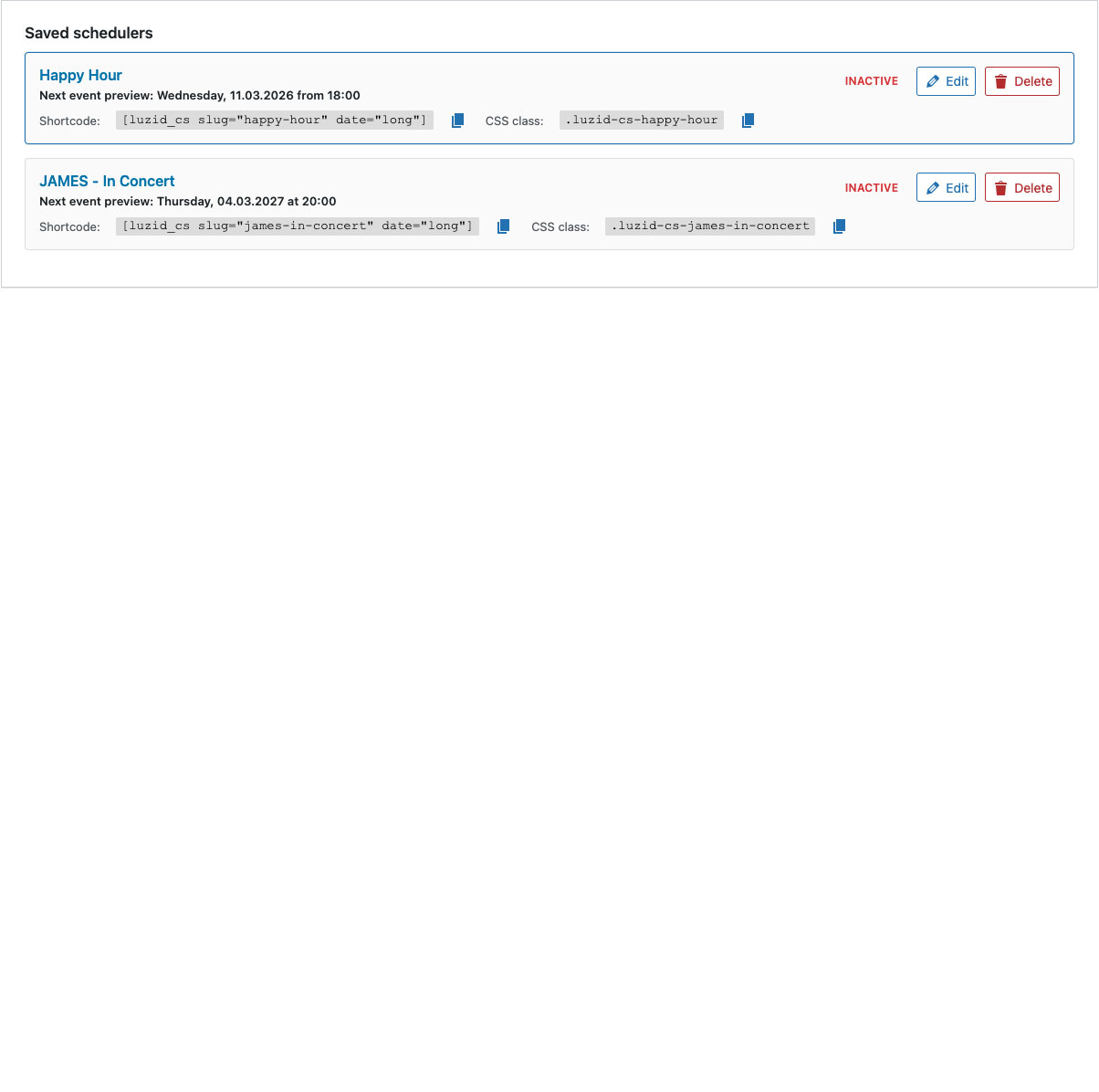
常见问题:
How are multiple recurring rules combined?
They are combined with OR-logic: if any rule matches, the scheduler is considered active (unless an exception matches).
Do exceptions also affect the frontend, or only the preview?
Exceptions affect everything (frontend visibility, next event calculation, and preview). If "now" is inside an exception range, the block stays hidden.
What's the difference between Event Offset (old) and Event Classes (new)?
Event Classes replaced the old Event Offset feature in version 1.4. The key difference: you can now create multiple classes with independent offsets, allowing different content to appear at different times before/after an event.
Can I use multiple Event Classes for one block?
Each Event Class generates a separate CSS class. You can only apply one class per block, but you can have multiple blocks, each with a different Event Class.
Does the plugin require a specific theme?
No. It works with any theme/page builder that lets you set a custom CSS class on a block/element.
Can I output only the time without the date?
Yes! Use [luzid_cs slug="your-slug" time="raw"] to output only the time. Leave out the date parameter.
How do I create a line break between date and text?
Use sep2="<br>": [luzid_cs slug="event" date="long" text="true" sep2="<br>"]
更新日志:
- Fixed: Version number display in admin header.
- Improved: Event Classes UI with copy button for CSS classes and consistent icon styling.
- Fixed: WordPress Plugin Check escaping warnings for Event Classes panel.
- New: Event Classes — Replace single Event Offset with unlimited named classes, each with independent visibility offsets.
- New: Each Event Class generates its own CSS class (
luzid-cs-<slug>-<classname>). - New: Live preview of visibility windows per class.
- New: Standard class (non-deletable) maintains backward compatibility.
- Changed: Tab renamed from "Event-Offset" to "Event-Klassen".
- Improved: Card-based UI consistent with other tabs.
- Migration: Existing Event Offset settings are automatically converted to the new Event Classes structure.
- Fixed: Shortcode now outputs exactly what is specified — no hidden defaults.
- Fixed:
dateparameter defaults to empty (not "long"). Only when neitherdatenortimeis set,date="long"is used as fallback. - Fixed: Using only
time="raw"now correctly outputs only the time, not date + time.
- Fixed: Auto-padding removed from separators.
- Fixed: Single space separator handling — WordPress trims
sep1=" ", now uses default fallback.
- New: Separator system refactored —
sepreplaced bysep1,sep2,sep3for precise control. - New:
sep1controls separator between date and time. - New:
sep2controls separator between time and text (or date and text if no time). - New:
sep3controls separator between list items. - Changed:
timeparameter now defaults to empty (no time output unless explicitly requested). - Breaking: Old
sepparameter removed. Usesep1/sep2/sep3instead.
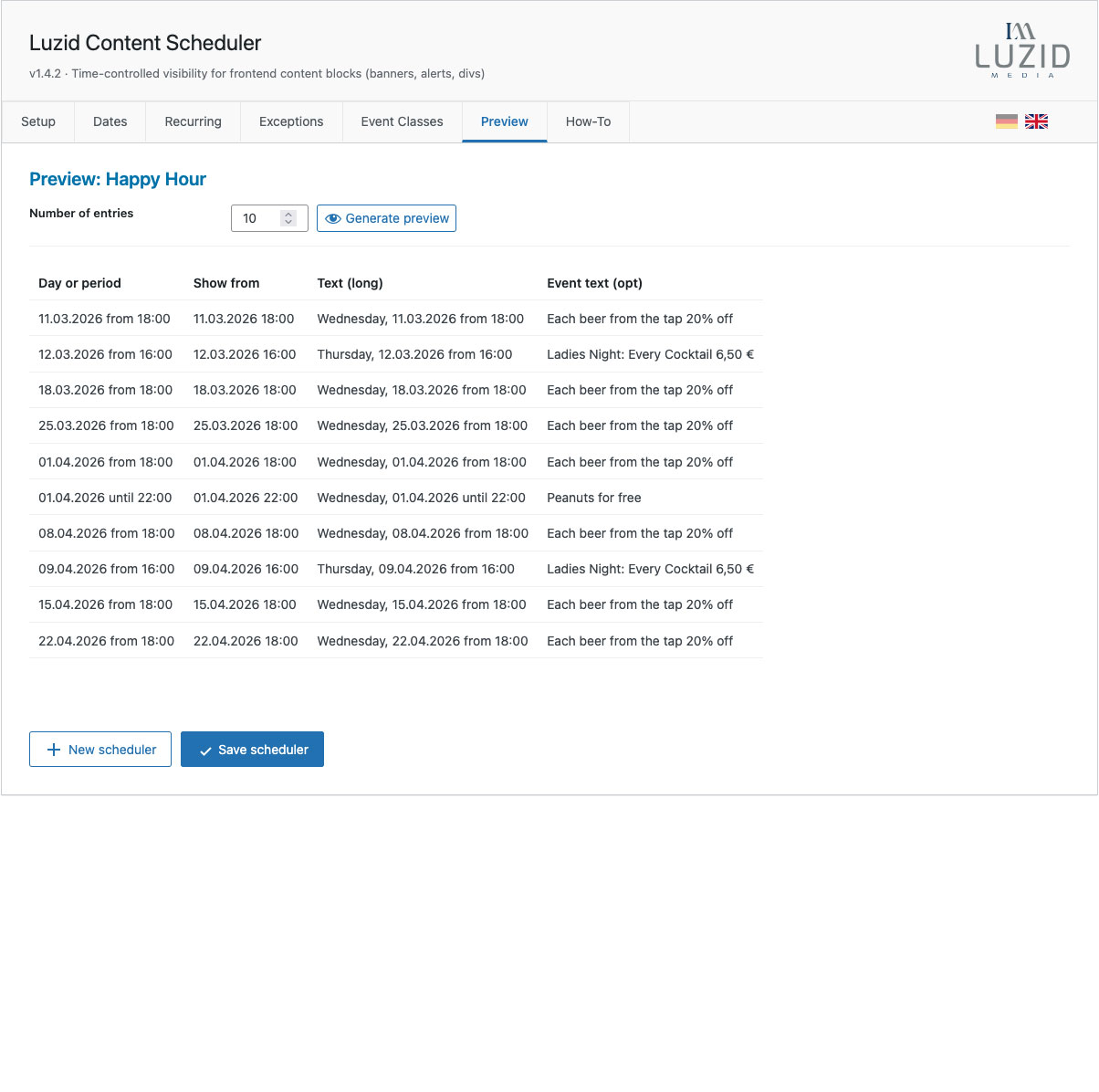
- Fixed: Preview table now shows actual saved event text per date.
- Fixed: Yearly recurrence calculation for events spanning year boundaries.
- New:
[luzid_cs_eventtable]shortcode for tabular event output. - New: "Include in Event Table" checkbox per scheduler.
- New: Customizable columns, headers, and sorting for event tables.
- Improved: Card-based layout unified across all tabs.
- New: Dual-prefix system for Termine tab (CSS class prefix options).
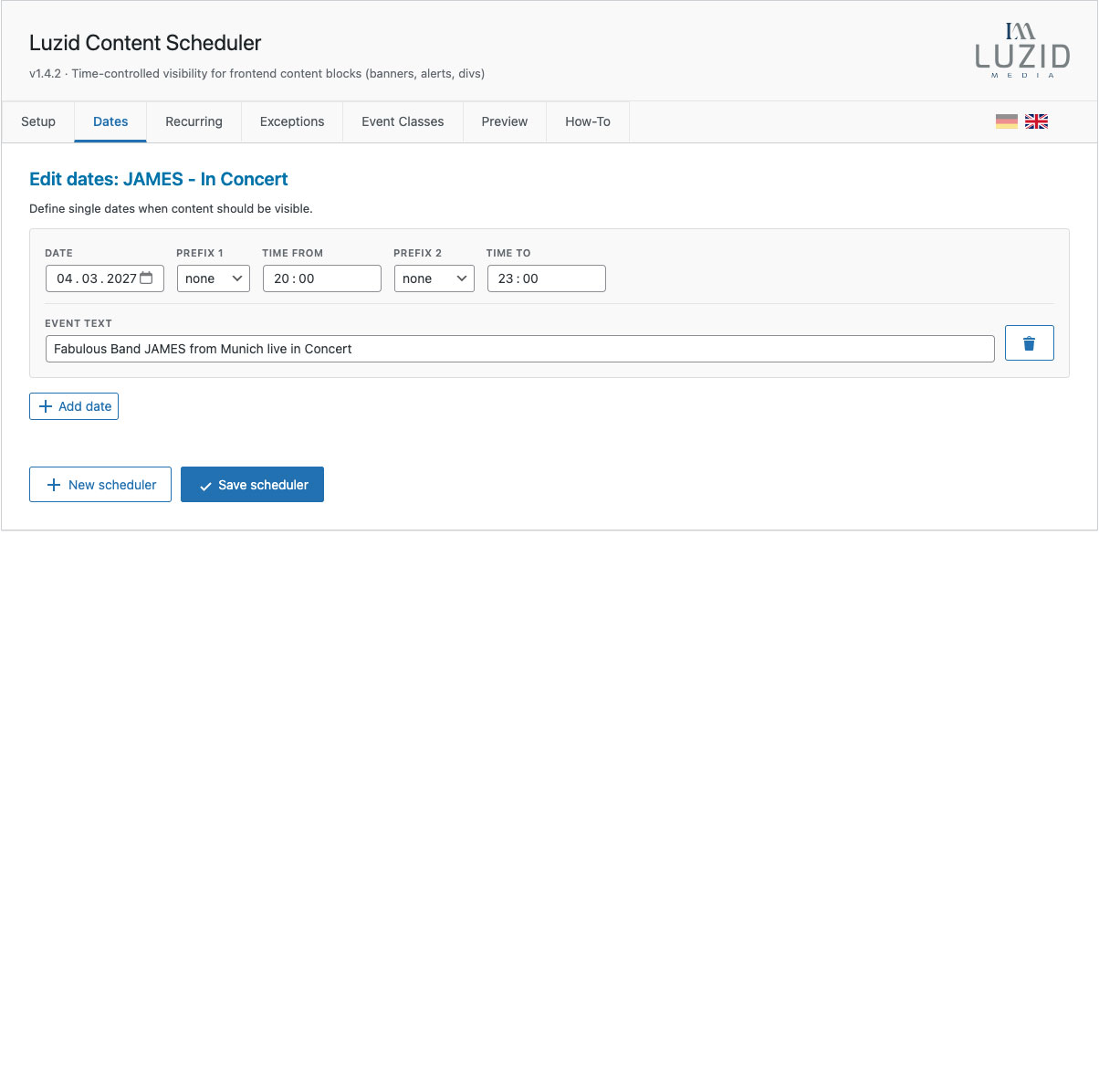
- New: "Time to" field for time ranges (e.g., 18:00 – 20:00) in single dates and recurring rules.
- New: Yearly recurring rule type (e.g., every February 14th at 16:00).
- New: Card-based layout for Termine and Wiederholungen tabs.
- Changed: Shortcode renamed from
[lz-cs]to[luzid_cs]for WordPress.org compliance. - Changed: CSS classes renamed from
lz-cs-*toluzid-cs-*.
- Changed: List wrapper from
<span>to<div>for better HTML structure.
- Fix: Prevent "phantom" events from incomplete recurring rules.
- New: Preview table shows event source (Single vs Recurring).
- New: Shortcode output wrapped in styled span classes.
- Improved:
sepparameter can output<br>for line breaks.
- Fix: Separator spacing preserved correctly.
- Improvement: Single dates sorted chronologically.
- New: Optional event text for recurring rules.
- Added: Optional event text field for single dates.
- Changed: Shortcode supports
list,count,textandsepparameters.
- Initial release.