
maca BackUp
| 开发者 | macas |
|---|---|
| 更新时间 | 2026年8月17日 05:45 |
| PHP版本: | 8.2 及以上 |
| WordPress版本: | 7.0 |
| 版权: | GPLv2 or later |
| 版权网址: | 版权信息 |
详情介绍:
maca BackUp protects your WordPress site with full, database-only, and files-only backups. Run jobs in the background, schedule automatic backups, encrypt archives, and restore selectively with Smart Restore.
Features
- Full, incremental, differential, database, and files backups
- Background processing with progress in wp-admin
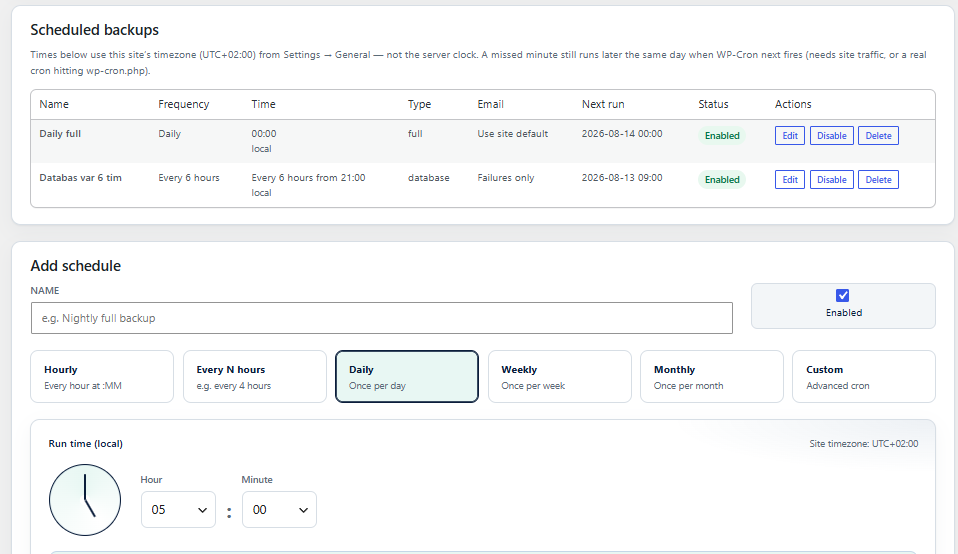
- Schedules (hourly, daily, weekly, monthly, custom)
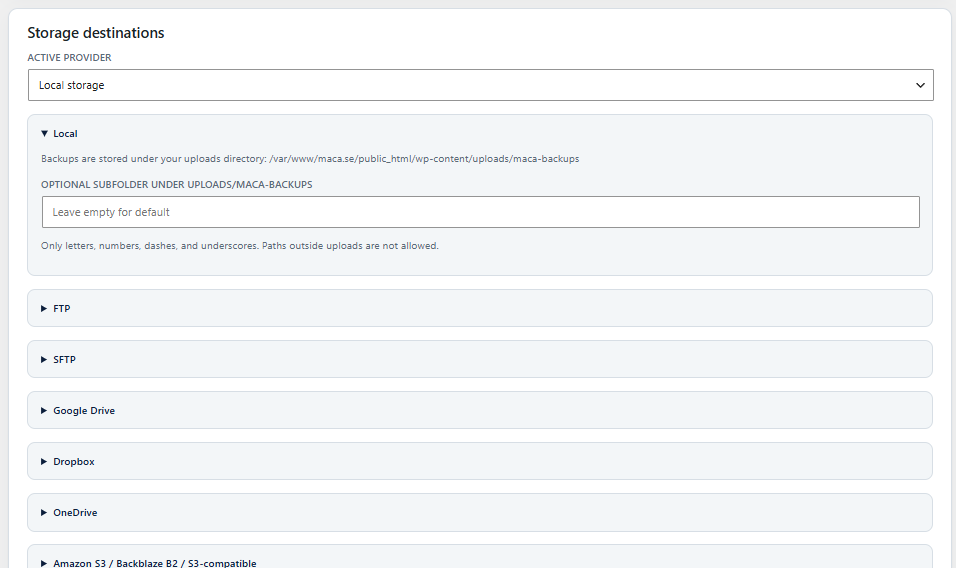
- Local storage plus FTP, SFTP, Google Drive, Dropbox, OneDrive, and S3-compatible destinations
- AES-256-GCM backup encryption (optional)
- Pre-update backups before WordPress, plugin, or theme updates
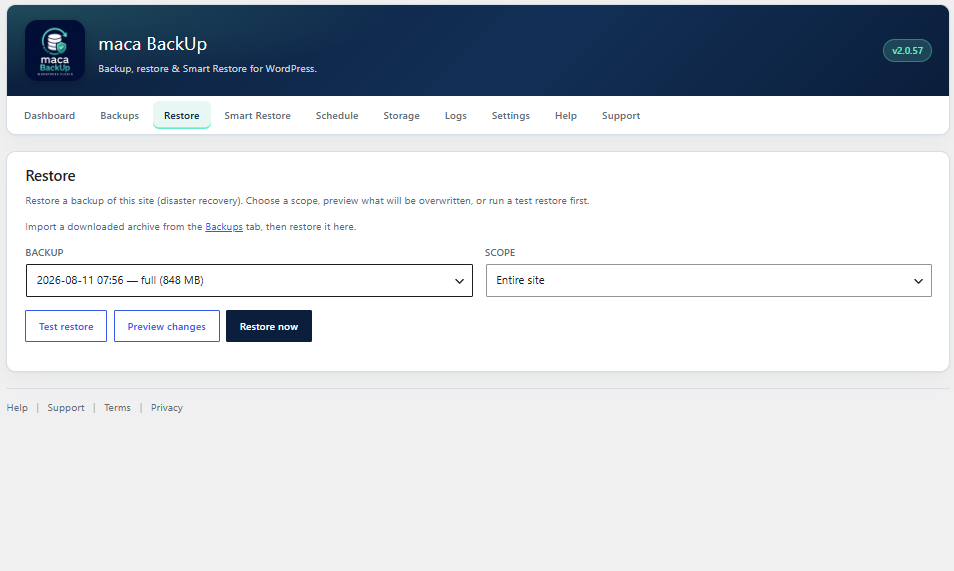
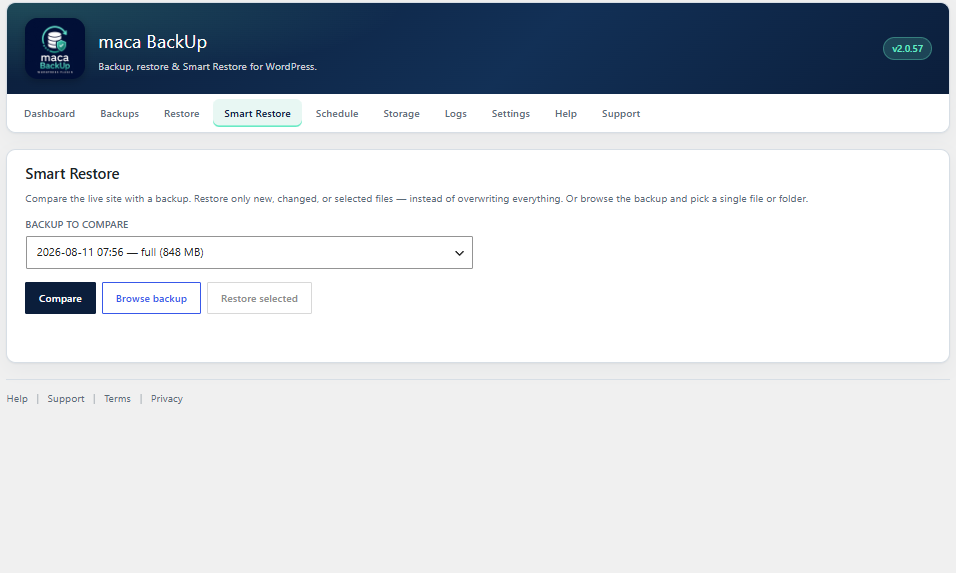
- Smart Restore — compare and restore only changed files
- Import/export backup archives
- maca Hub heartbeat for multi-site monitoring (always connected)
- Live maca Hub status (latest backup, active job, schedules) via Hub Connector
- In-plugin Help and Support
- Deactivation feedback on the Plugins screen
安装:
- Upload the
maca-backupfolder to/wp-content/plugins/or install via Plugins → Add New (search for “maca BackUpâ€) / Upload Plugin. - Activate maca BackUp through the Plugins screen.
- Open maca BackUp in the admin menu.
- Accept the Terms and Privacy Policy on the Support tab.
- Run a full backup from the Dashboard, or complete the first-run wizard.
屏幕截图:
常见问题:
Where are backups stored?
By default in your uploads directory under a maca-backups folder (resolved via wp_upload_dir()), or in a remote destination you configure under Storage. Custom absolute paths outside uploads are not used.
Do I need a license key?
No. maca BackUp is GPL-licensed and does not use paid license activation.
What are the requirements?
WordPress 6.0+, PHP 8.2+, and the PHP ZipArchive extension for file backups and imports. SFTP requires the ssh2 extension.
How do I get support?
Use the Support form inside the plugin (maca BackUp → Support), or open an issue on GitHub: https://github.com/maca59/maca-backup/issues
更新日志:
2.0.62
- Full backups skip unreadable nested vendor files (e.g. Plugin Check / PHPCS) instead of aborting
- Windows long-path support when reading and packing site files
- Imported backups keep their import time so they appear newest in Migrate/Restore pickers
- Do not restore plugin history tables (maca_backups) over the destination site
- wordpress.org ZIP still ships with Migrate hidden; local/dev can enable it
- Plugin Check cleanups (i18n translators comments, escaping, input sanitization)
- Migrate tab remains hidden until cross-site restore is verified
- maca Hub always on / lifecycle telemetry and deactivation feedback (from 2.0.58)
- maca Hub always connected (heartbeat / backup status telemetry)
- Always report activate / deactivate / uninstall lifecycle events to api.maca.se
- Keep Plugins-screen deactivation feedback modal and AJAX reporting
- Update Terms/Privacy disclosures for Hub and lifecycle telemetry
- Hide the Migrate tab until cross-site restore is verified
- Replay database dumps into their original table prefix, then rename onto this site — avoids dropping live options mid-restore (duplicate MPSUM / missing pages)
- Do not abort SQL restore on duplicate option_name
- Export table rows in primary-key order so LIMIT/OFFSET cannot duplicate unique keys
- Separate Migrate tab for cross-site moves (full DB + files, URL rewrite, preserve admin login)
- Restore is same-site only — no URL rewrite or destination-admin preservation
- Import on Migrate continues into the migrate flow; Help documents Restore vs Migrate
- Keep the destination admin login/password after DB restore so wp-admin stays reachable
- Force destination home/siteurl again at restore completion; ensure administrator role + capabilities on the live prefix
- Do not overwrite object-cache.php / advanced-cache.php / db.php on restore (avoids stale cache breaking login)
- After DB restore, adopt dump-prefixed core tables (e.g. wp_posts) onto the live table prefix when remap missed — fixes migrations that left the destination’s old Pages list
- Scan database.sql in chunks to detect table prefix reliably; export WordPress core tables first
- Stricter post-restore verification when dump INSERT count and live page count diverge
- Fix post-migration login redirect: force home/siteurl via direct DB write when option cache is stale
- After database restore, flush options cache before reading source URLs; never fall back to home_url() (old host)
- Remap wp_capabilities / wp_user_roles (and other prefix-scoped keys) when table prefix changes so admins keep wp-admin access
- Remap dump table prefix to the live site prefix during SQL restore (fixes empty pages after migration)
- Do not mark database restore done when database.sql cannot be read
- Log dump size / post-row inserts / page counts; fail clearly if pages never land in live tables
- Store table_prefix in backup manifest; broaden URL rewrite (http/https, www)
- Schedule catch-up: daily/weekly/monthly still run later the same day if WP-Cron misses the exact minute
- Clarify schedule times use the WordPress site timezone (Settings → General)
- Migration restore: rewrite source URLs to the destination site (serialized-aware) after database restore
- Keep restore job alive by skipping maca_backup_* control tables during SQL replay
- Do not overwrite wp-config.php on restore; flush rewrite rules when restore completes
- Harden database.sql parsing so a failed split cannot silently skip the rest of the dump
- (version bump alignment)
- Import verifies and stores archive CRC32 so backups can be compared after migration
- Compare UI shows archive CRC32 and per-file CRC on mismatches
- Import large backups (over PHP/WordPress upload limits, e.g. >1 GB) via automatic chunked upload
- Media Library always included in full backups; exclude rules cannot strip uploads
- Public product/legal/support links use GitHub only (no maca.se URLs for review crawlers)
- Assemble Hub/Support API hosts at runtime
- Confine local backups to uploads/maca-backups (no arbitrary custom paths)
- Resolve site paths via WP APIs (wp_upload_dir, WP_PLUGIN_DIR, get_theme_root, get_home_path)
- Point Terms/Privacy links to public GitHub documents (maca.se pages were unreachable for wordpress.org review)
- WordPress.org review: text domain matches plugin slug (maca-backup)
- Document external services (Google Drive, OneDrive, Dropbox, S3, maca Hub, Support) in readme
- Confine staging restores to the local backup directory
- Harden ZIP import/restore against path traversal (Zip Slip)
- Per-schedule email notifications (inherit site default, off, failures only, success only, or both)
- Site Settings remain the fallback for schedules set to “Use site defaultâ€
- Email when a scheduled backup fails to start (respects that schedule’s email mode)
- Fix duplicate backup/restore notification emails when AJAX and cron finish the same job
- Fix inflated full-backup size when concurrent workers packed the same files repeatedly into the ZIP
- Live progress: elapsed timer ticks every second; status polls return faster so the bar/detail update more often
- Compare two backups on the Backups tab (file counts, only-in-A/B paths, size mismatches)
- Show CRC32 checksum on backup history (and in success emails); stored in manifest + checksum column
- Hub status/heartbeat includes full backup history list (type, datetime, size, status, storage, CRC, etc.)
- Hub Connector status endpoint with latest backup, active job, and schedules
- Plugin Check compatibility fixes
- Support URL and onboarding wizard improvements
- Major release: Smart Restore, storage providers, schedules, encryption, hub telemetry