
Magic Copy for Elementor – Cross Domain Copy Paste & Page Duplicator
| 开发者 | nisan92 |
|---|---|
| 更新时间 | 2026年10月21日 05:05 |
| PHP版本: | 7.4 及以上 |
| WordPress版本: | 7.1 |
| 版权: | GPLv2 or later |
| 版权网址: | 版权信息 |
详情介绍:
Cmd+V / Ctrl+V). All styles, settings, nested layouts, and image assets transfer automatically into the destination site's Media Library.
🚀 Perfect For:
- ✅ Web Designers & Developers — Move headers, footers, and complex flexbox containers from staging to production in 2 seconds.
- ✅ Digital Agencies — Maintain a consistent design framework across client websites without rebuilding from scratch.
- ✅ Freelancers — Accelerate project delivery by instantly reusing your battle-tested design components.
- ✅ Marketers & Content Creators — Replicate high-converting landing page layouts and call-to-action blocks across different domains.
- ✅ WordPress Enthusiasts — Build professional, modern websites faster with zero repetitive setup.
- Copy any Elementor layout from Domain A and paste it into Domain B in seconds.
- No manual JSON file downloads, no template uploads, and no server configuration needed.
- Works seamlessly across local development environments, staging sites, and live client domains.
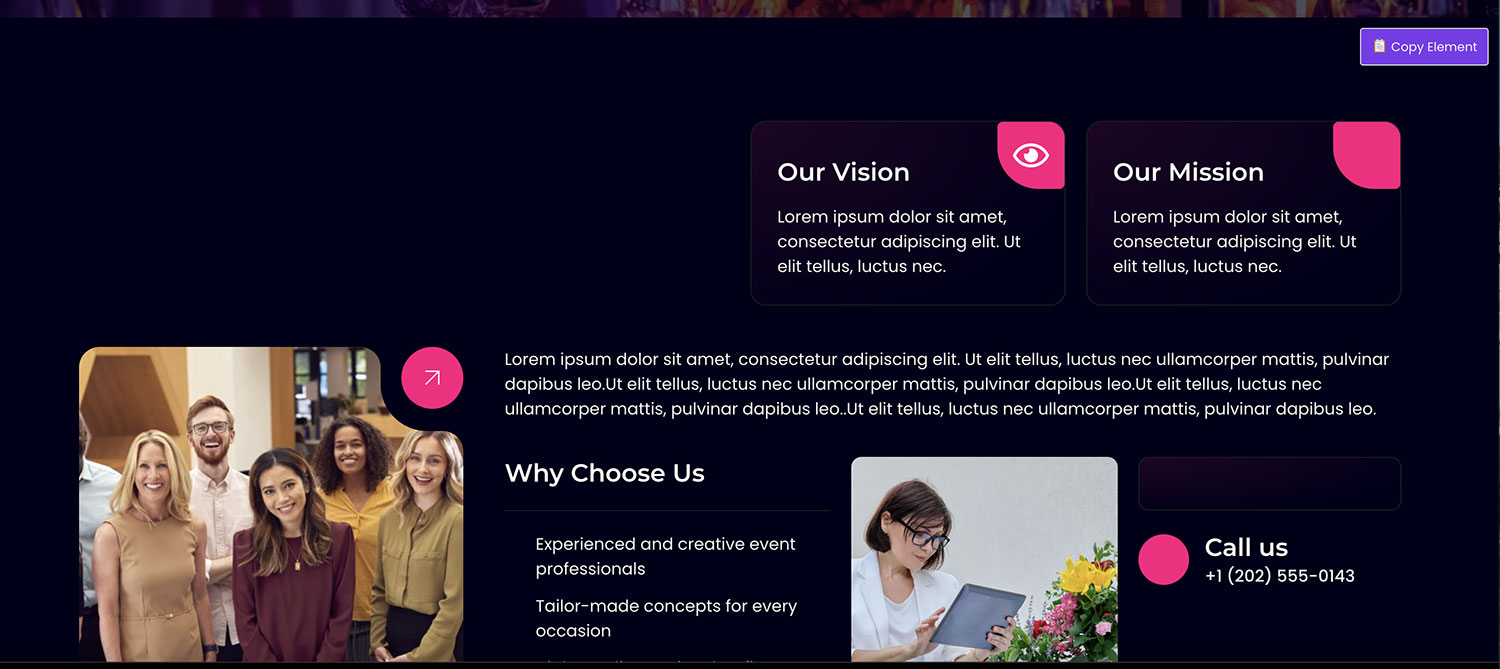
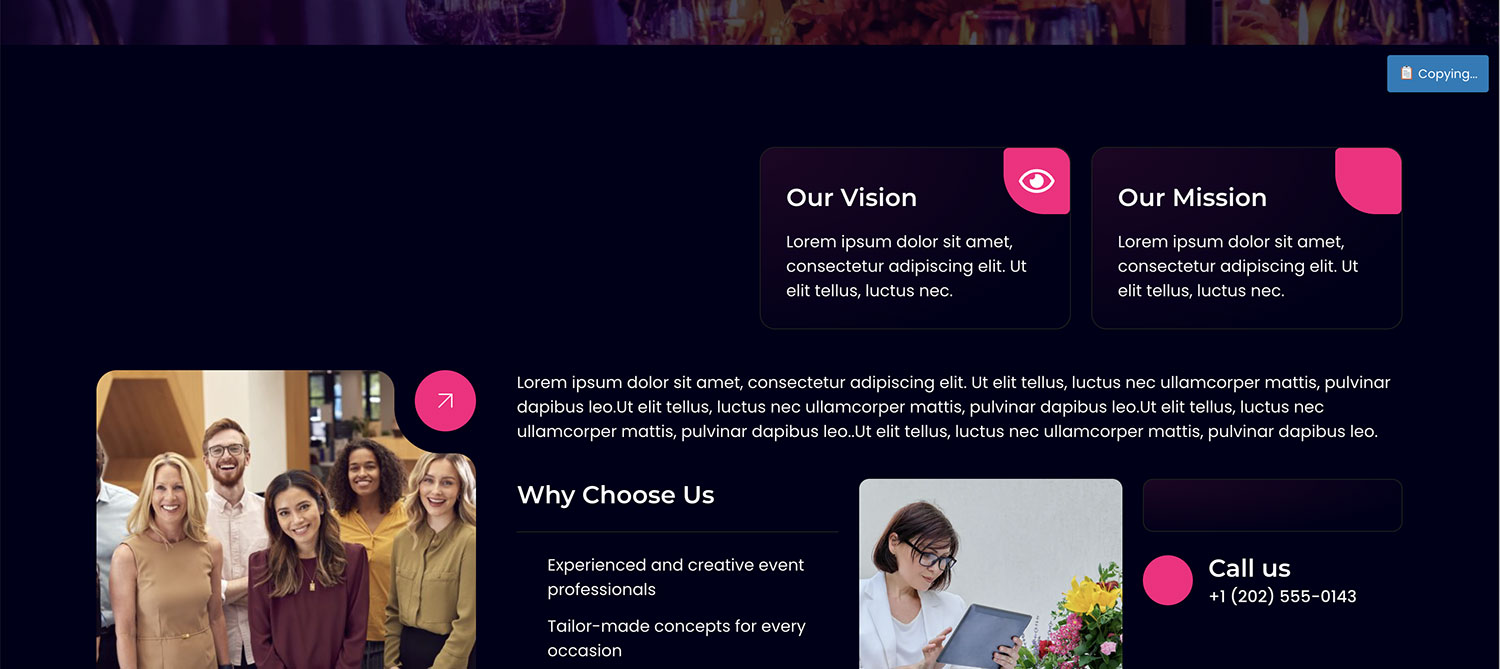
- Live Frontend Hover Overlay: Hover over any section or container on your live site and click the sleek copy button.
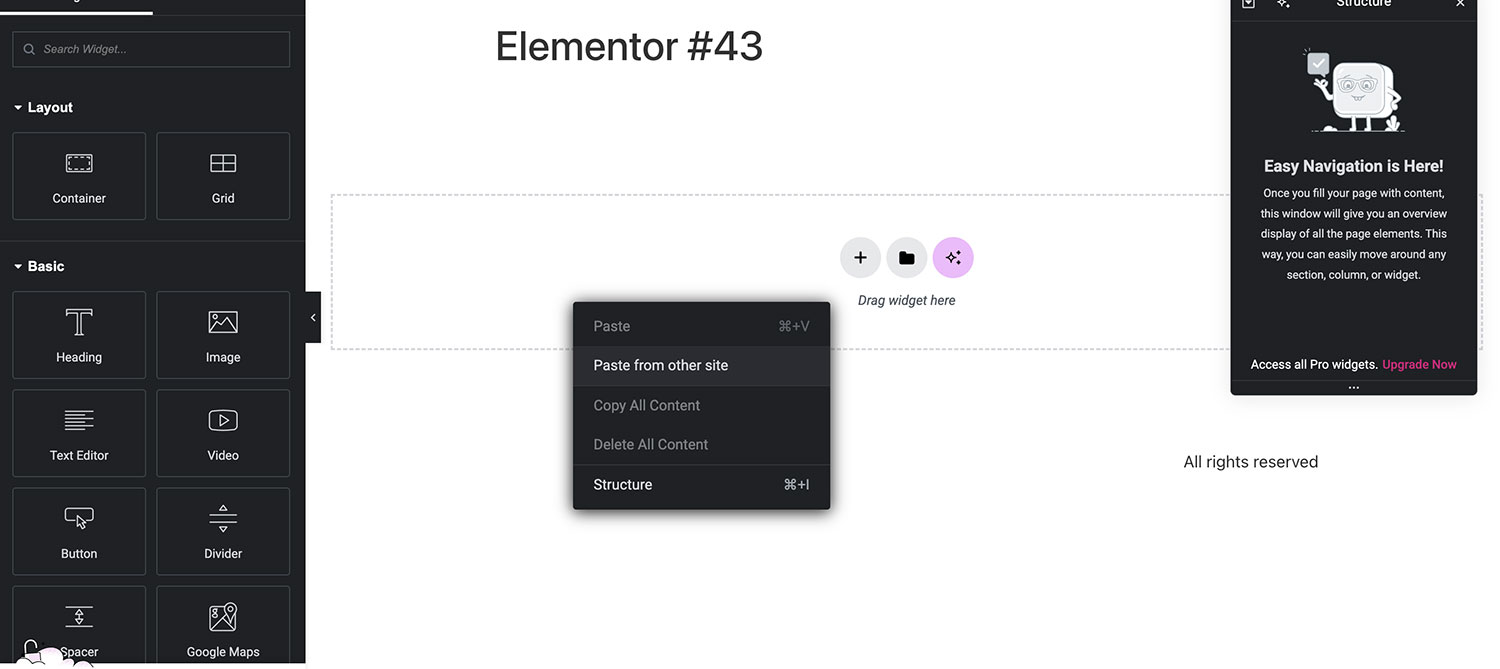
- In-Editor Context Menu: Right-click any section, flexbox container, column, or widget directly inside the Elementor editor canvas and select "Magic Copy" — no need to view the frontend first!
- Stop re-uploading missing images! External and local image assets used in copied layouts are automatically downloaded into the destination site's WordPress Media Library with proper URLs and metadata.
- Duplicate any Page, Post, or Elementor template as a draft with a single click directly from the WordPress admin list table (
Duplicate as Draft). - Preserves all Elementor layout data, custom post meta, and taxonomies without third-party duplicator plugins.
- Manage permissions and settings from WordPress Admin (
Settings > Magic Copy) OR directly inside the Elementor Editor ➔ Site Settings panel under the native "Magic Copy" tab.
- Built to work reliably with full-page caching plugins and CDNs (Cloudflare, LiteSpeed Cache, WP Rocket, W3 Total Cache). The smart cache strategy ensures public copy buttons never break due to expired cached nonces.
- Designed with accessibility at its core: complete keyboard navigation (Enter/Space activation), high-contrast
:focus-visibleindicators, semanticaria-labelattributes, and screen-reader announcements.
- ☁️ Personal Cloud Library: Save your favorite sections and containers to your cloud library on
manfii.comand paste them onto any site with 1-click from the editor drawer. - 👥 Team Cloud Clipboard: Create a shared agency workspace, invite team members by email, and collaborate on a centralized component library.
- 🔗 Shareable Template Links: Generate secure, tokenized URLs with optional password protection and expiration rules (1 day, 7 days, 30 days, permanent) to share layouts with clients.
- 📡 Cross-Site Direct Push: Send Elementor layouts directly from Site A to Site B via secure REST API without using the clipboard.
- 📜 Copy History Snapshots: Browse, search, and 1-click restore up to 50 previous copy events (or unlimited on Business plan).
- 🛒 WooCommerce Builder Support: Smart detection and dynamic mapping for WooCommerce product loops and category queries.
- 🎨 White-Label Branding: Rebrand the plugin name, customize button labels and colors, and hide Manfii branding for agency client handoffs.
- Zero Frontend Bloat: Clean, minimal vanilla JavaScript with deferred script loading.
- Modern Elementor Ready: Fully compatible with Flexbox Containers, CSS Grid, and Elementor 4.x Atomic architecture.
- Translation Ready: Fully internationalized and localized for multilingual sites.
安装:
- Upload the
magic-copy-for-elementorfolder to your/wp-content/plugins/directory, or install it directly via the WordPress Plugin Directory. - Activate the plugin through the Plugins menu in WordPress.
- Open any live page containing Elementor elements, hover over an element, and click the Magic Copy button (or right-click any element inside the Elementor editor canvas and select Magic Copy).
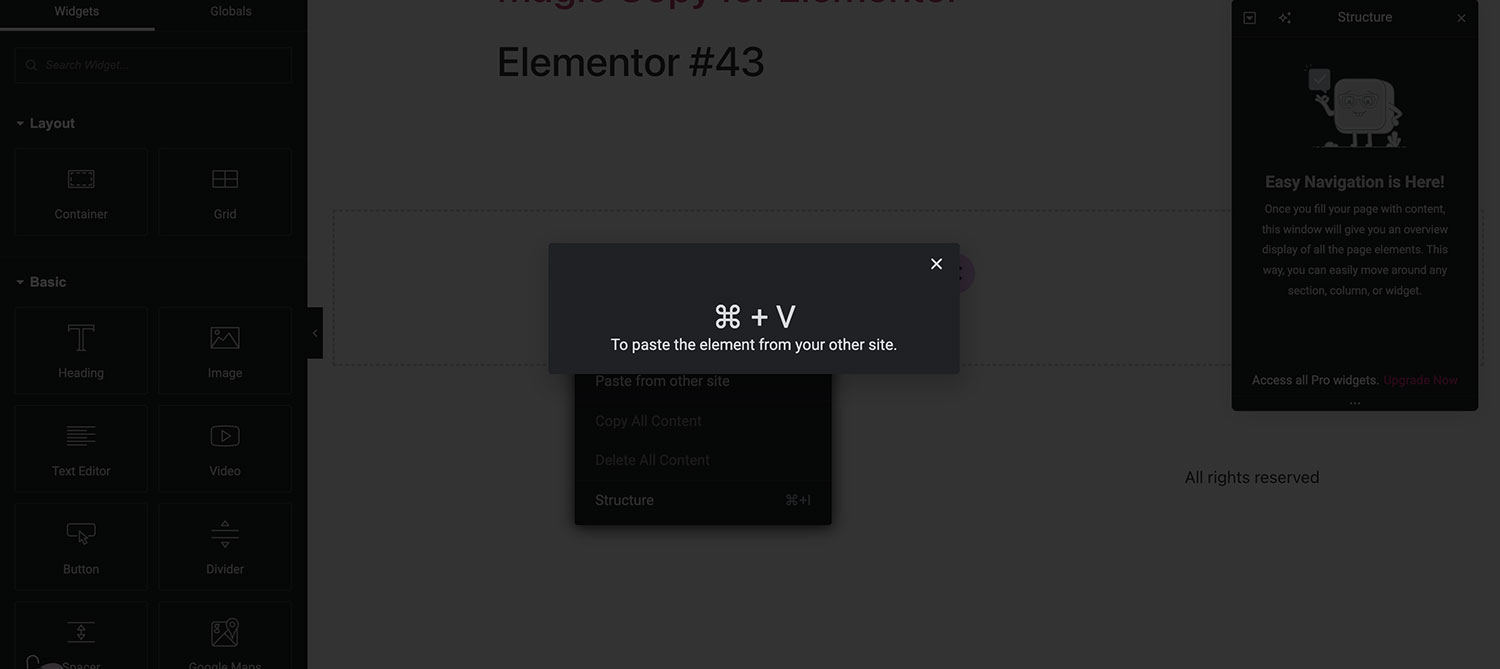
- Open the Elementor editor on your destination site and paste using standard keyboard shortcuts (
Cmd+VorCtrl+V).
屏幕截图:
常见问题:
Does Magic Copy work with Elementor Flexbox Containers?
Yes! Magic Copy fully supports modern Flexbox Containers, CSS Grid, legacy columns, sections, and all individual widgets.
Do images transfer automatically when copying across domains?
Yes! Image assets referenced in the copied layout are automatically downloaded and sideloaded into the destination site's WordPress Media Library with updated IDs and URLs.
How do I copy directly from the Elementor editor?
Simply right-click on any Container, Section, Column, or Widget inside the Elementor editor canvas and choose "Magic Copy" from the context menu. You do not need to publish or visit the frontend.
How does the Page Duplicator work?
Navigate to Pages > All Pages or Posts > All Posts in your WordPress dashboard. Hover over any post, and click "Duplicate as Draft". A new draft copy will be created immediately with all Elementor layout data intact.
Does Magic Copy work with caching plugins?
Yes! Magic Copy includes an intelligent cache-resilient nonce strategy that prevents expired nonces on heavily cached sites (LiteSpeed, Cloudflare, WP Rocket) from blocking frontend copy requests.
Do both sites need Magic Copy installed?
Yes. To copy an element from a site, Magic Copy must be active on that site. To paste the element into an Elementor canvas, Magic Copy must be active on the receiving site.
更新日志:
- Compatibility: Tested and verified compatibility with Elementor 4.3.5 and Elementor Pro 4.3.2.
- Fix: Optimized Elementor Site Settings (Kit Settings) registration timing to ensure tab availability on Elementor 4 initialization.
- Maintenance: Bumped version tag to 1.2.0.
- Security: Hardened post duplicator capability checks to verify post-type
create_postspermission before permitting duplication. - Security: Added per-post visibility checks on AJAX copy requests to prevent unauthorized extraction of private or draft content.
- Tweak: Shortened and optimized plugin short description to strictly comply with WordPress.org 150-character limit.
- Compatibility: Verified compatibility with Elementor 4.3.4 and Elementor Pro 4.3.1.
- Maintenance: Bumped version tag to 1.1.9.
- Feature: Added native Elementor editor right-click context menu "Magic Copy" action for instant canvas-to-clipboard copying.
- Feature: Added 1-Click Page & Post Duplicator ("Duplicate as Draft") row action in WordPress admin list tables preserving all Elementor meta, page settings, and taxonomies.
- Feature: Added native Elementor Site Settings (Kit Settings Tab) allowing seamless in-editor configuration with two-way sync.
- Fix: Implemented smart cache-aware nonce handling for CDN-cached and static-cached pages (LiteSpeed, Cloudflare, WP Rocket).
- Fix: Resolved JavaScript syntax errors in admin dashboard scripts and hardened compatibility.
- Performance: Optimized script enqueueing and memory utilization across editor sessions.
- Compatibility: Verified compatibility with Elementor 4.2.4, Elementor Pro 4.2.3, and WordPress 7.1.
- Update: Bumped plugin version to 1.1.7.
- Accessibility: Added full WCAG 2.1 AA compliant aria-label, role="button", and tabindex="0" on frontend copy button overlay.
- Accessibility: Added complete keyboard interaction support (Enter and Space keys) to trigger element copy without requiring mouse hover.
- Accessibility: Added visible focus ring indicators (:focus-visible) and container focus-within display rules for keyboard navigators.
- Accessibility: Added role="status", aria-live="polite", and accessible close button labels to toast notification feedback.
- Feature: Added WooCommerce Builder Support with automatic reference detection, manual/auto mapping UI during layout imports, and WooCommerce ajax lookup endpoints (Business Plan).
- Feature: Added Unlimited Copy History supported by custom MySQL table storage with real-time text searching, element type filtering, infinite scroll pagination, and automatic background cleanup rules setting (Business Plan).
- Core: Added custom javascript hooks during layout import errors to cleanly allow premium add-on extensions to override or intercept default error notifications.