
Magic Link - Secure one click passwordless login
| 开发者 |
kaizencoders
mikeatkaizencoders |
|---|---|
| 更新时间 | 2026年10月12日 12:51 |
| 捐献地址: | 去捐款 |
| PHP版本: | 6.7 及以上 |
| WordPress版本: | 7.1 |
| 版权: | GPLv3 or later |
| 版权网址: | 版权信息 |
标签
下载
详情介绍:
👉 Passwordless Login
No more password resets or weak password risks.
👉 Email Magic Links
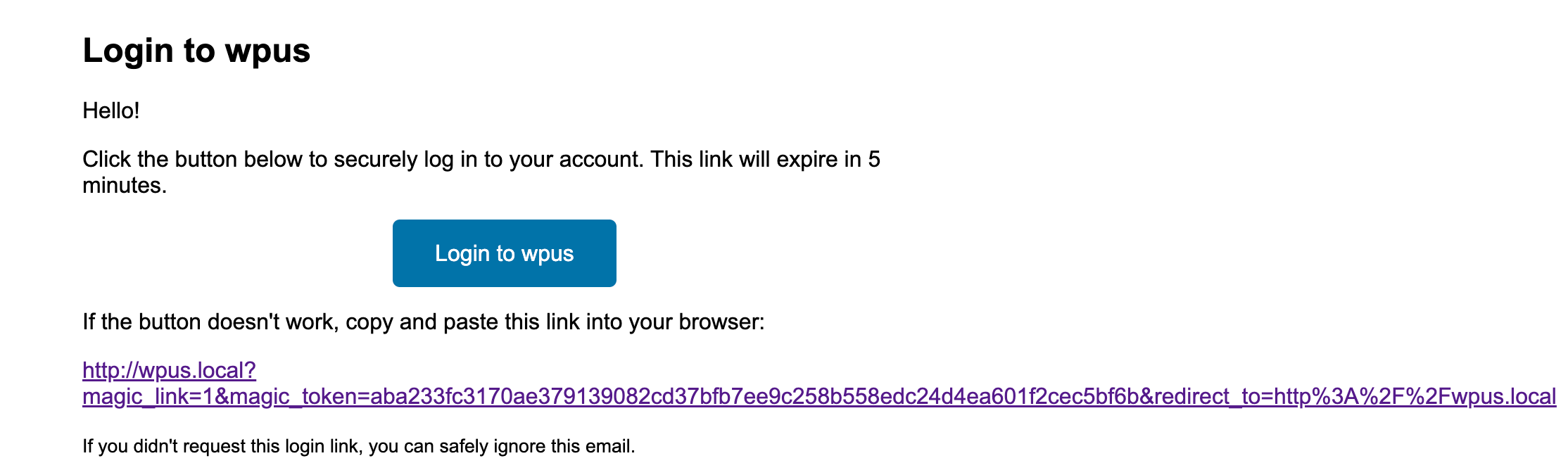
A unique, expirable login link is emailed to users.
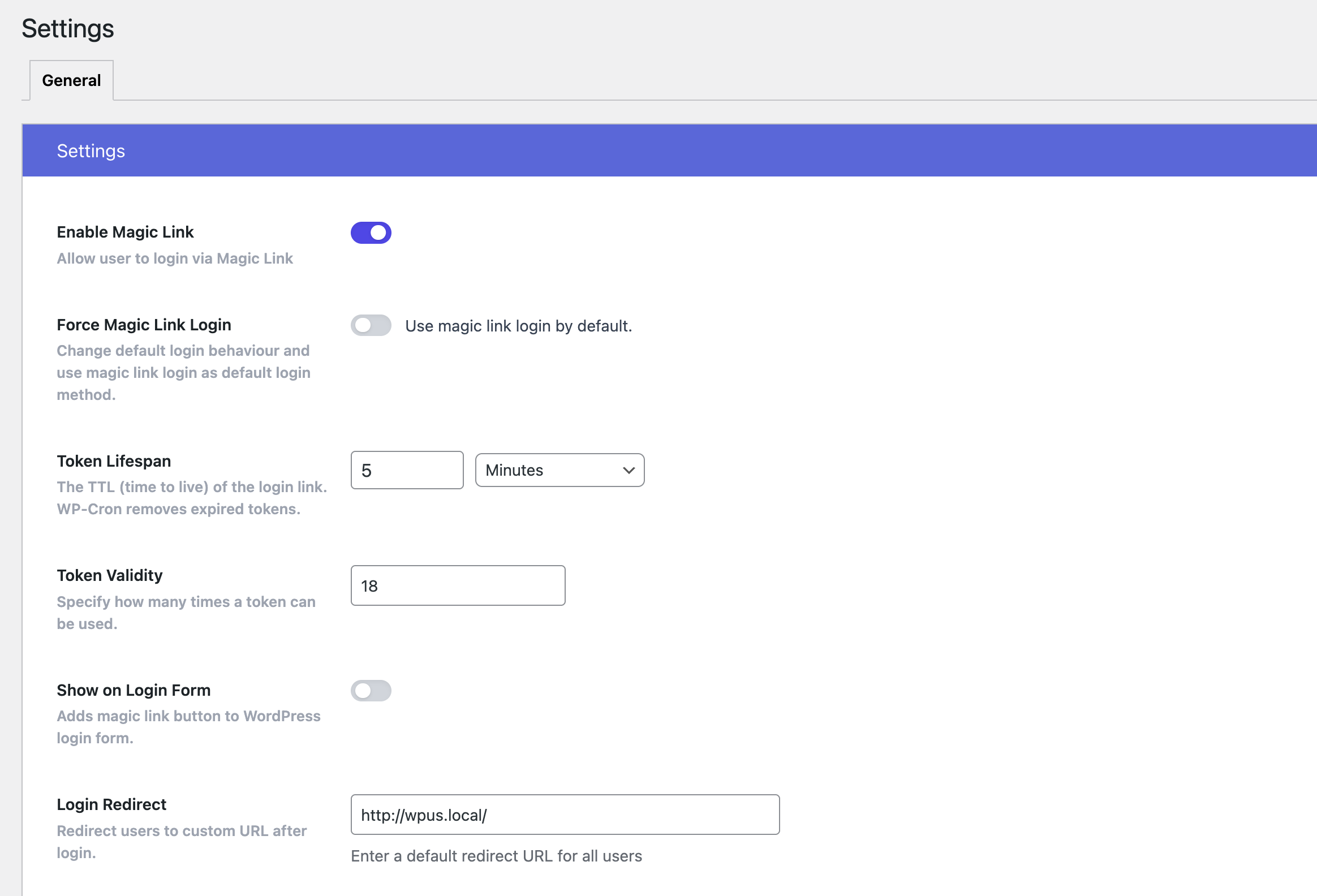
👉 Force Magic Link Login
Option to set Magic Link the default login method.
👉 Auto-login Links
Automatically log in users via links in notification emails for quicker actions.
👉 User-Friendly UX
Especially helpful for non-technical users or mobile-first visitors.
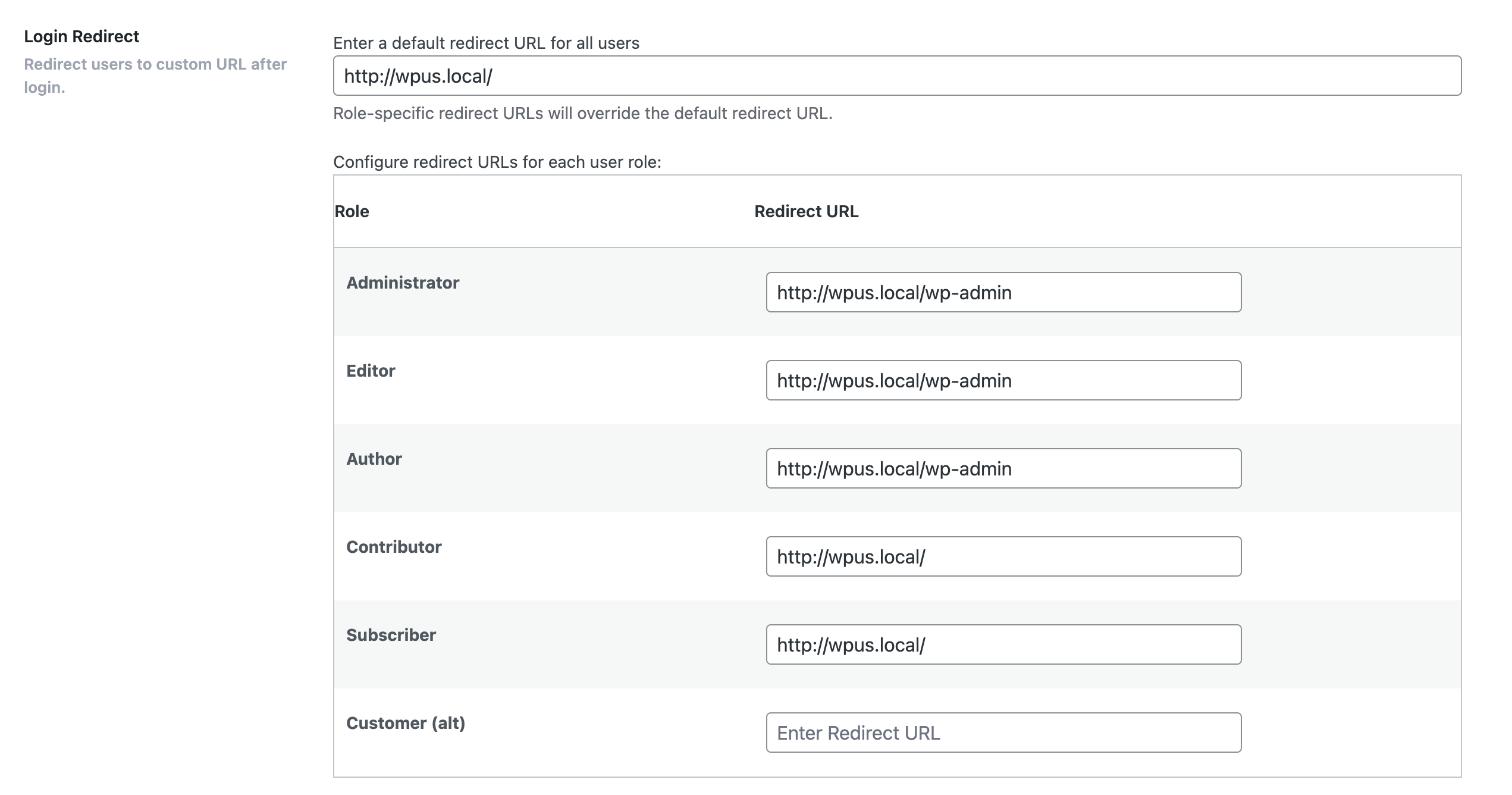
👉 Redirect After Login
Send users to a specific page after they log in.
👉 Create Magic Link for any user
Admin can create Magic Link for any user.
👉 List All Magic Links
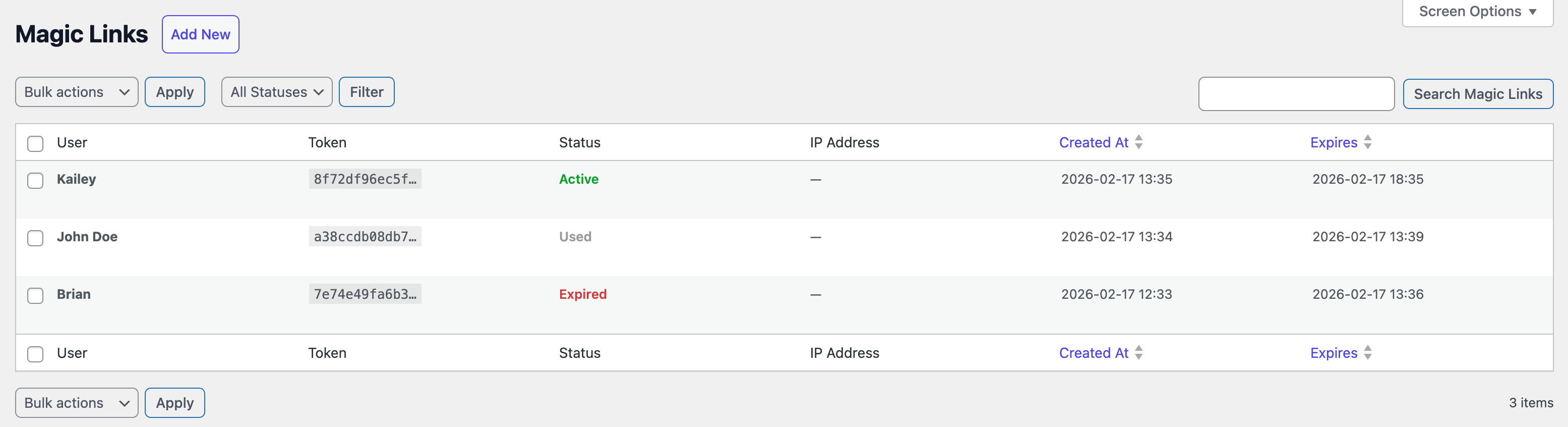
Admin can view all generated Magic Links.
👉 Bulk Delete Magic Links
Select multiple Magic Links and delete in bulk.
👉 Shortcode Support
Add magic link login forms anywhere on your site with [magic-link].
👉 Login & Email Branding
Set your own logo, brand colour, and custom CSS under Magic Link → Settings → Branding, and they apply to both the WordPress login screen and the magic link email.
👉 Login Form Block
Drop a Magic Link Login Form block onto any page in the block editor. Choose whether new visitors can register, where they land after login, and what the button says — no shortcode or code required.
👉 Audit Log
Every magic link event — generated, sent, opened, used, expired, revoked, failed — is recorded and browsable under Magic Link → Audit Log, with filtering and search.
👉 Health Check
A Magic Link → Health page that verifies email sending, database tables, scanner protection, and token lifespan, so you can spot a misconfiguration before your users do.
👉 Dashboard & Email Digest
See magic link activity at a glance and receive a periodic summary by email.
👉 Customizable Expiry
Set how long magic links remain valid (minutes, hours, days).
👉CLI Ready
Control plugin settings and features via WP-CLI.
👉 Fully Configurable [Coming Soon]
Export/import/reset settings with ease.
👉 GDPR Compliant
No personal data is stored beyond what WordPress already collects.
🔐 Pro Features
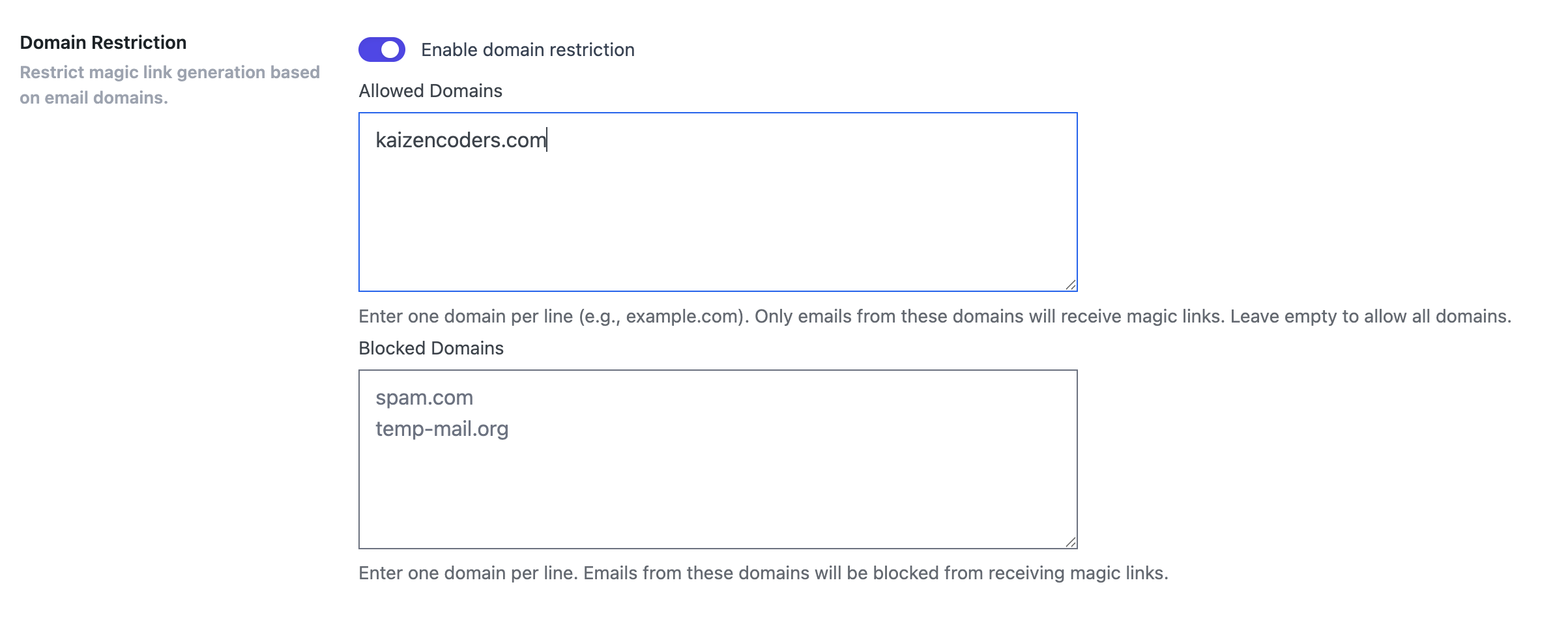
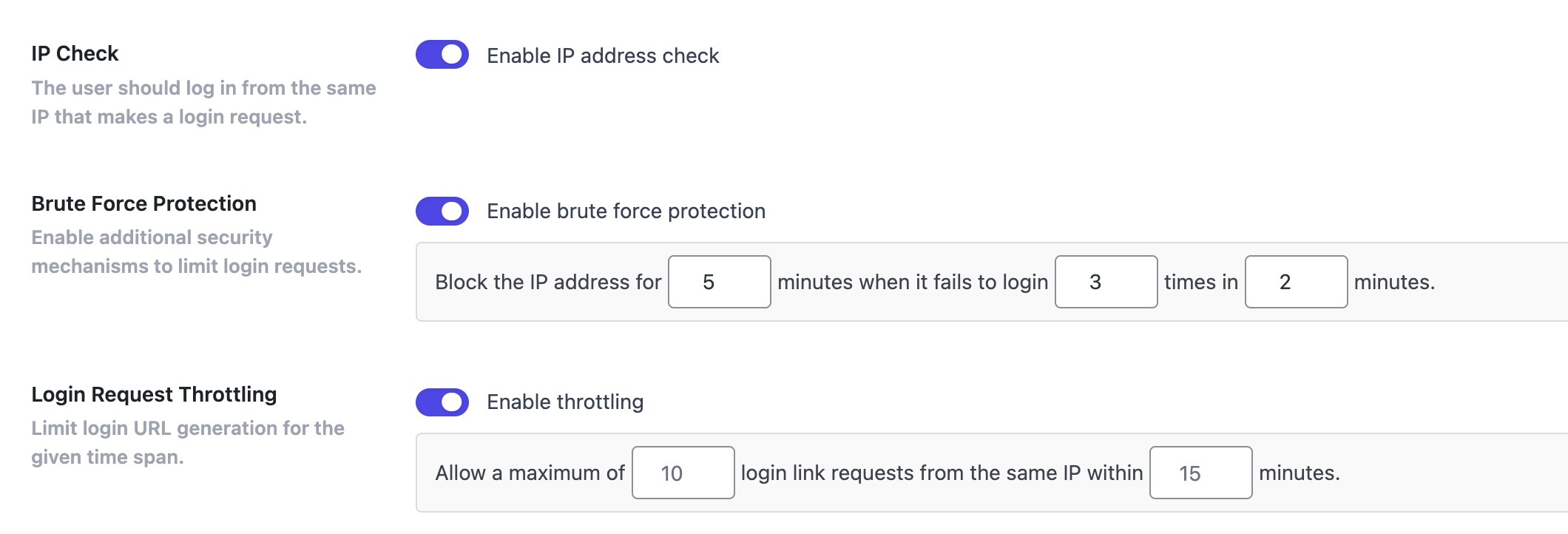
👉 Login URL Redirection Redirect users to specific pages after login 👉 Role based redirection Redirect users to specific pages after login 👉 Login Attempt Limits Set limits on magic link generation 👉 Custom Email Templates Customize email design and content. 👉 Improved Security Avoid brute-force attacks and phishing risks related to password use. 👉 IP Control Enhance the security by restricting users to login from the same IP address that requested the link. 👉 Login Request Throttling Limit login URL generation for the given time span. 👉 Brute Force Protection Limit rate of login attempts and block IP temporarily. 👉 Domain Restriction Restrict email domains that can use the magic link login feature. 👉 Trusted Domains Allow users with email addresses from specified trusted domains to receive Magic Links even if they don't have a user account on the site. 👉 Bulk Actions: Expire, Used Links Mark Magic Links asExpired,Usedin bulk. 👉 Support{magic-link}merge tag One can use{magic-link}merge tag in outgoing emails to auto generate Magic Link for the recipient. Useful for quick checkout, quick access to courses and other usecases where login is required. 👉 REST API Generate, look up, and revoke magic links from your own app, mobile client, or automation tool. Secured with WordPress application passwords. 👉 Outbound Webhooks Get a signed HTTP callback whenever a magic link is generated, sent, opened, used, expired, or revoked. Connect to Zapier, n8n, or your own service. Manage endpoints from Magic Link → Webhooks with a built-in Test Fire button. 👉 Bulk Account Claim Emails Select any number of users on the Users screen and send them all a magic link in one action. Ideal for migrating an existing member list onto passwordless login, or re-activating people who have never logged in. Users who have signed in recently are skipped automatically. 👉 Access Control Restrict when a magic link works by date range, weekday, and hour of day, and limit logins to specific IP ranges or CIDR blocks. Configure it all under Magic Link → Settings → Security → Access Control. 👉 Usage Limits Decide how many times a single magic link may be redeemed when you create it. Set 0 for an unlimited link, or a higher number to share one link with a small group. 👉 Step-Up Authentication [Coming Soon] Ask for an authenticator app code or an emailed one-time PIN when a login looks risky, and let people mark a device as trusted to skip the challenge. 👉 Form Builder Integrations Use the{magic-link}tag in your WPForms, Gravity Forms, or Fluent Forms notifications and it becomes a passwordless login link for the recipient. Switch each builder's integration on under Magic Link → Settings → Integrations, tick the forms that may use the tag, or flip the toggle inside the form builder itself. Switching an integration off pauses every form for that builder without forgetting your choices. 👉 SMS Magic Links [Coming Soon] Send login links via SMS text messages. 👉 QR Code Login [Coming Soon] Generate QR codes for easy mobile login. 👉 Device Restrictions [Coming Soon] Limit logins to specific devices/browsers. 👉 Role-Based Access [Coming Soon] Control which user roles can use magic links. 👉 Analytics & Reporting [Coming Soon] Track magic link usage and patterns. 👉 Priority Support Get expert help when you need it.
安装:
- Go to WordPress Dashboard. Locate Plugins -> Add New
- Search Magic Link plugin using the search option
- Find the plugin and click Install Now button
- After installation, click on Activate Plugin link to activate the plugin.
- Download the plugin magic-link.zip
- Go to WordPress Dashboard. Locate Plugins -> Add New
- Click on the Upload Plugin link from the top
- Upload the downloaded magic-link.zip file and click on Install Now
- After installation, click on Activate Plugin link to activate the plugin.
屏幕截图:



常见问题:
- Do I need any third-party services to generate Magic Link?
No. You don't need it. Magic Link plugin generates Magic Link with your own domain. = 2. Do I need to buy PRO to generate Magic Links? No. You don't need to buy PRO. You can generate Magic Links with the free version of the plugin. However, PRO version has more advanced features. Check out the feature comparison table for more details.
- Can I use Magic Link with custom login pages?
Yes. You can use Magic Link with custom login pages. Just add the [magic-link] shortcode to your custom login page.
- Can I use Magic Link with WooCommerce?
Yes. you can use Magic Link with WooCommerce. We are working on adding WooCommerce specific features in the PRO version.
- Is Magic Link secure?
Yes. Magic Link is secure. The magic links are time-sensitive and can be used for defined number of times. You can also set the expiration time for the magic links.
- Can I customize the email template?
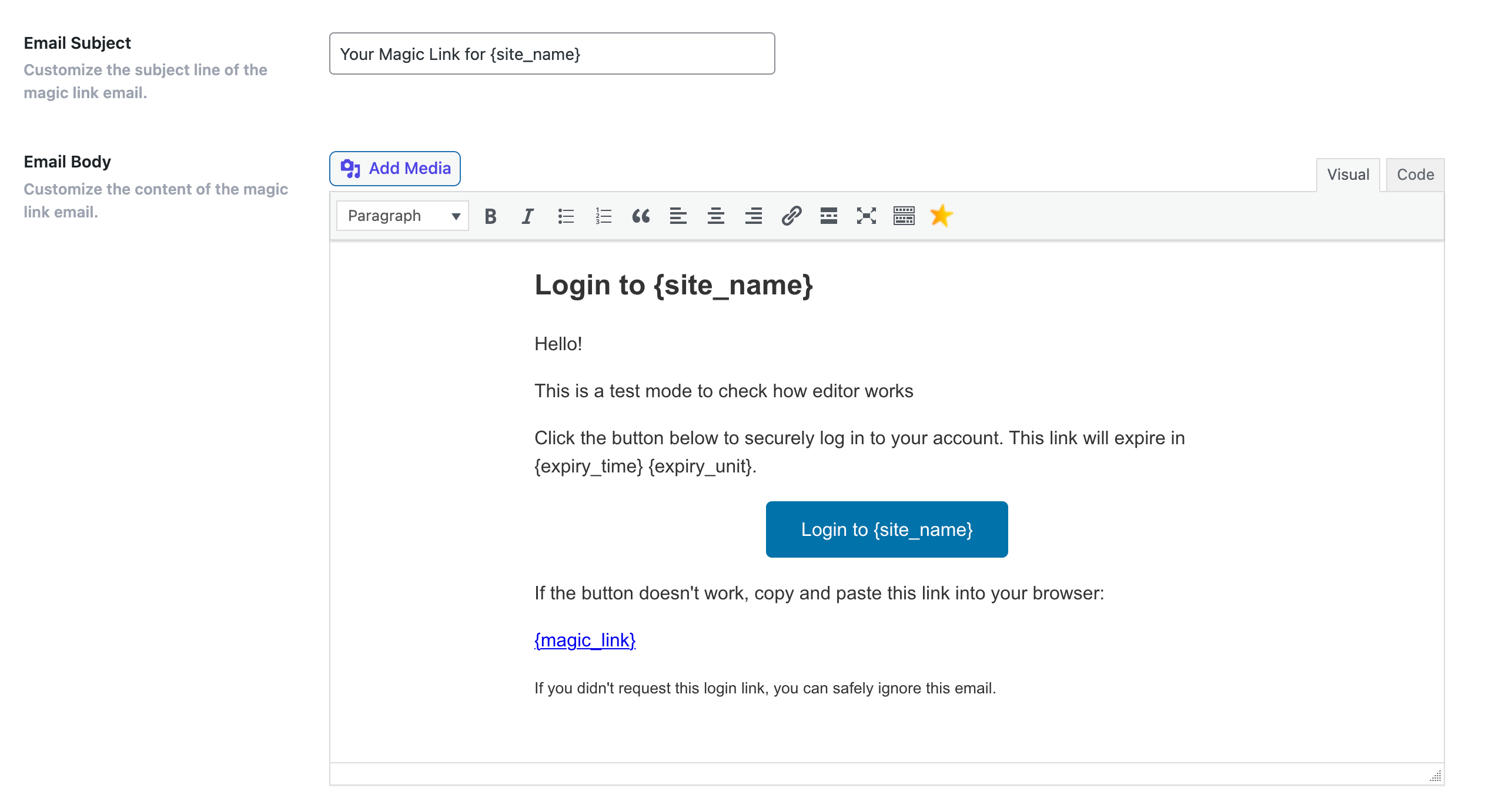
Yes. You can customize the email template from the plugin settings page in Magic Link PRO version.
- Can I use Magic Link with other plugins?
Yes. Magic Link is compatible with most of the popular plugins. However, if you face any issues, please create a support ticket here.
- How can I get support?
You can get support by creating a support ticket here. We will try to respond to your queries as soon as possible.
- Is Magic Link login force used for all users?
No. Default login (username & password) will continue to work as it is. You can enable/disable force Magic Link login from the plugin settings page to set as default login method.
- Can I use Magic Link with custom user roles?
Yes. You can use Magic Link with custom user roles. You can also restrict Magic Link usage to specific user roles in the PRO version.
- Can I use Magic Link with multisite?
Yes. Magic Link is compatible with WordPress multisite.
- Can we integrate Magic Link with other plugins?
Yes. We have provided various hooks and filters to integrate Magic Link with other plugins. You can check the documentation for more details.
- How to generate Magic Link for a user via WP-CLI?
You can use the following command to generate Magic Link for a user via WP-CLI:
wp magic-link generate <user-email>
Replace <user-email> with the email address of the user for whom you want to generate the Magic Link.
更新日志:
- New: A redesigned Settings screen — a clean sidebar for each section (General, Branding, Reports, Email, Integrations, Security) and a tidy card layout, so every option is easier to find and change.
- New: An Integrations tab that lists every plugin Magic Link works with — WooCommerce, LearnDash, LifterLMS, Tutor LMS, MemberPress, Paid Memberships Pro, Easy Digital Downloads, FluentCRM, WP Fusion, bbPress, WPForms, Gravity Forms and Fluent Forms — each with an on/off switch and live detection of whether its plugin is active, so you can see and control them all in one place. PRO
- New: Turning on an integration that has its own options reveals a dedicated tab beneath it — for example Integrations → WooCommerce or Integrations → Gravity Forms — where those settings live. Turning it off hides the tab and disables the integration. PRO
- New: Saving settings now shows a success or failure toast at the top of the screen.
- Fix: The Digest Day field is now hidden completely for daily digests, instead of leaving an empty labelled row.