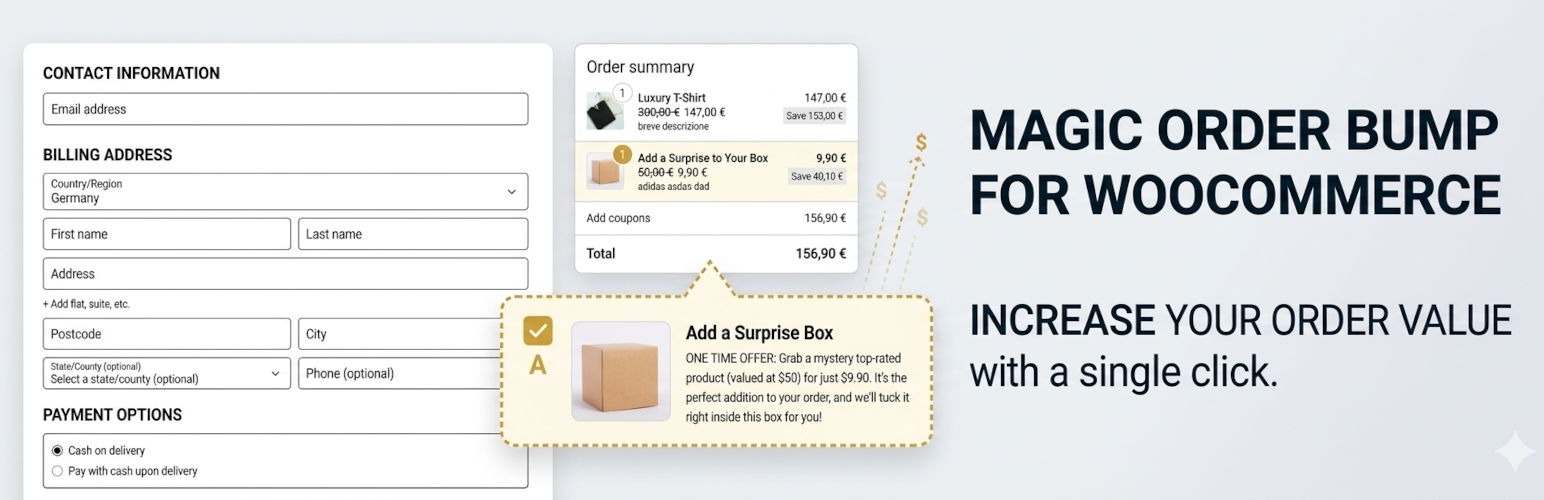
Magic Order Bump for WooCommerce
| 开发者 | magicsoft |
|---|---|
| 更新时间 | 2026年3月26日 09:10 |
| PHP版本: | 8.0 及以上 |
| WordPress版本: | 6.9 |
| 版权: | GPLv2 or later |
| 版权网址: | 版权信息 |
详情介绍:
- Works with the WooCommerce Block Checkout (WC Blocks / Gutenberg)
- Real-time total update — no page reload
- Fully accessible: keyboard navigable, ARIA roles, screen-reader friendly
- Configurable accent color to match your brand
- Custom description or automatic fallback to the product short description
- Display conditions: minimum/maximum cart amount, logged-in vs guest users, required product category in cart
- Rate limiting on the AJAX toggle (20 requests/min per customer)
- Compatible with WooCommerce High-Performance Order Storage (HPOS)
- Clean uninstall — removes all options and transients on deletion
安装:
- Upload the
magic-order-bump-for-woocommercefolder to the/wp-content/plugins/directory, or install it directly from Plugins → Add New in your WordPress dashboard. - Activate the plugin through the Plugins screen.
- Go to WooCommerce → Magic Order Bump and configure the settings.
- Enable the bump, choose a product, and save.
屏幕截图:
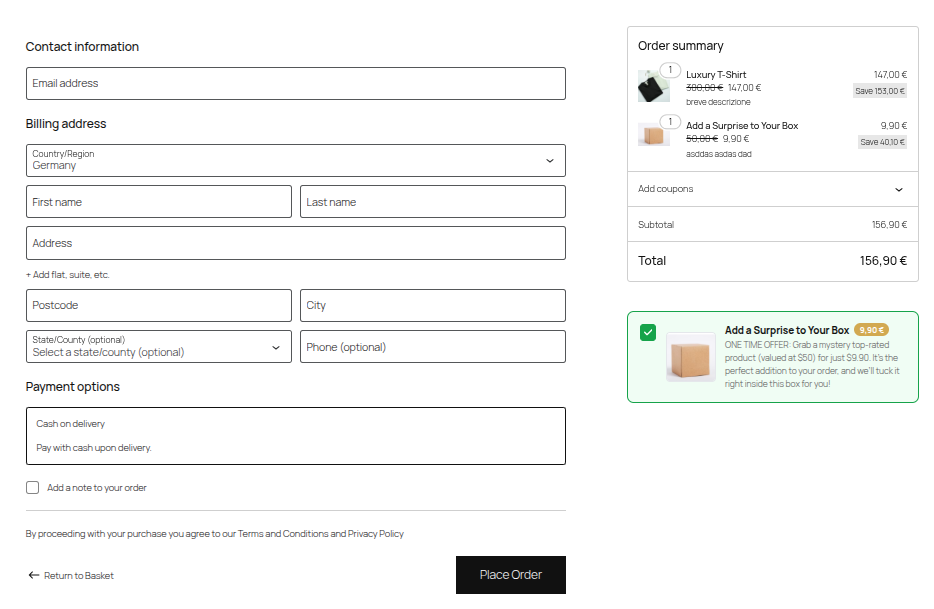
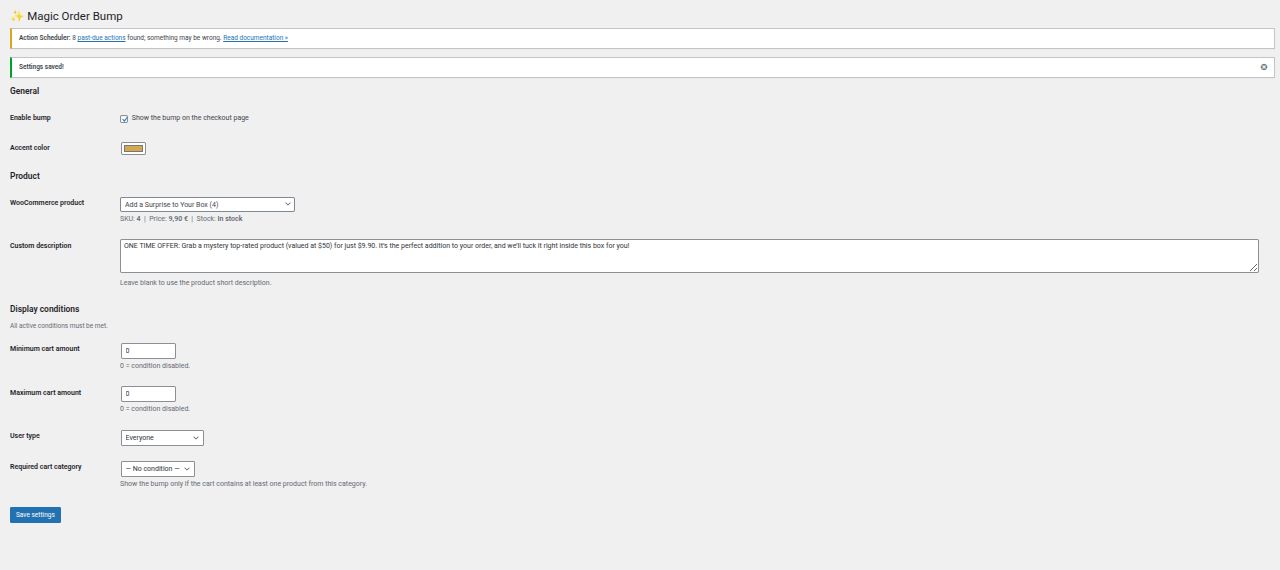
常见问题:
Does this work with the classic WooCommerce checkout shortcode?
The plugin is designed and tested for the WooCommerce Block Checkout (the default in WooCommerce 8.3+). It may not display correctly with the classic [woocommerce_checkout] shortcode.
Can I show the bump only to specific customers?
Yes. You can restrict visibility to logged-in users only, guests only, or everyone. You can also require a minimum or maximum cart amount, or require a specific product category to be present in the cart.
Will the bump product appear as a separate line item in the order?
Yes. The product is added as a real WooCommerce cart item and appears as its own line item in the order. It is also flagged with a hidden _mobump_item meta field for traceability.
What happens if the bump product goes out of stock?
The bump will automatically stop showing as soon as the product is out of stock or no longer purchasable. If a customer already has it in their cart and the product becomes unavailable before checkout, it will be silently removed.
Does this plugin store any personal data?
No personal data is stored. The plugin uses a WooCommerce session variable to remember whether the customer has added the bump product. This is cleared when the session expires.
更新日志:
- Initial release.