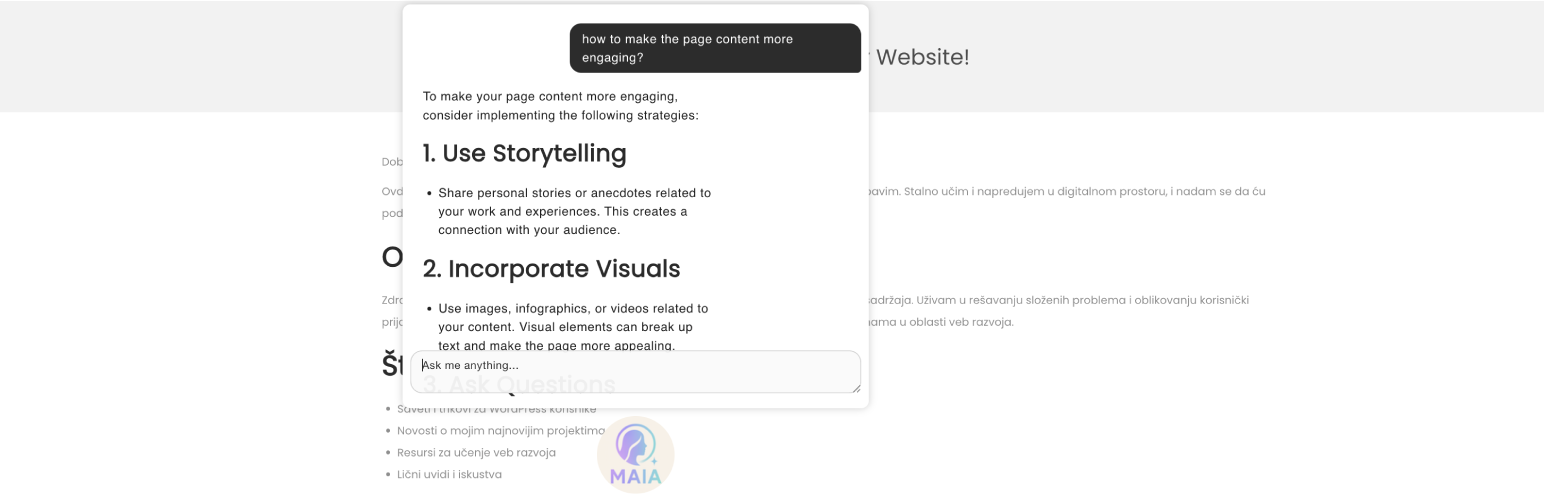
MAIA - Multipurpose AI Assistant
详情介绍:
- Read and search your theme/plugin files, and propose edits — you always see a diff and approve it before anything is written
- Write your posts/pages/product descriptions, and create/update/trash them for you (with your confirmation)
- Manage categories and tags
- Install, activate, deactivate, or delete plugins
- Answer questions about your site by looking things up itself — active theme, installed plugins, users, content — instead of guessing
- Search the web and search for images (optional — requires a free Brave Search API key in Settings / MAIA)
- Extend WP via custom code snippets
- Contemplate life and the Universe 🙂
安装:
- Upload the plugin to
/wp-content/plugins/and activate it through the 'Plugins' menu in WordPress - Click MAIA's avatar (bottom of the screen) and sign in with your free Puter.com account
- Optionally visit Settings / MAIA to pick a model, or turn off file editing / write tools entirely
- Start chatting — right-click the avatar for discussions, account options, and to show/hide the chat
常见问题:
Can it generate images?
No.
Can it edit website content?
Yes — it can create, update, and delete posts, pages, and other content types (including WooCommerce products), always with your explicit confirmation first. You can also turn this off entirely in Settings / MAIA.
Can it edit website or theme files?
Yes, within the same rules as WordPress' own file editor — it can only touch files WordPress itself considers editable, every change requires your confirmation with a full diff, and if the edit introduces a fatal PHP error it is automatically detected and rolled back before it can break your site. This can also be turned off in Settings / MAIA, and it's unavailable if DISALLOW_FILE_EDIT is set or (on Multisite) you're not a Super Admin.
Is it safe to let an AI write to my site?
Every write action requires you to click Confirm on a card that shows exactly what will change — the raw diff or the raw arguments, never a summary written by the AI itself. Nothing happens automatically. That said, tool results (file contents, post content, etc.) are treated as data by MAIA, but no safeguard is perfect — review what you're confirming, especially on a site where other people can create content.
Can it install or manage plugins?
Yes — it can list installed plugins and install, activate, deactivate, or delete them, always with your confirmation first. This uses WordPress' own plugin REST endpoint, so it's subject to the same Administrator-only capability checks as the "Add Plugin" screen in wp-admin.
What is "Full REST API access"?
An optional, off-by-default setting (Settings / MAIA) that lets MAIA discover and call any REST route registered on your site — not just the specific ones its dedicated tools use. It's restricted to Administrators, and every call (even a read) still requires your confirmation showing the exact method, route and parameters before it runs. Leave it off unless you have a specific need for it; MAIA's dedicated tools already cover typical requests.
Can I restrict who is allowed to use MAIA, or what it can do?
Yes. Settings / MAIA lets you require a minimum WordPress capability before MAIA offers any tools at all, and lets you turn file tools and/or write tools off completely, site-wide.
Why is MAIA not responding?
Check if Puter.com is up and running. If it is, check your usage via the right-click context menu → Puter AI → About... Puter provides free limited usage, and if you exceed it, MAIA won't respond until your usage resets.
Does this work with WooCommerce?
MAIA can list, read, and write product titles/descriptions/status, and manage product categories and tags, the same way it does for posts and pages. Price and inventory management (WooCommerce-specific fields) are not yet supported.
更新日志:
- Major release: MAIA can now use tools to read and search your site's files and content, and — with your confirmation on every single write — create/edit them too
- File tools: list/find/grep/read files under wp-content, and propose edits that show a diff and go through WordPress' own file editor safeguards (path/extension allowlist, automatic rollback on a PHP fatal)
- Content tools: list/read/create/update/delete posts, pages, and any REST-exposed post type (including WooCommerce products), plus manage categories/tags, list media, and list users — all routed through WordPress' own REST permission checks, so every user's existing capabilities are respected exactly as they are anywhere else in WordPress
- Plugin tools: list installed plugins and install/activate/deactivate/delete them, using the same core REST endpoint (and Administrator-only capability checks) as the built-in "Add Plugin" screen
- Optional "Full REST API access" (off by default, Settings / MAIA): lets MAIA discover and call any other REST route registered on the site — core, WooCommerce, or any other plugin — for the rare request none of MAIA's dedicated tools cover. Restricted to Administrators, and every single call always requires confirmation showing the exact method/route/parameters
- New Settings page (Settings / MAIA): choose the AI model, toggle file tools and write tools on/off, cap tool calls per turn, require a minimum capability before MAIA is offered at all, optionally add a Brave Search API key to unlock web search and image search tools, and optionally enable full REST API access
- The context sent with every message is now much smaller: MAIA used to send your entire site (every user, post, page, plugin and theme) on every single request — now it fetches only what it actually needs, when it needs it
- Requires PHP 8.2 (up from 7.4)
- improved code rendering in chat
- added button to code snippets to copy to clipboard
- initial release