
Mail Doctor
| 开发者 | Sarfraj Yusuf |
|---|---|
| 更新时间 | 2026年3月26日 00:15 |
| PHP版本: | 8.1 及以上 |
| WordPress版本: | 6.9 |
| 版权: | GPLv2 or later |
| 版权网址: | 版权信息 |
详情介绍:
wp_mail stack with authenticated SMTP or provider APIs plus the operational tooling fast-moving stores need. It is written for merchants, agencies, and reliability teams that want hard proof their receipts, fulfillment notices, and alerts land every time.
Feature Highlights
- Deliverability with guardrails – Route WooCommerce or all site email through your preferred SMTP/API provider, lock the From identity, and fail over gracefully when third-party endpoints go dark.
- One-click diagnostics – Send live tests with TLS/auth badges, latency metrics, DNS posture (SPF/DKIM/DMARC), and actionable warnings the moment something drifts.
- Reliable retries & queue control – Automatic exponential backoff, manual retry orchestration, Action Scheduler integration, and a “run queue now” control for urgent flushes.
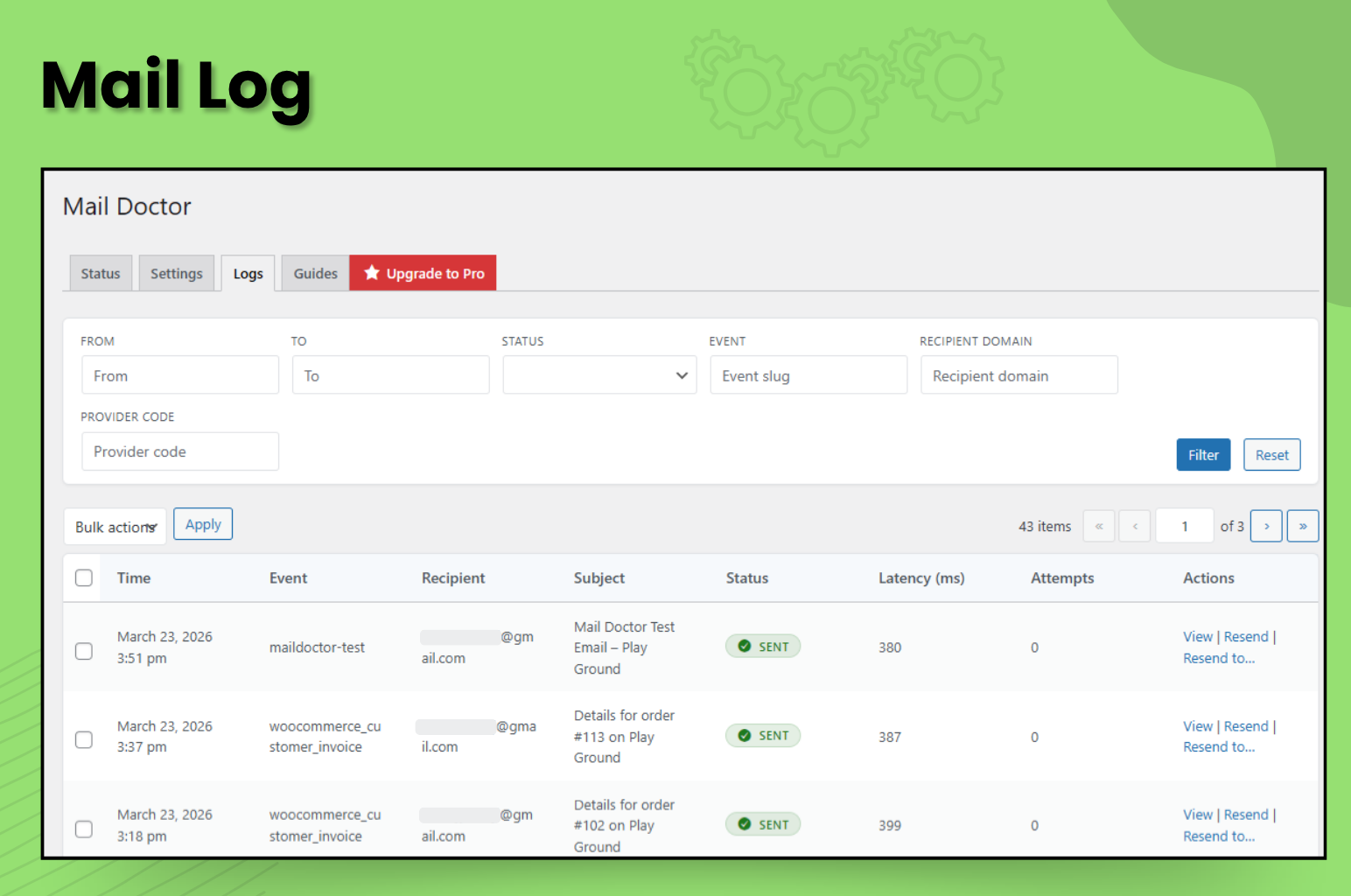
- Deep visibility – Searchable logs with
.emldownloads, header/body inspection, filterable status views, and CSV exports for audits. - Email template workflow – Version history, diff previews, modal device switcher, and send-test flows for the WooCommerce template editor.
- Automation surface – REST API endpoints and WP-CLI commands mirror UI actions so you can script smoke tests, tail logs, or trigger retries in CI/CD pipelines.
- Privacy-first options – Hash or redact recipients, tune retention windows, and honour GDPR requests through the bundled exporters/erasers.
- Operational alerts – Instant Slack/email failure alerts plus weekly digests summarising throughput, latency, retries, and queue health.
安装:
- Upload the
mail-doctorfolder to/wp-content/plugins/or install via the WordPress admin. - Activate the plugin.
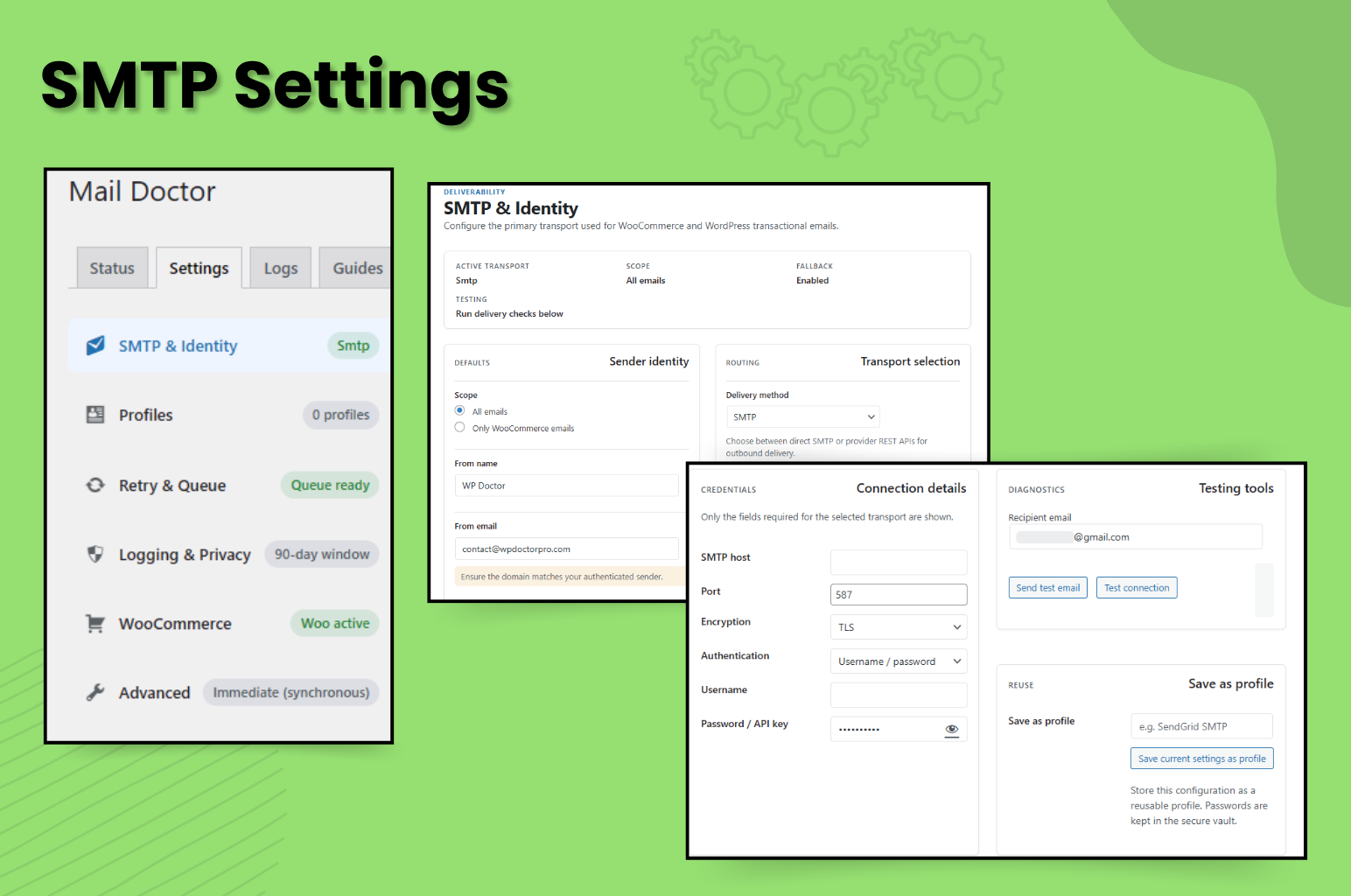
- Navigate to WooCommerce → Mail Doctor → Settings and enter your SMTP credentials.
- Use the Status tab to send a test message and review diagnostics.
屏幕截图:
常见问题:
Does this plugin send all emails over SMTP?
By default, only WooCommerce emails are routed through SMTP. You can toggle the scope to All wp_mail calls on the settings tab.
Which SMTP providers are supported?
Any provider offering SMTP access (SendGrid, Mailgun, SES, Postmark, Gmail with App Passwords, etc.). Use the appropriate host, port, encryption, username, and password supplied by your provider.
Will Mail Doctor work without WooCommerce?
Most features (SMTP override, logging, retries) work without WooCommerce. Woo-specific tools (previews, email toggles) require WooCommerce to be active.
Where are logs stored?
Email activity is stored in the custom database table {prefix}maildoctor_log. Logs are automatically pruned based on the retention period set in the plugin settings (default 30 days).
How do retries work?
Failed emails are marked with a retry schedule using exponential backoff. A cron worker (maildoctor_retry_cron) runs every five minutes to process due entries. You can also trigger a manual retry from the Logs tab.
How can I get help?
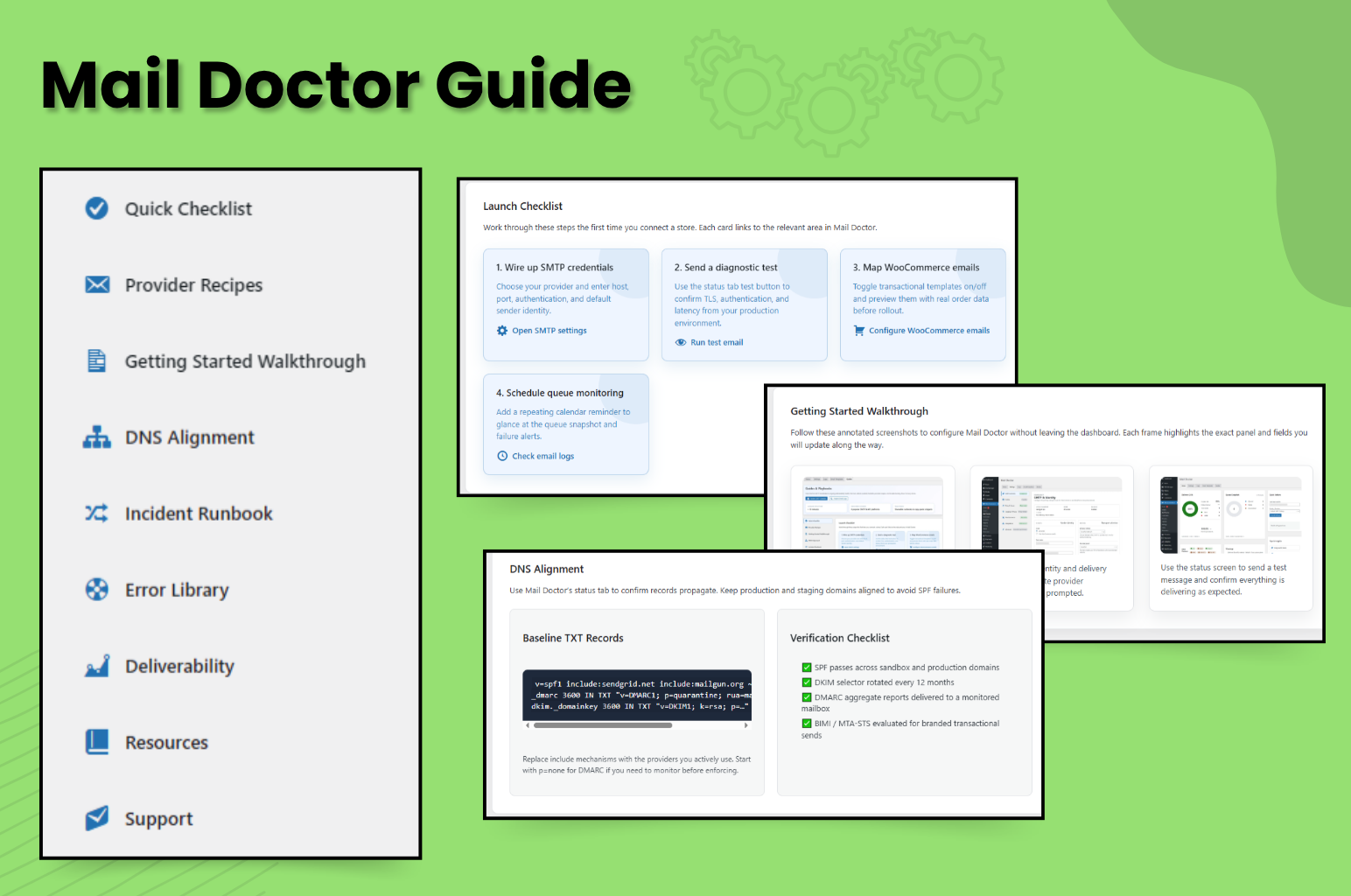
See the Documentation section for configuration guides and playbooks. If you are on a support contract, provide log IDs and the output of wp maildoctor status when you reach out so the team can assist quickly.
更新日志:
- Fixed an issue where the plugin was not properly deleted on uninstall.
- Launch release with authenticated SMTP/API transports plus provider presets for Mailgun, SendGrid, SES, Postmark, SparkPost, and generic HTTP relays.
- Added test email workflows (WP admin, REST API, and WP-CLI) with TLS/auth diagnostics, DNS posture, and latency metrics.
- Introduced searchable email logging with
.emlexports, CSV downloads, manual retry, quarantine, and queue draining controls. - Delivered privacy tooling (hashing, redaction, retention policies), capability checks, and GDPR exporter/eraser integrations.
- Included Mail Doctor docs hub with onboarding guide, provider recipes, and troubleshooting playbooks for hand-offs.