Linux 软件免费装
Banner图

Mailercloud - Integrate webforms and synchronize website contacts

开发者 Mailercloud
RND Experts
更新时间 2026年7月1日 14:14
PHP版本: 7.2.5 及以上
WordPress版本: 7.0
版权: GPLv2 or later
版权网址: 版权信息

标签

newsletter forms email marketing gravity forms contact form 7 wpforms emails campaigns lead capture subscribe form contact sync elementor forms mailercloud

下载

1.0.4 1.0.2 1.0.3 1.0.1 1.0.5 1.0.6 1.0.8 1.0.9 1.0.7 1.1.0 1.0 1.0.10 1.1.1

详情介绍:

Enhance your email marketing with Mailercloud's WordPress plugin. Integrate web forms, synchronize contacts, automate workflows, and create stunning email campaigns. Perfect for businesses of all sizes to grow their audience and engagement. Mailercloud Email Marketing Plugin is the ultimate solution to enhance your email marketing efforts by integrating web forms and synchronizing contacts. This plugin helps you collect subscribers, capture leads through web forms, and trigger automated emails. Mailercloud connects the forms you already use on WordPress to your Mailercloud account, so every lead you collect flows straight into your contact lists — ready for email marketing. No third-party bridge plugin required. Already running Contact Form 7, WPForms, Elementor, Gravity Forms, Ninja Forms, or Formidable? Map their fields to Mailercloud once, and new submissions are added or updated automatically. Prefer to build a form from scratch? The plugin also ships a Mailercloud signup form block you can drop into any page or post.

安装:

Automatic Installation
  1. Go to Plugins > Add New in your WordPress dashboard.
  2. Search for "Mailercloud."
  3. Click Install Now, activate the plugin, then connect with your Mailercloud API key.
Manual Installation
  1. Download the Mailercloud plugin zip file.
  2. Go to Plugins > Add New in your WordPress dashboard.
  3. Click Upload Plugin and choose the downloaded zip file.
  4. Click Install Now, activate the plugin, then connect with your API key.

屏幕截图:
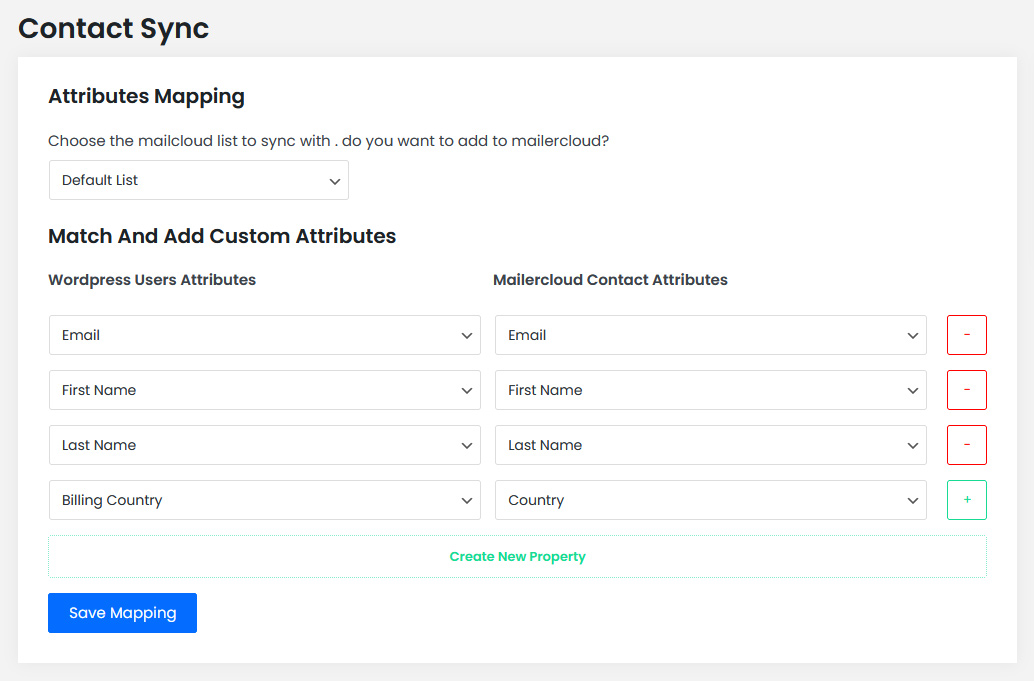
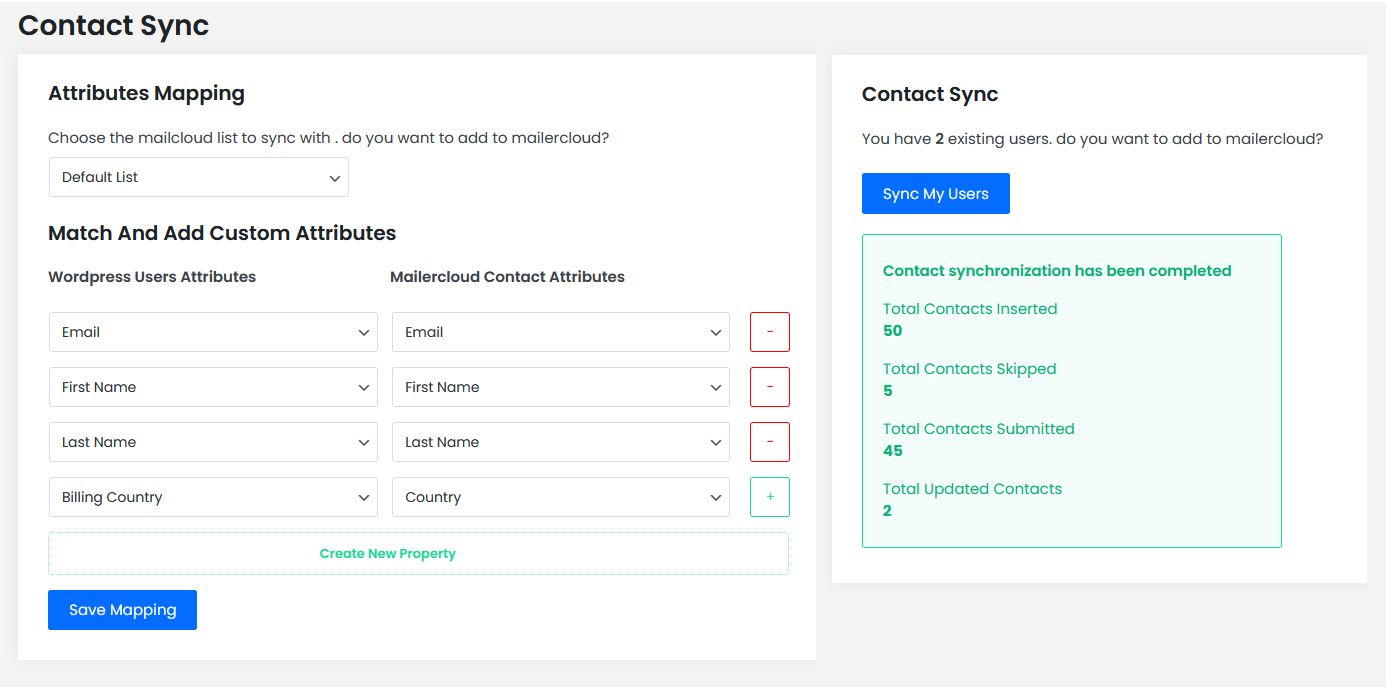
  • Contact attribute mapping
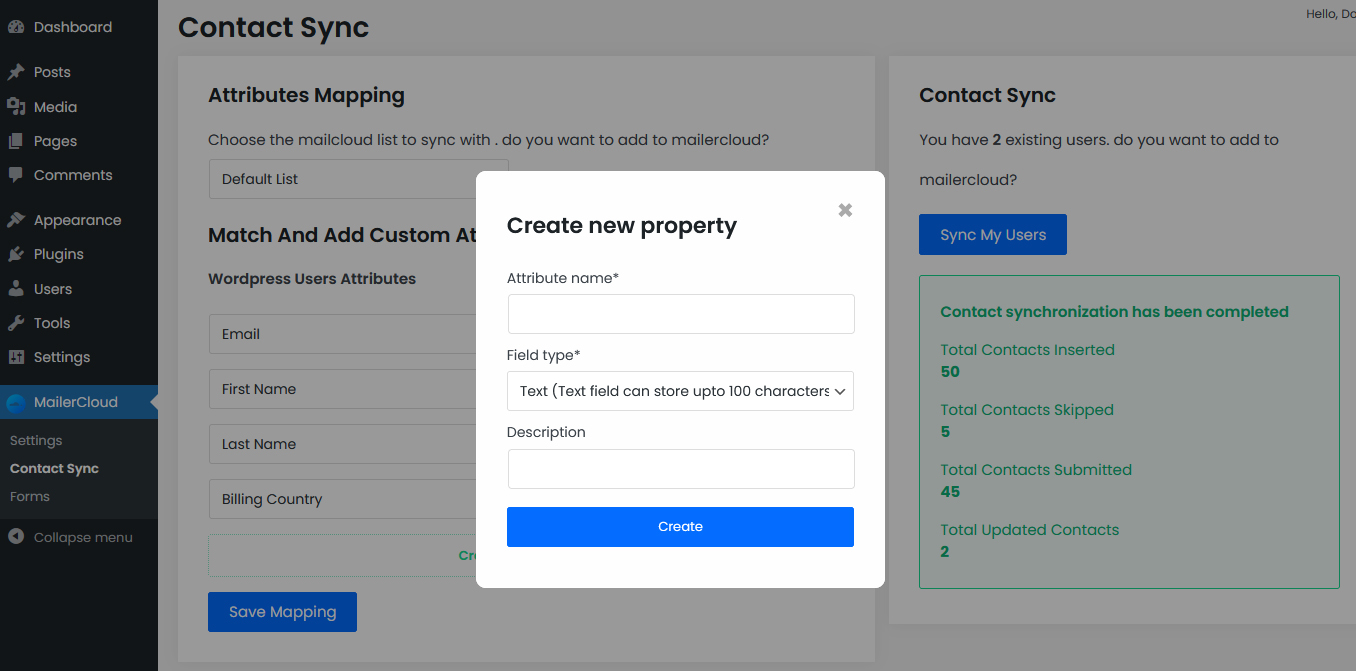
  • Create New attribute
  • Contact Synch
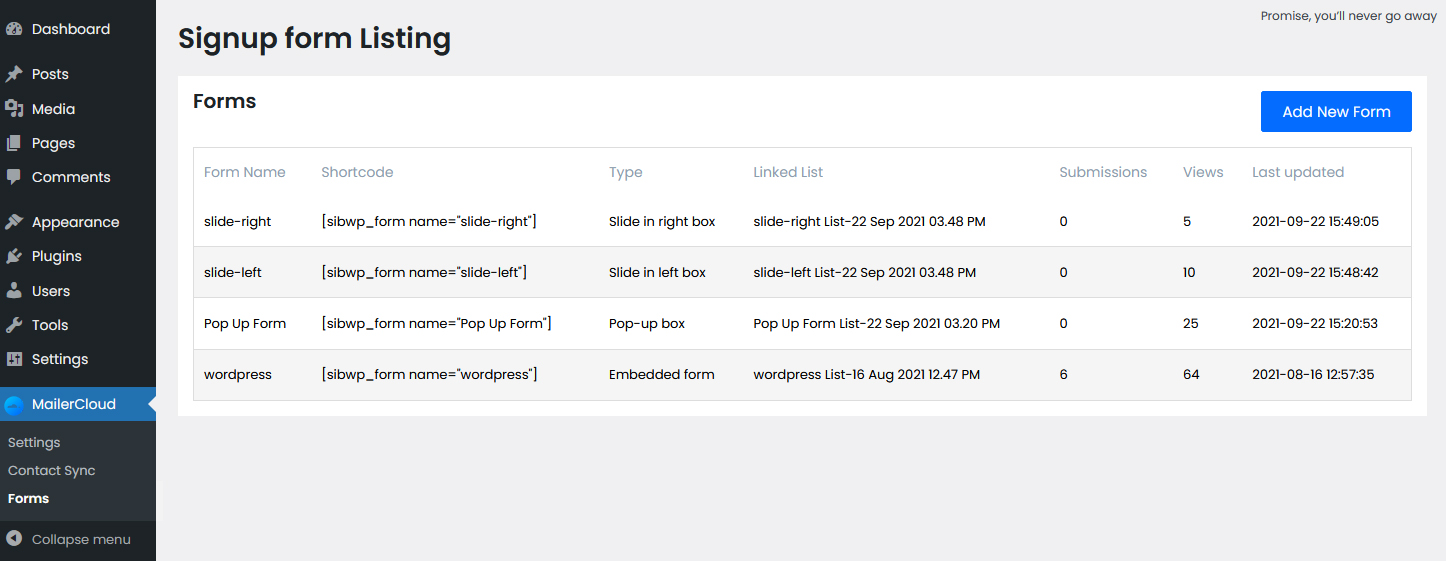
  • Signup form listing
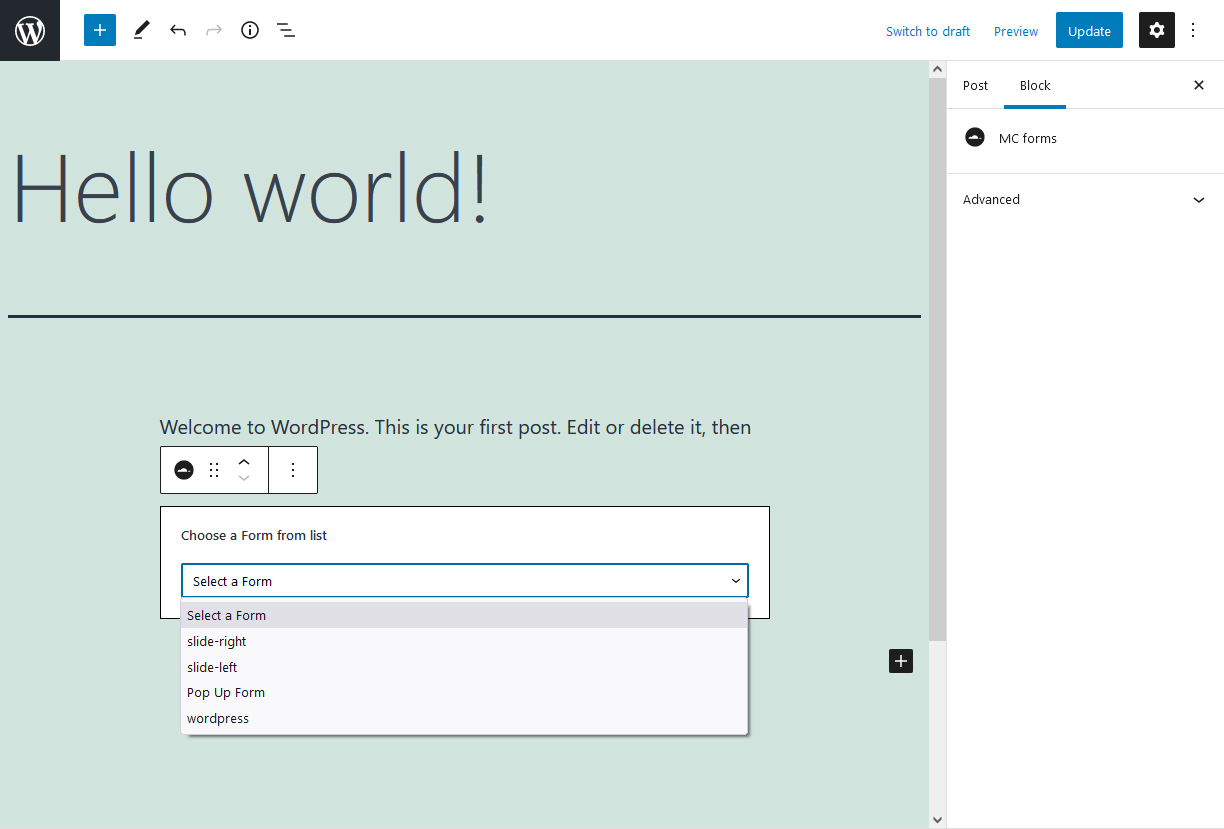
  • Form integration in Post page
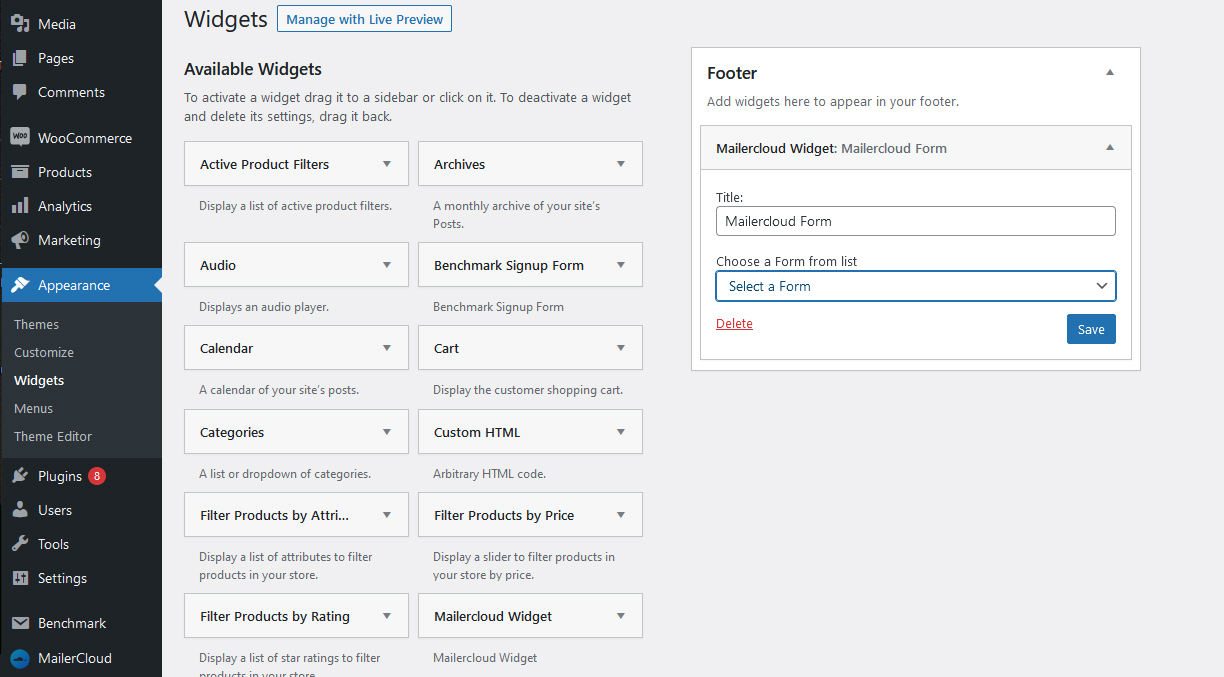
  • Mailercloud widget

升级注意事项:

1.1.1 Adds background, rate-limited alerting so the Mailercloud team is notified if your forms hit a delivery problem. No form data is sent. 1.1.0 Adds connectors for Contact Form 7, WPForms, Elementor, Gravity, Ninja and Formidable, plus non-user lead capture and field mapping into Mailercloud.

常见问题:

What is Mailercloud ?

Mailercloud is a comprehensive email marketing platform designed to help you create, send, and optimize email campaigns.

How does Mailercloud ensure GDPR compliance?

Mailercloud provides tools to manage user consent, including easy opt-out options and consent management.

Is there a limit to the number of emails I can send?

Mailercloud offers various plans to suit different needs, including limits based on the plan you choose.

Which form plugins does it support?

Contact Form 7, WPForms, Elementor Forms, Gravity Forms, Ninja Forms, and Formidable Forms — plus the built-in Mailercloud signup form block. No third-party bridge plugin needed.

Do I need a Mailercloud account?

Yes. The plugin connects your WordPress site to Mailercloud, where your contacts, campaigns, and automations live. You can start with a free account.

Does it capture leads from visitors who aren't registered users?

Yes. Form submissions from any visitor are captured and matched on email, so you collect leads, not just registered WordPress users.

Where do I build and send campaigns?

Inside your Mailercloud account. The plugin's job is to get contacts into Mailercloud cleanly; campaign building, automation, and reporting happen on the platform.

Is it GDPR-friendly?

Mailercloud provides consent and opt-out tools to help you manage compliance for the contacts you collect.

更新日志:

1.1.1 Improvement: When a form submission cannot be delivered to Mailercloud (API unreachable or rejected), the plugin now raises a rate-limited alert to the Mailercloud team so connection issues can be spotted and resolved faster. The alert is throttled (at most once per hour per error) and sent in the background, so it never slows down your forms. No submitted contact data is included. 1.1.0 New: Form-plugin connectors. Send submissions from Contact Form 7, WPForms, Elementor Forms, Gravity Forms, Ninja Forms and Formidable directly to a Mailercloud list, with per-field mapping and optional tags — visitors are captured even without a WordPress account. Adds an Integrations page to configure connectors and an Analytics page showing leads captured by source. Adds native connectors for Contact Form 7, WPForms, Elementor, Gravity Forms, Ninja Forms, and Formidable Forms — capture leads from the forms you already use, no bridge plugin required. Now captures non-user form submissions (matched on email), adds field mapping for connected forms, and a list-growth view inside WordPress. Listing description updated for accuracy. 1.0.10 Performance fix for sites with large numbers of WordPress users. The Contact Sync page now loads quickly regardless of how many users are on the site, and the sync runs in small batches instead of attempting to process every user at once. 1.0.9 Tested for compatibility with PHP 8.4 and WordPress 6.9. Resolves a rare issue that could prevent the Contact Sync page from loading on some sites running newer PHP versions. 1.0.8 Security update addressing a vulnerability reported by Wordfence. All users are strongly encouraged to update to this version. 1.0 Initial Version Launch