
MailProbe – Stop Fake Signups
| 开发者 |
mailprobe
jamalofski |
|---|---|
| 更新时间 | 2026年10月20日 19:22 |
| PHP版本: | 7.4 及以上 |
| WordPress版本: | 7.1 |
| 版权: | GPLv2 or later |
| 版权网址: | 版权信息 |
详情介绍:
- cannot receive emails: no mail server for the domain, mailbox that does not exist, bad format;
- is disposable (a throwaway inbox);
- is a shared address such as info@ or contact@, if you choose to refuse those (off by default).
安装:
- Install and activate the plugin.
- Create a MailProbe account on mailprobe.dev (100 free checks).
- In your MailProbe dashboard, open the Developer tab and create an API key.
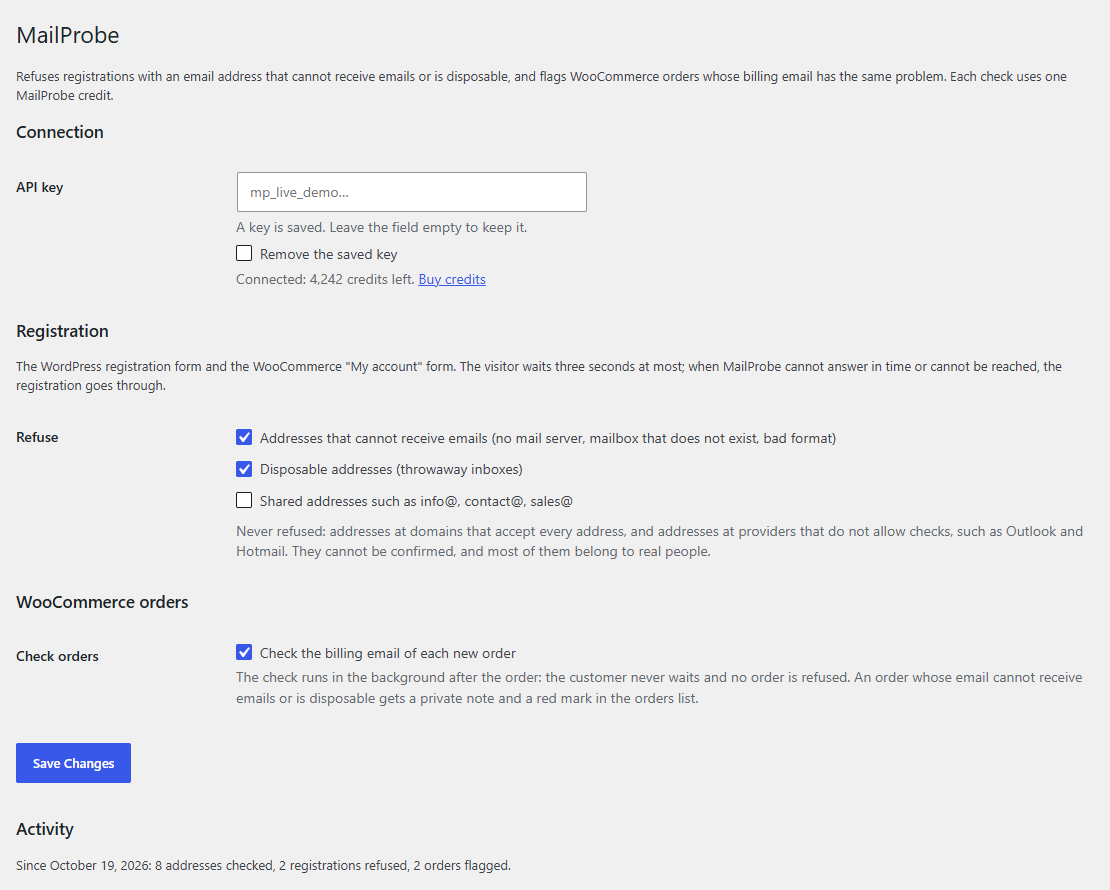
- Paste the key in Settings > MailProbe. The page shows your credit balance once the key is accepted.
define( 'MAILPROBE_API_KEY', 'mp_live_...' );屏幕截图:
常见问题:
Does it slow down my checkout?
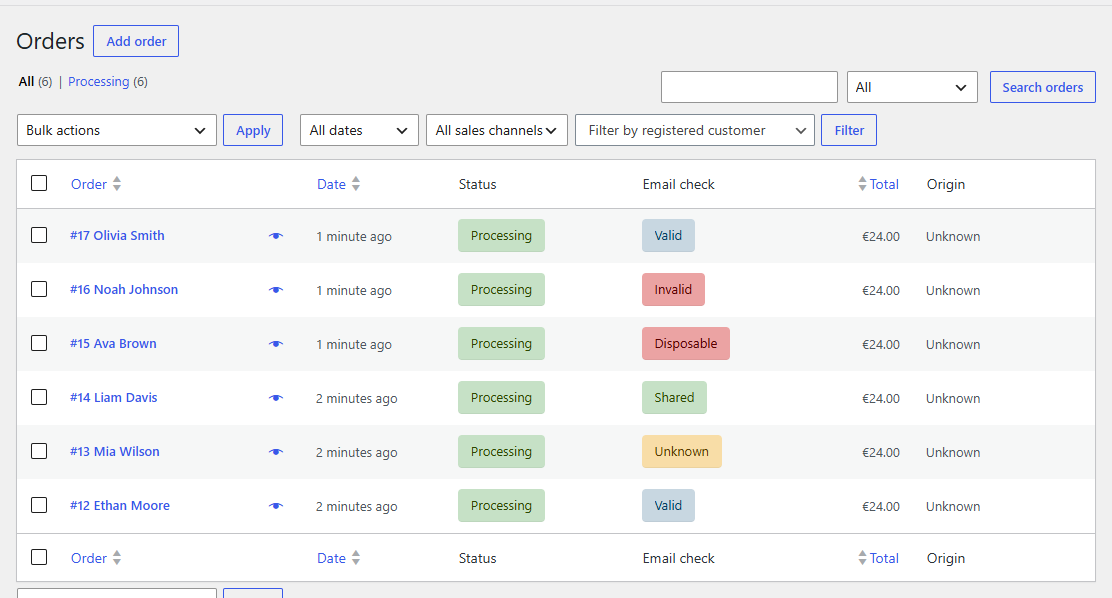
No. Orders are checked in the background, after the order is placed. Only registration waits for the check, three seconds at most; most checks answer in under a second.
What happens when I run out of credits?
Nothing is blocked: registrations and orders go through unchecked, and a notice in your admin tells you so, with a link to buy credits. Checks resume as soon as credits are added.
Will it block real customers?
It refuses only addresses that cannot receive emails, disposable addresses, and (if you ask) shared addresses. Addresses that cannot be confirmed are always accepted. You can turn each rule off in Settings > MailProbe.
Can I hold flagged orders instead of only flagging them?
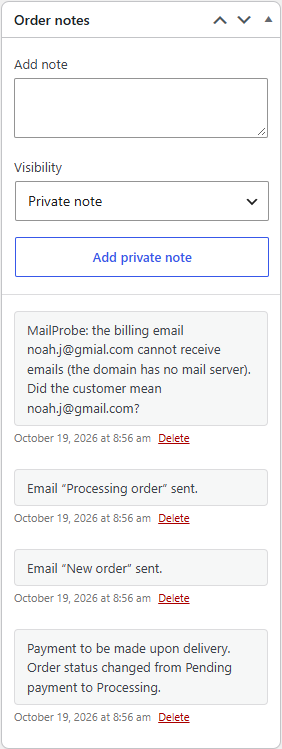
The plugin fires the mailprobe_order_checked action with the order, the verdict and the full result, so a few lines of code can put flagged orders on hold. The message shown at registration can be changed with the mailprobe_registration_message filter, and the time a visitor waits with mailprobe_registration_wait.
Does it check addresses already in my database?
No, this version checks new registrations and new orders. To clean an existing list, upload it in your MailProbe dashboard.
更新日志:
- The settings page links to the plugin's support forum and to its reviews on WordPress.org.
- The activity line of the settings page uses the singular for one: "1 registration refused", not "1 registrations refused".
- The plugin takes its full name: MailProbe – Stop Fake Signups. No change in behaviour.
- First version: check at registration (WordPress and WooCommerce forms), background check of WooCommerce orders, settings page, credit balance and alerts.