Main Entrance
| 开发者 | Christian Gatti |
|---|---|
| 更新时间 | 2026年8月25日 18:14 |
| 捐献地址: | 去捐款 |
| PHP版本: | 7.0.0 及以上 |
| WordPress版本: | 7.1 |
| 版权: | GPL-2.0+ |
| 版权网址: | 版权信息 |
详情介绍:
Install and activate Main Entrance plugin, copy [main-entrance-form] shortcode into the page where you want to show the frontend form or enter the Main Entrance setup and build automatically a login page.
Define where to redirect registered users and define if to let them auto login after registration; this is particularly useful if you want to redirect them to a restricted content.
Define where to redirect users after login; you can set two different destinations for all users and for Main Entrance Users only (users registered through Main Entrance forms).
In association with NutsForPress Restricted Contents, Main Entrance helps you to build a restricted content page, for allowing to download documents only to logged in users.
In association with NutsForPress Login Watchdog, you can monitor login attempts, lock down users exceeding login attempts conceded and you can display custom errors instead of default WordPress login errors.
Fully compliant with GDPR, Main Entrance lets you define up to two different disclaimers and to acquire two different consents, one of them mandatory.
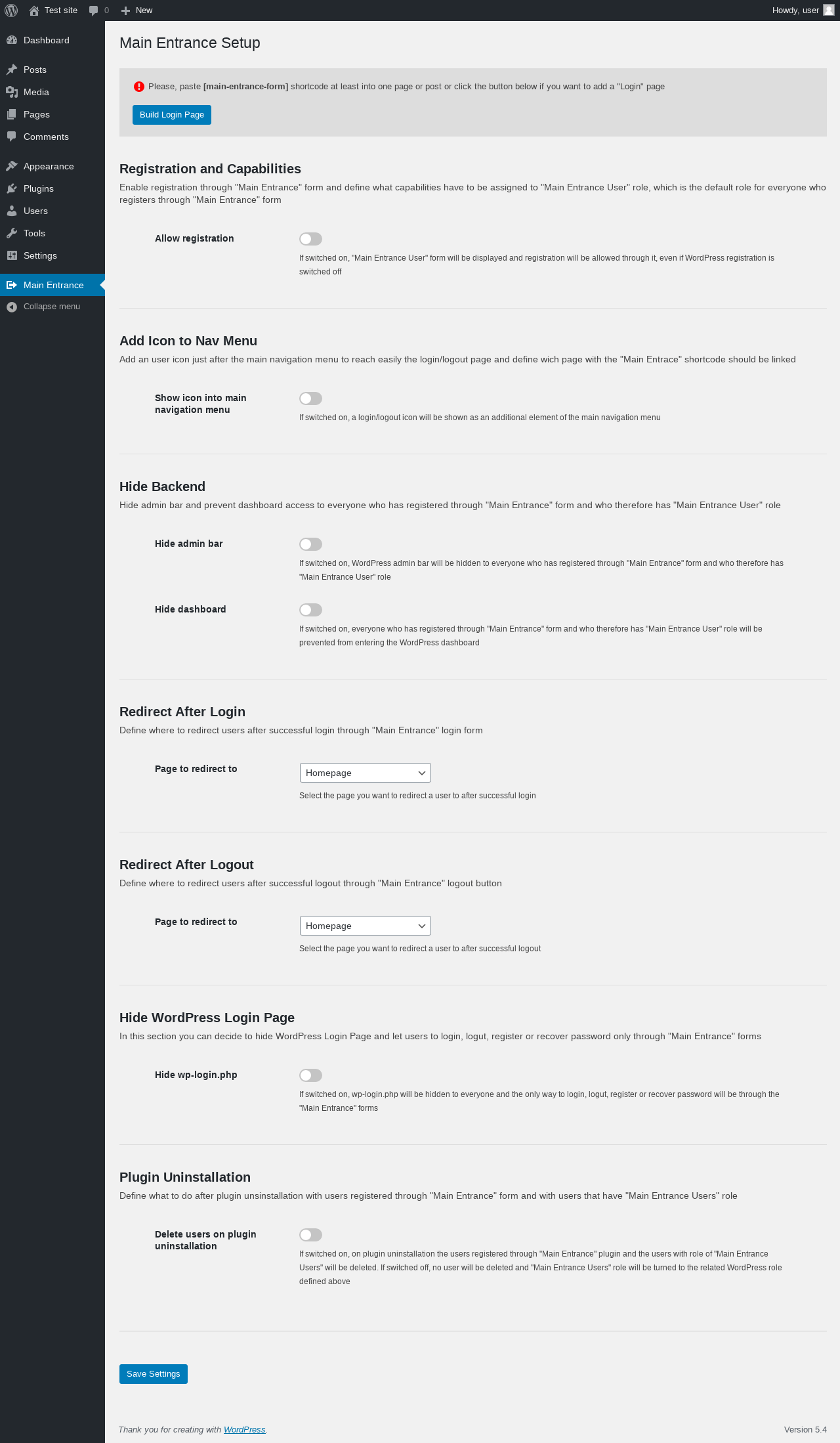
A complete and easy setup panel will guide you through various and useful settings.
Whatever is worth doing at all is worth doing well
安装:
Installation From Plugin Repository
- Into your WordPress plugin section, press "Add New"
- Use "Main Entrance" as search term
- Click on Install Now on Main Entrance into result page, then click on Activate
- Set "Main Entrance" options by clicking on the link you find under the "Tools" menu
- Download Main Entrance from https://wordpress.org/plugins/main-entrance
- Into your WordPress plugin section, press "Add New" then press "Load Plugin"
- Choose restricted-media.zip file from your local download folder
- Press "Install Now"
- Activate Main Entrance
- Set "Main Entrance" options by clicking on the "Main Entrance" link you find into WordPress dashboard
- Enjoy!
屏幕截图:
更新日志:
1.9.5
- Added an honeypot protection from spam
- Tested up to WordPress 6.2
- Now you can set a comma separated list of email recipients to send new registration notifications
- Added an "Address" field
- Few other improvements
- Now translations are provided by translate.wordpress.org, instead of being locally provided: please contribute!
- Fixed minor bugs introduced with the release 1.9
- Now you have more available fields to add to registration form and now you can check and edit custom fields within the user editor
- Minor but essential modifications, in order to interact with the incoming new version of "Restricted Media, Pages and Posts"
- In association with "Restricted Media, Pages and Posts" plugin, now you can redirect user to the origin page after registration or login
- Minor improvements
- Fixed a bug that prevented from using ajax when WordPress dashboard was set to be hidden to users with role of "Main Entrance User"
- Added the action "mnnt_user_registration" on completed user registration that passes the registrant email address (for subscribing to a mailing list, for example)
- Added a "Surname" to the additional field
- Added the action "mnnt_secondary_acceptance" on completed user registration that passes the registrant email address (for subscribing to a mailing list, for example) only if he/she has flagged the secondary acceptance
- Now "Name" and "Surname" field are saved as WordPress User firstname and lastname
- You can now decide the recipient address of the registration notification
- Added a small function to interact with Restricted Media plugin
- Now you can choose a set of optional fields to add to registration form and define if they have to be filled out mandatorily or not
- Fixed a bug that prevented from being displayed more than five documents into privacy selectbox (backend)
- Now you can define where to redirect users after login by role
- After login you can redirect to admin dashboard every user that doesn't have the "Main Entrance User" role
- Some minor bug fix
- First full working release