
MakeMeHappy QR Code
| 开发者 | makemehappysk |
|---|---|
| 更新时间 | 2026年9月25日 13:09 |
| 捐献地址: | 去捐款 |
| PHP版本: | 7.4 及以上 |
| WordPress版本: | 7.1 |
| 版权: | GPLv2 or later |
| 版权网址: | 版权信息 |
详情介绍:
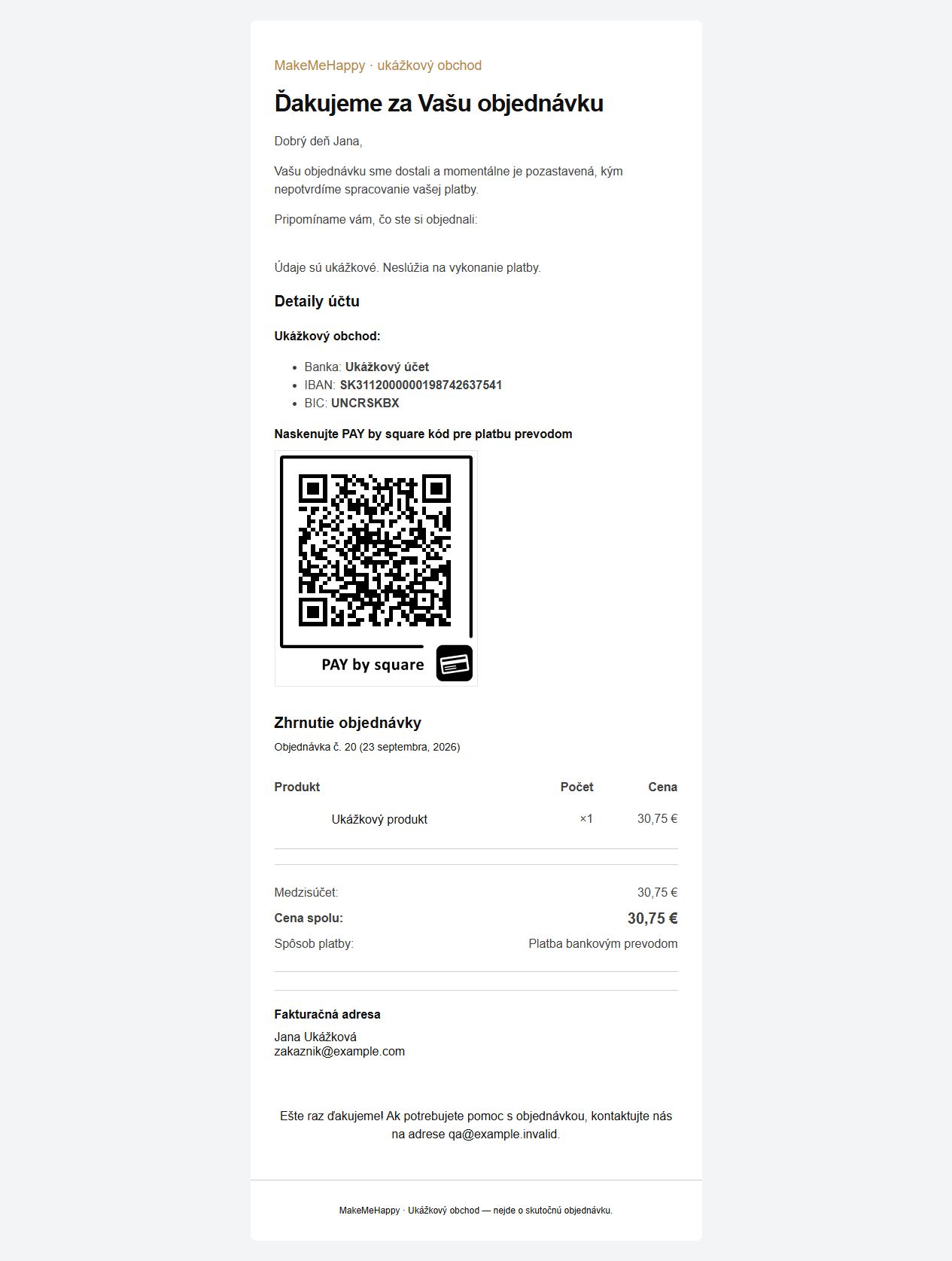
- PAY by square for Slovak IBAN accounts and EUR orders, generated by Profit365.
- SPAYD and SEPA EPC modes retained from the earlier plugin; images generated by QR Server. SEPA EPC requires EUR. Bank application support varies by format.
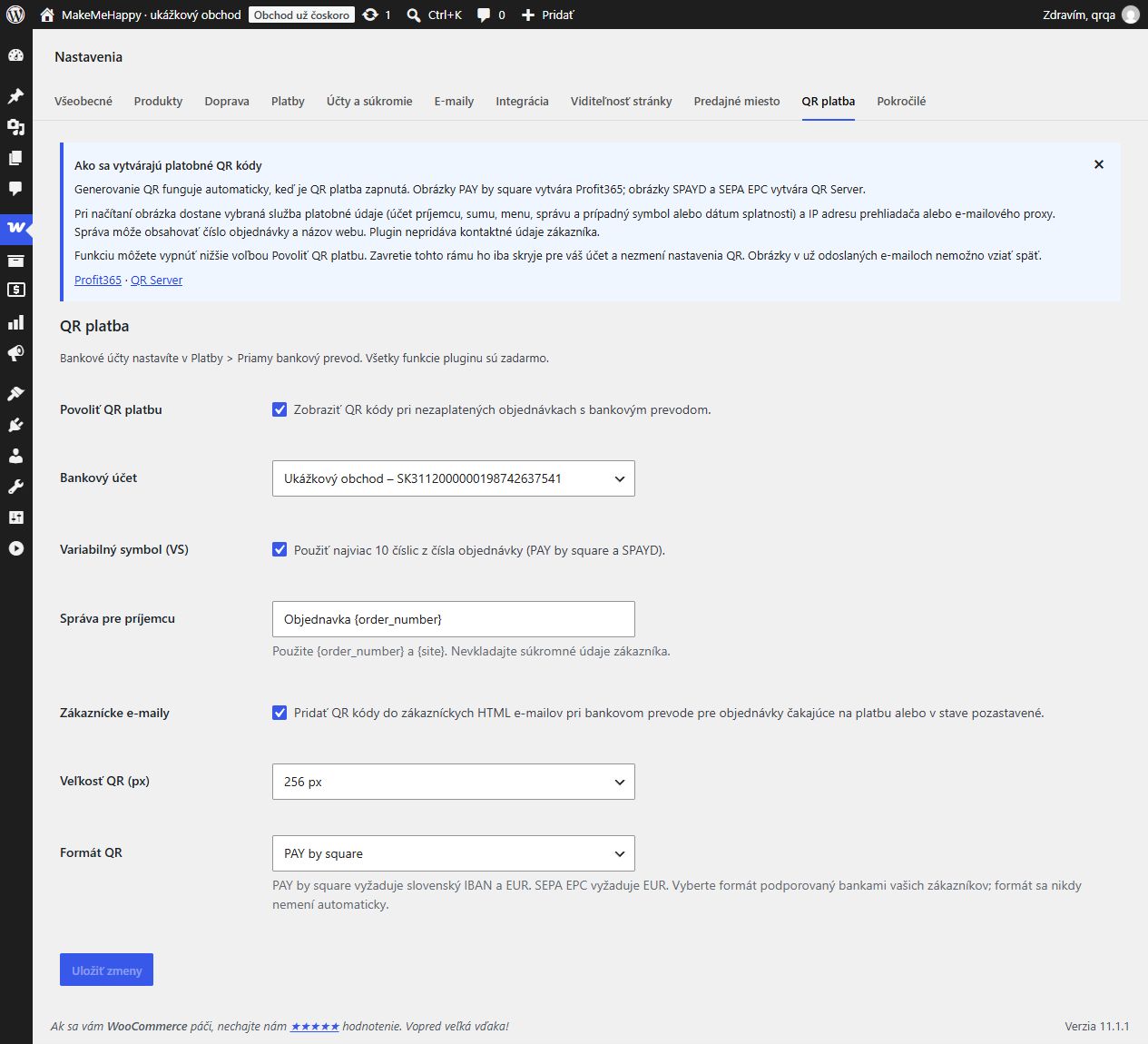
- Select a bank account from the existing WooCommerce BACS accounts.
- Optional variable symbol from the order number (up to 10 digits, PAY by square/SPAYD).
- Payment message with {order_number} and {site} placeholders.
- Image sizes: 64, 128, 256 or 512 pixels.
- Translation-ready English interface; directory translations are delivered by WordPress language packs.
- WooCommerce High-Performance Order Storage (HPOS) support.
安装:
- Install and activate WooCommerce, then MakeMeHappy QR Code.
- Configure Direct bank transfer and its bank account details under WooCommerce > Settings > Payments.
- Open WooCommerce > Settings > QR payment. Select the matching account and format.
- Read the external-service information box. QR payment is enabled by default; use Enable QR payment to switch it on or off. Closing the box does not change payment settings.
- Configure the payment message, size and optional customer email output, then save.
- Place a test bank transfer order. Scan the QR code and verify the recipient, currency, amount and reference before making the plugin available to customers.
屏幕截图:
常见问题:
Does it require a license key?
No. There is no license activation or registration screen. Donations are optional.
Can I upgrade from 1.0.2?
Yes. Back up your site, then replace the existing plugin using this ZIP. The folder and main file remain makemehappy-qr-code/makemehappy-qr-code.php. Existing mmh_qr_ options and legacy values inside woocommerce_bacs_settings are read as fallbacks; bank accounts and orders are not deleted. Saving QR settings writes new makeqrco_ options, which take precedence over the old standalone options and then the legacy BACS values. The QR payment tab is the single place to edit QR settings; the BACS screen links to it. After upgrading, QR uses the main Enable QR payment setting without another activation step. Version 1.1.0 does not contact the former update endpoint and does not read or modify WordPress update transients or alter the built-in update process. Directory updates depend on publication under this same slug; the ZIP does not itself publish the plugin or push updates to existing stores. Plugin functions, options, hooks, script handles and AJAX actions now use the distinctive makeqrco prefix. Custom integrations using the former mmh_qr_ filters must switch to their makeqrco_ equivalents. Old settings remain readable as described above.
How are translations installed?
WordPress automatically loads available language packs for the makemehappy-qr-code text domain. Translation files are not bundled in the plugin ZIP. Slovak and Czech source translations are prepared for contribution to translate.wordpress.org after approval; until a language pack is published or installed separately, the interface uses English.
Why is no QR displayed?
Check the Enable QR payment setting, selected account, IBAN checksum, BIC, order status, positive total and currency. PAY by square requires SK/EUR; SEPA EPC requires EUR. The plugin does not silently choose another account or format. QR output is omitted for paid, completed, cancelled, failed and refunded orders, other payment methods, administrator emails and plain-text emails. Clients may block external images. Standard WooCommerce bank transfer instructions remain available.
Does it run without WooCommerce?
WooCommerce is required for settings and order output. Without WooCommerce the plugin does not register its payment hooks.
更新日志:
- Removed the custom updater and all license-validation code; all functions remain free.
- Added a dismissible external-service information box and service documentation; QR generation works automatically when QR payment is enabled.
- Preserved plugin identity, bank accounts and settings from 1.0.2.
- Consolidated QR settings to avoid conflicting values across settings screens.
- Restricted QR output to authorized order views and unpaid customer orders.
- Added IBAN checksum and BIC validation; no silent account or format fallback.
- Corrected SEPA EPC field order and SPAYD BIC formatting.
- Added translation-ready English source strings, GPL license and HPOS declaration.
- Standardized plugin identifiers on makeqrco, with read-only compatibility for old settings.
- Removed all update-cache handling and manual translation loading; language packs are managed by WordPress.
- Earlier standalone release with external QR image generation and a custom updater.