
Mapsmith
| 开发者 | strodemediaco |
|---|---|
| 更新时间 | 2026年10月13日 02:56 |
| PHP版本: | 7.4 及以上 |
| WordPress版本: | 7.1 |
| 版权: | GPLv2 or later |
| 版权网址: | 版权信息 |
详情介绍:
- Unlimited businesses, locations, and maps — no caps
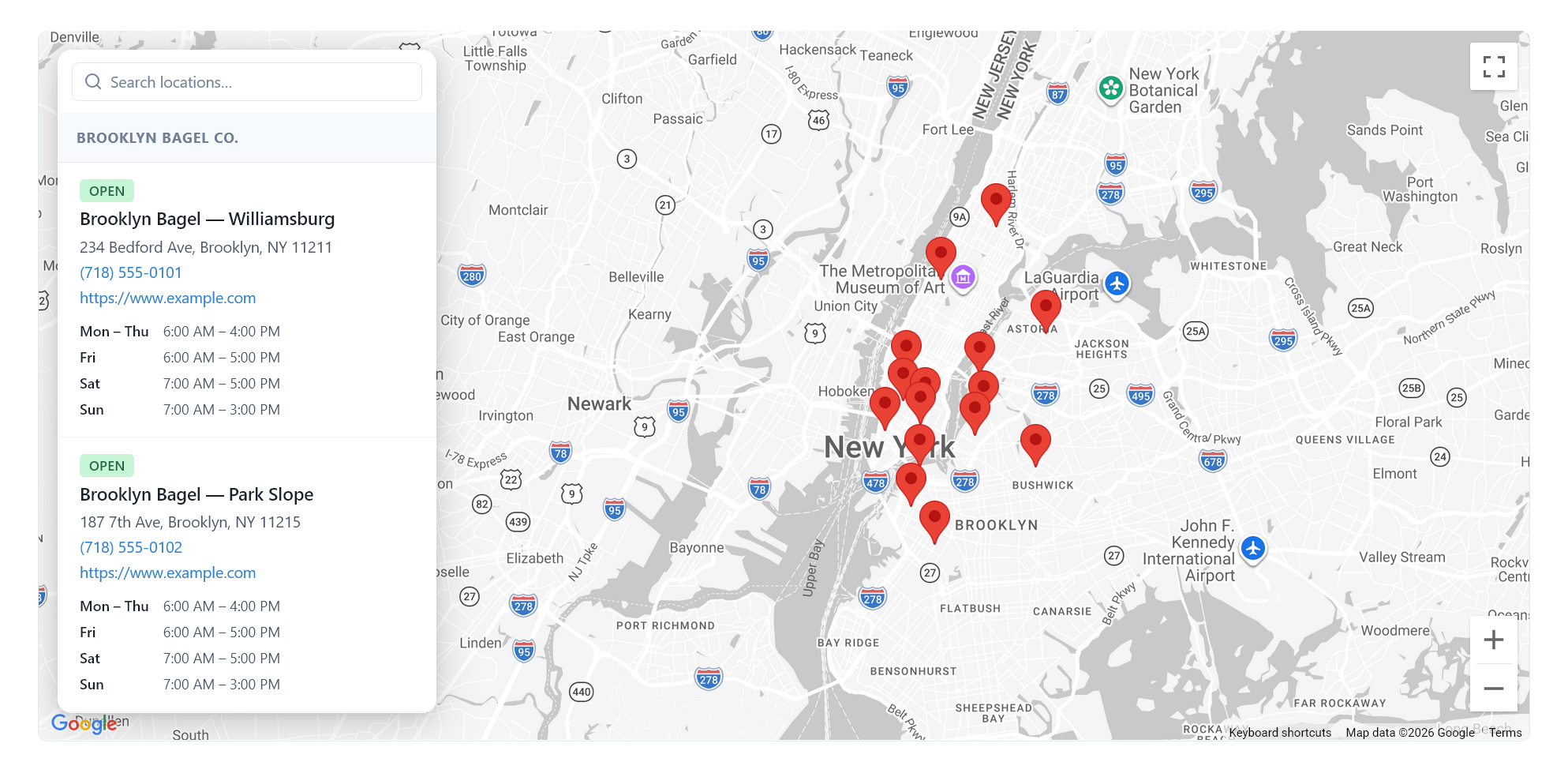
- 4 built-in map themes (Standard, Silver, Retro, Dark)
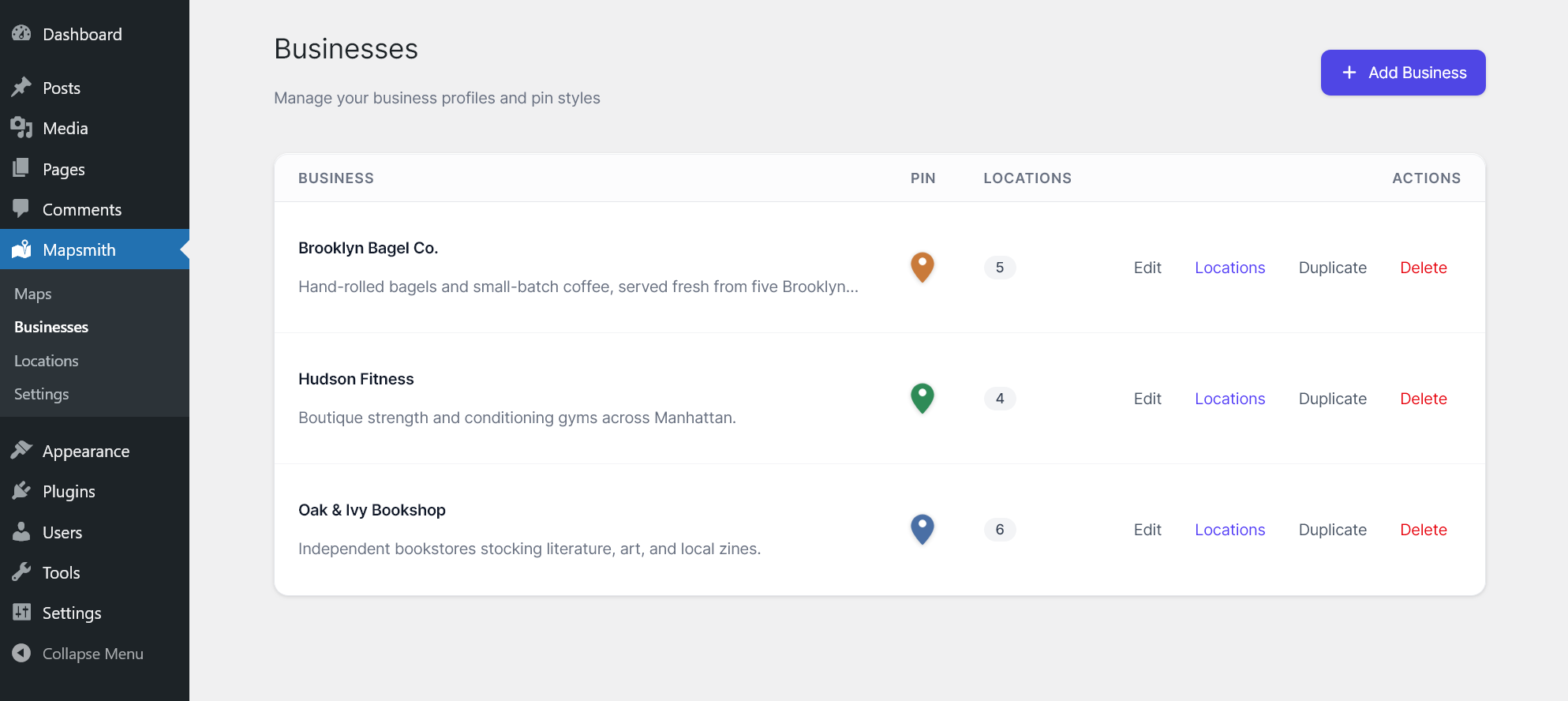
- Pin color and scale per business
- Standard fields per location: address, phone, hours, website, photo
- Default popover and sidebar with show/hide toggles for each field
- Hours display with timezone awareness, configurable formats (Smart / Full, day name styles, 12h / 24h)
- Map controls: zoom, fullscreen, scroll-to-zoom, map type, street view
- Sidebar layout: beside-map, overlay, left or right, configurable border radius
- Search box for filtering the location list
- Address / ZIP search: visitors enter a city, address, or ZIP and the list re-sorts by distance (miles or km)
- Gutenberg block ("Mapsmith Map") as well as the
[mapsmith id="X"]shortcode - Local SEO: schema.org LocalBusiness structured data for every location, plus a plain-HTML location list for visitors without JavaScript
- Faster pages and privacy options: load Google Maps immediately, only when the map scrolls into view, or after the visitor clicks "Load map" (GDPR-friendly)
- Accessible: keyboard-navigable location list and popovers, screen-reader announcements, reduced-motion support
- Address autocomplete and geocoding via Google Places (uses your own API key)
- Multiple maps per page via the
[mapsmith id="X"]shortcode - Conditional asset loading — scripts only load on pages with the shortcode
- Multilingual / WPML / Polylang ready (uses standard WordPress i18n functions)
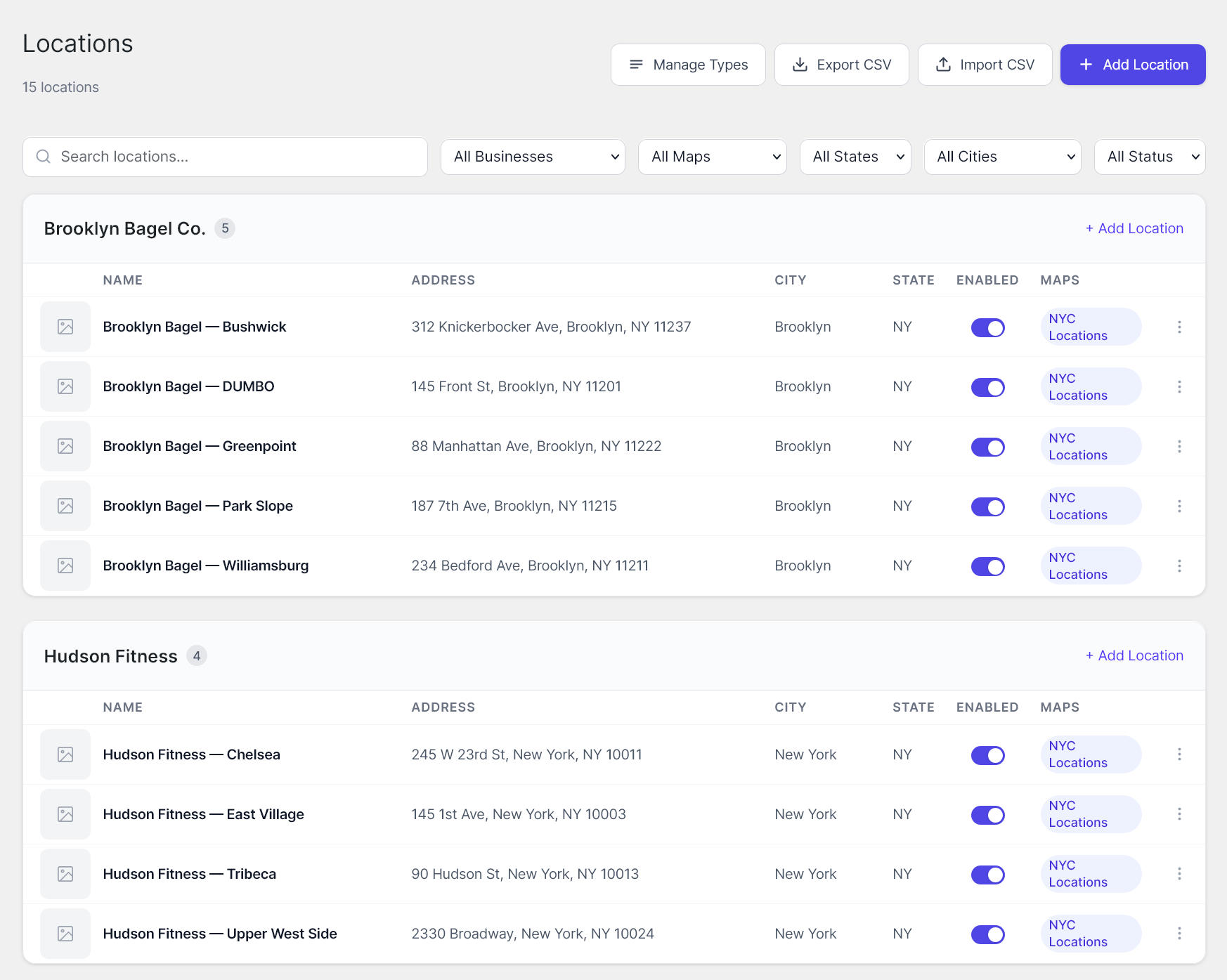
- Bulk CSV import with server-side geocoding
- Custom popover layouts and field schemas per map
- Custom address fields per business
- Arbitrary key/value custom fields per location
- Custom map theme JSON (paste any Google Maps style)
- Per-instance scoped CSS
- Custom marker icons / SVGs per location
- Marker shape variations and stroke / shadow controls
- Marker clustering
- Frontend category / type filter
- "Find nearest" geolocation button, "Open now" badges, custom hours templates
- Multi-site license activations
- Priority email support
[mapsmith id="1"]
Replace 1 with the ID of the map you created in the admin panel.
安装:
- Upload the
mapsmithfolder to the/wp-content/plugins/directory. - Activate the plugin through the 'Plugins' menu in WordPress.
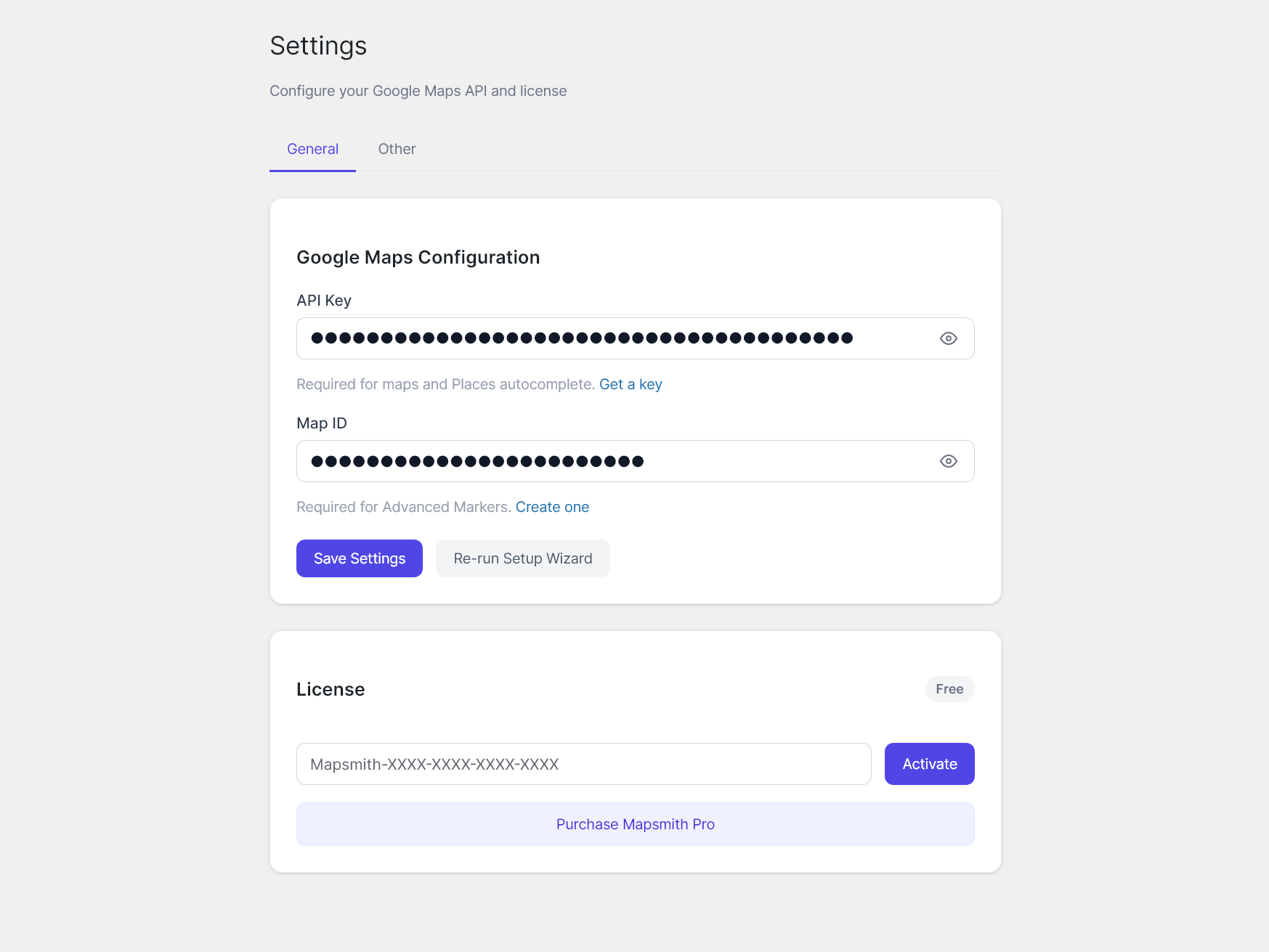
- Navigate to Mapsmith > Settings and enter your Google Maps API key.
- Create businesses under Mapsmith > Businesses.
- Add locations to each business.
- Create a map under Mapsmith > Maps and assign locations to it.
- Embed the map using the
[mapsmith id="X"]shortcode.
屏幕截图:
常见问题:
What Google Maps API key do I need?
You need a Google Maps Platform API key with the Maps JavaScript API, Places API, and Geocoding API enabled (the Marker library is part of the Maps JavaScript API). Geocoding is used by the address / ZIP search on your maps. You can create one in the Google Cloud Console.
How many businesses, locations, and maps can I create?
Unlimited. Mapsmith places no caps on businesses, locations, or maps.
How do I add a map to a page?
In the block editor, add the Mapsmith Map block and pick a map. In the classic editor or a page builder, paste the shortcode [mapsmith id="X"] shown on the Maps screen.
Can visitors search by their address or ZIP code?
Yes. With Search by address or ZIP turned on for a map (Map Editor → Controls), visitors can type a city, address, or ZIP code, pick a suggestion or press Enter, and the location list re-sorts by distance. Choose miles or kilometers per map.
Is Mapsmith GDPR-friendly?
Under Mapsmith → Settings → Other → Map Loading you can choose Ask visitors first. Maps then show a "Load map" button, and nothing is requested from Google until the visitor clicks it. Visitors can tick "Always load maps on this site", which is remembered in their browser (localStorage) only.
Can I have multiple maps on the same page?
Yes. Each [mapsmith id="X"] shortcode renders an independent map instance.
How do I customize pin colors?
Pin colors are set at the business level. Navigate to Mapsmith > Businesses, edit a business, and choose a pin color. You can also override pin styling at the map level in the Map Editor.
Does the plugin work with Google Maps styling / Map IDs?
Yes. Enter your cloud-based Map ID in Mapsmith > Settings to apply custom map styling created in the Google Maps Platform Cloud Console.
Does Mapsmith add a link or branding to my site?
Not unless you ask it to. Under Mapsmith → Settings → Other you can optionally turn on a small "Powered by Mapsmith" link shown below your maps. It is off by default, and you can turn it off again at any time.
How do I upgrade to Mapsmith Pro?
Mapsmith Pro is a separate companion plugin sold at mapsmith.app. To upgrade:
- Purchase a Pro or Agency license at mapsmith.app/pricing.
- You'll receive an email with your license key and a download link for the Mapsmith Pro plugin (
mapsmith-pro.zip). - In your WordPress admin, go to Plugins → Add New → Upload Plugin, upload the zip, and click Install Now → Activate.
- Open Mapsmith → Settings → License in your WordPress admin, paste your license key, and click Activate.
- Pro features (CSV import, custom popovers, marker clustering, custom themes, etc.) appear automatically — your existing businesses, locations, and maps are preserved.
What happens if I don't renew my Pro license?
Your activated sites keep working — Pro features stay enabled. Only plugin updates and email support require an active subscription.
更新日志:
- New: Address / ZIP search. Visitors can search a city, address, or ZIP and see locations sorted by distance (miles or km, per map).
- New: "Mapsmith Map" block for the block editor.
- New: schema.org LocalBusiness structured data for each location (Settings → Other; on by default) and a no-JavaScript location list.
- New: Map loading options — immediately, when scrolled into view, or after the visitor clicks "Load map" (privacy / GDPR).
- Accessibility: keyboard-accessible location list and popovers (Escape closes and returns focus), labelled search, live result counts for screen readers, reduced-motion support.
- After two weeks, Mapsmith may ask once for a WordPress.org review (dismissible).
- New optional "Powered by Mapsmith" credit link below maps (Settings → Other). Off by default.
- After you create your first map, Mapsmith asks once whether you'd like to enable usage data and/or the credit link. Both start unchecked; you can dismiss it.
- Usage data, when you opt in, now sends its first report immediately. The settings screen now describes exactly what is sent, including your site URL.
- Tested with WordPress 7.1.
- Fixed a PHP 8.1+ deprecation notice on the Map Editor admin screen.
- Clarified the external-services disclosure: the opt-in usage report is now described as "usage data" (not "anonymous") and explicitly notes that the site URL is included, so the readme matches exactly what the code sends.
- Packaging: excluded the development-only
tools/directory (local reseed helper) from the distributed build so only runtime code ships. - Synced the readme stable tag with the plugin version. No functional changes to the plugin.
- Documentation and packaging hardening for the WordPress.org build. No changes to plugin behavior, data, or stored settings.
- Removed all Pro-only feature code paths from the free build (custom popover schemas, custom address/location field editors, custom map theme JSON, per-map scoped CSS, custom marker icons, marker shape/stroke/shadow controls, marker clustering, frontend category filter, CSV import, "Find nearest" geolocation, "Open now" badges, custom hours templates). These features now live exclusively in the optional Mapsmith Pro companion plugin (sold separately at https://mapsmith.app).
- Reduced built-in stock themes from 10 to 4 (Standard, Silver, Retro, Dark). Custom theme JSON is a Pro-only feature.
- Refocused the WordPress.org build on the core multi-location-map workflow. Advanced features (custom popover/address/location field schemas, custom map theme JSON, per-instance scoped CSS, custom marker icons, marker clustering, frontend category filter, bulk CSV import with geocoding, custom hours templates, "find nearest" geolocation button) are now part of the optional Mapsmith Pro companion plugin available at https://mapsmith.app.
- Free plugin remains fully functional with no caps, no trials, and no locked features. Every feature listed in the readme is fully available without a license.
- Added
mapsmith_shortcode_configandmapsmith_shortcode_htmlfilters so Pro and other extensions can extend the front-end output.
- Removed all license-based feature gates. Every feature in the plugin (unlimited businesses, unlimited locations, unlimited maps, custom map themes, custom popovers, custom address fields, scoped per-map CSS, bulk CSV import) is now fully available without a license.
- Hardened JSON payloads (popover fields, address fields, custom location fields, hours, map theme JSON, map-location assignments, CSV imports) with a recursive sanitizer at the AJAX boundary so every leaf string is passed through
sanitize_text_field()before storage. - Hardened the
[mapsmith]shortcode output: configuration JSON is encoded withJSON_HEX_TAG | JSON_HEX_AMP | JSON_HEX_APOS | JSON_HEX_QUOTso user-supplied data cannot break out of the data<script>tag. - Removed the front-end "Powered by Mapsmith" attribution link.
- Documented all external services (Google Maps Platform, Mapsmith license validation, opt-in anonymous telemetry) in the readme with explicit terms and privacy links.
- Free tier now allows unlimited locations on one map per site (was capped at 3 locations). A small "Powered by Mapsmith" attribution link is displayed on free maps and removed when a Pro or Agency license is activated.
- Bulk CSV import is now a Pro-tier feature.
- Per-map custom CSS (Pro and Agency). CodeMirror editor with CSS syntax highlighting; selectors are auto-prefixed with the map's container ID server-side so styles cannot leak to the rest of the page.
- Initial release.
- Business and location management with custom pin styling.
- Map builder with location assignment and live preview.
- Shortcode rendering with conditional asset loading.
- Customizable sidebar (beside or overlay mode) with field visibility controls.
- Custom popovers with configurable fields.
- Address autocomplete via Google Places API.
- Map themes, zoom/pan controls, and default view settings.
- CSV import for bulk location entry.