Mapthread
| 开发者 | randomwire |
|---|---|
| 更新时间 | 2026年5月22日 00:00 |
| 捐献地址: | 去捐款 |
| PHP版本: | 7.4 及以上 |
| WordPress版本: | 7.0 |
| 版权: | GPLv2 or later |
| 版权网址: | 版权信息 |
详情介绍:
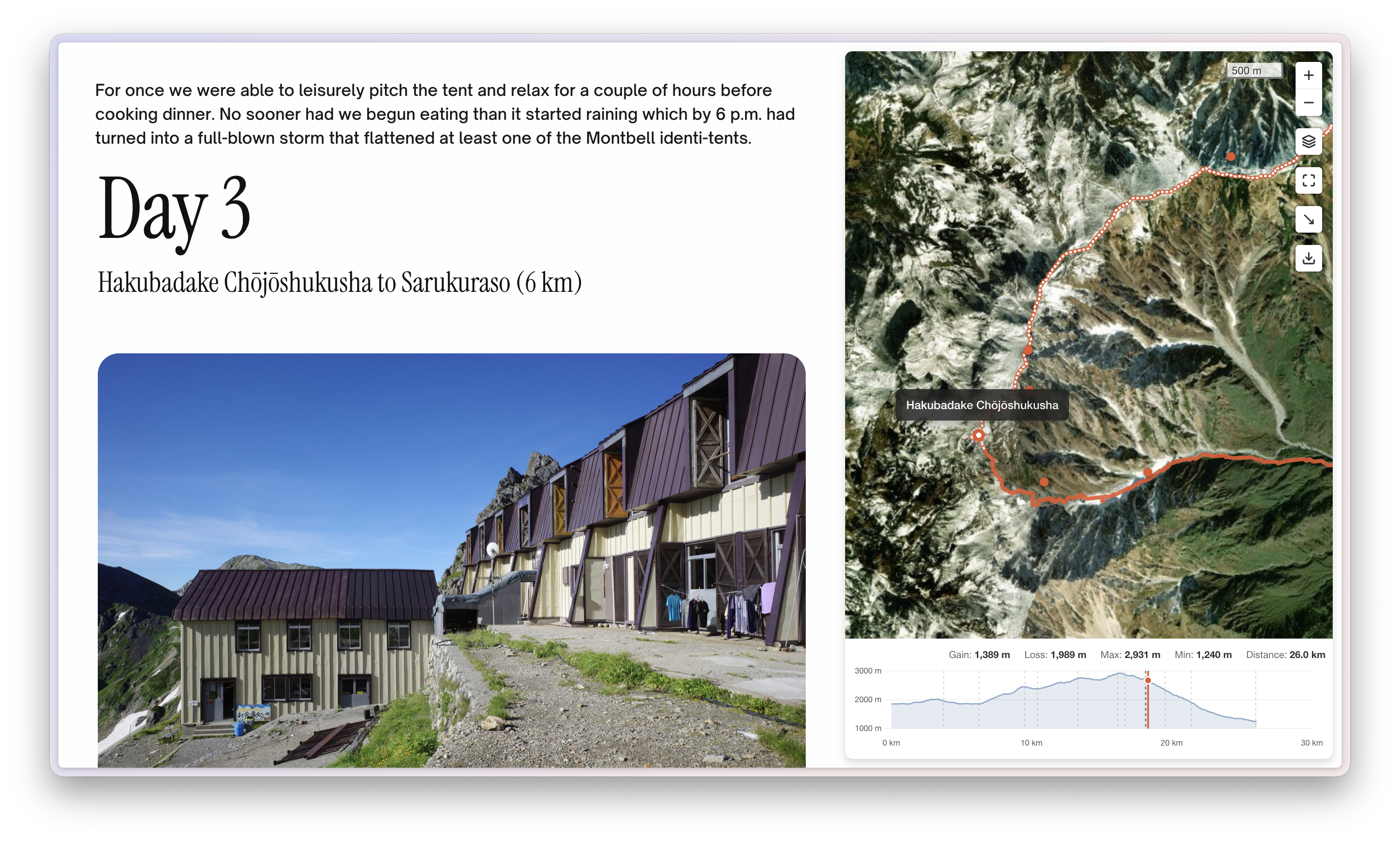
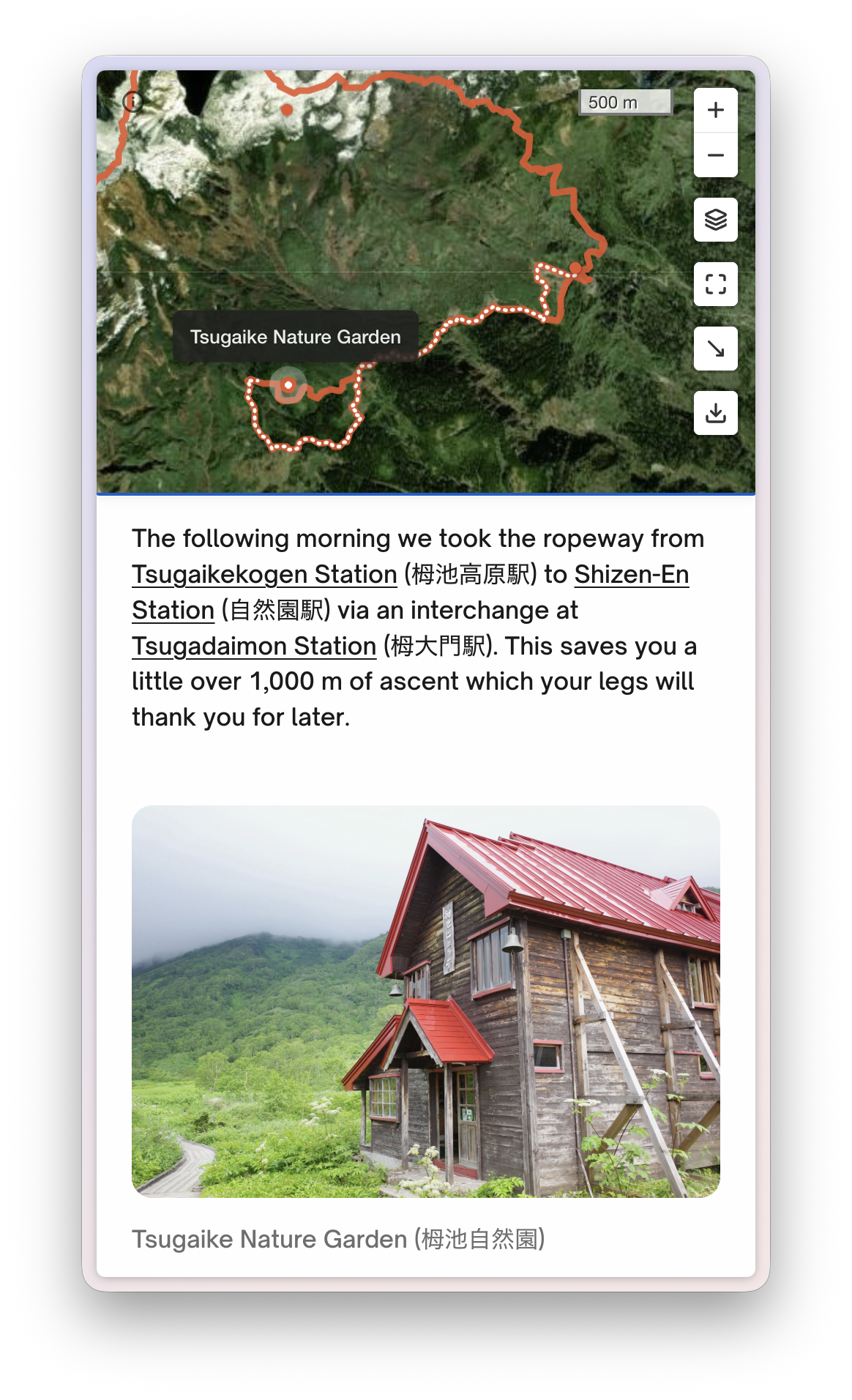
- Map automatically follows your narrative as readers scroll
- Pauses when readers explore the map themselves, resumes when they scroll on
- Click any marker to jump to that part of the story text
- Upload a GPX file from any hiking, cycling, or fitness app
- Elevation profile with distance and gain/loss stats
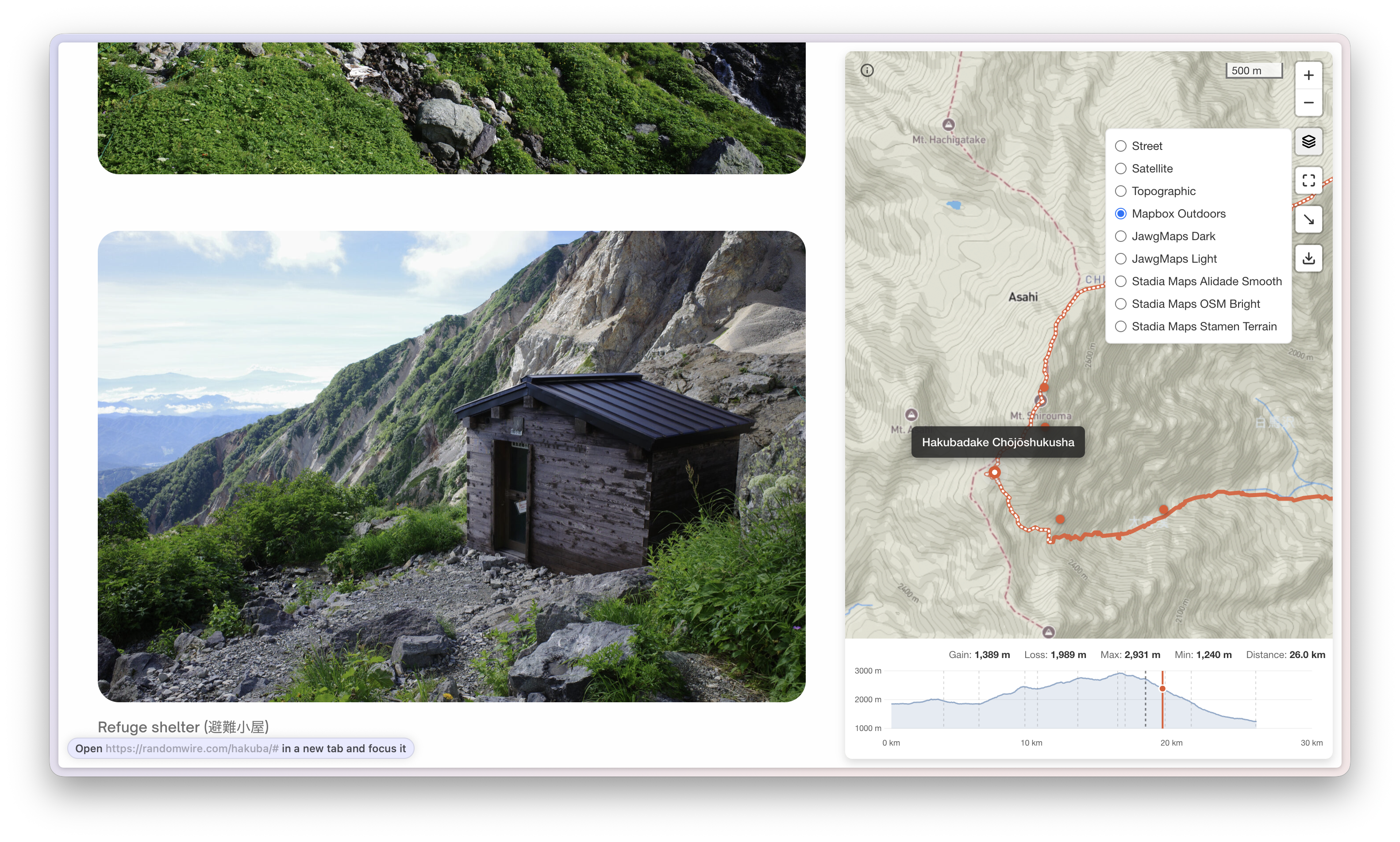
- Street, Satellite, Topographic map styles plus more from other providers (with API keys)
- Fullscreen mode, layer switcher, and optional GPX download for readers
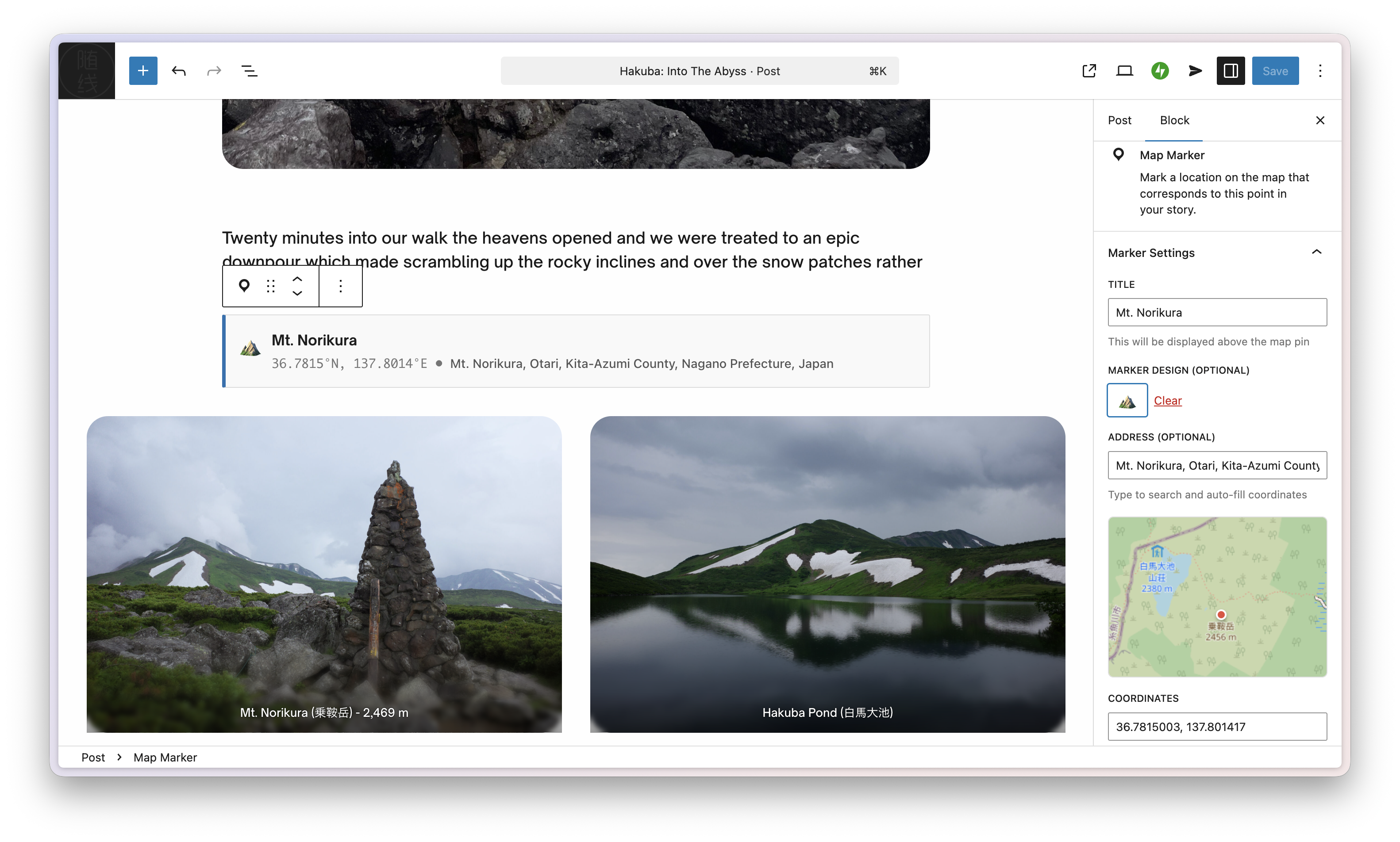
- Place waypoints anywhere in your story with optional emoji pins
- Find locations by address or paste coordinates
- Import named waypoints directly from your GPX file as Map Marker blocks in one click
- Without a GPX file, markers are connected together using a straight line
- Two-column desktop view: story on the left, sticky map on the right
- Mobile: map sticky at top (hidden by default)
- Readers can dismiss and restore the map at any time
- Hiking and backpacking blogs
- Travel storytelling
- Cycling route documentation
- Race and event recaps
- Historical narratives with geographic context
- Create a post and add the Map GPX block
- Upload your GPX file from the media library
- If your GPX contains named waypoints, click Import as Map Markers to add them automatically — or insert Map Marker blocks manually at key points in your story
- Add coordinates and titles to any markers, then arrange them in your story
- Publish - the map automatically follows as readers scroll!
- Browsers: Chrome 105+, Safari 15.4+
- Themes: Tested on Twenty Twenty-Four and Twenty Twenty-Five. Should work on most block themes. Classic themes are not supported.
屏幕截图:
常见问题:
What is a GPX file?
GPX (GPS Exchange Format) is a standard file format for GPS data. Most hiking apps, fitness trackers, and GPS devices can export GPX files.
Where do I get GPX files?
You can export GPX files from:
- Hiking apps (Gaia GPS, AllTrails, etc.)
- Fitness apps (Strava, Garmin Connect, etc.)
- GPS devices (Garmin, Suunto, etc.)
- Google Maps (via Google My Maps)
Can I use multiple GPX files in one post?
Not currently. Only the first Map GPX block per post is used.
How do I get coordinates for markers?
- Import from GPX — if your GPX file has named waypoints, click "Import as Map Markers" in the Map GPX block to create markers automatically
- Use the built-in address search (type any place name)
- Paste coordinates from Google Maps (right-click a location)
- Use coordinates from your GPS device or app
Can I import waypoints from my GPX file?
Yes, if your GPX file contains named waypoints (<wpt> elements with a <name> tag). After uploading your GPX file, the Map GPX block will show an "Import as Map Markers" button with a count of available waypoints. Clicking it creates Map Marker blocks for all waypoints not already present in the post, inserted immediately after the Map GPX block. Re-clicking is safe — already-imported waypoints are detected by coordinates and skipped.
Does it work with my theme?
Mapthread is designed for block themes. It has not been tested with classic themes.
Is there a file size limit for GPX?
We recommend GPX files under 10MB. Larger files will show a warning and may be slow to render.
Can I customize the map/track/marker colors?
Not currently. But you can set emojis for each Marker instead of the default.
How do I add more map styles?
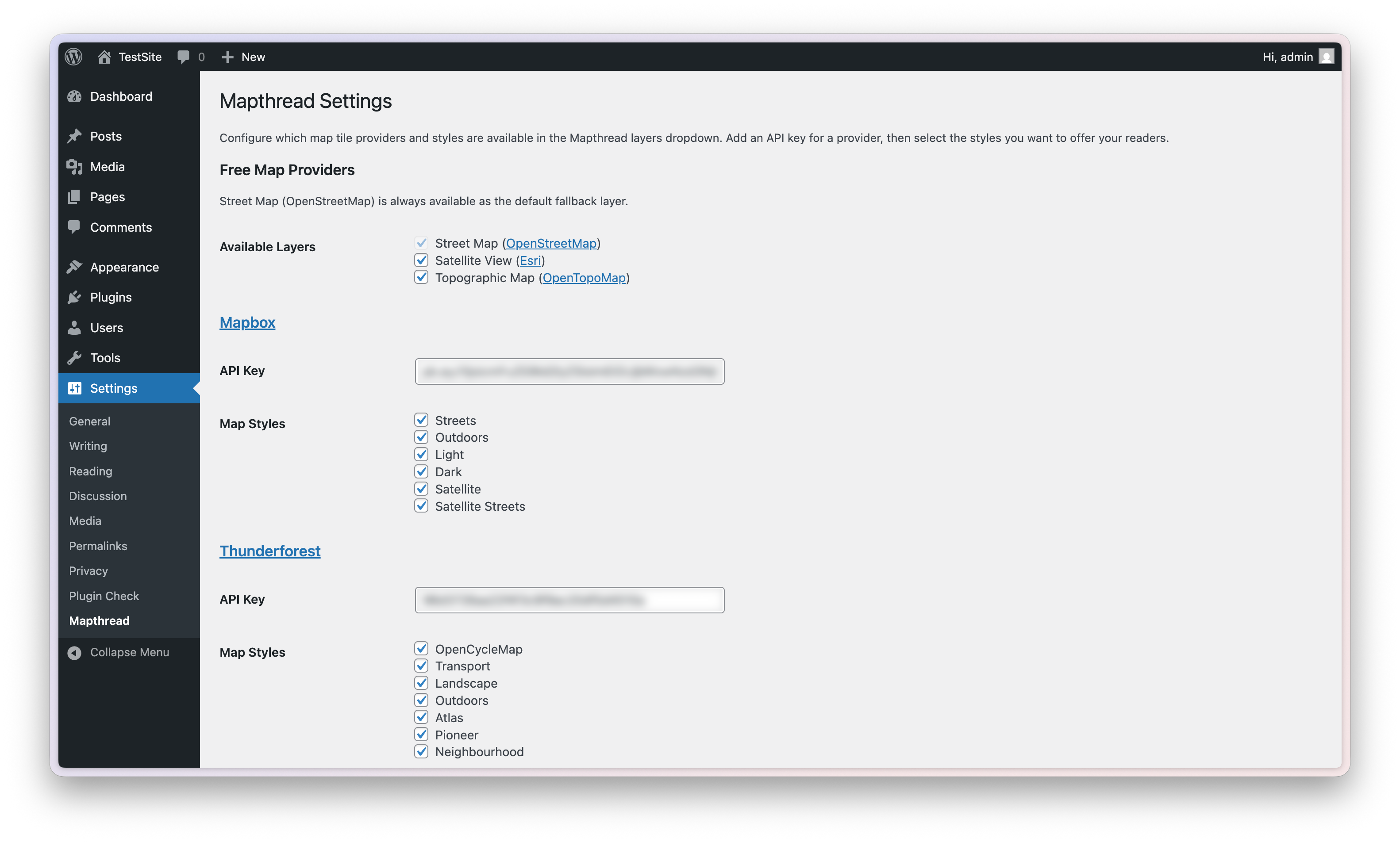
Go to Settings > Mapthread and enter your API key for any supported provider (Mapbox, Thunderforest, JawgMaps, Stadia Maps). Then select which styles to enable. Each provider offers free tiers suitable for most blogs.
Are API keys secure?
The tile provider API keys used by Mapthread are publishable tokens designed for client-side use. Security is handled via domain restrictions configured in each provider's dashboard.
Does this work offline?
No, Mapthread requires an internet connection to load map tiles.
Where can I get support?
Post in the plugin support forum or open an issue on GitHub
Can I contribute to the plugin?
Yes! Mapthread is open source — contributions are welcome at github.com/randomwire/Mapthread
What third-party libraries does Mapthread use?
- Leaflet.js (BSD-2-Clause) — Interactive map rendering
- Leaflet.fullscreen (MIT) — Fullscreen map control
- Chart.js (MIT) — Elevation profile visualization
Does Mapthread connect to any external services?
Yes. Mapthread connects to third-party services to display map tiles, geocode addresses, and look up elevation data. Below is a full description of each service, what data is sent, and when. OpenStreetMap Tile Service Used for: Rendering the default "Street" map layer. When: Every time a visitor views a page containing a Mapthread map, the browser requests tile images from OpenStreetMap servers. Data sent: Tile coordinate requests (zoom level, x/y tile numbers) indicating the geographic area being viewed. The visitor's IP address is visible to OpenStreetMap servers. Terms of Use | Privacy Policy | Tile Usage Policy Esri / ArcGIS World Imagery Used for: Rendering the optional "Satellite" map layer. When: Only when the Satellite layer is enabled in Settings > Mapthread and a visitor selects it. No requests are made if the layer is disabled. Data sent: Tile coordinate requests and the visitor's IP address. Terms of Use | Privacy Policy OpenTopoMap Used for: Rendering the optional "Topographic" map layer. When: Only when the Topographic layer is enabled in Settings > Mapthread and a visitor selects it. Data sent: Tile coordinate requests and the visitor's IP address. Terms of Use / Privacy Policy Nominatim (OpenStreetMap Geocoding) Used for: Address search autocomplete when editing a Map Marker block. When: Only in the WordPress block editor when an author types into the address search field. Not triggered on the public frontend. Data sent: The search query text (partial address or place name) and the editor's IP address. Usage Policy | Privacy Policy Open-Elevation API Used for: Looking up elevation data for GPX tracks that lack elevation information. When: Server-side only — when a GPX file is uploaded that has no elevation data and the elevation profile feature is enabled. The request is made from the WordPress server to api.open-elevation.com, not from the visitor's browser. Data sent: GPS coordinates (latitude/longitude pairs) sampled from the GPX track, sent from the WordPress server's IP address. No user accounts or personal data involved. Service | Source | License (GPL-2.0) Optional Tile Providers (each requires an API key configured in Settings > Mapthread) The following services are only contacted when a site administrator has entered an API key and a visitor selects the corresponding map layer. In each case the browser sends tile coordinate requests, the configured API key/token, and the visitor's IP address.
Where can I find the source code?
The compiled JavaScript and CSS files in the build/ directory are generated from human-readable source files. The full source code is available at github.com/randomwire/Mapthread
To build from source:
- Clone the repository
- Run
npm install - Run
npm run buildThis uses@wordpress/scripts(webpack) to compile the source files inassets/js/andassets/css/into the productionbuild/directory.
更新日志:
- Performance: Emit
preconnect/dns-prefetchhints in<head>for each map's tile-server host (Mapbox, Thunderforest, JawgMaps, Stadia Maps, ArcGIS, OpenTopoMap, OpenStreetMap), andpreload as="fetch"for each GPX file URL — downloads and DNS handshakes now overlap with HTML/script parsing instead of running sequentially. - Performance: Use WordPress 6.3+'s
strategy=deferfor the frontend script so it downloads in parallel with HTML parsing. - Changed: Minimum WordPress version raised to 6.3.
- Added: Import named waypoints from GPX as Map Marker blocks — after uploading a GPX file, a button appears in the block editor to instantly create Map Marker blocks from any named
<wpt>elements in the file. Already-imported waypoints are detected by coordinates and skipped to prevent duplicates.
- First official release on the WordPress.org plugin directory
- Added: Source code link added to Description section of readme for immediate visibility to reviewers
- Added: Source repository comment prepended to all compiled JavaScript files via webpack
- Added: Elevation chart crosshair syncs with map track hover — a dashed indicator and dot appear on the elevation profile when hovering over the GPX track, showing elevation at the cursor position
- Improved: External services section reformatted to match WordPress.org scanner expectations — renamed header, added explicit Privacy Policy URLs for every service
- Improved: Third-party libraries separated into dedicated readme section
- Improved: Source code repository link added to plugin Description for reviewer visibility
- Fixed: Replaced inline script on settings page with properly enqueued JavaScript via wp_enqueue_script
- Added: Source code and build instructions section in readme for compiled assets
- Improved: External services documentation — added explicit service URLs and terms/privacy links for Esri and Open-Elevation
- Added: Attribution info button replaces attribution bar to fix mobile overlap with scale indicator
- Added: Standardized typography across all map text elements with theme isolation
- Fixed: Thunderforest layer attribution parsing leaving stray "Data" text in imagery section
- Improved: SCSS refactored — consolidated selectors under #mapthread-map nesting
- Added: Auto-detect imperial units (miles/feet) for US-based readers via browser timezone
- Improved: Elevation stats bar layout — removed gain/loss icons, widened responsive breakpoint for longer imperial values
- Fixed: Non-Latin numeral systems (e.g. Devanagari) no longer appear in elevation stats
- Updated: Map scale indicator now matches the detected unit system
- Fixed: Removed external CDN dependency — emoji picker now uses a self-contained curated grid
- Fixed: Block apiVersion updated from 2 to 3 for WordPress 7.0+ compatibility
- Improved: External services documentation expanded with data usage details and privacy policy links
- Note: REST API permission_callback was already fixed in v1.5.1
- Fixed: Smooth zoom transitions in follow mode instead of abrupt jumps
- Fixed: Missing function in elevation profile causing JS errors
- Added: Settings page (Settings > Mapthread) for configuring map tile providers
- Added: Support for Mapbox, Thunderforest, JawgMaps, and Stadia Maps tile providers
- Added: Per-provider API key storage and style selection
- Added: Toggleable free layers (Satellite, Topographic) with Street Map always available as fallback
- Added: Dynamic layer switcher — frontend dropdown reflects configured providers
- Added: Default Map Style dropdown in block editor now shows all available layers
- Improved: Layer panel scrolls when many styles are enabled
- Added: GPX route support — files with route points (
<rte>) are now parsed alongside tracks
- Improved: Combined latitude and longitude into a single Coordinates field — paste directly from Google Maps or Gaia GPS
- Improved: Mobile — map starts hidden by default with a "Show map" tooltip, prioritising story content on first load
- Fixed: Elevation gain/loss overcounting — added median filter to remove GPS spikes, tuned smoothing parameters to match Gaia GPS accuracy
- Improved: Elevation stats text legibility on chart
- Improved: Map dismiss button on desktop now overlays the page — article expands to full width when map is hidden
- Added: Ctrl/Cmd+scroll to zoom map — bare scroll over the map no longer hijacks page scrolling; a brief hint overlay guides users to use Ctrl (or ⌘ on macOS) to zoom
- Added: Map dismiss button — collapse the map to a small restore tile to read the full-width article, restore with one tap
- Improved: Continuous animation loop for map following — camera now glides smoothly to target after scrolling stops instead of freezing mid-animation
- Fixed: Track drift when another plugin loads a conflicting Leaflet version — switched to Canvas renderer which is immune to SVG transform corruption
- Fixed: Track alignment bug when another plugin loads a conflicting Leaflet CSS version
- Added: Donate link on WordPress admin Plugins page row
- Added: Multiple map styles - Switch between Street, Satellite, and Topographic views
- Added: Layer control widget for easy map style switching
- Added: Fullscreen button for immersive map viewing
- Added: Default Map Style setting in block editor to choose initial view
- Technical: Leaflet.fullscreen ^5.3.0 integration
- Technical: Esri World Imagery and OpenTopoMap tile providers
- Added: Elevation profile chart powered by Chart.js with Open-Elevation API
- Added: Elevation profile toggle in Map GPX block settings
- Added: Emoji marker support for map markers
- Added: Marker position indicators on elevation chart
- Changed: Moved Leaflet attribution to top-right corner
- Fixed: Elevation profile toggle now hidden when no GPX file loaded
- Technical: Chart.js ^4.5.1 integration for elevation visualization
- Added: Address search with Nominatim API autocomplete
- Added: Markers-only mode (no GPX required)
- Added: Mini map preview in address search
- Improved: Map bounds calculation from markers
- Initial release
- Map GPX block for track upload
- Map Marker block for waypoints
- Auto-following map behavior
- Desktop and mobile responsive layouts
- Performance optimizations