
MarginMinds – Analytics for WooCommerce
| 开发者 | qubenza |
|---|---|
| 更新时间 | 2026年6月15日 17:20 |
| PHP版本: | 7.4 及以上 |
| WordPress版本: | 7.0 |
| 版权: | GPLv2 or later |
| 版权网址: | 版权信息 |
详情介绍:
安装:
- Upload the
marginminds-analyticsfolder to the/wp-content/plugins/directory, or install directly through the WordPress Plugins screen. - Activate the plugin through the Plugins menu in WordPress.
- Ensure WooCommerce is installed and active.
- Go to MM Analytics > Dashboard to view your store analytics.
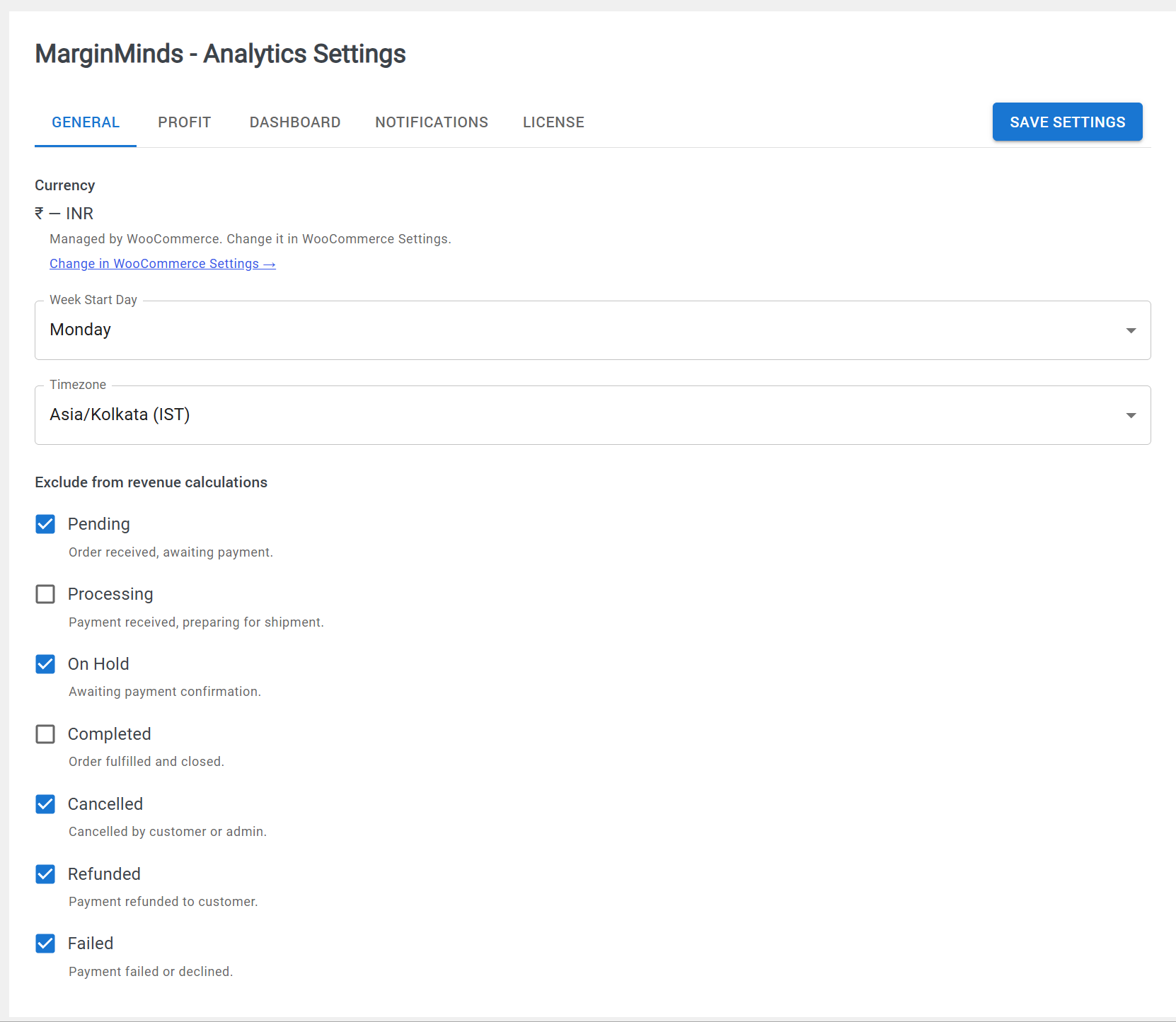
- Go to MM Analytics > Settings to configure your margin percentage and preferences.
屏幕截图:
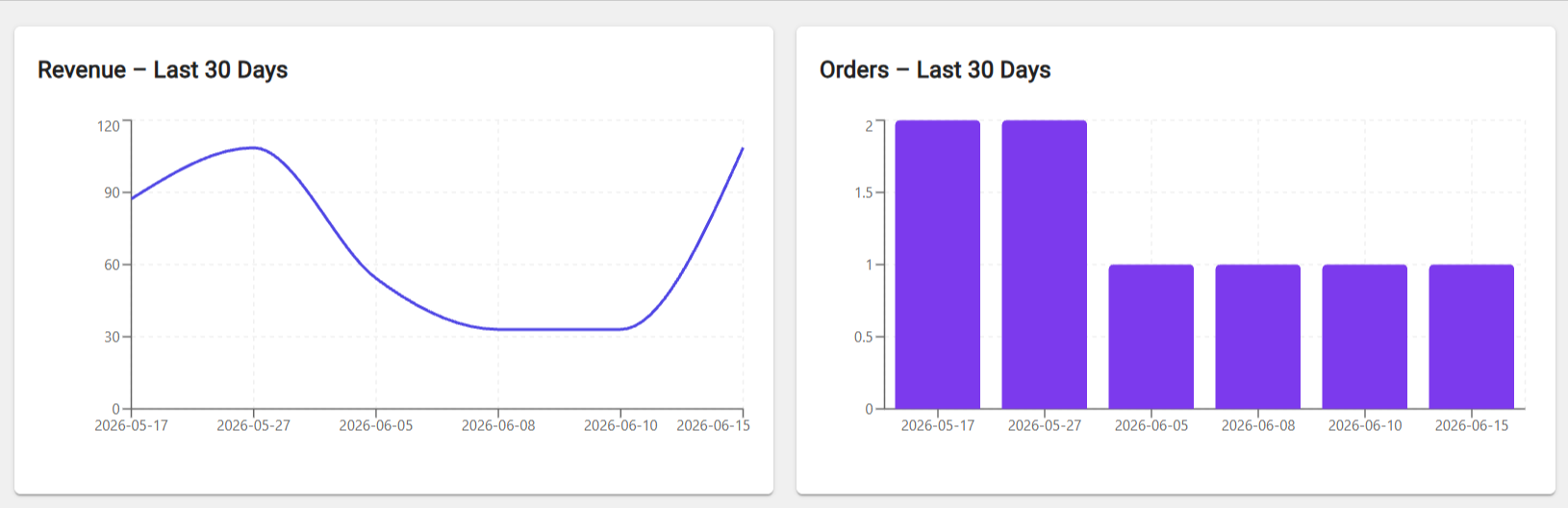
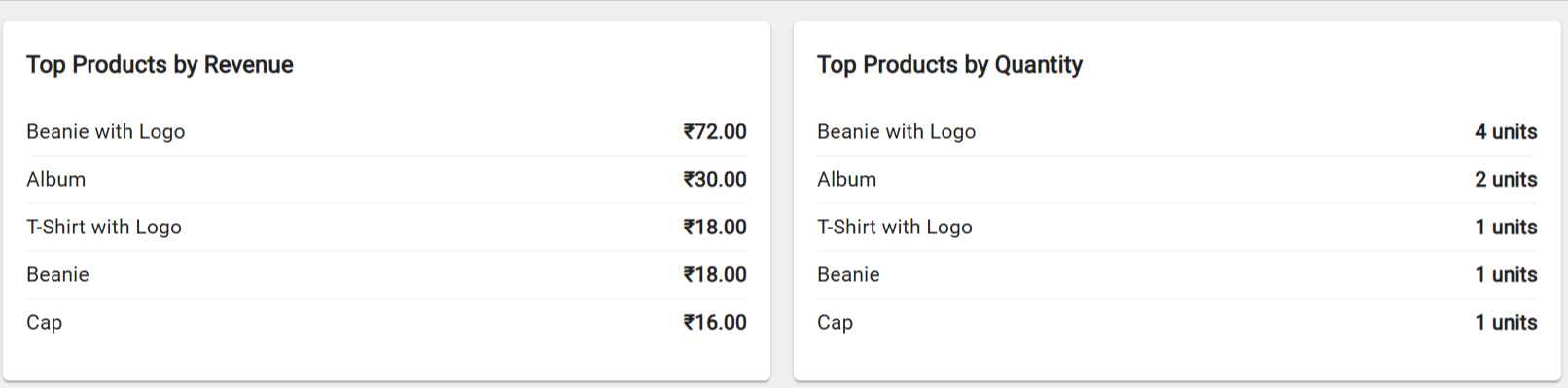
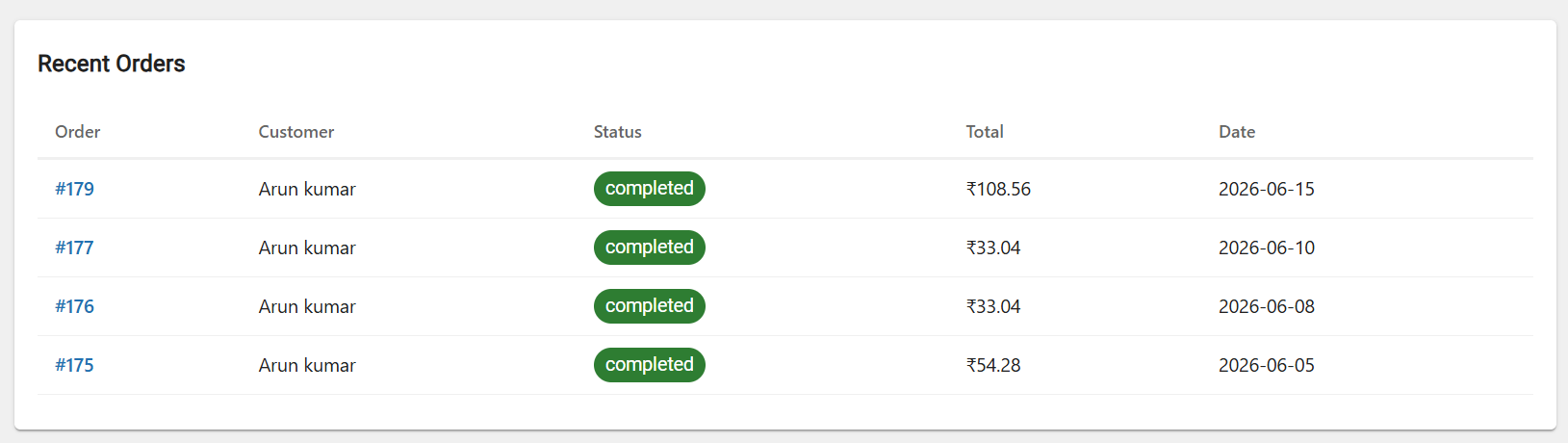
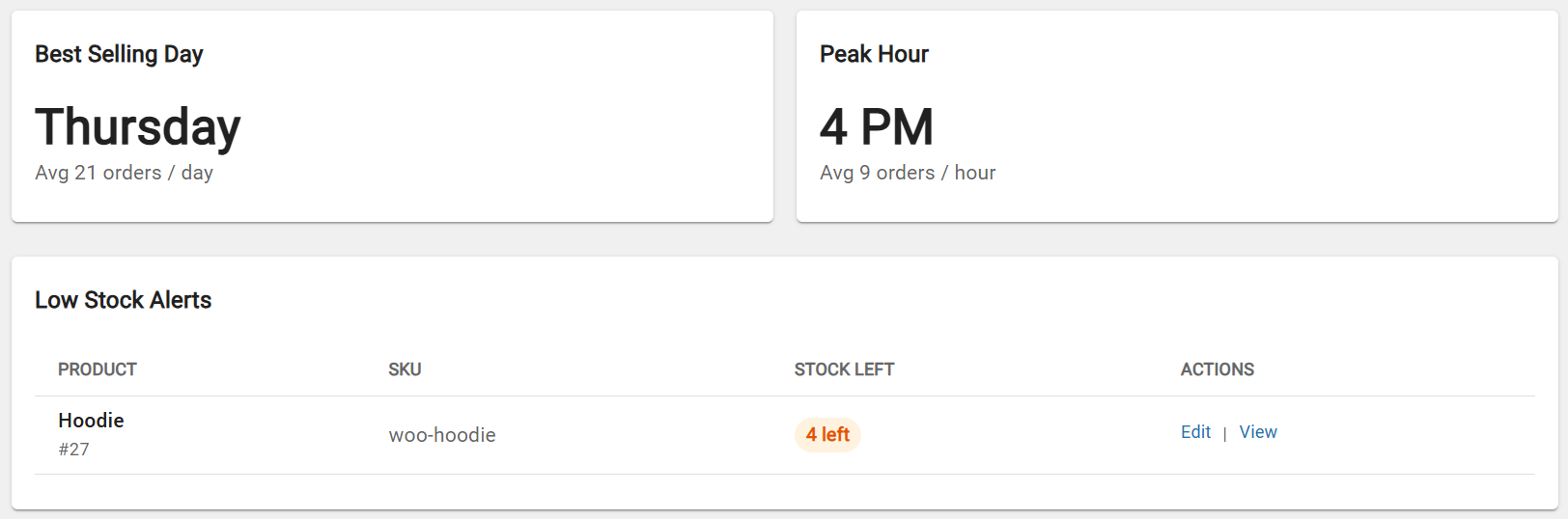
常见问题:
Does this plugin require WooCommerce?
Yes. WooCommerce must be installed and active for this plugin to work. MarginMinds Analytics reads your existing WooCommerce order data to generate reports.
Is this plugin free?
The core plugin is completely free with no time limit. A Pro version is available at marginminds.com for advanced features including Google Ads sync and customer lifetime value.
Will this plugin slow down my store?
No. MarginMinds Analytics only loads on your WP Admin pages — never on your storefront. All queries are optimised and only run when you visit the analytics dashboard.
Does this plugin work with WooCommerce HPOS?
Yes. MarginMinds Analytics is compatible with WooCommerce High Performance Order Storage (HPOS) and will automatically detect and use the correct database structure.
How is estimated profit calculated?
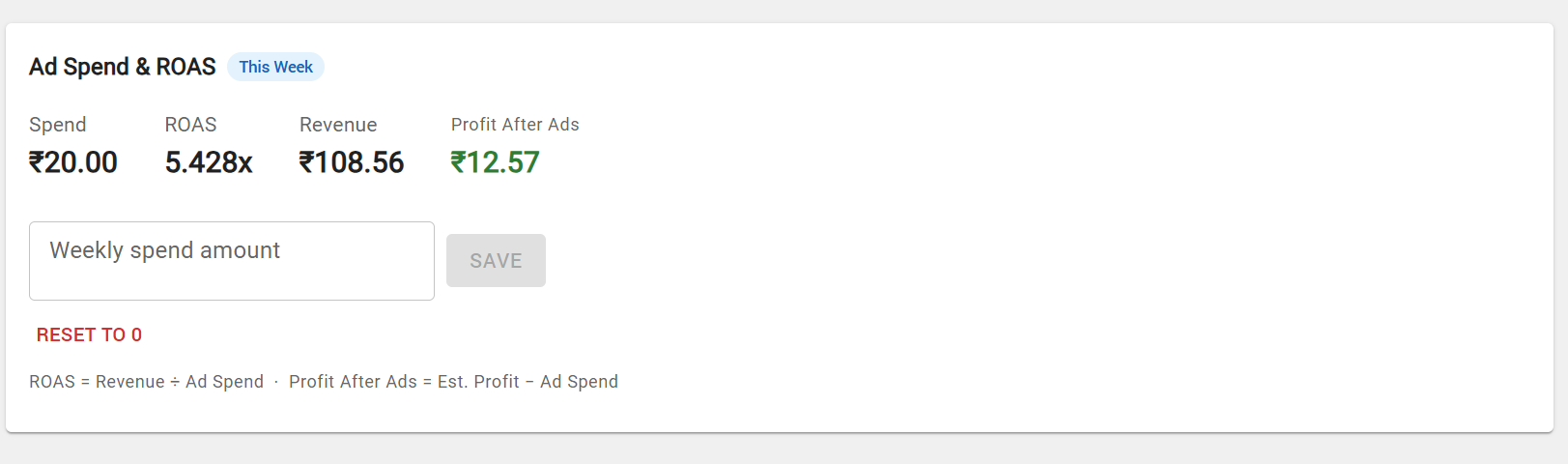
Estimated profit is calculated using a simple margin percentage that you set in Settings. For example, if your revenue is $10,000 and your margin is 30%, the estimated profit shown is $3,000. You can adjust this percentage any time in Settings > Profit.
Does the plugin store my order data externally?
No. MarginMinds Analytics only reads your existing WooCommerce order data stored in your own database. It does not send any data to external servers unless you optionally connect a paid ad platform in Pro or Pro Plus. Ad platform connections use official OAuth — your credentials are never stored by MarginMinds.
Where can I report bugs or request features?
Please use the support forum on WordPress.org. We aim to respond within 48 hours. Pro and Pro Plus customers receive priority email support at support@marginminds.com.
Where can I upgrade to Pro?
Visit https://marginminds.com/pricing to view Pro and Pro Plus plans.
更新日志:
- Initial release.