MarkBlocks – Markdown for Elementor
| 开发者 | ilfarhanahmed |
|---|---|
| 更新时间 | 2026年8月2日 03:43 |
| PHP版本: | 7.4 及以上 |
| WordPress版本: | 7.0 |
| 版权: | GPLv2 or later |
| 版权网址: | 版权信息 |
详情介绍:
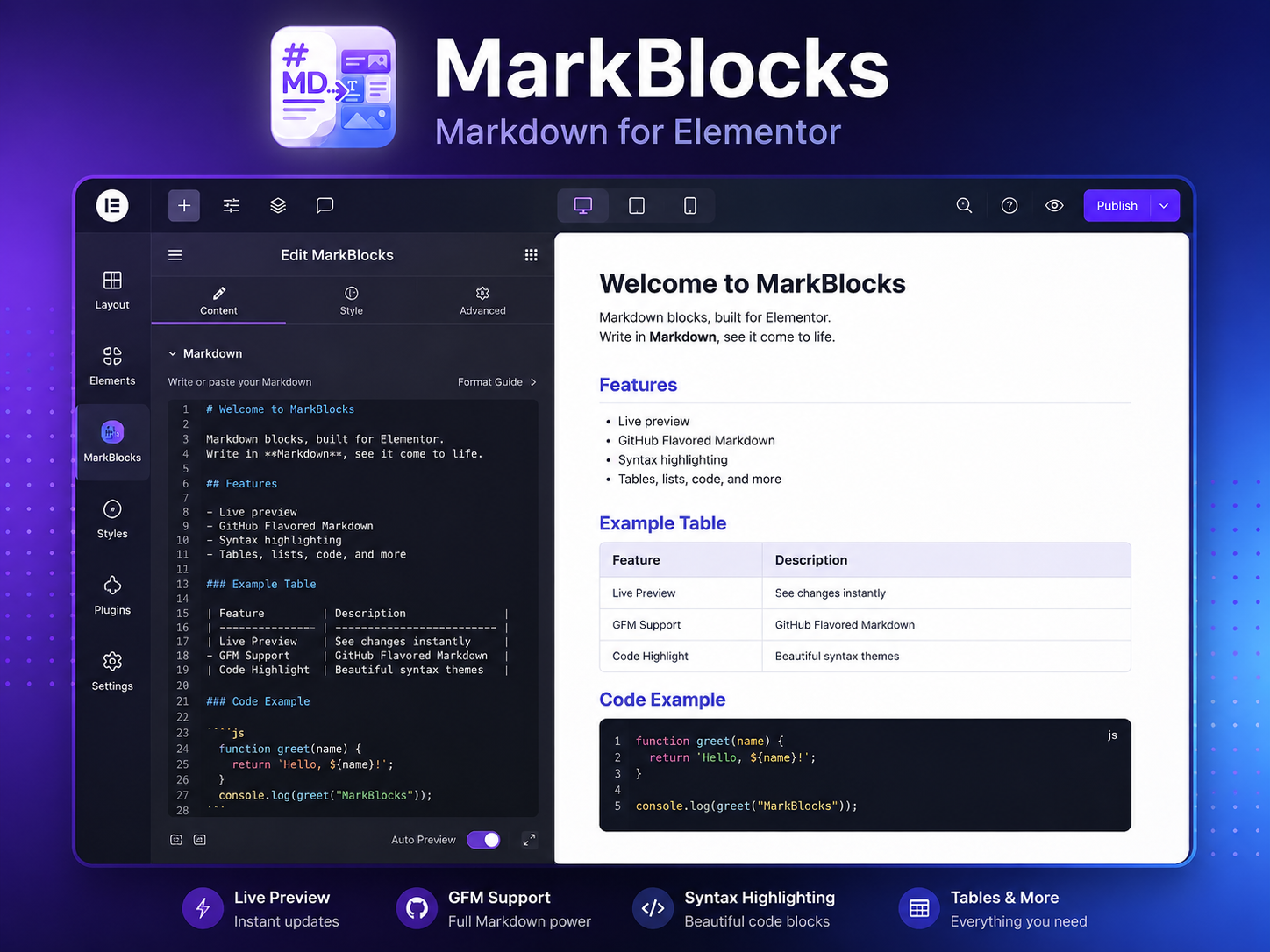
MarkBlocks lets you write and maintain technical articles in Markdown directly inside Elementor.
The plugin provides two Elementor widgets:
- Markdown Article renders headings, paragraphs, lists, task lists, links, images, tables, blockquotes, dividers, inline code, and fenced code blocks while preserving the original Markdown source.
- Markdown Code Block displays standalone code snippets with language-aware highlighting, light and dark themes, optional line wrapping, and an accessible copy button.
安装:
- Upload the
markblocksfolder to/wp-content/plugins/, or install the release ZIP through Plugins → Add New Plugin → Upload Plugin. - Activate MarkBlocks – Markdown for Elementor. Elementor is declared as a required plugin dependency.
- Edit a page or post with Elementor.
- Add the Markdown Article widget from the MarkBlocks category.
- Paste Markdown and render it directly or use Convert / Update Elementor Blocks.
屏幕截图:
常见问题:
Does MarkBlocks keep the original Markdown?
Yes. The Markdown Article widget stores the original source so it can be edited later.
Are converted Elementor widgets synchronized back to Markdown?
No. The Markdown source remains canonical. Changes made directly to generated Elementor widgets are not written back into the Markdown field.
How are images handled?
Standalone Markdown images become Elementor Image widgets during conversion. Live Markdown rendering uses the supplied URL. MarkBlocks does not download remote images into the WordPress Media Library.
Can I use raw HTML inside Markdown?
Raw HTML is escaped rather than executed for security.
Does MarkBlocks send data to an external service?
No. MarkBlocks has no telemetry and makes no server-side remote requests. External images included by an author are requested by the visitor's browser when the page is viewed.
更新日志:
1.0.2
- Removed global admin notices and kept dependency and compatibility checks silent.
- Aligned the package, main file, and translation domain with the requested
markblocksWordPress.org slug. - Added WordPress 7.0 and Elementor 4.2 compatibility metadata.
- Improved keyboard focus, status announcements, copy-button feedback, and right-to-left layout behavior.
- Strengthened Markdown line-limit handling for LF, CRLF, and CR line endings.
- Localized editor-converter messages and scoped conversion status to the active control.
- Tightened generated-container ownership checks while preserving existing widget identifiers.
- Cleaned the release archive of hidden operating-system and repository files.
- Confirmed compatibility testing with Elementor 4.2.1.
- Added the correctly framed MarkBlocks icon and bundled showcase images.
- Added WordPress.org metadata, GPL licensing files, direct-access guards, security hardening, and table-alignment corrections.
- Initial public release.