Markdown Renderer for GitHub
| 开发者 | wakalab |
|---|---|
| 更新时间 | 2026年8月28日 20:14 |
| PHP版本: | 8.2 及以上 |
| WordPress版本: | 7.1 |
| 版权: | GPLv2 or later |
| 版权网址: | 版权信息 |
标签
下载
详情介绍:
[gfmr_markdown] shortcode, then render code, tables, task lists, diagrams, and charts on the front end.
The free plugin includes:
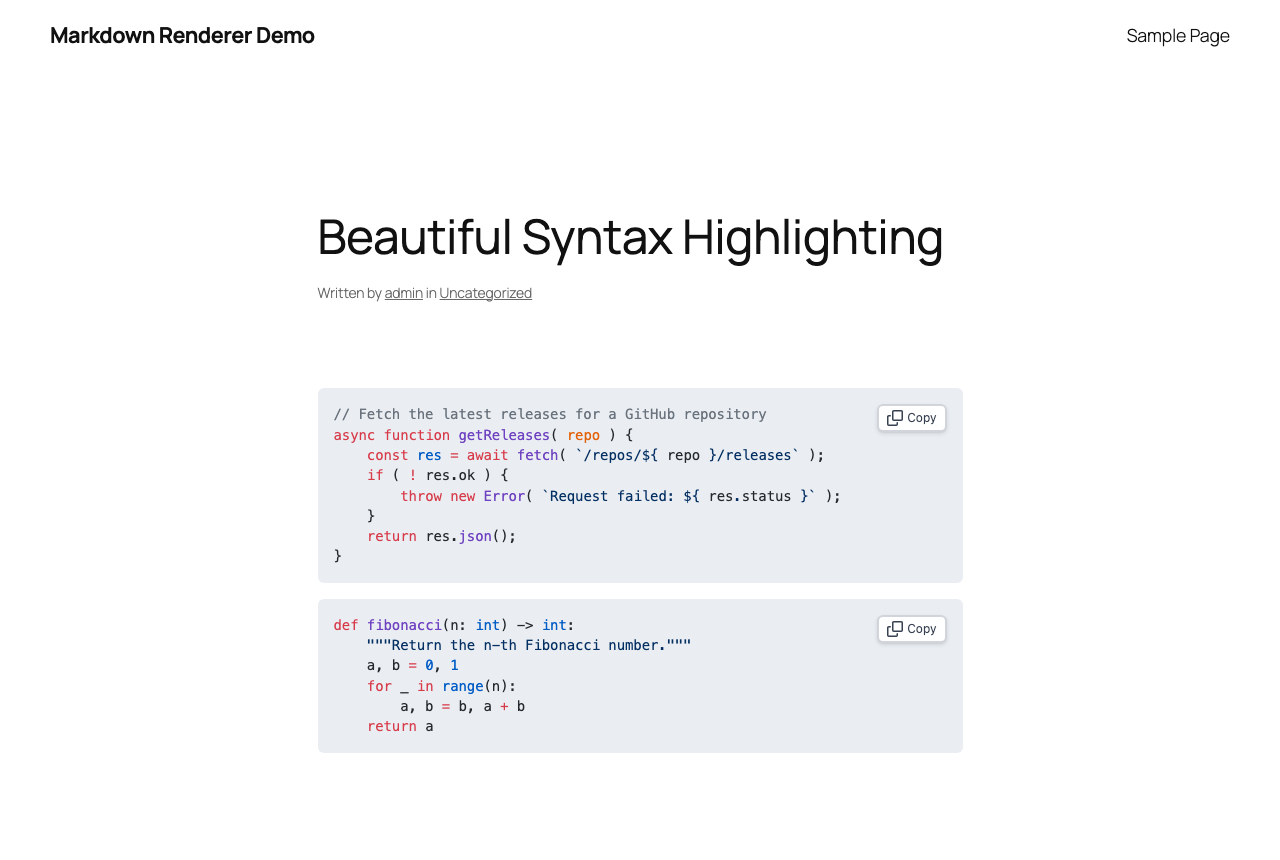
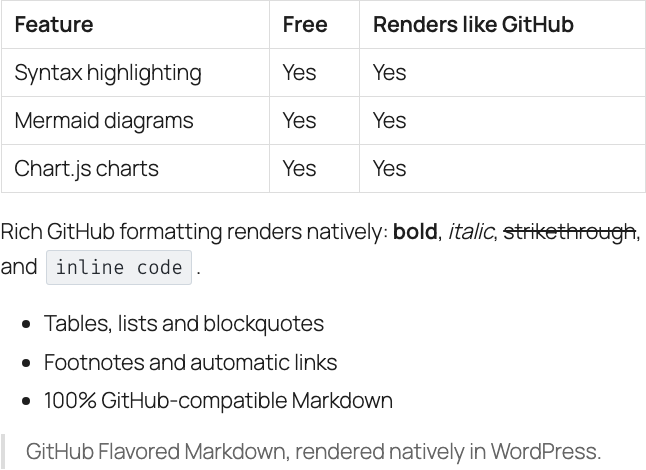
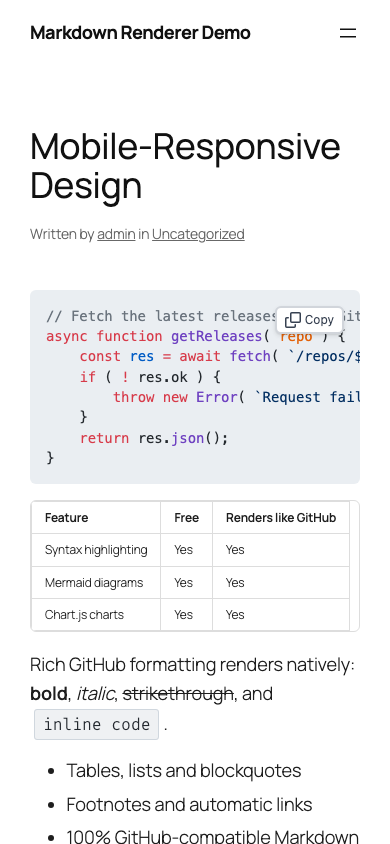
- GitHub Flavored Markdown rendering with tables, task lists, strikethrough, autolinks, footnotes, and emoji shortcodes such as
:rocket: - GitHub-style alerts:
> [!NOTE],[!TIP],[!IMPORTANT],[!WARNING], and[!CAUTION]callouts - Native grammars for 30+ programming languages, plus fallback handling for many more
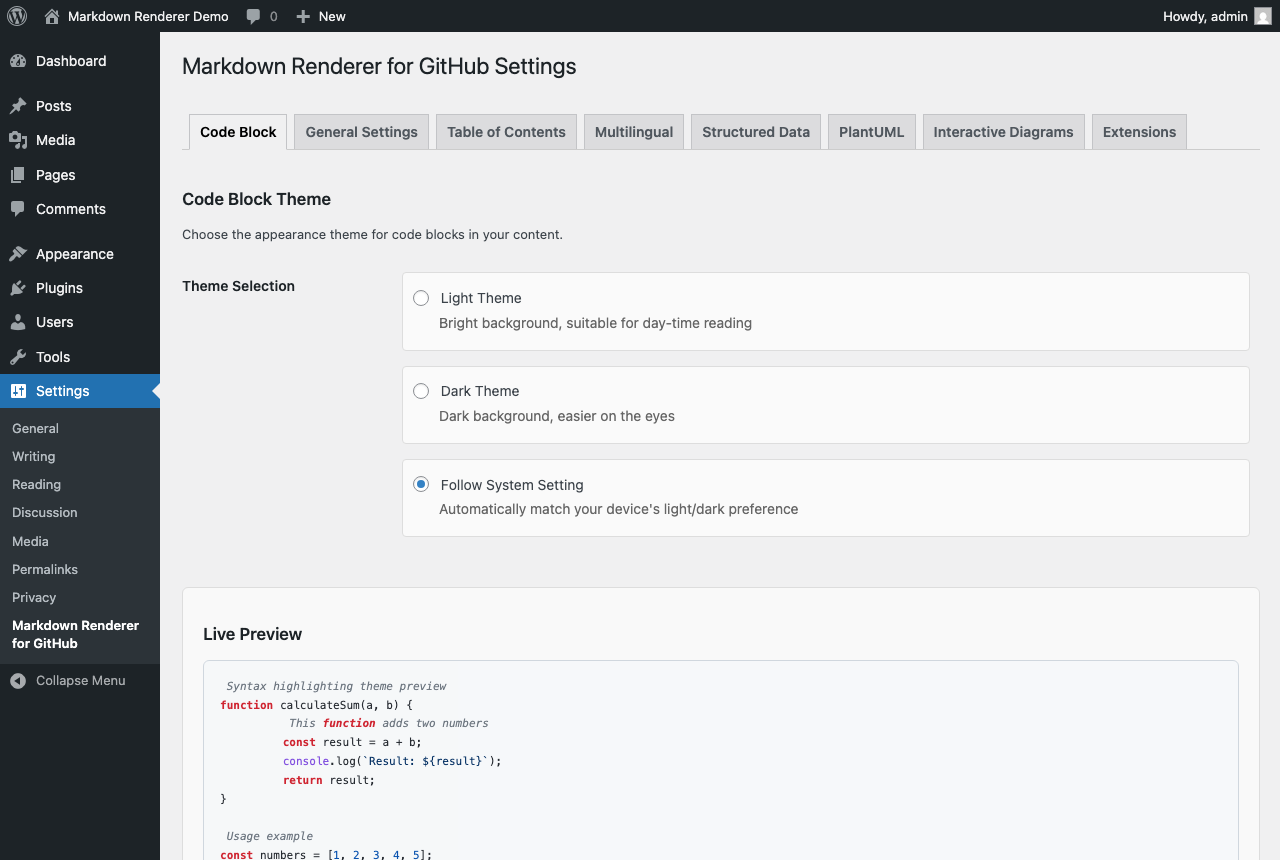
- GitHub Light, GitHub Dark, and system-aware code themes
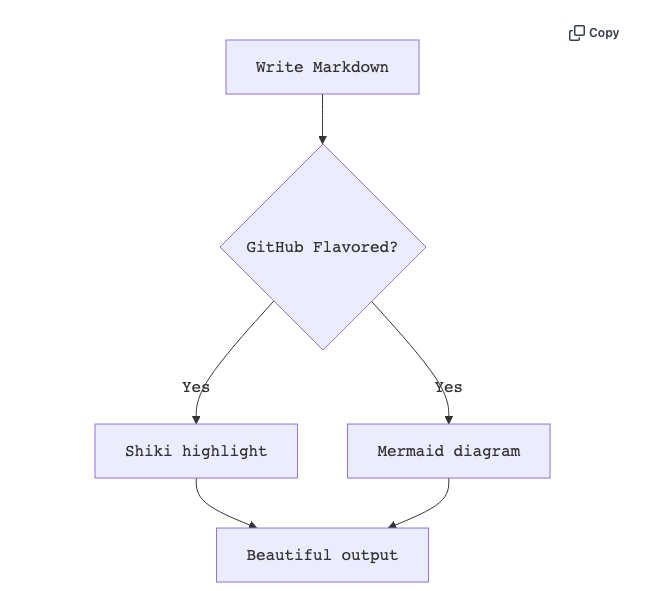
- Mermaid diagrams with interactive controls and an auto/light/dark theme setting (auto follows the code theme and visitor OS)
- 8 chart types through Chart.js charts from
chartfenced code blocks - KaTeX math from GitHub-compatible
mathfenced code blocks,$$...$$,$...$, and[latex]shortcodes - Optional PlantUML rendering through a configured external PlantUML/Kroki server
- Table of Contents, structured data, multilingual URL options, and server-side rendering controls
- A built-in admin manual with Getting Started, Usage, FAQ, Troubleshooting, Support, and System Info tabs
- WordPress Abilities API support on WordPress 6.9+ for AI agents such as Claude Code and Codex
安装:
- Go to Plugins > Add New.
- Search for "Markdown Renderer for GitHub".
- Click Install Now.
- Click Activate.
- Go to Plugins > Add New > Upload Plugin.
- Upload the plugin ZIP file.
- Click Install Now.
- Click Activate.
- Open Markdown Renderer for GitHub > Manual in the WordPress admin menu.
- Read the Getting Started tab.
- Add a Markdown block to a post or page, or wrap Markdown in the
[gfmr_markdown]shortcode. - Preview the front-end page.
- Adjust the Code Block theme, Markdown style preset, Table of Contents, diagram, structured data, multilingual, or server-side rendering settings only when your site needs them.
屏幕截图:


常见问题:
What should I do first after installation?
Open Markdown Renderer for GitHub > Manual, read the Getting Started tab, then create or edit a post with the Markdown block. Preview the front-end page and adjust the Code Block settings if needed.
How do I add Markdown content?
Use the Markdown block in the block editor. In the Classic editor, widgets, or templates, wrap Markdown in the [gfmr_markdown] enclosing shortcode. The shortcode renders through the same core pipeline as the block.
How do I add a note or warning callout?
Use the GitHub alert syntax: start a blockquote whose first line is > [!NOTE], then write the body on the following quoted lines. [!TIP], [!IMPORTANT], [!WARNING], and [!CAUTION] work the same way. The keyword must be alone on that first line, otherwise the block stays an ordinary blockquote.
What should I check if settings are not reflected?
Save the settings, clear page cache, CDN cache, browser cache, and any asset optimization cache. Then check a front-end post that actually contains a Markdown block or [gfmr_markdown] shortcode.
Can I use this with my theme or cache plugin?
Usually yes. If output looks stale or broken, temporarily disable cache, minification, defer, and combine settings. If styles still look wrong, test briefly with a default WordPress theme to isolate theme CSS conflicts.
Does this plugin send content to external services?
By default, no. Shiki, Mermaid, Chart.js, and markdown-it are bundled locally and served from your WordPress installation. Optional PlantUML and server-side Mermaid rendering can send diagram source to an external renderer only after you enable and configure those features. See Third Party Services for details.
What is the difference between the free and Pro versions?
The free plugin includes the main rendering features: GFM, Shiki, Mermaid, Chart.js, PlantUML, Table of Contents, structured data, multilingual options, and basic AI agent abilities. Pro is a separate add-on for advanced workflow features and priority support. You do not need Pro for the core rendering features.
What happens to my settings when I delete the plugin?
Nothing is removed by default: deleting the plugin leaves its settings, caches, and post metadata in the database, so reinstalling restores your configuration. If you want a clean removal, enable "Remove Data on Uninstall" on the General Settings tab before deleting the plugin. That option is off by default and cannot be undone once the plugin is deleted.
Where can I get support?
Free plugin usage questions and reproducible bugs should go to the WordPress.org support forum. Pro license, billing, contract, refund, and account questions should not be posted in the WordPress.org forum; use the support guidance shown inside the plugin admin screen.
What information should I include in a support request?
Include WordPress version, PHP version, plugin version, theme, affected feature, steps to reproduce, and relevant non-secret System Info from the plugin settings screen. Never share license keys, API keys, Application Passwords, tokens, cookies, or private account information.
更新日志:
- Rebuild the Live Preview demo around the 2.11.x feature set
- Bundle KaTeX fonts so math renders in the correct typeface
- Add reader theme toggle for code and diagram color mode
- sync JED translation JSON for post-level TOC strings
- add post-level TOC controls and shortcode
- preserve fenced code fallback markup
- Strip shell prompts on copy and add alert role for screen readers
- bundle always-loaded JS/CSS into gfmr-core-bundle and audit gfmr-variables.css
- fix prefetch cache mismatch and strip debug console.log from min build
- add one-click sample draft creation to onboarding
- prefetch Chart.js assets on chart pages
- omit hidden Markdown source by default
- defer Shiki Worker initialization on SSR pages
- preserve deferred frontend scripts
- add WordPress 7.1 beta compatibility tracking
- add Open Graph / Twitter card meta tag output
- declare WordPress 7.1 compatibility
- avoid loading Shiki bundle on main thread when Worker can highlight
- buffer cache index writes and flush once per request
- defer diagram init during prerender instead of excluding pages (#1340)
- gate copy-button, math and worker-manager JS on content detection
- reserve diagram height while prerendering to avoid activation layout shift
- prevent premature image upload completion and verify PlantUML iframe reach
- harden WP 7.1 verification findings (auth-state, fresh-env init, ability error status)
- sync data-gfmr-language attribute between Worker and main-thread highlight paths
- stop chart image baking from disabling the interactive chart toolbar
- Add dismissible first-run welcome onboarding notice
- Add dismissible review prompt after success signals
- Add contextual Pro upsell links with unified UTM tracking
- add Mermaid theme selection
- offset native fragment navigation
- add automatic excerpt fallback for Markdown-only posts
- extract shared heading-anchor module for frontend language switch parity
- Preserve shortcode samples in block data
- Sync PlantUML manual block list
- render front matter in server paths
- preserve backslashes in wp gfmr update_theme
- consolidate wpGfmConfig/wpGfmSettings into single localization payload
- Add drift check for wp.org asset deploy (#1204)
- Update WordPress.org banner branding
- Stop the standalone fatal from a Free-core trait
- Add SSR onboarding notice and Site Health check (#1145)
- Support GitHub-compatible math code fences
- Add Pro uninstall data cleanup and unschedule license cron
- Add settings import/export via WP-CLI and admin tab
- Narrow front-end asset loading gate and remove always-on switches
- Close render parity gap for footnotes, highlight and smart punctuation
- Stop Pro from deactivating the Free plugin in the database
- Support Mermaid accTitle/accDescr ARIA attributes in SVG sanitizer
- Add server-side heading anchors with CJK slug support and visible permalinks
- Surface non-secret settings snapshot on Site Health Info tab
- Minify distributed JS/CSS assets and drop orphaned files
- Add GitHub-style alerts (NOTE/TIP/IMPORTANT/WARNING/CAUTION)
- Add GitHub-style emoji shortcode support
- Add opt-in uninstall data cleanup
- Gate destructive settings behind explicit confirmation in AI abilities
- Guard early-exit vendor restore and stale vendor.backup detection
- Lazy-load markdown-it fallback renderer for multilingual blocks
- Cover vendor.backup.stale-* dirs in all exclusion configs
- Bake WP-CLI and apt tooling into the E2E image
- Compare downloads_drop within the same release class
- Back out the v2.11.1 bump that PR #1129 swept in
- add Pro code-block editor translations and JSON coverage test
- add Pro custom theme support with fail-closed validation
- integrate custom Shiki themes into runtime and SSR
- add custom Shiki theme admin UI
- add Free-core strip for Pro custom Shiki themes
- Add modest Free vs Pro info section to settings Manual tab
- add Pro-gated financial candlestick and OHLC charts
- invite wp.org review and announce external links for a11y
- add high-level AI orchestration abilities
- Add screenshots 7-8 for Chart.js and rendered output preview
- add C4 Model architecture diagrams via a c4 code block
- fix chronically-failing Woodpecker steps
- fix standalone-mode fatals and Docker Pro setup race (#1074)
- register custom Shiki theme objects in frontend createHighlighter()
- place file args before --fix in .lintstagedrc.js commands
- remove dead gfmr-highlighter.js module and its stale dependents
- pin npm to <11 and guard esbuild lock subtree drop
- Increase ps aux memory test timeout and resync changelog
- add availability field to roadmap schema and validation
- add Pro code-block enhancement pack with Free-core strip (#1033)
- sync Pro bundled Free core version during release
- configure GFMR Pro Lemon Squeezy product
- connect GFMR Pro updater endpoint
- align version metadata with bundled core
- repair license activation package
- unify LSQ update endpoint path and add drift guard
- guard pro-package.sh copy steps against leaked symlinks
- register wp-cli gfmr command via classmap autoload trigger
- Add in-plugin Manual content to settings page
- add shared client-side SVG allowlist sanitizer
- update GfmrLicenseManagerTest/GfmrPremiumFeatureGateTest to match current implementation
- fix Patchwork/Brain Monkey bootstrap ordering for 3 test files
- reconcile ExternalServiceDependencyTest with current implementation
- allow markdown-label tags and text transform in SVG sanitizer
- preserve multilingual SSR body on initial load
- Stabilize Mermaid diagram reveal
- prevent frontend rendering regressions
- Add admin manual submenus
- Count multiline translations without msgfmt
- Satisfy PHP lint for admin pages
- Add live style-preset preview to settings page
- Align light theme code background with GitHub #f6f8fa
- render default-language body in multilingual blocks for untranslated visitor language
- Size Mermaid lightbox from SVG natural viewBox
- Add idempotent demo-post seeder for local verification
- hide Save Changes button on the Extensions settings tab
- hide copy button label text via gfmr-copy-text class
- Prune stale non-standard asset subdirs in SVN deploy
- exclude CJK-subject commits from changelog and guard commit subjects
- add WordPress.org stats tracker
- verify wp.org publish after deploy
- add KaTeX latex rendering support
- add markdown style presets
- add advisory CI reports for knip and bundle size
- add post-merge quality threshold alert
- add local Plugin Check husky gate
- add language switcher disable hook
- Add init-stage timeout to Shiki worker manager
- differential re-render on OS theme change
- Scope MutationObserver code-block processing to inserted roots
- Add WordPress Abilities API foundation for AI agents
- reduce PR CI work
- cache SSR allowed-html allow-list per request
- short-circuit has_markdown_patterns backtick detection
- batch SSR cache reads in code-block pass
- Cache base SVG allowed-tags array per request
- Add filterable worker line threshold
- generate SVN tag as clean svn copy after trunk commit
- resolve knip quality threshold breach
- Repair task list checkbox attr spacing before kses (Issue #854)
- align frontmatter date expectations with js-yaml v5
- Keep chart container light background on dark themes
- Revert js-yaml to v4 and pin against v5 major bump
- Keep frontmatter dates as strings via JSON_SCHEMA