
Markdown Twin
| 开发者 | koekiseo |
|---|---|
| 更新时间 | 2026年11月18日 13:20 |
| PHP版本: | 7.4 及以上 |
| WordPress版本: | 7.1 |
| 版权: | GPLv2 or later |
| 版权网址: | 版权信息 |
详情介绍:
- .md URLs:
https://example.com/shop/has its twin athttps://example.com/shop.md, the home page at/index.md. - Content negotiation: the normal URL answers in Markdown when the client prefers
text/markdownin itsAcceptheader. Browsers never do, so visitors always get the HTML page. - Discovery: every HTML page announces its twin with
<link rel="alternate" type="text/markdown">and an HTTPLinkheader. - /llms.txt lists your pages, product categories, products and articles with their Markdown URLs, unless your site already has one.
.md URLs and /llms.txt are what they can find and follow, and content negotiation serves the tools and agent frameworks that ask for Markdown. Each answer says what it is: X-Markdown-Twin-Cache (HIT; age=N, MISS or BYPASS: a kept copy, a fresh render, or never kept) and X-Markdown-Tokens (an estimate).
Built for real sites
- The content area is found automatically (block themes, Elementor, the common themes, otherwise the part of the page that holds the text); you can set your own CSS selectors instead. Pages that ask not to be indexed, and the cart, checkout and account pages, get no twin.
- No duplicate content: the twin is sent with
X-Robots-Tag: noindexand a canonical link to the HTML page. The page caches tested never store a Markdown answer as if it were the HTML page (the Diagnostic tab says which caches are written from their code and not tested). - Twins are kept ready (12 hours by default), served before WordPress runs its main query, and made again as soon as their page changes.
- Nothing is written to your server configuration when you activate the plugin. On Apache and LiteSpeed, the Diagnostic tab can write one
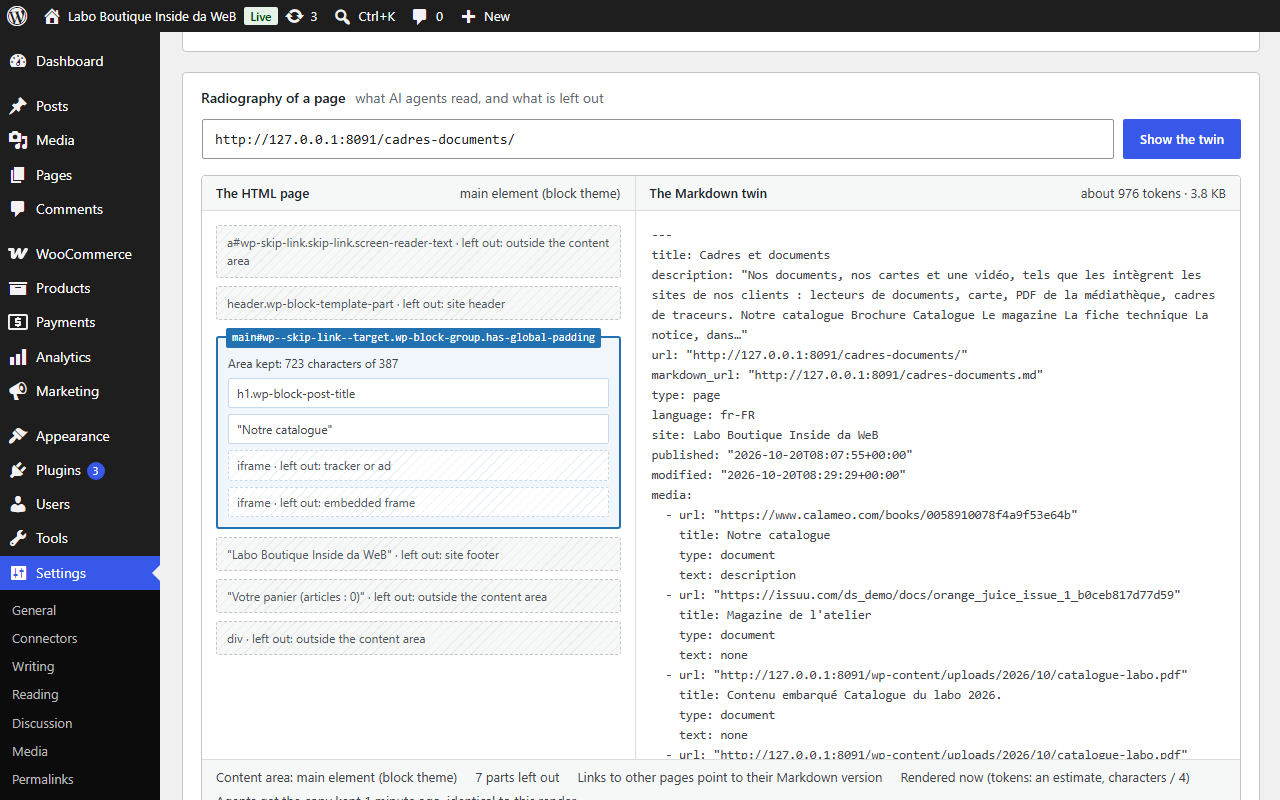
.htaccessrule for content negotiation behind a page cache, after your confirmation, with a backup copy that is put back if the site stops answering. - What AI agents receive: each twin is checked against the page it stands for (content area, title, text, structured data, price and availability, images, size, robots.txt, media), in the radiography of a page, in the lists of contents and with
wp markdown-twin check. - Difficult content: embedded documents, maps and audio players become typed links instead of disappearing with their frame, also behind a cookie banner; a form becomes one line that says where to fill it in; an animated counter is read at its final value; an image without alt gets the title of its media library file, when someone wrote one.
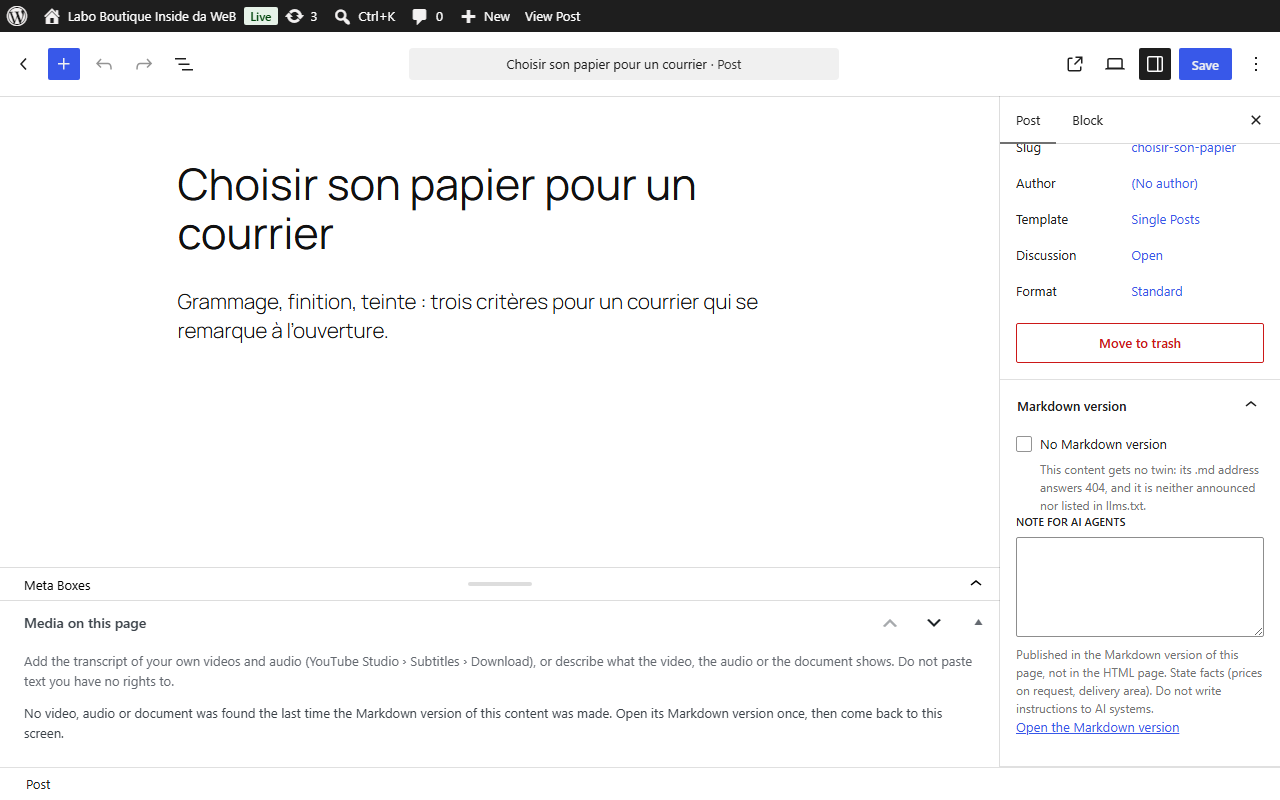
- Per content: "No Markdown version" and a note for AI agents, in the block editor and the classic one; under each video, audio or document, its transcript or description, from the subtitles of your media library or from what you write in the editor ("Media on this page"). Nothing is fetched from another site.
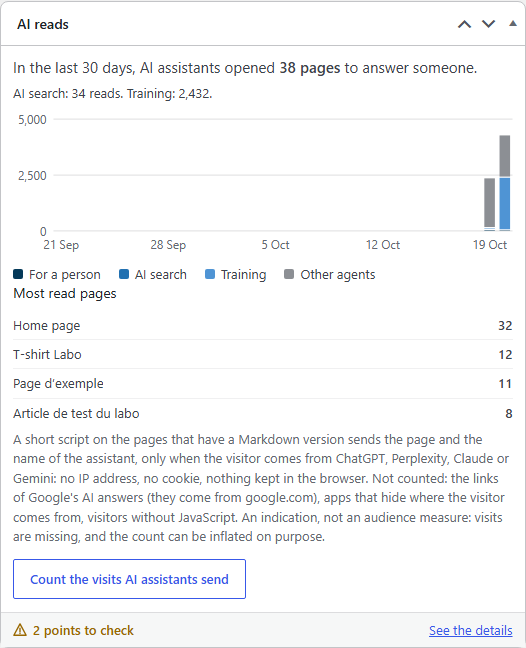
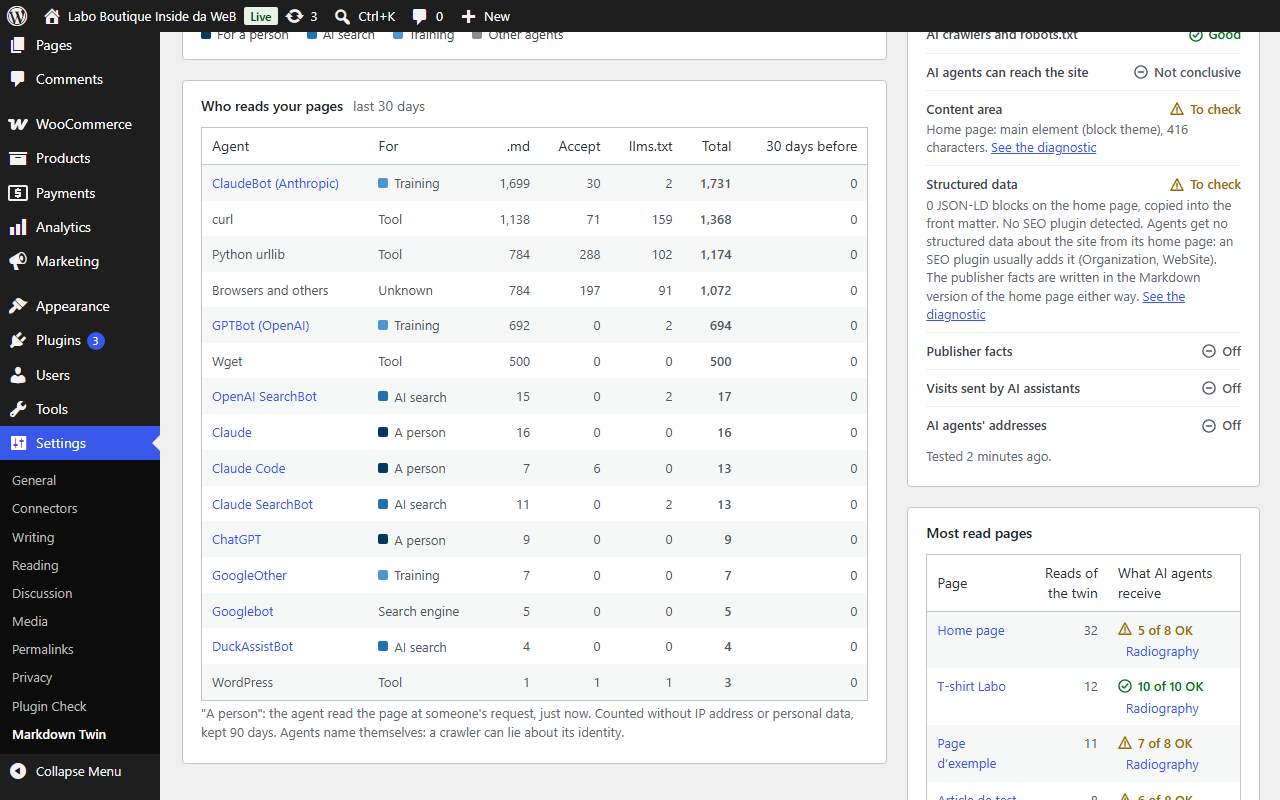
- Statistics: daily reads per agent (ChatGPT, Claude, Perplexity, their search and training crawlers, Googlebot, Bingbot, coding agents…), grouped by what the agent reads for: a person, AI search, training. No IP, no cookie, no personal data. A dashboard widget tells the last 30 days in one sentence. Off by default: the visits AI assistants send to your pages, and the check of each read against the IP address lists the publishers publish (see "External services").
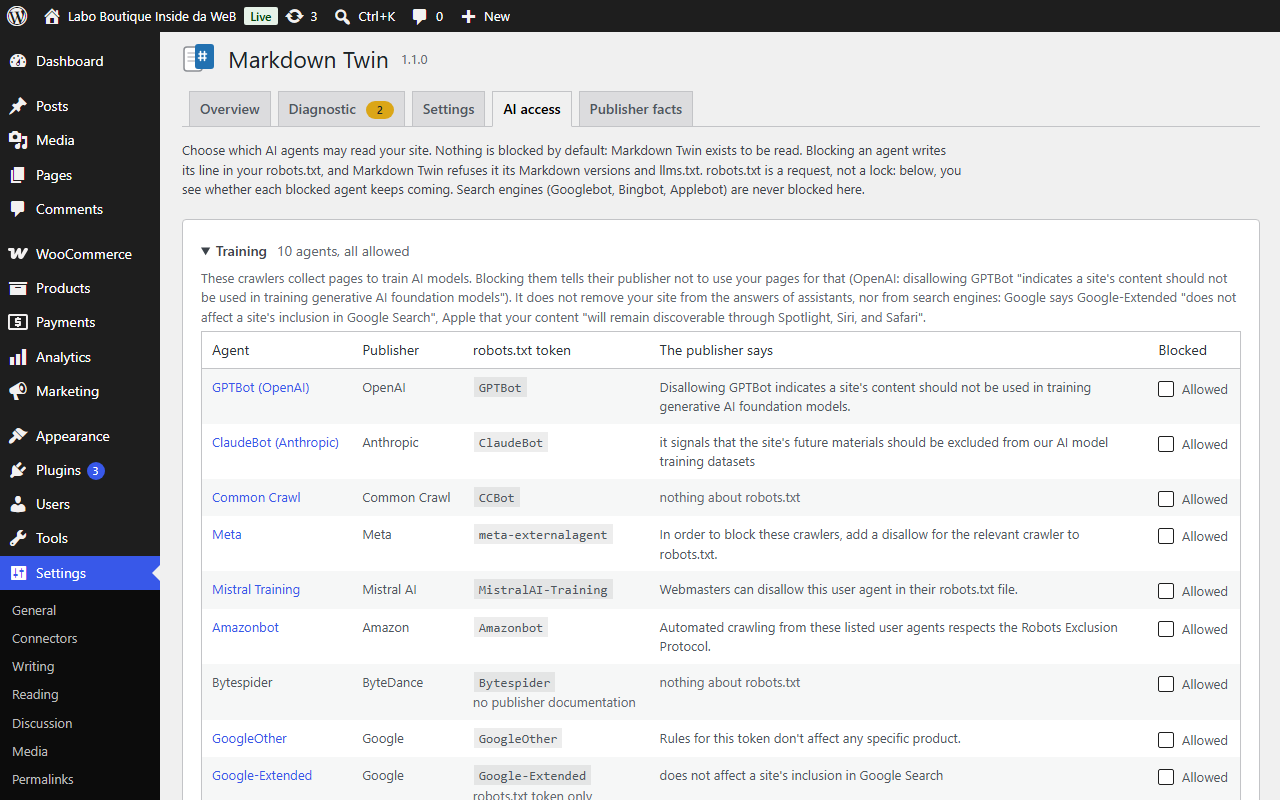
- AI access: choose, agent by agent, which AI agents may read your site; nothing is blocked by default. A blocked agent gets its line in your robots.txt and a 403 on its Markdown versions and llms.txt, never cached; the site shows whether it keeps coming. Each family comes with what its publishers say of robots.txt, in their own words. Search engines are never blocked (Google AI Overviews and Microsoft Copilot answer from their indexes: their controls are the snippet robots tags, said on the tab).
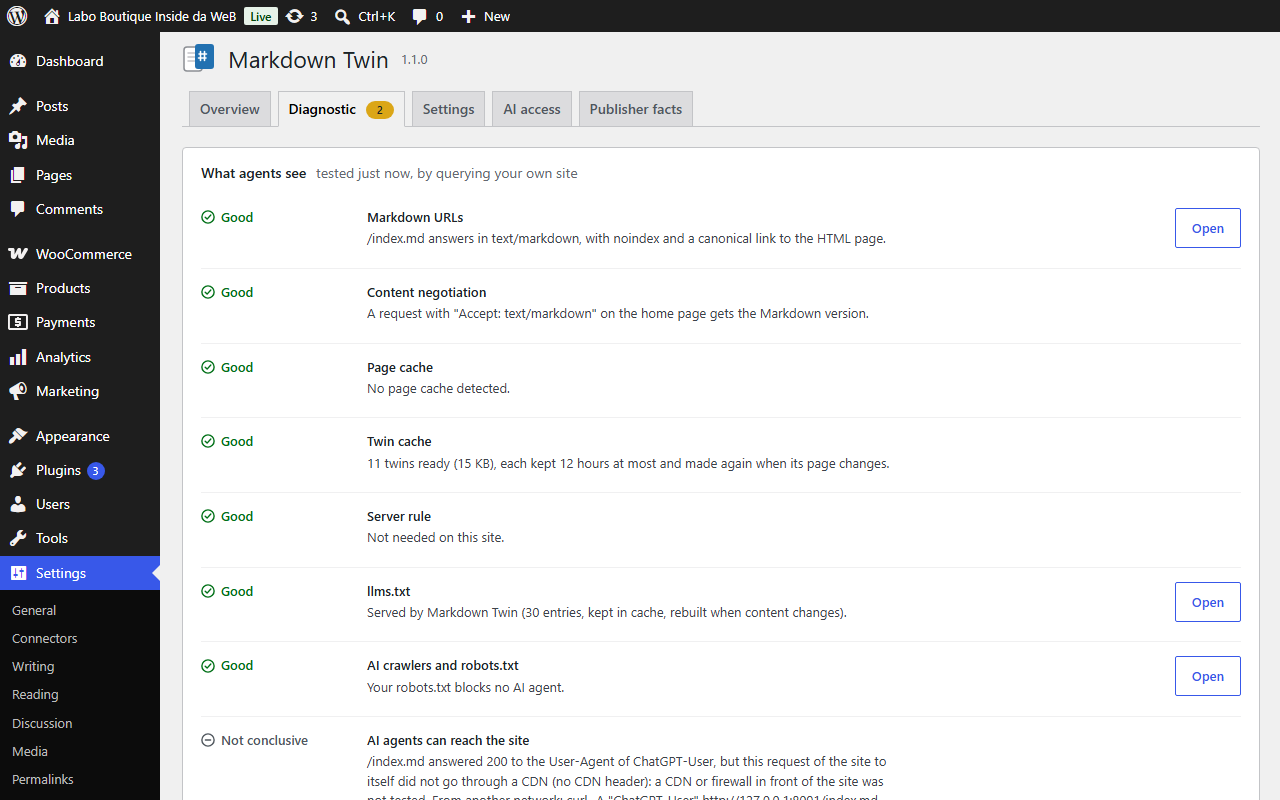
- Diagnostic: the site tests what agents get (.md URLs, content negotiation, page cache, llms.txt, robots.txt, firewall or CDN, content area, structured data), every 12 hours and when you open the tab (results less than an hour old are shown as they are; "Test again" runs them at once), and once a day it checks the twins of your most read pages. Both query the site itself and follow a redirect only on its own host name and port (http to https, a trailing slash); the one exception is robots.txt, read as crawlers read it: when your site redirects it to another site, that address is read too (see "External services"). The same tests appear in Site Health.
- No account, no tracking: nothing about your pages or your visitors is sent anywhere. Another site is asked only for the robots.txt your own site redirects to, and for the publishers' address lists if you turn on the address check (see "External services").
markdown_twin_supported, markdown_twin_front_matter, markdown_twin_body_before, markdown_twin_body_after, markdown_twin_output, markdown_twin_product_facts, markdown_twin_product_rows, markdown_twin_max_variations, markdown_twin_llms_sections, markdown_twin_server_rules, markdown_twin_max_bytes, markdown_twin_max_transcript_bytes, markdown_twin_media_hosts, markdown_twin_agents, markdown_twin_stats_detail_families, markdown_twin_referral_sources, markdown_twin_visit_cap, markdown_twin_visit_cap_site, markdown_twin_link_resolution, markdown_twin_cache_hosts, markdown_twin_cache_max_files, markdown_twin_restricted (a content kept for members, whose text never makes a description), markdown_twin_site_closed (the site is closed to visitors: no Markdown version, no llms.txt): add them at the top level of a plugin file or of a must-use plugin, not in a theme nor inside a hook (a twin kept ready, or a refusal, is sent before the theme and the other hooks run). Commands: wp markdown-twin render <url>, stats, check, cache status|flush. Function: markdown_twin_url( $url ). In your templates, data-md="skip" leaves a block out and data-md="keep" always keeps it.
安装:
- Install and activate the plugin.
- Open Settings > Markdown Twin and pick the content types that get a twin (posts, pages and products by default).
- Try
/index.mdon your site, orcurl -H "Accept: text/markdown" https://your-site/.
.md URLs need no rule. For content negotiation, the Diagnostic tab offers the .htaccess rule (Apache, LiteSpeed) or shows the lines to add for nginx, Varnish and Cloudflare.屏幕截图:
常见问题:
Does activating the plugin change my .htaccess?
No. The rule for content negotiation behind a page cache is written only when you ask for it in the Diagnostic tab, after a backup copy of the file (the last copy is kept until uninstall). The same tab removes it, with the same backup; deactivating the plugin removes it too (on a network: deactivating it for the whole network; when it was activated site by site, the uninstall removes it). While the plugin is active, when W3 Total Cache, WP Super Cache or WP Rocket write their own .htaccess rules again, they get one more condition, so that Markdown requests skip their cache files.
My site has a page cache. Does content negotiation work?
The .md URLs always work. Content negotiation (the normal URL with Accept: text/markdown) needs the cache to let these requests through, and the Diagnostic tab tells you what to add: a few lines for wp-config.php with the caches that answer from advanced-cache.php (WP-Optimize, Breeze, W3 Total Cache, Cache Enabler, SiteGround Speed Optimizer…), a file registered in WP Super Cache after your confirmation, the Markdown condition in WP Rocket's rules, or a line for Varnish, nginx and Cloudflare, to add to the server configuration or to ask your host for. The WP Rocket and LiteSpeed Cache integrations are written from their code, not tested with them.
Does Markdown Twin keep the twins ready?
Yes, as files in wp-content/uploads/markdown-twin-cache/ (Settings, "Performance": how long, 12 hours by default, 0 turns it off; a button and wp markdown-twin cache flush empty it). A twin is made again when its page, its product or the pages that list it change, and everything is emptied when the site changes as a whole (theme, menus, plugins, settings) or when a known page cache empties itself. Never kept: logged-in users, requests with a cookie or a query string, protected content, errors, noindex pages. With the currency switchers it recognises (FOX Currency Switcher, CURCY, WPML Multicurrency, Currency Switcher for WooCommerce, Price Based on Country) or WooCommerce taxes based on the visitor's location, products and shop pages are rendered for each request; with another currency plugin, set the kept time to 0. Not followed: the "purge everything" of some caches. A kept twin is served only while a look at the site as a visitor without an account, made at most 15 minutes earlier, found it open; a site that cannot ask itself (some hosts, PHP's built-in server) renders every request. A twin takes a few kilobytes; at most 5,000 are kept (filter markdown_twin_cache_max_files), only for requests that name your own site (filter markdown_twin_cache_hosts for a domain per language). An update of Markdown Twin made from WordPress (the Plugins screen, automatic updates, WP-CLI; not a copy of its files by FTP) empties its own twins, not those a page cache holds: LiteSpeed Cache keeps the .md URLs for its own cache time (a week by default), so purge it after updating. Reads answered from a page cache never reach WordPress and are not counted in the statistics.
How much space do the statistics take?
About 100 bytes per row. Reads by the agents that read for a person and by AI search crawlers are counted per page and per day; the others per site. A 2,000-page site read daily by three such agents adds about 0.6 MB a day; keep 60 days, or count AI search per site with the filter markdown_twin_stats_detail_families. Rows older than the retention period (60, 90 or 365 days) are deleted every day.
What do the visits sent by AI assistants count?
When you turn it on, a short script on the pages that have a Markdown version looks at where the visitor comes from; only when it is ChatGPT, Perplexity, Claude or Gemini, it sends the page and the name of the assistant to your site, which adds one to a daily counter. No IP address, no cookie, nothing kept in the browser. Not counted: Google's AI answers (they come from google.com), apps that hide the referrer, visitors without JavaScript. An indication, not an audience measure; each page counts at most 5,000 visits a day. The script is kept out of the delay of WP Rocket, Perfmatters, LiteSpeed Cache and Cloudflare Rocket Loader, out of Autoptimize's optimization and out of SiteGround Optimizer's combining; with FlyingPress, exclude markdown-twin-visit yourself.
Can an AI agent read my videos, audio and documents?
It gets a link to each one and, under it, the transcript or the description when there is one: the subtitles of a video or an audio of your media library (a WebVTT track, read on the disk), or the text you write for each media in the editor ("Media on this page"). Nothing is fetched from YouTube or any other site. With Polylang, write the texts on each language's page; with TranslatePress or Weglot, they stay in the language you wrote them in.
What can an AI agent not read?
What is built in the browser only: reviews loaded by a script, application forms that are JavaScript apps, automatic tables of contents, content loaded when scrolling. Nor the text drawn in an image, or a background image set in CSS. What a cookie banner removes from the HTML itself is not read either. For what matters, write it in the note for AI agents of the page, and keep your structured data complete: both are read before anything else. A rule of your web server or CDN that protects a path (HTTP authentication, a list of allowed addresses) is not seen by WordPress: protect the matching .md address and llms.txt the same way, as well as WordPress's REST API, which publishes the same text.
Something from my theme shows up in the Markdown and should not.
Add its CSS selector to "Parts to leave out" in the settings, or add data-md="skip" to the element in your template. If the wrong part of the page is used, switch the content area to your own CSS selectors.
Can I block AI agents?
Settings > Markdown Twin > AI access: one line per agent, "Allowed" (default) or "Blocked", grouped by what the agent does, with what each publisher says of robots.txt and the date it was read. Blocking an agent writes a User-agent line for it in the robots.txt WordPress builds (never a group with Allow: /), and Markdown Twin refuses it its Markdown versions and llms.txt with a 403 that is never cached. What to know: robots.txt is a request, not a lock, and the agents that read a page for someone may not follow it; an agent can lie about its name; a page cache, a server cache or a CDN can serve an older robots.txt, an HTML page or a Markdown version kept before the blocking (the tab shows rules for Apache, LiteSpeed and nginx to refuse the HTML pages too, to copy yourself); a robots.txt file at the root of your site is served instead of the one WordPress builds, so the tab shows the lines to copy. An optional Content-Signal line (Content Signals policy, CC0) is shown before you save: search=yes always, ai-train from the Training family, ai-input from the AI search and "for a person" families, each written only when the whole family is blocked or allowed. On a network in sub-directories, robots.txt is served at the root of the network only: the main site's setting applies to every site, and only the network administrator can change it.
Is a read really from the agent it names?
Agents name themselves, and anyone can write "GPTBot". With "Verify the agents' addresses" (Settings > Statistics, off by default), Markdown Twin downloads once a week the IP address lists the publishers publish on their own sites (see "External services") and marks each read as coming from the agent's addresses or not: "From its addresses", "claimed to be it" when the address was compared and is not in the list, "not checked" for the reads made before the option was on or while the list was not on your site, "no list" when the publisher publishes none. The reader's IP address is compared and never stored. Behind a proxy or a CDN, designate the header that carries the reader's address (X-Forwarded-For, last address; X-Real-IP; CF-Connecting-IP; True-Client-IP): it is never trusted otherwise, and while such a header reaches the site with none designated, nothing is compared ("not checked") and the Diagnostic tab names the header it saw: designate it only if your proxy or CDN writes it, since anyone can send it. The Diagnostic tab says when a list is missing, failed or more than 15 days old; a download that fails keeps the last valid list.
Does it work without WooCommerce?
Yes. WooCommerce only adds the product facts.
Does it work on multilingual sites?
With Polylang and TranslatePress, yes: "/fr/page.md" is the twin of "/fr/page/", in French, with links to the same page in the other languages. A plugin that removes the language prefix ("/fr/") from the address when its own file loads must load after Markdown Twin: a plugin whose folder name sorts after "markdown-twin", or the theme. Loaded before it (a must-use plugin, a plugin whose folder sorts before, a plugin activated for a whole network), it hides the prefix from Markdown Twin: the twins of its language pages are made for the address without the prefix, and share their links and kept twins with the default language. On such a site, set the kept time to 0.
Is there a llms.txt?
Yes, at /llms.txt, unless the site already has one (a file at the root, or one that another plugin already serves: the common ones are recognised, and Markdown Twin steps aside). On multilingual sites (Polylang, TranslatePress), each language home has its own ("/fr/llms.txt", listing the French pages), and every one has a "Languages" section; none while the site asks search engines not to index it.
更新日志:
- The Markdown version is now made in WordPress's own template enhancement output buffer, so WordPress 6.9 or later is required.
- Security hardening, following the plugin review: nonces and capability checks on every action of the administration screens and their output escaped where it is printed, the kept twins sealed, security headers on the Markdown versions and llms.txt, and the site's titles, names and descriptions given there as plain text (a "<" that cannot start a tag, as in "<5 kg", is kept with the words after it). The site's requests to itself follow a redirect only on its own host name and port (http to https included), robots.txt is read up to 500 KB, the note for AI agents is read through the REST API only by those who may edit the content, the text and excerpt of a content kept for members (Paid Memberships Pro, MemberPress, Restrict Content Pro, WooCommerce Memberships) never make a description, nor does a text another plugin hides from visitors (descriptions come from WordPress's own excerpt, as a visitor gets it), a product kept for members gives no facts, llms.txt is written as a visitor without an account sees the site, and a Markdown version asked with cookies is never left to a shared cache. A visitor without an account is the measure: llms.txt is read like a page, after the plugins that close the site (a login page, a maintenance page, a members-only rule); while the site is closed to visitors (WooCommerce's "Coming soon" mode, Elementor's maintenance mode, Force Login, Password Protected, or a look at the site as such a visitor that finds a proof of it: the login page, one page for every address, WooCommerce's "Coming soon" page), there is no Markdown version and no llms.txt; a refusal (403, 5xx) or a request that fails proves nothing and closes nothing, and the Diagnostic shows what the last look found; a kept Markdown version is served only after such a look found the site open; what the database adds about a content is what WordPress itself publishes of it (its excerpt, dates and terms, a product's facts), nothing for a content kept for members; subtitles in a folder with its own .htaccess, or in WooCommerce's or Easy Digital Downloads' download folders, are not read.
- Text no longer lost or altered in the twins: sale prices with the regular price struck through, price ranges, grouped and external products, sale badges, variation labels, words split by an inline tag, superscripts and subscripts, line breaks, code in lists and its spaces, table captions, list numbers, quotations, accordion questions, paragraphs in list items and table cells, verses, animated counters in descriptions, links whose address holds parentheses, addresses written as text, the pages of a post split into pages, icon links (social icons), price tables, the blocks of list items in the page's order, numbered sub-lists, the rows of attribute tables, Spectra's FAQ and tabs, accordion answers closed until clicked, the links of a media caption, the formulas of the Math block, line breaks in addresses, JSON-LD and embed codes that hold closing tags, pages in another charset than UTF-8, task lists, lists side by side, words split by inline tags and table cells spanning rows; a price a catalog mode hides is not given, and an external product says where its button leads; the notes and media texts typed in the editor are saved as typed. llms.txt and the product facts are escaped as Markdown, and each language home gets its own llms.txt, whichever language is requested first.
- When another source serves the llms.txt (a file at the root of the site, an SEO plugin), the discovery link rel="describedby" of a language page names the llms.txt at the root of the site, not "/fr/llms.txt", which that source does not serve. When Markdown Twin serves the llms.txt itself, each language home keeps its own, as before.
- Diagnostic: robots.txt is read as crawlers read it (RFC 9309). Redirects are followed, five at most and even to another host (http to https, without www to www), and the rules found there are tested, on the AI access tab too. A redirect to a page that is not a robots.txt, a redirect without an address, more than five redirects, and a server error (crawlers then treat the whole site as disallowed) are reported. Another host is asked with the checks described under "External services"; the site's other requests to itself follow a redirect only on its own host.
- When the home page redirects to another domain, the server rule is no longer written: the requests of the site to itself now follow redirects on its own host only, and the rule's test then gets the redirect, not the home page.
- Diagnostic: a repeated HTTP header no longer reads as "Array".
- "/.md" is the twin of the home page.
- FAQ: multilingual sites, and the limit of a language plugin loaded before Markdown Twin.
- Sites whose language prefix ("/fr/") is removed from the address by another plugin when it loads: the Markdown versions of their language pages work again ("/fr.md", "/fr/page.md"), their discovery links and kept twins keep the language. Page caches that answer when their own file loads still never send HTML for a ".md" address.
- Diagnostic: a robots.txt that redirects, or that is not plain text, is reported instead of "blocks no AI agent".
- Content area found automatically (block themes, Elementor, common themes, text score); the CSS selectors of 1.0 remain as the custom mode. No twin for noindex pages, nor for the cart, checkout and account pages.
- Nothing written to .htaccess on activation: the rule is written from the Diagnostic tab after confirmation, with a backup copy and a check of the home page. The page caches tested never store a Markdown answer.
- Twins kept ready and served before the main query, made again when their page changes.
- WooCommerce: stock display setting followed, prices as the shop displays them, "from" price for variable products, at most 50 variations; hidden products left out of llms.txt.
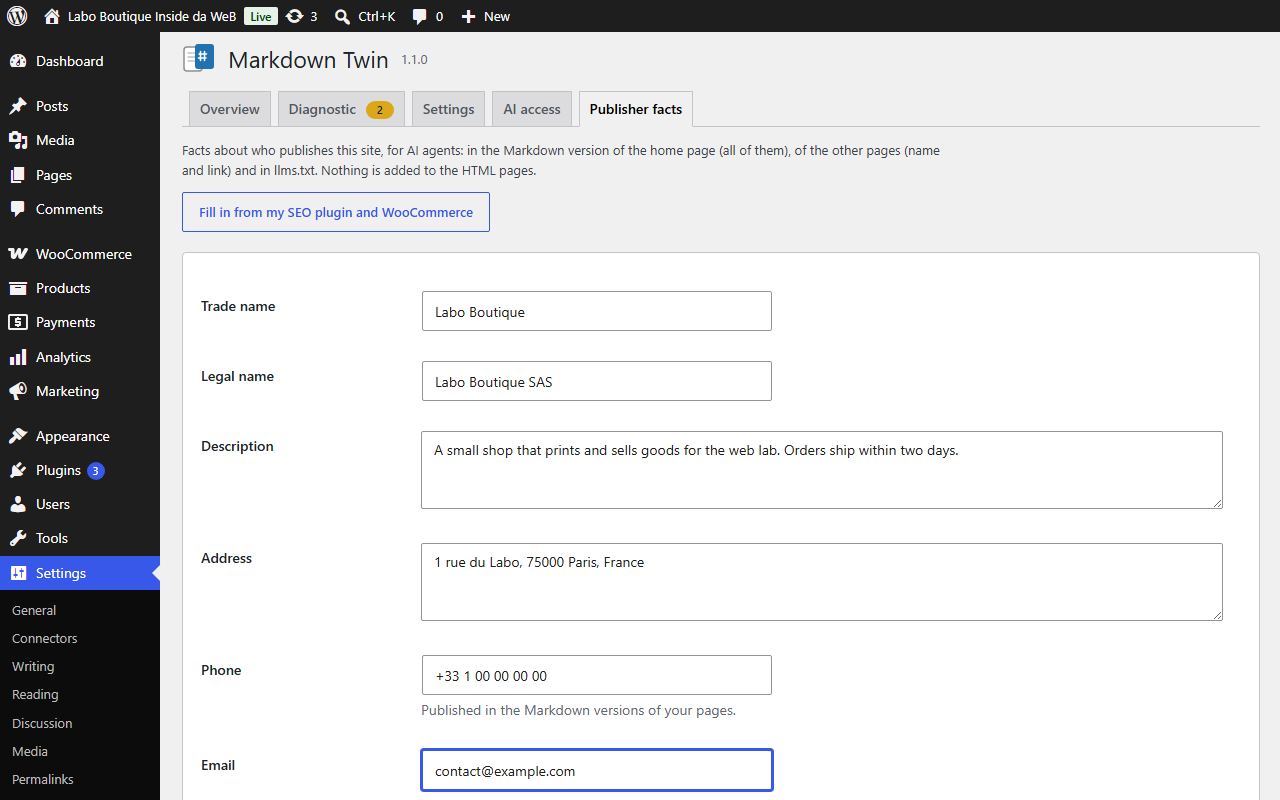
- Settings > Markdown Twin with its tabs (Overview, Diagnostic, Settings, AI access, Publisher facts), a dashboard widget, statistics in a table of their own (per page for the agents that read for a person and for AI search), checks of each twin against its page, the radiography of a page, the "Markdown" column in the lists of contents.
- Per content: "No Markdown version", the note for AI agents, "Media on this page" (transcripts and descriptions under the links of videos, audio and documents).
- Difficult content: embedded documents, maps and audio players as typed links, forms as one line, animated counters at their value, images without alt with their media title; frames behind Complianz and Cookiebot read.
- Diagnostic every 12 hours and in Site Health, with a test of whether a firewall or CDN blocks AI agents.
- AI access: block agents one by one, robots.txt lines, 403 never cached, optional Content-Signal line, server rules shown.
- Verified agents (off by default): the publishers' IP address lists downloaded once a week, each read compared or not, never stored.
- Visits sent by AI assistants (off by default).
- Translations are no longer bundled: they come from translate.wordpress.org.
- First release: .md URLs, content negotiation, discovery links, YAML front matter with JSON-LD, WooCommerce product facts, llms.txt, agent statistics.