MASS Users Password Reset
| 开发者 |
manishamakhija
vijaybaria krishaweb dhruvang21 |
|---|---|
| 更新时间 | 2026年6月18日 14:16 |
| PHP版本: | 8.1 及以上 |
| WordPress版本: | 7.0 |
| 版权: | GPLv3 or later |
| 版权网址: | 版权信息 |
详情介绍:
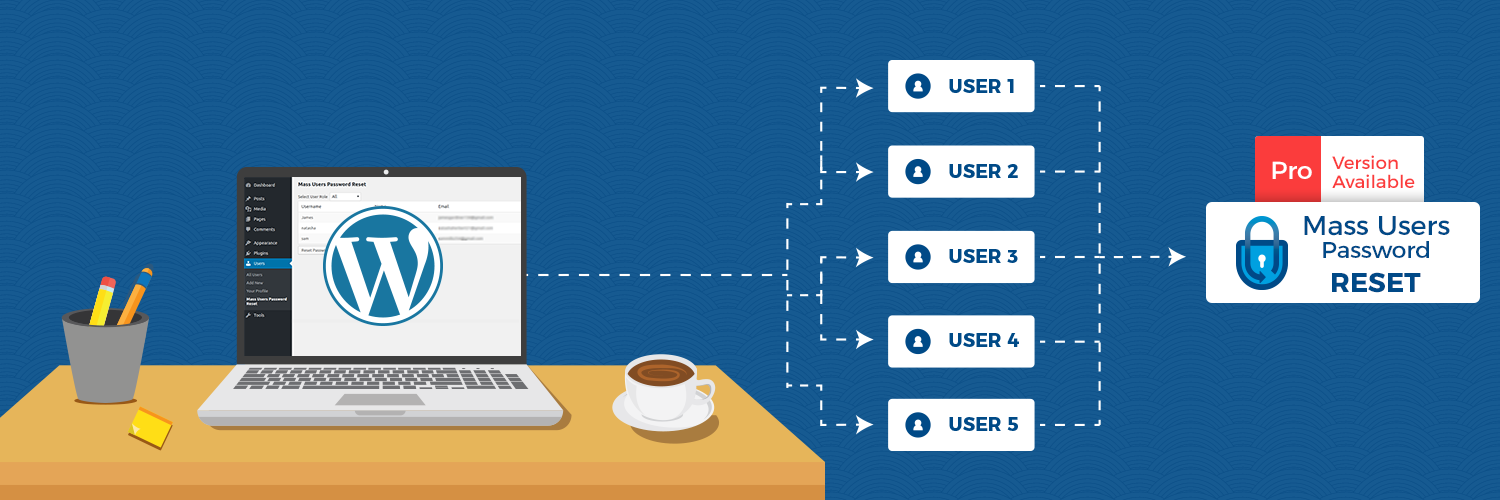
Managing passwords for hundreds or thousands of WordPress users can quickly become a time consuming and frustrating task. Resetting passwords manually for each user is inefficient and increases administrative overhead.
Mass Users Password Reset solves this problem by allowing administrators to reset passwords for multiple users at once directly from the WordPress dashboard.
With a simple interface, administrators can filter users by role, review user details, and trigger a secure password reset for multiple accounts in just a few clicks. Once the reset is complete, affected users automatically receive an email with a secure one-time access link, letting them set a new password and log in safely.
This plugin is especially useful for Learning Management Systems (LMS), Membership websites, Corporate employee portals, Educational institutions, Community platforms, Multi-author blogs, and any website with large numbers of registered users.
Core FeaturesGet Mass Users Password Reset Pro on Codecanyon: Download Mass Users Password Reset Pro Documentation Extend the plugin further with our add-ons: Schedule Password Reset Add-On — Pre-defined reset schedules, unlimited resets, and role-based scheduling. Password Reset Log Add-On — Maintain accurate logs of every password reset performed by MUPR. Available for both free and Pro versions. What Our Users SayPRO Features
- Bulk Password Reset: Reset passwords for up to 100 users at once directly from the WordPress dashboard.
- Role-Based User Filtering: Quickly filter users by role such as Administrators, Customers, Subscribers, Members, and more.
- Custom Role Support: Fully compatible with custom user roles created by membership, LMS, community, and other WordPress plugins.
- Reset Password from Users Page: Reset individual users from the WordPress Users page
- Secure Password Reset Links: Send users secure one-time password reset links instead of sharing passwords in plain text.
- Automatic Email Notifications: Automatically notify users by email after the password reset process is completed.
- Test Email Functionality: Preview and test password reset emails before sending them to actual users.
- User List Overview: View user details like username, email address, display name, and role before performing reset actions.
- WordPress Multisite Support: Manage password resets across WordPress Multisite networks from a single dashboard.
- WooCommerce Compatible: Works seamlessly with WooCommerce customer and store-related user roles.
- Translation Ready: Fully translatable and compatible with multilingual WordPress websites.
- Unlimited Password Resets: No 100-user cap, reset passwords for thousands of users in a single operation, perfect for large sites, agencies, and membership platforms.
- Bulk Reset from Users Table: Perform bulk password reset actions directly from the WordPress users listing screen.
- Custom Email Templates: Customize password reset emails with your own branding, subject lines, placeholders, and messaging.
- Advanced User Filters: Filter users using advanced conditions, custom fields, user meta, registration details, and more.
- WP-CLI Support: Manage password reset operations using WP-CLI commands for automation and server-side workflows.
- Test / Sandbox Mode: Safely test password reset functionality and email delivery without affecting real users.
- Reset Link Expiration Control: Configure custom expiration time for password reset links.
- Exclude Active Reset Links: Prevent sending multiple valid reset links to the same users.
- Optimized for Large Websites: Designed to handle large user databases efficiently without performance issues.
- BuddyPress Compatible: Fully compatible with BuddyPress community websites.
- Dokan Compatible: Supports Dokan multivendor marketplace user roles and vendors.
Awesome plugin "it's very useful and great plugin to reset all the users password." ~@ashkanram Does a really good job "Seems to do a really good job of sending out password resets for multiple users. The pro version is definitely worth paying for the extra features." ~@lightwavin Very nice "This is for the Pro version, which is a very nice plugin!" ~@kostas45 No Bugs "Installed, configured, ran reset for 1,500 users, emails delivered, done. No bugs, no weird errors, plugin just works. Sometimes that is all you need." ~@vinswmy007
安装:
- In your WordPress Dashboard go to "Plugins" -> "Add Plugin".
- Search for "Mass Users Password Reset".
- Install the plugin by pressing the "Install" button.
- Activate the plugin by pressing the "Activate" button.
- You can see the
Mass Users Password Resetsubmenu inside theUsersmenu.
屏幕截图:
常见问题:
What is the length of the generated password?
The length of the randomly generated password is 8 characters. You can customize it using the mupr_password_length filter. For example, add this to your functions file:
add_filter( 'mupr_password_length', 'callback_function' ); function callback_function() { return 6; }
When is the notification email sent?
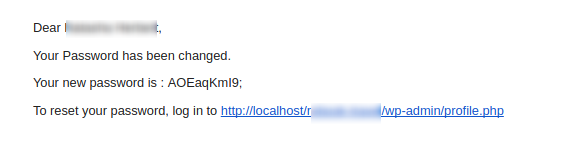
When you choose to generate a new password, an email with the new random password is sent to each selected user immediately after the reset.
Does the plugin handle email delivery?
No, the plugin uses WordPress's wp_mail function to send emails. If emails are not being delivered, you can use any SMTP plugin to configure your mail server.
I have an idea for a great way to improve this plugin.
Great! I'd love to hear from you at support@krishaweb.com
更新日志:
2.2.0
- Email test feature for reset password
- Password Reset with Default reset link
- Multisite Support
- WooCommerce Compatibility
- Compatibility with MUPR Addons
- Compatibility with latest version and minor bug fixes
- Compatibility with latest version
- Added mupr add-on link
- Added help link
- UI improve
- Modified hooks
- Added hooks for developer
- UI update
- Include Administrator role in users list
- Made Translation ready