
MaxtDesign REST API Control
| 开发者 | slaacr |
|---|---|
| 更新时间 | 2026年6月18日 23:53 |
| PHP版本: | 8.2 及以上 |
| WordPress版本: | 7.0 |
| 版权: | GPLv2 or later |
| 版权网址: | 版权信息 |
详情介绍:
- One-click disable — Block all REST API access for unauthenticated users with a single toggle.
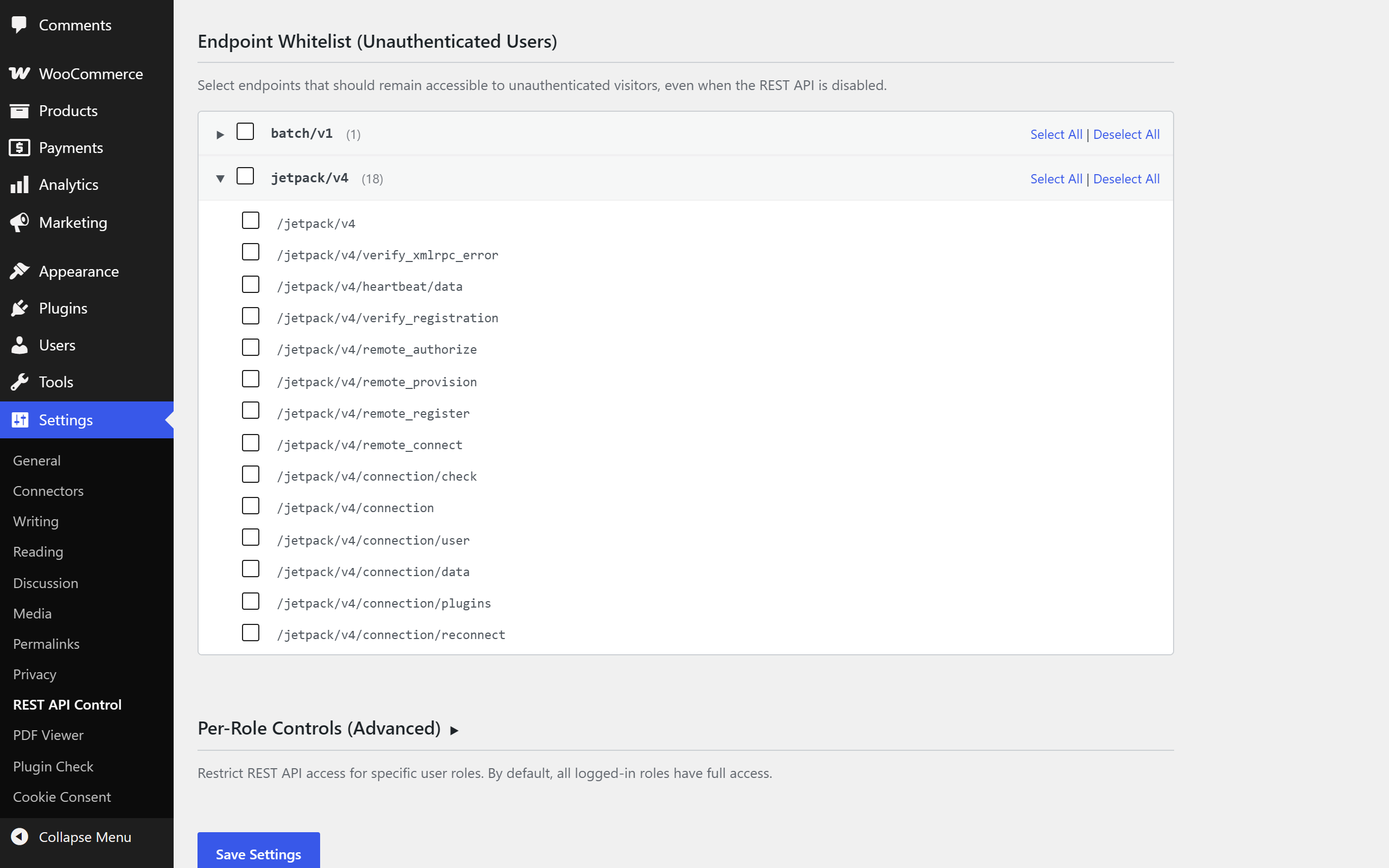
- Endpoint whitelisting — Auto-discovers all registered REST API endpoints and lets you whitelist specific ones, even when the API is disabled.
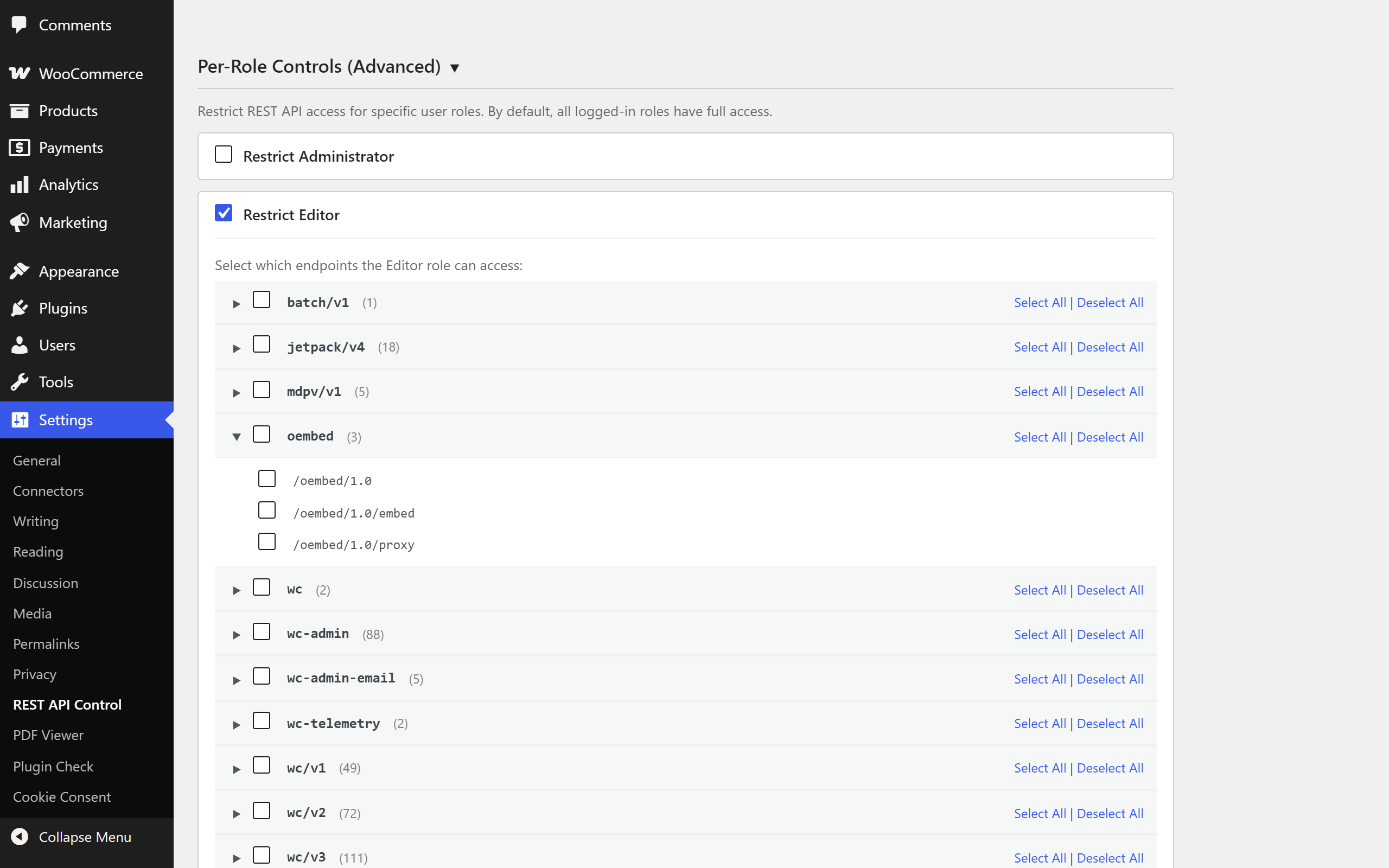
- Per-role access control — Restrict REST API access for specific user roles with individual endpoint whitelists.
- Smart defaults — Automatically detects Contact Form 7 and WooCommerce and whitelists their required endpoints on activation.
- Zero frontend footprint — No CSS, JavaScript, or HTTP requests are added to your frontend. Ever.
- Lightweight — No database queries on frontend requests. Uses a single autoloaded option.
- Import/Export — Transfer settings between sites with JSON export and import.
- Clean uninstall — Removes all plugin data when deleted. Leaves no trace.
rest_authentication_errors filter — the correct, modern WordPress approach — to intercept REST API requests early in the lifecycle, before any endpoint logic executes. This means blocked requests have virtually zero performance impact.
Built for Performance
This plugin follows the MaxtDesign performance-first philosophy:
- Zero frontend asset loading (no CSS, no JS, no HTTP requests)
- Admin assets load only on the plugin's own settings page
- Single autoloaded database option — no extra queries
- Filter fires before endpoint logic — blocked requests are fast
安装:
- Upload the
maxtdesign-rest-api-controlfolder to/wp-content/plugins/. - Activate the plugin through the Plugins menu in WordPress.
- Go to Settings > REST API Control to configure.
- The REST API is blocked for unauthenticated users by default. Adjust the whitelist as needed.
屏幕截图:

常见问题:
Will this break my site?
No. The plugin only affects REST API requests. Your website's frontend, admin dashboard, and all standard WordPress functionality remain completely unaffected. Logged-in users have full REST API access by default.
Does this work with Contact Form 7?
Yes. Contact Form 7 requires the REST API for form submissions. The plugin automatically detects CF7 on activation and whitelists its endpoints. If you activate CF7 after this plugin, simply check the contact-form-7 namespace in the endpoint whitelist.
Does this work with WooCommerce?
Yes. The plugin automatically detects WooCommerce on activation and whitelists the Store API endpoints (wc/store) needed for cart and checkout blocks. The WooCommerce admin API endpoints are available to logged-in users by default.
What happens when I deactivate the plugin?
Your REST API returns to normal WordPress behavior — fully open. Your settings are preserved so they'll be restored if you reactivate. Settings are only deleted when you delete the plugin through the WordPress admin.
Does this affect the WordPress block editor (Gutenberg)?
No. By default the plugin only restricts unauthenticated requests, and every logged-in user keeps full REST API access — so the block editor, which talks to the REST API as the logged-in author, is completely unaffected. The "Allow REST API for all logged-in users" toggle is on out of the box specifically to keep the editor, dashboard, and admin AJAX working. You would only see editor issues if you deliberately turn that toggle off and restrict your own role without whitelisting wp/v2 — which the per-role UI makes explicit.
Can I restrict specific user roles?
Yes. The Per-Role Controls section lets you restrict REST API access for individual roles (subscriber, contributor, author, editor, etc.) and configure a custom endpoint whitelist for each restricted role.
What happens if a user has more than one role?
The most permissive role wins. If a user holds any role that is not restricted, they keep full REST API access. If every one of their roles is restricted, the plugin combines the whitelists of all those roles and allows a request that any of them permits. This prevents a single restricted role (for example a stray subscriber capability) from unexpectedly locking out a user who also has an unrestricted role.
Does this work with custom REST API endpoints?
Yes. The plugin auto-discovers all registered REST API endpoints, including those from themes and other plugins. Any custom endpoints will appear in the whitelist tree.
How do I transfer settings to another site?
Use the Export Settings button to download a JSON file, then use Import Settings on the other site to upload it.
更新日志:
- Internationalization: the text domain now matches the plugin slug (
maxtdesign-rest-api-control) so the plugin can be translated through the WordPress.org translation system. No functional change.
- Renamed the plugin to MaxtDesign REST API Control to better reflect what it does — whitelist and per-role control, not just an on/off switch. The in-product menu and settings page were already named "REST API Control"; this aligns the plugin's public name with them. No settings, hooks, or behaviour changed.
- Fix: route-level whitelisting now works for parameterized endpoints. Checking an individual route such as
wp/v2/posts/(?P<id>[\d]+)previously stored a corrupted value (the sanitiser mangled the regex) and could never match a real request. Route patterns are now stored intact and matched the way WordPress itself matches them. Namespace-level whitelisting was unaffected. - Improve: multi-role users now get the most permissive result. Any unrestricted role grants full access; if every role is restricted, their whitelists are combined. Previously the first restricted role found could lock out a user who also held an unrestricted role.
- Fix: the "requires REST API access" compatibility warnings now appear on every visit to the settings page, not only immediately after saving.
- Improve: smart defaults are now seeded per-site on multisite — both on network-wide activation and for sites created later.
- Improve: the custom error message now stores empty as "use the default," so the blocked-request message always follows the site's current language instead of freezing whichever locale was active when it was saved.
- Performance: the settings page no longer instantiates its admin UI on front-end or REST requests, and discovers the REST route table only once per page load.
- Housekeeping: removed an unused internal placeholder class and tidied redundant nonce-check branches.
- Fix: the REST API root index (
/wp-json/) is now blocked when "Disable REST API for unauthenticated users" is on. Previously, the controller's route-lookup returned an empty string for the root index and the code took an early fail-open branch — meaning the most-scraped discovery URL was always exposed even when the plugin was active. Logged-out visitors and unauthenticated scrapers now hit the configured error response on/wp-json/like any other endpoint.
- Compatibility: confirmed against WordPress 7.0 ("Armstrong").
- Hardening: import-settings now validates uploads with
is_uploaded_file()and reads the temp file directly instead of mis-sanitising the server-generated path. - Hardening: activation hook defensively loads
wp-admin/includes/plugin.phpbefore callingis_plugin_active()so WP-CLI and multisite bulk-activate paths can't fatal. - Fix: the "this plugin requires REST API access" compatibility notice no longer fires for plugins whose namespaces aren't actually registered on the site (e.g. WooCommerce installed but Store API blocks not loaded).
- Cleanup: removed the now-unnecessary
load_plugin_textdomain()call. WordPress.org handles translation loading automatically since WP 4.6, and the just-in-time loader added in 6.7 made the explicit call dead code.
- Initial release.
- Global REST API toggle for unauthenticated users.
- Auto-discovery of all registered REST API endpoints.
- Endpoint whitelisting with collapsible namespace tree.
- Per-role REST API access controls.
- Smart defaults for Contact Form 7 and WooCommerce.
- Custom error message for blocked requests.
- Settings import/export as JSON.
- Clean uninstall — removes all plugin data.