
MCP Tracker
| 开发者 |
wpvibes
gajendrasingh |
|---|---|
| 更新时间 | 2026年4月27日 19:05 |
| PHP版本: | 7.4 及以上 |
| WordPress版本: | 6.9 |
| 版权: | GPLv2 or later |
| 版权网址: | 版权信息 |
详情介绍:
Mcp-Session-Id header), records detailed request and response data, and presents everything in a structured, filterable interface inside WordPress Admin.
Whether you're debugging Abilities API integrations, auditing MCP tool usage, or analyzing response behavior, MCP Tracker provides the observability layer you need.
Features
- Automatic MCP Detection\
Identifies MCP requests related to Abilities API using the
Mcp-Session-Idheader. - Comprehensive Logging\ Logs route, method, headers, request payload, response status, and response body.
- User Attribution\ Displays which WordPress user (or guest) initiated the MCP request.
- Advanced Filtering\ Filter logs by date range, tool name, and user for targeted analysis.
- Formatted JSON Inspection\ View complete request and response data in a structured format.
- Privacy Focused\ All logs remain stored in your WordPress database. No external transmission or telemetry.
- Performance Optimized\ Efficient logging using native WordPress REST hooks and optimized queries.
- Debug Abilities API integrations
- Monitor MCP-based AI tool usage
- Analyze REST response patterns
- Audit MCP activity on production sites
- Investigate failed or unexpected tool executions
- Uses WordPress REST API hooks for non-intrusive logging
- Custom indexed database table for efficient storage
- Admin-only access with capability checks
- Nonce verification for secure actions
- Prepared SQL statements for database safety
- Self-healing table creation on activation
安装:
- Upload the
mcp-trackerfolder to the/wp-content/plugins/directory - Activate the plugin through the 'Plugins' menu in WordPress
- Navigate to 'MCP Tracker' in the WordPress admin menu
- Start monitoring MCP requests!
屏幕截图:
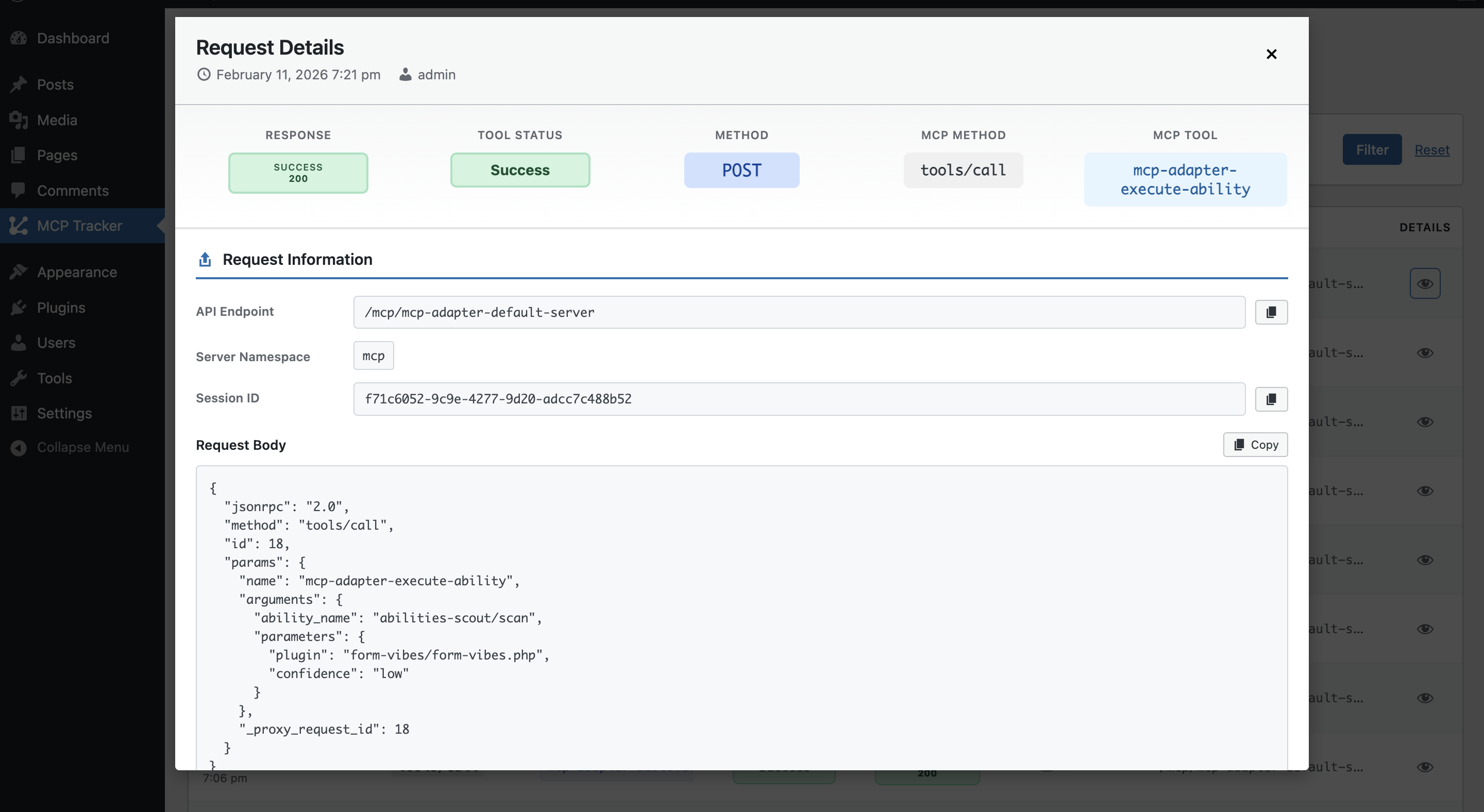
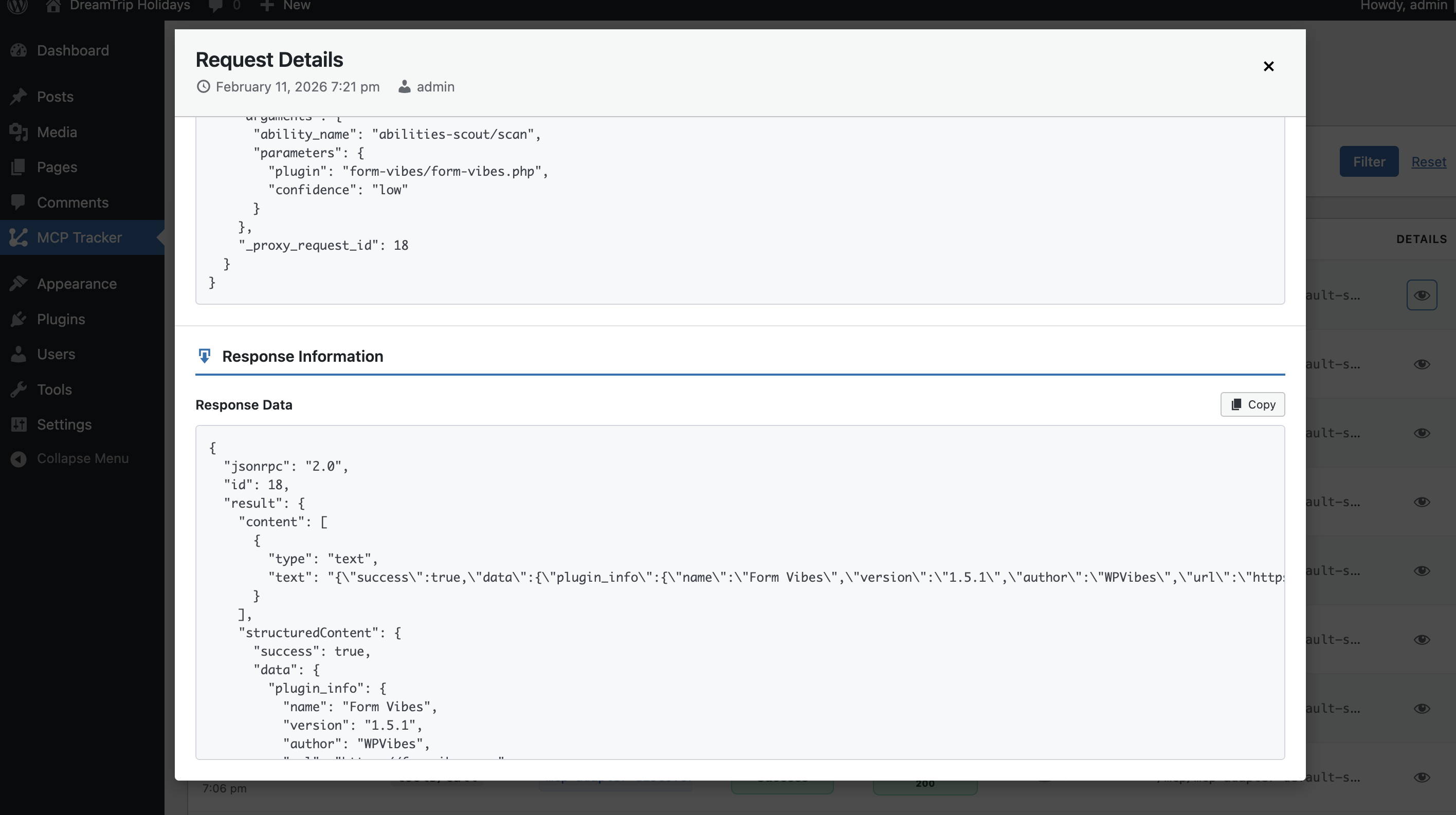
常见问题:
What is MCP?
MCP (Model Context Protocol) is a protocol for communication between AI models and external tools or services. This plugin helps you monitor MCP-related requests to your WordPress site.
Does this plugin modify REST requests?
No. MCP Tracker only logs requests for monitoring purposes. It does not modify, block, or alter any REST API requests or responses.
Where is the data stored?
All logged data is stored in a custom database table in your WordPress database. No data is sent to external services.
Will this slow down my site?
No. The plugin uses efficient WordPress hooks and database queries with minimal performance impact. Logging only occurs for MCP requests (identified by the Mcp-Session-Id header).
Can I delete old logs?
Currently, logs are stored indefinitely. You can manually clear the database table if needed. Future versions may include automatic cleanup options.
Who can access the MCP Tracker interface?
Only users with the manage_options capability (typically administrators) can access the MCP Tracker admin interface.
更新日志:
- Added: URL-based filtering by MCP server slug (e.g.
?server=mcp-adapter-default-server) for easier integration with other plugins - Improved: Redesigned filter header with a cleaner action bar layout
- Improved: Resized and respaced action bar buttons (Delete, Settings, Filter, Reset) for better visual balance
- Initial release
- MCP request detection and logging
- Filtering by date, tool, and user
- Detailed request viewer