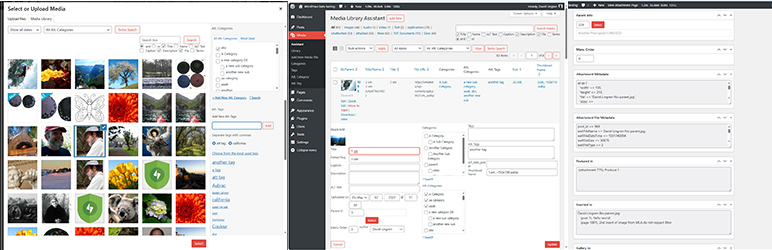
Media Library Assistant
| 开发者 | dglingren |
|---|---|
| 更新时间 | 2026年4月22日 03:13 |
| 捐献地址: | 去捐款 |
| PHP版本: | 7.4 及以上 |
| WordPress版本: | 7.0 |
| 版权: | GPLv2 or later |
| 版权网址: | 版权信息 |
标签
下载
详情介绍:
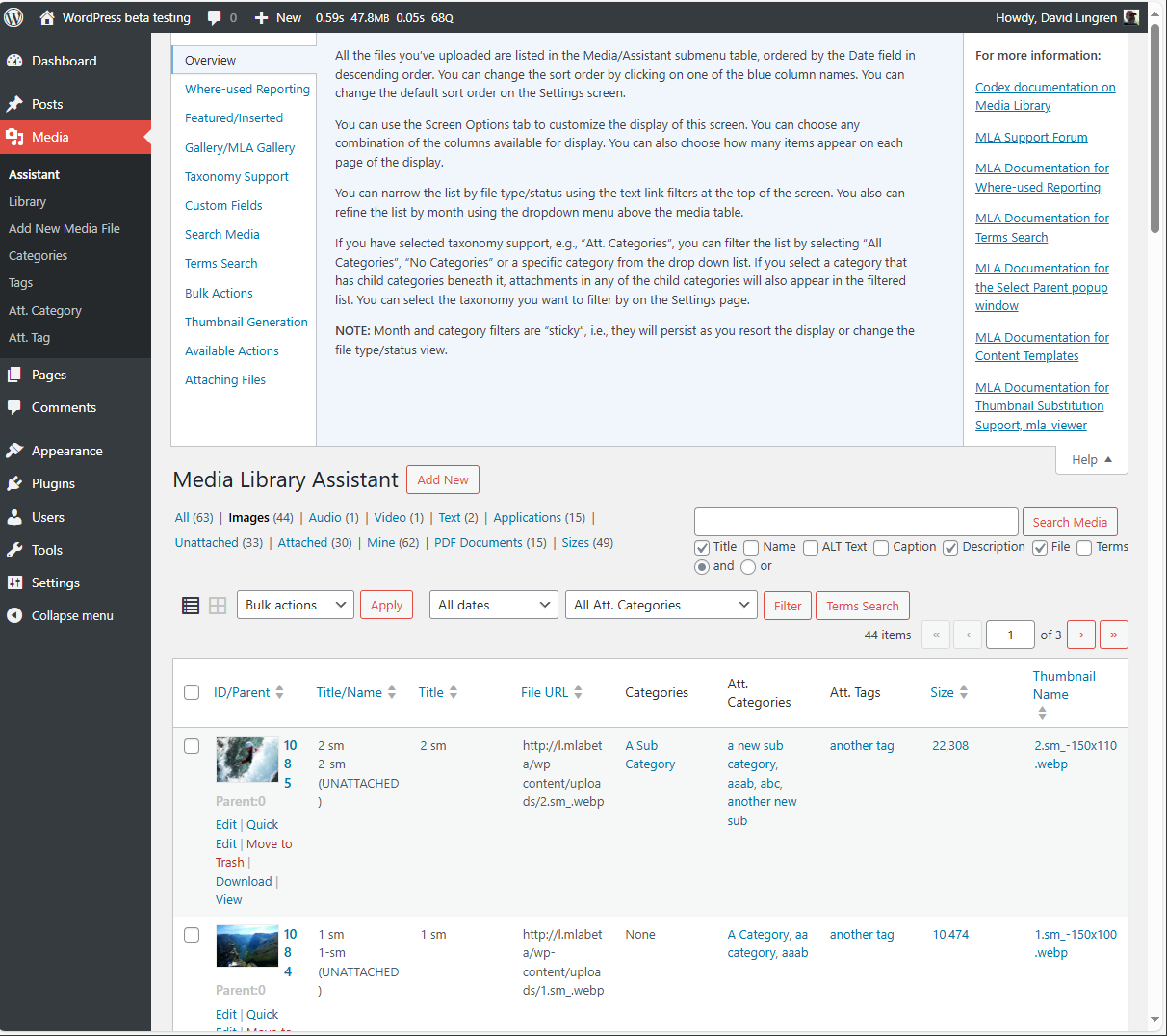
- Complete support for ALL taxonomies, including the standard Categories and Tags, your custom taxonomies and the Assistant's pre-defined Att. Categories and Att. Tags. You can add taxonomy columns to the Media/Assistant listing, filter on any taxonomy, assign terms and list the attachments for a term.
- The Media/Assistant admin screen displays more attachment information such as parent information, file URL and image metadata. Provides many more listing columns (more than 20) to choose from. You can also add columns to display custom field values.
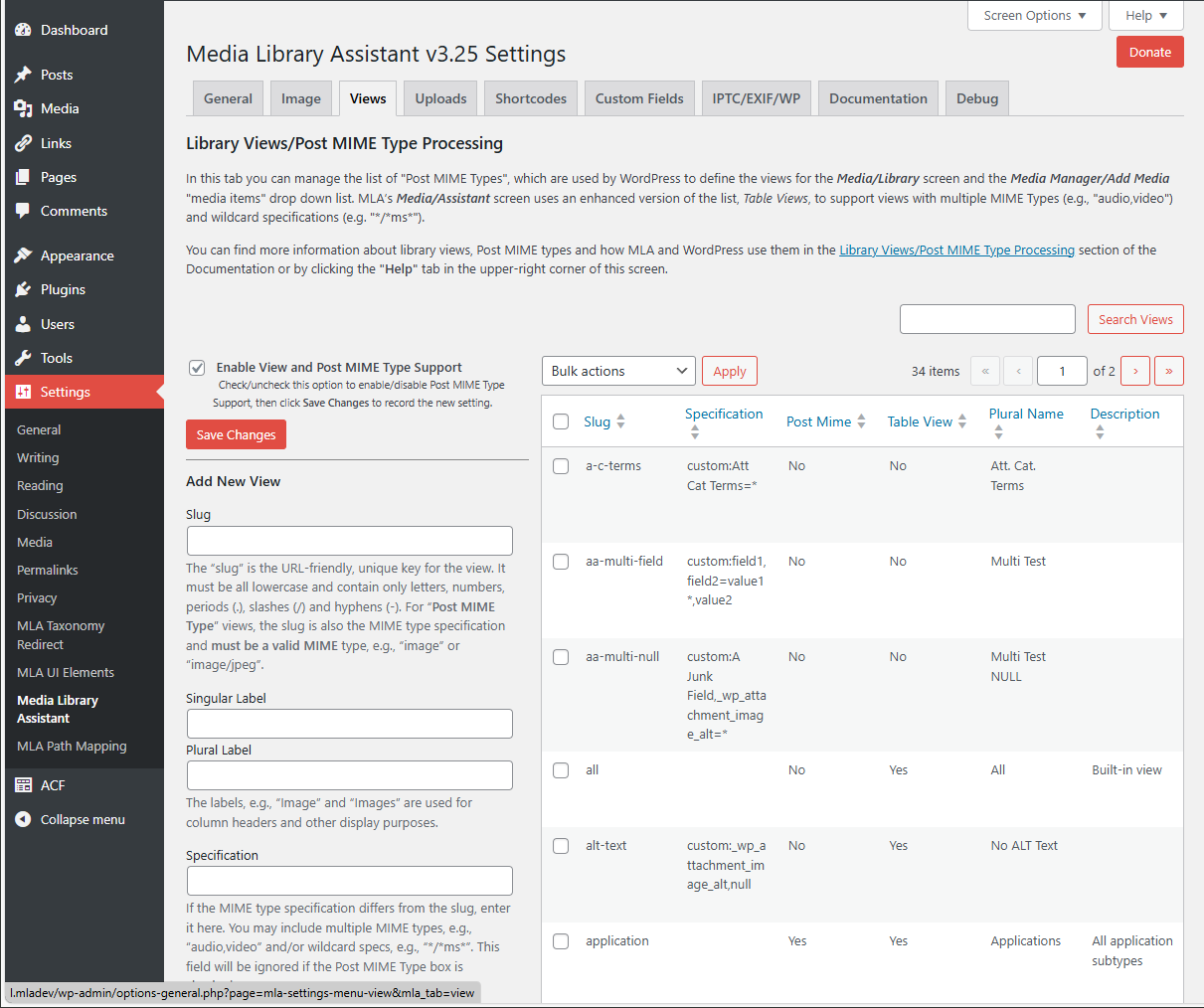
- Provides additional view filters for MIME types and taxonomies, and features to compose custom views of your own.
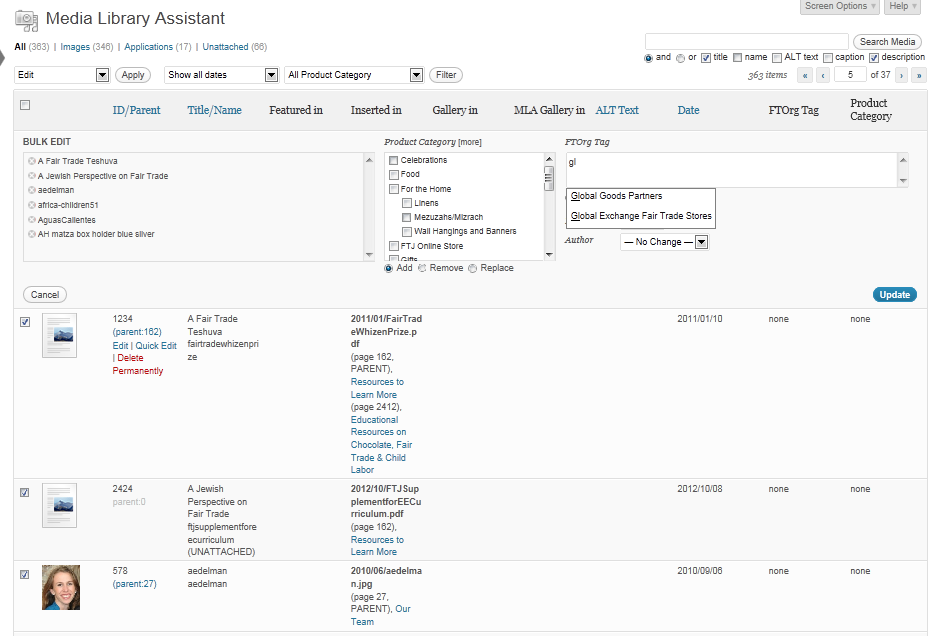
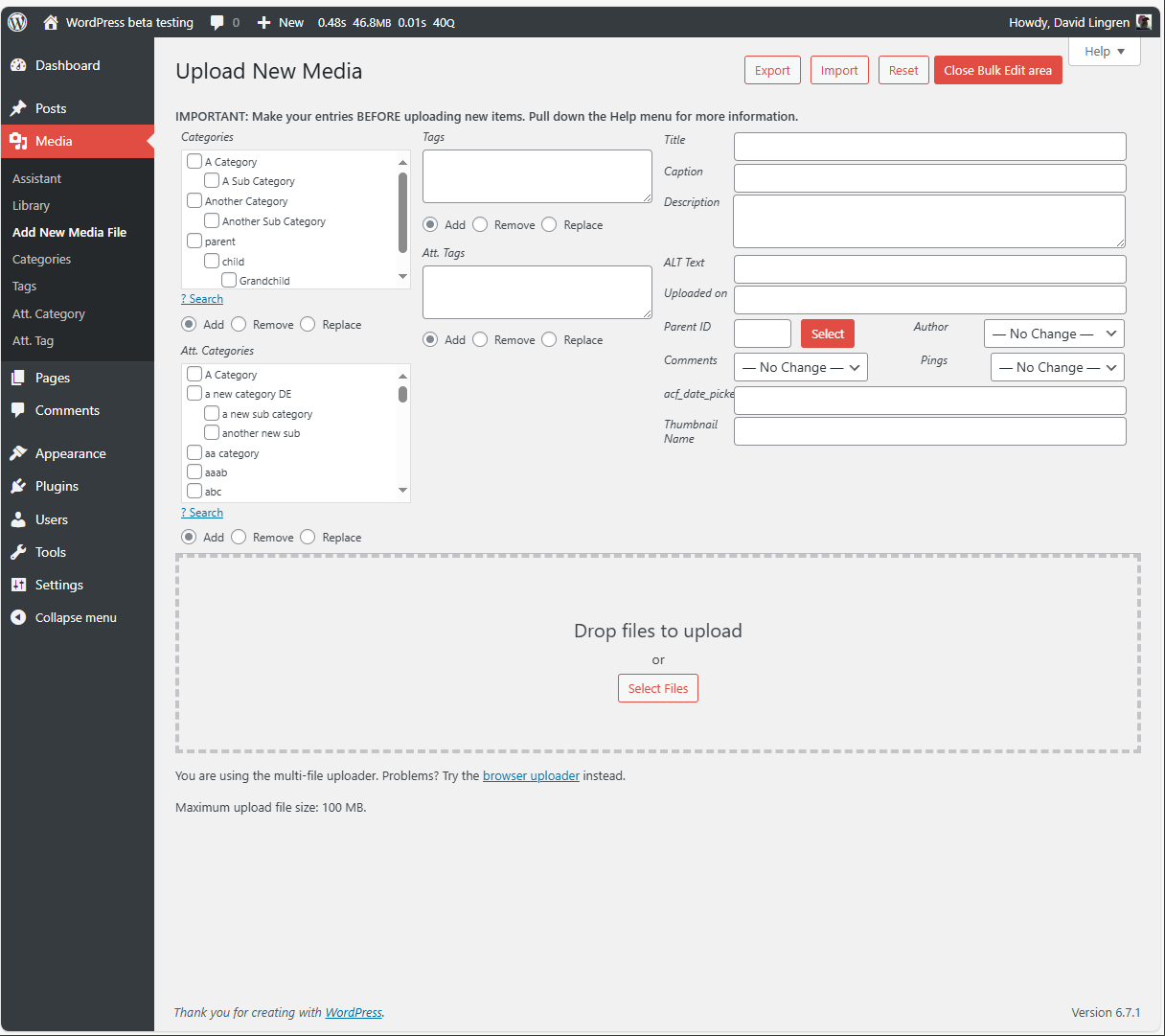
- Inline "Bulk Edit" and "Quick Edit" areas; update author, parent and custom fields, add, remove or replace taxonomy terms for several attachments at once. Works on the Media/Add New screen as well.
- Works with the popular Admin Columns plugin for even more Media/Assistant screen customization.
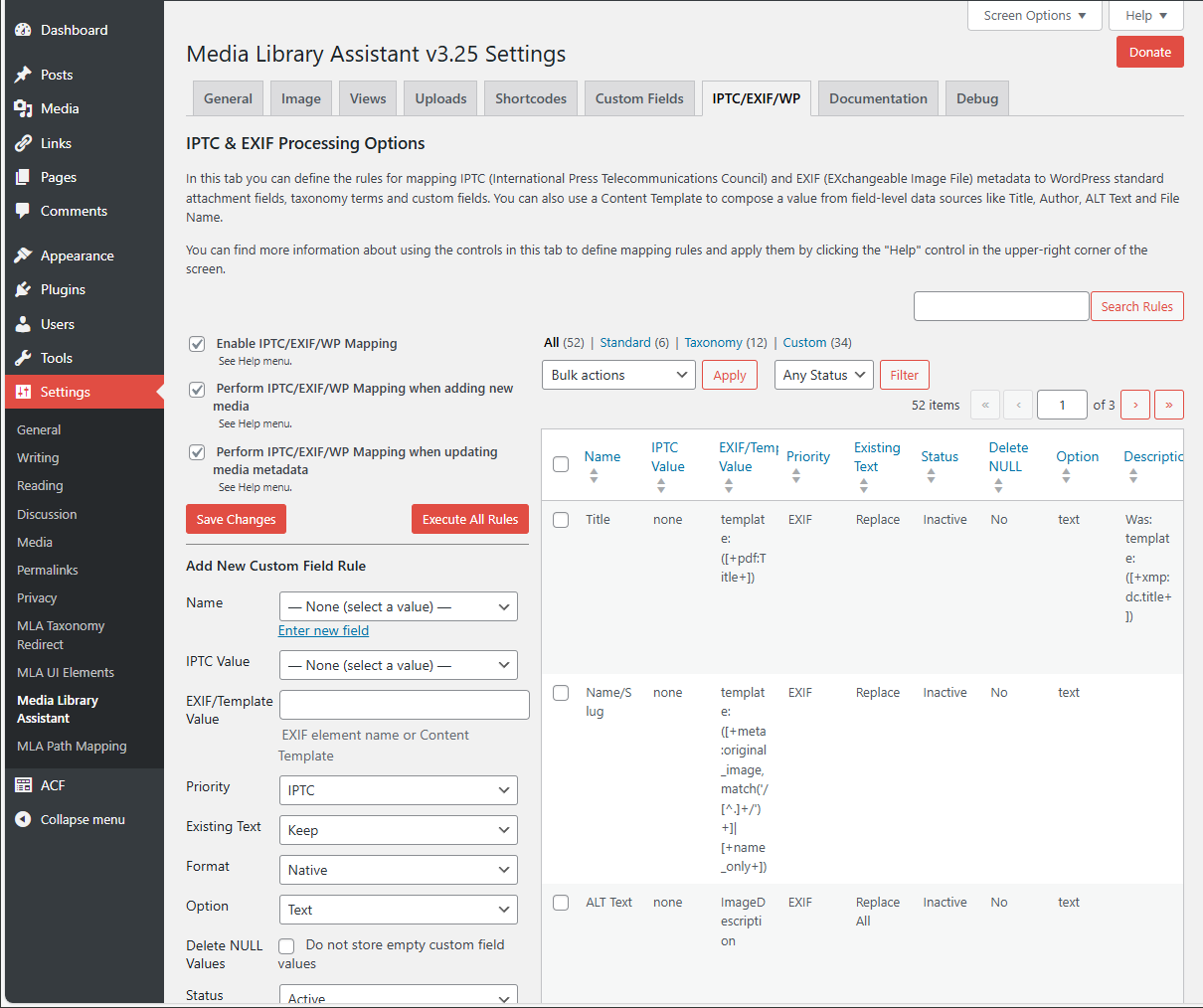
- IPTC, EXIF (including GPS), XMP and PDF metadata can be assigned to standard WordPress fields, taxonomy terms and custom fields. You can update all existing attachments from the Settings page IPTC/EXIF tab, groups of existing attachments with a Bulk Action or one existing attachment from the Edit Media/Edit Single Item screen. Twelve hooks provided for complete mapping customization from your theme or plugin code. You can view and/or download this PDF document with more information: Mapping File Metadata to WordPress Fields with Media Library Assistant
- Attachment metadata such as file size, image dimensions and where-used information can be assigned to WordPress custom fields. You can then use the custom fields in your
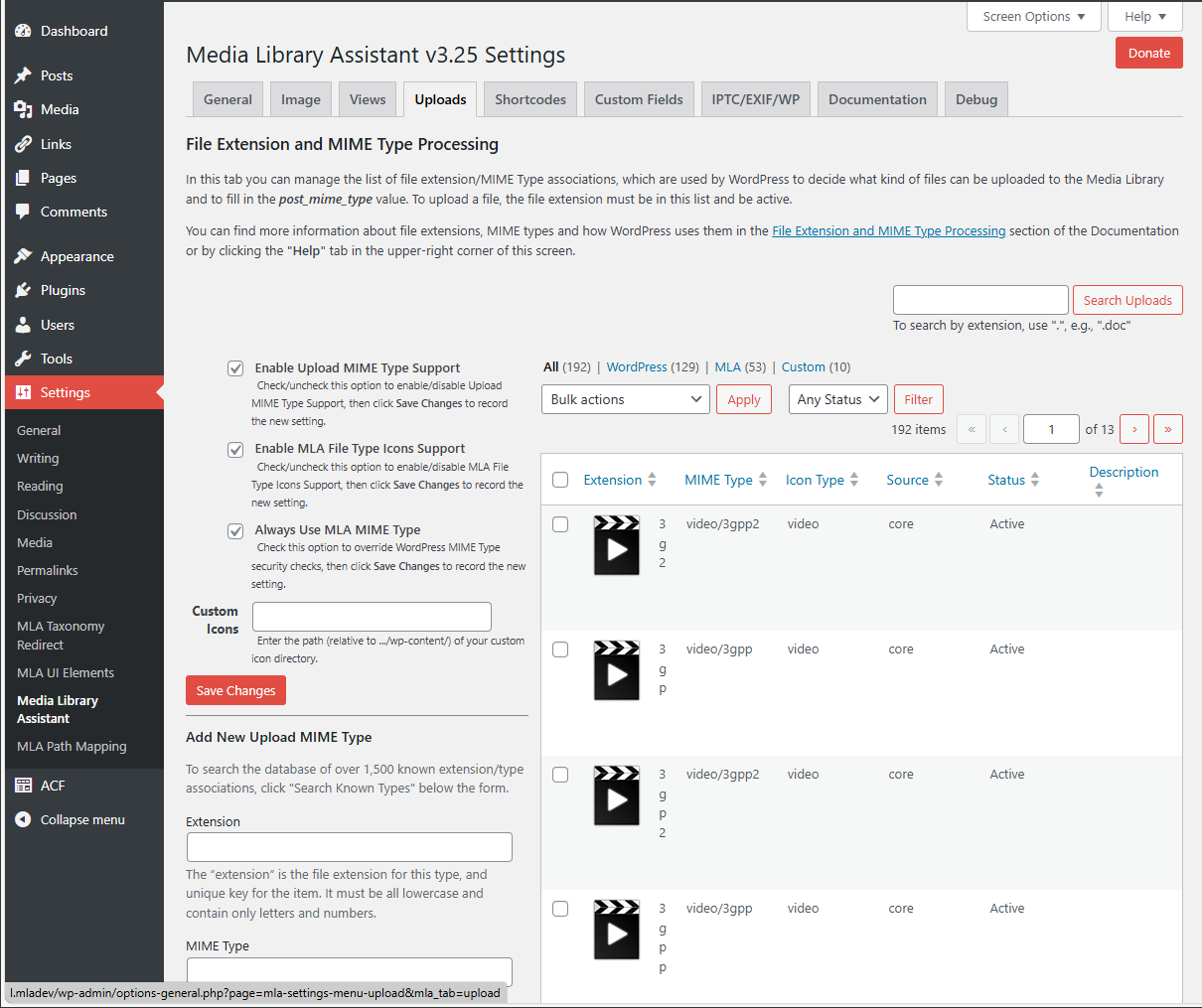
[mla_gallery]display and you can add custom fields as sortable, searchable columns in the Media/Assistant submenu table. You can also modify the WordPress_wp_attachment_metadatacontents to suit your needs. - Complete control over Post MIME Types, File Upload extensions/MIME Types and file type icon images. Fifty four (54) additional upload types, 112 file type icon images and a searchable list of over 1,500 file extension/MIME type associations.
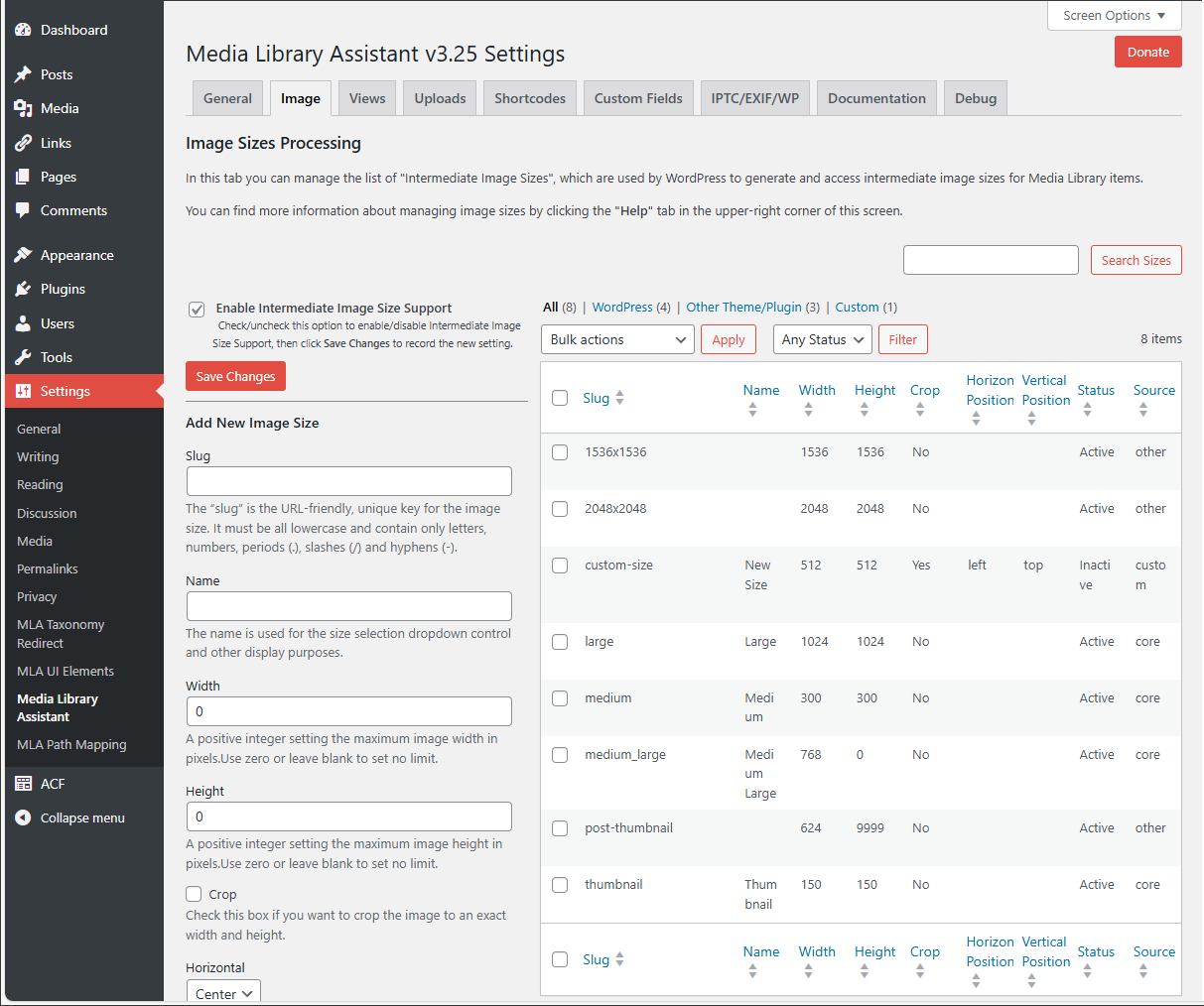
- Complete control over Intermediate Image Sizes, used by WordPress to generate and access intermediate image sizes for Media Library items.
- The
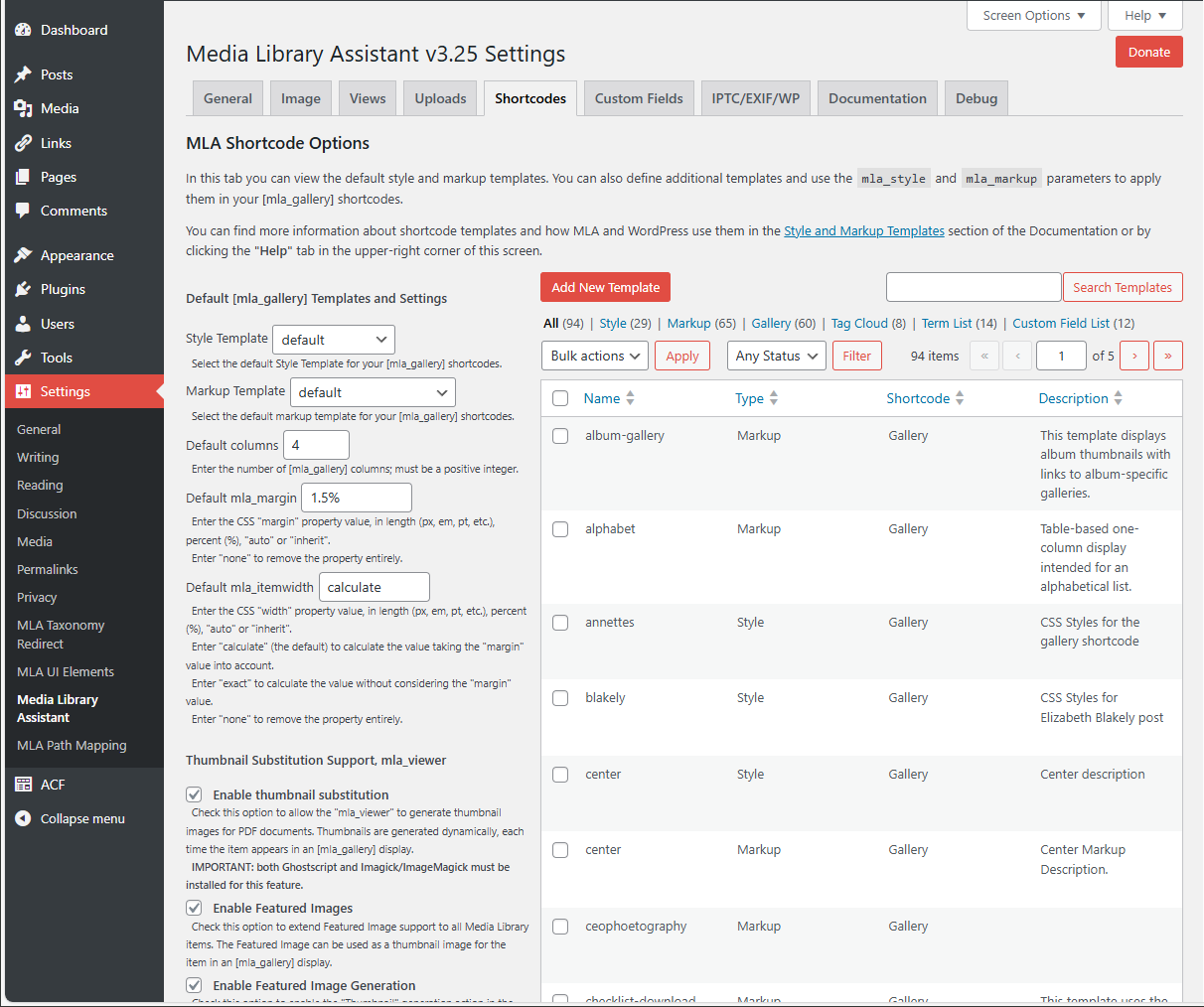
[mla_gallery]shortcode, used in a post, page or custom post type to add a gallery of images and/or other Media Library items (such as PDF documents). MLA Gallery is a superset of the WordPress[gallery]shortcode; it is compatible with[gallery]and provides many enhancements. These include: 1) full query and display support for WordPress categories, tags, custom taxonomies and custom fields, 2) support for all post_mime_type values, not just images 3) media Library items need not be "attached" to the post, and 4) control over the styles, markup and content of each gallery using Style and Markup Templates. Twenty-eight hooks are provided for complete gallery customization from your theme or plugin code. - The
[mla_tag_cloud]shortcode, displays a "cloud" of the "most used" terms in your Media Library where the size of each term is determined by how many times that particular term has been assigned to Media Library items. Twenty-five hooks are provided for complete cloud customization from your theme or plugin code. - The
[mla_term_list]shortcode, displays hierarchical (and flat) taxonomy terms in list, dropdown control or checklist formats. Twenty hooks are provided for complete list customization from your theme or plugin code. - The
[mla_custom_list]shortcode, displays flat/cloud lists, dropdown controls and checkbox lists of custom field values. Twenty-seven hooks are provided for complete list customization from your theme or plugin code. - The
[mla_archive_list]shortcode, displays flat/cloud lists and dropdown controls of date-based values. Twenty hooks are provided for complete list customization from your theme or plugin code. - Powerful Content Templates, which let you compose a value from multiple data sources, mix literal text with data values, test for empty values and choose among two or more alternatives or suppress output entirely.
- Support for WPML and Polylang multi-language CMS plugins. MLA has earned a place on WPML's List of Recommended Plugins.
- Works with Photonic Gallery, Justified Image Grid, Jetpack and other plugins, so you can add slideshows, thumbnail strips and special effects to your
[mla_gallery]galleries. - Works with WordPress Real Media Library: Media Library Folder & File Manager (Lite and Pro) to organize your files into folders, collections and galleries. This combination enhances both the Media/Assistant admin submenu and the
[mla_gallery]shortcode. - Works with CatFolders - WP Media Folders (Lite and Pro) to categorize media files better and faster. This combination enhances both the Media/Assistant admin submenu and the
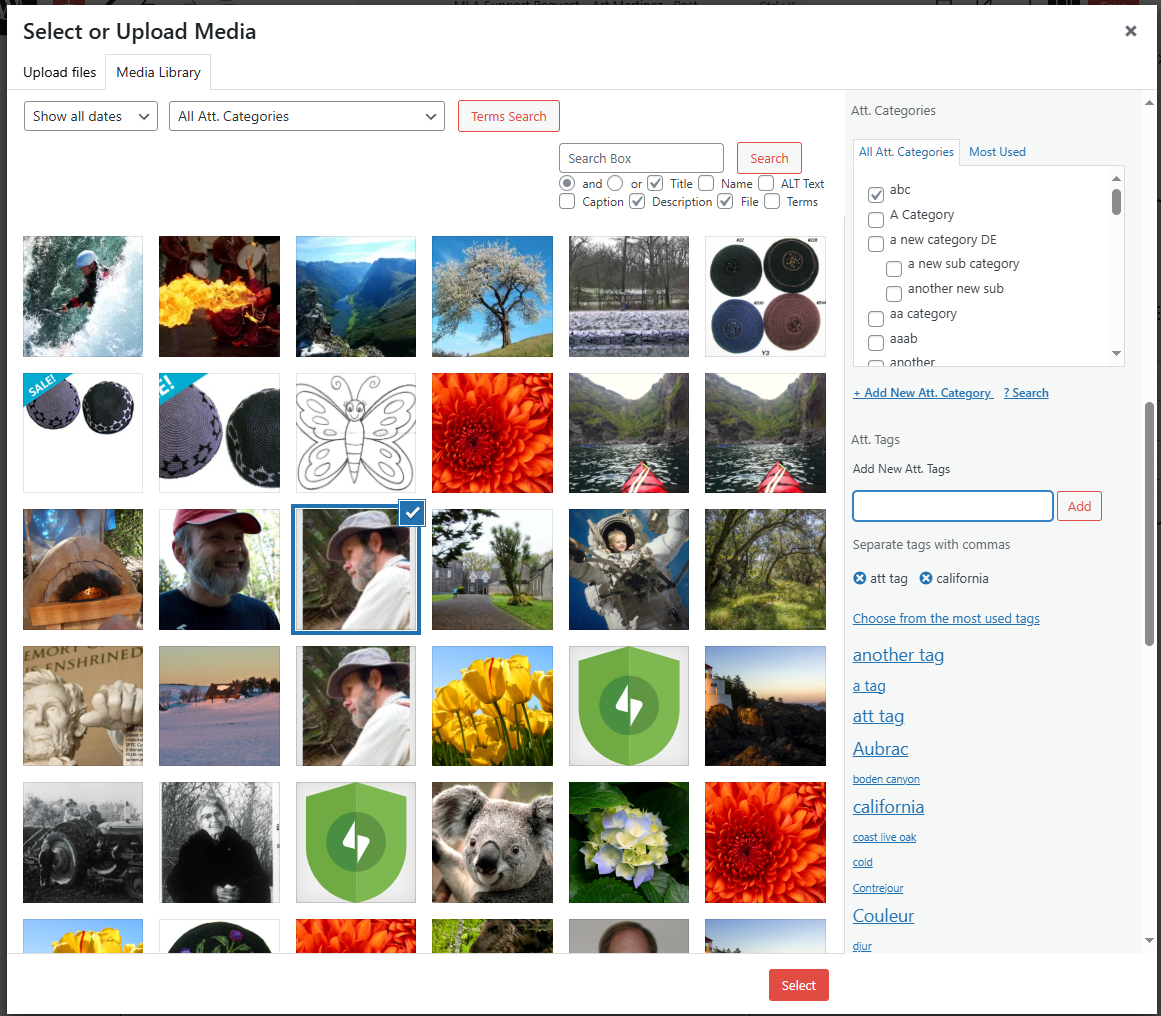
[mla_gallery]shortcode. - Enhanced Search Media box. Search can be extended to the name/slug, ALT text and caption fields. The connector between search terms can be "and" or "or". Search by attachment ID or Parent ID is supported, and you can search on keywords in the taxonomy terms assigned to Media Library items. Works in the Media Manager Modal Window, too.
- Taxonomy and custom field support in the ATTACHMENT DETAILS pane of the Media Manager Modal Window and Media/Library Grid view.
安装:
- Upload
media-library-assistantand its subfolders to your/wp-content/plugins/directory, OR Visit the Plugins/Add New page and search for "Media Library Assistant"; click "Install Now" to upload it - Activate the plugin through the "Plugins" menu in WordPress
- Visit the Settings/Media Library Assistant page to customize taxonomy (e.g., category and tag) support
- Visit the Settings/Media Library Assistant Custom Fields and IPTC/EXIF tabs to map metadata to attachment fields
- Visit the "Assistant" submenu in the Media admin section
- Click the Screen Options link to customize the display
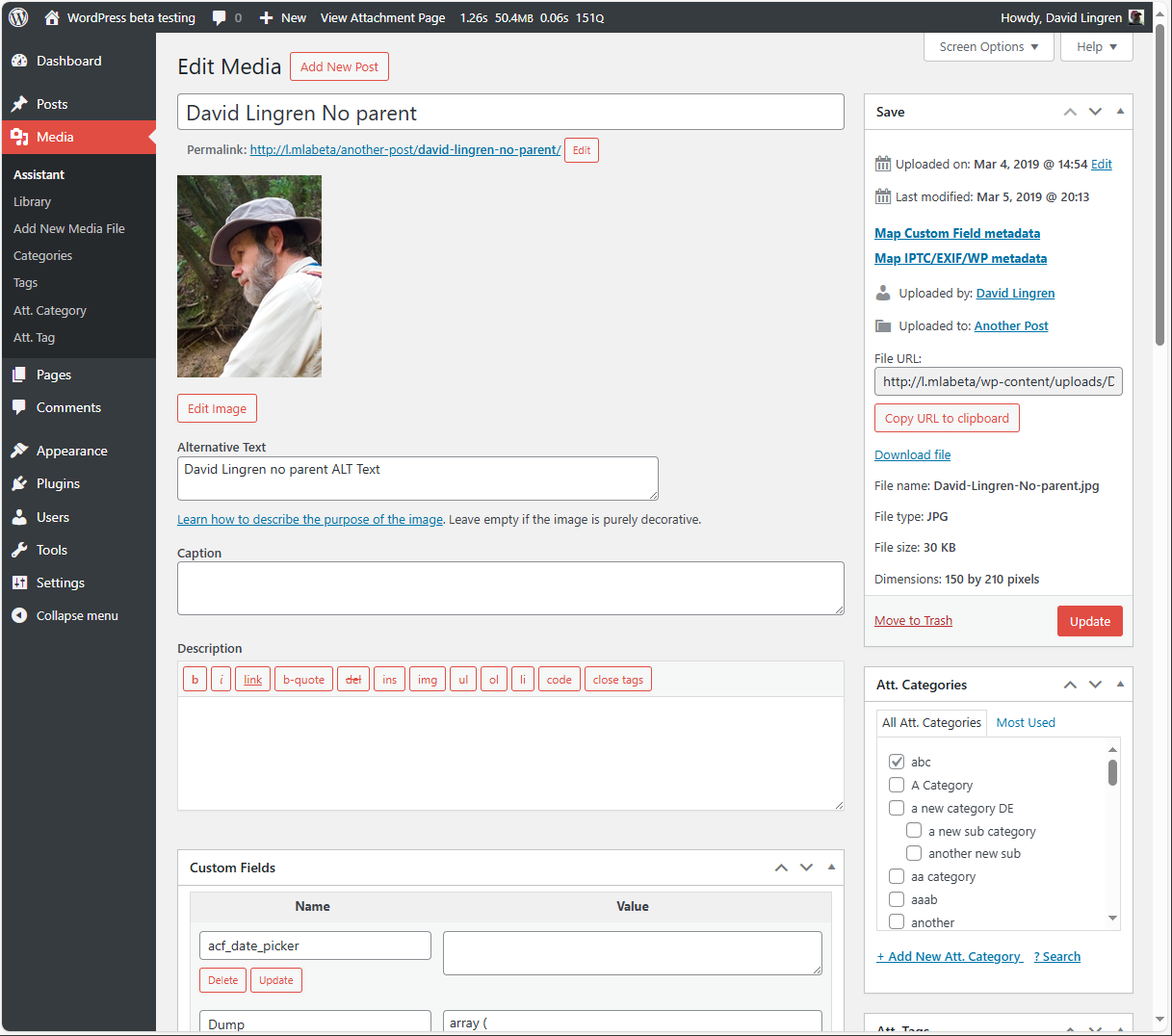
- Use the enhanced Edit, Quick Edit and Bulk Edit pages to assign categories and tags
- Use the
[mla_gallery]shortcode to add galleries of images, documents and more to your posts and pages - Use the
[mla_tag_cloud],[mla_term_list],[mla_custom_list]and[mla_archive_list]shortcodes to add clickable lists of taxonomy terms, custom field values and date-based values to your posts and pages
屏幕截图:
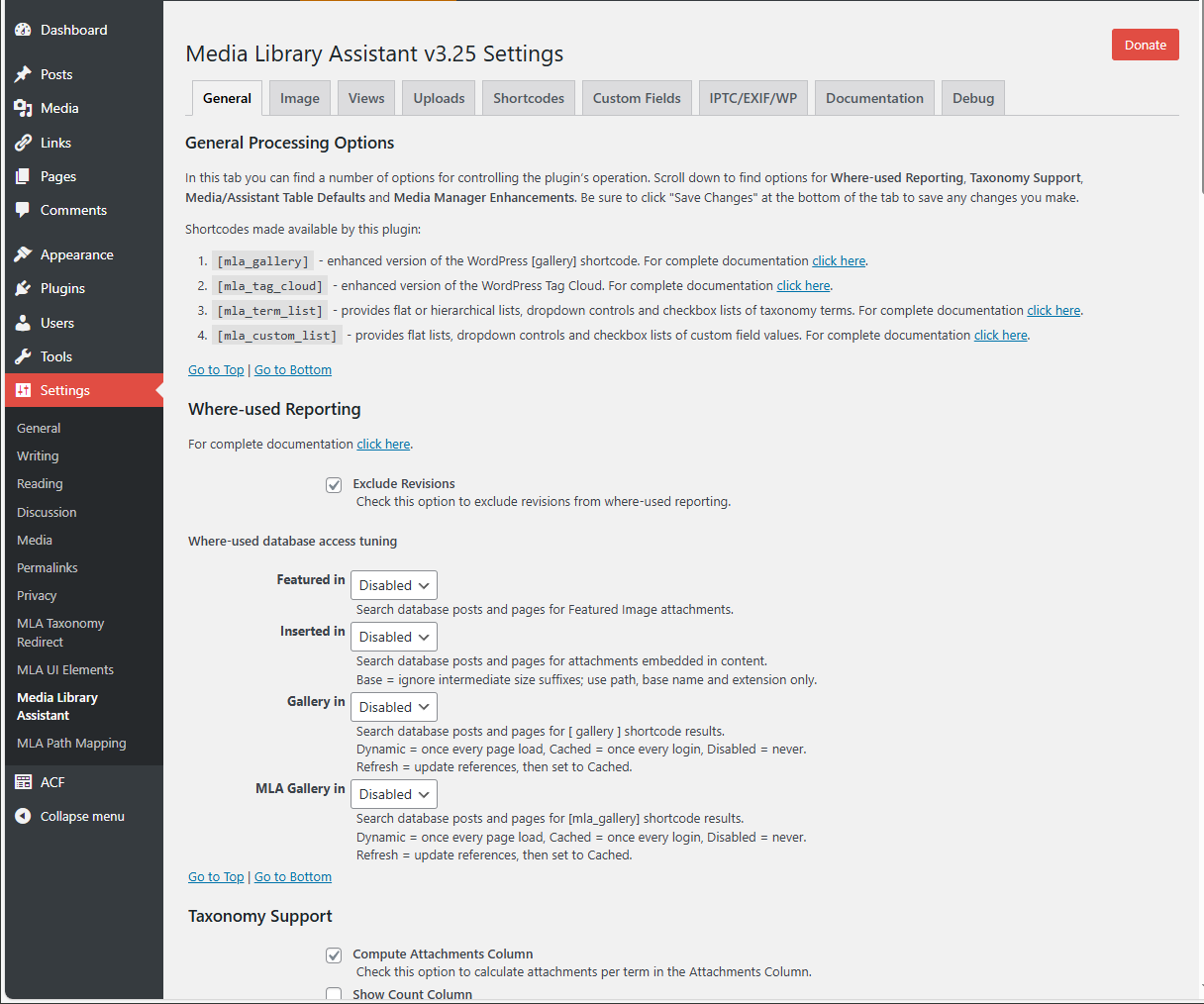
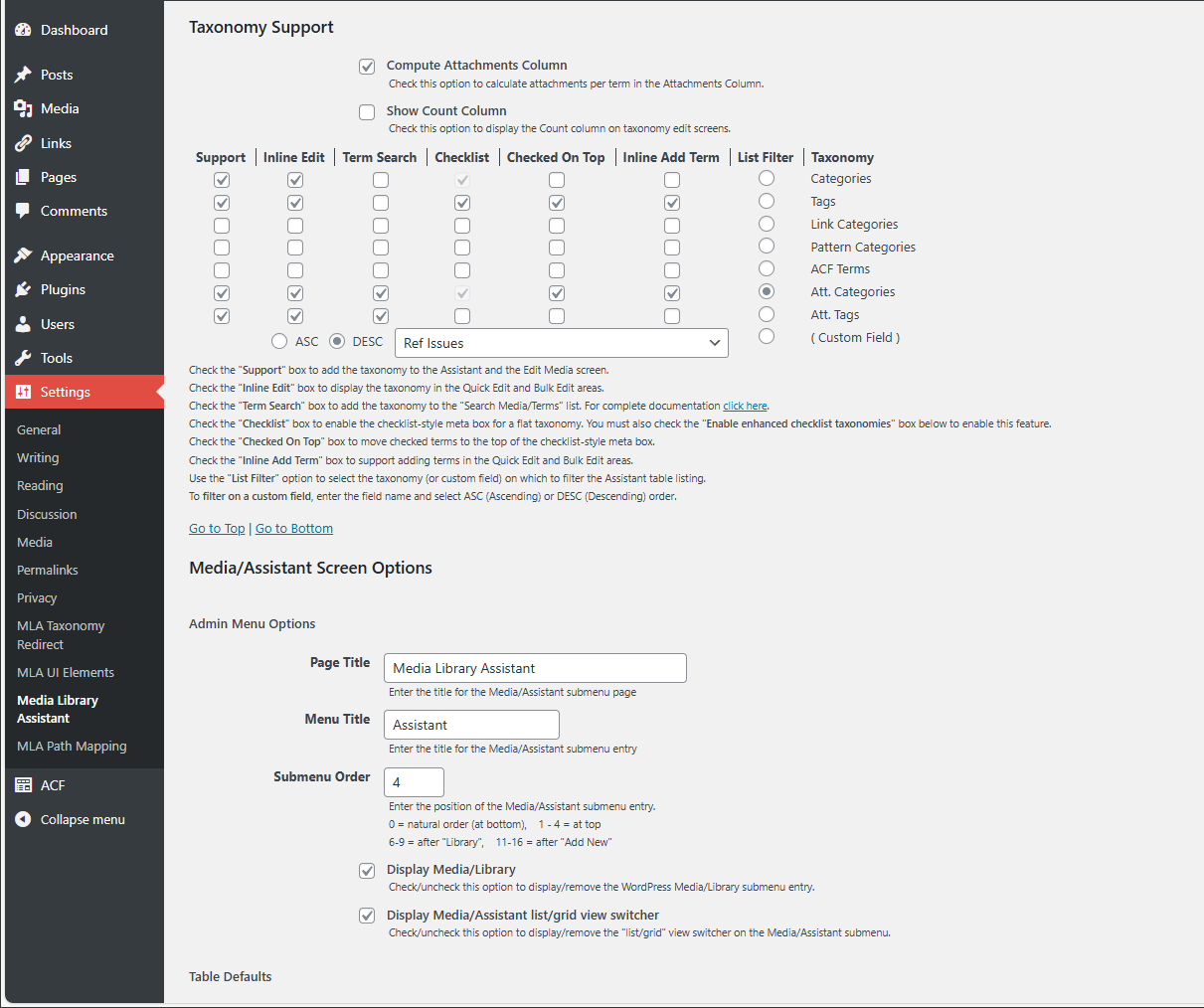
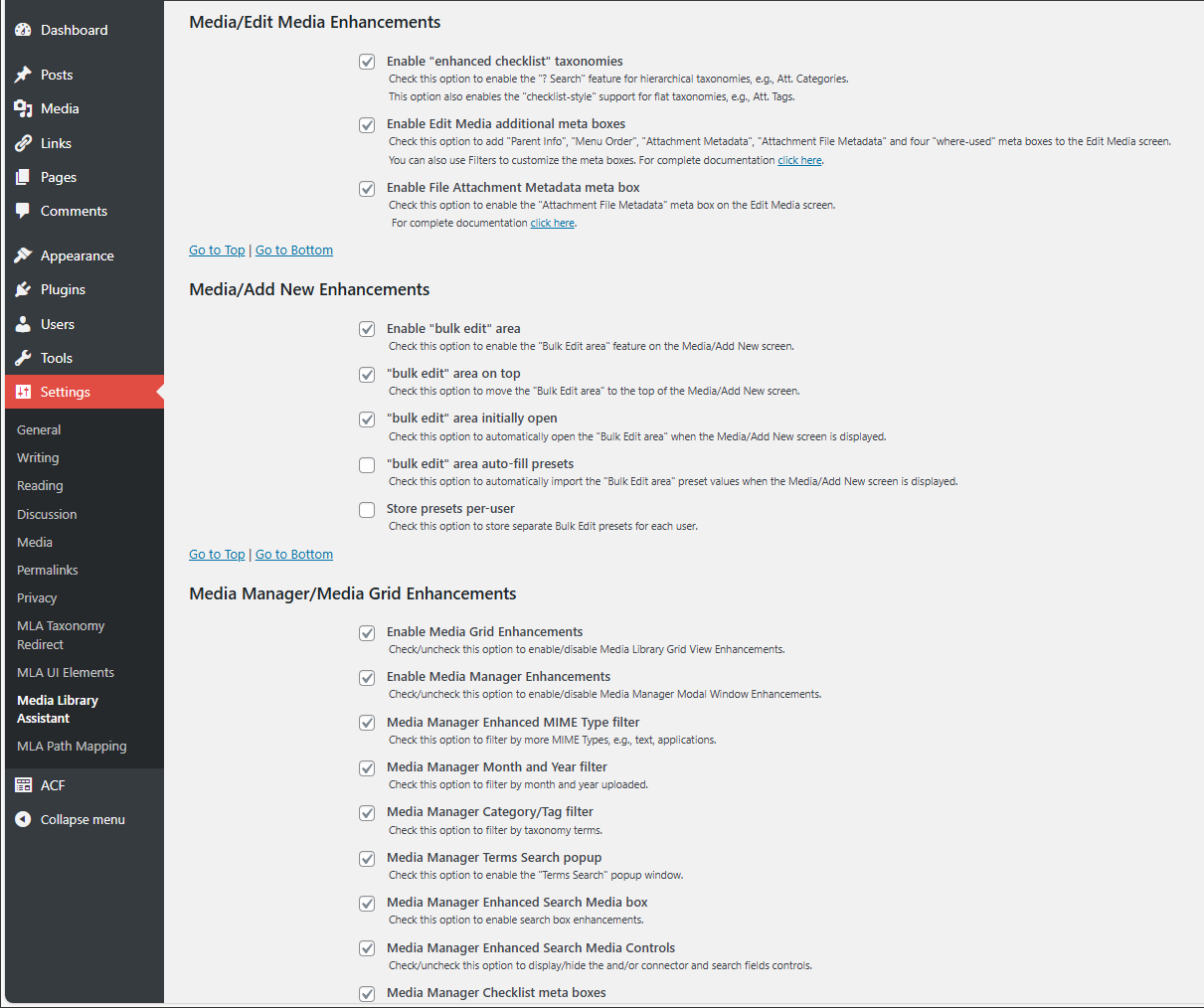
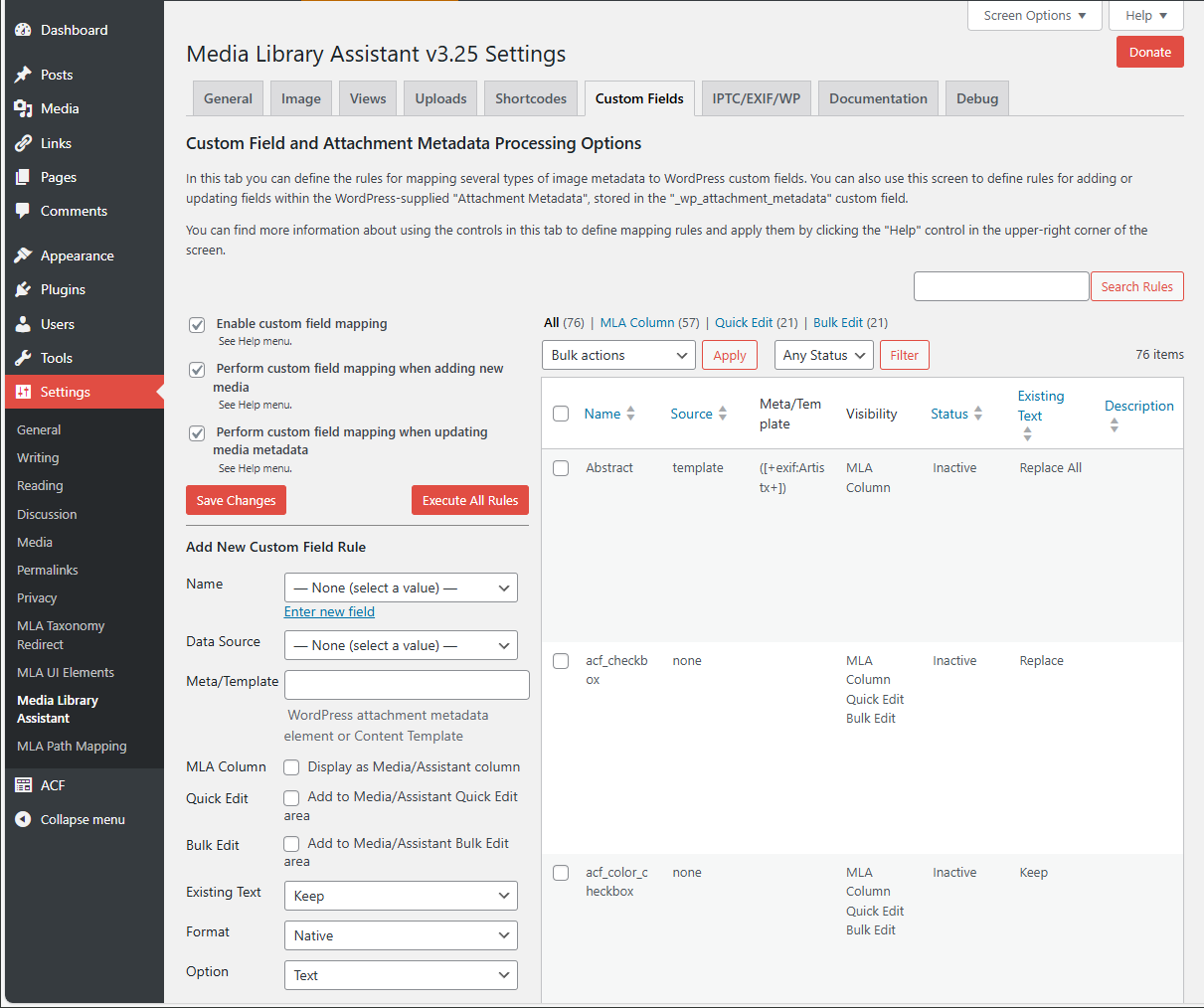
![The Settings page Custom Fields tab, where you can map attachment metadata to custom fields for display in [mla_gallery] shortcodes and as sortable, searchable columns in the Media/Assistant submenu.](https://cdn.jsdelivr.net/wp/media-library-assistant/assets/screenshot-5.png)
常见问题:
How can I sort the Media/Assistant submenu table on values such as File Size?
You can add support for many attachment metadata values such as file size by visiting the Custom Fields tab on the Settings page. There you can define a rule that maps the data to a WordPress custom field and check the "MLA Column" box to make that field a sortable column in the Media/Assistant submenu table. You can also use the field in your [mla_gallery] shortcodes. For example, this shortcode displays a gallery of the ten largest images in the "general" category, with a custom caption:
[mla_gallery category="general" mla_caption="{+caption+}<br>{+custom:File Size+}" meta_key="File Size" orderby="meta_value" order="DESC" numberposts=10]
How can I use Categories, Tags and custom taxonomies to select images for display in my posts and pages?
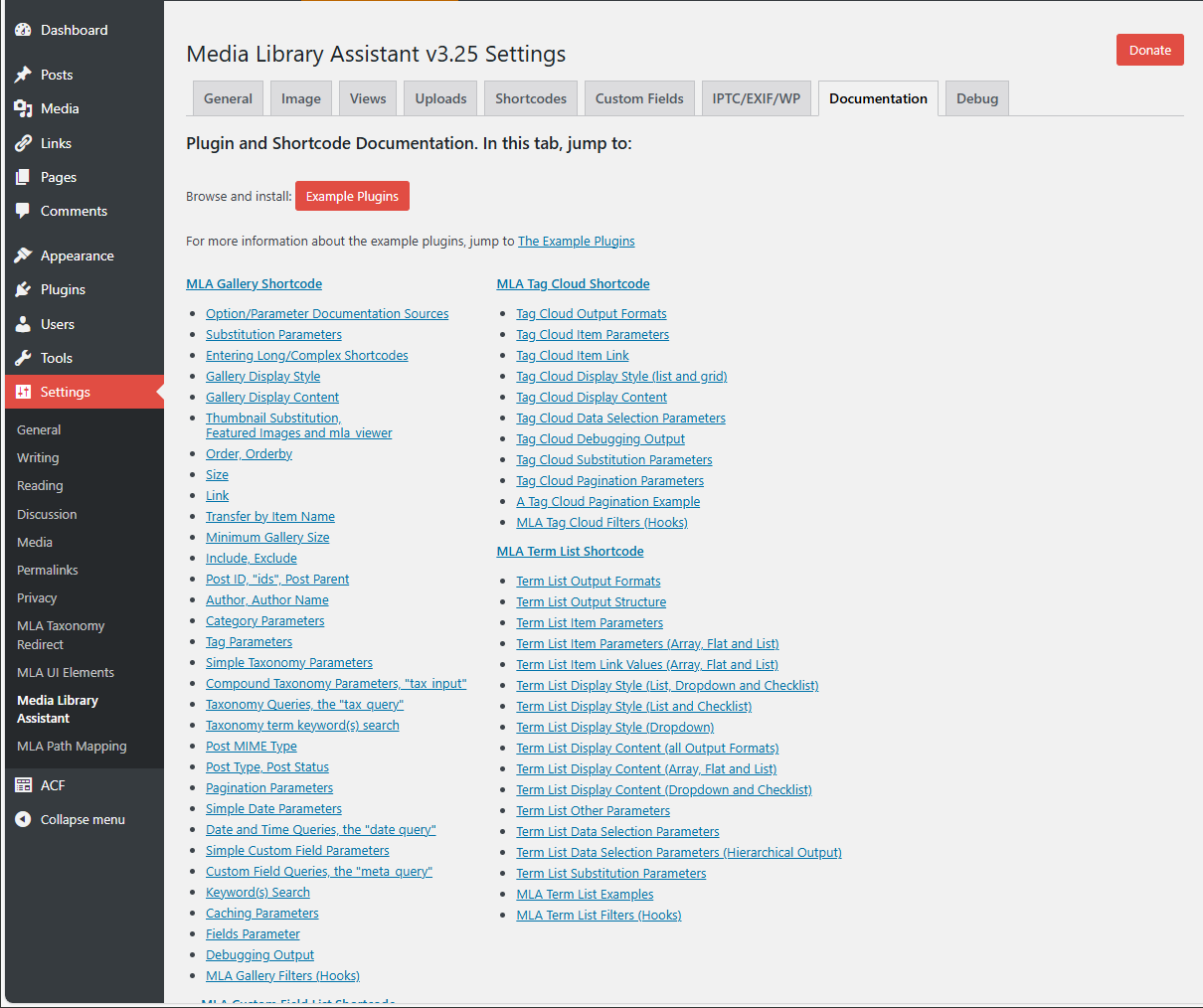
The powerful [mla_gallery] shortcode supports almost all of the query flexibility provided by the WP_Query class. You can find complete documentation in the Settings/Media Library Assistant Documentation tab. A simple example is in the preceding question. Here's an example that displays PDF documents with Att. Category "fauna" or Att. Tag "animal":
[mla_gallery post_mime_type="application/pdf" size=icon mla_caption="{+title+}" tax_query="array(array('taxonomy'=>'attachment_category','field'=>'slug','terms'=>'fauna'),array('taxonomy'=>'attachment_tag','field'=>'slug','terms'=>'animal'),'relation'=>'OR')"]
Can I use [mla_gallery] for attachments other than images?
Yes! The [mla_gallery] shortcode supports all MIME types when you add the post_mime_type parameter to your query. You can build a gallery of your PDF documents, plain text files and other attachments. You can mix images and other MIME types in the same gallery, too. Here's an example that displays a gallery of PDF documents, using Imagick and Ghostscript to show the first page of each document as a thumbnail:
[mla_gallery post_mime_type=application/pdf post_parent=all link=file mla_viewer=true columns=1 orderby=date order=desc]
You can even use [mla_gallery] to compose "gallery" displays for other post types, e.g., posts and pages.
Can the Assistant use the standard WordPress post Categories and Tags?
Yes! You can activate or deactivate support for Categories and Tags at any time by visiting the Media Library Assistant Settings page.
Do I have to use the WordPress post Categories and Tags?
No! The Assistant supplies pre-defined Att. Categories and Att. Tags; these are WordPress custom taxonomies, with all of the API support that implies. You can activate or deactivate the pre-defined taxonomies at any time by visiting the Media Library Assistant Settings page.
Can I add my own custom taxonomies to the Assistant?
Yes. Any custom taxonomy you register with the Attachment post type will appear in the Assistant UI. Use the Media Library Assistant Settings page to add support for your taxonomies to the Assistant UI.
Can I use Jetpack Tiled Gallery or a lightbox plugin to display my gallery?
You can use other gallery-generating shortcodes to give you the data selection power of [mla_gallery] and the formatting/display power of popular alternatives such as the WordPress.com Jetpack Carousel and Tiled Galleries modules. Any shortcode that accepts "ids=" or a similar parameter listing the attachment ID values for the gallery can be used. Here's an example of a Jetpack Tiled gallery for everything except vegetables:
[mla_gallery attachment_category=vegetable tax_operator="NOT IN" mla_alt_shortcode=gallery type="rectangular"]
Most lightbox plugins use HTML class= and/or rel= tags to activate their features. [mla_gallery] lets you add this tag information to your gallery output. Here's an example that opens PDF documents in a shadowbox using Easy Fancybox:
[mla_gallery post_mime_type=application/pdf post_parent=all link=file size=icon mla_caption='<a class="fancybox-iframe fancybox-pdf" href={+filelink_url+} target=_blank>{+title+}</a>' mla_link_attributes='class="fancybox-pdf fancybox-iframe"']
In the example, the mla_caption= parameter turns the document title into a link to the shadowbox display so you can click on the thumbnail image or the caption to activate the display.
Why don't the "Posts" counts in the taxonomy edit screens match the search results when you click on them?
This is a known WordPress problem with multiple support tickets already in Trac, e.g., Ticket #20708(closed defect (bug): duplicate) Wrong posts count in taxonomy table, Ticket #14084(assigned defect (bug)) Custom taxonomy count includes draft & trashed posts, and Ticket #14076(closed defect (bug): duplicate) Misleading post count on taxonomy screen. For example, if you add Tags support to the Assistant and then assign tag values to your attachments, the "Posts" column in the "Tags" edit screen under the Posts admin section includes attachments in the count. If you click on the number in that column, only posts and pages are displayed. There are similar issues with custom post types and taxonomies (whether you use the Assistant or not). The "Attachments" column in the edit screens added by the Assistant shows the correct count because it works in a different way.
Can I attach an image to more than one post or page?
No; that's a structural limitation of the WordPress database. However, you can use Categories, Tags and custom taxonomies to organize your images and associate them with posts and pages in any way you like. The [mla_gallery] shortcode makes it easy. You can also use the ids= parameter to compose a gallery from a list of specific images.
How do I "unattach" an item?
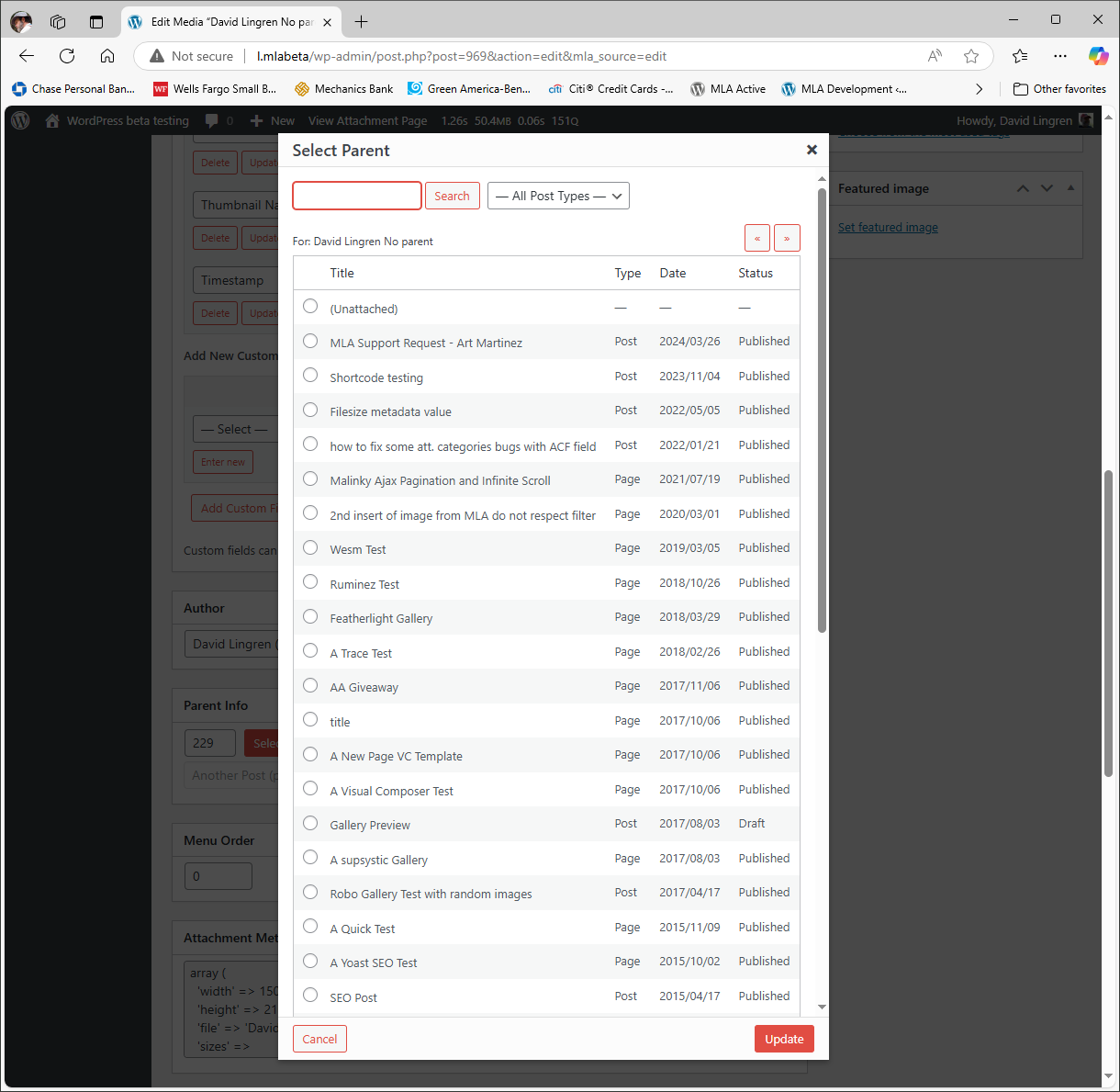
Hover over the item you want to modify and click the "Edit" or "Quick Edit" action. Set the ID portion of the Parent Info field to zero (0), then click "Update" to record your changes. If you change your mind, click "Cancel" to return to the main page without recording any changes. You can also click the "Select" button to bring up a list of posts//pages and select one to be the new parent for the item. The "Set Parent" link in the Media/Assistant submenu table also supports changing the parent and unattaching an item.
The Media/Assistant submenu seems sluggish; is there anything I can do to make it faster?
Some of the MLA features such as where-used reporting and ALT Text sorting/searching require a lot of database processing. If this is an issue for you, go to the Settings page and adjust the "Where-used database access tuning" settings. For any where-used category you can enable or disable processing. For the "Gallery in" and "MLA Gallery in" you can also choose to update the results on every page load or to cache the results for fifteen minutes between updates. The cache is also flushed automatically when posts, pages or attachments are inserted or updated.
Do custom templates and option settings survive version upgrades?
Rest assured, custom templates and all of your option settings persist unchanged whenever you update to a new MLA version. You can also back a backup of your templates and settings from the Settings/Media Library Assistant General tab. Scroll to the bottom of the page and click "Export ALL Settings" to create a backup file. You can create as many files as you like; they are date and time stamped so you can restore the one you want later. In addition, you can deactivate and even delete the plugin without losing the settings. They will be there when you reinstall and activate in the future. You can permanently delete the settings and (optionally) the backup files if you are removing MLA for good. The "Uninstall (Delete)" Plugin Settings section of the General tab enables these options.
Are other language versions available?
Not many, but all of the internationalization work in the plugin source code has been completed and there is a Portable Object Template (.POT) available in the "/languages" directory. I don't have working knowledge of anything but English, but if you'd like to volunteer to produce a translation, I would be delighted to work with you to make it happen. Have a look at the "MLA Internationalization Guide.pdf" file in the languages directory and get in touch.
What's in the "phpDocs" directory and do I need it?
All of the MLA source code has been annotated with "DocBlocks", a special type of comment used by phpDocumentor to generate API documentation. If you'd like a deeper understanding of the code, navigate to the MLA phpDocs web page and have a look. Note that these pages require JavaScript for much of their functionality.
Where do I report security bugs found in this plugin?
Please report security bugs found in the source code of the Media LIbrary Assistant plugin through the Patchstack Vulnerability Disclosure Program. The Patchstack team will assist you with verification, CVE assignment, and notify the developers of this plugin.
更新日志:
- New: Several enhancements to the Media/Assistant "Thumbnail" (generation) Bulk action. More information in the "Thumbnail Generation" tab of the pulldown Help menu and the new Settings/Media Library Assistant "Thumbnail Generation Support" Documentation section.
- Fix: IMPORTANT: For all five MLA shortcodes, a Stored Cross-Site Scripting (XSS) security risk has been mitigated.
- Fix: IMPORTANT: For the
[mla_custom_list]shortcode, an SQL Injection security risk has been mitigated. - Fix: IMPORTANT: For WP 7.0, several updates to the MLA enhancements for the Media Manager Modal (popup) Window and Media/Library Grid view have been made.
- Fix: A defect handling REGEX named subpatterns in mapping rule templates has been corrected.
- Fix: For MP3 files, XMP metadata is now extracted from XML and PRIV frames, bypassing embedded image files.
- Fix: For shortcodes that generate pagination links, a defect in handling URL fragments has been corrected.
- New: For the Media/Assistant submenu page, custom table views can be composed with all of the data selection parameters of the
[mla_gallery]shortcode. More information in the "Library Views/Post MIME Type Processing" section of the Settings/Media Library Assistant Documentation tab. - Fix: IMPORTANT: For the Media Manager Modal (popup) Window, a Missing Authorization security risk has been mitigated.
- Fix: A defect in parsing metadata arrays for mapping rules has been corrected.
- Fix: A defect in handling PDF metadata parsing of documents with corrupted cross-reference streams has been corrected.
- Fix: A PHP Warning message in the "execute" rollover action on the Settings/Media Library Assistant IPTC/EXIF/WP tab has been eliminated.
- Fix: IMPORTANT: For the
[mla_tag_cloud]and[mla_term_list]shortcodes, an SQL injection security risk has been mitigated. - Fix: A WPML support defect causing a critical site error when duplicating an attachment in a new language has been corrected.
- Fix: For all of the shortcodes, a defect in handling relative paths in pagination output formats has been corrected.
- Fix: The priority of the hooks MLA adds to the "init" action has been adjusted to avoid a taxonomy registration conflict with the "Breadcrumb NavXT" plugin.
- Fix: A defect with taxonomy labels in the MMMW ATTACHMENT DETAILS pane causing a PHP "Undefined variable $label" message has been corrected.
- New: The
[mla_archive_list]shortcode lets you create lists and dropdown controls with date-based elements and use them to filter the gallery displayed by the[mla_gallery]shortcode. - New: The
mla_get_custom_values()function used by the[mla_custom_list]shortcode is now available for public use in theMLAShortcodesclass (includes/class-mla-shortcodes.php). - New: On the Settings/Media Library Assistant Image tab you can control the "BIG image" threshold option. You can use the WordPress default value, set a custom value or disable scaling entirely.
- New: For the Media/Assistant submenu table, new "Download Original" bulk and rollover actions let you download the original, unaltered files for scaled and rotated items.
- Fix: For all shortcodes, pagination links now include all values from the $_REQUEST array, making pagination more reliable.
- Fix: A PHP deprecation message on the Media/Assistant admin page has been eliminated.
- Fix: The
utf8_encode()function call, deprecated in PHP 8.2, has been replaced. - Fix: An occasional issue with taxonomy labels in the MMMW ATTACHMENT DETAILS pane has been resolved.
- Fix: For the "MLA UI Elements Example" plugin (v2.07), the
[muie_archive_list]shortcode has been deprecated. - Fix: An internationalization problem with taxonomy labels has been resolved.
- New: For PDF documents, metadata embedded in compressed object streams is now extracted, processed and made available as "pdf:" data sources.
- Fix: IMPORTANT: For the
[mla_gallery]shortcode, the "mla_viewer" feature has been redesigned to mitigate an Unauthenticated Local File Read security issue. The feature now uses WordPress AJAX processing when PDF thumbnail images are not available, which is less efficient but secure. - Fix: IMPORTANT: For the
[mla_gallery]shortcode, the "Transfer by Item Name" feature has been redesigned to mitigate an Insecure Direct Object Reference security issue. This fix also requires you to manually update the "MLA Item Transfer Pretty Links" example plugin if your site uses it. - Fix: IMPORTANT: The "MLA Item Transfer Pretty Links" example plugin has been updated to use the new "Transfer by Item Name" method. You must manually update the example plugin if your site uses it.
- 3.29 - IMPORTANT: Security mitigation in all four shortcodes. Media Manager Modal (popup) and Media/Assistant submenu table fixes. Four fixes in all.
- 3.28 - IMPORTANT: Security mitigation and [mla_term_list] critical error fix. WPML Media/Assistant fix. Five fixes in all.
- 3.27 - IMPORTANT: Security fixes. Shortcode enhancements for term list checklists and custom field date queries, AVIF metadata support. Three enhancements and five fixes in all.
- 3.26 - IMPORTANT: For the Polylang plugin, a defect that caused the famous "There Has Been a Critical Error on This Website" error has been corrected.
- 3.25 - New tool for managing image Intermediate Sizes, taxonomy archive solution, new and enhanced example plugins and field-level data sources, WP 6.8 compatible. Eight enhancements, ten fixes in all.
- 3.24 - IMPORTANT: Reflected Cross-Site Scripting security risks in three example plugins mitigated. Field-level data sources for very large images. REST support for Att. Categories and Att. Tags. Improved processing of the
mla_image_classandmla_image_altparameters. Two enhancements, two fixes in all. - 3.23 - For the [mla_gallery] shortcode, a defect regarding default post parent processing, e.g. when the shortcode has no explicit parameters, has been corrected.
- 3.22 - IMPORTANT: Resolve "Fatal error: Uncaught TypeError: array_key_exists():" in
class-mla-options.php. Delay localization of built-in style and markup templates untilinitaction. - 3.21 - IMPORTANT: WP 6.7 i18n fix and a Cross-Site Scripting (XSS) security risk mitigation. Media/Assistant admin page fixes and enhancement. Three enhancements, ten fixes in all.
- 3.20 - IMPORTANT: A security risk that allowed remote code execution from a logged in administrator account has been mitigated. Mapping rule and shortcode fixes. Four fixes in all.
- 3.19 - IMPORTANT: A security risk in the Settings/Media Library Assistant Uploads tab has been mitigated. Mapping rule fixes and enhancement. Media/Assistant bulk action fix. One enhancement, six fixes in all.
- 3.18 - IMPORTANT: A security risk in the Media/Edit Media screen has been mitigated. A defect in formatting the order=DESC shortcode parameter has been corrected. Two fixes in all.
- 3.17 - IMPORTANT: Security risks in the Media/Edit Media screen and shortcodes have been mitigated. Elementor fix for the Media Manager Modal (popup) Window. Eight fixes in all.
- 3.16 - IMPORTANT: Security risks in the Media/Edit Media screen and [mla_custom_list] shortcode have been mitigated. Shortcode bug fixes and a new feature in the MLA Multi-search Example plugin. One enhancement, four fixes in all.
- 3.15 - IMPORTANT: Eliminate PHP Fatal Error when accessing Example Plugins from the Settings/Media Library Assistant Documentation tab.
- 3.14 - IMPORTANT: WordPress 6.5 updates and two security fixes. New and enhanced example plugins. Shortcode enhancements. Seven enhancements in all, eleven fixes.
- 3.13 - IMPORTANT:
[mla_gallery]parameters containing HTML are once again processed correctly. New "MLA Custom Field List" shortcode. Code refactor reduces load time and memory required for the[mla_gallery]shortcode. Four enhancements in all, six fixes. - 3.12 - IMPORTANT: Cross-site scripting security risk for authenticated users with the "Author" role has been eliminated.
- 3.11 - IMPORTANT: security risk fixes for shortcode parameters and example plugin. Custom file icon support for Uploads file types. One enhancement, four fixes.
- 3.10 - IMPORTANT: WP 6.3 Gutenberg/Media Manager fix and a security risk fix. File Extension and MIME Type Processing fixes. "MLA Multisite Extensions" example plugin enhancements. Four enhancements in all, nine fixes.
- 3.09 - IMPORTANT: security risk fixes for shortcode parameters and example plugin. Custom file icon support for Uploads file types. One enhancement, four fixes.
- 3.08 - PNG metadata fixes, terms search enhancements, example plugin enhancements, MLA Insert Fixit security fix, Documentation updates and additions. Eight enhancements in all, eleven fixes.
- 3.07 - Metadata extraction for PNG files, "Set Featured Image" enhancements, extensive "Where-used Reporting" documentation, Modern Event Calendar fix and Example Plugin enhancements. Eight enhancements in all, seven fixes.
- 3.06 - IMPORTANT: SECURITY FIX for the MLA Insert Fixit example plugin removes an SQL injection risk. New mapping rules tutorial available, some PDF parsing improvements and documentation improvements. One enhancement, eight fixes in all.
- 3.05- IMPORTANT: Admin Columns Pro v6.0+ support. Support for the "CatFolders - WP Media Folders" plugin. The "MLA Yoast SEO Example" plugin has been completely rewritten. New "MLA Content Items Example" plugin. Three enhancements in all, two fixes.
- 3.04 - Fix: When Photo Engine (WP/LR Sync) is active, a PHP Fatal Error with mapping rules during "sync" operations has been corrected.
- 3.03 - IMPORTANT: For the [mla_gallery] shortcode, a defect (introduced in v3.02) in expanding template values has been corrected.
- 3.02 - MLA Text Widget, WPML, Polylang and Photo Engine (WP/LR Sync) fixes. Some PHP errors eliminated. Bulk Edit Area enhancements. New "MLA WFU Data Source" example plugin. Two enhancements in all, ten fixes.
- 3.01 - IMPORTANT: For the Media/Assistant Bulk Edit feature, AJAX errors have been corrected.
- 3.00 - WordPress 6.0 support, security improvements, shortcode and example plugin enhancements. Seven enhancements in all, seventeen fixes.
- 2.99 - WordPress 5.9 support. Bulk Edit values save/restore, current date/time data sources, custom field Library views filtered by MIME type. Four enhancements in all, fifteen fixes.
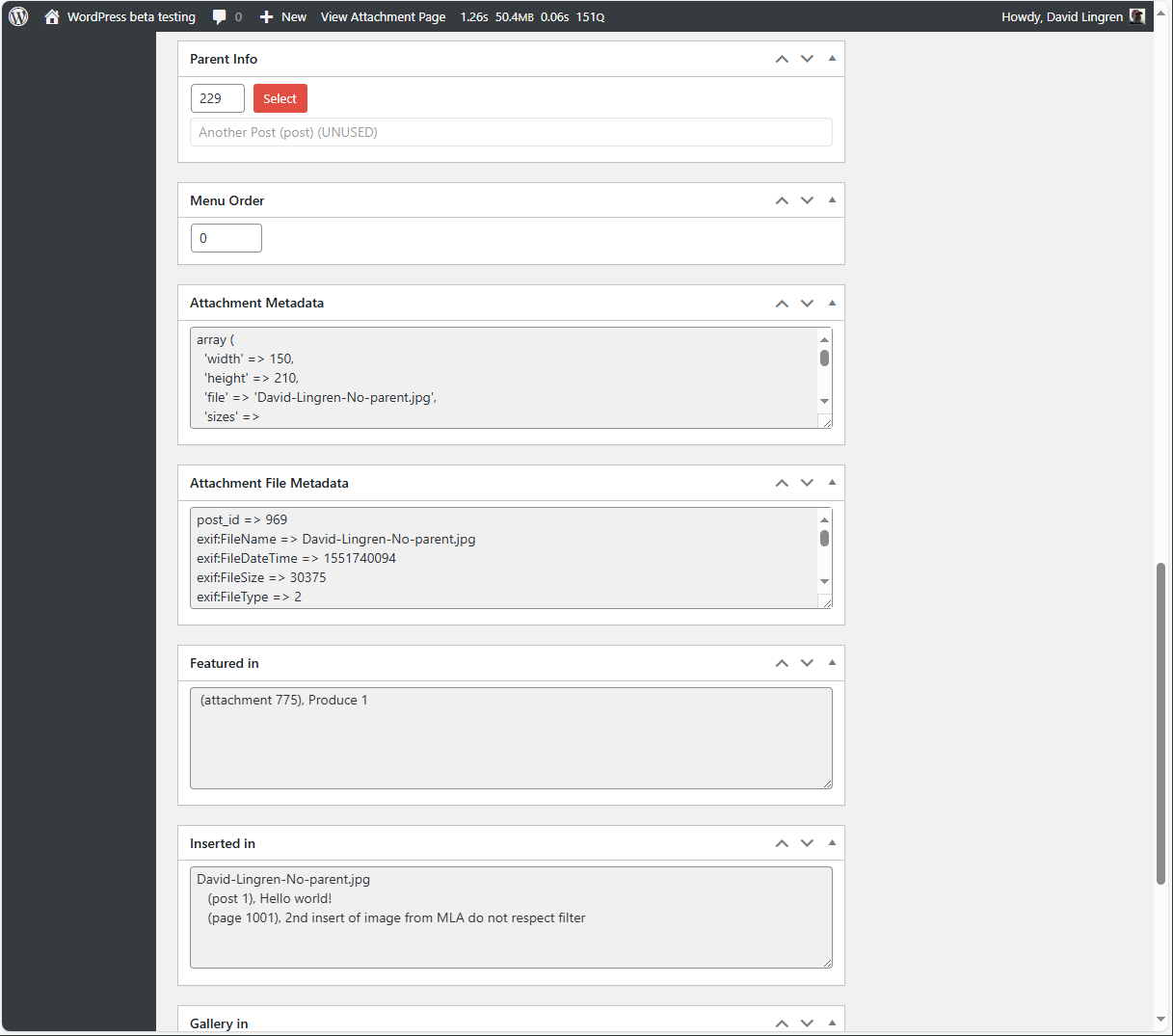
- 2.98 - New "Attachment File Metadata" meta box on the Media/Edit Media screen. Enhanced "MLA Advanced Custom Fields Example" and new "MLA Filename Issues Example" plugins. Five enhancements in all, eleven fixes.
- 2.97 - IMPORTANT: [mla_gallery] PHP "Warning: array_key_exists()..." messages have been eliminated. WP 5.8, cropping of MMMW top row image thubmnails fixed. Description element added to mapping rules. Four enhancements in all, four fixes.
- 2.96 - WordPress 5.8 support! New [muie_archive_list] shortcode. CSV export item values. Support for Enhanced Media Library plugin. Donation links are back. Thirteen enhancements in all, fourteen fixes.
- 2.95 - Support for Real Media Library plugin in Media/Assistant and
[mla_gallery], MLA Insert Fixit improvements,[mla_gallery]simple date parameters, "Mine" filter/view. Four enhancements in all, twelve fixes. - 2.94 - For [mla_gallery], icon handling, mla_viewer, and performance fixes. New and enhanced example plugins. Three enhancements in all, nine fixes.
- 2.93 - Correct defects in handling array values, e.g., tax_input, in request: parameters and pagination controls. Example plugin enhancements. Two enhancements in all, three fixes.
- 2.92 - Correct Media/Assistant Quick Edit error that deleted term assignments in the WordPress Categories taxonomy.
- 2.91 - Correct PHP Fatal Error in Media Manager Search Media operations. Correct defect that caused Media Manager "Edit Gallery" operations to lose existing items. Two fixes in all.
- 2.90 - WP 5.6 support, thorough review and update of all files for validating, sanitizing and escaping user data to reduce the risk of security exploits, two new example plugins. Seven enhancements in all, seven fixes.
- 2.84 - WP 5.5 support, new Always Use MLA MIME Type option, CSV Data Source example plugin, Support for PaidMembershipsPro, Simple Taxonomy Ordering, Simple Custom Post Order, Featured Image from URL plugins. Thirteen enhancements in all, twelve fixes.
- 2.83 - Avoid "Fatal error:" with Admin Columns Pro version 5.1+. Fix Attachments area positioning in the Media Manager Modal (popup) Window. Two fixes in all.
- 2.82 - Compatibility updates for WordPress 5.4. Security fixes to prevent three categories of attacks. New tools for "MLA Insert Fixit" and "WooCommerce Fixit Tools" example plugins. Fixes for
[mla_gallery]and Media Manager Modal Window. Seven enhancements in all, eleven fixes. - 2.81 - Compatibility updates for WordPress 5.3. New "mso:" prefix gives access to the Document Properties embedded in Office Open XML file formats (e.g., docx, xlsx, pptx). Three enhancements, eight fixes.
- 2.80 - A new "MLA Phoenix Media Rename Example" plugin supports the Phoenix Media Rename plugin. MLA Insert Fixit example plugin improvements, improved support for other plugins and themes. One enhancement, twelve fixes.
- 2.79 - [mla_gallery] keyword/term search "exclude" logic, [mla_tag_cloud] performance improvements, Media/Assistant Download bulk action. Nine enhancements in all, six fixes.
- 2.78 - Support Admin Columns Pro v4.5.x, add "Search Media" and "Terms Search" exclude logic, Eliminate PHP messages for Polylang and some AJAX actions. One enhancement, five fixes.
- 2.77 - Preserve current term assignments for checklist-style taxonomies when opening the Media/Assistant Quick Edit area. This defect was introduced in v2.76.
- 2.76 - "Checklist-style" term search and additions in the Bulk and Quick Edit areas. New and improved example plugins. Seven enhancements, four fixes.
- 2.75 - Admin Columns (and Pro) fixes to eliminate PHP messages. Five fixes in all.
- 2.74 - Cross-Site Scripting vulnerabilities have been removed from the Media/Assistant and Settings/Media Library assistant admin submenu screens. One enhancement, seven fixes.
- 2.73 - Checklist-style flat taxonomy improvements, Admin Columns Pro fix, new and improved example plugins, e.g., "parent search". Five enhancements, four fixes.
- 2.72 - Remove "Circular Reference" PHP Warnings in class-mla-mime-types.php.
- 2.71 - Admin Columns Pro CSV Export support, Uploaded on date editing, regular expression match/replace functions in shortcodes, new and improved example plugins. Thirteen enhancements, seven fixes.
- 2.70 - Improved file download security, Polylang fixes. Two enhancements, seven fixes.
- 2.65 - Corrects an "ajax.fail error" in the Media/Assistant "Set Parent" function and the Media/Edit Media screen. One other enhancement, two other fixes.
- 2.64 - For
[mla_gallery], corrects v2.63 problem that appliedmla_named_transferto alllink=fileandlink=downloadgalleries. - 2.63 - Download by name and pretty links, str_replace format option, disable mapping rules, debug tab. Eight enhancements in all, nine fixes.
- 2.62 - Corrects a PHP Fatal Error when loading MLA Media Manager enhancements for "front-end" use.
- 2.61 - Several new example plugins and hooks, new shortcode parameters. Thirteen enhancements in all, thirteen fixes.
- 2.60 - Completely new Settings/IPTC/EXIF tab and example plugin enhancements. Five enhancements in all, five
- 2.54 - Admin Columns/PHP 7.1.x Fix, thumbnail generation enhancements, [mla_term_list] fix and Settings/Shortcodes tab updates. Six fixes in all.
- 2.53 - Correct PHP Fatal Error defect for users of Admin Columns (free version).
- 2.52 - Improved Admin Columns Pro integration, better PHP 7 support. Example plugin improvements. Six enhancements in all, eight fixes.
- 2.51 - Change "primary column" handling for WP 4.3+ to be more like Media/Library submenu table. Some MLA UI Elements Example plugin fixes.
- 2.50 - Completely new Settings/Custom Fields tab, [mla_term_list] and example plugin enhancements. Fourteen enhancements in all, sixteen fixes.
- 2.41 - Updated example plugins, EXIF improvements, PHP 5.3 compatibility, Polylang fix. Five enhancements in all, ten fixes.
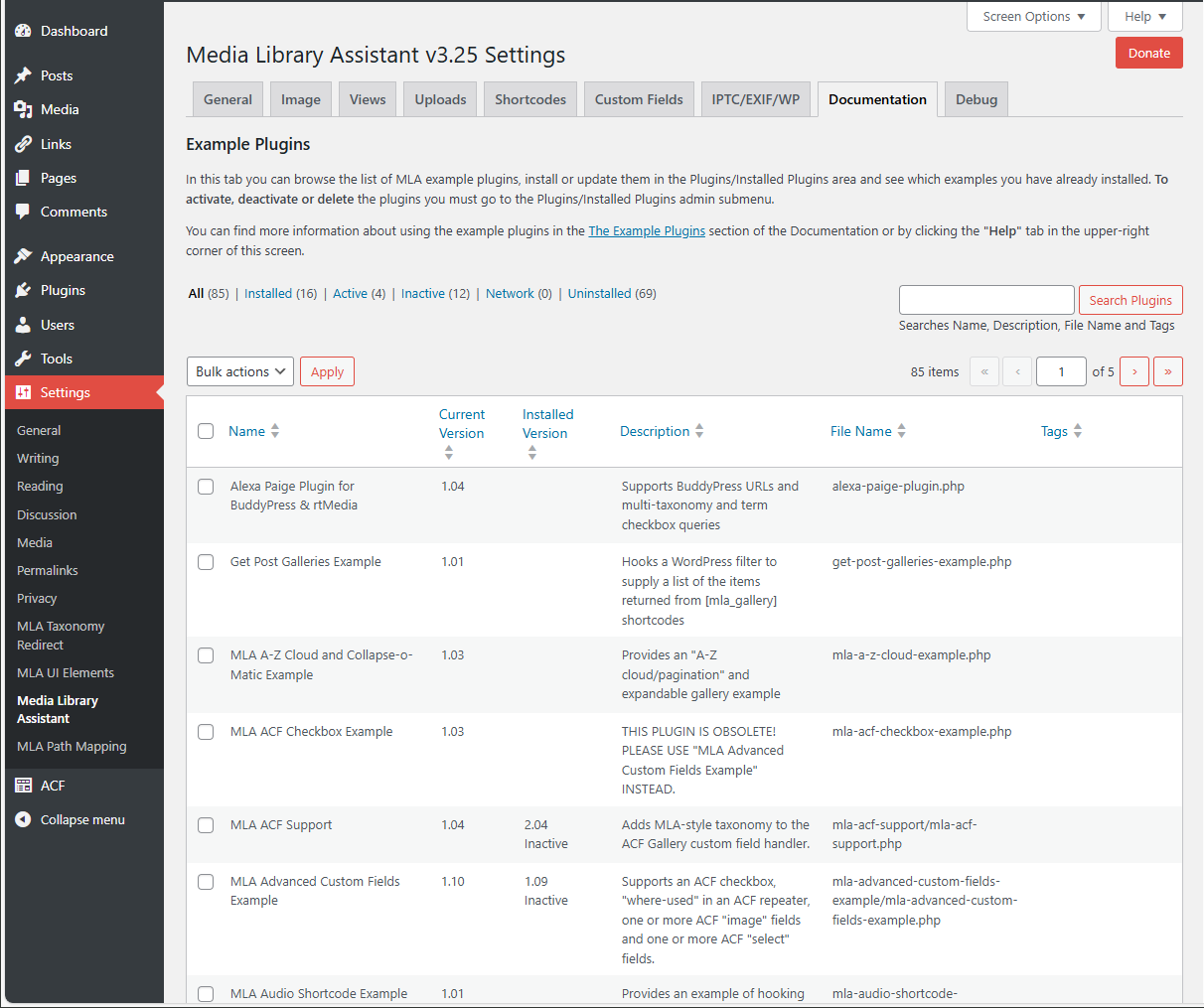
- 2.40 - Generate WP 4.7 PDF thumbnails, new Shortcodes tab, requires less admin-mode memory, Examples tab "View" action and "Installed" view. Seventeen other enhancements, fourteen fixes.
- 2.33 - Fix WordPress "The plugin does not have a valid header" errors on initial MLA installs. Two enhancements, one other fix.
- 2.32 - New Documentation/Example Plugins submenu and installer, WordPress 4.6 fixes and several new example plugins. Sixteen enhancements in all, nine fixes.
- 2.31 - Remove call to
xdebug_get_function_stack()causing fatal PHP error. - 2.30 - New [mla_term-list] shortcode for hierarchical taxonomy display, Uncaught RangeError fix, custom data sources. Thirteen enhancements in all, six fixes.
- 2.25 - Default shortcode parameters in templates, list/grid view switcher, delete option settings, better XML parsing. Eight enhancements in all, eleven fixes.
- 2.24 - Corrects the MLA error that suppressed Admin Columns functions for Posts, Pages, Custom Post Types, Users and Comments.
- 2.23 - Admin Columns 2.4.9 fixes, EXIF/XMP/PDF improvements, Posts, Pages and custom Post Types in
[mla_gallery]display. Seven enhancements in all, six fixes. - 2.22 - Support for the "Admin Columns" plugin, PHP7 and "enclosing shortcode" syntax. Better performance, new filters and examples. Eight enhancements in all, eight fixes.
- 2.21 - Fix for "empty grid", "No media attachments found", "No items found" and "Unknown column" symptoms. Thanks to all who quickly alerted me to the problem. One other fix for "Featured Image" handling of size=none.
- 2.20 - Reduced memory/time footprint, default setting changes, WPML/Polylang IPTC/EXIF mapping fixes, partial German translation. Nine other enhancements, thirteen fixes.
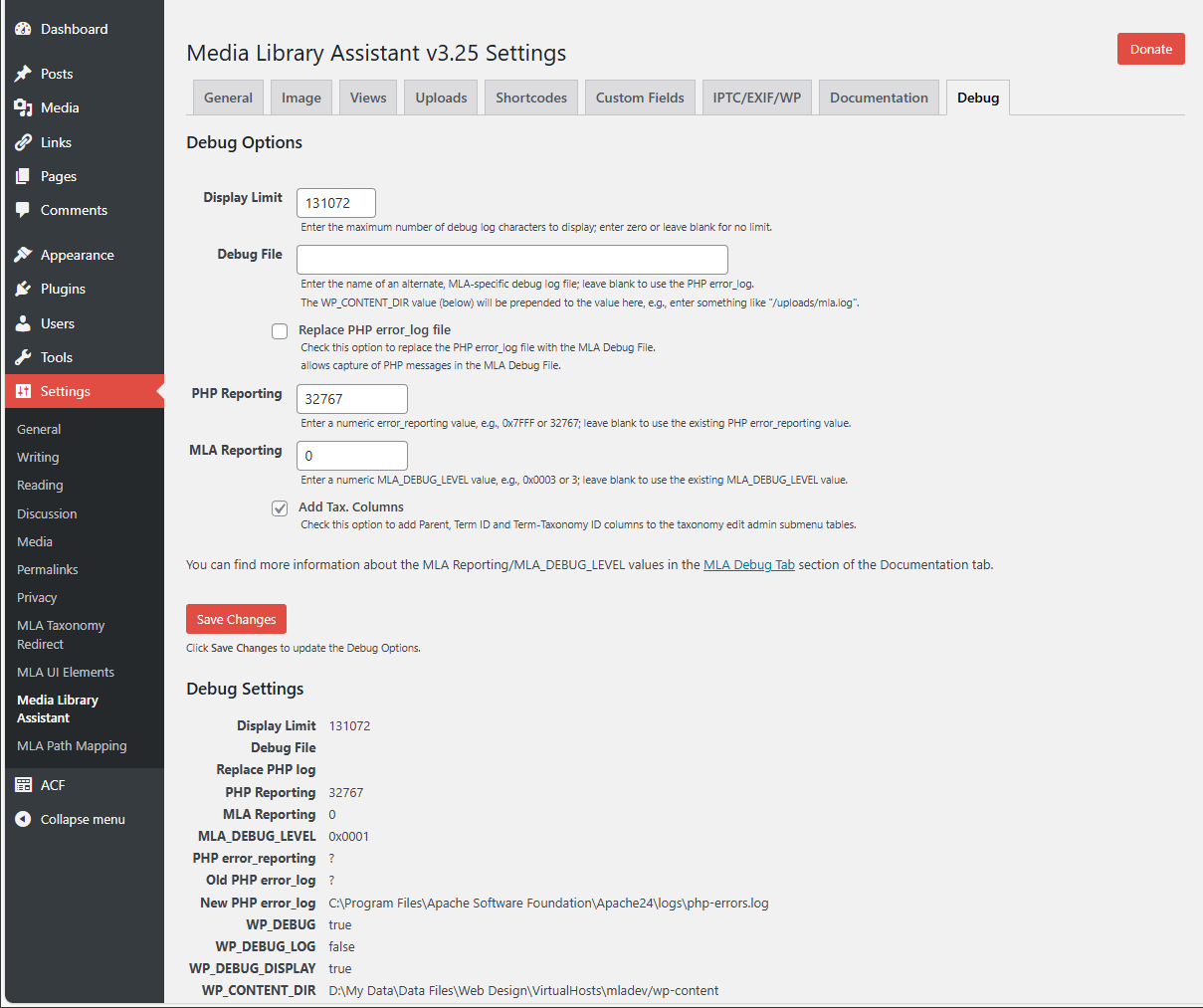
- 2.15 - Bulk Edit Reset button, Debug tab enhancements, Quick Edit thumbnails, new examples and hooks. Sixteen enhancements in all, sixteen fixes.
- 2.14 - Final WordPress 4.3 updates. New Debug tab features. Updated Dutch translation. Four other fixes.
- 2.13 - WordPress 4.3 updates. PDF Thumbnail image generator. Wildcard keyword/term searching. Several WPML and Polylang fixes. Dutch and Swedish translations! Twelve other enhancements, twelve other fixes.
- 2.12 - Fixes a defect in [mla_gallery] handling of the mla_caption parameter. Adds mla_debug=log option.
- 2.11 - Enhanced WPML and new Polylang support. "Attached" Media/Assistant table view. Eight other enhancements, fifteen fixes. *2.10 - mla_viewer is back, with a Featured Image option! XMP support for image meta data. Eight other enhancements, twelve fixes.
- 2.02 - Bulk Edit on Media/Add New, pause/restart IPTC/EXIF mapping, EXIF CAMERA fields, "timestamp", "date" and "fraction" format options. Six other enhancements, twelve fixes.
- 2.01 - Google File Viewer (mla_viewer) disabled. IPTC/EXIF mapping performance gains. Four other enhancements, five fixes.
- 2.00 - Requires WP v3.5+. Ajax-powered bulk edit and mapping, front-end "terms search" for [mla_gallery]. Five other enhancements, two fixes.
- 1.95: New [mla_gallery] parameters, Download rollover action, Media/Assistant submenu filters. Eleven enhancements, seven fixes.
- 1.94: Media Manager fixes and new "current-item" parameters for [mla_tag_cloud]. Two other enhancements, seven fixes.
- 1.93: WordPress 4.0 Media Grid enhancements (optional) and compatibility fixes. New auto-fill option for Media Manager taxonomy meta boxes. One other enhancement, three other fixes.
- 1.92: Three bug fixes, one serious.
- 1.91: WordPress 4.0 support! New "Edit Media meta box" and "Media Modal Initial Values" filters and example plugins. Four other enhancements, six fixes.
- 1.90: New "Terms Search" popup window and Search Media "Terms" checkbox. Post Type filter and pagination for "Select Parent" popup. Ten other enhancements, five fixes.
- 1.83: Corrects serious defect, restoring Quick Edit, Bulk Edit and Screen Options to Media/Assistant submenu. Three other fixes.
- 1.82: "Select Parent" popup window (Media/Edit Media, Attached to column, Quick Edit area), SVG support and several new filter examples. Five other enhancements, three other fixes.
- 1.81: Corrects serious defect in Media Manager Modal Window file uploading. Adds item-specific tag clouds. One other enhancement, five other fixes.
- 1.80: Full taxonomy meta box support in the Media Manager Modal Window. Checkbox-style meta box for flat taxonomies. Fourteen other enhancements, nine fixes.
- 1.71: Searchable Category meta boxes for the Media/Edit Media screen. Support for the WordPress "Attachment Display Settings". Six fixes.
- 1.70: Internationalization and localization support! Custom Field and IPTC/EXIF Mapping hooks. One other enhancement, six fixes.
- 1.61: Three fixes, including one significant fix for item-specific markup substitution parameters. Tested for compatibility with WP 3.8.
- 1.60: New [mla_tag_cloud] shortcode and shortcode-enabled MLA Text Widget. Five other enhancements, four fixes.
- 1.52: Corrected serious defect in [mla_gallery] that incorrectly limited the number of items returned for non-paginated galleries. One other fix.
- 1.51: Attachment Metadata mapping/updating, [mla_gallery] "apply_filters" hooks, multiple paginated galleries per page, "ALL_CUSTOM" pseudo value. Three other enhancements, six fixes.
- 1.50: PDF and GPS Metadata support. Content Templates; mix literal text with data values, test for empty values and choose among two or more alternatives for [mla_gallery] and data mapping. Four other enhancements, seven fixes.
- 1.43: Generalized pagination support with "mla_output=paginate_links". One other enhancement, four fixes.
- 1.42: Pagination support for [mla_gallery]! Improved CSS width (itemwidth) and margin handling. Eight other enhancements, six fixes.
- 1.41: New [mla_gallery] "previous link" and "next link" output for gallery navigation. New "request" substitution parameter to access $_REQUEST variables. Three other enhancements, seven fixes.
- 1.40: Better performance! New custom table views, Post MIME Type and Upload file/MIMEs control; 112 file type icons to choose from. Four new Gallery Display Content parameters. four other enhancements, twelve fixes.
- 1.30: New "mla_alt_shortcode" parameter combines [mla_gallery] with other gallery display shortcodes, e.g., Jetpack Carousel and Tiled Mosaic. Support for new 3.6 audio/video metadata. One other enhancement, eight fixes.
- 1.20: Media Manager (Add Media, etc.) enhancements: filter by more MIME types, date, taxonomy terms; enhanced search box for name/slug, ALT text, caption and attachment ID. New [mla_gallery] sort options. Four other enhancements, four fixes.
- 1.14: New [mla_gallery] mla_target and tax_operator parameters, tax_query cleanup and ids/include fix. Attachments column fix. IPTC/EXIF and Custom Field mapping fixes. Three other fixes.
- 1.13: Add custom fields to the quick and bulk edit areas; sort and search on them in the Media/Assistant submenu. Expanded EXIF data access, including COMPUTED values. Google File Viewer support, two other enhancements and two fixes.
- 1.11: Search by attachment ID, avoid fatal errors and other odd results when adding taxonomy terms. One other fix.
- 1.10: Map attachment metadata to custom fields; add them to [mla_gallery] display and as sortable columns on the Media/Assistant submenu table. Get Photonic Gallery (plugin) integration and six other fixes.
- 1.00: Map IPTC and EXIF metadata to standard fields, taxonomy terms and custom fields. Improved performance for where-used reporting. Specify default
[mla_gallery]style and markup templates. Five other fixes.
[mla_gallery]support for custom fields, taxonomy terms and IPTC/EXIF metadata. Updated for WordPress 3.5!- Improved default Style template,
[mla_gallery]parameters "mla_itemwidth" and "mla_margin" for control of gallery item spacing. Quick edit support of WordPress standard Categories taxonomy has been fixed. - MLA Gallery Style and Markup Templates for control over CSS styles, HTML markup and data content of
[mla_gallery]shortcode output. Eight other enhancements and four fixes. - Removed (!) Warning displays for empty Gallery in and MLA Gallery in column entries.
- New "Gallery in" and "MLA Gallery in" where-used reporting to see where items are returned by the
[gallery]and[mla_gallery]shortcodes. Two other enhancements and two fixes. - Enhanced Search Media box. Extend search to the name/slug, ALT text and caption fields. Connect search terms with "and" or "or". Five other enhancements and two fixes.
- New
[mla_gallery]shortcode, a superset of the[gallery]shortcode that provides many enhancements. These include taxonomy support and all post_mime_type values (not just images). Media Library items need not be "attached" to the post. - SQL View (supporting ALT Text sorting) now created for automatic plugin upgrades
- Bulk Edit area; add, remove or replace taxonomy terms for several attachments at once. Sort your media listing on ALT Text, exclude revisions from where-used reporting.
- Support ALL taxonomies, including the standard Categories and Tags, your custom taxonomies and the Assistant's pre-defined Att. Categories and Att. Tags. Add taxonomy columns to the Assistant admin screen, filter on any taxonomy, assign terms and list the attachments for a term.
- Quick Edit action for inline editing of attachment metadata
- Fixed "404 Not Found" errors when updating single items.
- Initial release.