MediaValet - Your Digital Asset Management (DAM)
| 开发者 |
mediavalet
nagarajahosamane |
|---|---|
| 更新时间 | 2026年8月22日 13:13 |
| PHP版本: | 7.4 及以上 |
| WordPress版本: | 7.0 |
| 版权: | GPLv2 or later |
| 版权网址: | 版权信息 |
详情介绍:
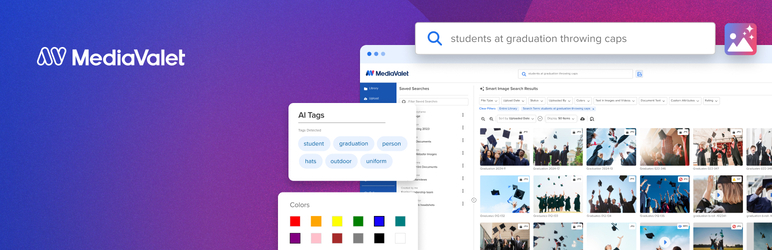
- MediaValet Asset Picker embedded in WordPress - Search, filter, preview, and select assets from your full MediaValet library without leaving the WordPress editor.
- CDN delivery with dynamic image transformations - Insert CDN-optimised image links with on-the-fly transformations: resize, automatic format selection, and freeform cropping.
- CDN delivery with video transformations - Insert MediaValet videos as CDN or embed links and keep their playback settings — autoplay, mute, loop, hide controls, and background playback — applied everywhere the video renders: the Media Library, the editor, and the published post or page.
- Automatic metadata transfer - Alt text, title, and expiry dates are automatically pushed to WordPress on asset insertion, keeping your content accessible and compliant.
- Built on Unify - Powered by MediaValet’s modern Unify integration platform for improved reliability, maintainability, and a consistent experience.
- Eliminate constant tab switching — work directly inside WordPress.
- Easily access the approved digital assets instantly from MediaValet.
- Transform and optimize assets on the fly before publishing.
- Reduce manual errors by using only approved, centralized assets.
- Maintain consistent branding across every page and post.
- Empower content teams with a seamless DAM-to-CMS experience.
- Built on MediaValet’s Unify platform for a modern, reliable integration.
- A MediaValet account
- WordPress account with any of the Contributors, Authors, Editors or Administrators Role
- WordPress 5.0 or higher
- PHP 7.4 or higher
- Your WordPress user ID and email address (for authentication with your MediaValet account)
- Your WordPress site URL (to establish the connection)
- Asset metadata when inserting or syncing media
安装:
- Log in to your WordPress admin panel at
https://yourdomain.com/wp-admin - Navigate to Plugins → Add New
- In the search bar (top right), type MediaValet
- Locate the MediaValet – Digital Asset Management for WordPress plugin and click Install Now
- Once installed, click Activate
- Download the plugin zip from the WordPress Plugin Directory
- In your WordPress admin, navigate to Plugins → Add New
- Click Upload Plugin at the top of the page
- Click Choose File, select the downloaded
.zipfile, and click Install Now - Once installed, click Activate Plugin
- Navigate to Media → MediaValet CDN in the admin sidebar
- Click Select Asset from MediaValet and log in with your MediaValet account
- Browse your library, select an asset, and click Add to Media Library
屏幕截图:


常见问题:
Do I need a MediaValet account?
Yes. You need an active MediaValet account to browse and insert assets.
How does CDN serving work?
When "Use CDN URL" is enabled for an asset, images are served directly from the MediaValet CDN. Any updates to the asset in MediaValet are automatically reflected in WordPress without re-uploading.
Can I switch between CDN and local serving?
Yes. Each asset has a "Use CDN URL" toggle in the Media Library attachment editor. You can switch at any time.
How do I re-sync an asset from CDN?
In Media Library, click on the asset and use the "Re-sync from CDN" button to download the latest version from MediaValet.
Where do I set video playback options such as autoplay or loop?
Choose them in the MediaValet asset picker when you generate the link. The settings travel with the asset and are applied automatically when the video is previewed in the Media Library and rendered in your posts and pages — there is nothing extra to configure in WordPress.
Why does my autoplaying video have no sound?
Browsers block autoplay with sound, so any video set to autoplay is played muted. If the player controls are visible, visitors can unmute it themselves; if the controls are hidden, use the "Unmute" button in the overlay that appears on hover.
更新日志:
- Change: Minor enhancements
- Feature: video playback settings — autoplay, mute, loop, hide controls, and the background preset — are now carried through from the MediaValet link and applied wherever the video renders in WordPress
- Feature: videos inserted into posts and pages honour those settings in both the Gutenberg video block and the [video] shortcode — MediaValet embed links render through the MediaValet player, direct CDN links render as a native HTML5 video
- Feature: autoplay is automatically muted, and hiding the player controls automatically enables playback, so a video is never left as a still frame the visitor cannot start
- Feature: a Stop / Unmute overlay appears on hover for videos whose native player controls are hidden
- Feature: the MediaValet preview frame is now used as the video's poster image in posts and as its thumbnail in the Media Library grid and list views, replacing the generic file-type icon
- Fix: fatal error when rendering MediaValet embed videos (Shaka player) via the [video] shortcode or Gutenberg video block
- Fix: Media Library "Attachment Details" modal now shows a playable player instead of a "Format(s) not supported" error for MediaValet embed videos
- Fix: closing the Attachment Details modal now stops an embed video, instead of leaving it playing audio in the background
- Fix: portrait videos no longer stretch far past the viewport in the Attachment Details preview, the editor, or the published page
- Fix: asset picker postMessage origin check now correctly matches when the Unify UI is fronted by a Cloudflare Worker
- Fix: switched Unify UI endpoint to production (wordpress-app.mediavalet.com)
- Feature: CDN images now support auto-optimized format selection, crop, and resize transformations via MediaValet CDN
- Feature: unsupported audio formats (WMA, AIFF, APE, RealAudio) now show a clear, actionable error message instead of failing silently
- Fix: attachment details panel in Media Library now only shows MediaValet fields for MediaValet assets — locally uploaded files are unaffected
- Fix: filename is now correctly populated in the Media Library panel for CDN-only assets (was blank)
- Fix: broken CDN image now shows a filename notice matching standard WordPress behaviour instead of clearing alt text to empty
- Fix: CDN re-sync now correctly handles deleted/broken asset signals
- Fix: Escape key now closes the picker modal; success dialog Escape continues to work after picker is closed
- Fix: "Add to Media Library" button icon alignment corrected
- Fix: picker spinner now appears immediately on click in all browsers including incognito/private mode
- Fix: iframe loads after modal renders — spinner is always visible before network activity starts
- Fix: re-opening picker after first load is instant with no redundant reload
- Performance: removed unnecessary CDN HEAD request on asset insert, significantly reducing insert time
- Fix: spinner now appears immediately when adding asset to Media Library
- Initial release
- MediaValet asset browser in WordPress editor
- Basic asset insertion into posts and pages