Mega Debug Fixer – Smart AI Performance & WSOD Crash Recovery
| 开发者 | megawixtech |
|---|---|
| 更新时间 | 2026年10月5日 00:36 |
| PHP版本: | 7.4 及以上 |
| WordPress版本: | 6.7 |
| 版权: | GPLv2 or later |
| 版权网址: | 版权信息 |
详情介绍:
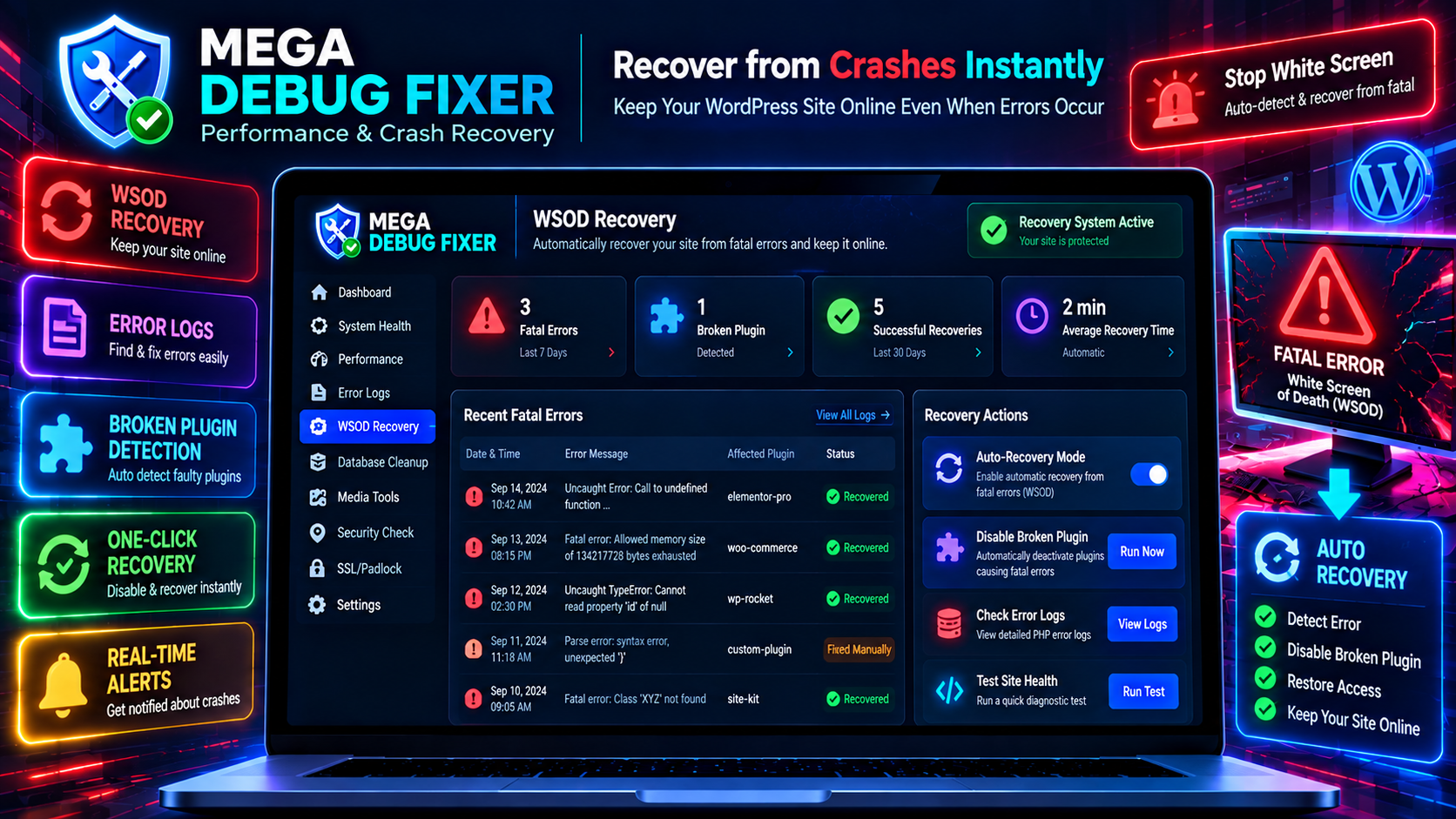
- WSOD Auto-Recovery: If a plugin update causes a Fatal Error, our emergency drop-in script catches it and isolates the broken plugin.
- Health Dashboard: Visually track your site's performance, load times, and error alerts.
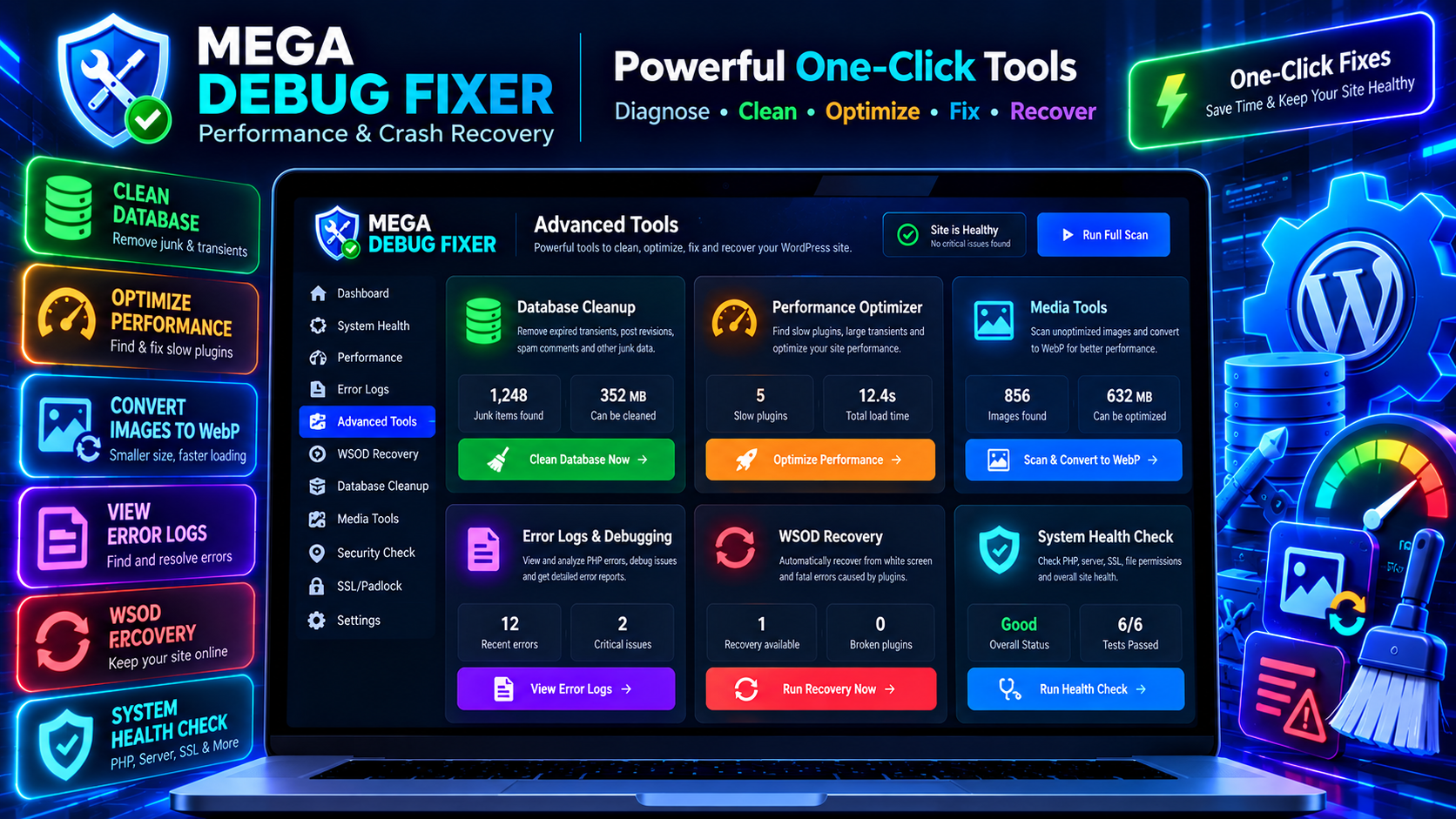
- Media Scanner & WebP Converter: Detects unoptimized images and converts them into next-gen WebP formats locally without external API costs.
- Plugin Performance Tracker: Automatically scans and lists plugins generating heavy transients.
- Database Junk Cleaner: Safely clears expired transients, post revisions, and spam comments.
- Find the Bottleneck: Instantly see which plugins are generating excessive transient junk in your database.
- Fix White Screens: Keep your WordPress admin accessible during fatal PHP errors.
- Keep Your Site Healthy: Automated checks for PHP memory limits, PHP version, and SSL configuration.
- Smart Recovery Mechanism: Built-in recovery drop-in prevents broken plugins from bringing down the entire website.
- Plugin Performance Tracker: Automatically scans and lists plugins generating heavy transients.
- Database Junk Scanner: Safely clears expired transients, revisions, and spam comments.
- System Health Diagnostics: Checks PHP memory limit, PHP version, and server environment.
- Admin Clutter Cleaner: Quick fix to dismiss unnecessary dashboard notices.
- SSL/Padlock Checker: Detects missing SSL configuration and helps ensure HTTPS.
- Local WebP Generation: Automatically generates WebP images on upload.
- WSOD Auto-Recovery: An emergency drop-in script that automatically recovers your site from fatal crashes.
- Spam & Orders Cleaner: (WooCommerce) Cleans orphaned sessions and failed test orders.
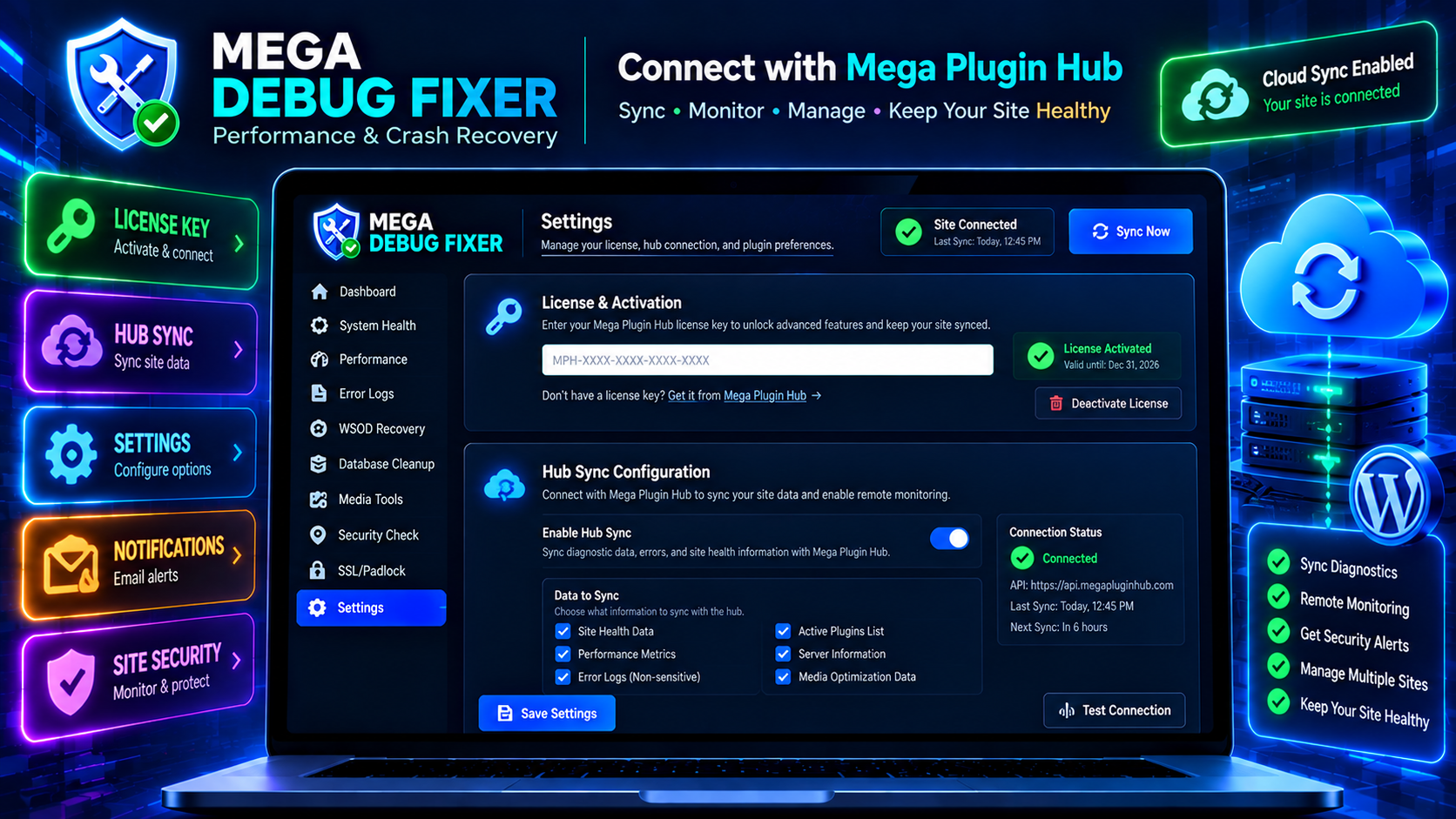
- Remote Health Dashboard: Centrally view diagnostics and trigger maintenance actions remotely.
安装:
- Go to WordPress Admin → Plugins → Add New
- Search for Mega Debug Fixer
- Click Install Now → Activate
- Look for Mega Debug Fixer in your admin menu!
- Download the plugin ZIP file.
- Go to Plugins → Add New → Upload Plugin.
- Select the ZIP and install.
- Click Activate Plugin.
- Open Mega Debug Fixer from your WordPress sidebar.
- Enter your Mega Plugin Hub License Key to connect.
- Your diagnostic data will automatically sync.
- Run your first health scan to analyze your site!
屏幕截图:
常见问题:
Is this debug tool safe to use on a live site?
Yes! The diagnostic tools perform non-destructive read checks. Fixes target caches, transients, and junk data. We always recommend taking a full database backup before running major server maintenance.
Will it slow down my site?
No! Mega Debug Fixer is designed to be lightweight. The heavy lifting and diagnostic visualization is processed through the cloud portal, keeping local execution fast.
How does WSOD Auto-Recovery work?
When activated, it enables an emergency recovery mode that runs early during WordPress loading. If another plugin causes an unhandled PHP Fatal Error, the recovery system catches the error, isolates the broken plugin, and keeps your site online.
Does the Media Scanner require a 3rd party API?
No. The Media Scanner uses WordPress's native image editing libraries to convert and compress images to WebP locally.
What database records does it clean?
It cleans post revisions, spam comments, and expired transients to reduce database bloat and speed up queries.
更新日志:
- Added Autonomous AI WordPress Doctor Engine powered by Google Gemini Pro AI.
- Added 24h Pre-Fix Safety Snapshot Checkpoint Vault & 1-Click Instant Undo.
- Added Secret Emergency Rescue URL Portal (?mega_rescue=TOKEN) for cPanel/FTP-free WSOD crash recovery.
- Added Plugin Guilt Scorecard & Latency Visualizer.
- Added Headless WordPress CORS API Diagnostics & 1-Click Origin Whitelisting.
- Added Database Cleanup Batch Chunking (LIMIT 500) to prevent MySQL table locks.
- Added Protocol-Agnostic WebP URL replacement engine.
- Initial Release of Mega Debug Fixer.
- Added Core Diagnostics (Performance, Media, Database, System).
- Added Maintenance Features (Admin Clutter, SSL, WooCommerce cleaner).
- Added Cloud Hub Integration (WSOD Recovery, Remote telemetry sync).
- Fully optimized REST API endpoints.
- Admin UI with Mega Plugin Hub sync.