Mega Performance Monitor - Core Web Vitals & Speed Optimization
| 开发者 | megawixtech |
|---|---|
| 更新时间 | 2026年9月14日 12:42 |
| 捐献地址: | 去捐款 |
| PHP版本: | 7.4 及以上 |
| WordPress版本: | 7.1 |
| 版权: | GPLv2 or later |
| 版权网址: | 版权信息 |
详情介绍:
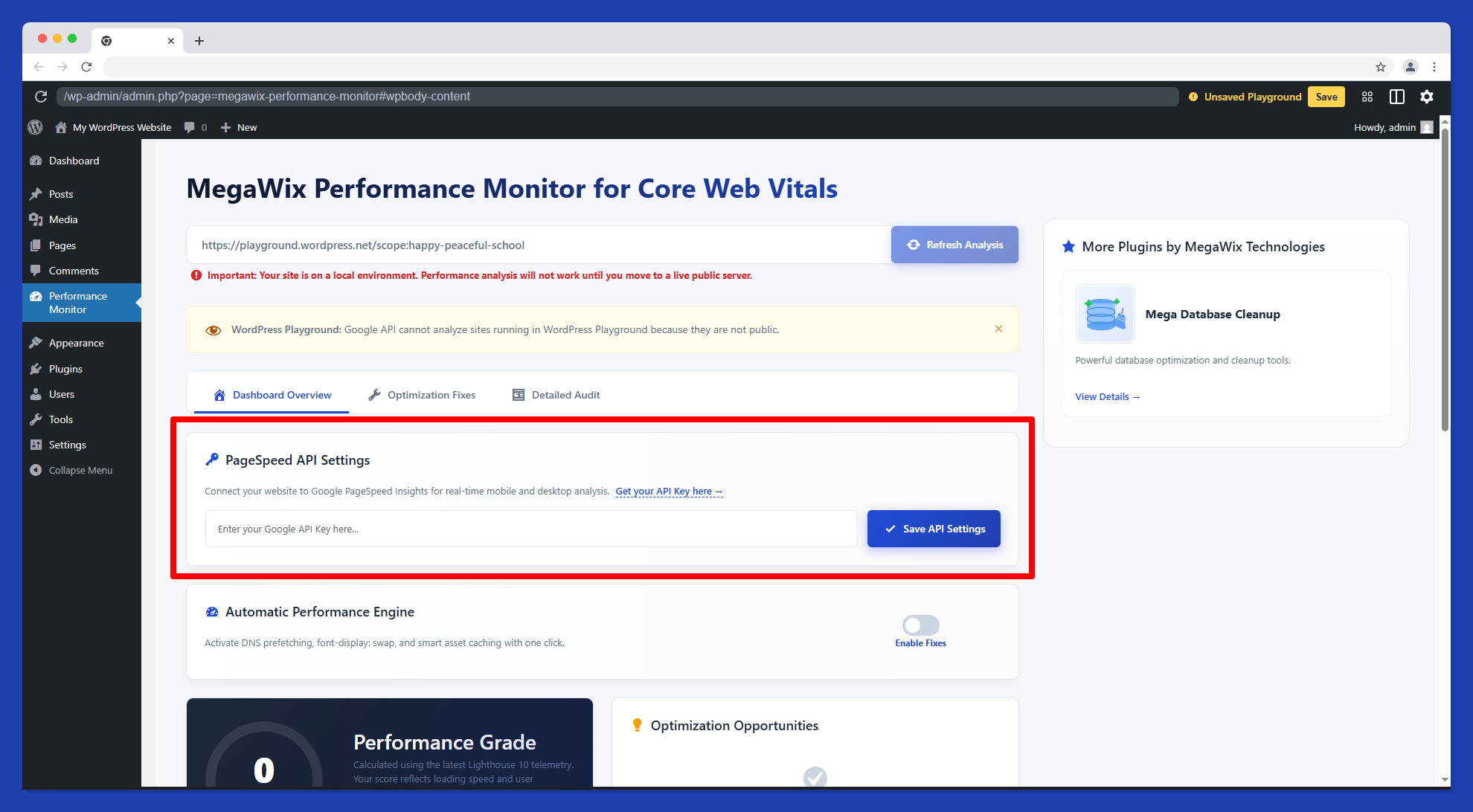
- Real-time Lighthouse 10 Integration: Fetch lab and field data for both Mobile and Desktop directly from Google.
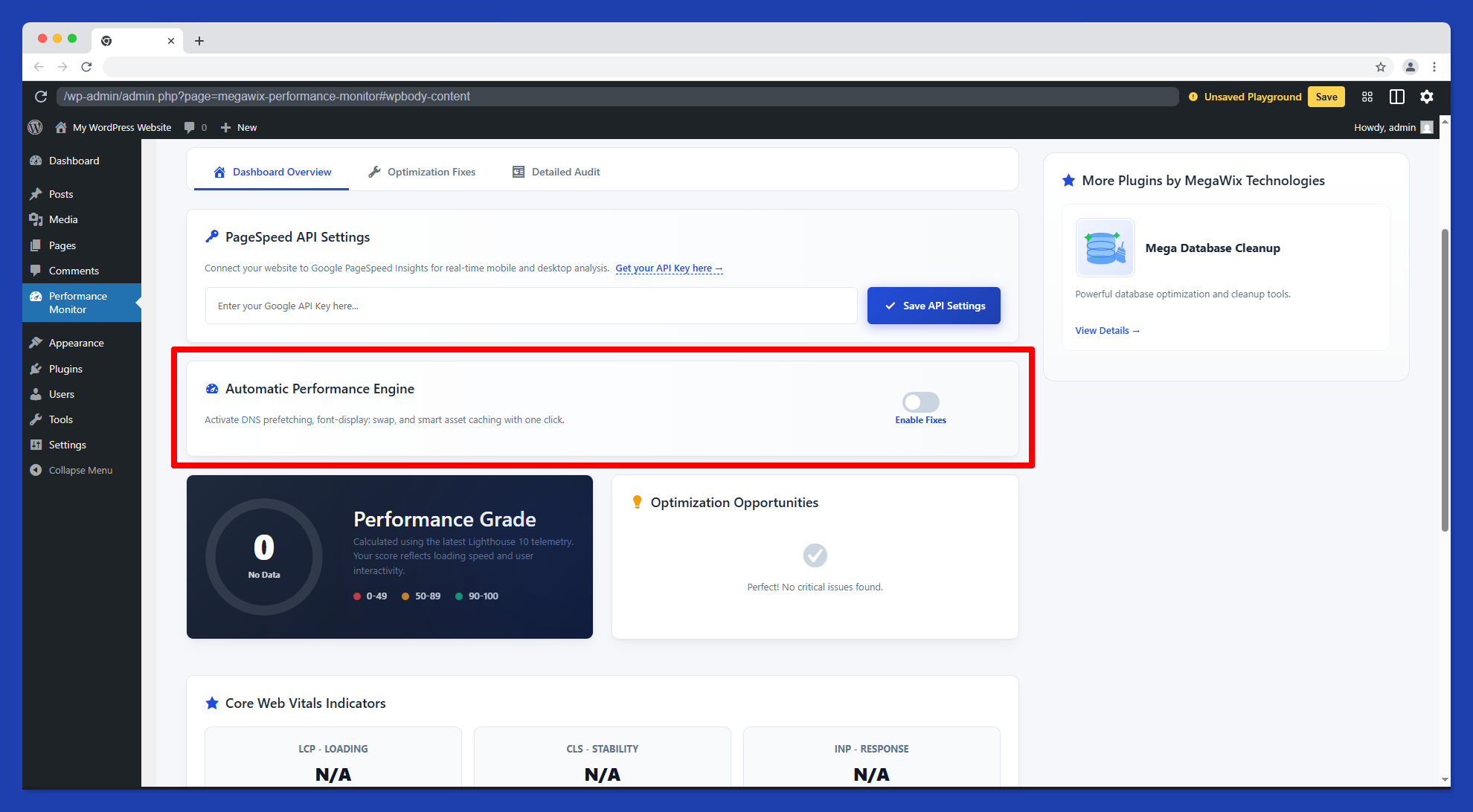
- Automatic Performance Engine: Fix DNS prefetching, font-display, and script loading with one click.
- One-Click Performance Engine: Activate smart asset caching and render-blocking fixes instantly.
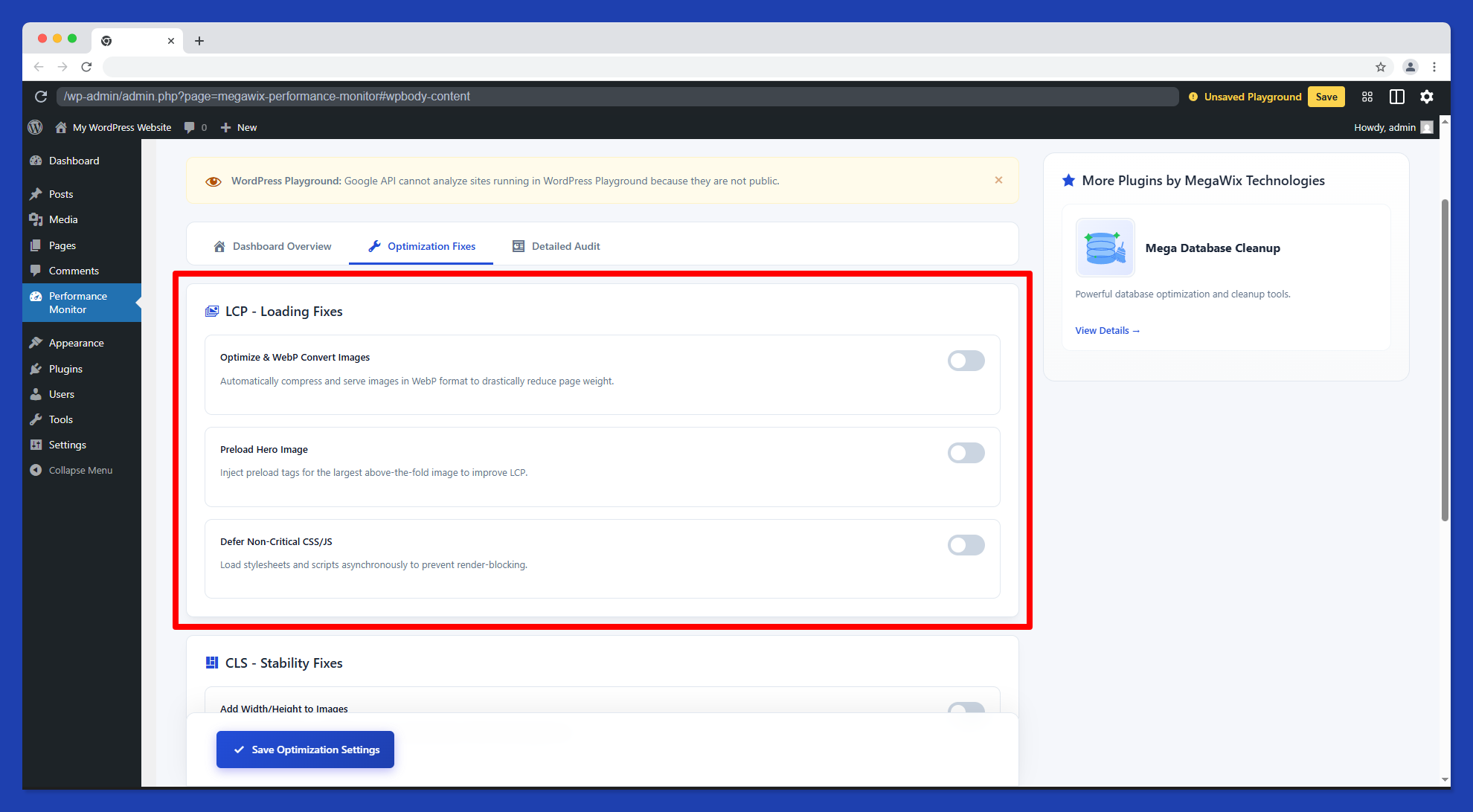
- Image Optimization Toolkit: Automatically serve WebP formats, inject missing dimensions, and preload hero images (Fixes LCP & CLS).
- Script Optimization: Postpone the execution of third-party trackers until user interaction (Fixes INP).
- Detailed Health Metrics: Track FCP, Speed Index, Total Blocking Time (TBT), and Time to First Byte (TTFB).
- Field Data (CrUX) Assessment: See if your actual users are experiencing a "Pass" or "Fail" based on 28-day real-world data.
- Automated Background Scans: Schedule hourly or daily performance audits.
- Advanced Asset Minification: Deep JS/CSS minification and combination.
- Critical CSS Generation: Automatically generate and inline Critical CSS for lightning-fast First Paint.
- Database Optimization Engine: Integrated database sweep capabilities.
安装:
- Go to WordPress Admin → Plugins → Add New
- Search for Mega Performance Monitor
- Click Install Now → Activate
- Look for Core Web Vitals in your left sidebar menu!
- Download the plugin ZIP file.
- Go to Plugins → Add New → Upload Plugin.
- Select the ZIP and install.
- Click Activate Plugin.
- Open Core Web Vitals from your WordPress sidebar.
- Enter your Mega Plugin Hub License Key to connect.
- Your settings will automatically sync.
- Run your first performance scan and enjoy a faster site!
屏幕截图:
常见问题:
Does this plugin affect my site's server speed?
No, it actually makes it faster! Unlike other heavy plugins, Mega Performance Monitor acts as a lightweight bridge. All the heavy performance analysis and Lighthouse 10 scans are securely offloaded to our cloud SaaS hub, meaning your server's resources are never drained.
Do I need coding skills to optimize my site?
Not at all. We built this plugin to simplify performance optimization. You can automatically fix your Core Web Vitals, optimize fonts, and fix render-blocking scripts with just one click—without touching a single line of code.
What are Core Web Vitals and why should I care?
Core Web Vitals are a set of metrics (LCP, CLS, INP) that Google uses to measure the user experience of your website. Passing these metrics is critical because Google uses them as a direct ranking factor for SEO. Faster sites rank higher.
Is the performance data real-time?
Yes. When you trigger a scan from the Mega Plugin Hub dashboard, it fetches live, up-to-the-minute lab and field data (CrUX) using the official Google Lighthouse 10 engine.
Does it support both Mobile and Desktop analysis?
Yes, the tool fully supports both mobile and desktop environments. You can easily toggle between the two to see exactly how different users experience your site.
Will this conflict with my existing caching plugin?
Mega Performance Monitor is designed to be compatible with most standard WordPress setups. Our One-Click Performance Engine focuses on specific bottlenecks (like DNS prefetching and image optimization) that complement your existing caching solutions.
Is my website data secure and private?
100% Secure. We only sync your license key and optimization settings to verify your account and trigger remote scans. We never inject local UI bloat, and your private site data is never sent to unauthorized third-party servers.
What is the difference between the Free and Pro version?
The Free version gives you the core tools to pass Web Vitals (real-time scans, image WebP conversion, and script optimization). The Pro version is for power users and agencies, adding Automated Background Scans, Deep JS/CSS Minification, Critical CSS Generation, and a Database Optimization Engine.
更新日志:
- Real-User Monitoring (RUM): Injected lightweight (<1KB) PerformanceObserver beacon for live field metrics (LCP, CLS, INP, TTFB).
- Speculation Rules API: Added Chrome Speculation Rules for 0ms instant hover prerendering.
- Video & Iframe Facades: Slashing Total Blocking Time (TBT) by lazy-loading YouTube and map iframes with lightweight preview thumbnails.
- Smart LCP Preloader: Automatic detection and high-priority preloading of above-the-fold hero and featured images.
- Google Fonts Preconnect: Early DNS/SSL handshakes to fonts.gstatic.com with font-display: swap.
- Safe Output Buffer: Transitioned to non-blocking template_redirect output buffering.
- Smart Coexistence Bridge: Seamless compatibility with Mega Speed without duplicate minification or WebP processing.
- Security & Sync Hardening: Strict REST API boolean sanitization and option allowlisting.
- Official Google PageSpeed Insights API (Lighthouse 10) integration with Mobile & Desktop strategy switching.
- Major Hub Integration: Real-time Settings Sync via Mega Plugin Hub webhook integration.
- License-aware tier detection (Free vs Pro) with automatic feature gating.
- Secure
X-Mega-Licenseheader authentication for all Hub communications. - Official Google PageSpeed Insights API (Lighthouse 10) integration.
- Automatic Performance Engine for DNS prefetching and font optimization.
- Image optimization toolkit (WebP conversion and dimension injection).
- Initial release of Mega Performance Monitor.