MeinTurnierplan
| 开发者 |
meinturnierplan
ramzesimus |
|---|---|
| 更新时间 | 2026年10月4日 22:12 |
| PHP版本: | 7.4 及以上 |
| WordPress版本: | 7.1 |
| 版权: | GPLv2 or later |
| 版权网址: | 版权信息 |
详情介绍:
MeinTurnierplan allows you to display tournament tables and match schedules from the MeinTurnierplan language-specific service domains on your WordPress site. Perfect for sports clubs, leagues, and tournament organizers who want to showcase standings, rankings, and match schedules on their WordPress website.
安装:
Automatic Installation
- Log in to your WordPress admin panel
- Navigate to Plugins > Add New
- Search for "MeinTurnierplan"
- Click "Install Now" and then "Activate"
- Download the plugin zip file
- Log in to your WordPress admin panel
- Navigate to Plugins > Add New > Upload Plugin
- Choose the downloaded zip file and click "Install Now"
- Activate the plugin through the Plugins menu in WordPress
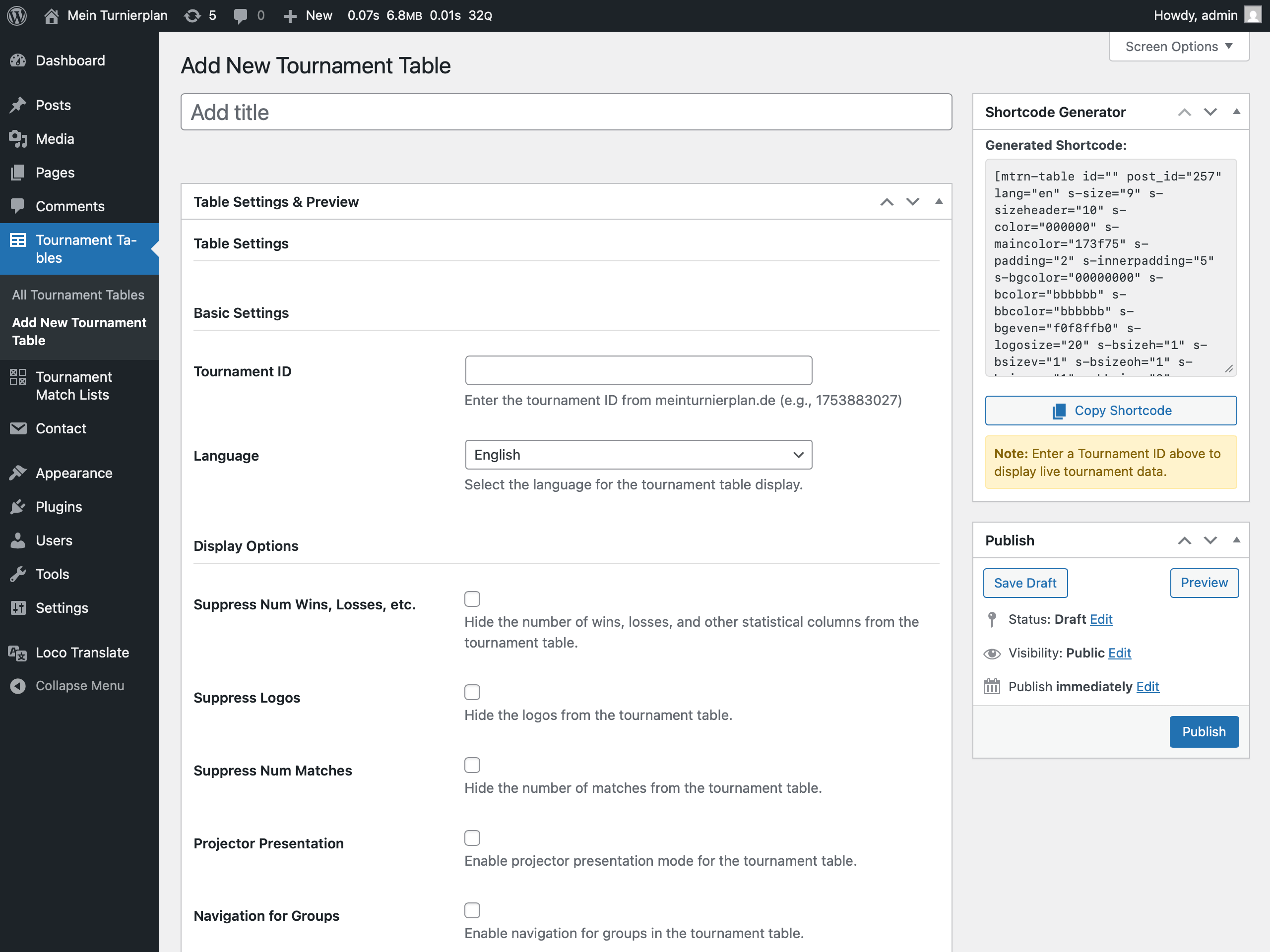
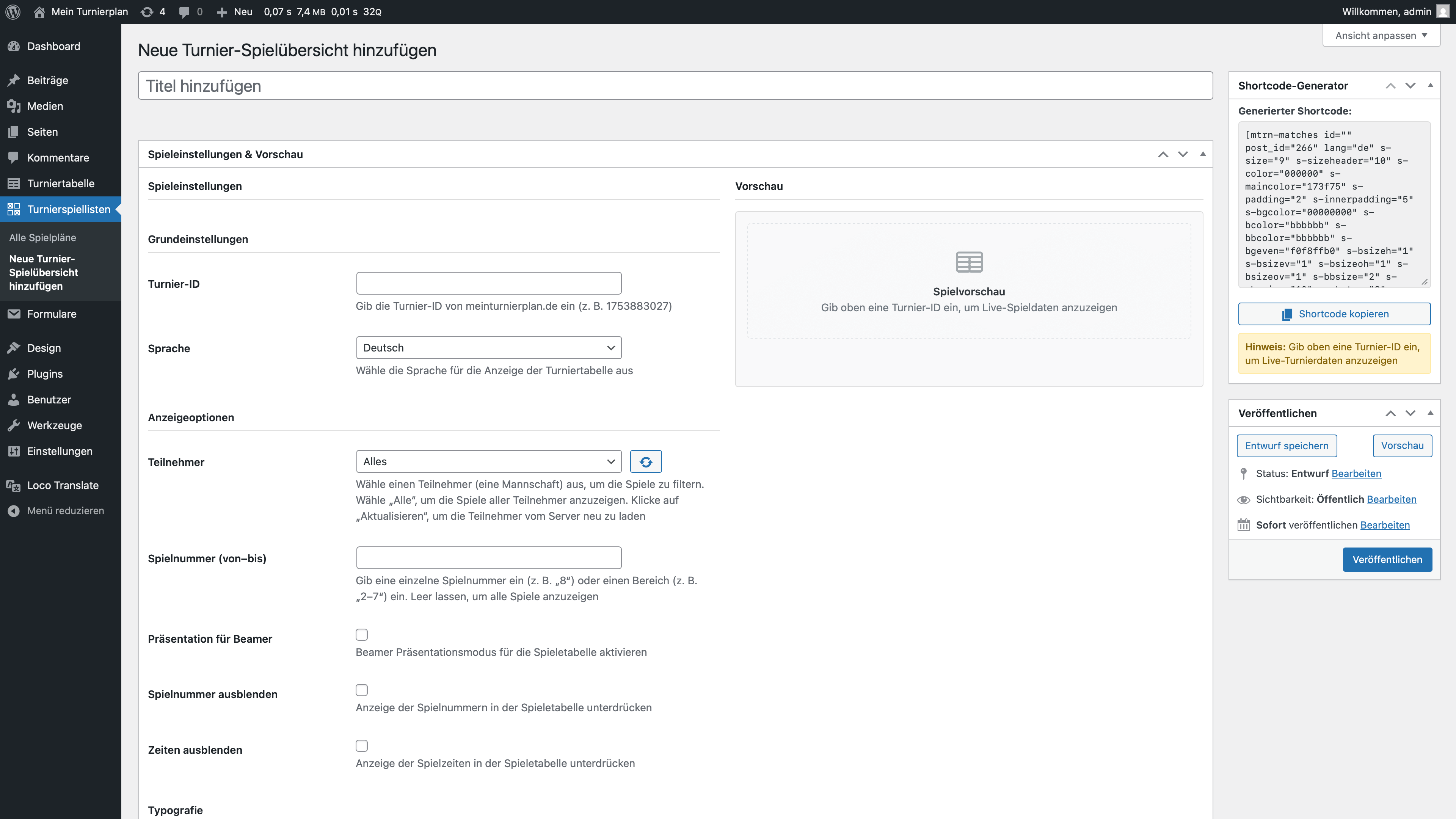
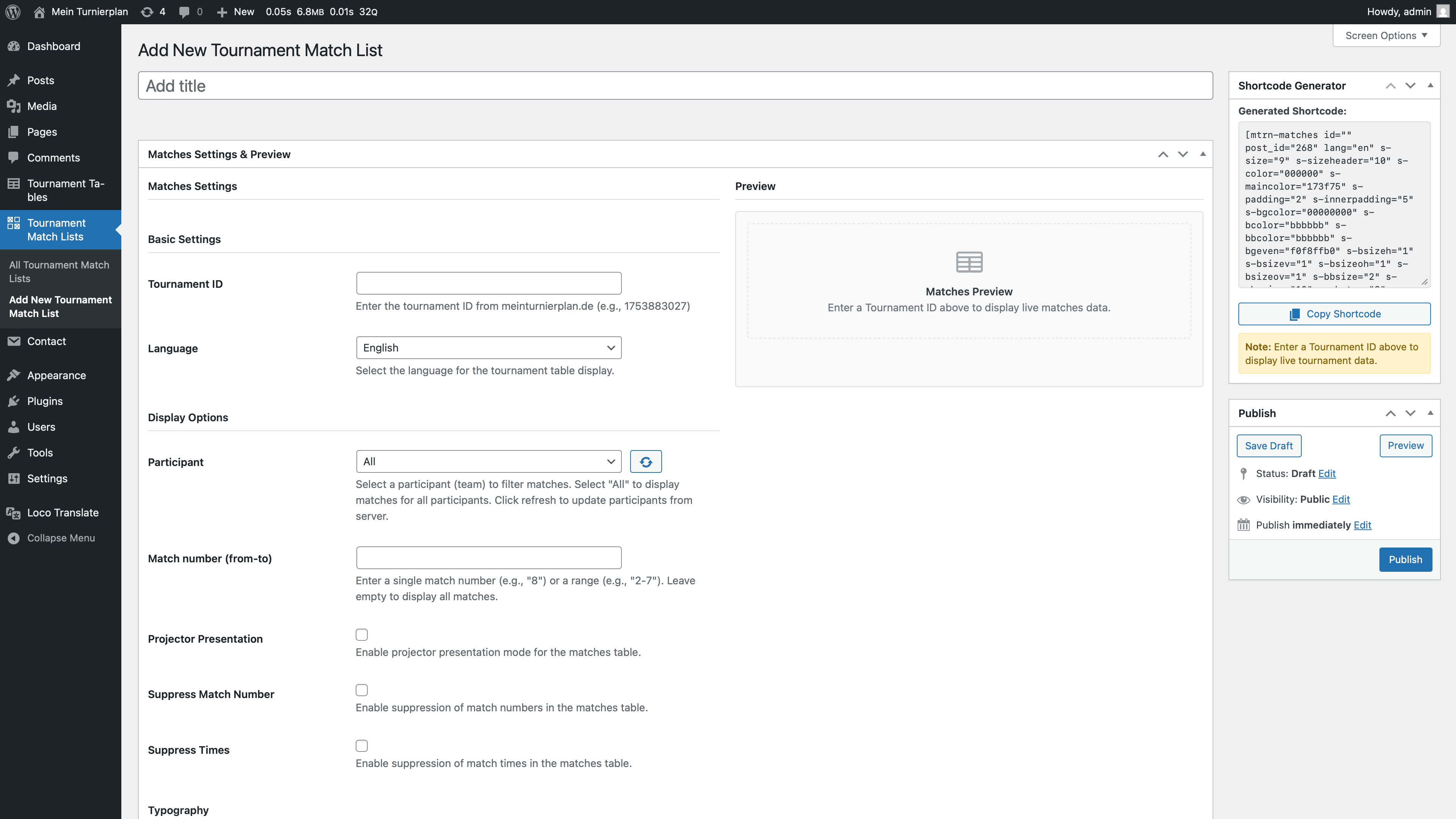
- Navigate to Tournament Tables or Tournament Match Lists in the admin menu
- Click Add New Tournament Table or Add New Tournament Match List to create your first tournament table or match list
- Configure settings and styling options
- Use the preview section to see changes in real-time
- Publish and display using blocks, shortcodes, or widgets
屏幕截图:
常见问题:
Where do I find my Tournament ID?
The tournament pages on the MeinTurnierplan service no longer show the Tournament ID in the page address (a tournament URL now looks like https://www.meinturnierplan.de/c/{code}/{tournament-name}/, which does not contain the ID). To get the ID:
- Open your tournament page on the service website (e.g. meinturnierplan.de)
- Click the Share on... button
- In the dialog that opens, find the Tournament ID – Copy ID entry at the bottom — it shows the ID
- Click the copy icon to copy the ID, then paste it into the Tournament ID field in the plugin settings or use it as the
idshortcode attribute
How do I display a tournament table?
You have several options:
- Use the Gutenberg block: Add the "Tournament Table" block to any post or page
- Use the shortcode:
[mtrn-table post_id="123"](replace 123 with your table's post ID) - Use the widget: Go to Appearance > Widgets and add the "Tournament Table" widget
- Visit the single post page directly - content displays automatically
How do I customize the appearance?
Each tournament table and match list has extensive customization options in the admin area:
- Configure colors (text, background, borders, hover states)
- Adjust font sizes for headers and content
- Control spacing (padding, margins)
- Toggle visibility of specific columns or information
- Use the live preview to see changes instantly
What are the shortcode attributes?
Tournament Table Shortcode Attributes: Common:
id- External tournament IDpost_id- WordPress post IDlang- Language code (en, de, etc.); defaults to the language saved onpost_id, otherwise engroup- Group to display: 1 for the first group, 2 for the second and so on, or 90 for the final roundwidth- Override table width-
height- Override table height Styling: -
s-size- Font size (default: 9) s-sizeheader- Header font size (default: 10)s-color- Text color (hex without #)s-maincolor- Main/accent color (default: 173f75)s-padding- Table padding (default: 2)s-innerpadding- Inner cell padding (default: 5)s-bgcolor- Background color with opacity (8-char hex)s-logosize- Logo size (default: 20)s-bcolor- Border color (default: bbbbbb)s-bsizeh- Horizontal border size (default: 1)-
s-bsizev- Vertical border size (default: 1) Display Options: -
sw- Suppress wins/losses/draws (1 to hide) sl- Suppress logos (1 to hide)sn- Suppress number of matches (1 to hide)bm- Projector/presentation mode (1 to enable)nav- Enable group navigation (1 to enable)s-wrap- Responsive layout: wrap long names and allow horizontal scrolling on narrow screens (true to enable) Matches Shortcode Attributes:
id- External tournament IDpost_id- WordPress post IDlang- Language code (en, de, etc.); defaults to the language saved onpost_id, otherwise engroup- Group to display: 1 for the first group, 2 for the second and so on, or 90 for the final round (omit for all matches)participant- Number of a participant (team) as shown in the tournament, to list only that team's matches (omit or -1 for all)-
gamenumbers- Single match number (e.g. 8) or a range (e.g. 2-7) Display Options: -
si- Suppress match numbers (1 to hide) sf- Suppress court information (1 to hide)st- Suppress match times (1 to hide)sg- Suppress group information (1 to hide)sr- Suppress referee information (1 to hide)se- Suppress extra-time results in final matches (1 to hide)sp- Suppress penalty-shootout results in final matches (1 to hide)sh- Suppress headlines in final matches (1 to hide)bm- Projector/presentation mode (1 to enable)s-wrap- Responsive layout: wrap long names and allow horizontal scrolling on narrow screens (true to enable)
更新日志:
1.2.2
- Fix - The "Responsive Layout" setting is now included in generated shortcodes and applied by the Tournament Table and Matches widgets
- Fix -
participantis now an accepted[mtrn-matches]attribute, so copied shortcodes keep their participant filter - Fix - Shortcodes that only pass
post_idnow use the language (and service domain) and the Responsive setting saved on that post - Fix - Embeds no longer jump to the fallback height when another iframe (cookie banner, chat widget, ad) is added to the page later
- Fix - Corrected the iframe fallback text shown by clients that cannot render iframes
- Fix - Live preview no longer triggers PHP warnings for missing width/height fields
- Fix - Tournament data responses with an error status are no longer cached as empty results
- Fix - Dismissing the service notice via its close button is now remembered
- Fix - Conditional editor fields stay hidden after the service notice has been dismissed
- Tweak - Removed debug console output from the frontend and admin scripts
- Tweak - Uninstall now also removes cached tournament data, the service notice flag and trashed tables / match lists
- Docs - Corrected the matches display option descriptions (they suppress columns), the
groupattribute format and the service's legal / privacy links
- Tweak - WordPress 7.1 compatibility confirmed, bump "Tested up to" to 7.1
- Tweak - Update the English service domain from tournamentbase.com to tournamentbase.co.uk
- Feature - Add responsive layout option for tournament tables and match lists. When enabled, long names wrap and the embed scrolls horizontally instead of being clipped on narrow screens (e.g. mobile)
- Feature - Add new
s-wrapshortcode attribute and a "Responsive" settings group with live preview for both post types - Tweak - Load frontend embed styles on the public site (previously only enqueued in the admin)
- Tweak - Add compatibility with MeinTurnierplan tournament JSON schema v5 (keyed participants object, updated final ranking fields)
- Tweak - Improve detection of the final round in the admin widget settings across all tournament modes
- Tweak - WordPress 7.0 compatibility updates
- Tweak - Use language-specific domains for embeds and API requests
- Tweak - Update plugin description and readme with new features and external service information
- Tweak - Update translations
- Fix - Fixes German plugin description placement
- Tweak - Add German plugin description
- Fix - Update plugin version
- Localization - Update Spanish, French, Polish and Italian translations
- Localization - Add German, Spanish, French, Polish and Italian translations
- Initial release